warning GMC TERRAIN 2017 Workshop Manual
[x] Cancel search | Manufacturer: GMC, Model Year: 2017, Model line: TERRAIN, Model: GMC TERRAIN 2017Pages: 330, PDF Size: 4.54 MB
Page 95 of 330
GMC Terrain/Terrain Denali Owner Manual (GMNA-Localizing-U.S./Canada/
Mexico-9919509) - 2017 - crc - 8/16/16
94 Storage
Convenience Net
This vehicle may have a
convenience net in the rear of the
vehicle. Attach it to the cargo
tie-downs for storing small loads.
Do not use the net to store heavy
loads.
Roof Rack System
{Warning
If something is carried on top of
the vehicle that is longer or wider
than the roof rack—like paneling,
plywood, or a mattress —the
wind can catch it while the vehicle
is being driven. The item being
carried could be violently torn off,
and this could cause a collision
and damage the vehicle. Never
carry something longer or wider
than the roof rack on top of the
vehicle unless using a GM
certified accessory carrier.
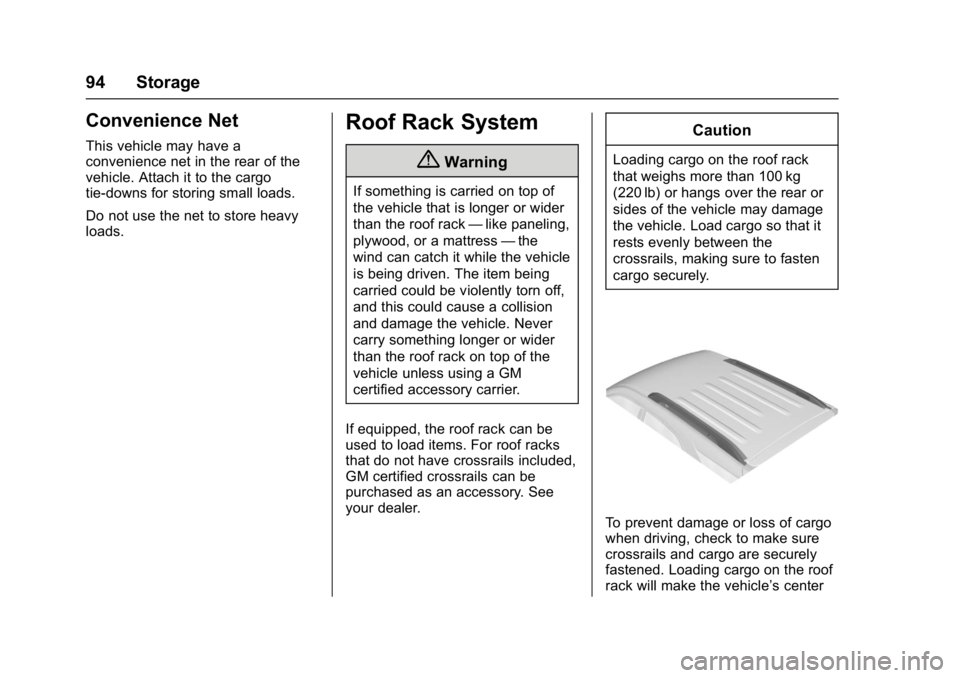
If equipped, the roof rack can be
used to load items. For roof racks
that do not have crossrails included,
GM certified crossrails can be
purchased as an accessory. See
your dealer.
Caution
Loading cargo on the roof rack
that weighs more than 100 kg
(220 lb) or hangs over the rear or
sides of the vehicle may damage
the vehicle. Load cargo so that it
rests evenly between the
crossrails, making sure to fasten
cargo securely.
To prevent damage or loss of cargo
when driving, check to make sure
crossrails and cargo are securely
fastened. Loading cargo on the roof
rack will make the vehicle’ s center
Page 97 of 330
GMC Terrain/Terrain Denali Owner Manual (GMNA-Localizing-U.S./Canada/
Mexico-9919509) - 2017 - crc - 8/16/16
96 Instruments and Controls
Instruments and
Controls
Controls
Steering Wheel Adjustment . . . . 97
Steering Wheel Controls . . . . . . . 97
Horn . . . . . . . . . . . . . . . . . . . . . . . . . . . 97
Windshield Wiper/Washer . . . . . . 97
Rear Window Wiper/Washer . . . 98
Compass . . . . . . . . . . . . . . . . . . . . . . 99
Clock . . . . . . . . . . . . . . . . . . . . . . . . . . 99
Power Outlets . . . . . . . . . . . . . . . . 100
Warning Lights, Gauges, and
Indicators
Warning Lights, Gauges, andIndicators . . . . . . . . . . . . . . . . . . . 101
Instrument Cluster . . . . . . . . . . . . 102
Speedometer . . . . . . . . . . . . . . . . . 103
Odometer . . . . . . . . . . . . . . . . . . . . . 103
Tachometer . . . . . . . . . . . . . . . . . . . 103
Fuel Gauge . . . . . . . . . . . . . . . . . . . 103
Engine Coolant Temperature Gauge . . . . . . . . . . . . . . . . . . . . . . 104
Safety Belt Reminders . . . . . . . . 105
Airbag Readiness Light . . . . . . . 105
Passenger Airbag Status Indicator . . . . . . . . . . . . . . . . . . . . 106
Charging System Light . . . . . . . 107 Malfunction Indicator Lamp
(Check Engine Light) . . . . . . . . 107
Brake System Warning Light . . . . . . . . . . . . . . . . . . . . . . . . 109
Antilock Brake System (ABS)
Warning Light . . . . . . . . . . . . . . . 110
Lane Departure Warning (LDW) Light . . . . . . . . . . . . . . . . . 110
Forward Collision Alert (FCA) Warning Light . . . . . . . . . . . . . . . 110
Vehicle Ahead Indicator . . . . . . . 111
Traction Off Light . . . . . . . . . . . . . 111
StabiliTrak
®OFF Light . . . . . . . . 111
Traction Control System (TCS)/ StabiliTrak
®Light . . . . . . . . . . . . 111
Tire Pressure Light . . . . . . . . . . . 112
Engine Oil Pressure Light . . . . . 112
Fuel Economy Light . . . . . . . . . . 113
Low Fuel Warning Light . . . . . . . 113
Security Light . . . . . . . . . . . . . . . . . 114
High-Beam On Light . . . . . . . . . . 114
Lamps On Reminder . . . . . . . . . . 114
Cruise Control Light . . . . . . . . . . 114
Information Displays
Driver Information Center (DIC) . . . . . . . . . . . . . . . . 115
Vehicle Messages
Vehicle Messages . . . . . . . . . . . . 118 Battery Voltage and Charging
Messages . . . . . . . . . . . . . . . . . . . 118
Brake System Messages . . . . . 119
Compass Messages . . . . . . . . . . 119
Cruise Control Messages . . . . . 119
Door Ajar Messages . . . . . . . . . . 119
Engine Cooling System Messages . . . . . . . . . . . . . . . . . . . 119
Engine Oil Messages . . . . . . . . . 120
Engine Power Messages . . . . . 121
Fuel System Messages . . . . . . . 121
Key and Lock Messages . . . . . 121
Object Detection System Messages . . . . . . . . . . . . . . . . . . . 121
Ride Control System Messages . . . . . . . . . . . . . . . . . . . 122
Airbag System Messages . . . . 123
Security Messages . . . . . . . . . . . 123
Service Vehicle Messages . . . . 123
Tire Messages . . . . . . . . . . . . . . . . 124
Transmission Messages . . . . . . 124
Vehicle Reminder Messages . . . . . . . . . . . . . . . . . . . 124
Vehicle Personalization
Vehicle Personalization . . . . . . . 125
Page 99 of 330

GMC Terrain/Terrain Denali Owner Manual (GMNA-Localizing-U.S./Canada/
Mexico-9919509) - 2017 - crc - 8/16/16
98 Instruments and Controls
INT :Move the lever up to INT for
intermittent wipes, then turn the
3INT band up for more frequent
wipes or down for less frequent
wipes.
OFF : Use to turn the wipers off.
1X : For a single wipe, briefly move
the wiper lever down. For several
wipes, hold the wiper lever down.
n LFRONT : Pull the windshield
wiper lever toward you to spray
windshield washer fluid and activate
the wipers. The wipers will continue
until the lever is released or the
maximum wash time is reached.
When the windshield wiper lever is
released, additional wipes may
occur depending on how long the
windshield washer had been
activated. See Washer Fluid0221
for information on filling the
windshield washer fluid reservoir.
{Warning
In freezing weather, do not use
the washer until the windshield is
warmed. Otherwise the washer
fluid can form ice on the
windshield, blocking your vision.
Clear snow and ice from the wiper
blades before using them. If frozen
to the windshield, carefully loosen or
thaw them. Damaged blades should
be replaced. See Wiper Blade
Replacement 0225.
Heavy snow or ice can overload the
wiper motor.
Wiper Parking
If the ignition is turned to LOCK/
OFF while the wipers are on LO, HI,
or INT, they will immediately stop.
If the windshield wiper lever is then
moved to OFF before the driver
door is opened or within 10 minutes,
the wipers will restart and move to
the base of the windshield. If the ignition is turned to LOCK/
OFF while the wipers are performing
wipes due to windshield washing,
the wipers continue to run until they
reach the base of the windshield.
Rear Window Wiper/
Washer
The rear wiper controls are on the
end of the windshield wiper lever.
ON :
Press the upper portion of the
button for continuous rear window
wipes.
OFF : The rear wiper turns off when
the button is returned to the middle
position.
INT : Press the lower portion of the
button to set a delay between
wipes.
Page 102 of 330
GMC Terrain/Terrain Denali Owner Manual (GMNA-Localizing-U.S./Canada/
Mexico-9919509) - 2017 - crc - 8/16/16
Instruments and Controls 101
Warning Lights,
Gauges, and
Indicators
Warning lights and gauges can
signal that something is wrong
before it becomes serious enough
to cause an expensive repair or
replacement. Paying attention to the
warning lights and gauges could
prevent injury.
Some warning lights come on briefly
when the engine is started to
indicate they are working. When
one of the warning lights comes on
and stays on while driving, or when
one of the gauges shows there may
be a problem, check the section that
explains what to do. Waiting to do
repairs can be costly and even
dangerous.
Page 107 of 330
GMC Terrain/Terrain Denali Owner Manual (GMNA-Localizing-U.S./Canada/
Mexico-9919509) - 2017 - crc - 8/16/16
106 Instruments and Controls
{Warning
If the airbag readiness light stays
on after the vehicle is started or
comes on while driving, it means
the airbag system might not be
working properly. The airbags in
the vehicle might not inflate in a
crash, or they could even inflate
without a crash. To help avoid
injury, have the vehicle serviced
right away.
If there is a problem with the airbag
system, a Driver Information Center
(DIC) message may also come on.
See Airbag System
Messages 0123.
Passenger Airbag Status
Indicator
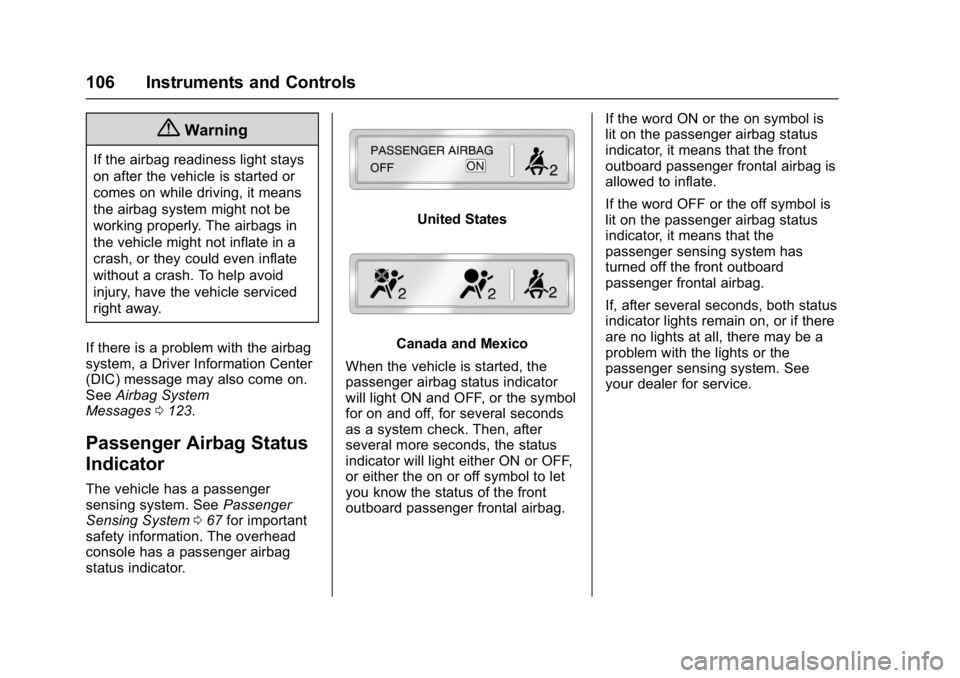
The vehicle has a passenger
sensing system. See Passenger
Sensing System 067 for important
safety information. The overhead
console has a passenger airbag
status indicator.
United States
Canada and Mexico
When the vehicle is started, the
passenger airbag status indicator
will light ON and OFF, or the symbol
for on and off, for several seconds
as a system check. Then, after
several more seconds, the status
indicator will light either ON or OFF,
or either the on or off symbol to let
you know the status of the front
outboard passenger frontal airbag. If the word ON or the on symbol is
lit on the passenger airbag status
indicator, it means that the front
outboard passenger frontal airbag is
allowed to inflate.
If the word OFF or the off symbol is
lit on the passenger airbag status
indicator, it means that the
passenger sensing system has
turned off the front outboard
passenger frontal airbag.
If, after several seconds, both status
indicator lights remain on, or if there
are no lights at all, there may be a
problem with the lights or the
passenger sensing system. See
your dealer for service.
Page 108 of 330
GMC Terrain/Terrain Denali Owner Manual (GMNA-Localizing-U.S./Canada/
Mexico-9919509) - 2017 - crc - 8/16/16
Instruments and Controls 107
{Warning
If the airbag readiness light ever
comes on and stays on, it means
that something may be wrong
with the airbag system. To help
avoid injury to yourself or others,
have the vehicle serviced right
away. SeeAirbag Readiness
Light 0105 for more information,
including important safety
information.
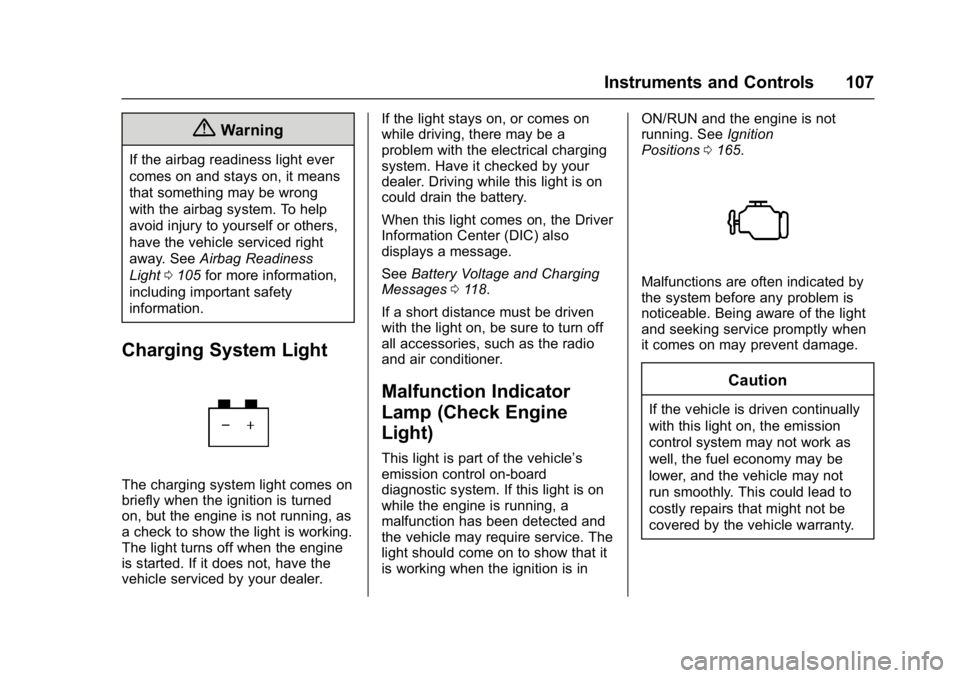
Charging System Light
The charging system light comes on
briefly when the ignition is turned
on, but the engine is not running, as
a check to show the light is working.
The light turns off when the engine
is started. If it does not, have the
vehicle serviced by your dealer. If the light stays on, or comes on
while driving, there may be a
problem with the electrical charging
system. Have it checked by your
dealer. Driving while this light is on
could drain the battery.
When this light comes on, the Driver
Information Center (DIC) also
displays a message.
See
Battery Voltage and Charging
Messages 0118.
If a short distance must be driven
with the light on, be sure to turn off
all accessories, such as the radio
and air conditioner.
Malfunction Indicator
Lamp (Check Engine
Light)
This light is part of the vehicle’s
emission control on-board
diagnostic system. If this light is on
while the engine is running, a
malfunction has been detected and
the vehicle may require service. The
light should come on to show that it
is working when the ignition is in ON/RUN and the engine is not
running. See
Ignition
Positions 0165.
Malfunctions are often indicated by
the system before any problem is
noticeable. Being aware of the light
and seeking service promptly when
it comes on may prevent damage.
Caution
If the vehicle is driven continually
with this light on, the emission
control system may not work as
well, the fuel economy may be
lower, and the vehicle may not
run smoothly. This could lead to
costly repairs that might not be
covered by the vehicle warranty.
Page 110 of 330
GMC Terrain/Terrain Denali Owner Manual (GMNA-Localizing-U.S./Canada/
Mexico-9919509) - 2017 - crc - 8/16/16
Instruments and Controls 109
The vehicle may not pass
inspection if:
.The light is on when the engine
is running.
. The light does not come on
when the ignition is in ON/RUN
while the engine is off.
. Critical emission control systems
have not been completely
diagnosed. If this happens, the
vehicle would not be ready for
inspection and might require
several days of routine driving
before the system is ready for
inspection. This can happen if
the 12-volt battery has recently
been replaced or run down, or if
the vehicle has been recently
serviced.
See your dealer if the vehicle will
not pass or cannot be made ready
for the test.Brake System Warning
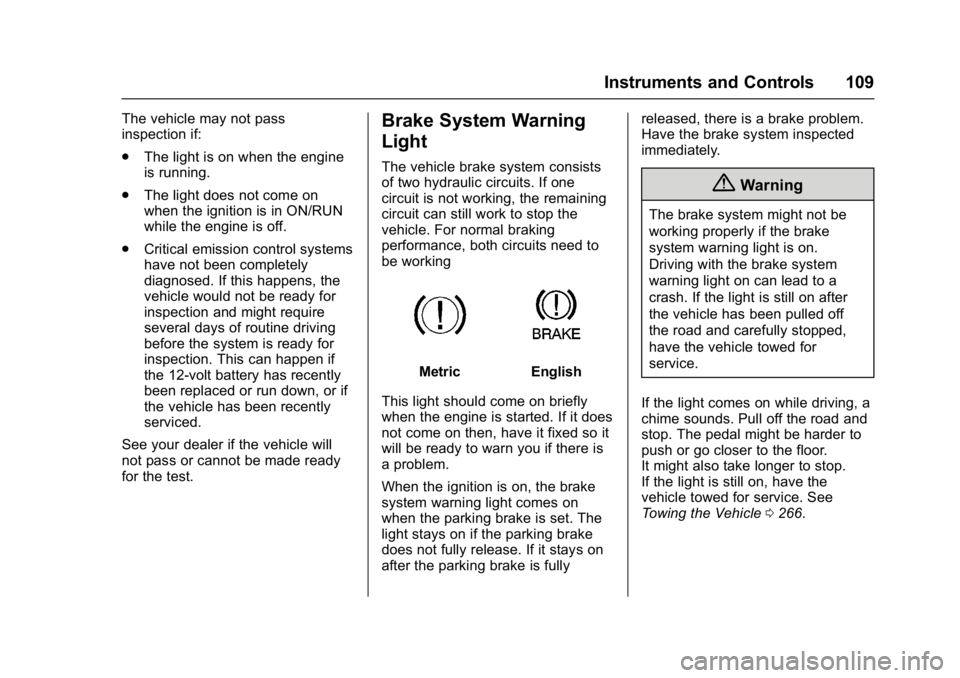
Light
The vehicle brake system consists
of two hydraulic circuits. If one
circuit is not working, the remaining
circuit can still work to stop the
vehicle. For normal braking
performance, both circuits need to
be working
MetricEnglish
This light should come on briefly
when the engine is started. If it does
not come on then, have it fixed so it
will be ready to warn you if there is
a problem.
When the ignition is on, the brake
system warning light comes on
when the parking brake is set. The
light stays on if the parking brake
does not fully release. If it stays on
after the parking brake is fully released, there is a brake problem.
Have the brake system inspected
immediately.
{Warning
The brake system might not be
working properly if the brake
system warning light is on.
Driving with the brake system
warning light on can lead to a
crash. If the light is still on after
the vehicle has been pulled off
the road and carefully stopped,
have the vehicle towed for
service.
If the light comes on while driving, a
chime sounds. Pull off the road and
stop. The pedal might be harder to
push or go closer to the floor.
It might also take longer to stop.
If the light is still on, have the
vehicle towed for service. See
Towing the Vehicle 0266.
Page 111 of 330
GMC Terrain/Terrain Denali Owner Manual (GMNA-Localizing-U.S./Canada/
Mexico-9919509) - 2017 - crc - 8/16/16
110 Instruments and Controls
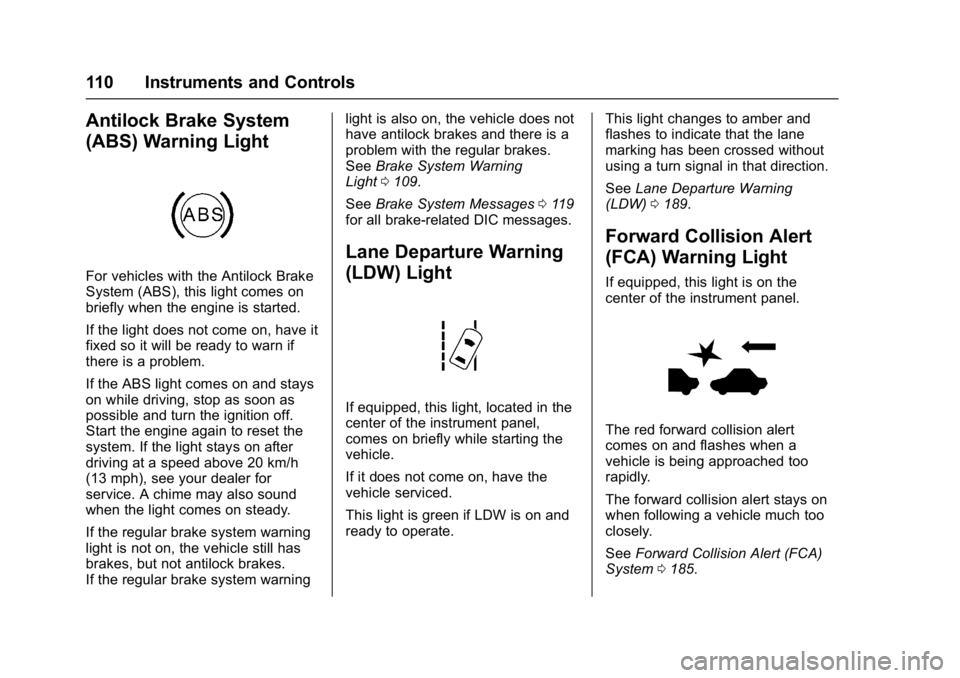
Antilock Brake System
(ABS) Warning Light
For vehicles with the Antilock Brake
System (ABS), this light comes on
briefly when the engine is started.
If the light does not come on, have it
fixed so it will be ready to warn if
there is a problem.
If the ABS light comes on and stays
on while driving, stop as soon as
possible and turn the ignition off.
Start the engine again to reset the
system. If the light stays on after
driving at a speed above 20 km/h
(13 mph), see your dealer for
service. A chime may also sound
when the light comes on steady.
If the regular brake system warning
light is not on, the vehicle still has
brakes, but not antilock brakes.
If the regular brake system warninglight is also on, the vehicle does not
have antilock brakes and there is a
problem with the regular brakes.
See
Brake System Warning
Light 0109.
See Brake System Messages 0119
for all brake‐related DIC messages.
Lane Departure Warning
(LDW) Light
If equipped, this light, located in the
center of the instrument panel,
comes on briefly while starting the
vehicle.
If it does not come on, have the
vehicle serviced.
This light is green if LDW is on and
ready to operate. This light changes to amber and
flashes to indicate that the lane
marking has been crossed without
using a turn signal in that direction.
See
Lane Departure Warning
(LDW) 0189.
Forward Collision Alert
(FCA) Warning Light
If equipped, this light is on the
center of the instrument panel.
The red forward collision alert
comes on and flashes when a
vehicle is being approached too
rapidly.
The forward collision alert stays on
when following a vehicle much too
closely.
See Forward Collision Alert (FCA)
System 0185.
Page 112 of 330
GMC Terrain/Terrain Denali Owner Manual (GMNA-Localizing-U.S./Canada/
Mexico-9919509) - 2017 - crc - 8/16/16
Instruments and Controls 111
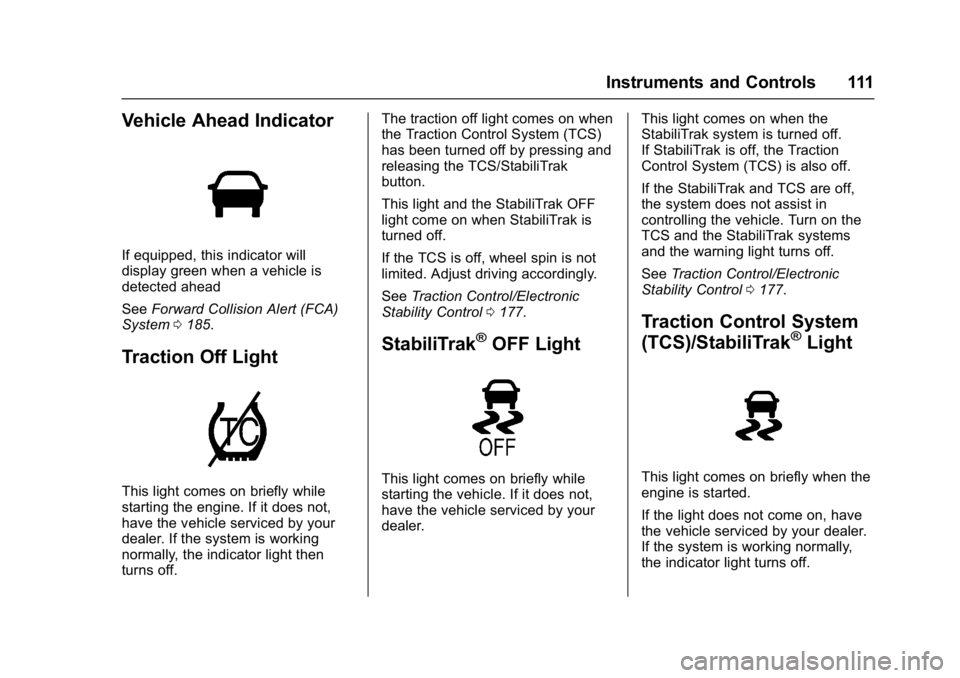
Vehicle Ahead Indicator
If equipped, this indicator will
display green when a vehicle is
detected ahead
SeeForward Collision Alert (FCA)
System 0185.
Traction Off Light
This light comes on briefly while
starting the engine. If it does not,
have the vehicle serviced by your
dealer. If the system is working
normally, the indicator light then
turns off. The traction off light comes on when
the Traction Control System (TCS)
has been turned off by pressing and
releasing the TCS/StabiliTrak
button.
This light and the StabiliTrak OFF
light come on when StabiliTrak is
turned off.
If the TCS is off, wheel spin is not
limited. Adjust driving accordingly.
See
Traction Control/Electronic
Stability Control 0177.
StabiliTrak®OFF Light
This light comes on briefly while
starting the vehicle. If it does not,
have the vehicle serviced by your
dealer. This light comes on when the
StabiliTrak system is turned off.
If StabiliTrak is off, the Traction
Control System (TCS) is also off.
If the StabiliTrak and TCS are off,
the system does not assist in
controlling the vehicle. Turn on the
TCS and the StabiliTrak systems
and the warning light turns off.
See
Traction Control/Electronic
Stability Control 0177.
Traction Control System
(TCS)/StabiliTrak®Light
This light comes on briefly when the
engine is started.
If the light does not come on, have
the vehicle serviced by your dealer.
If the system is working normally,
the indicator light turns off.
Page 113 of 330
GMC Terrain/Terrain Denali Owner Manual (GMNA-Localizing-U.S./Canada/
Mexico-9919509) - 2017 - crc - 8/16/16
112 Instruments and Controls
If the light is on and not flashing, the
TCS and potentially the StabiliTrak
system have been disabled.
A Driver Information Center (DIC)
message may display. Check the
DIC messages to determine which
feature(s) is no longer functioning
and whether the vehicle requires
service. SeeRide Control System
Messages 0122.
If the light is on and flashing, the
TCS and/or the StabiliTrak system
is actively working.
See Traction Control/Electronic
Stability Control 0177.
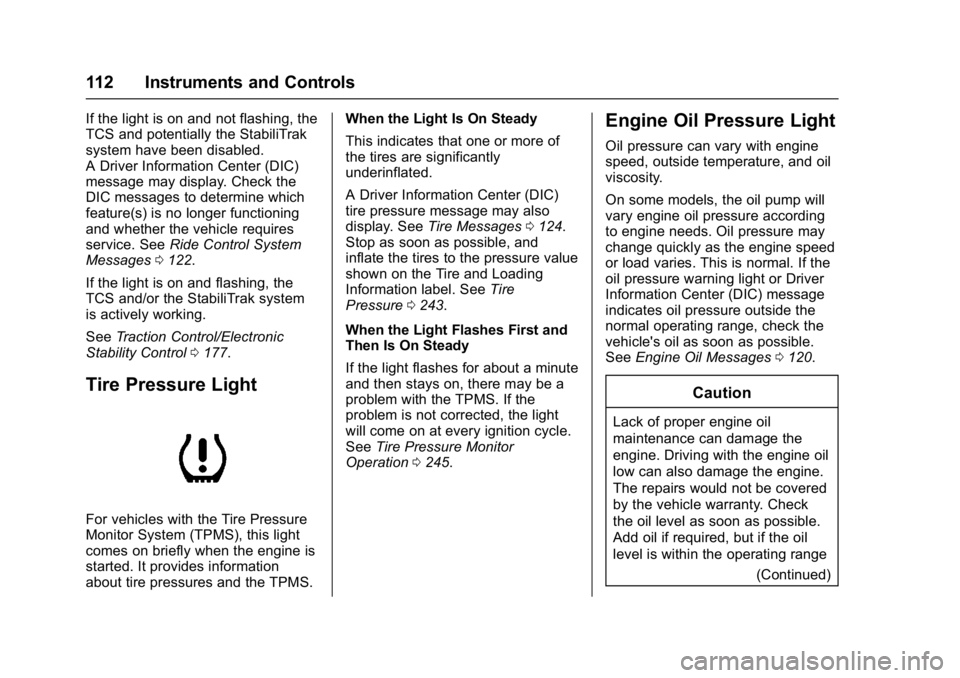
Tire Pressure Light
For vehicles with the Tire Pressure
Monitor System (TPMS), this light
comes on briefly when the engine is
started. It provides information
about tire pressures and the TPMS. When the Light Is On Steady
This indicates that one or more of
the tires are significantly
underinflated.
A Driver Information Center (DIC)
tire pressure message may also
display. See
Tire Messages 0124.
Stop as soon as possible, and
inflate the tires to the pressure value
shown on the Tire and Loading
Information label. See Tire
Pressure 0243.
When the Light Flashes First and
Then Is On Steady
If the light flashes for about a minute
and then stays on, there may be a
problem with the TPMS. If the
problem is not corrected, the light
will come on at every ignition cycle.
See Tire Pressure Monitor
Operation 0245.
Engine Oil Pressure Light
Oil pressure can vary with engine
speed, outside temperature, and oil
viscosity.
On some models, the oil pump will
vary engine oil pressure according
to engine needs. Oil pressure may
change quickly as the engine speed
or load varies. This is normal. If the
oil pressure warning light or Driver
Information Center (DIC) message
indicates oil pressure outside the
normal operating range, check the
vehicle's oil as soon as possible.
See Engine Oil Messages 0120.
Caution
Lack of proper engine oil
maintenance can damage the
engine. Driving with the engine oil
low can also damage the engine.
The repairs would not be covered
by the vehicle warranty. Check
the oil level as soon as possible.
Add oil if required, but if the oil
level is within the operating range
(Continued)