ignition GMC TERRAIN 2017 Owner's Manual
[x] Cancel search | Manufacturer: GMC, Model Year: 2017, Model line: TERRAIN, Model: GMC TERRAIN 2017Pages: 330, PDF Size: 4.54 MB
Page 8 of 330
GMC Terrain/Terrain Denali Owner Manual (GMNA-Localizing-U.S./Canada/
Mexico-9919509) - 2017 - crc - 8/16/16
In Brief 7
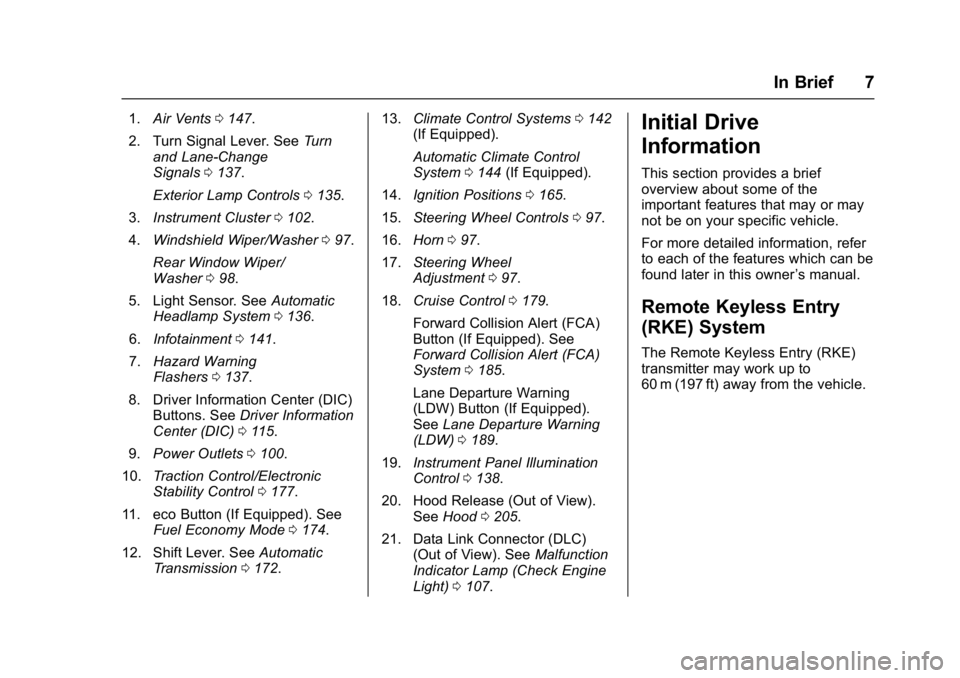
1.Air Vents 0147.
2. Turn Signal Lever. See Turn
and Lane-Change
Signals 0137.
Exterior Lamp Controls 0135.
3. Instrument Cluster 0102.
4. Windshield Wiper/Washer 097.
Rear Window Wiper/
Washer 098.
5. Light Sensor. See Automatic
Headlamp System 0136.
6. Infotainment 0141.
7. Hazard Warning
Flashers 0137.
8. Driver Information Center (DIC) Buttons. See Driver Information
Center (DIC) 0115.
9. Power Outlets 0100.
10. Traction Control/Electronic
Stability Control 0177.
11. eco Button (If Equipped). See Fuel Economy Mode 0174.
12. Shift Lever. See Automatic
Transmission 0172. 13.
Climate Control Systems 0142
(If Equipped).
Automatic Climate Control
System 0144 (If Equipped).
14. Ignition Positions 0165.
15. Steering Wheel Controls 097.
16. Horn 097.
17. Steering Wheel
Adjustment 097.
18. Cruise Control 0179.
Forward Collision Alert (FCA)
Button (If Equipped). See
Forward Collision Alert (FCA)
System 0185.
Lane Departure Warning
(LDW) Button (If Equipped).
See Lane Departure Warning
(LDW) 0189.
19. Instrument Panel Illumination
Control 0138.
20. Hood Release (Out of View). SeeHood 0205.
21. Data Link Connector (DLC) (Out of View). See Malfunction
Indicator Lamp (Check Engine
Light) 0107.Initial Drive
Information
This section provides a brief
overview about some of the
important features that may or may
not be on your specific vehicle.
For more detailed information, refer
to each of the features which can be
found later in this owner ’s manual.
Remote Keyless Entry
(RKE) System
The Remote Keyless Entry (RKE)
transmitter may work up to
60 m (197 ft) away from the vehicle.
Page 9 of 330
GMC Terrain/Terrain Denali Owner Manual (GMNA-Localizing-U.S./Canada/
Mexico-9919509) - 2017 - crc - 8/16/16
8 In Brief
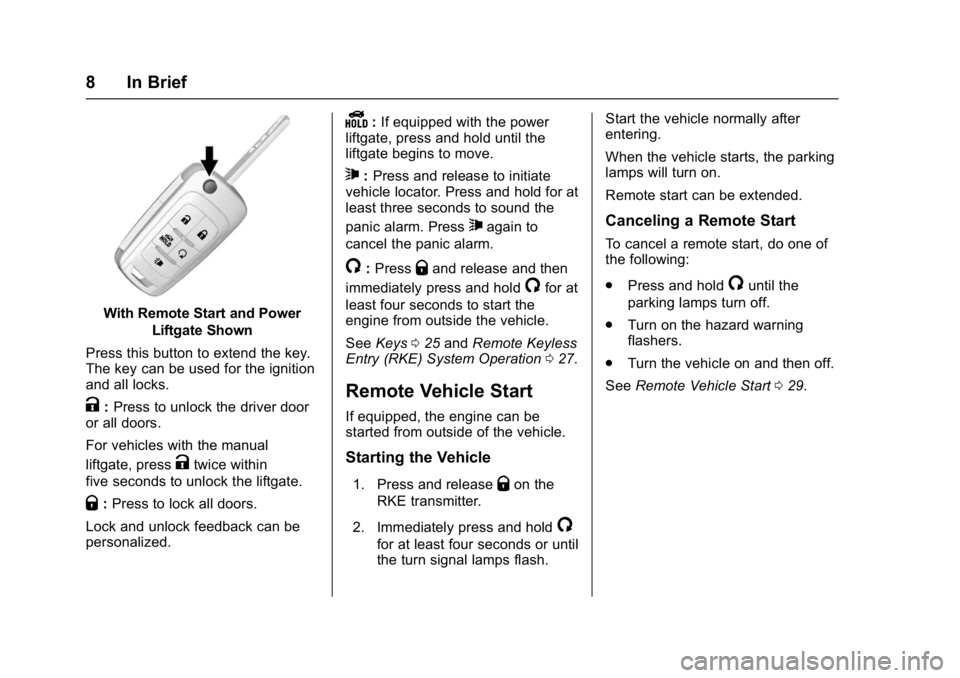
With Remote Start and PowerLiftgate Shown
Press this button to extend the key.
The key can be used for the ignition
and all locks.
K: Press to unlock the driver door
or all doors.
For vehicles with the manual
liftgate, press
Ktwice within
five seconds to unlock the liftgate.
Q: Press to lock all doors.
Lock and unlock feedback can be
personalized.
Y: If equipped with the power
liftgate, press and hold until the
liftgate begins to move.
7: Press and release to initiate
vehicle locator. Press and hold for at
least three seconds to sound the
panic alarm. Press
7again to
cancel the panic alarm.
/: PressQand release and then
immediately press and hold
/for at
least four seconds to start the
engine from outside the vehicle.
See Keys 025 and Remote Keyless
Entry (RKE) System Operation 027.
Remote Vehicle Start
If equipped, the engine can be
started from outside of the vehicle.
Starting the Vehicle
1. Press and releaseQon the
RKE transmitter.
2. Immediately press and hold
/
for at least four seconds or until
the turn signal lamps flash. Start the vehicle normally after
entering.
When the vehicle starts, the parking
lamps will turn on.
Remote start can be extended.
Canceling a Remote Start
To cancel a remote start, do one of
the following:
.
Press and hold
/until the
parking lamps turn off.
. Turn on the hazard warning
flashers.
. Turn the vehicle on and then off.
See Remote Vehicle Start 029.
Page 12 of 330
GMC Terrain/Terrain Denali Owner Manual (GMNA-Localizing-U.S./Canada/
Mexico-9919509) - 2017 - crc - 8/16/16
In Brief 11
Reclining Seatbacks
Manual Reclining Seatbacks
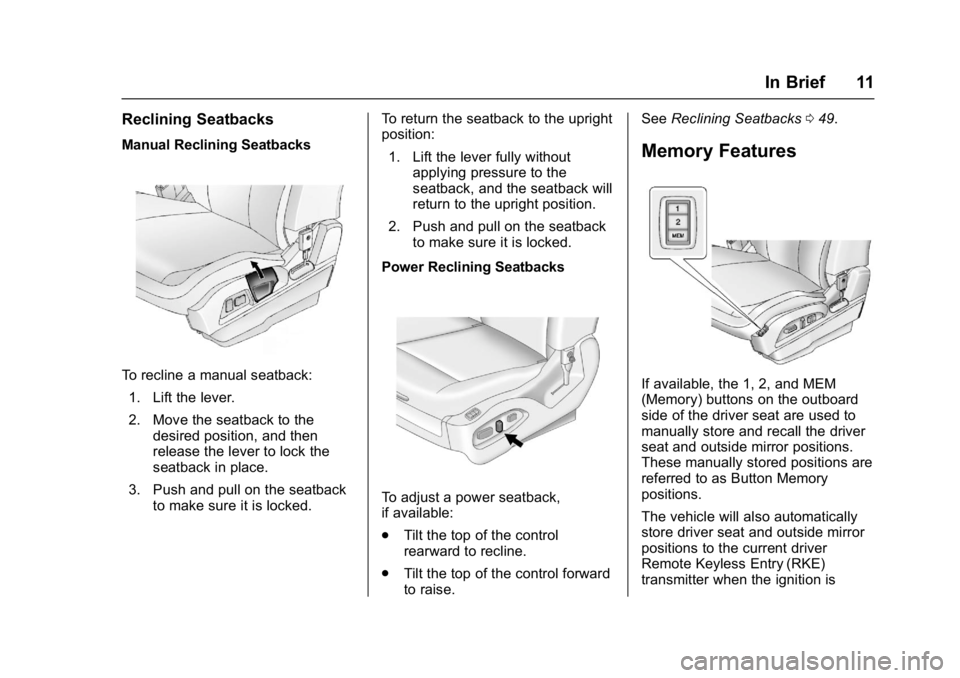
To recline a manual seatback:1. Lift the lever.
2. Move the seatback to the desired position, and then
release the lever to lock the
seatback in place.
3. Push and pull on the seatback to make sure it is locked. To return the seatback to the upright
position:
1. Lift the lever fully without applying pressure to the
seatback, and the seatback will
return to the upright position.
2. Push and pull on the seatback to make sure it is locked.
Power Reclining Seatbacks
To adjust a power seatback,
if available:
. Tilt the top of the control
rearward to recline.
. Tilt the top of the control forward
to raise. See
Reclining Seatbacks 049.
Memory Features
If available, the 1, 2, and MEM
(Memory) buttons on the outboard
side of the driver seat are used to
manually store and recall the driver
seat and outside mirror positions.
These manually stored positions are
referred to as Button Memory
positions.
The vehicle will also automatically
store driver seat and outside mirror
positions to the current driver
Remote Keyless Entry (RKE)
transmitter when the ignition is
Page 13 of 330
GMC Terrain/Terrain Denali Owner Manual (GMNA-Localizing-U.S./Canada/
Mexico-9919509) - 2017 - crc - 8/16/16
12 In Brief
turned off. These automatically
stored positions are referred to as
RKE Memory positions.
SeeMemory Seats 050 and
Vehicle Personalization 0125.
Heated Seats
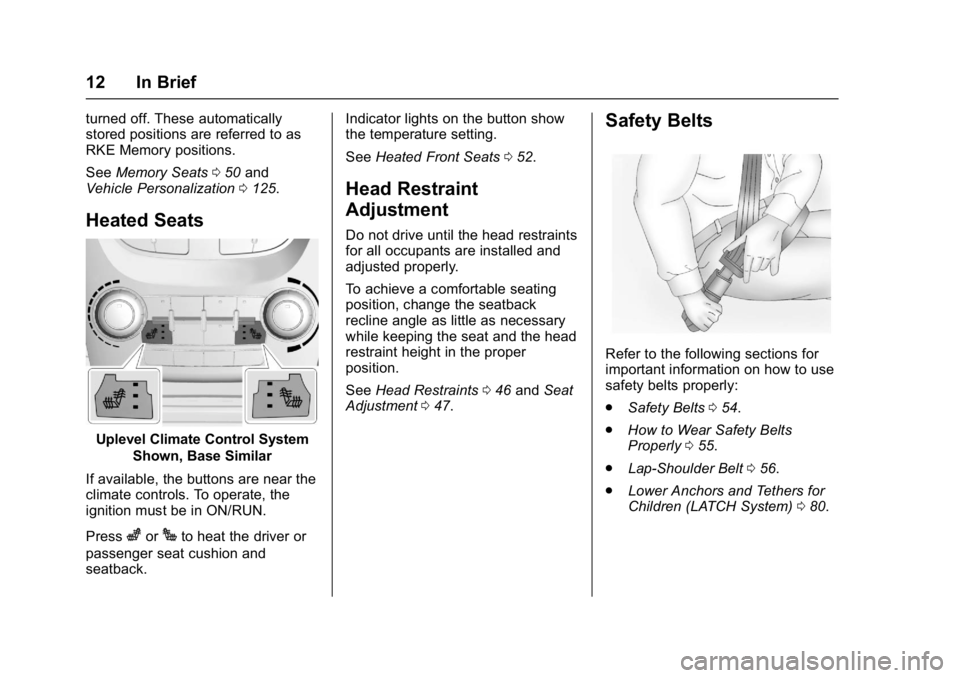
Uplevel Climate Control System
Shown, Base Similar
If available, the buttons are near the
climate controls. To operate, the
ignition must be in ON/RUN.
Press
zorJto heat the driver or
passenger seat cushion and
seatback. Indicator lights on the button show
the temperature setting.
See
Heated Front Seats 052.
Head Restraint
Adjustment
Do not drive until the head restraints
for all occupants are installed and
adjusted properly.
To achieve a comfortable seating
position, change the seatback
recline angle as little as necessary
while keeping the seat and the head
restraint height in the proper
position.
See Head Restraints 046 and Seat
Adjustment 047.
Safety Belts
Refer to the following sections for
important information on how to use
safety belts properly:
.
Safety Belts 054.
. How to Wear Safety Belts
Properly 055.
. Lap-Shoulder Belt 056.
. Lower Anchors and Tethers for
Children (LATCH System) 080.
Page 16 of 330
GMC Terrain/Terrain Denali Owner Manual (GMNA-Localizing-U.S./Canada/
Mexico-9919509) - 2017 - crc - 8/16/16
In Brief 15
See:
.Exterior Lamp Controls 0135.
. Daytime Running Lamps
(DRL) 0136.
Windshield Wiper/Washer
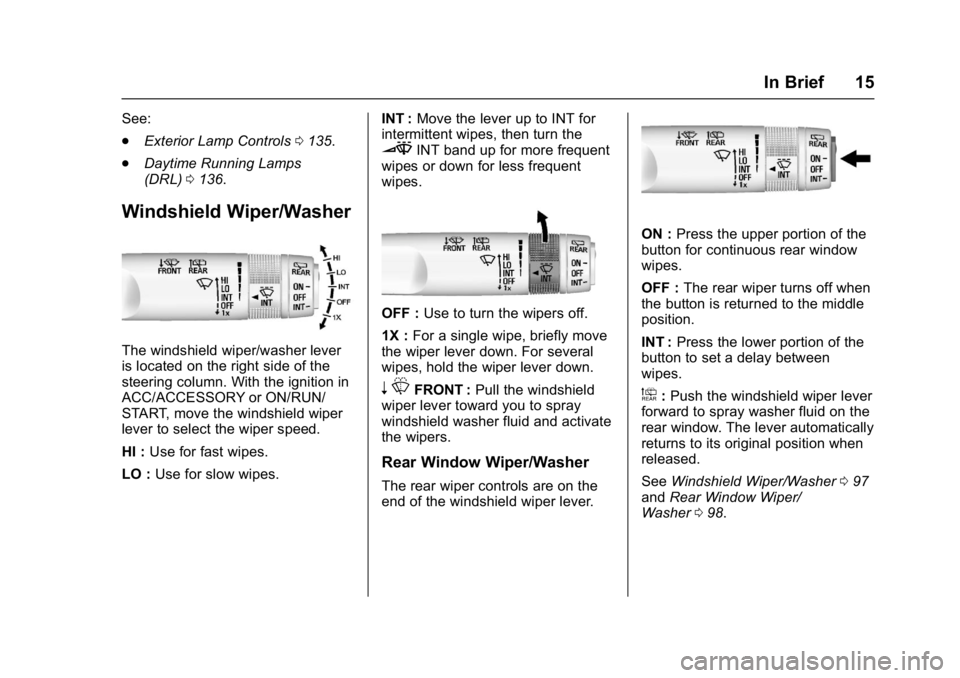
The windshield wiper/washer lever
is located on the right side of the
steering column. With the ignition in
ACC/ACCESSORY or ON/RUN/
START, move the windshield wiper
lever to select the wiper speed.
HI : Use for fast wipes.
LO : Use for slow wipes. INT :
Move the lever up to INT for
intermittent wipes, then turn the
3INT band up for more frequent
wipes or down for less frequent
wipes.
OFF : Use to turn the wipers off.
1X : For a single wipe, briefly move
the wiper lever down. For several
wipes, hold the wiper lever down.
n LFRONT : Pull the windshield
wiper lever toward you to spray
windshield washer fluid and activate
the wipers.
Rear Window Wiper/Washer
The rear wiper controls are on the
end of the windshield wiper lever.
ON : Press the upper portion of the
button for continuous rear window
wipes.
OFF : The rear wiper turns off when
the button is returned to the middle
position.
INT : Press the lower portion of the
button to set a delay between
wipes.
a: Push the windshield wiper lever
forward to spray washer fluid on the
rear window. The lever automatically
returns to its original position when
released.
See Windshield Wiper/Washer 097
and Rear Window Wiper/
Washer 098.
Page 19 of 330
GMC Terrain/Terrain Denali Owner Manual (GMNA-Localizing-U.S./Canada/
Mexico-9919509) - 2017 - crc - 8/16/16
18 In Brief
Press the eco (economy) button to
turn this feature on or off. The eco
light in the instrument cluster will
come on when engaged, and a
Driver Information Center (DIC)
message displays. SeeFuel
Economy Mode 0174.
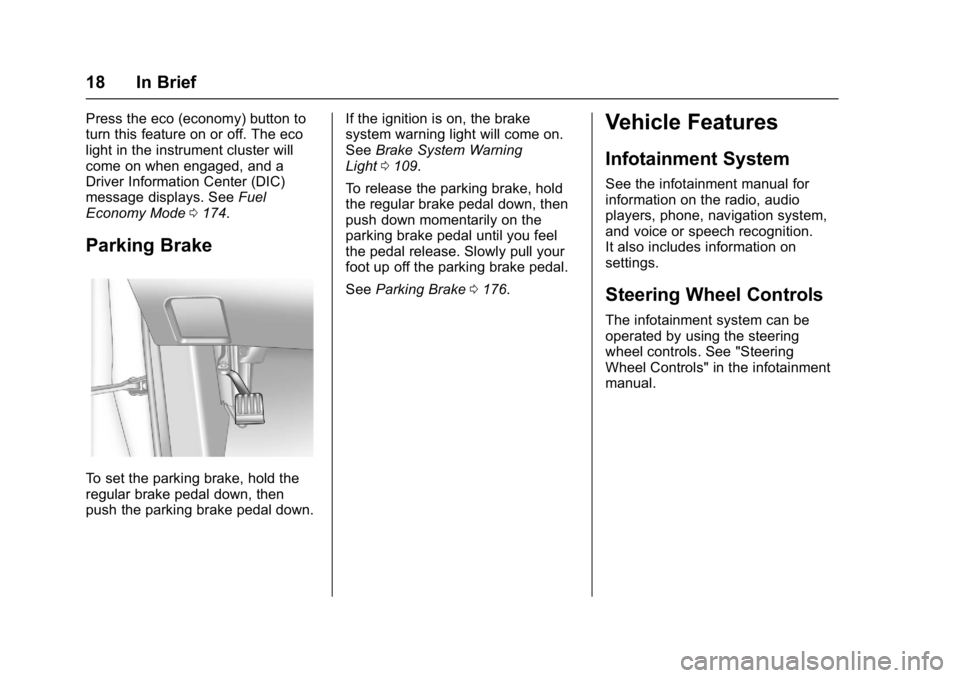
Parking Brake
To set the parking brake, hold the
regular brake pedal down, then
push the parking brake pedal down. If the ignition is on, the brake
system warning light will come on.
See
Brake System Warning
Light 0109.
To release the parking brake, hold
the regular brake pedal down, then
push down momentarily on the
parking brake pedal until you feel
the pedal release. Slowly pull your
foot up off the parking brake pedal.
See Parking Brake 0176.
Vehicle Features
Infotainment System
See the infotainment manual for
information on the radio, audio
players, phone, navigation system,
and voice or speech recognition.
It also includes information on
settings.
Steering Wheel Controls
The infotainment system can be
operated by using the steering
wheel controls. See "Steering
Wheel Controls" in the infotainment
manual.
Page 22 of 330
GMC Terrain/Terrain Denali Owner Manual (GMNA-Localizing-U.S./Canada/
Mexico-9919509) - 2017 - crc - 8/16/16
In Brief 21
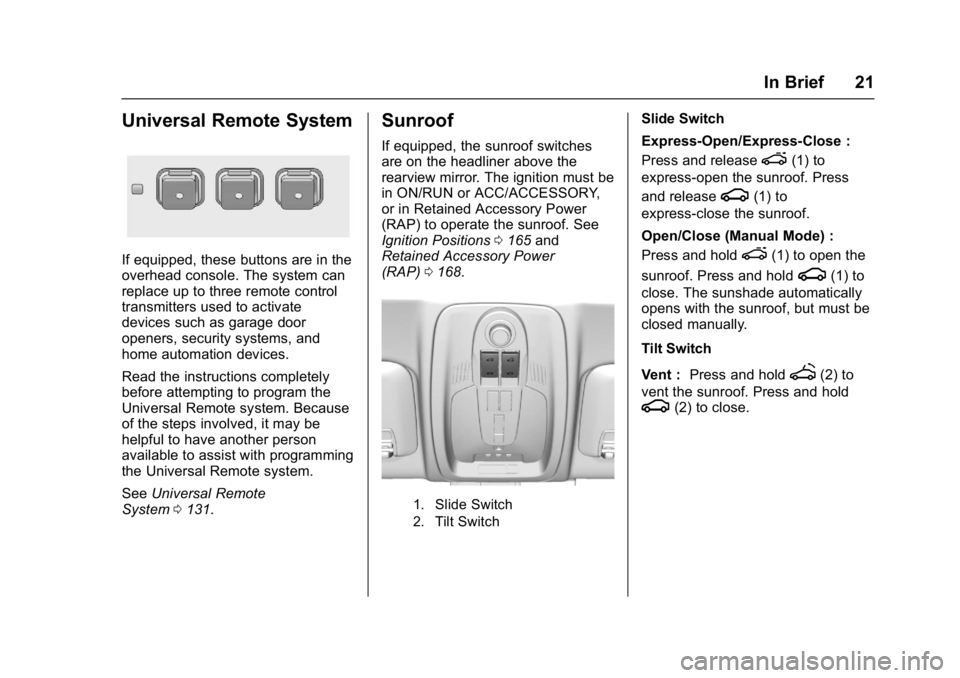
Universal Remote System
If equipped, these buttons are in the
overhead console. The system can
replace up to three remote control
transmitters used to activate
devices such as garage door
openers, security systems, and
home automation devices.
Read the instructions completely
before attempting to program the
Universal Remote system. Because
of the steps involved, it may be
helpful to have another person
available to assist with programming
the Universal Remote system.
SeeUniversal Remote
System 0131.
Sunroof
If equipped, the sunroof switches
are on the headliner above the
rearview mirror. The ignition must be
in ON/RUN or ACC/ACCESSORY,
or in Retained Accessory Power
(RAP) to operate the sunroof. See
Ignition Positions 0165 and
Retained Accessory Power
(RAP) 0168.
1. Slide Switch
2. Tilt Switch
Slide Switch
Express-Open/Express-Close :
Press and release
e(1) to
express-open the sunroof. Press
and release
g(1) to
express-close the sunroof.
Open/Close (Manual Mode) :
Press and hold
e(1) to open the
sunroof. Press and hold
g(1) to
close. The sunshade automatically
opens with the sunroof, but must be
closed manually.
Tilt Switch
Vent : Press and hold
f(2) to
vent the sunroof. Press and hold
g(2) to close.
Page 24 of 330
GMC Terrain/Terrain Denali Owner Manual (GMNA-Localizing-U.S./Canada/
Mexico-9919509) - 2017 - crc - 8/16/16
In Brief 23
Regular Fuel
Use only unleaded gasoline rated
87 octane or higher in your vehicle.
Do not use gasoline with an octane
rating lower as it may result in
vehicle damage and lower fuel
economy. SeeFuel0191.
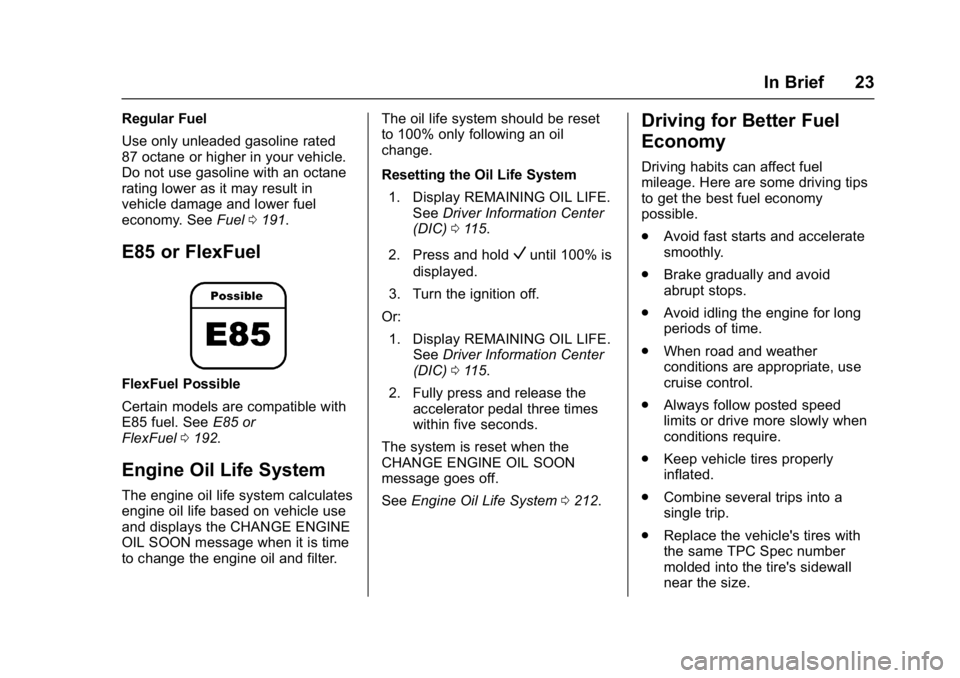
E85 or FlexFuel
FlexFuel Possible
Certain models are compatible with
E85 fuel. See E85 or
FlexFuel 0192.
Engine Oil Life System
The engine oil life system calculates
engine oil life based on vehicle use
and displays the CHANGE ENGINE
OIL SOON message when it is time
to change the engine oil and filter. The oil life system should be reset
to 100% only following an oil
change.
Resetting the Oil Life System
1. Display REMAINING OIL LIFE. See Driver Information Center
(DIC) 0115.
2. Press and hold
Vuntil 100% is
displayed.
3. Turn the ignition off.
Or: 1. Display REMAINING OIL LIFE. See Driver Information Center
(DIC) 0115.
2. Fully press and release the accelerator pedal three times
within five seconds.
The system is reset when the
CHANGE ENGINE OIL SOON
message goes off.
See Engine Oil Life System 0212.
Driving for Better Fuel
Economy
Driving habits can affect fuel
mileage. Here are some driving tips
to get the best fuel economy
possible.
.
Avoid fast starts and accelerate
smoothly.
. Brake gradually and avoid
abrupt stops.
. Avoid idling the engine for long
periods of time.
. When road and weather
conditions are appropriate, use
cruise control.
. Always follow posted speed
limits or drive more slowly when
conditions require.
. Keep vehicle tires properly
inflated.
. Combine several trips into a
single trip.
. Replace the vehicle's tires with
the same TPC Spec number
molded into the tire's sidewall
near the size.
Page 26 of 330
GMC Terrain/Terrain Denali Owner Manual (GMNA-Localizing-U.S./Canada/
Mexico-9919509) - 2017 - crc - 8/16/16
Keys, Doors, and Windows 25
Keys, Doors, and
Windows
Keys and Locks
Keys . . . . . . . . . . . . . . . . . . . . . . . . . . . 25
Remote Keyless Entry (RKE)System . . . . . . . . . . . . . . . . . . . . . . . 27
Remote Keyless Entry (RKE) System Operation . . . . . . . . . . . . 27
Remote Vehicle Start . . . . . . . . . . 29
Door Locks . . . . . . . . . . . . . . . . . . . . 31
Power Door Locks . . . . . . . . . . . . . 32
Delayed Locking . . . . . . . . . . . . . . . 32
Automatic Door Locks . . . . . . . . . 32
Lockout Protection . . . . . . . . . . . . . 32
Safety Locks . . . . . . . . . . . . . . . . . . . 33
Doors
Liftgate . . . . . . . . . . . . . . . . . . . . . . . . 33
Vehicle Security
Vehicle Security . . . . . . . . . . . . . . . . 37
Vehicle Alarm System . . . . . . . . . 37
Immobilizer . . . . . . . . . . . . . . . . . . . . 38
Immobilizer Operation . . . . . . . . . 39
Exterior Mirrors
Convex Mirrors . . . . . . . . . . . . . . . . 39
Power Mirrors . . . . . . . . . . . . . . . . . . 40 Heated Mirrors . . . . . . . . . . . . . . . . . 40
Reverse Tilt Mirrors . . . . . . . . . . . . 40
Interior Mirrors
Interior Rearview Mirrors . . . . . . . 41
Manual Rearview Mirror . . . . . . . . 41
Automatic Dimming Rearview
Mirror . . . . . . . . . . . . . . . . . . . . . . . . . 41
Windows
Windows . . . . . . . . . . . . . . . . . . . . . . . 41
Power Windows . . . . . . . . . . . . . . . 42
Sun Visors . . . . . . . . . . . . . . . . . . . . . 43
Roof
Sunroof . . . . . . . . . . . . . . . . . . . . . . . . 43
Keys and Locks
Keys
{Warning
Leaving children in a vehicle with
the ignition key is dangerous and
children or others could be
seriously injured or killed. They
could operate the power windows
or other controls or make the
vehicle move. The windows will
function with the keys in the
ignition, and children or others
could be caught in the path of a
closing window. Do not leave
children in a vehicle with the
ignition key.
Page 27 of 330
GMC Terrain/Terrain Denali Owner Manual (GMNA-Localizing-U.S./Canada/
Mexico-9919509) - 2017 - crc - 8/16/16
26 Keys, Doors, and Windows
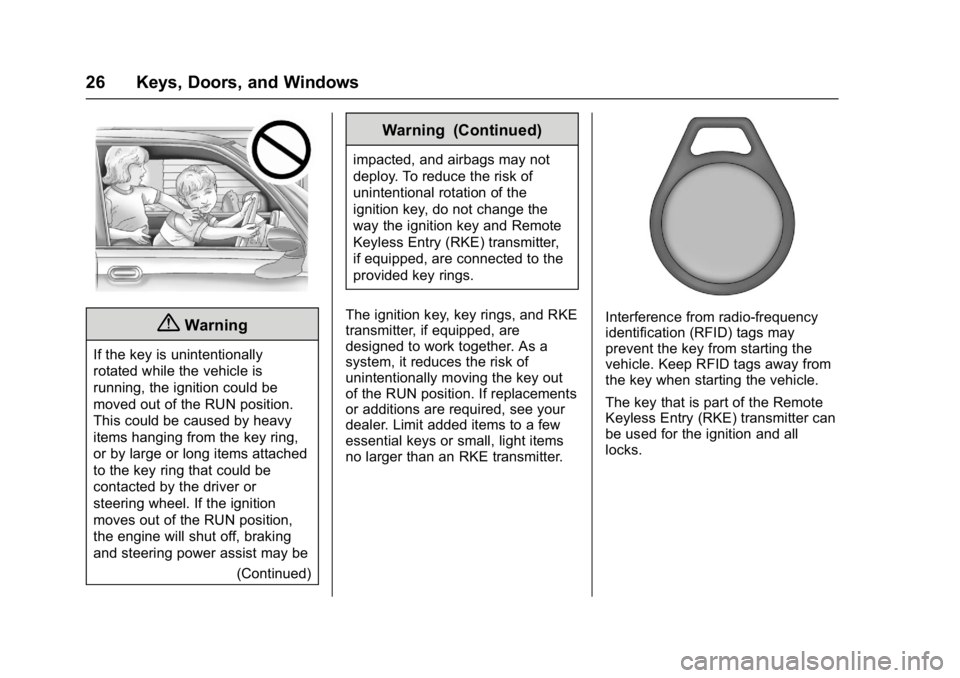
{Warning
If the key is unintentionally
rotated while the vehicle is
running, the ignition could be
moved out of the RUN position.
This could be caused by heavy
items hanging from the key ring,
or by large or long items attached
to the key ring that could be
contacted by the driver or
steering wheel. If the ignition
moves out of the RUN position,
the engine will shut off, braking
and steering power assist may be(Continued)
Warning (Continued)
impacted, and airbags may not
deploy. To reduce the risk of
unintentional rotation of the
ignition key, do not change the
way the ignition key and Remote
Keyless Entry (RKE) transmitter,
if equipped, are connected to the
provided key rings.
The ignition key, key rings, and RKE
transmitter, if equipped, are
designed to work together. As a
system, it reduces the risk of
unintentionally moving the key out
of the RUN position. If replacements
or additions are required, see your
dealer. Limit added items to a few
essential keys or small, light items
no larger than an RKE transmitter.
Interference from radio-frequency
identification (RFID) tags may
prevent the key from starting the
vehicle. Keep RFID tags away from
the key when starting the vehicle.
The key that is part of the Remote
Keyless Entry (RKE) transmitter can
be used for the ignition and all
locks.