low oil pressure GMC TERRAIN 2018 Owner's Manual
[x] Cancel search | Manufacturer: GMC, Model Year: 2018, Model line: TERRAIN, Model: GMC TERRAIN 2018Pages: 408, PDF Size: 5.95 MB
Page 26 of 408
GMC Terrain/Terrain Denali Owner Manual (GMNA-Localizing-U.S./Canada/
Mexico-10664916) - 2018 - crc - 9/15/17
In Brief 25
SeeTire Pressure Monitor System
0 309.
Tire Fill Alert (If Equipped)
This feature provides visual and
audible alerts outside the vehicle to
help when inflating an underinflated
tire to the recommended cold tire
pressure. See “Tire Fill Alert (If
Equipped)” underTire Pressure
Monitor Operation 0310.
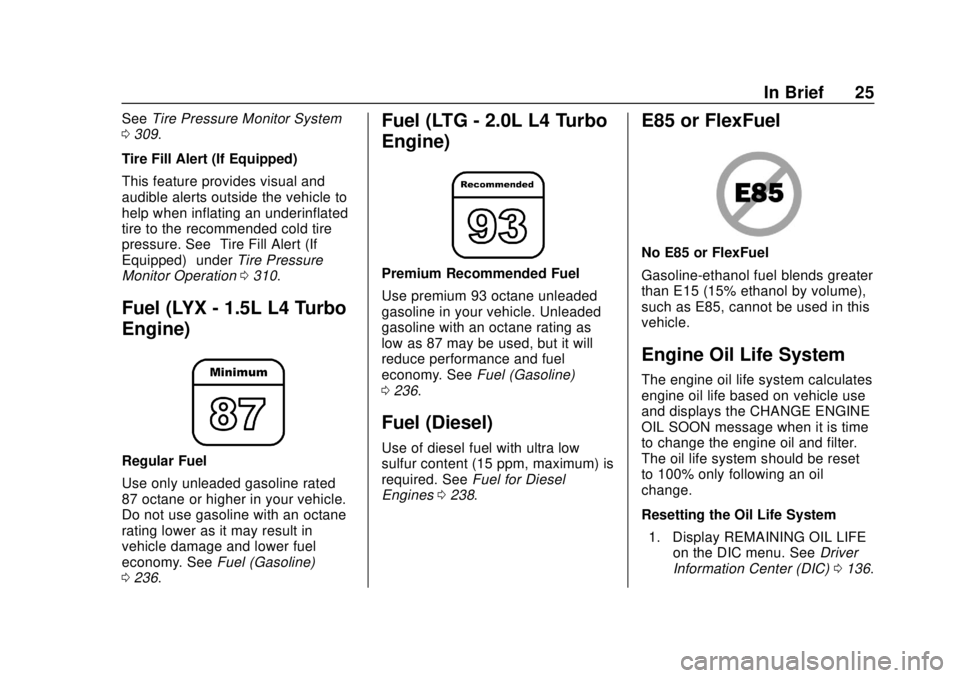
Fuel (LYX - 1.5L L4 Turbo
Engine)
Regular Fuel
Use only unleaded gasoline rated
87 octane or higher in your vehicle.
Do not use gasoline with an octane
rating lower as it may result in
vehicle damage and lower fuel
economy. See Fuel (Gasoline)
0 236.
Fuel (LTG - 2.0L L4 Turbo
Engine)
Premium Recommended Fuel
Use premium 93 octane unleaded
gasoline in your vehicle. Unleaded
gasoline with an octane rating as
low as 87 may be used, but it will
reduce performance and fuel
economy. See Fuel (Gasoline)
0 236.
Fuel (Diesel)
Use of diesel fuel with ultra low
sulfur content (15 ppm, maximum) is
required. See Fuel for Diesel
Engines 0238.
E85 or FlexFuel
No E85 or FlexFuel
Gasoline-ethanol fuel blends greater
than E15 (15% ethanol by volume),
such as E85, cannot be used in this
vehicle.
Engine Oil Life System
The engine oil life system calculates
engine oil life based on vehicle use
and displays the CHANGE ENGINE
OIL SOON message when it is time
to change the engine oil and filter.
The oil life system should be reset
to 100% only following an oil
change.
Resetting the Oil Life System
1. Display REMAINING OIL LIFE on the DIC menu. See Driver
Information Center (DIC) 0136.
Page 37 of 408
GMC Terrain/Terrain Denali Owner Manual (GMNA-Localizing-U.S./Canada/
Mexico-10664916) - 2018 - crc - 9/15/17
36 Keys, Doors, and Windows
Other conditions can affect the
performance of the transmitter. See
Remote Keyless Entry (RKE)
System029.
Do not use remote start if the
vehicle is low on fuel.
Starting the Engine Using Remote
Start
1. Press and release
Qon the
RKE transmitter.
2. Immediately press and hold
/
for at least four seconds or until
the turn signal lamps flash. The
turn signal lamps flashing
confirms the request to remote
start the vehicle has been
received.
The parking lamps will turn on
and remain on as long as the
engine is running. The
vehicle's doors will be locked.
3. Turn the ignition on before driving. The engine will shut off after
10 minutes unless a time
extension is done or the
ignition is turned on.
Extending Engine Run Time
For a 10-minute extension, after
30 seconds repeat Steps 1 and 2
while the engine is still running. The
remote start can be extended once.
When the remote start is extended,
the second 10 minutes will be
added.
For example, if the engine has been
running for 10 minutes, and
10 minutes are added, the engine
will run for a total of 20 minutes.
A maximum of two remote starts or
a start with an extension are
allowed between ignition cycles.
The ignition must be turned on and
then back off to use remote start
again.
Canceling a Remote Start
To shut off the engine:
. Press and hold
/until the
parking lamps turn off. .
Turn on the hazard warning
flashers.
. Turn the ignition on and then off.
Conditions in Which Remote Start
Will Not Work
The remote vehicle start feature will
not operate if:
. A transmitter is in the vehicle.
. The hood is not closed.
. The hazard warning flashers
are on.
. There is an emission control
system malfunction.
. The engine coolant temperature
is too high.
. The oil pressure is low.
. Two remote vehicle starts or a
start with an extension have
already been used.
. The vehicle is not in P (Park).
Remote Start Ready
If the vehicle does not have the
remote vehicle start feature, it may
have the remote start ready feature.
Page 111 of 408
GMC Terrain/Terrain Denali Owner Manual (GMNA-Localizing-U.S./Canada/
Mexico-10664916) - 2018 - crc - 9/15/17
110 Instruments and Controls
Instruments and
Controls
Controls
Steering Wheel Adjustment . . . 111
Steering Wheel Controls . . . . . . 111
Heated Steering Wheel . . . . . . . 111
Horn . . . . . . . . . . . . . . . . . . . . . . . . . . 111
Windshield Wiper/Washer . . . . . 111
Rear Window Wiper/Washer . . . . . . . . . . . . . . . . . . . . . . 112
Compass . . . . . . . . . . . . . . . . . . . . . 113
Clock . . . . . . . . . . . . . . . . . . . . . . . . . 114
Power Outlets . . . . . . . . . . . . . . . . 114
Wireless Charging . . . . . . . . . . . . 115
Warning Lights, Gauges, and
Indicators
Warning Lights, Gauges, and Indicators . . . . . . . . . . . . . . . . . . . 118
Instrument Cluster . . . . . . . . . . . . 119
Speedometer . . . . . . . . . . . . . . . . . 123
Odometer . . . . . . . . . . . . . . . . . . . . . 123
Trip Odometer . . . . . . . . . . . . . . . . 123
Tachometer . . . . . . . . . . . . . . . . . . . 123
Fuel Gauge . . . . . . . . . . . . . . . . . . . 123
Engine Coolant Temperature
Gauge . . . . . . . . . . . . . . . . . . . . . . 124 Seat Belt Reminders . . . . . . . . . 125
Airbag Readiness Light . . . . . . . 126
Passenger Airbag Status
Indicator . . . . . . . . . . . . . . . . . . . . 126
Charging System Light . . . . . . . 127
Malfunction Indicator Lamp
(Check Engine Light) . . . . . . . . 127
Brake System Warning Light . . . . . . . . . . . . . . . . . . . . . . . . 129
Electric Parking Brake Light . . . . . . . . . . . . . . . . . . . . . . . . 130
Service Electric Parking Brake Light (Uplevel Only) . . . . . . . . . 130
Antilock Brake System (ABS) Warning Light . . . . . . . . . . . . . . . 131
Tow/Haul Mode Light . . . . . . . . . 131
Hill Descent Control Light . . . . 131
Lane Keep Assist (LKA) Light . . . . . . . . . . . . . . . . . . . . . . . . 131
Vehicle Ahead Indicator . . . . . . 132
Traction Off Light . . . . . . . . . . . . . 132
StabiliTrak OFF Light . . . . . . . . . 132
Traction Control System (TCS)/ StabiliTrak Light . . . . . . . . . . . . . 132
Wait-to-Start Light . . . . . . . . . . . . 133
Tire Pressure Light . . . . . . . . . . . 133
Engine Oil Pressure Light . . . . 133
Low Fuel Warning Light . . . . . . 134
Diesel Exhaust Fluid (DEF) Warning Light . . . . . . . . . . . . . . . 134 Security Light . . . . . . . . . . . . . . . . . 135
High-Beam On Light . . . . . . . . . . 135
Front Fog Lamp Light . . . . . . . . . 135
Lamps On Reminder . . . . . . . . . 135
Cruise Control Light . . . . . . . . . . 136
Information Displays
Driver Information
Center (DIC) . . . . . . . . . . . . . . . . 136
Vehicle Messages
Vehicle Messages . . . . . . . . . . . . 141
Engine Power Messages . . . . . 142
Vehicle Speed Messages . . . . . 142
Vehicle Personalization
Vehicle Personalization . . . . . . . 142
Universal Remote System
Universal Remote System . . . . 147
Universal Remote SystemProgramming . . . . . . . . . . . . . . . 147
Universal Remote System Operation . . . . . . . . . . . . . . . . . . . 150
Page 134 of 408
GMC Terrain/Terrain Denali Owner Manual (GMNA-Localizing-U.S./Canada/
Mexico-10664916) - 2018 - crc - 9/15/17
Instruments and Controls 133
If the light does not come on, have
the vehicle serviced by your dealer.
If the system is working normally,
the indicator light turns off.
If the light is on and not flashing, the
TCS and potentially the StabiliTrak
system have been disabled.
A Driver Information Center (DIC)
message may display. Check the
DIC messages to determine which
feature(s) is no longer functioning
and whether the vehicle requires
service.
If the light is on and flashing, the
TCS and/or the StabiliTrak system
is actively working.
SeeTraction Control/Electronic
Stability Control 0213.
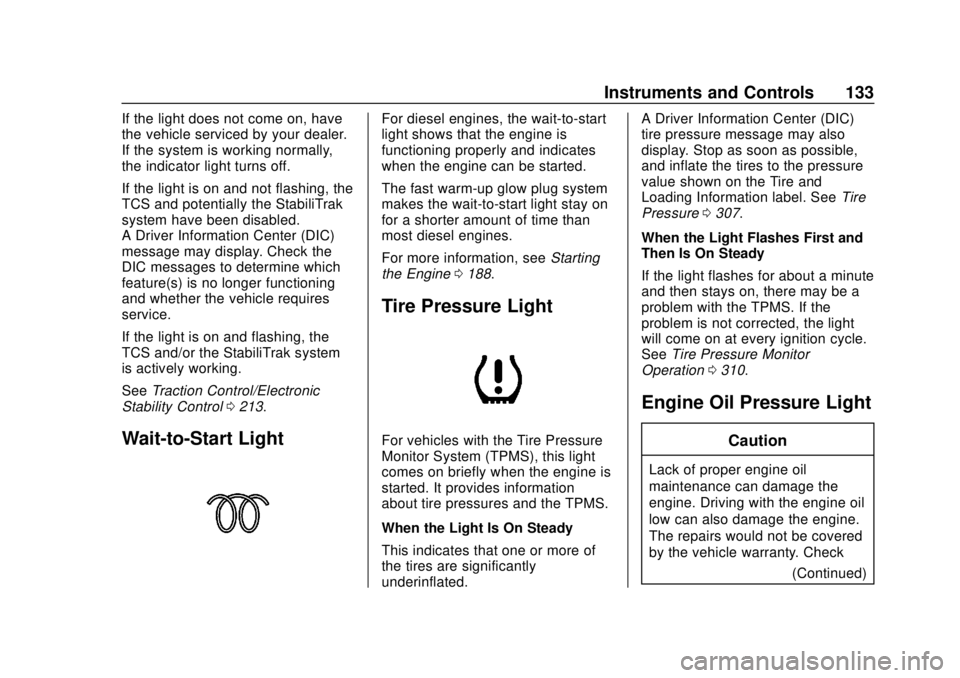
Wait-to-Start Light
For diesel engines, the wait-to-start
light shows that the engine is
functioning properly and indicates
when the engine can be started.
The fast warm-up glow plug system
makes the wait-to-start light stay on
for a shorter amount of time than
most diesel engines.
For more information, see Starting
the Engine 0188.
Tire Pressure Light
For vehicles with the Tire Pressure
Monitor System (TPMS), this light
comes on briefly when the engine is
started. It provides information
about tire pressures and the TPMS.
When the Light Is On Steady
This indicates that one or more of
the tires are significantly
underinflated. A Driver Information Center (DIC)
tire pressure message may also
display. Stop as soon as possible,
and inflate the tires to the pressure
value shown on the Tire and
Loading Information label. See
Tire
Pressure 0307.
When the Light Flashes First and
Then Is On Steady
If the light flashes for about a minute
and then stays on, there may be a
problem with the TPMS. If the
problem is not corrected, the light
will come on at every ignition cycle.
See Tire Pressure Monitor
Operation 0310.
Engine Oil Pressure Light
Caution
Lack of proper engine oil
maintenance can damage the
engine. Driving with the engine oil
low can also damage the engine.
The repairs would not be covered
by the vehicle warranty. Check
(Continued)
Page 135 of 408
GMC Terrain/Terrain Denali Owner Manual (GMNA-Localizing-U.S./Canada/
Mexico-10664916) - 2018 - crc - 9/15/17
134 Instruments and Controls
Caution (Continued)
the oil level as soon as possible.
Add oil if required, but if the oil
level is within the operating range
and the oil pressure is still low,
have the vehicle serviced. Always
follow the maintenance schedule
for changing engine oil.
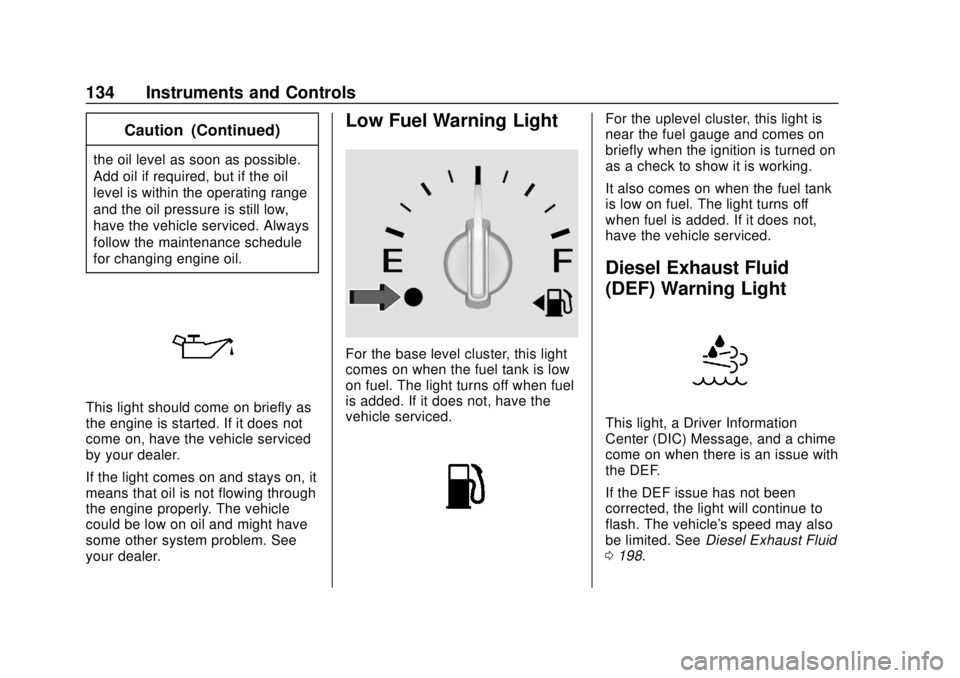
This light should come on briefly as
the engine is started. If it does not
come on, have the vehicle serviced
by your dealer.
If the light comes on and stays on, it
means that oil is not flowing through
the engine properly. The vehicle
could be low on oil and might have
some other system problem. See
your dealer.
Low Fuel Warning Light
For the base level cluster, this light
comes on when the fuel tank is low
on fuel. The light turns off when fuel
is added. If it does not, have the
vehicle serviced.
For the uplevel cluster, this light is
near the fuel gauge and comes on
briefly when the ignition is turned on
as a check to show it is working.
It also comes on when the fuel tank
is low on fuel. The light turns off
when fuel is added. If it does not,
have the vehicle serviced.
Diesel Exhaust Fluid
(DEF) Warning Light
This light, a Driver Information
Center (DIC) Message, and a chime
come on when there is an issue with
the DEF.
If the DEF issue has not been
corrected, the light will continue to
flash. The vehicle's speed may also
be limited. SeeDiesel Exhaust Fluid
0 198.
Page 139 of 408
GMC Terrain/Terrain Denali Owner Manual (GMNA-Localizing-U.S./Canada/
Mexico-10664916) - 2018 - crc - 9/15/17
138 Instruments and Controls
additional maintenance is
recommended. SeeMaintenance
Schedule 0353.
The Oil Life display must be reset
after each oil change. Do not reset
the Oil Life display accidentally at
any time other than when the oil has
just been changed. It cannot be
reset accurately until the next oil
change. To reset the engine oil life
system, see Engine Oil Life System
0 273.
Oil Pressure : Oil pressure is
displayed in either kilopascal (kPa)
or in pounds per square inch (psi).
Fuel Filter Life : This display shows
an estimate of the fuel filter's
remaining useful life. If 90% Fuel
Filter Life Remaining is displayed, it
means 90% of the current fuel filter
life remains. The fuel filter life
system will alert when to change the
fuel filter on a schedule consistent
with your driving conditions. When
the remaining fuel filter life is low,
the CHANGE FUEL FILTER
message will appear on the display.
Change the fuel filter as soon as
possible. Diesel Exhaust Fluid (DEF) Level
(Diesel Engine Only) :
The DEF
level will be displayed as either OK,
XX%, or LOW. When LOW appears
on the display, add DEF as soon as
possible. See Diesel Exhaust Fluid
0 198.
Tire Pressure : Displays a vehicle
with the approximate pressures of
all four tires. Tire pressure is
displayed in either kilopascal (kPa)
or in pounds per square inch (psi).
See Tire Pressure Monitor System
0 309 andTire Pressure Monitor
Operation 0310.
Battery Voltage : Displays the
current battery voltage, if equipped.
Battery voltage changes are normal
while driving. See Charging System
Light 0127. If there is a problem
with the battery charging system,
the DIC will display a message.
Coolant Temperature : Displays
the coolant temperature in degrees
Celsius (°C) or degrees
Fahrenheit (°F). TC/Stabilitrak :
If equipped, pressVto turn on or off Traction Control
or StabiliTrak.
ECO Drive Assist Menu (ECO)
Items
Fuel Economy : The center
displays the approximate
instantaneous fuel economy as a
number and bar graph. Displayed
above the bar graph is a running
average of fuel economy for the
most recently traveled selected
distance. Displayed below the bar
graph is the best average fuel
economy that has been achieved for
the selected distance. The selected
distance is displayed at the top of
the page as “last xxx mi/km.” Press
Vto select the distance or reset
best value.
The display provides information on
how current driving behavior affects
the running average and how well
recent driving compares to the best
that has been achieved for the
selected distance.
Page 141 of 408
GMC Terrain/Terrain Denali Owner Manual (GMNA-Localizing-U.S./Canada/
Mexico-10664916) - 2018 - crc - 9/15/17
140 Instruments and Controls
Oil Life :Shows an estimate of the
oil's remaining useful life.
If REMAINING OIL LIFE 99% is
displayed, that means 99% of the
current oil life remains.
When the remaining oil life is low,
the CHANGE ENGINE OIL SOON
message will appear on the display.
The oil should be changed as soon
as possible. See Engine Oil0269.
In addition to the engine oil life
system monitoring the oil life,
additional maintenance is
recommended. See Maintenance
Schedule 0353.
The Oil Life display must be reset
after each oil change. It will not
reset itself. Do not to reset the Oil
Life display at any time other than
when the oil has just been changed.
It cannot be reset accurately until
the next oil change. To reset the
engine oil life system, press and
hold
Vfor several seconds while
the Oil Life display is active. See
Engine Oil Life System 0273. Tire Pressure :
Shows the
approximate pressures of all four
tires. Tire pressure is displayed in
either kilopascal (kPa) or in pounds
per square inch (psi). If the pressure
is low, the value for that tire is
shown in amber.
See Tire Pressure Monitor System
0 309 andTire Pressure Monitor
Operation 0310.
Average Speed : Displays the
average vehicle speed of the
vehicle in kilometers per hour (km/h)
or miles per hour (mph). This
average is based on the various
vehicle speeds recorded since the
last reset. Reset the average speed
by pressing
Vwhen it is displayed.
Fuel Economy : The center
displays the approximate
instantaneous fuel economy as a
number and bar graph. Displayed
above the bar graph is a running
average of fuel economy for the
most recently traveled selected
distance. Displayed below the bar
graph is the best average fuel
economy that has been achieved for the selected distance. The selected
distance is displayed at the top of
the page as
“last xxx mi/km.”
Press
pto select the distance or
reset best value. Use
wandxto
choose the distance and press
V.
Press
wandxto select “Reset
Best Score.” Press
Vto reset the
best average fuel economy. After
reset, the best value displays “-,-”
until the selected distance has been
traveled.
The display provides information on
how current driving behavior affects
the running average and how well
recent driving compares to the best
that has been achieved for the
selected distance.
Economy Trend : Shows history of
the Average Fuel Economy from the
last 50 km (30 mi). Each bar
represents about 5 km (3 mi) of
driving. During driving the bars will
shift to always reflect the most
recent distance on the right side.
Page 142 of 408
GMC Terrain/Terrain Denali Owner Manual (GMNA-Localizing-U.S./Canada/
Mexico-10664916) - 2018 - crc - 9/15/17
Instruments and Controls 141
Press and holdVto clear the graph
or press
pto reset through
the menu.
Timer : This display can be used as
a timer. To start the timer, press
V
while this display is active. The
display will show the amount of time
that has passed since the timer was
last reset. To stop the timer, press
V
briefly while this display is active
and the timer is running. To reset
the timer to zero, press and hold
V
while this display is active, or presspand select reset.
Follow Distance : If equipped, the
current follow time to the vehicle
ahead is displayed as a time value
on this page.
Battery Voltage : Displays the
current battery voltage, if equipped.
Battery voltage changes are normal
while driving. See Charging System
Light 0127. If there is a problem
with the battery charging system, a
DIC will display a message. Coolant Temperature :
Displays
the coolant temperature in degrees
Celsius (°C) or degrees
Fahrenheit (°F).
Diesel Exhaust Fluid (DEF) Level
(Diesel Engine Only) : The DEF
level will be displayed as either OK,
XX%, or LOW. When LOW appears
on the display, add DEF as soon as
possible. See Diesel Exhaust Fluid
0 198.
Oil Pressure : Oil pressure is
displayed in either kilopascal (kPa)
or in pounds per square inch (psi).
Oil pressure can vary with engine
speed, outside temperature, and oil
viscosity. On some models, the oil
pump will vary engine oil pressure
according to engine needs. Oil
pressure may change quickly as the
engine speed or load varies. This is
normal. If the oil pressure warning
light or Driver Information Center
(DIC) message indicates oil
pressure outside the normal
operating range, check the vehicle's
oil as soon as possible.
Vehicle Messages
Messages displayed on the DIC
indicate the status of the vehicle or
some action that may be needed to
correct a condition. Multiple
messages may appear one after
another.
The messages that do not require
immediate action can be
acknowledged and cleared by
pressing
V. The messages that
require immediate action cannot be
cleared until that action is
performed.
All messages should be taken
seriously; clearing the message
does not correct the problem.
If a SERVICE message appears,
see your dealer.
Follow the instructions given in the
messages. The system displays
messages regarding the following
topics:
. Service Messages
. Fluid Levels
. Vehicle Security
Page 190 of 408
GMC Terrain/Terrain Denali Owner Manual (GMNA-Localizing-U.S./Canada/
Mexico-10664916) - 2018 - crc - 9/15/17
Driving and Operating 189
This clears the extra gasoline
from the engine. Do not race
the engine immediately after
starting it. Operate the engine
and transmission gently until
the oil warms up and lubricates
all moving parts.
Diesel Engine Starting Procedure
The diesel engine starts differently
than a gasoline engine. 1. With the Keyless Access system, the RKE transmitter
must be in the vehicle. Press
ENGINE START/STOP and
observe the wait-to-start light.
See Wait-to-Start Light 0133.
This light may not come on if
the engine is warm.
2. As soon as the wait-to-start light goes off, immediately
press ENGINE START/STOP
with the brake pedal applied to
start.
The engine has a fast warm-up
glow plug system. The
wait-to-start light will illuminate
for a much shorter time than most diesel engines, due to the
rapid heating of the glow plug
system.
Caution
If the wait-to-start light stays on
after starting the vehicle, the
vehicle may not run properly.
Have the vehicle serviced
right away.
3. If the engine does not start after 15 seconds of cranking,
wait one minute for the
cranking motor to cool, then try
the same steps again.
If you are trying to start the engine
after the vehicle has run out of fuel,
follow the steps in Running Out of
Fuel (Diesel) 0246.
When the engine is cold, let it run
for a few minutes before driving.
This lets oil pressure build up. The
engine will sound louder when it
is cold.
Cold Weather Starting (Diesel
Engine)
Use the recommended engine oil
when the outside temperature drops
below freezing. See Engine Oil
0 269. When the outside
temperature drops below –18°C
(0°F), use of the engine heater is
recommended.
See Fuel for Diesel Engines 0238
for information on what fuel to use in
cold weather.
If the Diesel Engine Will Not
Start
If the vehicle has run out of fuel, see
Running Out of Fuel (Diesel) 0246.
If the vehicle is not out of fuel, and
the engine will not start:
Press ENGINE START/STOP.
Immediately after the wait-to-start
light goes off, press ENGINE
START/STOP to start the vehicle.
If the light does not go off, wait a
few seconds, then try starting the
engine again. See your dealer for a
starting system check.
Page 270 of 408
GMC Terrain/Terrain Denali Owner Manual (GMNA-Localizing-U.S./Canada/
Mexico-10664916) - 2018 - crc - 9/15/17
Vehicle Care 269
1.Engine Air Cleaner/Filter 0274.
2. Engine Oil Fill Cap. See Engine Oil 0269.
3. Engine Oil Dipstick. See Engine Oil 0269.
4. Engine Cooling Fan. See Cooling System 0276.
5. Brake Fluid Reservoir. See Brake Fluid 0283.
6. Engine Compartment Fuse
Block 0293.
7. Remote Positive (+) Terminal (Under Cover). See Jump
Starting - North America 0335.
8. Engine Coolant Surge Tank and Pressure Cap. See
Cooling System 0276.
9. Battery - North America 0284.
10. Remote Negative (−) Terminal. SeeJump Starting - North
America 0335.
11. Windshield Washer Fluid Reservoir. See Washer Fluid
0 282.Engine Oil
To ensure proper engine
performance and long life, careful
attention must be paid to engine oil.
Following these simple, but
important steps will help protect
your investment:
.
Use engine oil approved to the
proper specification and of the
proper viscosity grade. See
“Selecting the Right Engine Oil”
in this section.
. Check the engine oil level
regularly and maintain the
proper oil level. See “Checking
Engine Oil” and“When to Add
Engine Oil” in this section.
. Change the engine oil at the
appropriate time. See Engine Oil
Life System 0273.
. Always dispose of engine oil
properly. See “What to Do with
Used Oil” in this section.
Checking Engine Oil
Check the engine oil level regularly,
every 650 km (400 mi), especially
prior to a long trip. The engine oil
dipstick handle is a loop. See
Engine Compartment Overview
0264 for the location.
{Warning
The engine oil dipstick handle
may be hot; it could burn you.
Use a towel or glove to touch the
dipstick handle.
If a low oil Driver Information Center
(DIC) message displays, check the
oil level. If the oil is not low and the
low oil message remains on, take
the vehicle to your dealer for
service.
Follow these guidelines:
. To get an accurate reading, park
the vehicle on level ground.
Check the engine oil level after
the engine has been off for at
least two hours. Checking the
engine oil level on steep grades