automatic stop GMC TERRAIN 2019 Owner's Manual
[x] Cancel search | Manufacturer: GMC, Model Year: 2019, Model line: TERRAIN, Model: GMC TERRAIN 2019Pages: 434, PDF Size: 6.38 MB
Page 6 of 434
GMC Terrain/Terrain Denali Owner Manual (GMNA-Localizing-U.S./Canada/
Mexico-12146071) - 2019 - crc - 7/27/18
In Brief 5
In Brief
Instrument Panel
Instrument Panel . . . . . . . . . . . . . . . . 6
Initial Drive Information
Initial Drive Information . . . . . . . . . . 8
Stop/Start System . . . . . . . . . . . . . . . 8
Remote Keyless Entry (RKE)System . . . . . . . . . . . . . . . . . . . . . . . . 8
Remote Vehicle Start . . . . . . . . . . . 8
Door Locks . . . . . . . . . . . . . . . . . . . . . 9
Liftgate . . . . . . . . . . . . . . . . . . . . . . . . . . 9
Windows . . . . . . . . . . . . . . . . . . . . . . . 10
Seat Adjustment . . . . . . . . . . . . . . . 11
Memory Features . . . . . . . . . . . . . . 12
Heated and Ventilated Seats . . . 13
Head Restraint Adjustment . . . . 13
Seat Belts . . . . . . . . . . . . . . . . . . . . . 14
Passenger Sensing System . . . 14
Mirror Adjustment . . . . . . . . . . . . . . 14
Steering Wheel Adjustment . . . . 15
Interior Lighting . . . . . . . . . . . . . . . . 15
Exterior Lighting . . . . . . . . . . . . . . . 16
Windshield Wiper/Washer . . . . . . 17
Climate Controls . . . . . . . . . . . . . . . 18
Transmission . . . . . . . . . . . . . . . . . . 19
Vehicle Features
Infotainment System . . . . . . . . . . . 20
Steering Wheel Controls . . . . . . . 20
Cruise Control . . . . . . . . . . . . . . . . . 20
Driver Information Center (DIC) . . . . . . . . . . . . . . . . . 20
Forward Collision Alert (FCA) System . . . . . . . . . . . . . . . . . . . . . . . 21
Forward Automatic Braking (FAB) . . . . . . . . . . . . . . . . 21
Front Pedestrian Braking (FPB) System . . . . . . . . . . . . . . . . . . . . . . . 21
Lane Keep Assist (LKA) . . . . . . . 21
Lane Change Alert (LCA) . . . . . . 22
Surround Vision . . . . . . . . . . . . . . . 22
Rear Vision Camera (RVC) . . . . 22
Rear Cross Traffic Alert (RCTA) System . . . . . . . . . . . . . . . . . . . . . . . 22
Park Assist . . . . . . . . . . . . . . . . . . . . 22
Automatic Parking Assist (APA) . . . . . . . . . . . . . . . . . . 23
Power Outlets . . . . . . . . . . . . . . . . . 23
Universal Remote System . . . . . 23
Sunroof . . . . . . . . . . . . . . . . . . . . . . . . 23
Performance and Maintenance
Traction Control/Electronic Stability Control . . . . . . . . . . . . . . 25
Tire Pressure Monitor . . . . . . . . . . 25 Fuel (LYX - 1.5L L4 Turbo
Engine) . . . . . . . . . . . . . . . . . . . . . . . 25
Fuel (LTG - 2.0L L4 Turbo Engine) . . . . . . . . . . . . . . . . . . . . . . . 26
Fuel (Diesel) . . . . . . . . . . . . . . . . . . . 26
E85 or FlexFuel . . . . . . . . . . . . . . . . 26
Engine Oil Life System . . . . . . . . 26
Driving for Better Fuel
Economy . . . . . . . . . . . . . . . . . . . . . 27
Diesel Particulate Filter . . . . . . . . 27
Diesel Exhaust Fluid . . . . . . . . . . . 28
Roadside Assistance Program . . . . . . . . . . . . . . . . . . . . . . 28
Page 8 of 434

GMC Terrain/Terrain Denali Owner Manual (GMNA-Localizing-U.S./Canada/
Mexico-12146071) - 2019 - crc - 7/27/18
In Brief 7
1.Air Vents 0175.
2. Turn Signal Lever. See Turn
and Lane-Change Signals
0 165.
IntelliBeam System Button (If
Equipped). See Exterior Lamp
Controls 0161.
3. Instrument Cluster (Base and
Midlevel) 0122 orInstrument
Cluster (Uplevel) 0125.
Driver Information Center (DIC)
Display.
See Driver Information Center
(DIC) (Base and Midlevel)
0 142 orDriver Information
Center (DIC) (Uplevel) 0147.
4. Windshield Wiper/Washer
0114.
5. Infotainment 0169.
6. Light Sensor. See Automatic
Headlamp System 0164.
7. Hazard Warning Flashers
0164.
8. Climate Control Systems 0170
(If Equipped). Dual Automatic Climate Control
System
0172 (If Equipped).
9. Shift Switches. See Automatic
Transmission 0213.
10. Power Outlets 0117.
11. Assistance Systems for
Parking or Backing 0243 (If
Equipped).
12. Heated and Ventilated Front
Seats 065 (If Equipped).
13. Wireless Charging 0118 (If
Equipped).
14. Driver Mode Control 0226 (If
Equipped).
15. Lane Keep Assist (LKA) 0258
(If Equipped).
Hill Descent Control (HDC)
0 225 (If Equipped).
16. USB Port. See the infotainment manual.
Auxiliary Jack. See the
infotainment manual.
17. ENGINE START/STOP Button. SeeIgnition Positions 0195. 18. Steering Wheel Controls. See
the infotainment manual.
19. Horn 0114.
20. Steering Wheel Adjustment
0114 (Out of View).
21. Hood Release. See Hood
0 287.
22. Cruise Control 0230.
Heated Steering Wheel 0114
(If Equipped).
Forward Collision Alert (FCA)
System 0250 (If Equipped).
23. Data Link Connector (DLC) (Out of View). See Malfunction
Indicator Lamp (Check Engine
Light) 0133.
24. Electric Parking Brake 0219.
25. Exterior Lamp Controls 0161.
Instrument Panel Illumination
Control 0166.
Fog Lamps 0165 (If
Equipped).
Page 25 of 434
GMC Terrain/Terrain Denali Owner Manual (GMNA-Localizing-U.S./Canada/
Mexico-12146071) - 2019 - crc - 7/27/18
24 In Brief
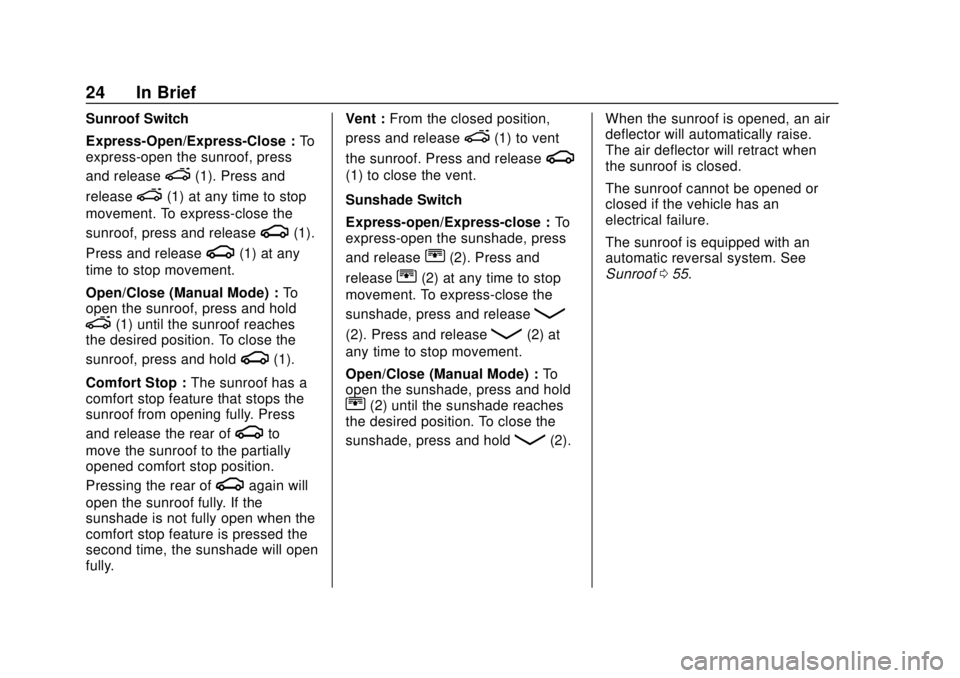
Sunroof Switch
Express-Open/Express-Close :To
express-open the sunroof, press
and release
e(1). Press and
release
e(1) at any time to stop
movement. To express-close the
sunroof, press and release
g(1).
Press and release
g(1) at any
time to stop movement.
Open/Close (Manual Mode) : To
open the sunroof, press and hold
e(1) until the sunroof reaches
the desired position. To close the
sunroof, press and hold
g(1).
Comfort Stop : The sunroof has a
comfort stop feature that stops the
sunroof from opening fully. Press
and release the rear of
gto
move the sunroof to the partially
opened comfort stop position.
Pressing the rear of
gagain will
open the sunroof fully. If the
sunshade is not fully open when the
comfort stop feature is pressed the
second time, the sunshade will open
fully. Vent :
From the closed position,
press and release
e(1) to vent
the sunroof. Press and release
g
(1) to close the vent.
Sunshade Switch
Express-open/Express-close : To
express-open the sunshade, press
and release
r(2). Press and
release
r(2) at any time to stop
movement. To express-close the
sunshade, press and release
Q
(2). Press and releaseQ(2) at
any time to stop movement.
Open/Close (Manual Mode) : To
open the sunshade, press and hold
r(2) until the sunshade reaches
the desired position. To close the
sunshade, press and hold
Q(2). When the sunroof is opened, an air
deflector will automatically raise.
The air deflector will retract when
the sunroof is closed.
The sunroof cannot be opened or
closed if the vehicle has an
electrical failure.
The sunroof is equipped with an
automatic reversal system. See
Sunroof
055.
Page 28 of 434
GMC Terrain/Terrain Denali Owner Manual (GMNA-Localizing-U.S./Canada/
Mexico-12146071) - 2019 - crc - 7/27/18
In Brief 27
2. Display REMAINING OIL LIFEon the DIC menu.
See Driver Information Center
(DIC) (Base and Midlevel)
0 142 orDriver Information
Center (DIC) (Uplevel) 0147.
3. Fully press and release the accelerator pedal three times
within five seconds.
4. If the display changes to 100%, the system is reset.
See Engine Oil Life System 0298.
Driving for Better Fuel
Economy
Driving habits can affect fuel
mileage. Here are some driving tips
to get the best fuel economy
possible:
.
Set the climate controls to the
desired temperature after the
engine is started, or turn them
off when not required.
. Avoid fast starts and accelerate
smoothly. .
Brake gradually and avoid
abrupt stops.
. Avoid idling the engine for long
periods of time.
. When road and weather
conditions are appropriate, use
cruise control.
. Always follow posted speed
limits or drive more slowly when
conditions require.
. Keep vehicle tires properly
inflated.
. Combine several trips into a
single trip.
. Replace the vehicle's tires with
the same TPC Spec number
molded into the tire's sidewall
near the size.
. Follow recommended scheduled
maintenance.
Diesel Particulate Filter
The engine is equipped with a
Diesel Particulate Filter (DPF) that
will filter or trap particulates. The
DPF is under the vehicle in the
exhaust system.
Depending on a number of factors
monitored by the engine computer,
the DPF will need to be cleaned of
accumulated solids. When a
cleaning is needed, the engine
computer will initiate a cleaning
action by warming the exhaust gas
temperature. This feature has been
designed to operate automatically,
with limited operator involvement or
awareness.
Cleaning the DPF (Exhaust
Filter)
While the DPF cleaning is
automatically controlled by the
engine computer, the vehicle will
need to operate continuously for
approximately 25 minutes
and at speeds greater than
50 km/h (30 mph) to clean the DPF
effectively.
Page 46 of 434
GMC Terrain/Terrain Denali Owner Manual (GMNA-Localizing-U.S./Canada/
Mexico-12146071) - 2019 - crc - 7/27/18
Keys, Doors, and Windows 45
Caution
Manually forcing the liftgate to
open or close during a power
cycle can damage the vehicle.
Allow the power cycle to
complete.
The power liftgate may be
temporarily disabled under extreme
low temperatures, or after repeated
power cycling over a short period of
time. If this occurs, the liftgate can
still be operated manually.
If the vehicle is shifted out of
P (Park) while the power function is
in progress, the liftgate will continue
to completion. If the vehicle is
accelerated before the liftgate has
completed moving, the liftgate may
stop or reverse direction. Check for
Driver Information Center (DIC)
messages and make sure the
liftgate is closed and latched before
driving. Falling Liftgate Detection
If the power liftgate automatically
closes after a power opening cycle,
it indicates that the system is
reacting to excess weight on the
liftgate or a possible support strut
failure. A repetitive chime will sound
while the falling liftgate detection
feature is operating. Remove any
excess weight. If the liftgate
continues to automatically close
after opening, see your dealer for
service before using the power
liftgate.
Interfering with the power liftgate
motion or manually closing the
liftgate too quickly after power
opening may resemble a support
strut failure. This could also activate
the falling liftgate detection feature.
Allow the liftgate to complete its
operation and wait a few seconds
before manually closing the liftgate.
Obstacle Detection Features
If the liftgate encounters an obstacle
during a power open or close cycle,
the liftgate will automatically reverse
direction and move a short distance
away from the obstacle. After
removing the obstruction, the power
liftgate operation can be used again.
If the liftgate encounters multiple
obstacles on the same power cycle,
the power function will deactivate.
After removing the obstructions,
manually close the liftgate which will
allow normal power operation
functions to resume.
If the vehicle is locked while the
liftgate is closing, and an obstacle is
encountered that prevents the
liftgate from completely closing, the
horn will sound as an alert that the
liftgate did not close.
Pinch sensors are on the side
edges of the liftgate. If an object is
caught between the liftgate and the
vehicle and presses against a
sensor, the liftgate will reverse
direction and open fully. The liftgate
will remain open until it is activated
again or closed manually.
Page 55 of 434
GMC Terrain/Terrain Denali Owner Manual (GMNA-Localizing-U.S./Canada/
Mexico-12146071) - 2019 - crc - 7/27/18
54 Keys, Doors, and Windows
If equipped, pull the window switch
up fully and quickly release to
express close the window.
Briefly press or pull the window
switch in the same direction to stop
that window’s express movement.
Window Automatic Reversal
System
The express-close feature will
reverse window movement if it
comes in contact with an object.
Extreme cold or ice could cause the
window to auto-reverse. The
window will operate normally after
the object or condition is removed.
Automatic Reversal System
Override
{Warning
If automatic reversal system
override is active, the window will
not reverse automatically. You or
others could be injured and the
window could be damaged.
Before using automatic reversal(Continued)
Warning (Continued)
system override, make sure that
all people and obstructions are
clear of the window path.
When the engine is on, override the
automatic reversal system by pulling
and holding the window switch if
conditions prevent it from closing.
Programming the Power
Windows
Programming may be necessary if
the vehicle’ s battery has been
disconnected or discharged. If the
window will not express close,
program each express-close
window:
1. Close all doors.
2. Turn the ignition on or to ACC/ ACCESSORY.
3. Partially open the window to be programmed. Then close it and
continue to pull the switch
briefly after the window has
fully closed. 4. Open the window and continue
to press the switch briefly after
the window has fully opened.
Remote Window Operation
If equipped, this feature allows all
the windows to be opened remotely.
If enabled in vehicle personalization,
press and hold
Kon the RKE
transmitter. See Vehicle
Personalization 0152.
Sun Visors
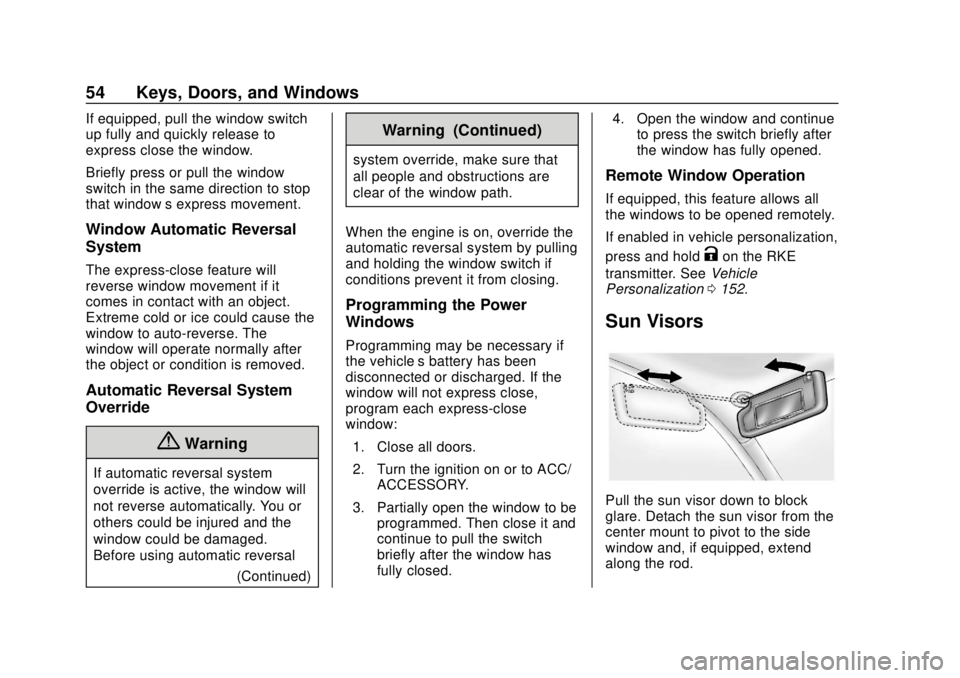
Pull the sun visor down to block
glare. Detach the sun visor from the
center mount to pivot to the side
window and, if equipped, extend
along the rod.
Page 56 of 434
GMC Terrain/Terrain Denali Owner Manual (GMNA-Localizing-U.S./Canada/
Mexico-12146071) - 2019 - crc - 7/27/18
Keys, Doors, and Windows 55
Roof
Sunroof
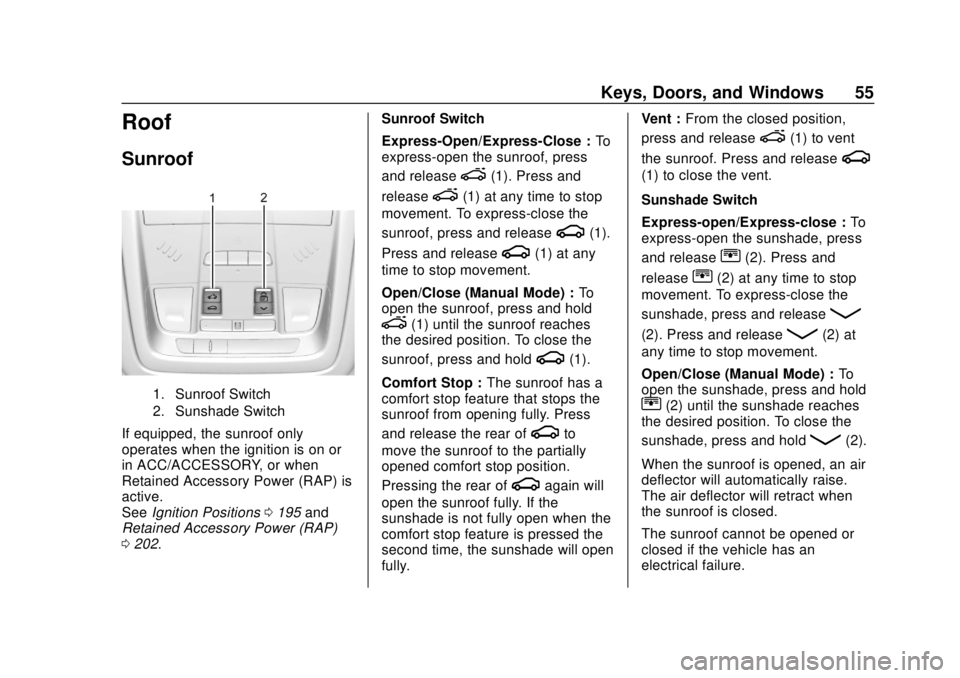
1. Sunroof Switch
2. Sunshade Switch
If equipped, the sunroof only
operates when the ignition is on or
in ACC/ACCESSORY, or when
Retained Accessory Power (RAP) is
active.
SeeIgnition Positions 0195 and
Retained Accessory Power (RAP)
0 202. Sunroof Switch
Express-Open/Express-Close :
To
express-open the sunroof, press
and release
e(1). Press and
release
e(1) at any time to stop
movement. To express-close the
sunroof, press and release
g(1).
Press and release
g(1) at any
time to stop movement.
Open/Close (Manual Mode) : To
open the sunroof, press and hold
e(1) until the sunroof reaches
the desired position. To close the
sunroof, press and hold
g(1).
Comfort Stop : The sunroof has a
comfort stop feature that stops the
sunroof from opening fully. Press
and release the rear of
gto
move the sunroof to the partially
opened comfort stop position.
Pressing the rear of
gagain will
open the sunroof fully. If the
sunshade is not fully open when the
comfort stop feature is pressed the
second time, the sunshade will open
fully. Vent :
From the closed position,
press and release
e(1) to vent
the sunroof. Press and release
g
(1) to close the vent.
Sunshade Switch
Express-open/Express-close : To
express-open the sunshade, press
and release
r(2). Press and
release
r(2) at any time to stop
movement. To express-close the
sunshade, press and release
Q
(2). Press and releaseQ(2) at
any time to stop movement.
Open/Close (Manual Mode) : To
open the sunshade, press and hold
r(2) until the sunshade reaches
the desired position. To close the
sunshade, press and hold
Q(2).
When the sunroof is opened, an air
deflector will automatically raise.
The air deflector will retract when
the sunroof is closed.
The sunroof cannot be opened or
closed if the vehicle has an
electrical failure.
Page 57 of 434
GMC Terrain/Terrain Denali Owner Manual (GMNA-Localizing-U.S./Canada/
Mexico-12146071) - 2019 - crc - 7/27/18
56 Keys, Doors, and Windows
Automatic Reversal System
The sunroof has an automatic
reversal system that is only active
when the sunroof is operated in
express-close mode.
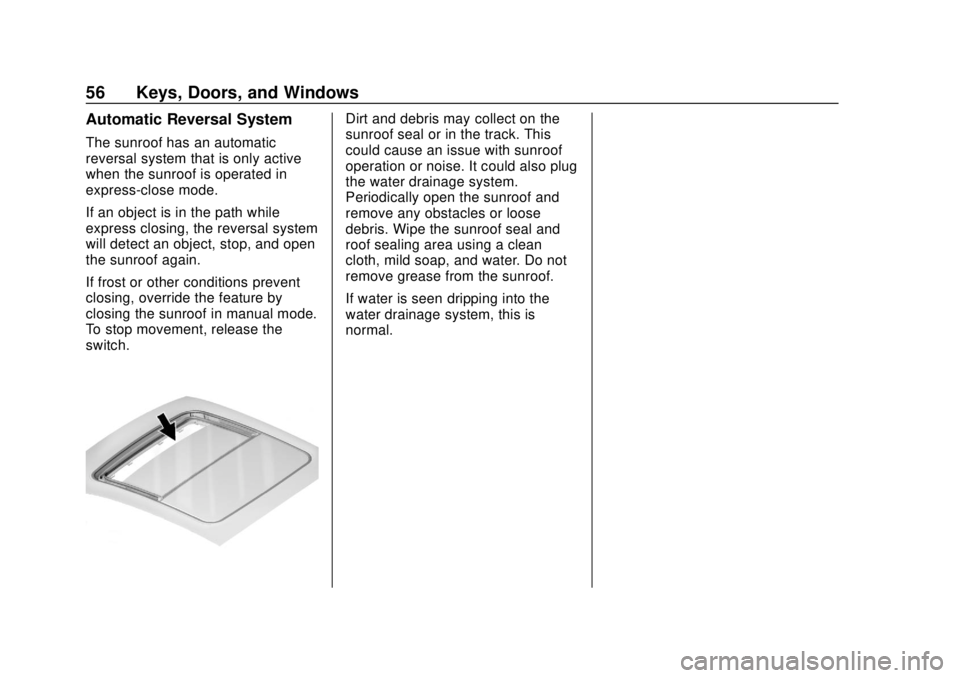
If an object is in the path while
express closing, the reversal system
will detect an object, stop, and open
the sunroof again.
If frost or other conditions prevent
closing, override the feature by
closing the sunroof in manual mode.
To stop movement, release the
switch.
Dirt and debris may collect on the
sunroof seal or in the track. This
could cause an issue with sunroof
operation or noise. It could also plug
the water drainage system.
Periodically open the sunroof and
remove any obstacles or loose
debris. Wipe the sunroof seal and
roof sealing area using a clean
cloth, mild soap, and water. Do not
remove grease from the sunroof.
If water is seen dripping into the
water drainage system, this is
normal.
Page 65 of 434
GMC Terrain/Terrain Denali Owner Manual (GMNA-Localizing-U.S./Canada/
Mexico-12146071) - 2019 - crc - 7/27/18
64 Seats and Restraints
3. Press and release SET; a beepwill sound.
4. Immediately press and hold the 1 or 2 memory button matching
the above DIC welcome
message until two beeps
sound.
If too much time passes
between releasing SET and
pressing 1, the memory
position will not be saved and
two beeps will not sound.
Repeat Steps 3 and 4.
1 or 2 corresponds to the driver
number. See “Identifying Driver
Number” previously in this
section.
5. Repeat Steps 1–4 for a second driver using 1 or 2.
To save the position for
Band
Seat Exit Memory, repeat Steps 1–4
using
B. This saves the position
for getting out of the vehicle.
Save preferred memory feature
positions to both 1 and 2 if you are
the only driver. Manually Recalling Memory
Positions
Press and hold 1, 2, or
Bto recall
the previously saved memory
positions.
To stop Manual Memory Recall
movement, release 1, 2, or
Bor
press any of the following controls:
. Power seat
. Memory SET
. Power mirror, with the driver or
passenger side mirror selected
. Power steering wheel,
if equipped
Seat Entry Memory
The vehicle identifies the number of
the current driver ’s RKE transmitter
(1–8). See Remote Keyless Entry
(RKE) System Operation 030. If the
RKE transmitter is 1 or 2, and Seat
Entry Memory is programmed on in
vehicle personalization, the
positions saved to the same
memory button number 1 or 2 are
automatically recalled when the
ignition is turned on, or turned from off to ACC/ACCESSORY. RKE
transmitters 3–8 will not provide
automatic memory recalls.
To turn Seat Entry Memory on or off,
see "Vehicle Personalization
Settings" previously in this section
and
Vehicle Personalization 0152.
The shift lever must be in P (Park)
to start Seat Entry Memory. Seat
Entry Memory will complete if the
vehicle is shifted out of P (Park)
prior to reaching the saved memory
position.
To stop Seat Entry Memory
movement, turn the ignition off or
press any of the following controls:
. Power seat
. Memory SET, 1, 2, or
B
.Power mirror, with the driver or
passenger side mirror selected
. Power steering wheel,
if equipped
If the saved memory seat position
does not automatically recall or
recalls to the wrong positions, the
driver ’s RKE transmitter number (1
Page 66 of 434
GMC Terrain/Terrain Denali Owner Manual (GMNA-Localizing-U.S./Canada/
Mexico-12146071) - 2019 - crc - 7/27/18
Seats and Restraints 65
or 2) may not match the memory
button number that positions were
saved to. Try saving the position to
the other memory button or try the
other RKE transmitter.
Seat Exit Memory
Seat Exit Memory is not linked to an
RKE transmitter. The position saved
to
Bis used for all drivers. To turn
Seat Exit Memory on or off, see
"Vehicle Personalization Settings"
previously in this section and
Vehicle Personalization 0152.
If turned on, the position saved to
Bis automatically recalled when
one of the following occurs:
. The vehicle is turned off and the
driver door is opened within a
short time.
. The vehicle is turned off with the
driver door open.
To stop Seat Exit Memory
movement, press any of the
following memory controls:
. Power seat
. Memory SET, 1, 2, or
B
.
Power mirror, with the driver or
passenger side mirror selected
. Power steering wheel,
if equipped
Obstructions
If something has blocked the driver
seat and/or power steering wheel
while recalling a memory position,
the recall may stop. Remove the
obstruction and try the recall again.
If the memory position still does not
recall, see your dealer for service.
Heated and Ventilated
Front Seats
{Warning
If temperature change or pain to
the skin cannot be felt, the seat
heater may cause burns. To
reduce the risk of burns, use care
when using the seat heater,
especially for long periods of
time. Do not place anything on
the seat that insulates against (Continued)
Warning (Continued)
heat, such as a blanket, cushion,
cover, or similar item. This may
cause the seat heater to
overheat. An overheated seat
heater may cause a burn or may
damage the seat.
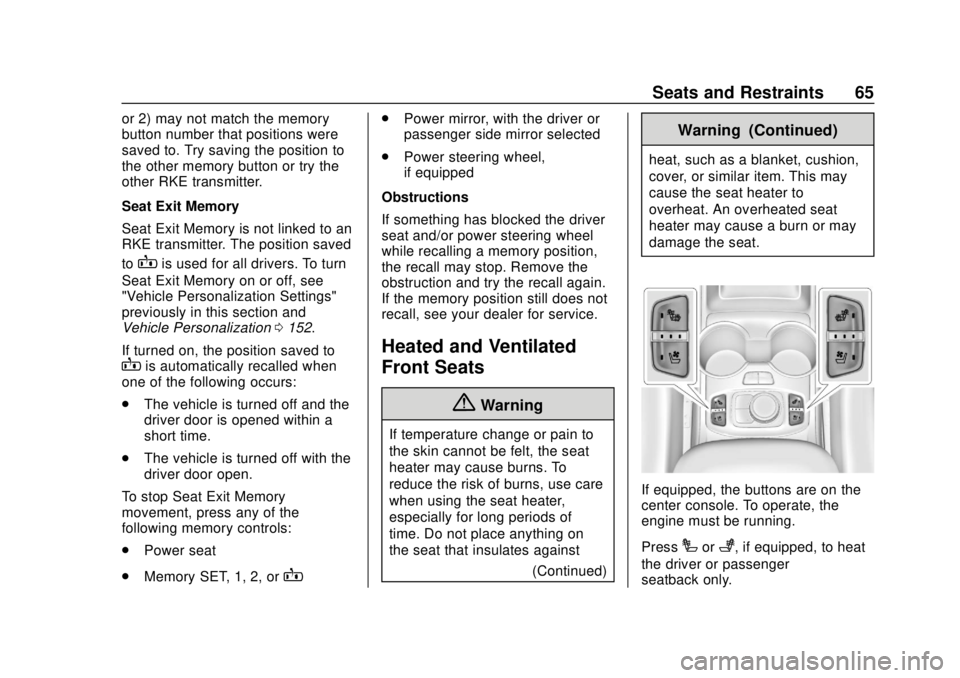
If equipped, the buttons are on the
center console. To operate, the
engine must be running.
Press
Ior+, if equipped, to heat
the driver or passenger
seatback only.