ECO mode GMC YUKON 2004 Owner's Guide
[x] Cancel search | Manufacturer: GMC, Model Year: 2004, Model line: YUKON, Model: GMC YUKON 2004Pages: 554, PDF Size: 5.21 MB
Page 293 of 554
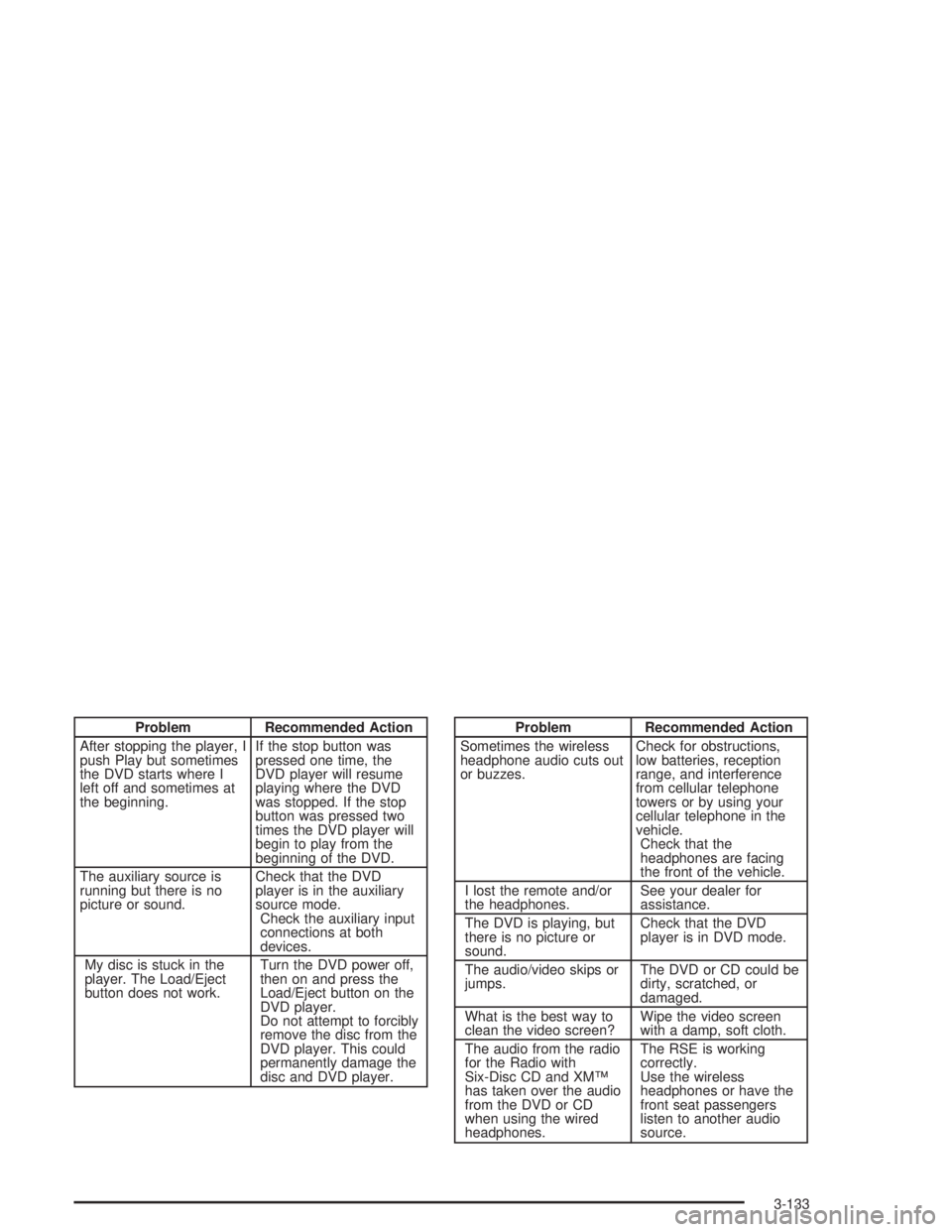
Problem Recommended Action
After stopping the player, I
push Play but sometimes
the DVD starts where I
left off and sometimes at
the beginning.If the stop button was
pressed one time, the
DVD player will resume
playing where the DVD
was stopped. If the stop
button was pressed two
times the DVD player will
begin to play from the
beginning of the DVD.
The auxiliary source is
running but there is no
picture or sound.Check that the DVD
player is in the auxiliary
source mode.
Check the auxiliary input
connections at both
devices.
My disc is stuck in the
player. The Load/Eject
button does not work.Turn the DVD power off,
then on and press the
Load/Eject button on the
DVD player.
Do not attempt to forcibly
remove the disc from the
DVD player. This could
permanently damage the
disc and DVD player.Problem Recommended Action
Sometimes the wireless
headphone audio cuts out
or buzzes.Check for obstructions,
low batteries, reception
range, and interference
from cellular telephone
towers or by using your
cellular telephone in the
vehicle.
Check that the
headphones are facing
the front of the vehicle.
I lost the remote and/or
the headphones.See your dealer for
assistance.
The DVD is playing, but
there is no picture or
sound.Check that the DVD
player is in DVD mode.
The audio/video skips or
jumps.The DVD or CD could be
dirty, scratched, or
damaged.
What is the best way to
clean the video screen?Wipe the video screen
with a damp, soft cloth.
The audio from the radio
for the Radio with
Six-Disc CD and XM™
has taken over the audio
from the DVD or CD
when using the wired
headphones.The RSE is working
correctly.
Use the wireless
headphones or have the
front seat passengers
listen to another audio
source.
3-133
Page 312 of 554
The STABILITY SYS ACTIVE message will appear on
the Driver Information Center (DIC) only when the
system is both on and activated. You may also feel or
hear the system working; this is normal. For more
information on the stability messages, seeDriver
Information Center (DIC) on page 3-58.
The Stabilitrak
®mode
button is located on the
instrument panel.
Stabilitrak
®and part of the traction control system can
be turned off or back on by pressing the
Stabilitrak
®button. All-wheel drive vehicles must be in
all-wheel drive mode to turn the system on or off.
When the system is turned off, the traction off light will
illuminate, and the STABILITY SYS DISABLED
message will appear on the DIC to warn the driver that
both the stability system and part of the traction
control system are disabled. Your vehicle will still have
brake-traction control when Stabilitrak
®is off, but
will not be able to use the engine speed management
system. See “Traction Control Operation” next for
more information.When the Stabilitrak
®system has been turned off you
may still hear system noises as a result of the
brake-traction control coming on.
It is recommended to leave the system on for normal
driving conditions, but it may be necessary to turn
the system off if your vehicle is stuck in sand, mud, ice
or snow, and you want to “rock” your vehicle to
attempt to free it. It may also be necessary to turn off
the system when driving in extreme off-road conditions
where high wheel spin is required. SeeIf You Are
Stuck: In Sand, Mud, Ice or Snow on page 4-50.
When the transfer case is in 4 low, the stability system
is automatically disabled, and the STABILITY SYS
DISABLED message will appear on the DIC. In 4LO,
the Stabilitrak
®button only turns the traction control
system on and off.
Traction Control Operation
The traction control system is part of the
Stabilitrak®system. Traction control limits wheel spin by
reducing engine power to the wheels (engine speed
management) and by applying brakes to each individual
wheel (brake-traction control) as necessary.
4-12
Page 316 of 554
QUADRASTEER™
The QUADRASTEER™ System has a control and
diagnostic module that monitors and records current
system status and operational information.
If your vehicle is equipped with the 4 Wheel Steer
system it has the ability to steer the vehicle with all four
wheels.
Once the 4 Wheel Steer mode is selected, it is
recommended to leave the vehicle in this mode at all
times, and during all driving and weather conditions.
You can select this mode at any speed, however, if you
are turning the system will not engage until the turn
is complete.
The 4 Wheel Steer system is equipped with three
different driving modes:
Two wheel steering (2)
Four wheel steering (4)
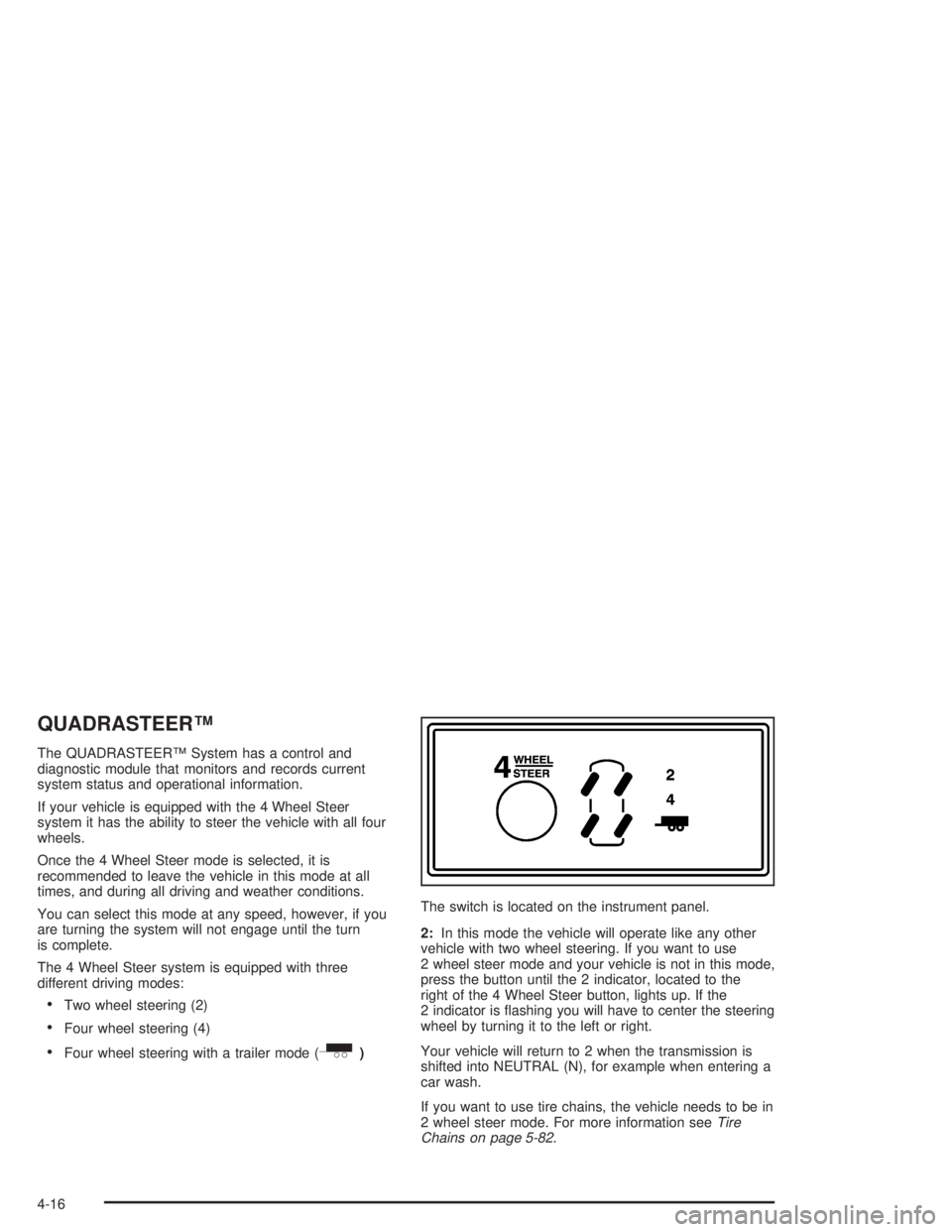
Four wheel steering with a trailer mode (_)The switch is located on the instrument panel.
2:In this mode the vehicle will operate like any other
vehicle with two wheel steering. If you want to use
2 wheel steer mode and your vehicle is not in this mode,
press the button until the 2 indicator, located to the
right of the 4 Wheel Steer button, lights up. If the
2 indicator is ashing you will have to center the steering
wheel by turning it to the left or right.
Your vehicle will return to 2 when the transmission is
shifted into NEUTRAL (N), for example when entering a
car wash.
If you want to use tire chains, the vehicle needs to be in
2 wheel steer mode. For more information seeTire
Chains on page 5-82.
4-16
Page 318 of 554
_(4 Wheel Steer tow mode):When towing a
trailer the 4 wheel steer tow mode provides enhanced
stability allowing the trailer to follow the path of the
tow vehicle more closely, especially during lane
changes.
In this mode the system operates much like the 4 mode,
but is enhanced for trailer towing. It is recommended
for all types and weights of trailers.
To engage the 4 Wheel Steer tow mode, press the
button until the 4 and tow mode indicators light up on
the instrument panel. If the tow indicator is ashing you
will have to center the steering wheel by turning it to
the left or right. While in the 4 wheel steer tow mode, it
is possible the steering wheel may be slightly off
center. For more information, seeTowing a Trailer on
page 4-63.Car Washes for QUADRASTEER™
Equipped Vehicles
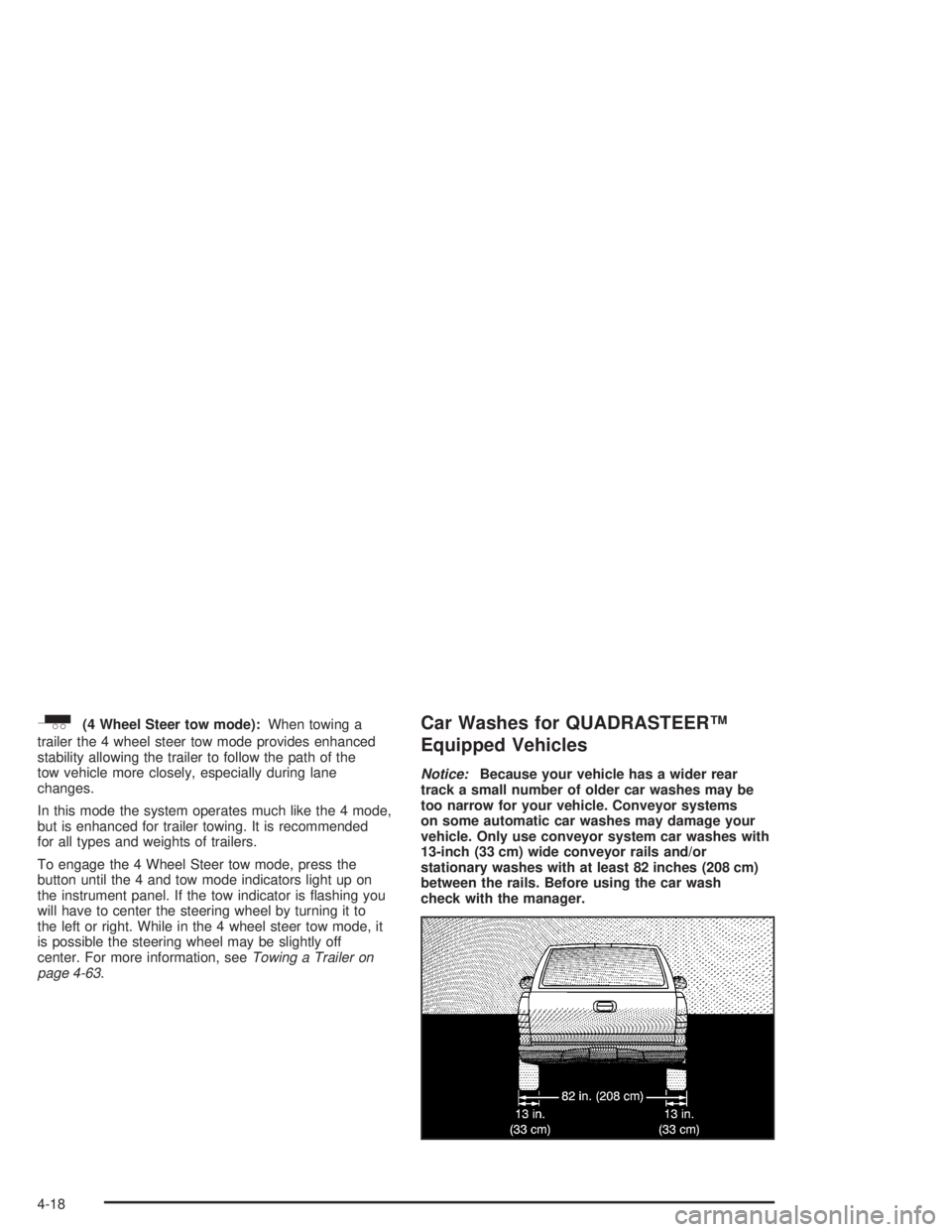
Notice:Because your vehicle has a wider rear
track a small number of older car washes may be
too narrow for your vehicle. Conveyor systems
on some automatic car washes may damage your
vehicle. Only use conveyor system car washes with
13-inch (33 cm) wide conveyor rails and/or
stationary washes with at least 82 inches (208 cm)
between the rails. Before using the car wash
check with the manager.
4-18
Page 362 of 554
Autoride™
If equipped, the Autoride™ feature will provide a
superior vehicle ride and handling under a variety of
passenger and loading conditions.
The system is fully automatic and uses a computer
controller to continuously monitor vehicle speed, wheel
to body position, lift/dive and steering position of the
vehicle. The controller then sends signals to each shock
absorber to independently adjust the damping level to
provide the optimum vehicle ride.
Autoride™ also interacts with the tow/haul switch that,
when engaged, will provide additional control of the
shock absorbers. This additional control results in better
ride and handling characteristics when the vehicle is
loaded or towing a trailer. SeeTow/Haul Mode Light on
page 3-56for more information.
Trailer Recommendations
You must subtract your hitch loads from the Cargo
Weight Rating (CWR) for your vehicle. CWR is the
maximum weight of the load your vehicle can carry. It
doesn’t include the weight of the people inside. But you
can gure about 150 lbs. (68 kg) for each seat. The total
cargo load must not be more than your vehicle’s CWR.
Weigh your vehicle with the trailer attached, so that you
won’t go over the GVWR or GAWR. If you are using
a weight-distributing hitch, weigh the vehicle without the
spring bars in place.
You’ll get the best performance if you spread out the
weight of your load the right way, and if you choose the
correct hitch and trailer brakes.
For more information, seeTowing a Trailer on page 4-63
Towing a Trailer.
4-62
Page 365 of 554
Tow/Haul is designed to be most effective when the
vehicle and trailer combined weight is at least 75% of
the vehicle’s Gross Combined Weight Rating (GCWR).
See Weight of the Trailer later in this section.
Tow/Haul is most useful under the following driving
conditions:
When pulling a heavy trailer or a large or heavy
load through rolling terrain.
When pulling a heavy trailer or a large or heavy
load in stop and go traffic.
When pulling a heavy trailer or a large or heavy
load in busy parking lots where improved low
speed control of the vehicle is desired.
Operating the vehicle in tow/haul when lightly loaded or
with no trailer at all will not cause damage. However,
there is no benet to the selection of Tow/Haul when the
vehicle is unloaded. Such a selection when unloaded
may result in unpleasant engine and transmission driving
characteristics and reduced fuel economy. Tow/Haul
is recommended only when pulling a heavy trailer or a
large or heavy load.
Weight of the Trailer
How heavy can a trailer safely be?
It depends on how you plan to use your rig. For
example, speed, altitude, road grades, outside
temperature and how much your vehicle is used to pull
a trailer are all important. And, it can also depend
on any special equipment that you have on your vehicle.
Use one of the following charts to determine how
much your vehicle can weigh, based upon your vehicle
model and options.
Maximum trailer weight is calculated assuming only the
driver is in the tow vehicle and it has all the required
trailering equipment. The weight of additional optional
equipment, passengers and cargo in the tow vehicle
must be subtracted from the maximum trailer weight.
4-65
Page 450 of 554
Intended Outboard Sidewall:The side of an
asymmetrical tire, that must always face outward when
mounted on a vehicle.
Kilopascal (kPa):The metric unit for air pressure.
There are 6.9 kPa’s to one psi.
Light Truck (LT-Metric) Tire:A tire used on light duty
trucks and some multipurpose passenger vehicles.
Load Index:An assigned number ranging from 1 to 279
that corresponds to the load carrying capacity of a tire.
Maximum Ination Pressure:The maximum air
pressure to which a cold tire may be inated. The
maximum air pressure is molded onto the sidewall.
Maximum Load Rating:The load rating for a tire at the
maximum permissible ination pressure for that tire.
Maximum Loaded Vehicle Weight:The sum of curb
weight; accessory weight; vehicle capacity weight;
and production options weight.
Normal Occupant Weight:The number of occupants a
vehicle is designed to seat multiplied by 150 pounds
(68 kg). SeeLoading Your Vehicle on page 4-56.Occupant Distribution:Designated seating positions.
Outward Facing Sidewall:The side of a asymmetrical
tire that has a particular side that faces outward
when mounted on a vehicle. The side of the tire that
contains a whitewall, bears white lettering or bears
manufacturer, brand and or model name molding that is
higher or deeper than the same moldings on the
other sidewall of the tire.
Passenger (P-Metric) Tire:A tire used on passenger
cars and some light duty trucks and multipurpose
vehicles.
Recommended Ination Pressure:Vehicle
manufacturer’s recommended tire ination pressure and
shown on the tire placard. SeeInation - Tire Pressure
on page 5-72andLoading Your Vehicle on page 4-56.
Radial Ply tire:A pneumatic tire in which the ply cords
that extend to the beads are laid at 90 degrees to the
centerline of the tread.
Rim:A metal support for a tire and upon which the tire
beads are seated.
5-70
Page 502 of 554
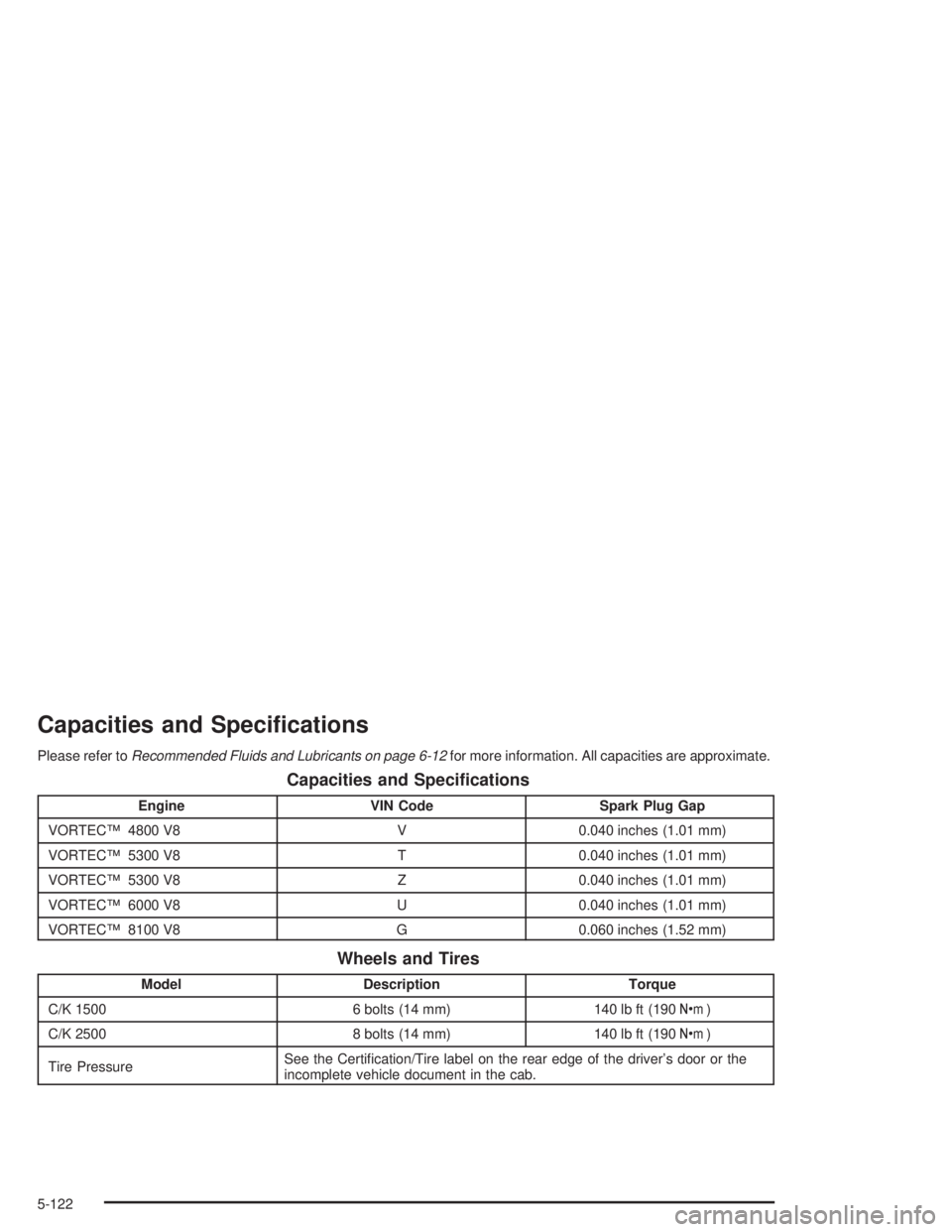
Capacities and Specications
Please refer toRecommended Fluids and Lubricants on page 6-12for more information. All capacities are approximate.
Capacities and Specications
Engine VIN Code Spark Plug Gap
VORTEC™ 4800 V8 V 0.040 inches (1.01 mm)
VORTEC™ 5300 V8 T 0.040 inches (1.01 mm)
VORTEC™ 5300 V8 Z 0.040 inches (1.01 mm)
VORTEC™ 6000 V8 U 0.040 inches (1.01 mm)
VORTEC™ 8100 V8 G 0.060 inches (1.52 mm)
Wheels and Tires
Model Description Torque
C/K 1500 6 bolts (14 mm) 140 lb ft (190Y)
C/K 2500 8 bolts (14 mm) 140 lb ft (190Y)
Tire PressureSee the Certication/Tire label on the rear edge of the driver’s door or the
incomplete vehicle document in the cab.
5-122
Page 529 of 554
For prompt and efficient assistance when calling, please
provide the following to the Roadside Assistance
Representative:
Your name, home address, and home telephone
number
Telephone number of your location
Location of the vehicle
Model, year, color, and license plate number
Mileage, Vehicle Identication Number, and delivery
date of the vehicle
Description of the problem
While we hope you never have the occasion to use our
service, it is added security while traveling for you
and your family. Remember, we are only a phone call
away. GMC Roadside Assistance: 1-800-462-8782, text
telephone (TTY) users, call 1-888-889-2438.
GMC reserves the right to limit services or
reimbursement to an owner or driver when, in GMC’s
judgement, the claims become excessive in frequency or
type of occurrence.
Roadside Assistance is not part of or included in the
coverage provided by the New Vehicle Limited Warranty.
GMC reserves the right to make any changes or
discontinue the Roadside Assistance program at any
time without notication.
Canadian Roadside Assistance
Vehicles purchased in Canada have an extensive
roadside assistance program accessible from anywhere
in Canada or the United States. Please refer to the
Warranty and Owner Assistance Information book.
Courtesy Transportation
GMC has always exemplied quality and value in its
offering of motor vehicles. To enhance your ownership
experience, we and our participating dealers are
proud to offer Courtesy Transportation, a customer
support program for new vehicles.
The Courtesy Transportation program is offered to retail
purchase/lease customers in conjunction with the
Bumper-to-Bumper coverage provided by the New
Vehicle Limited Warranty. Several transportation options
are available when warranty repairs are required. This will
reduce your inconvenience during warranty repairs.
7-7
Page 532 of 554
Vehicle Data Collection and Event
Data Records
Your vehicle, like other modern motor vehicles, has a
number of sophisticated computer systems that monitor
and control several aspects of the vehicle’s performance.
Your vehicle uses on-board vehicle computers to monitor
emission control components to optimize fuel economy,
to monitor conditions for airbag deployment and, if so
equipped, to provide anti-lock braking and to help the
driver control the vehicle in difficult driving situations.
Some information may be stored during regular
operations to facilitate repair of detected malfunctions;
other information is stored only in a crash or near crash
event by computer systems commonly called event data
recorders (EDR).In a crash or near crash event, computer systems, such
as the Airbag Sensing and Diagnostic Module (SDM) in
your vehicle may record information about the condition
of the vehicle and how it was operated, such as engine
speed, brake applications, throttle position, vehicle
speed, seat belt usage, airbag readiness, airbag
performance data, and the severity of a collision. This
information has been used to improve vehicle crash
performance and may be used to improve crash
performance of future vehicles and driving safety. Unlike
the data recorders on many airplanes, these on-board
systems do not record sounds, such as conversation of
vehicle occupants.
To read this information, special equipment is needed
and access to the vehicle or the SDM is required.
GM will not access information about a crash event or
share it with others other than
with the consent of the vehicle owner or, if the
vehicle is leased, with the consent of the lessee,
in response to an official request of police or similar
government office,
as part of GM’s defense of litigation through the
discovery process, or
as required by law.
7-10