fuel GMC YUKON 2005 Owner's Manual
[x] Cancel search | Manufacturer: GMC, Model Year: 2005, Model line: YUKON, Model: GMC YUKON 2005Pages: 530, PDF Size: 3.2 MB
Page 1 of 530
Seats and Restraint Systems........................... 1-1
Front Seats
............................................... 1-3
Rear Seats
............................................... 1-8
Safety Belts
.............................................1-22
Child Restraints
.......................................1-43
Airbag System
.........................................1-66
Restraint System Check
............................1-81
Features and Controls..................................... 2-1
Keys
........................................................ 2-3
Doors and Locks
....................................... 2-8
Windows
.................................................2-14
Theft-Deterrent Systems
............................2-17
Starting and Operating Your Vehicle
...........2-19
Mirrors
....................................................2-41
OnStar
®System
......................................2-50
HomeLink®Wireless Control System
...........2-52
Storage Areas
.........................................2-56
Sunroof
..................................................2-60
Vehicle Personalization
.............................2-61
Instrument Panel............................................. 3-1
Instrument Panel Overview
.......................... 3-4
Climate Controls
......................................3-21
Warning Lights, Gages, and Indicators
........3-36
Driver Information Center (DIC)
..................3-54
Audio System(s)
.......................................3-74Driving Your Vehicle....................................... 4-1
Your Driving, the Road, and Your Vehicle
..... 4-2
Towing
...................................................4-62
Service and Appearance Care.......................... 5-1
Service
..................................................... 5-3
Fuel
......................................................... 5-5
Checking Things Under the Hood
...............5-10
All-Wheel Drive
........................................5-45
Rear Axle
...............................................5-46
Four-Wheel Drive
.....................................5-47
Front Axle
...............................................5-48
Bulb Replacement
....................................5-49
Windshield Wiper Blade Replacement
.........5-56
Tires
......................................................5-57
Appearance Care
.....................................5-95
Vehicle Identication
...............................5-104
Electrical System
....................................5-105
Capacities and Specications
...................5-114
Maintenance Schedule..................................... 6-1
Maintenance Schedule
................................ 6-2
Customer Assistance and Information.............. 7-1
Customer Assistance and Information
........... 7-2
Reporting Safety Defects
...........................7-10
Index.................................................................1
2005 GMC Yukon/Yukon XL Owner ManualM
Page 107 of 530
Passlock®
Your vehicle is equipped with the
Passlock®theft-deterrent system.
Passlock
®is a passive theft-deterrent system.
Passlock®enables fuel if the ignition lock cylinder is
turned with a valid key. If a correct key is not used or the
ignition lock cylinder is tampered with, fuel is disabled.
If the engine stalls and the security light ashes,
wait until the light stops ashing before trying to restart
the engine. Remember to release the key from
START as soon as the engine starts.
If the engine is running and the security light comes on,
you will be able to restart the engine if you turn the
engine off. However, your Passlock
®system is
not working properly and must be serviced by your
dealer. Your vehicle is not protected by Passlock
®at this
time. You may also want to check the fuse. See
Fuses and Circuit Breakers on page 5-105. See your
dealer for service.
In an emergency, call the GM Roadside Assistance
Center. SeeRoadside Assistance Program on page 7-5.
Starting and Operating Your
Vehicle
New Vehicle Break-In
Notice:Your vehicle does not need an elaborate
break-in. But it will perform better in the long run if
you follow these guidelines:
Keep your speed at 55 mph (88 km/h) or less for
the rst 500 miles (805 km).
Do not drive at any one speed, fast or slow, for
the rst 500 miles (805 km). Do not make
full-throttle starts.
Avoid making hard stops for the rst 200 miles
(322 km) or so. During this time your new
brake linings are not yet broken in. Hard stops
with new linings can mean premature wear
and earlier replacement. Follow this breaking-in
guideline every time you get new brake
linings.
Do not tow a trailer during break-in. SeeTowing
a Trailer on page 4-67for more information.
2-19
Page 110 of 530

Adjustable Throttle and Brake Pedal
If your vehicle is equipped with this feature, you can
change the position of the throttle and brake pedals. This
feature is designed for shorter drivers, since the pedals
can not move farther away from the standard position,
but can move toward the driver for better pedal reach.
The vehicle must be in PARK (P) for this feature to
operate.
The switch used to adjust
the pedals is located on
the driver’s side door
panel.
Press the arrow at the end of the switch closest to you
to move the pedals closer to your body. Press the
arrow at the far end of the switch to move the pedals
away from your body.
Engine Coolant Heater
Your vehicle may be equipped with an engine coolant
heater.
In very cold weather, 0°F (−18°C) or colder, the engine
coolant heater can help. You will get easier starting
and better fuel economy during engine warm-up.
Usually, the coolant heater should be plugged in a
minimum of four hours prior to starting your vehicle.
At temperatures above 32°F (0°C), use of the coolant
heater is not required. Your vehicle may also have
an internal thermostat in the plug end of the cord. This
will prevent operation of the engine coolant heater
when the temperature is at or above 0°F (−18°C) as
noted on the cord.
2-22
Page 113 of 530
NEUTRAL (N):In this position, your engine does not
connect with the wheels. To restart when you are
already moving, use NEUTRAL (N) only. Also, use
NEUTRAL (N) when your two-wheel drive vehicle
is being towed.
{CAUTION:
Shifting into a drive gear while your engine is
running at high speed is dangerous. Unless
your foot is rmly on the brake pedal, your
vehicle could move very rapidly. You could
lose control and hit people or objects. Do not
shift into a drive gear while your engine is
running at high speed.
Notice:Shifting out of PARK (P) or NEUTRAL (N)
with the engine running at high speed may damage
the transmission. The repairs would not be
covered by your warranty. Be sure the engine is not
running at high speed when shifting your vehicle.DRIVE (D):This position is for normal driving. If you
need more power for passing, and you are:
Going less than about 35 mph (56 km/h), push your
accelerator pedal about halfway down.
Going about 35 mph (56 km/h) or more, push the
accelerator all the way down.
You will shift down to the next gear and have more
power.
DRIVE (D) can be used when towing a trailer, carrying a
heavy load, driving on steep hills or for off-road
driving. You may want to shift the transmission to
THIRD (3) or, if necessary, a lower gear selection if the
transmission shifts too often.
THIRD (3):This position is also used for normal driving,
however it offers more power and lower fuel economy
than DRIVE (D).
SECOND (2):This position gives you more power but
lower fuel economy. You can use SECOND (2) on
hills. It can help control your speed as you go down
steep mountain roads, but then you would also want to
use your brakes off and on.
If you manually select SECOND (2) in a light duty
automatic transmission, the transmission will drive in
second gear. You may use this feature for reducing the
speed of the rear wheels when you are trying to start
your vehicle from a stop on slippery road surfaces.
2-25
Page 114 of 530
FIRST (1):This position gives you even more power
(but lower fuel economy) than SECOND (2). You
can use it on very steep hills, or in deep snow or mud.
If the shift lever is put in FIRST (1) while the vehicle
is moving forward, the transmission will not shift into rst
gear until the vehicle is going slowly enough.
Notice:Spinning the tires or holding the vehicle in
one place on a hill using only the accelerator
pedal may damage the transmission. If you are
stuck, do not spin the tires. When stopping on a hill,
use the brakes to hold the vehicle in place.
On cold days, approximately 32°F (0°C) or colder, your
transmission is designed to shift differently until the
engine reaches normal operating temperature. This is
intended to improve heater performance.Tow/Haul Mode
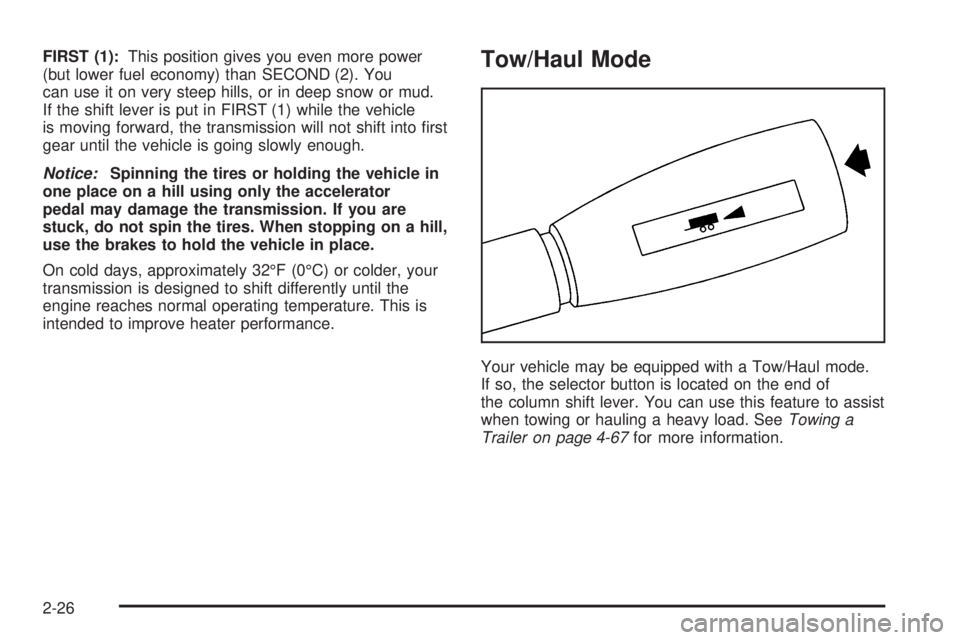
Your vehicle may be equipped with a Tow/Haul mode.
If so, the selector button is located on the end of
the column shift lever. You can use this feature to assist
when towing or hauling a heavy load. SeeTowing a
Trailer on page 4-67for more information.
2-26
Page 116 of 530
Automatic Transfer Case
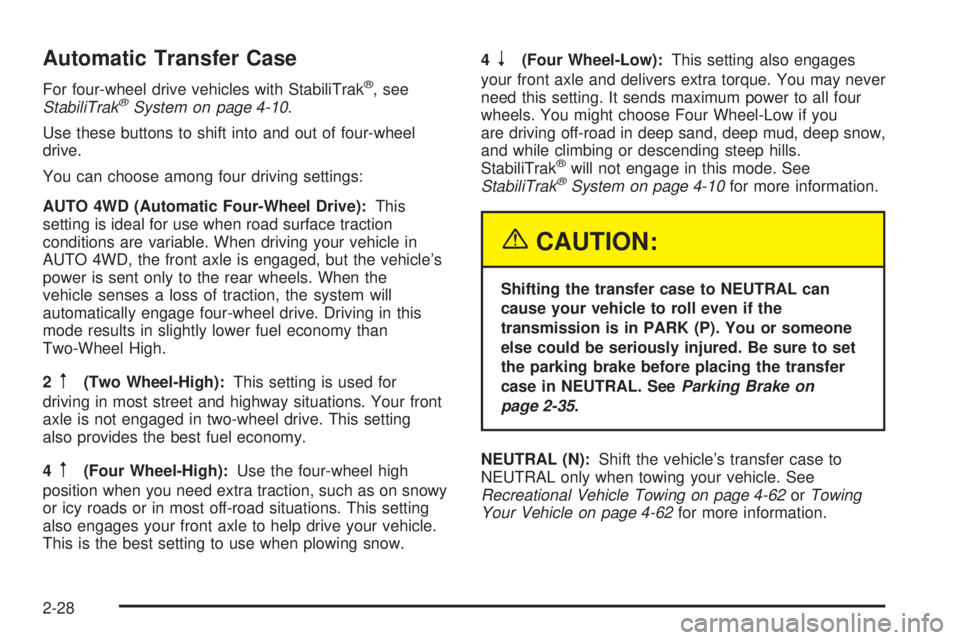
For four-wheel drive vehicles with StabiliTrak®, see
StabiliTrak®System on page 4-10.
Use these buttons to shift into and out of four-wheel
drive.
You can choose among four driving settings:
AUTO 4WD (Automatic Four-Wheel Drive):This
setting is ideal for use when road surface traction
conditions are variable. When driving your vehicle in
AUTO 4WD, the front axle is engaged, but the vehicle’s
power is sent only to the rear wheels. When the
vehicle senses a loss of traction, the system will
automatically engage four-wheel drive. Driving in this
mode results in slightly lower fuel economy than
Two-Wheel High.
2
m(Two Wheel-High):This setting is used for
driving in most street and highway situations. Your front
axle is not engaged in two-wheel drive. This setting
also provides the best fuel economy.
4
m(Four Wheel-High):Use the four-wheel high
position when you need extra traction, such as on snowy
or icy roads or in most off-road situations. This setting
also engages your front axle to help drive your vehicle.
This is the best setting to use when plowing snow.4
n(Four Wheel-Low):This setting also engages
your front axle and delivers extra torque. You may never
need this setting. It sends maximum power to all four
wheels. You might choose Four Wheel-Low if you
are driving off-road in deep sand, deep mud, deep snow,
and while climbing or descending steep hills.
StabiliTrak
®will not engage in this mode. See
StabiliTrak®System on page 4-10for more information.
{CAUTION:
Shifting the transfer case to NEUTRAL can
cause your vehicle to roll even if the
transmission is in PARK (P). You or someone
else could be seriously injured. Be sure to set
the parking brake before placing the transfer
case in NEUTRAL. SeeParking Brake on
page 2-35.
NEUTRAL (N):Shift the vehicle’s transfer case to
NEUTRAL only when towing your vehicle. See
Recreational Vehicle Towing on page 4-62orTowing
Your Vehicle on page 4-62for more information.
2-28
Page 152 of 530
Security Light...............................................3-52
Cruise Control Light......................................3-52
Highbeam On Light.......................................3-52
Four-Wheel-Drive Light..................................3-52
Tow/Haul Mode Light....................................3-53
Fuel Gage...................................................3-53
Low Fuel Warning Light.................................3-53
Driver Information Center (DIC).......................3-54
DIC Operation and Displays...........................3-55
DIC Warnings and Messages.........................3-58
DIC Vehicle Customization.............................3-68
Audio System(s).............................................3-74
Setting the Time for Radios without Radio
Data Systems (RDS)..................................3-75
Setting the Time for Radios with Radio Data
Systems (RDS).........................................3-75AM-FM Radio...............................................3-76
Radio with CD..............................................3-78
Radio with Cassette and CD..........................3-89
Radio with Six-Disc CD................................3-103
Navigation/Radio System..............................3-118
Rear Seat Entertainment System...................3-118
Rear Seat Audio (RSA)................................3-129
Theft-Deterrent Feature................................3-131
Audio Steering Wheel Controls......................3-131
Radio Reception.........................................3-132
Care of the Cassette Tape Player.................3-133
Care of Your CDs and DVDs........................3-134
Care of the CD and DVD Player...................3-134
Fixed Mast Antenna....................................3-135
XM™ Satellite Radio Antenna System............3-135
Chime Level Adjustment...............................3-135
Section 3 Instrument Panel
3-2
Page 187 of 530
Instrument Panel Cluster
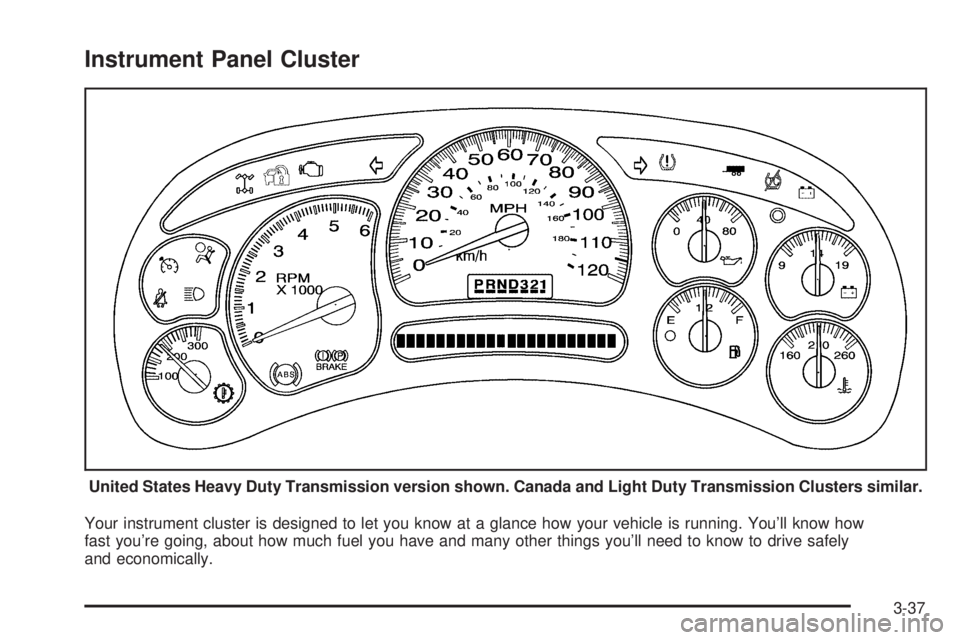
Your instrument cluster is designed to let you know at a glance how your vehicle is running. You’ll know how
fast you’re going, about how much fuel you have and many other things you’ll need to know to drive safely
and economically.United States Heavy Duty Transmission version shown. Canada and Light Duty Transmission Clusters similar.
3-37
Page 198 of 530

Tire Pressure Light
If your vehicle is equipped
with the Tire Pressure
Monitor system, this light
will come on if the
system detects low tire
pressure.
A CHECK TIRE PRESSURE DIC message will
accompany the light.
This light will also come on for a bulb check when the
vehicle is started.
SeeTire Pressure Monitor System on page 5-65for
more information.
For more information on your tires, seeTires on
page 5-57.
Malfunction Indicator Lamp
Check Engine Light
Your vehicle is equipped
with a computer which
monitors operation of the
fuel, ignition, and emission
control systems.
This system is called OBD II (On-Board
Diagnostics-Second Generation) and is intended to
assure that emissions are at acceptable levels for the
life of the vehicle, helping to produce a cleaner
environment. The check engine light comes on to
indicate that there is a problem and service is required.
Malfunctions often will be indicated by the system
before any problem is apparent. This may prevent more
serious damage to your vehicle. This system is also
designed to assist your service technician in correctly
diagnosing any malfunction.
Notice:If you keep driving your vehicle with this
light on, after awhile, your emission controls may not
work as well, your fuel economy may not be as good,
and your engine may not run as smoothly. This could
lead to costly repairs that may not be covered by
your warranty.
3-48
Page 199 of 530

Notice:Modications made to the engine,
transmission, exhaust, intake, or fuel system of
your vehicle or the replacement of the original tires
with other than those of the same Tire Performance
Criteria (TPC) can affect your vehicle’s emission
controls and may cause this light to come on.
Modications to these systems could lead to costly
repairs not covered by your warranty. This may
also result in a failure to pass a required Emission
Inspection/Maintenance test.
This light should come on, as a check to show you it
is working, when the ignition is on and the engine is not
running. If the light does not come on, have it repaired.
This light will also come on during a malfunction in
one of two ways:
Light Flashing— A misre condition has been
detected. A misre increases vehicle emissions
and may damage the emission control system on
your vehicle. Diagnosis and service may be
required.
Light On Steady— An emission control system
malfunction has been detected on your vehicle.
Diagnosis and service may be required.
If the Light is Flashing
The following may prevent more serious damage to
your vehicle:
Reducing vehicle speed
Avoiding hard accelerations
Avoiding steep uphill grades
If you are towing a trailer, reduce the amount of
cargo being hauled as soon as it is possible
If the light stops ashing and remains on steady, see
“If the Light Is On Steady” following.
If the light continues to ash, when it is safe to do so,
stop the vehicle. Find a safe place to park your vehicle.
Turn the key off, wait at least 10 seconds and restart
the engine. If the light remains on steady, see “If
the Light Is On Steady” following. If the light is still
ashing, follow the previous steps, and see your dealer
for service as soon as possible.
3-49