transmission GMC YUKON 2007 User Guide
[x] Cancel search | Manufacturer: GMC, Model Year: 2007, Model line: YUKON, Model: GMC YUKON 2007Pages: 608, PDF Size: 3.06 MB
Page 149 of 608

Your vehicle’s transmission uses adaptive shift
controls. Adaptive shift controls continually
compares key shift parameters to pre programmed
ideal shift conditions stored in the transmissions
computer. The transmission constantly makes
adjustments to improve vehicle performance
according to the way the vehicle is being used,
such as with a heavy load. During this adaptive
shift controls process, some shifts may feel
different as the transmission determines the best
settings for a particular shift.Driver Shift Control (DSC)
Your vehicle has a Driver Shift Control (DSC).
The DSC controls the vehicle’s transmission.
To use this feature, do the following:
1. Move the shift lever to the MANUAL
MODE (M).
2. Press the plus/minus button, to upshift or
downshift selecting the desired range of
gears for your current driving conditions.
149
Page 150 of 608

When in the MANUAL MODE (M) a number will
display next to the M, indicating the current gear
that has been selected. The number displayed in
the gear indicator is the highest gear that can be
used. However, your vehicle can automatically shift
to lower gears as it adjusts to driving conditions.
This means that all gears below that number are
available. When FIFTH (5) is selected, FIRST (1)
through FIFTH (5) gears are automatically shifted
by the vehicle, but SIXTH (6) cannot be used until
the plus/minus button located on the steering
column lever is used to change to the gear.
The DSC controls the vehicle and engine speed
while driving down a hill or towing a trailer, by
allowing you to select a desired range of gears.
The transmission will prevent a gear range until a
speed that is appropriate for current driving
conditions is achieved. If shifting is prevented for
any reason, the currently selected gear will
ash multiple times in the instrument panel cluster.
Grade Braking is not available when the Driver
Shift Control is active. SeeTow/Haul Mode
on page 150for more information.
While using the DSC, Cruise Control and the
Tow/Haul mode can be used.Tow/Haul Mode
Your vehicle has a tow/haul mode. The tow/haul
mode adjusts the transmission shift pattern to
reduce shift cycling, providing increased
performance, vehicle control, and transmission
cooling when towing or hauling heavy loads.
150
Page 151 of 608

Press the button located on the end of the shift
lever to turn the tow/haul on or off. When the
tow/haul is on, a light on the instrument panel
cluster will come on.
SeeTow/Haul Mode Light on page 242for more
information.
Also see “Tow Haul Mode” underTowing a Trailer
on page 400for more information.
The tow/haul mode works with the Autoride
®
feature, if the vehicle has this, to enhance the ride
when trailering or with a loaded vehicle. See
Autoride
®on page 399.
Grade Braking
Grade Braking assists when driving on a downhill
grade. It maintains the vehicle’s speed by
automatically implementing a shift schedule that
uses the engine and the transmission to slow
the vehicle. This reduces wear on the brakes
system and increases control of the vehicle. The
system constantly monitors the vehicle’s speed,
acceleration, throttle position, and whether
the brake pedal is being pressed, and determines
when to keep the current vehicle speed or to
slow down. The system will then automatically
command downshifts that reduces the vehicles
speed, until the brake pedal is no longer
being pressed. This indicates the desired vehicle
speed has been reached.
The tow/haul mode and grade braking shift
modes can be activated by pressing the button on
the end of the shift control stalk. While in the
DSC mode, grade braking is deactivated, allowing
the driver to select a gear.
SeeAutomatic Transmission Operation on
page 145for more information.
151
Page 154 of 608
Torque Lock
If you are parking on a hill and you do not shift
your transmission into PARK (P) properly,
the weight of the vehicle may put too much force
on the parking pawl in the transmission. You
may nd it difficult to pull the shift lever out
of PARK (P). This is called torque lock. To prevent
torque lock, set the parking brake and then shift
into PARK (P) properly before you leave the
driver’s seat. To nd out how, seeShifting Into
Park (P) on page 153.
When you are ready to drive, move the shift lever
out of PARK (P) before you release the parking
brake.
If torque lock does occur, you may need to have
another vehicle push yours a little uphill to
take some of the pressure from the parking pawl
in the transmission, then you will be able to
pull the shift lever out of PARK (P).
Shifting Out of Park (P)
Your vehicle has an automatic transmission shift
lock control system which locks the shift lever
in PARK (P) when the ignition is in the LOCK.
You have to fully apply your regular brakes before
you can shift from PARK (P) when the ignition
is in RUN. SeeAutomatic Transmission Operation
on page 145.
If you cannot shift out of PARK (P), ease pressure
on the shift lever and push the shift lever all the
way up into PARK (P) as you maintain brake
application. Then, move the shift lever into
the desired gear.
154
Page 174 of 608
Universal Home Remote System
Operation (With One Triangular LED)
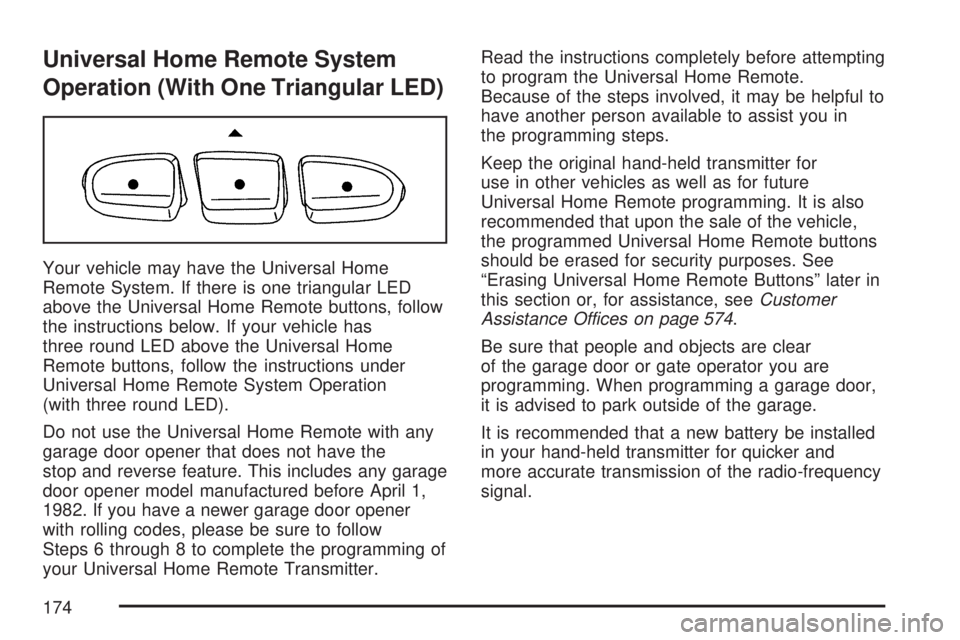
Your vehicle may have the Universal Home
Remote System. If there is one triangular LED
above the Universal Home Remote buttons, follow
the instructions below. If your vehicle has
three round LED above the Universal Home
Remote buttons, follow the instructions under
Universal Home Remote System Operation
(with three round LED).
Do not use the Universal Home Remote with any
garage door opener that does not have the
stop and reverse feature. This includes any garage
door opener model manufactured before April 1,
1982. If you have a newer garage door opener
with rolling codes, please be sure to follow
Steps 6 through 8 to complete the programming of
your Universal Home Remote Transmitter.Read the instructions completely before attempting
to program the Universal Home Remote.
Because of the steps involved, it may be helpful to
have another person available to assist you in
the programming steps.
Keep the original hand-held transmitter for
use in other vehicles as well as for future
Universal Home Remote programming. It is also
recommended that upon the sale of the vehicle,
the programmed Universal Home Remote buttons
should be erased for security purposes. See
“Erasing Universal Home Remote Buttons” later in
this section or, for assistance, seeCustomer
Assistance Offices on page 574.
Be sure that people and objects are clear
of the garage door or gate operator you are
programming. When programming a garage door,
it is advised to park outside of the garage.
It is recommended that a new battery be installed
in your hand-held transmitter for quicker and
more accurate transmission of the radio-frequency
signal.
174
Page 176 of 608
6. Locate in the garage, the garage door opener
receiver (motor-head unit). Locate the “Learn”
or “Smart” button. This can usually be
found where the hanging antenna wire is
attached to the motor-head unit.
7. Firmly press and release the “Learn” or
“Smart” button. The name and color of
the button may vary by manufacturer.
You will have 30 seconds to start Step 8.
8. Return to the vehicle. Firmly press and hold
the programmed Universal Home Remote
button for two seconds, then release.
Repeat the press/hold/release sequence a
second time, and depending on the brand of
the garage door opener or other rolling
code device, repeat this sequence a third time
to complete the programming.
The Universal Home Remote should now
activate your rolling-code equipped device.
To program the remaining two Universal
Home Remote buttons, begin with Step 2 of
“Programming Universal Home Remote.” Do not
repeat Step 1, as this will erase all previous
programming from the Universal Home Remote
buttons.Gate Operator and Canadian
Programming
Canadian radio-frequency laws require transmitter
signals to time out or quit after several seconds
of transmission. This may not be long enough
for Universal Home Remote to pick up the signal
during programming. Similarly, some U.S. gate
operators are manufactured to time out in
the same manner.
If you live in Canada, or you are having difficulty
programming a gate operator or garage door
opener by using the “Programming Universal
Home Remote” procedures, regardless of where
you live, replace Step 3 under “Programming
Universal Home Remote” with the following:
Continue to press and hold the Universal Home
Remote button while you press and release every
two seconds (cycle) the hand-held transmitter
button until the frequency signal has been
successfully accepted by the Universal Home
Remote. The Universal Home Remote indicator
light will ash slowly at rst and then rapidly.
Proceed with Step 4 under “Programming
Universal Home Remote” to complete.
176
Page 191 of 608
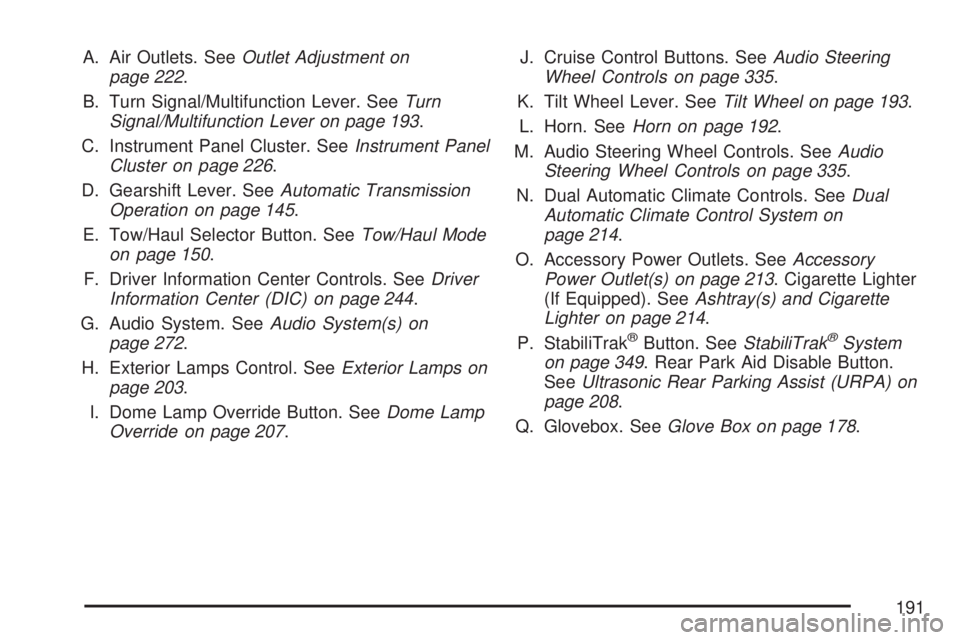
A. Air Outlets. SeeOutlet Adjustment on
page 222.
B. Turn Signal/Multifunction Lever. SeeTurn
Signal/Multifunction Lever on page 193.
C. Instrument Panel Cluster. SeeInstrument Panel
Cluster on page 226.
D. Gearshift Lever. SeeAutomatic Transmission
Operation on page 145.
E. Tow/Haul Selector Button. SeeTow/Haul Mode
on page 150.
F. Driver Information Center Controls. SeeDriver
Information Center (DIC) on page 244.
G. Audio System. SeeAudio System(s) on
page 272.
H. Exterior Lamps Control. SeeExterior Lamps on
page 203.
I. Dome Lamp Override Button. SeeDome Lamp
Override on page 207.J. Cruise Control Buttons. SeeAudio Steering
Wheel Controls on page 335.
K. Tilt Wheel Lever. SeeTilt Wheel on page 193.
L. Horn. SeeHorn on page 192.
M. Audio Steering Wheel Controls. SeeAudio
Steering Wheel Controls on page 335.
N. Dual Automatic Climate Controls. SeeDual
Automatic Climate Control System on
page 214.
O. Accessory Power Outlets. SeeAccessory
Power Outlet(s) on page 213. Cigarette Lighter
(If Equipped). SeeAshtray(s) and Cigarette
Lighter on page 214.
P. StabiliTrak
®Button. SeeStabiliTrak®System
on page 349. Rear Park Aid Disable Button.
SeeUltrasonic Rear Parking Assist (URPA) on
page 208.
Q. Glovebox. SeeGlove Box on page 178.
191
Page 237 of 608

Malfunction Indicator Lamp
Check Engine Light
Your vehicle has a
computer which
monitors operation of
the fuel, ignition,
and emission control
systems.
This system is called OBD II (On-Board
Diagnostics-Second Generation) and is intended
to assure that emissions are at acceptable
levels for the life of the vehicle, helping to produce
a cleaner environment. The check engine light
comes on to indicate that there is a problem and
service is required. Malfunctions often will be
indicated by the system before any problem is
apparent. This may prevent more serious damage
to your vehicle. This system is also designed to
assist your service technician in correctly
diagnosing any malfunction.Notice:If you keep driving your vehicle with
this light on, after awhile, your emission
controls may not work as well, your fuel
economy may not be as good, and your engine
may not run as smoothly. This could lead to
costly repairs that may not be covered by your
warranty.
Notice:Modications made to the engine,
transmission, exhaust, intake, or fuel system
of your vehicle or the replacement of the
original tires with other than those of the same
Tire Performance Criteria (TPC) can affect
your vehicle’s emission controls and may
cause this light to come on. Modications to
these systems could lead to costly repairs not
covered by your warranty. This may also
result in a failure to pass a required Emission
Inspection/Maintenance test. SeeAccessories
and Modifications on page 421.
This light should come on, as a check to show
you it is working, when the ignition is on and the
engine is not running. If the light does not
come on, have it repaired.
237
Page 245 of 608
DIC Operation and Displays
(Using DIC Buttons)
The DIC has different displays which can be
accessed by pressing the DIC buttons located
on the instrument panel, next to the steering
wheel.
The DIC displays trip, fuel, and vehicle system
information, and warning messages if a system
problem is detected.
The DIC also allows some features to be
customized. SeeDIC Vehicle Customization (With
DIC Buttons) on page 262for more information.
You can also use the trip odometer reset stem
to view some of the DIC displays. See″DIC
Operation and Displays (Using Trip Odometer
Reset Stem)″later in this section.
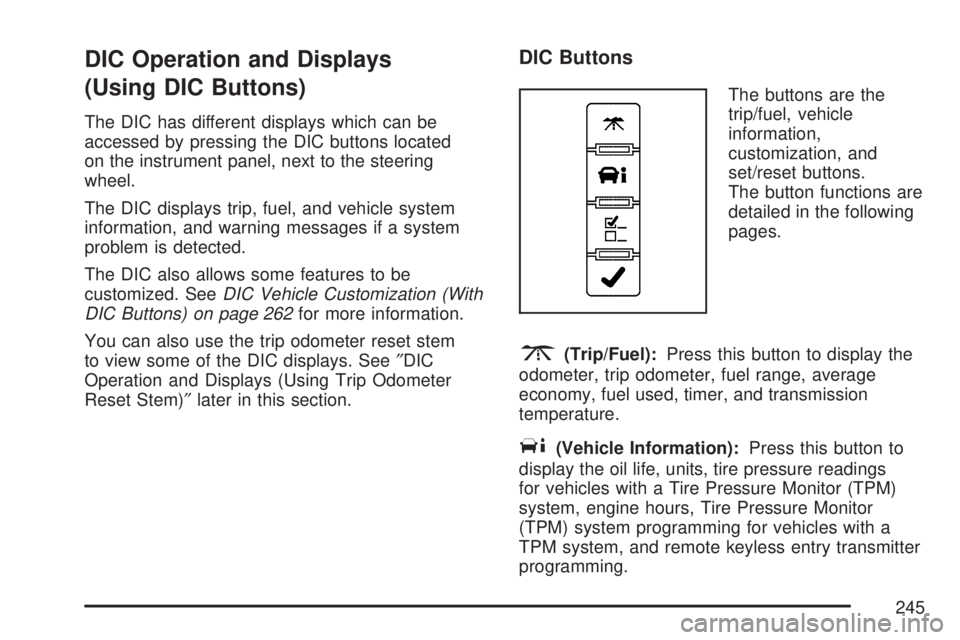
DIC Buttons
The buttons are the
trip/fuel, vehicle
information,
customization, and
set/reset buttons.
The button functions are
detailed in the following
pages.
3(Trip/Fuel):Press this button to display the
odometer, trip odometer, fuel range, average
economy, fuel used, timer, and transmission
temperature.
T(Vehicle Information):Press this button to
display the oil life, units, tire pressure readings
for vehicles with a Tire Pressure Monitor (TPM)
system, engine hours, Tire Pressure Monitor
(TPM) system programming for vehicles with a
TPM system, and remote keyless entry transmitter
programming.
245
Page 248 of 608
Timer
Press the trip/fuel button until TIMER displays.
This display can be used as a timer.
To start the timer, press the set/reset button while
TIMER is displayed. The display will show the
amount of time that has passed since the timer was
last reset, not including time the ignition is off. Time
will continue to be counted as long as the ignition is
on, even if another display is being shown on the
DIC. The timer will record up to 99 hours,
59 minutes and 59 seconds (99:59:59) after which
the display will return to zero.
To stop the timer, press the set/reset button briey
while TIMER is displayed.
To reset the timer to zero, press and hold the
set/reset button while TIMER is displayed.
Transmission Temperature
Press the trip/fuel button until TRANS TEMP
displays. This display shows the temperature of
the automatic transmission uid in either degrees
Fahrenheit (°F) or degrees Celsius (°C).
Blank Display
This display shows no information.
Vehicle Information Menu Items
T
(Vehicle Information):Press this button to
scroll through the following menu items:
Oil Life
Press the vehicle information button until OIL LIFE
REMAINING displays. This display shows an
estimate of the oil’s remaining useful life. If you see
99% OIL LIFE REMAINING on the display, that
means 99% of the current oil life remains. The
engine oil life system will alert you to change your
oil on a schedule consistent with your driving
conditions.
When the remaining oil life is low, the CHANGE
ENGINE OIL SOON message will appear on the
display. See “CHANGE ENGINE OIL SOON” under
DIC Warnings and Messages on page 252. You
should change your oil as soon as you can. See
Engine Oil on page 432. In addition to the engine oil
life system monitoring the oil life, additional
maintenance is recommended in the Maintenance
Schedule in this manual. SeeScheduled
Maintenance on page 551for more information.
248