buttons GMC YUKON 2007 Owner's Guide
[x] Cancel search | Manufacturer: GMC, Model Year: 2007, Model line: YUKON, Model: GMC YUKON 2007Pages: 608, PDF Size: 3.06 MB
Page 175 of 608
Programming Universal Home Remote
Follow these steps to program up to
three channels:
1. Press and hold down the two outside
Universal Home Remote buttons, releasing
only when the Universal Home Remote
indicator light begins to ash, after
20 seconds. Do not hold down the buttons for
longer than 30 seconds and do not repeat
this step to program a second and/or
third hand-held transmitter to the remaining
two Universal Home Remote buttons.
2. Position the end of your hand-held transmitter
about 1 to 3 inches (3 to 8 cm) away from the
Universal Home Remote buttons while
keeping the indicator light in view.
3. Simultaneously press and hold both the
desired Universal Home Remote button
and the hand-held transmitter button. Do not
release the buttons until Step 4 has been
completed.
Some entry gates and garage door openers
may require you to substitute Step 3 with
the procedure noted in “Gate Operator and
Canadian Programming” later in this section.4. The indicator light will ash slowly at rst and
then rapidly after Universal Home Remote
successfully receives the frequency signal
from the hand-held transmitter. Release both
buttons.
5. Press and hold the newly-trained Universal
Home Remote button and observe the
indicator light.
If the indicator light stays on constantly,
programming is complete and your device
should activate when the Universal Home
Remote button is pressed and released.
To program the remaining two Universal Home
Remote buttons, begin with Step 2 under
“Programming Universal Home Remote.” Do
not repeat Step 1 as this will erase all of
the programmed channels.
If the indicator light blinks rapidly for two
seconds and then turns to a constant light,
continue with Steps 6 through 8 following
to complete the programming of a rolling-code
equipped device, most commonly, a garage
door opener.
175
Page 176 of 608
6. Locate in the garage, the garage door opener
receiver (motor-head unit). Locate the “Learn”
or “Smart” button. This can usually be
found where the hanging antenna wire is
attached to the motor-head unit.
7. Firmly press and release the “Learn” or
“Smart” button. The name and color of
the button may vary by manufacturer.
You will have 30 seconds to start Step 8.
8. Return to the vehicle. Firmly press and hold
the programmed Universal Home Remote
button for two seconds, then release.
Repeat the press/hold/release sequence a
second time, and depending on the brand of
the garage door opener or other rolling
code device, repeat this sequence a third time
to complete the programming.
The Universal Home Remote should now
activate your rolling-code equipped device.
To program the remaining two Universal
Home Remote buttons, begin with Step 2 of
“Programming Universal Home Remote.” Do not
repeat Step 1, as this will erase all previous
programming from the Universal Home Remote
buttons.Gate Operator and Canadian
Programming
Canadian radio-frequency laws require transmitter
signals to time out or quit after several seconds
of transmission. This may not be long enough
for Universal Home Remote to pick up the signal
during programming. Similarly, some U.S. gate
operators are manufactured to time out in
the same manner.
If you live in Canada, or you are having difficulty
programming a gate operator or garage door
opener by using the “Programming Universal
Home Remote” procedures, regardless of where
you live, replace Step 3 under “Programming
Universal Home Remote” with the following:
Continue to press and hold the Universal Home
Remote button while you press and release every
two seconds (cycle) the hand-held transmitter
button until the frequency signal has been
successfully accepted by the Universal Home
Remote. The Universal Home Remote indicator
light will ash slowly at rst and then rapidly.
Proceed with Step 4 under “Programming
Universal Home Remote” to complete.
176
Page 177 of 608
Using Universal Home Remote
Press and hold the appropriate Universal Home
Remote button for at least half of a second.
The indicator light will come on while the signal is
being transmitted.
Erasing Universal Home Remote
Buttons
To erase programming from the three Universal
Home Remote buttons do the following:
1. Press and hold down the two outside buttons
until the indicator light begins to ash, after
20 seconds. Do not hold the two outside
buttons for longer than 30 seconds.
2. Release both buttons.
The Universal Home Remote is now in the training
(learning) mode and can be programmed at any
time beginning with Step 2 under “Programming
Universal Home Remote” shown earlier in
this section.
Individual buttons cannot be erased, but they can
be reprogrammed. See “Reprogramming a
Single Universal Home Remote Button” following
this section.
Reprogramming a Single Universal
Home Remote Button
To program a device to Universal Home Remote
using a Universal Home Remote button
previously trained, follow these steps:
1. Press and hold the desired Universal Home
Remote button. Do not release the button.
2. The indicator light will begin to ash after
20 seconds. While still holding the Universal
Home Remote button, proceed with
Step 2 under “Programming Universal Home
Remote” shown earlier in this section.
For additional information on Universal Home
Remote, seeCustomer Assistance Offices
on page 574.
177
Page 188 of 608
Anti-Lock Brake System Warning Light...... 234
StabiliTrak®Indicator Light......................... 235
Engine Coolant Temperature Gage............ 236
Tire Pressure Light.................................... 236
Malfunction Indicator Lamp........................ 237
Oil Pressure Gage..................................... 240
Oil Pressure Light..................................... 241
Security Light............................................ 241
Fog Lamp Light......................................... 242
Cruise Control Light.................................. 242
Highbeam On Light................................... 242
Tow/Haul Mode Light................................ 242
Fuel Gage................................................. 243
Low Fuel Warning Light............................ 244
Driver Information Center (DIC).................. 244
DIC Operation and Displays
(Using DIC Buttons)............................... 245
DIC Operation and Displays
(Using Trip Odometer Reset Stem)........ 250
DIC Warnings and Messages.................... 252
DIC Vehicle Customization
(With DIC Buttons)................................. 262Audio System(s)......................................... 272
Setting the Time (Radio with a
Six-Disc CD Player)............................... 274
Setting the Time (Radio with a
Single CD and DVD Player)................... 275
Radio with Six-Disc CD (MP3)................... 276
Radio with CD and DVD........................... 294
XM Radio Messages................................. 319
Navigation/Radio System........................... 321
Rear Seat Entertainment System............... 321
Rear Seat Audio (RSA)............................. 333
Theft-Deterrent Feature............................. 335
Audio Steering Wheel Controls.................. 335
Radio Reception........................................ 336
Care of Your CDs and DVDs.................... 338
Care of the CD and DVD Player............... 338
Rear Side Window Antenna....................... 338
XM™ Satellite Radio Antenna System....... 339
Section 3 Instrument Panel
188
Page 191 of 608
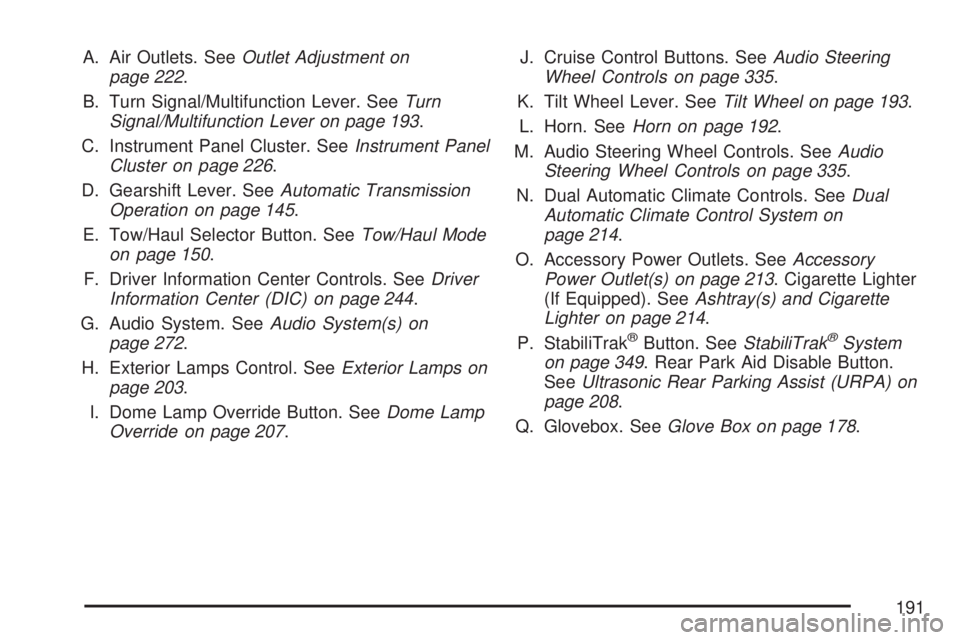
A. Air Outlets. SeeOutlet Adjustment on
page 222.
B. Turn Signal/Multifunction Lever. SeeTurn
Signal/Multifunction Lever on page 193.
C. Instrument Panel Cluster. SeeInstrument Panel
Cluster on page 226.
D. Gearshift Lever. SeeAutomatic Transmission
Operation on page 145.
E. Tow/Haul Selector Button. SeeTow/Haul Mode
on page 150.
F. Driver Information Center Controls. SeeDriver
Information Center (DIC) on page 244.
G. Audio System. SeeAudio System(s) on
page 272.
H. Exterior Lamps Control. SeeExterior Lamps on
page 203.
I. Dome Lamp Override Button. SeeDome Lamp
Override on page 207.J. Cruise Control Buttons. SeeAudio Steering
Wheel Controls on page 335.
K. Tilt Wheel Lever. SeeTilt Wheel on page 193.
L. Horn. SeeHorn on page 192.
M. Audio Steering Wheel Controls. SeeAudio
Steering Wheel Controls on page 335.
N. Dual Automatic Climate Controls. SeeDual
Automatic Climate Control System on
page 214.
O. Accessory Power Outlets. SeeAccessory
Power Outlet(s) on page 213. Cigarette Lighter
(If Equipped). SeeAshtray(s) and Cigarette
Lighter on page 214.
P. StabiliTrak
®Button. SeeStabiliTrak®System
on page 349. Rear Park Aid Disable Button.
SeeUltrasonic Rear Parking Assist (URPA) on
page 208.
Q. Glovebox. SeeGlove Box on page 178.
191
Page 200 of 608
Cruise Control
{CAUTION:
Cruise control can be dangerous where
you cannot drive safely at a steady speed.
So, do not use your cruise control on
winding roads or in heavy traffic.
Cruise control can be dangerous on
slippery roads. On such roads, fast
changes in tire traction can cause
excessive wheel slip, and you could lose
control. Do not use cruise control on
slippery roads.
With cruise control, you can maintain a speed
of about 25 mph (40 km/h) or more without
keeping your foot on the accelerator. This can
really help on long trips. Cruise control does not
work at speeds below about 25 mph (40 km/h).When you apply your brakes, cruise control is
turned off.
If your vehicle has the StabiliTrak
®system and
begins to limit wheel spin while you are using
cruise control, the cruise control will automatically
disengage. SeeStabiliTrak
®System on
page 349. When road conditions allow you to
safely use it again, you may turn the cruise
control back on.
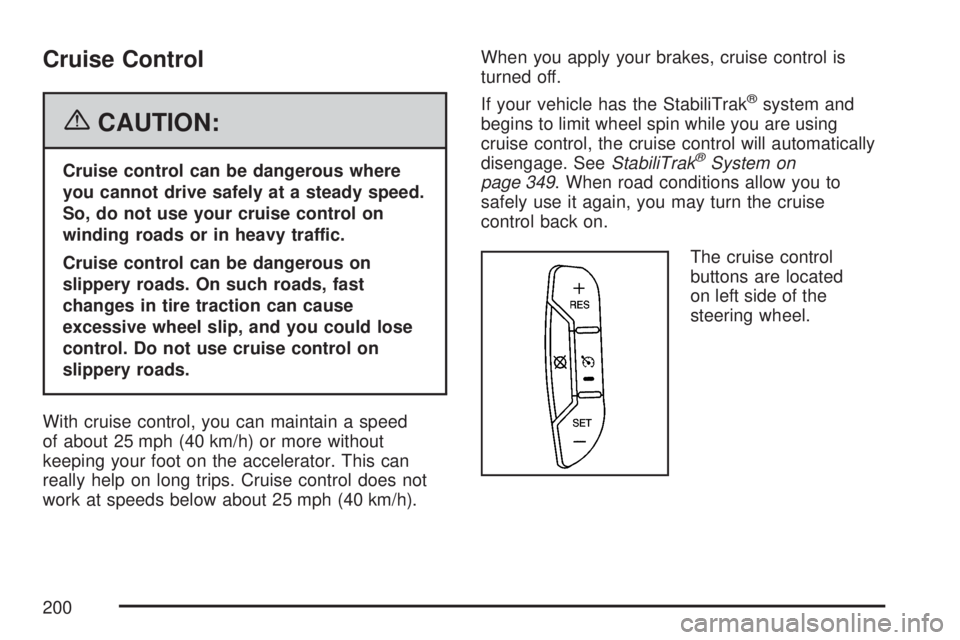
The cruise control
buttons are located
on left side of the
steering wheel.
200
Page 206 of 608

The system may also turn on the headlamps when
driving through a parking garage, heavy overcast
weather, or a tunnel. This is normal.
There is a delay in the transition between the
daytime and nighttime operation of the Daytime
Running Lamps (DRL) and the automatic headlamp
systems so that driving under bridges or bright
overhead street lights does not affect the system.
The DRL and automatic headlamp system will only
be affected when the light sensor detects a change
in lighting lasting longer than the delay.
If you start your vehicle in a dark garage, the
automatic headlamp system will come on
immediately. Once you leave the garage, it will
take approximately one minute for the automatic
headlamp system to change to DRL if it is
bright enough outside. During that delay, your
instrument panel cluster may not be as bright as
usual. Make sure your instrument panel brightness
control is in the full bright position. SeeInstrument
Panel Brightness on page 207.
To idle your vehicle with the automatic headlamp
system off, turn the control to the off position.
You may be able to turn off your Automatic
Headlamp System. SeeDaytime Running Lamps
(DRL) on page 205for more information.Your headlamps will also stay on after you exit the
vehicle. You can program this feature using the
Driver Information Center (DIC). SeeDIC Vehicle
Customization (With DIC Buttons) on page 262.
As with any vehicle, you should turn on the regular
headlamp system when needed.
Fog Lamps
-(Fog Lamps):If your vehicle has fog lamps,
the control is located on the exterior lamps
control. The exterior lamps control is located on
the instrument panel to the left of the steering
column.
Your ignition must be in the RUN position for the
fog lamps to come on.
To turn the fog lamps on, press the exterior lamps
button. A light will come on in the instrument
panel cluster to let you know that the fog lamps
are on. Press the exterior lamps button again
to turn the fog lamps off.
When the headlamps are changed to high-beam,
the fog lamps also go off.
Some localities have laws that require the
headlamps to be on along with the fog lamps.
206
Page 210 of 608

URPA can be turned off
by pressing the rear
park aid disable button
located below the
climate controls. The
indicator light on
the button will be lit to
indicate that URPA
is off.
The red light in the URPA display will also be lit if
the vehicle is in REVERSE (R). If the vehicle
has a DIC, PARKING ASSIST OFF will display.
URPA automatically turns back on each time
the vehicle is started.How the System Works
When the shift lever is moved into REVERSE (R),
the rear display will briey come on to let you
know the display is operating correctly. URPA
comes on automatically when the shift lever
is moved into REVERSE (R). The system also
does not work at a reverse speed greater than
5 mph (8 km/h). To remind you of this, the red light
on the rear display will ash.
The system can be disabled using the Driver
Information Center (DIC). SeeDIC Operation and
Displays (Using DIC Buttons) on page 245or
DIC Operation and Displays (Using Trip Odometer
Reset Stem) on page 250.
210
Page 211 of 608

How the System Works when Backing
If the shift lever is in REVERSE (R), URPA detects
objects close to the rear bumper. The rst time an
object is detected a single beep will sound. If an
object is detected at a REVERSE (R) speed
between 0 mph (0 km/h) and 5 mph (8 km/h), the
following describes what will occur based on your
distance to a detected object located behind the
vehicle:
At distances between 40 inches (1 m) and
8 ft (2.5 m), a single amber light will come on.
At distances between 23 inches (0.6 m) and
40 inches (1 m), both amber lights will be on.
At distances between 12 inches (0.3 m) and
23 inches (0.6 m), all three lights (amber/
amber/red) will be on.
At distances less than 12 inches (0.3 m), a
beeping sound will repeat for a short time and
all three lights (amber/amber/red) will be on and
ashing.
When the System Does Not Seem to
Work Properly
If the URPA system will not activate due to a
temporary condition, the message PARKING
ASSIST OFF will be displayed on the DIC and a
red light will be shown on the rear URPA
display when the shift lever is moved into
REVERSE (R). This occurs under the following
conditions:
The driver disables the system. SeeDIC
Operation and Displays (Using DIC Buttons)
on page 245orDIC Operation and Displays
(Using Trip Odometer Reset Stem) on
page 250.
The parking brake pedal is depressed.
211
Page 215 of 608

Driver’s Side Temperature Control
The driver’s side temperature buttons are used to
adjust the temperature of the air coming through
the system on the driver’s side. The temperature
can be adjusted even if the system is turned
off. This is possible since outside air will always
ow through the system as the vehicle is moving
forward unless it is set to recirculation mode.
See “Recirculation” later in this section.
Press the + or−buttons to increase or decrease
the cabin temperature. The driver side
temperature display will show the temperature
setting decreasing or increasing.
Passenger’s Side Temperature Control
The passenger’s temperature buttons can be used
to change the temperature of the air coming
through the system on the passenger’s side of the
vehicle. The temperature can be adjusted even
if the system is turned off. This is possible
since outside air will always ow through the
system as the vehicle is moving forward unless it
is set to recirculation mode. See “Recirculation”
later in this section.Press the + or−buttons to increase or decrease
the cabin temperature. The passenger side
display will show the temperature setting
decreasing or increasing.
The passenger’s temperature setting can be
set to match the driver’s temperature setting by
pressing the PASS button and turning off the
PASS indicator. When the passenger’s
temperature setting is set different than the
driver’s setting, the indicator on the PASS button
will illuminate and both the driver’s side and
passenger’s side temperature displays will be
shown.
215