lock GMC YUKON 2011 Owner's Guide
[x] Cancel search | Manufacturer: GMC, Model Year: 2011, Model line: YUKON, Model: GMC YUKON 2011Pages: 528, PDF Size: 6.36 MB
Page 58 of 528
Black plate (22,1)GMC Yukon/Yukon XL Owner Manual - 2011
2-22 Keys, Doors and Windows
Power Windows
{WARNING
Leaving children in a vehicle with
the keys is dangerous for many
reasons. Children or others could
be badly injured or even killed.
They could operate the power
windows or other controls or even
make the vehicle move. The
windows will function and they
could be seriously injured or killed
if caught in the path of a closing
window. Do not leave keys in a
vehicle with children.
When there are children in the
rear seat use the window lockout
button to prevent unintentional
operation of the windows.
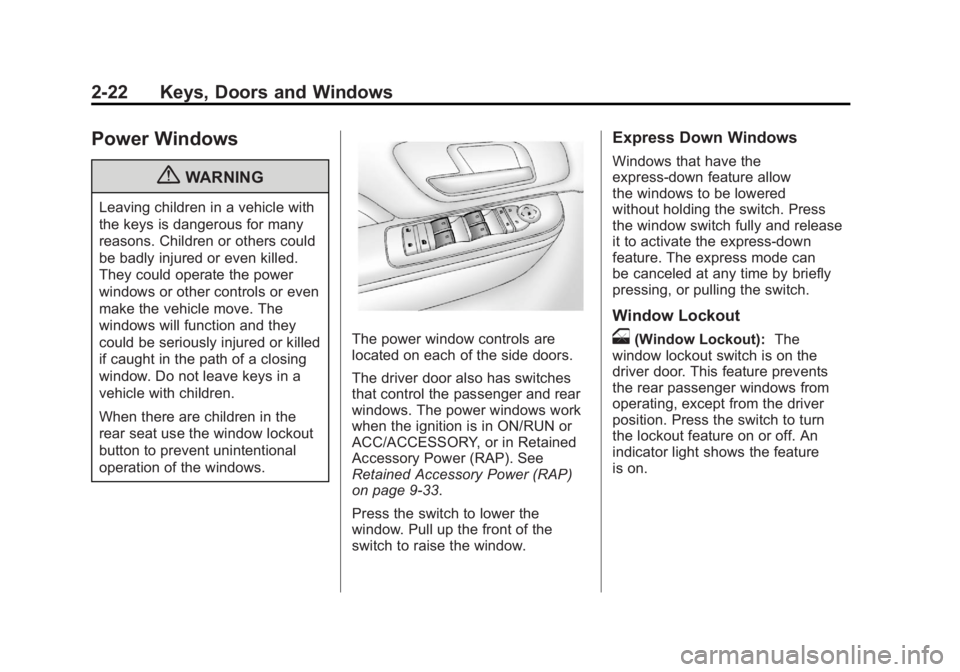
The power window controls are
located on each of the side doors.
The driver door also has switches
that control the passenger and rear
windows. The power windows work
when the ignition is in ON/RUN or
ACC/ACCESSORY, or in Retained
Accessory Power (RAP). See
Retained Accessory Power (RAP)
on page 9‑33.
Press the switch to lower the
window. Pull up the front of the
switch to raise the window.
Express Down Windows
Windows that have the
express‐down feature allow
the windows to be lowered
without holding the switch. Press
the window switch fully and release
it to activate the express‐down
feature. The express mode can
be canceled at any time by briefly
pressing, or pulling the switch.
Window Lockout
o(Window Lockout):The
window lockout switch is on the
driver door. This feature prevents
the rear passenger windows from
operating, except from the driver
position. Press the switch to turn
the lockout feature on or off. An
indicator light shows the feature
is on.
Page 59 of 528
Black plate (23,1)GMC Yukon/Yukon XL Owner Manual - 2011
Keys, Doors and Windows 2-23
Sun Visors
Pull the sun visor down to block
glare. Detach the sun visor from the
center mount to pivot to the side
window, or to extend along the rod,
if available.
Roof
Sunroof
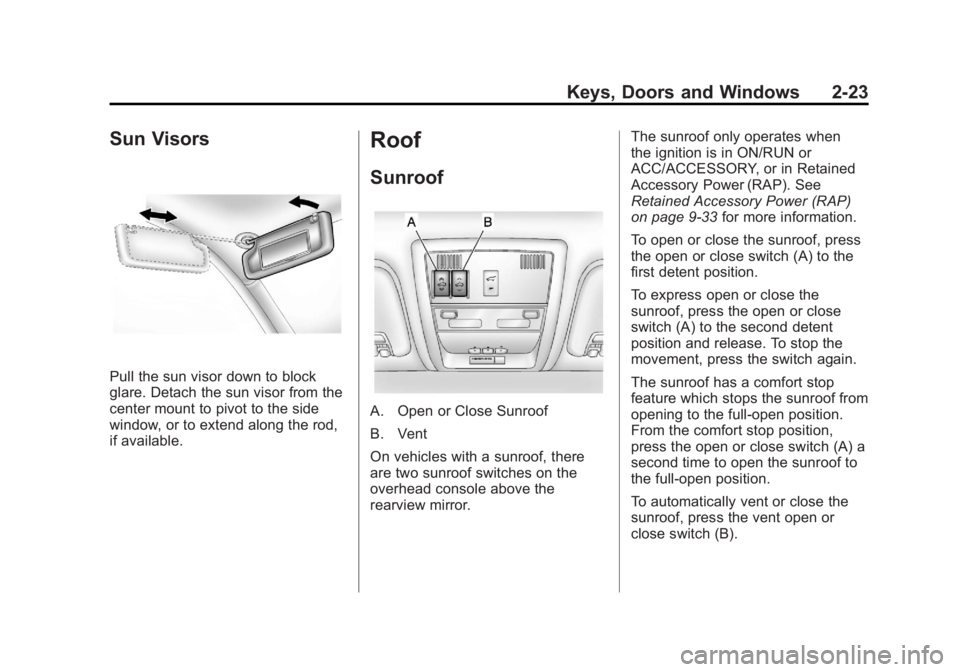
A. Open or Close Sunroof
B. Vent
On vehicles with a sunroof, there
are two sunroof switches on the
overhead console above the
rearview mirror.The sunroof only operates when
the ignition is in ON/RUN or
ACC/ACCESSORY, or in Retained
Accessory Power (RAP). See
Retained Accessory Power (RAP)
on page 9‑33
for more information.
To open or close the sunroof, press
the open or close switch (A) to the
first detent position.
To express open or close the
sunroof, press the open or close
switch (A) to the second detent
position and release. To stop the
movement, press the switch again.
The sunroof has a comfort stop
feature which stops the sunroof from
opening to the full-open position.
From the comfort stop position,
press the open or close switch (A) a
second time to open the sunroof to
the full-open position.
To automatically vent or close the
sunroof, press the vent open or
close switch (B).
Page 60 of 528
Black plate (24,1)GMC Yukon/Yukon XL Owner Manual - 2011
2-24 Keys, Doors and Windows
When the sunroof is opened, an air
deflector will automatically raise.
The air deflector will retract when
the sunroof is closed.
The sunroof also has a sunshade
which can be pulled forward to block
sun rays. The sunshade must be
opened and closed manually.
If an object is in the path of the
sunroof while it is closing, the
anti-pinch feature will detect the
object and stop the sunroof.
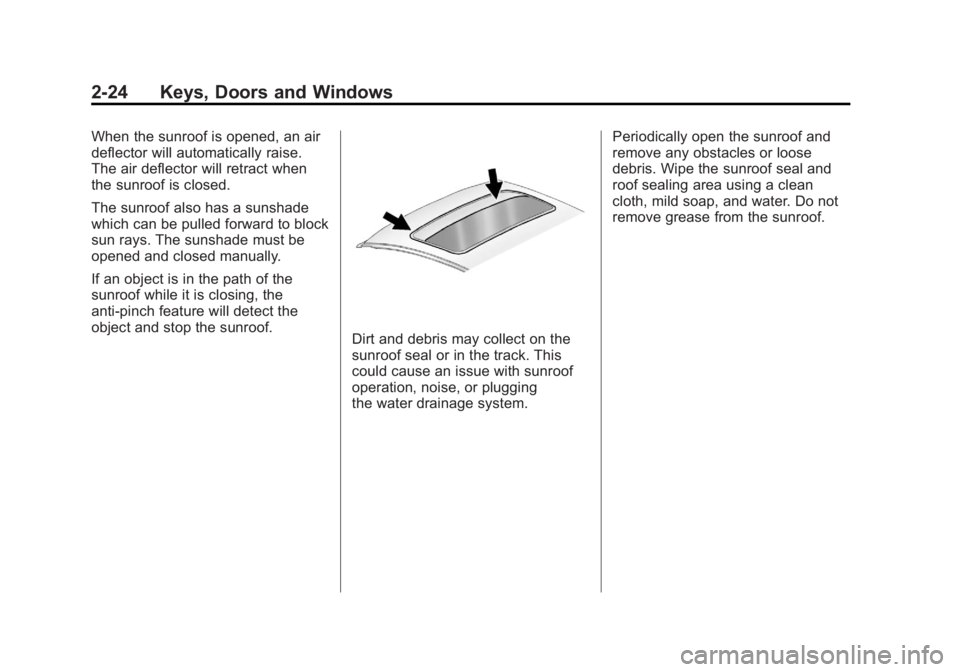
Dirt and debris may collect on the
sunroof seal or in the track. This
could cause an issue with sunroof
operation, noise, or plugging
the water drainage system.Periodically open the sunroof and
remove any obstacles or loose
debris. Wipe the sunroof seal and
roof sealing area using a clean
cloth, mild soap, and water. Do not
remove grease from the sunroof.
Page 63 of 528

Black plate (3,1)GMC Yukon/Yukon XL Owner Manual - 2011
Seats and Restraints 3-3
Push down on the head restraint
after the button is released to make
sure that it is locked in place.
The head restraints are not
designed to be removed.
The vehicle's 2nd-row seats have
head restraints in the outboard
seating positions that cannot be
adjusted.
The vehicle's 3rd-row seat,
if equipped, has headrests that
can be adjusted up and down.Front Seats
Seat Adjustment
{WARNING
You can lose control of the
vehicle if you try to adjust a
manual driver seat while the
vehicle is moving. The sudden
movement could startle and
confuse you, or make you push a
pedal when you do not want to.
Adjust the driver seat only when
the vehicle is not moving.
To adjust the seat:
1. Lift the bar under the front edgeof the seat cushion to unlock
the seat.
2. Slide the seat to the desired position and release the bar.
3. Try to move the seat back and forth to be sure the seat is
locked in place.
Page 65 of 528
Black plate (5,1)GMC Yukon/Yukon XL Owner Manual - 2011
Seats and Restraints 3-5
Storing Memory Positions
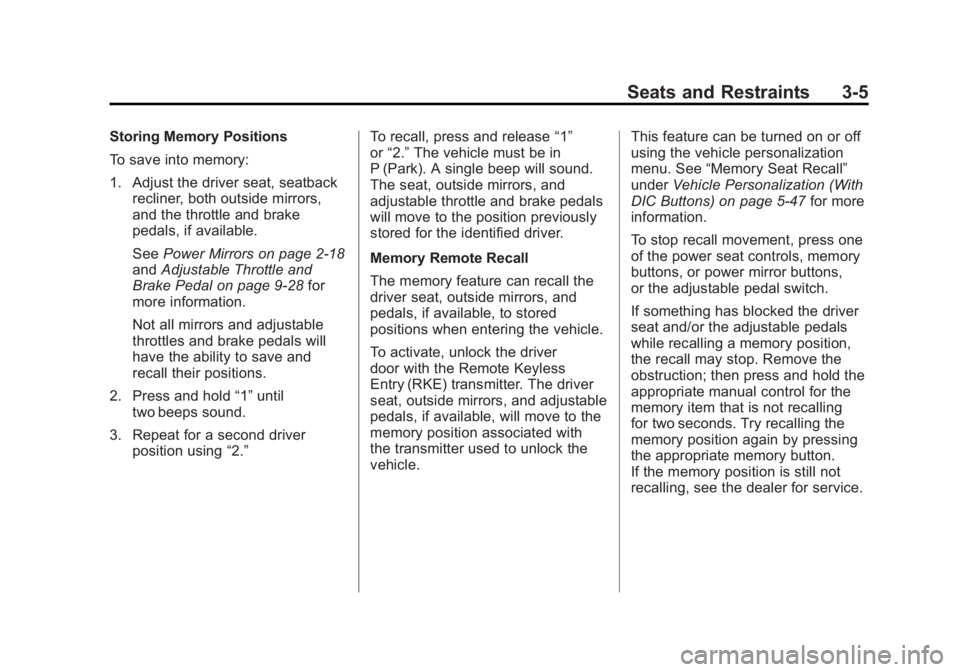
To save into memory:
1. Adjust the driver seat, seatbackrecliner, both outside mirrors,
and the throttle and brake
pedals, if available.
See Power Mirrors on page 2‑18
and Adjustable Throttle and
Brake Pedal on page 9‑28 for
more information.
Not all mirrors and adjustable
throttles and brake pedals will
have the ability to save and
recall their positions.
2. Press and hold “1”until
two beeps sound.
3. Repeat for a second driver position using “2.” To recall, press and release
“1”
or “2.” The vehicle must be in
P (Park). A single beep will sound.
The seat, outside mirrors, and
adjustable throttle and brake pedals
will move to the position previously
stored for the identified driver.
Memory Remote Recall
The memory feature can recall the
driver seat, outside mirrors, and
pedals, if available, to stored
positions when entering the vehicle.
To activate, unlock the driver
door with the Remote Keyless
Entry (RKE) transmitter. The driver
seat, outside mirrors, and adjustable
pedals, if available, will move to the
memory position associated with
the transmitter used to unlock the
vehicle. This feature can be turned on or off
using the vehicle personalization
menu. See
“Memory Seat Recall”
under Vehicle Personalization (With
DIC Buttons) on page 5‑47 for more
information.
To stop recall movement, press one
of the power seat controls, memory
buttons, or power mirror buttons,
or the adjustable pedal switch.
If something has blocked the driver
seat and/or the adjustable pedals
while recalling a memory position,
the recall may stop. Remove the
obstruction; then press and hold the
appropriate manual control for the
memory item that is not recalling
for two seconds. Try recalling the
memory position again by pressing
the appropriate memory button.
If the memory position is still not
recalling, see the dealer for service.
Page 66 of 528
Black plate (6,1)GMC Yukon/Yukon XL Owner Manual - 2011
3-6 Seats and Restraints
Easy Exit Driver Seat
This feature can move the seat
rearward to allow extra room to exit
the vehicle.
B(Easy Exit Driver Seat):Press
to recall the easy exit seat position.
The vehicle must be in P (Park).
If the easy exit seat feature is
programmed on in the vehicle
personalization menu, automatic
seat movement occurs when the
ignition key is removed.
A single beep sounds. The driver
seat moves back approximately
8 cm (3 in). To move the seat back
farther, press the easy exit seat
button again until the seat is all the
way back.
If something has blocked the driver
seat while recalling the exit position,
the recall may stop. Remove the
obstruction; then press and hold
the power seat control rearward for
two seconds. Try recalling the exit position again. If the exit position is
still not recalling, see the dealer for
service.
See
“Easy Exit Recall” and
“Easy Exit Setup” underVehicle
Personalization (With DIC Buttons)
on page 5‑47 for more information.
Lumbar Adjustment
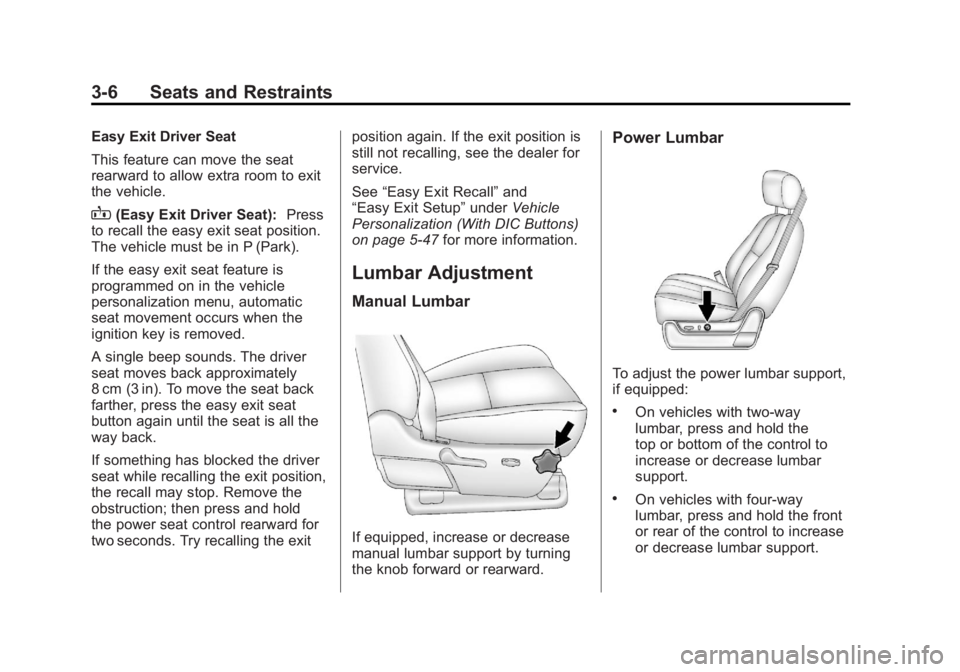
Manual Lumbar
If equipped, increase or decrease
manual lumbar support by turning
the knob forward or rearward.
Power Lumbar
To adjust the power lumbar support,
if equipped:
.On vehicles with two-way
lumbar, press and hold the
top or bottom of the control to
increase or decrease lumbar
support.
.On vehicles with four-way
lumbar, press and hold the front
or rear of the control to increase
or decrease lumbar support.
Page 68 of 528
Black plate (8,1)GMC Yukon/Yukon XL Owner Manual - 2011
3-8 Seats and Restraints
Manual Reclining Seatbacks
{WARNING
You can lose control of the
vehicle if you try to adjust a
manual driver seat while the
vehicle is moving. The sudden
movement could startle and
confuse you, or make you push
a pedal when you do not want to.
Adjust the driver seat only when
the vehicle is not moving.
{WARNING
If either seatback is not locked, it
could move forward in a sudden
stop or crash. That could cause
injury to the person sitting there.
Always push and pull on the
seatbacks to be sure they are
locked.
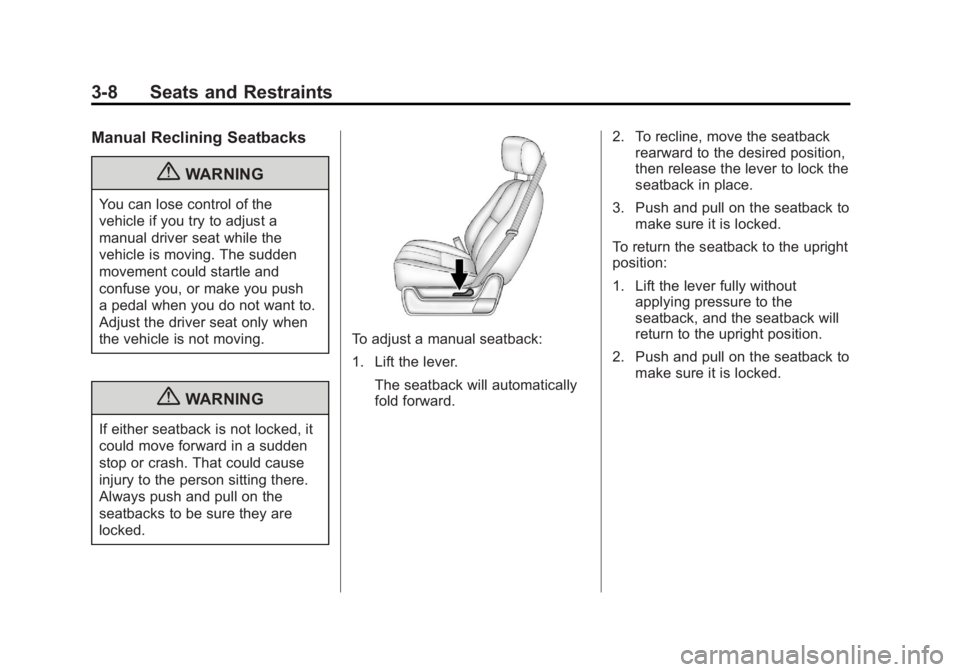
To adjust a manual seatback:
1. Lift the lever.The seatback will automatically
fold forward. 2. To recline, move the seatback
rearward to the desired position,
then release the lever to lock the
seatback in place.
3. Push and pull on the seatback to make sure it is locked.
To return the seatback to the upright
position:
1. Lift the lever fully without applying pressure to the
seatback, and the seatback will
return to the upright position.
2. Push and pull on the seatback to make sure it is locked.
Page 73 of 528
Black plate (13,1)GMC Yukon/Yukon XL Owner Manual - 2011
Seats and Restraints 3-13
Reclining Seatbacks
(Bucket Seats Only)
On vehicles with second row
bucket seats, the seatbacks can be
reclined.
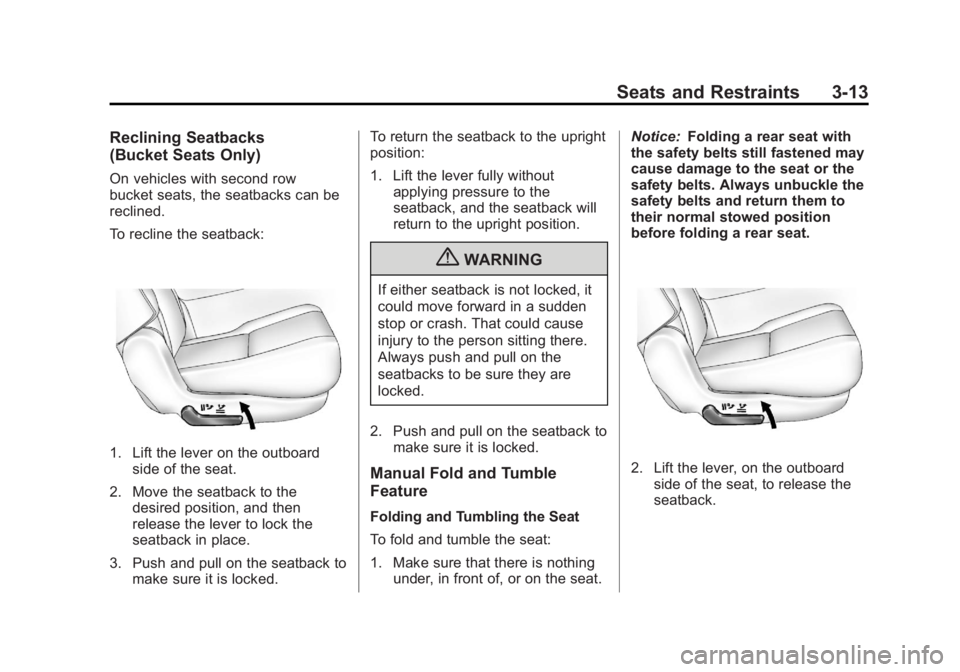
To recline the seatback:
1. Lift the lever on the outboardside of the seat.
2. Move the seatback to the desired position, and then
release the lever to lock the
seatback in place.
3. Push and pull on the seatback to make sure it is locked. To return the seatback to the upright
position:
1. Lift the lever fully without
applying pressure to the
seatback, and the seatback will
return to the upright position.
{WARNING
If either seatback is not locked, it
could move forward in a sudden
stop or crash. That could cause
injury to the person sitting there.
Always push and pull on the
seatbacks to be sure they are
locked.
2. Push and pull on the seatback to make sure it is locked.
Manual Fold and Tumble
Feature
Folding and Tumbling the Seat
To fold and tumble the seat:
1. Make sure that there is nothingunder, in front of, or on the seat. Notice:
Folding a rear seat with
the safety belts still fastened may
cause damage to the seat or the
safety belts. Always unbuckle the
safety belts and return them to
their normal stowed position
before folding a rear seat.
2. Lift the lever, on the outboard
side of the seat, to release the
seatback.
Page 74 of 528
Black plate (14,1)GMC Yukon/Yukon XL Owner Manual - 2011
3-14 Seats and Restraints
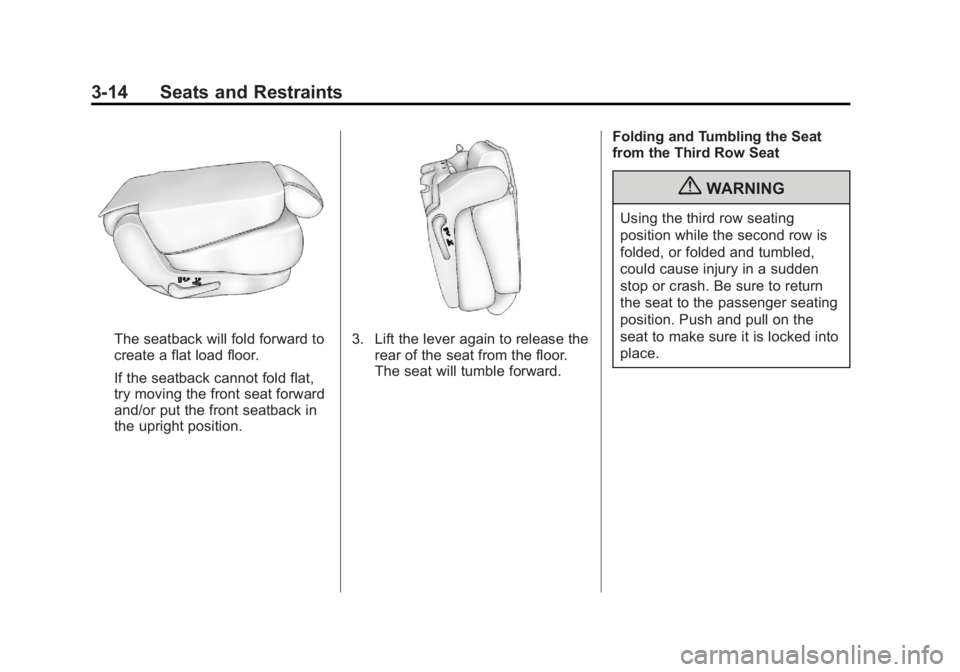
The seatback will fold forward to
create a flat load floor.
If the seatback cannot fold flat,
try moving the front seat forward
and/or put the front seatback in
the upright position.3. Lift the lever again to release therear of the seat from the floor.
The seat will tumble forward. Folding and Tumbling the Seat
from the Third Row Seat
{WARNING
Using the third row seating
position while the second row is
folded, or folded and tumbled,
could cause injury in a sudden
stop or crash. Be sure to return
the seat to the passenger seating
position. Push and pull on the
seat to make sure it is locked into
place.
Page 76 of 528
Black plate (16,1)GMC Yukon/Yukon XL Owner Manual - 2011
3-16 Seats and Restraints
Folding and Tumbling the Second
Row Seat from the Third Row Seat
or Outside the Vehicle
{WARNING
Using the third row seating
position while the second row is
folded, or folded and tumbled,
could cause injury in a sudden
stop or crash. Be sure to return
the seat to the passenger seating
position. Push and pull on the
seat to make sure it is locked into
place.
To fold and tumble the seat from the
third row seat, if equipped:
1. Make sure that there is nothing under, in front of, or on the seat.
Notice: Folding a rear seat with
the safety belts still fastened may
cause damage to the seat or the
safety belts. Always unbuckle the
safety belts and return them to
their normal stowed position
before folding a rear seat.
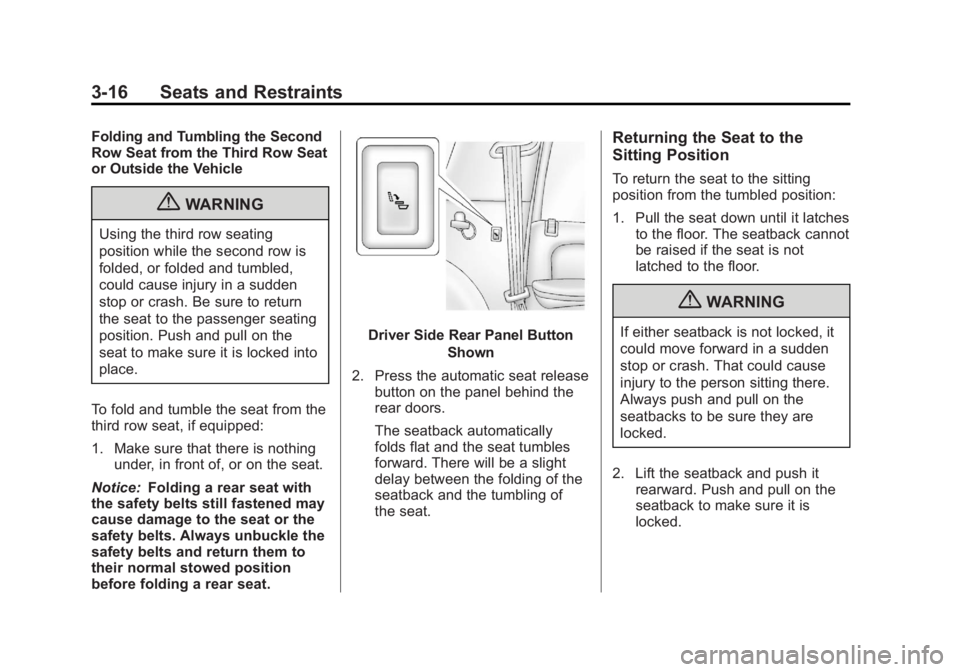
Driver Side Rear Panel Button
Shown
2. Press the automatic seat release button on the panel behind the
rear doors.
The seatback automatically
folds flat and the seat tumbles
forward. There will be a slight
delay between the folding of the
seatback and the tumbling of
the seat.
Returning the Seat to the
Sitting Position
To return the seat to the sitting
position from the tumbled position:
1. Pull the seat down until it latchesto the floor. The seatback cannot
be raised if the seat is not
latched to the floor.
{WARNING
If either seatback is not locked, it
could move forward in a sudden
stop or crash. That could cause
injury to the person sitting there.
Always push and pull on the
seatbacks to be sure they are
locked.
2. Lift the seatback and push it rearward. Push and pull on the
seatback to make sure it is
locked.