MAINT GMC YUKON 2011 Owner's Manual
[x] Cancel search | Manufacturer: GMC, Model Year: 2011, Model line: YUKON, Model: GMC YUKON 2011Pages: 528, PDF Size: 6.36 MB
Page 1 of 528
Black plate (1,1)GMC Yukon/Yukon XL Owner Manual - 2011
2011 GMC Yukon/Yukon XL Owner ManualM
In Brief. . . . . . . . . . . . . . . . . . . . . . . . 1-1
Instrument Panel . . . . . . . . . . . . . . 1-2
Initial Drive Information . . . . . . . . 1-4
Vehicle Features . . . . . . . . . . . . . 1-20
Performance and Maintenance . . . . . . . . . . . . . . . . 1-26
Keys, Doors and Windows . . . 2-1
Keys and Locks . . . . . . . . . . . . . . . 2-2
Doors . . . . . . . . . . . . . . . . . . . . . . . . 2-10
Vehicle Security . . . . . . . . . . . . . . 2-14
Exterior Mirrors . . . . . . . . . . . . . . . 2-17
Interior Mirrors . . . . . . . . . . . . . . . . 2-20
Windows . . . . . . . . . . . . . . . . . . . . . 2-21
Roof . . . . . . . . . . . . . . . . . . . . . . . . . . 2-23 Seats and Restraints
. . . . . . . . . 3-1
Head Restraints . . . . . . . . . . . . . . . 3-2
Front Seats . . . . . . . . . . . . . . . . . . . . 3-3
Rear Seats . . . . . . . . . . . . . . . . . . . 3-12
Safety Belts . . . . . . . . . . . . . . . . . . 3-21
Airbag System . . . . . . . . . . . . . . . . 3-39
Child Restraints . . . . . . . . . . . . . . 3-54
Storage . . . . . . . . . . . . . . . . . . . . . . . 4-1
Storage Compartments . . . . . . . . 4-1
Additional Storage Features . . . 4-2
Roof Rack System . . . . . . . . . . . . . 4-3 Instruments and Controls
. . . . 5-1
Controls . . . . . . . . . . . . . . . . . . . . . . . 5-2
Warning Lights, Gauges, and Indicators . . . . . . . . . . . . . . . . . . . 5-11
Information Displays . . . . . . . . . . 5-28
Vehicle Messages . . . . . . . . . . . . 5-37
Vehicle Personalization . . . . . . . 5-47
Universal Remote System . . . . 5-55
Lighting . . . . . . . . . . . . . . . . . . . . . . . 6-1
Exterior Lighting . . . . . . . . . . . . . . . 6-1
Interior Lighting . . . . . . . . . . . . . . . . 6-7
Lighting Features . . . . . . . . . . . . . . 6-9
Page 2 of 528
Black plate (2,1)GMC Yukon/Yukon XL Owner Manual - 2011
2011 GMC Yukon/Yukon XL Owner ManualM
Infotainment System. . . . . . . . . 7-1
Introduction . . . . . . . . . . . . . . . . . . . . 7-1
Radio . . . . . . . . . . . . . . . . . . . . . . . . . . 7-7
Audio Players . . . . . . . . . . . . . . . . 7-14
Rear Seat Infotainment . . . . . . . 7-35
Phone . . . . . . . . . . . . . . . . . . . . . . . . 7-47
Climate Controls . . . . . . . . . . . . . 8-1
Climate Control Systems . . . . . . 8-1
Air Vents . . . . . . . . . . . . . . . . . . . . . 8-13
Driving and Operating . . . . . . . . 9-1
Driving Information . . . . . . . . . . . . . 9-2
Starting and Operating . . . . . . . 9-28
Engine Exhaust . . . . . . . . . . . . . . 9-36
Automatic Transmission . . . . . . 9-37
Drive Systems . . . . . . . . . . . . . . . . 9-43
Brakes . . . . . . . . . . . . . . . . . . . . . . . 9-50 Ride Control Systems . . . . . . . . 9-52
Cruise Control . . . . . . . . . . . . . . . . 9-56
Object Detection Systems . . . . 9-58
Fuel . . . . . . . . . . . . . . . . . . . . . . . . . . 9-68
Towing . . . . . . . . . . . . . . . . . . . . . . . 9-74
Conversions and Add-Ons . . . 9-94
Vehicle Care . . . . . . . . . . . . . . . . . 10-1
General Information . . . . . . . . . . 10-2
Vehicle Checks . . . . . . . . . . . . . . . 10-4
Headlamp Aiming . . . . . . . . . . . 10-35
Bulb Replacement . . . . . . . . . . 10-37
Electrical System . . . . . . . . . . . . 10-39
Wheels and Tires . . . . . . . . . . . 10-48
Jump Starting . . . . . . . . . . . . . . . 10-88
Towing . . . . . . . . . . . . . . . . . . . . . . 10-93
Appearance Care . . . . . . . . . . . 10-98 Service and Maintenance
. . . 11-1
General Information . . . . . . . . . . 11-1
Scheduled Maintenance . . . . . . 11-2
Recommended Fluids,
Lubricants, and Parts . . . . . . . 11-7
Maintenance Records . . . . . . . 11-10
Technical Data . . . . . . . . . . . . . . . 12-1
Vehicle Identification . . . . . . . . . 12-1
Vehicle Data . . . . . . . . . . . . . . . . . . 12-2
Customer Information . . . . . . . 13-1
Customer Information . . . . . . . . 13-1
Reporting Safety Defects . . . . 13-13
Vehicle Data Recording and
Privacy . . . . . . . . . . . . . . . . . . . . 13-14
Index . . . . . . . . . . . . . . . . . . . . . i-1
Page 7 of 528
Black plate (1,1)GMC Yukon/Yukon XL Owner Manual - 2011
In Brief 1-1
In Brief
Instrument Panel
Instrument Panel Overview . . . . 1-2
Initial Drive Information
Initial Drive Information . . . . . . . . 1-4
Remote Keyless Entry (RKE)System . . . . . . . . . . . . . . . . . . . . . . 1-4
Remote Vehicle Start . . . . . . . . . 1-5
Door Locks . . . . . . . . . . . . . . . . . . . 1-5
Liftgate . . . . . . . . . . . . . . . . . . . . . . . . 1-6
Windows . . . . . . . . . . . . . . . . . . . . . . 1-6
Seat Adjustment . . . . . . . . . . . . . . 1-7
Memory Features . . . . . . . . . . . . . 1-9
Second Row Seats . . . . . . . . . . 1-10
Third Row Seats . . . . . . . . . . . . . 1-10
Heated Seats . . . . . . . . . . . . . . . . 1-11
Heated and Ventilated Seats . . . . . . . . . . . . . . . . . . . . . . . 1-11
Head Restraint Adjustment . . . . . . . . . . . . . . . . . 1-12 Safety Belts . . . . . . . . . . . . . . . . . . 1-12
Sensing System for
Passenger Airbag . . . . . . . . . . 1-12
Mirror Adjustment . . . . . . . . . . . . 1-13
Steering Wheel Adjustment . . . . . . . . . . . . . . . . . 1-14
Throttle and Brake Pedal Adjustment . . . . . . . . . . . . . . . . . 1-14
Interior Lighting . . . . . . . . . . . . . . 1-15
Exterior Lighting . . . . . . . . . . . . . 1-16
Windshield Wiper/Washer . . . . 1-16
Climate Controls . . . . . . . . . . . . . 1-17
Transmission . . . . . . . . . . . . . . . . 1-18
Four-Wheel Drive . . . . . . . . . . . . 1-19
Vehicle Features
Radio(s) . . . . . . . . . . . . . . . . . . . . . 1-20
Satellite Radio . . . . . . . . . . . . . . . 1-22
Portable Audio Devices . . . . . . 1-22
Bluetooth
®. . . . . . . . . . . . . . . . . . . 1-22
Steering Wheel Controls . . . . . 1-22
Cruise Control . . . . . . . . . . . . . . . 1-23
Navigation System . . . . . . . . . . . 1-23 Side Blind Zone
Alert (SBZA) . . . . . . . . . . . . . . . 1-24
Rear Vision Camera (RVC) . . . . . . . . . . . . . 1-24
Ultrasonic Parking Assist . . . . 1-24
Power Outlets . . . . . . . . . . . . . . . 1-25
Universal Remote System . . . 1-25
Sunroof . . . . . . . . . . . . . . . . . . . . . . 1-25
Performance and Maintenance
StabiliTrak®System . . . . . . . . . 1-26
Tire Pressure Monitor . . . . . . . . 1-26
Engine Oil Life System . . . . . . 1-27
Fuel E85 (85% Ethanol) . . . . . 1-27
Driving for Better Fuel Economy . . . . . . . . . . . . . . . . . . . 1-28
Roadside Assistance
Program . . . . . . . . . . . . . . . . . . . . 1-28
OnStar
®. . . . . . . . . . . . . . . . . . . . . 1-29
Page 32 of 528
Black plate (26,1)GMC Yukon/Yukon XL Owner Manual - 2011
1-26 In Brief
To express open or close the
sunroof, press the open or close
switch (A) to the second detent
position and release. To stop the
movement, press the switch again.
To automatically vent or close the
sunroof, press the vent open or
close switch (B).
The sunroof also has a sunshade
that you can pull forward to block
the rays of the sun. The sunshade
must be opened and closed
manually.
SeeSunroof on page 2‑23.Performance and
Maintenance
StabiliTrak®System
If equipped, the vehicle has a
traction control system that limits
wheel spin and the StabiliTrak
system that assists with directional
control of the vehicle in difficult
driving conditions. Both systems
turn on automatically every time the
vehicle is started.
.To turn off traction control,
press and release
5on the
instrument panel.
Filluminates
and the appropriate DIC
message displays. See Ride
Control System Messages on
page 5‑43.
.To turn off both traction control
and StabiliTrak, press and
hold
5untilFilluminates and
the appropriate DIC message
displays. See Ride Control
System Messages on page 5‑43.
.Press and release5again to
turn on both systems.
For more information, see
StabiliTrak
®System on page 9‑52.
Tire Pressure Monitor
This vehicle may have a Tire
Pressure Monitor System (TPMS).
The TPMS warning light alerts you
to a significant loss in pressure of
one of the vehicle's tires. If the
warning light comes on, stop as
soon as possible and inflate the
tires to the recommended pressure
shown on the Tire and Loading
Information label. See Vehicle Load
Limits on page 9‑23. The warning
light will remain on until the tire
pressure is corrected.
Page 33 of 528
Black plate (27,1)GMC Yukon/Yukon XL Owner Manual - 2011
In Brief 1-27
During cooler conditions, the low tire
pressure warning light may appear
when the vehicle is first started and
then turn off. This may be an early
indicator that the tire pressures are
getting low and the tires need to be
inflated to the proper pressure.
The TPMS does not replace normal
monthly tire maintenance. It is the
driver’s responsibility to maintain
correct tire pressures.
See Tire Pressure Monitor System
on page 10‑58.
Engine Oil Life System
The engine oil life system calculates
engine oil life based on vehicle use
and, on most vehicles, displays a
DIC message when it is necessary
to change the engine oil and filter.
The oil life system should be reset
to 100% only following an oil
change. Resetting the Oil Life System
To reset the Engine Oil Life System
on most vehicles:
1. Display OIL LIFE REMAINING
on the DIC. If the vehicle does
not have DIC buttons, the
vehicle must be in P (Park) to
access this display.
2. Press and hold the SET/ RESET button on the DIC,
or the trip odometer reset
stem if the vehicle does not
have DIC buttons, for more than
five seconds. The oil life will
change to 100%.
On all vehicles, the Engine Oil Life
System can be reset as follows:
1. Turn the ignition to ON/RUN with the engine off.
2. Fully press the accelerator pedal slowly three times within
five seconds. 3. Display OIL LIFE REMAINING
on the DIC. If the display
shows 100%, the system is
reset.
See Engine Oil Life System on
page 10‑10.
Fuel E85 (85% Ethanol)
Vehicles that have a FlexFuel badge
and a yellow fuel cap can use either
unleaded gasoline or ethanol fuel
containing up to 85% ethanol (E85).
See Fuel E85 (85% Ethanol) on
page 9‑70. For all other vehicles,
use only the unleaded gasoline
described under Recommended
Fuel on page 9‑68.
Page 34 of 528
Black plate (28,1)GMC Yukon/Yukon XL Owner Manual - 2011
1-28 In Brief
Driving for Better Fuel
Economy
Driving habits can affect fuel
mileage. Here are some driving tips
to get the best fuel economy
possible.
.Avoid fast starts and accelerate
smoothly.
.Brake gradually and avoid
abrupt stops.
.Avoid idling the engine for long
periods of time.
.When road and weather
conditions are appropriate, use
cruise control.
.Always follow posted speed
limits or drive more slowly when
conditions require.
.Keep vehicle tires properly
inflated.
.Combine several trips into a
single trip.
.Replace the vehicle's tires with
the same TPC Spec number
molded into the tire's sidewall
near the size.
.Follow recommended scheduled
maintenance.
Roadside Assistance
Program
U.S.:1-800-GMC-8782
(1‐800‐462-8782)
TTY Users: 1-888-889-2438
Canada: 1-800-268-6800
As the owner of a new GMC, you
are automatically enrolled in the
Roadside Assistance program.
See Roadside Assistance Program
on page 13‑6 for more information. Roadside Assistance and OnStar
If you have an active OnStar
subscription, press the
Qbutton
and the current GPS location will
be sent to an OnStar advisor who
will assess your problem, contact
Roadside Assistance, and relay
your exact location to get the help
you need.
Online Owner Center
The Online Owner Center is a
complimentary service that includes
online service reminders, vehicle
maintenance tips, online owner
manual, special privileges,
and more.
Sign up today at:
www.gmcownercenter.com (U.S.)
or www.gm.ca (Canada).
Page 36 of 528
Black plate (30,1)GMC Yukon/Yukon XL Owner Manual - 2011
1-30 In Brief
Service involving location
information about your vehicle
can’t work unless GPS signals
are available, unobstructed, and
compatible with the OnStar
hardware. The vehicle has to have
a working electrical system and
adequate battery power for the
OnStar equipment to operate.
OnStar service may not work if the
OnStar equipment isn’t properly
installed or you haven’t maintained
it and your vehicle is in good
working order and in compliance
with all government regulations.
If you try to add, connect, or modify
any equipment or software in your
vehicle, OnStar service may not
work. Other problems OnStar can’t
control may prevent service to you,
such as hills, tall buildings, tunnels,
weather, electrical system design
and architecture of your vehicle,
damage to important parts of your
vehicle in a crash, or wireless phone
network congestion or jamming.See
Radio Frequency Statement on
page 13‑16 for information
regarding Part 15 of the Federal
Communications Commission (FCC)
rules and Industry Canada
Standards RSS-210/220/310.
OnStar Steering Wheel
Controls
This vehicle may have ab g/c xTalk/Mute button
that can be used to interact with
OnStar Hands-Free Calling. See
Steering Wheel Controls on
page 5‑2 for more information.
On some vehicles, the mute button
can be used to dial numbers into
voice mail systems, or to dial phone
extensions. See the OnStar Owner's
Guide for more information.
Your Responsibility
Increase the volume of the radio
if the OnStar Advisor cannot be
heard. If the light next to the OnStar
buttons is red, the system may
not be functioning properly.
Push
Qand request a vehicle
diagnostic check. If the light
appears clear (no light is
appearing), your OnStar
subscription has expired and all
services have been deactivated.
Push
Qto confirm that the OnStar
equipment is active.
OnStar®
If the vehicle is equipped with an
active OnStar system, that system
may also record data in crash or
near crash-like situations. The
OnStar Terms and Conditions
provides information on data
collection and use and is available
in the OnStar Glove Box Kit,
at www.onstar.com (U.S.) or
www.onstar.ca (Canada), or by
pushing
Qand speaking to an
Advisor.
Page 100 of 528
Black plate (40,1)GMC Yukon/Yukon XL Owner Manual - 2011
3-40 Seats and Restraints
{WARNING
Airbags inflate with great force,
faster than the blink of an eye.
Anyone who is up against, or
very close to, any airbag when it
inflates can be seriously injured
or killed. Do not sit unnecessarily
close to any airbag, as you would
be if you were sitting on the edge
of the seat or leaning forward.
Safety belts help keep you in
position before and during a
crash. Always wear a safety belt,
even with airbags. The driver
should sit as far back as possible
while still maintaining control of
the vehicle.
Occupants should not lean on or
sleep against the door or side
windows in seating positions with
seat-mounted side impact airbags
and/or roof-rail airbags.
{WARNING
Children who are up against,
or very close to, any airbag
when it inflates can be seriously
injured or killed. Airbags plus
lap-shoulder belts offer protection
for adults and older children, but
not for young children and infants.
Neither the vehicle safety belt
system nor its airbag system
is designed for them. Young
children and infants need the
protection that a child restraint
system can provide. Always
secure children properly in the
vehicle. To read how, seeOlder
Children on page 3‑54 orInfants
and Young Children on
page 3‑56.
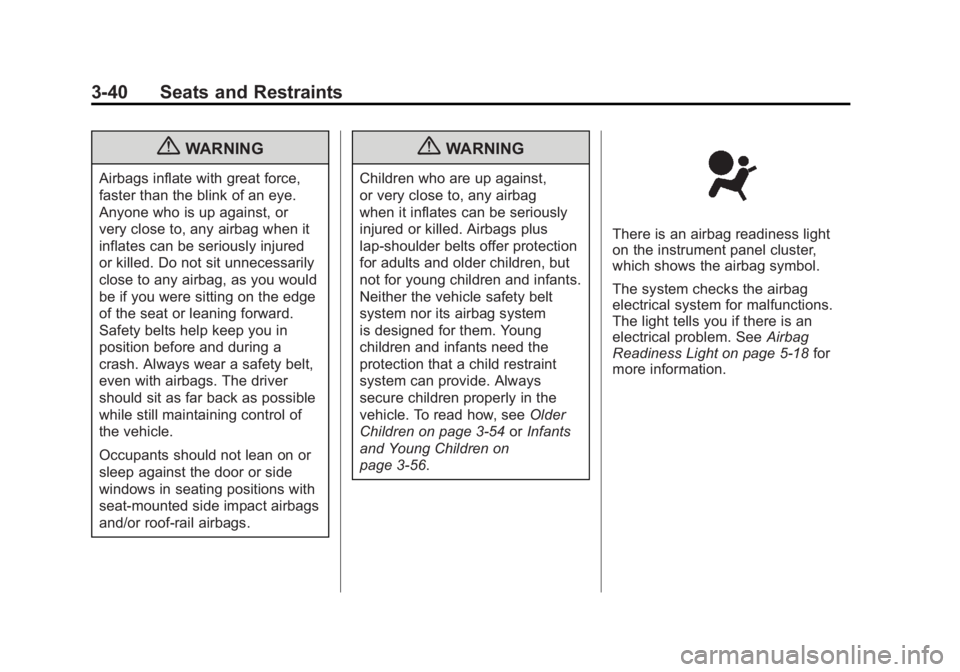
There is an airbag readiness light
on the instrument panel cluster,
which shows the airbag symbol.
The system checks the airbag
electrical system for malfunctions.
The light tells you if there is an
electrical problem. See Airbag
Readiness Light on page 5‑18 for
more information.
Page 110 of 528
Black plate (50,1)GMC Yukon/Yukon XL Owner Manual - 2011
3-50 Seats and Restraints
6. Restart the vehicle.The passenger sensing system
may or may not turn off the
airbag for a child in a child
restraint depending upon the
child’s seating posture and body
build. It is better to secure the
child restraint in a rear seat.
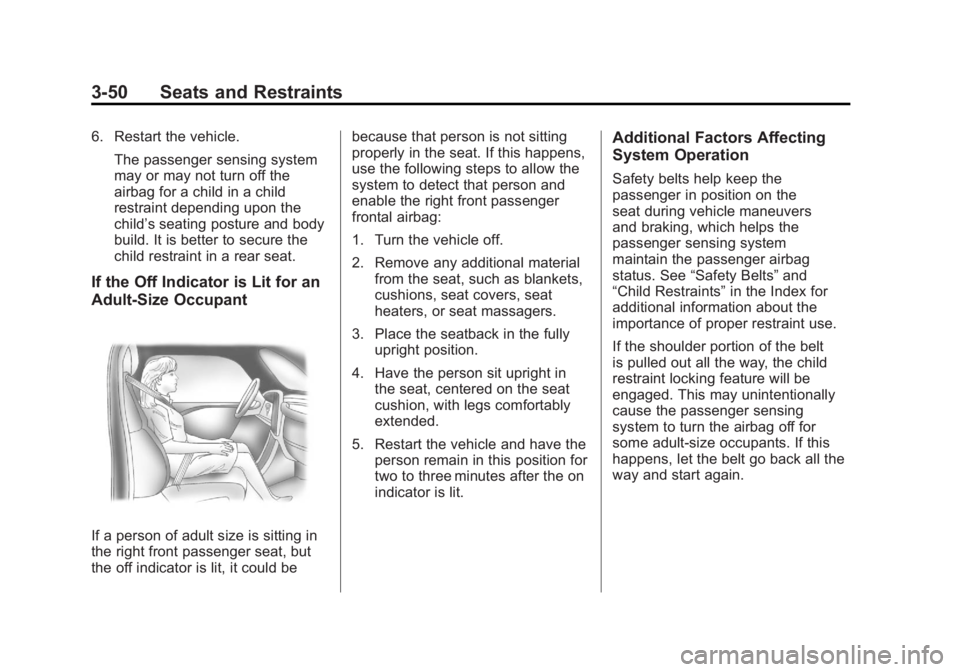
If the Off Indicator is Lit for an
Adult-Size Occupant
If a person of adult size is sitting in
the right front passenger seat, but
the off indicator is lit, it could be because that person is not sitting
properly in the seat. If this happens,
use the following steps to allow the
system to detect that person and
enable the right front passenger
frontal airbag:
1. Turn the vehicle off.
2. Remove any additional material
from the seat, such as blankets,
cushions, seat covers, seat
heaters, or seat massagers.
3. Place the seatback in the fully upright position.
4. Have the person sit upright in the seat, centered on the seat
cushion, with legs comfortably
extended.
5. Restart the vehicle and have the person remain in this position for
two to three minutes after the on
indicator is lit.
Additional Factors Affecting
System Operation
Safety belts help keep the
passenger in position on the
seat during vehicle maneuvers
and braking, which helps the
passenger sensing system
maintain the passenger airbag
status. See “Safety Belts” and
“Child Restraints” in the Index for
additional information about the
importance of proper restraint use.
If the shoulder portion of the belt
is pulled out all the way, the child
restraint locking feature will be
engaged. This may unintentionally
cause the passenger sensing
system to turn the airbag off for
some adult‐size occupants. If this
happens, let the belt go back all the
way and start again.
Page 113 of 528
Black plate (53,1)GMC Yukon/Yukon XL Owner Manual - 2011
Seats and Restraints 3-53
Q: Because I have a disability,I have to get my vehicle
modified. How can I find out
whether this will affect my
airbag system?
A: If you have questions, call
Customer Assistance. The
phone numbers and addresses
for Customer Assistance are
in Step Two of the Customer
Satisfaction Procedure in
this manual. See Customer
Satisfaction Procedure on
page 13‑1.
In addition, your dealer and the
service manual have information
about the location of the airbag
sensors, sensing and diagnostic
module and airbag wiring.
Airbag System Check
The airbag system does not need
regularly scheduled maintenance
or replacement. Make sure the
airbag readiness light is working. See
Airbag Readiness Light on
page 5‑18 for more information.
Notice: If an airbag covering is
damaged, opened, or broken, the
airbag may not work properly.
Do not open or break the airbag
coverings. If there are any
opened or broken airbag covers,
have the airbag covering and/or
airbag module replaced. For the
location of the airbag modules,
see What Makes an Airbag
Inflate? on page 3‑44. See your
dealer for service.
Replacing Airbag System
Parts After a Crash
{WARNING
A crash can damage the
airbag systems in the vehicle.
A damaged airbag system
may not work properly and
may not protect you and your
passenger(s) in a crash, resulting
(Continued)
WARNING (Continued)
in serious injury or even death.
To help make sure the airbag
systems are working properly
after a crash, have them
inspected and any necessary
replacements made as soon as
possible.
If an airbag inflates, you will need to
replace airbag system parts. See
your dealer for service.
If the airbag readiness light stays
on after the vehicle is started or
comes on when you are driving,
the airbag system may not work
properly. Have the vehicle serviced
right away. See Airbag Readiness
Light on page 5‑18 for more
information.