5-43 GMC YUKON 2015 Owner's Guide
[x] Cancel search | Manufacturer: GMC, Model Year: 2015, Model line: YUKON, Model: GMC YUKON 2015Pages: 455, PDF Size: 4.72 MB
Page 205 of 455
Black plate (4,1)GMC Yukon/Yukon XL Owner Manual (GMNA-Localizing-U.S./Canada/
Mexico-7063682) - 2015 - crc - 6/5/14
8-4 Climate Controls
stays on for five minutes. The
defogger also turns off if the ignition
is turned to ACC/ACCESSORY or
LOCK/OFF.
If equipped with Auto Rear Defog,
the rear window defogger turns on
automatically when it is cold
outside. To turn Auto Rear Defog off
or on, see“Climate and Air Quality”
under Vehicle Personalization on
page 5-43.
{Caution
Using a razor blade or sharp
object to clear the inside rear
window can damage the rear
window defogger. Repairs would
not be covered by the vehicle
warranty. Do not clear the inside
rear window with sharp objects.
Heated Mirror: If equipped with
heated outside rearview mirrors, the
mirrors heat to help clear fog or frost
from the surface of the mirror when the rear window defog button is
pressed. See
Heated Mirrors on
page 2-28.
Rear Climate Controls
O(On/Off): Press to turn the rear
climate control system on or off.
AUTO: Press AUTO to control the
rear passenger temperature, air
delivery, and fan speed. AUTO
appears in the display when
automatic operation is active. If any
of the climate control settings
except rear temperature are
manually adjusted, this cancels full
automatic operation.
Fan Control: Press up or down to
increase or decrease the rear
passenger area fan speed.
Air Delivery Mode Control: Press
to change the direction of the rear
passenger airflow. Repeatedly press
the switch until the desired mode
appears on the display. Multiple
presses will cycle through the
delivery selections. Temperature Control:
Press up or
down to increase or decrease the
airflow temperature into the rear
passenger area.
RCTRL (Rear Climate Control
Lockout): Press to lock or unlock
control of the rear climate control
system from the rear seat
passengers. When locked, the rear
climate control can only be adjusted
from the front seat.
Remote Start Climate Control
Operation
If equipped with the remote start
feature, the climate control system
will come on when the vehicle is
started remotely, depending on the
outside temperature. The rear
window defogger and heated and
cooled seats, if equipped, may also
come on. See Remote Vehicle Start
on page 2-14 andHeated and
Cooled Front Seats on page 3-7.
Page 264 of 455
Black plate (55,1)GMC Yukon/Yukon XL Owner Manual (GMNA-Localizing-U.S./Canada/
Mexico-7063682) - 2015 - CRC - 6/5/14
Driving and Operating 9-55
times. See“Collision/Detection
Systems” underVehicle
Personalization on page 5-43.
See Defensive Driving on page 9-3.
Approaching and Following a
Vehicle
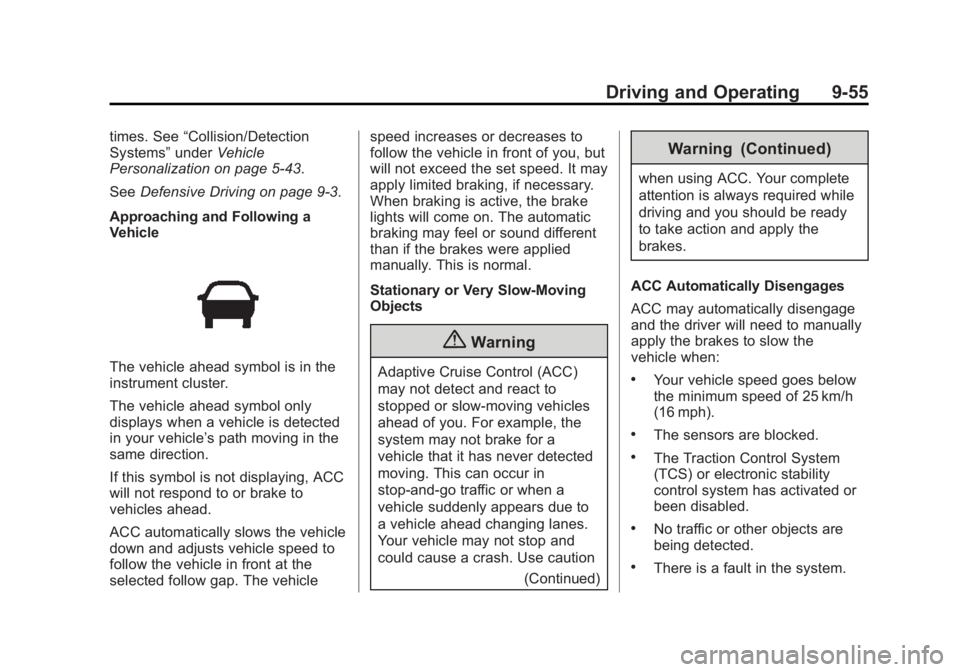
The vehicle ahead symbol is in the
instrument cluster.
The vehicle ahead symbol only
displays when a vehicle is detected
in your vehicle’s path moving in the
same direction.
If this symbol is not displaying, ACC
will not respond to or brake to
vehicles ahead.
ACC automatically slows the vehicle
down and adjusts vehicle speed to
follow the vehicle in front at the
selected follow gap. The vehicle speed increases or decreases to
follow the vehicle in front of you, but
will not exceed the set speed. It may
apply limited braking, if necessary.
When braking is active, the brake
lights will come on. The automatic
braking may feel or sound different
than if the brakes were applied
manually. This is normal.
Stationary or Very Slow-Moving
Objects
{Warning
Adaptive Cruise Control (ACC)
may not detect and react to
stopped or slow-moving vehicles
ahead of you. For example, the
system may not brake for a
vehicle that it has never detected
moving. This can occur in
stop-and-go traffic or when a
vehicle suddenly appears due to
a vehicle ahead changing lanes.
Your vehicle may not stop and
could cause a crash. Use caution
(Continued)
Warning (Continued)
when using ACC. Your complete
attention is always required while
driving and you should be ready
to take action and apply the
brakes.
ACC Automatically Disengages
ACC may automatically disengage
and the driver will need to manually
apply the brakes to slow the
vehicle when:
.Your vehicle speed goes below
the minimum speed of 25 km/h
(16 mph).
.The sensors are blocked.
.The Traction Control System
(TCS) or electronic stability
control system has activated or
been disabled.
.No traffic or other objects are
being detected.
.There is a fault in the system.
Page 268 of 455
Black plate (59,1)GMC Yukon/Yukon XL Owner Manual (GMNA-Localizing-U.S./Canada/
Mexico-7063682) - 2015 - CRC - 6/5/14
Driving and Operating 9-59
Audible or Safety Alert Seat
Some driver assistance features
alert the driver of obstacles by
beeping. To change the volume of
the warning chime, see“Comfort
and Convenience” underVehicle
Personalization on page 5-43.
If equipped with the Safety Alert
Seat, the driver seat cushion may
provide a vibrating pulse alert
instead of beeping. To change this,
see “Collision/Detection Systems”
under Vehicle Personalization on
page 5-43.
Assistance Systems for
Parking or Backing
When the vehicle is in R (Reverse),
the Rear Vision Camera (RVC) and
Rear Parking Assist (RPA) may help
the driver to avoid a crash or to
reduce crash damage. Some
models may also have Front
Parking Assist (FPA) and Rear
Cross Traffic Alert (RCTA). When the vehicle is shifted into
R (Reverse), the RVC displays an
image of the area behind the vehicle
in the center stack display. The
previous screen displays when the
vehicle is shifted out of R (Reverse)
after a short delay. To return to the
previous screen sooner, press a
button on the infotainment system,
shift into P (Park), or reach a vehicle
speed of 8 km/h (5 mph).
{Warning
The RVC system does not display
children, pedestrians, bicyclists,
animals, or any other object
located outside the camera's field
of view, below the bumper,
or under the vehicle. Perceived
distances may be different from
actual distances. Do not back the
vehicle using only the RVC
screen, during longer, higher
speed backing maneuvers,
or where there could be cross
(Continued)
Warning (Continued)
traffic. Failure to use proper care
before backing may result in
injury, death, or vehicle damage.
Always check behind and around
the vehicle before backing.
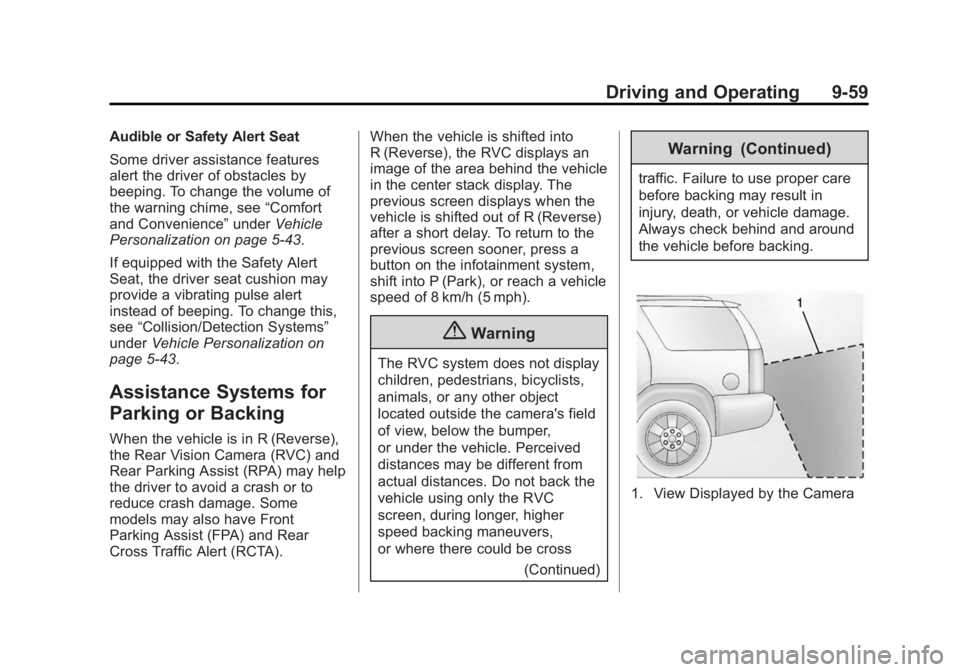
1. View Displayed by the Camera
Page 270 of 455
Black plate (61,1)GMC Yukon/Yukon XL Owner Manual (GMNA-Localizing-U.S./Canada/
Mexico-7063682) - 2015 - CRC - 6/5/14
Driving and Operating 9-61
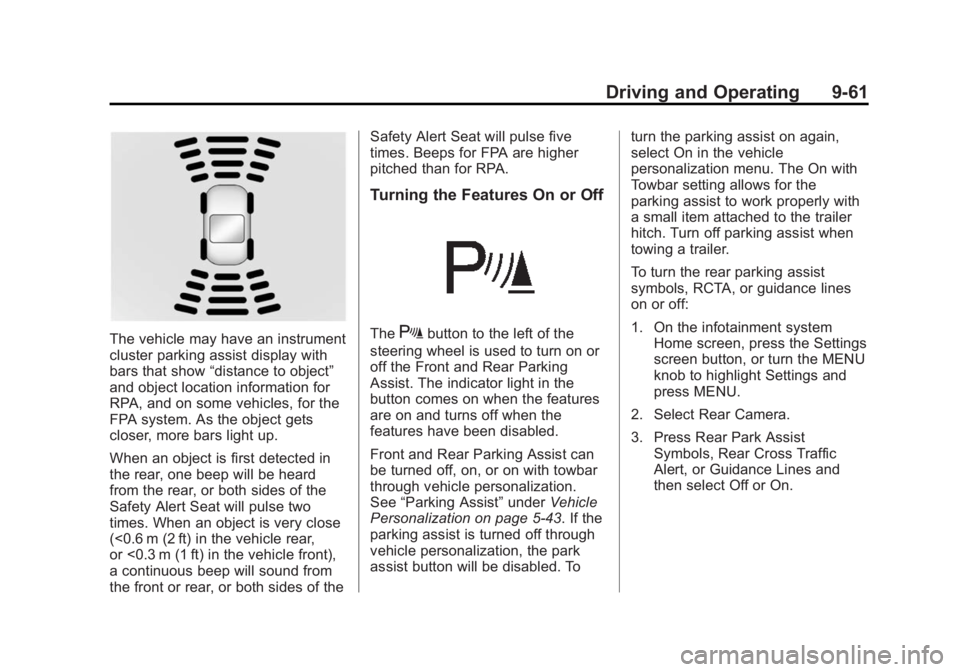
The vehicle may have an instrument
cluster parking assist display with
bars that show“distance to object”
and object location information for
RPA, and on some vehicles, for the
FPA system. As the object gets
closer, more bars light up.
When an object is first detected in
the rear, one beep will be heard
from the rear, or both sides of the
Safety Alert Seat will pulse two
times. When an object is very close
(<0.6 m (2 ft) in the vehicle rear,
or <0.3 m (1 ft) in the vehicle front),
a continuous beep will sound from
the front or rear, or both sides of the Safety Alert Seat will pulse five
times. Beeps for FPA are higher
pitched than for RPA.
Turning the Features On or Off
TheXbutton to the left of the
steering wheel is used to turn on or
off the Front and Rear Parking
Assist. The indicator light in the
button comes on when the features
are on and turns off when the
features have been disabled.
Front and Rear Parking Assist can
be turned off, on, or on with towbar
through vehicle personalization.
See “Parking Assist” underVehicle
Personalization on page 5-43. If the
parking assist is turned off through
vehicle personalization, the park
assist button will be disabled. To turn the parking assist on again,
select On in the vehicle
personalization menu. The On with
Towbar setting allows for the
parking assist to work properly with
a small item attached to the trailer
hitch. Turn off parking assist when
towing a trailer.
To turn the rear parking assist
symbols, RCTA, or guidance lines
on or off:
1. On the infotainment system
Home screen, press the Settings
screen button, or turn the MENU
knob to highlight Settings and
press MENU.
2. Select Rear Camera.
3. Press Rear Park Assist Symbols, Rear Cross Traffic
Alert, or Guidance Lines and
then select Off or On.
Page 271 of 455
Black plate (62,1)GMC Yukon/Yukon XL Owner Manual (GMNA-Localizing-U.S./Canada/
Mexico-7063682) - 2015 - CRC - 6/5/14
9-62 Driving and Operating
Assistance Systems for
Driving
If equipped, when driving the
vehicle forward, Forward Collision
Alert (FCA), Lane Departure
Warning (LDW), Side Blind Zone
Alert (SBZA), Lane Change Alert
(LCA), and/or the Active Emergency
Braking System can help to avoid a
crash or reduce crash damage.
Forward Collision Alert
(FCA) System
If equipped, the FCA system may
help to avoid or reduce the harm
caused by front-end crashes. When
approaching a vehicle ahead too
quickly, FCA provides a red flashing
alert on the windshield and rapidly
beeps or pulses the driver seat.
FCA also lights an amber visual
alert if following another vehicle
much too closely.
FCA detects vehicles within a
distance of approximately 60 m
(197 ft) and operates at speedsabove 40 km/h (25 mph). If the
vehicle has Adaptive Cruise Control
(ACC), it can detect vehicles to
distances of approximately 110 m
(360 ft) and operates at all speeds.
See
Adaptive Cruise Control on
page 9-51.
{Warning
FCA is a warning system and
does not apply the brakes. When
approaching a slower-moving or
stopped vehicle ahead too rapidly,
or when following a vehicle too
closely, FCA may not provide a
warning with enough time to help
avoid a crash. FCA does not warn
of pedestrians, animals, signs,
guardrails, bridges, construction
barrels, or other objects. Be ready
to take action and apply the
brakes. For more information, see
Defensive Driving on page 9-3. FCA can be disabled with the FCA
steering wheel control, or if your
vehicle is equipped with Adaptive
Cruise Control (ACC), through
vehicle personalization. See the
“Auto Collision Preparation”
portion
of “Collision/Detection Systems”
under Vehicle Personalization on
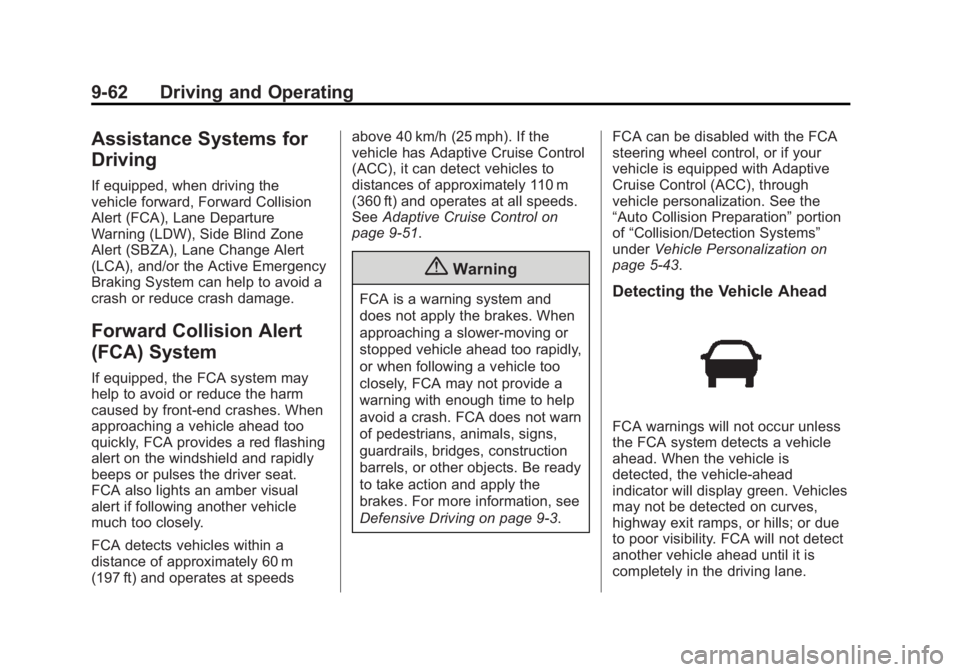
page 5-43.Detecting the Vehicle Ahead
FCA warnings will not occur unless
the FCA system detects a vehicle
ahead. When the vehicle is
detected, the vehicle-ahead
indicator will display green. Vehicles
may not be detected on curves,
highway exit ramps, or hills; or due
to poor visibility. FCA will not detect
another vehicle ahead until it is
completely in the driving lane.
Page 274 of 455
Black plate (65,1)GMC Yukon/Yukon XL Owner Manual (GMNA-Localizing-U.S./Canada/
Mexico-7063682) - 2015 - CRC - 6/5/14
Driving and Operating 9-65
Warning (Continued)
Complete attention is always
required while driving, and you
should be ready to take action
and apply the brakes and/or steer
the vehicle to avoid crashes.
Brake Preparation
When quickly approaching a vehicle
ahead, Brake Preparation reduces
brake response time by having the
brake system prepared for driver
braking to occur more rapidly.
Automatic Braking
In some imminent front-end crash
situations, if the driver has not
applied the brakes, Automatic
Braking applies the brakes to help
reduce crash damage. It may even
help avoid some very low speed
crashes.
Automatic Braking may slow the
vehicle to a complete stop to try to
avoid a potential crash. The vehicle will only hold at a stop briefly. A firm
press of the accelerator pedal will
also release Automatic Braking.
{Warning
Automatic Braking may
automatically brake the vehicle in
situations where it may be
unnecessary. It could respond to
a turning vehicle ahead,
guardrails, signs, and other
non-moving objects. This could
be uncomfortable and startling. To
override Automatic Braking, firmly
press the accelerator pedal, if it is
safe to do so.
Automatic Braking can be disabled
or reduced through vehicle
personalization. See the “Auto
Collision Preparation” portion of
“Collision/Detection Systems” under
Vehicle Personalization on
page 5-43.
{Warning
Using the Automatic Collision
Preparation System while towing
a trailer could cause you to lose
control of the vehicle and crash.
Turn the system off when towing
a trailer.
Side Blind Zone
Alert (SBZA)
If equipped, the SBZA system is a
lane-changing aid that assists
drivers with avoiding crashes that
occur with vehicles in the side blind
zone (or spot) areas. When the
vehicle is moving forward, the left-
or right-side mirror display will light
up if a vehicle is detected in that
blind zone. If the turn signal is
activated and a vehicle is also
detected on the same side, the
display will flash as an extra
warning not to change lanes. Since
this system is part of the Lane
Page 276 of 455
Black plate (67,1)GMC Yukon/Yukon XL Owner Manual (GMNA-Localizing-U.S./Canada/
Mexico-7063682) - 2015 - CRC - 6/5/14
Driving and Operating 9-67
When the vehicle is started, both
outside mirror LCA displays will
briefly come on to indicate the
system is operating. When the
vehicle is moving forward, the left-
or right-side mirror display will light
up if a vehicle is detected in the
next lane over in that blind zone or
rapidly approaching that zone. If the
turn signal is activated in the same
direction as a detected vehicle, this
display will flash as an extra
warning not to change lanes.
LCA can be disabled through
vehicle personalization. See
“Collision/Detection Systems”under
Vehicle Personalization on
page 5-43. If LCA is disabled by the
driver, the LCA mirror displays will
not light up.
When the System Does Not
Seem to Work Properly
The LCA system requires some
driving for the system to calibrate to
maximum performance. This
calibration may occur more quickly if
the vehicle is driving on a straight highway road with traffic and
roadside objects (e.g., guardrails,
barriers).
LCA displays may not come on
when passing a vehicle quickly or
when towing a trailer. The LCA
detection zones that extend back
from the side of the vehicle do not
move further back when a trailer is
towed. Use caution while changing
lanes when towing a trailer. LCA
may alert to objects attached to the
vehicle, such as a trailer, bicycle,
or object extending out to either side
of the vehicle. Attached objects may
also interfere with the detection of
vehicles. This is normal system
operation; the vehicle does not need
service.
LCA may not always alert the driver
to vehicles in the next lane over,
especially in wet conditions or when
driving on sharp curves. The system
does not need to be serviced.
The system may light up due to
guardrails, signs, trees, shrubs, and
other non-moving objects. This is
normal system operation; the
vehicle does not need service.
LCA may not operate when the LCA
sensors in the left or right corners of
the rear bumper are covered with
mud, dirt, snow, ice, or slush, or in
heavy rainstorms. For cleaning
instructions, see "Washing the
Vehicle" under
Exterior Care on
page 10-86. If the DIC still displays
the system unavailable message
after cleaning both sides of the
vehicle toward the rear corners of
the vehicle, see your dealer.
If the LCA displays do not light up
when vehicles are in the side blind
zone or rapidly approaching this
zone and the system is clean, the
system may need service. Take the
vehicle to your dealer.
When LCA is disabled for any
reason other than the driver turning
it off, the Side Blind Zone Alert On
option will not be available on the
personalization menu.
Page 449 of 455
Black plate (8,1)GMC Yukon/Yukon XL Owner Manual (GMNA-Localizing-U.S./Canada/
Mexico-7063682) - 2015 - crc - 6/5/14
i-8 INDEX
Messages (cont'd)Steering System . . . . . . . . . . . . . . 5-39
Tire . . . . . . . . . . . . . . . . . . . . . . . . . . . 5-39
Transmission . . . . . . . . . . . . . . . . . 5-40
Vehicle . . . . . . . . . . . . . . . . . . . . . . . 5-30
Vehicle Reminder . . . . . . . . . . . . . 5-42
Vehicle Speed . . . . . . . . . . . . . . . . 5-42
Washer Fluid . . . . . . . . . . . . . . . . . 5-43
Mirror
Child-View . . . . . . . . . . . . . . . . . . . . 2-30
Mirrors Automatic Dimming . . . . . . . . . . . 2-28
Automatic DimmingRearview . . . . . . . . . . . . . . . . . . . . 2-30
Blind Spot . . . . . . . . . . . . . . . . . . . . 2-28
Convex . . . . . . . . . . . . . . . . . . . . . . . 2-26
Folding . . . . . . . . . . . . . . . . . . . . . . . 2-27
Heated . . . . . . . . . . . . . . . . . . . . . . . 2-28
Manual Rearview . . . . . . . . . . . . . 2-29
Power . . . . . . . . . . . . . . . . . . . . . . . . 2-27
Tilt in Reverse . . . . . . . . . . . . . . . . 2-29
Mirrors, Interior Rearview . . . . . . 2-29
Monitor System, Tire Pressure . . . . . . . . . . . . . . . . . . . . 10-53N
NavigationOnStar®. . . . . . . . . . . . . . . . . . . . . . 14-3
New Vehicle Break-In . . . . . . . . . . 9-19
Noise Control System . . . . . . . . 10-26
O
Object Detection System Messages . . . . . . . . . . . . . . . . . . . . 5-35
Odometer . . . . . . . . . . . . . . . . . . . . . . 5-12 Trip . . . . . . . . . . . . . . . . . . . . . . . . . . . 5-12
Off-Road . . . . . . . . . . . . . . . . . . . . . . . 9-5 Driving . . . . . . . . . . . . . . . . . . . . . . . . . 9-5
Recovery . . . . . . . . . . . . . . . . . . . . . . 9-4
Oil Engine . . . . . . . . . . . . . . . . . . . . . . . . 10-6
Engine Oil Life System . . . . . . . 10-9
Engine Oil PressureGauge . . . . . . . . . . . . . . . . . . . . . . 5-14
Messages . . . . . . . . . . . . . . . . . . . . 5-33
Older Children, Restraints . . . . . 3-42
Online Owner Center . . . . . . . . . . 13-4
OnStar . . . . . . . . . . . . . . . . . . . . . . . 13-15
OnStar
®
System, In Brief . . . . . . . . . . . . . . 1-25 OnStar
®Additional
Information . . . . . . . . . . . . . . . . . . . 14-6
OnStar
®Connections . . . . . . . . . . 14-4
OnStar®Emergency . . . . . . . . . . . 14-2
OnStar®Navigation . . . . . . . . . . . . 14-3
OnStar®Overview . . . . . . . . . . . . . 14-1
OnStar®Security . . . . . . . . . . . . . . 14-3
OnStar®Vehicle
Diagnostics . . . . . . . . . . . . . . . . . . 14-6
Ordering Service Publications . . . . . . . . .13-11
Outlets Power . . . . . . . . . . . . . . . . . . . . . . . . . 5-7
Overheating, Engine . . . . . . . . . . 10-18
P
Park Shifting Into . . . . . . . . . . . . . . . . . . . 9-27
Shifting Out of . . . . . . . . . . . . . . . . 9-29
Parking Brake . . . . . . . . . . . . . . . . . . . . . . . . . 9-42
Brake and P (Park)Mechanism Check . . . . . . . . 10-28
Over Things That Burn . . . . . . . 9-29
Page 450 of 455
Black plate (9,1)GMC Yukon/Yukon XL Owner Manual (GMNA-Localizing-U.S./Canada/
Mexico-7063682) - 2015 - crc - 6/5/14
INDEX i-9
Parking or BackingAssistance Systems . . . . . . . . . . 9-59
Passenger Airbag Status Indicator . . . . . . . . . . . . . . . . . . . . . 5-17
Passenger Compartment Air Filter . . . . . . . . . . . . . . . . . . . . . . . . . . 8-7
Passenger Sensing System . . . 3-35
Perchlorate Materials
Requirements, California . . . . . 10-3
Personalization Vehicle . . . . . . . . . . . . . . . . . . . . . . . 5-43
Power Door Locks . . . . . . . . . . . . . . . . . . . 2-16
Mirrors . . . . . . . . . . . . . . . . . . . . . . . . 2-27
Outlets . . . . . . . . . . . . . . . . . . . . . . . . 5-7
Protection, Battery . . . . . . . . . . . . . 6-8
Retained Accessory (RAP) . . . 9-27
Seat Adjustment . . . . . . . . . . . . . . . 3-3
Windows . . . . . . . . . . . . . . . . . . . . . 2-31
Power Assist Steps . . . . . . . . . . . . 2-22
Pregnancy, Using Safety Belts . . . . . . . . . . . . . . . . . . . . . . . . . 3-25
Privacy Vehicle Data Recording . . . . . 13-14 Program
Courtesy Transportation . . . . . . 13-8
Proposition 65 Warning, California . . . . . . . . . . . . . . . . . . . . . 10-2
R
Radio FrequencyIdentification (RFID) . . . . . . . . . 13-12
Radio Frequency
Statement . . . . . . . . . . . . . . . . . . . 13-12
Reading Lamps . . . . . . . . . . . . . . . . . 6-6
Rear Axle . . . . . . . . . . . . . . . . . . . . . 10-25 Locking . . . . . . . . . . . . . . . . . . . . . . . 9-47
Rear Climate Control System . . . 8-5
Rear Seats Heated . . . . . . . . . . . . . . . . . . . . . . . . 3-9
Rear Storage . . . . . . . . . . . . . . . . . . . 4-2
Rear Window Washer/Wiper . . . . 5-5
Rearview Mirrors . . . . . . . . . . . . . . 2-29 Automatic Dimming . . . . . . . . . . . 2-30
Reclining Seatbacks . . . . . . . . . . . . 3-4
Recommended Fluids and Lubricants . . . . . . . . . . . . . . . . . . . 11-12
Records Maintenance . . . . . . . . . . . . . . . . .11-15 Recreational Vehicle
Towing . . . . . . . . . . . . . . . . . . . . . . 10-80
Reimbursement Program, GM Mobility . . . . . . . . . . . . . . . . . . 13-5
Remote Keyless Entry (RKE)
System . . . . . . . . . . . . . . . 2-4, 2-5, 2-7
Remote Vehicle Start . . . . . . . . . . 2-14
Replacement Glass . . . . . . . . . . . . . . . . . . . . . . . 10-29
Replacement Bulbs . . . . . . . . . . . 10-33
Replacement Parts
Airbags . . . . . . . . . . . . . . . . . . . . . . . 3-41
Maintenance . . . . . . . . . . . . . . . . .11-14
Replacing Airbag System . . . . . . 3-41
Replacing LATCH System Parts after a Crash . . . . . . . . . . . 3-59
Replacing Safety Belt System Parts after a Crash . . . 3-27
Reporting Safety Defects Canadian Government . . . . . . 13-13
General Motors . . . . . . . . . . . . . 13-13
U.S. Government . . . . . . . . . . . 13-13
Restraints Where to Put . . . . . . . . . . . . . . . . . 3-48
Page 453 of 455
Black plate (12,1)GMC Yukon/Yukon XL Owner Manual (GMNA-Localizing-U.S./Canada/
Mexico-7063682) - 2015 - crc - 6/5/14
i-12 INDEX
Tires (cont'd)Pressure Light . . . . . . . . . . . . . . . . 5-25
Pressure Monitor System . . . 10-53
Rotation . . . . . . . . . . . . . . . . . . . . 10-58
Sidewall Labeling . . . . . . . . . . . 10-46
Terminology and
Definitions . . . . . . . . . . . . . . . . . 10-49
Uniform Tire Quality Grading . . . . . . . . . . . . . . . . . . . 10-62
Wheel Alignment and Tire Balance . . . . . . . . . . . . . . . . . . . 10-64
Wheel Replacement . . . . . . . . 10-64
When It Is Time for New Tires . . . . . . . . . . . . . . . . . . . . . . 10-59
Winter . . . . . . . . . . . . . . . . . . . . . . 10-45
Tow/Haul Mode . . . . . . . . . . . . . . . . 9-35
Tow/Haul Mode Light . . . . . . . . . . 5-23
Towing Driving Characteristics . . . . . . . . 9-74
Equipment . . . . . . . . . . . . . . . . . . . . 9-81
General Information . . . . . . . . . . 9-74
Recreational Vehicle . . . . . . . . 10-80
Trailer . . . . . . . . . . . . . . . . . . . . . . . . 9-77
Trailer Sway Control (TSC) . . . 9-88
Vehicle . . . . . . . . . . . . . . . . . . . . . 10-80 Traction
Control System (TCS)/
StabiliTrak
®Light . . . . . . . . . . . . 5-24
Off Light . . . . . . . . . . . . . . . . . . . . . . 5-24
Traction Control/Electronic Stability Control . . . . . . . . . . . . . . 9-44
Trailer
Sway Control (TSC) . . . . . . . . . . 9-88
Towing . . . . . . . . . . . . . . . . . . . . . . . . 9-77
Transfer Case . . . . . . . . . . . . . . . . . 9-36
Transmission Automatic . . . . . . . . . . . . . . . . . . . . . 9-31
Fluid, Automatic . . . . . . . . . . . . 10-10
Messages . . . . . . . . . . . . . . . . . . . . 5-40
Transportation Program, Courtesy . . . . . . . . . . . . . . . . . . . . . 13-8
Trip Odometer . . . . . . . . . . . . . . . . . 5-12
Turn and Lane-Change Signals . . . . . . . . . . . . . . . . . . . . . . . . 6-4
Turn Signal Bulb Replacement . . . . . . . . . . 10-31
U
Uniform Tire Quality
Grading . . . . . . . . . . . . . . . . . . . . . 10-62
Universal Remote System . . . . . 5-50 Operation . . . . . . . . . . . . . . . . . . . . . 5-53
Programming . . . . . . . . . . . . . . . . . 5-50
Using This Manual . . . . . . . . . . . . . . . . iii
V
Vehicle
Alarm System . . . . . . . . . . . . . . . . 2-22
Canadian Owners . . . . . . . . . . . . . . . iii
Control . . . . . . . . . . . . . . . . . . . . . . . . 9-3
IdentificationNumber (VIN) . . . . . . . . . . . . . . . 12-1
Load Limits . . . . . . . . . . . . . . . . . . . 9-14
Messages . . . . . . . . . . . . . . . . . . . . 5-30
Personalization . . . . . . . . . . . . . . . 5-43
Reminder Messages . . . . . . . . . . 5-42
Remote Start . . . . . . . . . . . . . . . . . 2-14
Security . . . . . . . . . . . . . . . . . . . . . . 2-22
Speed Messages . . . . . . . . . . . . . 5-42
Towing . . . . . . . . . . . . . . . . . . . . . . 10-80
Vehicle Ahead Indicator . . . . . . . 5-23