horn GMC YUKON 2018 Owner's Manual
[x] Cancel search | Manufacturer: GMC, Model Year: 2018, Model line: YUKON, Model: GMC YUKON 2018Pages: 431, PDF Size: 6.08 MB
Page 8 of 431

GMC Yukon/Yukon XL/Denali Owner Manual (GMNA-Localizing-U.S./
Canada/Mexico-11349262) - 2018 - CRC - 11/3/17
In Brief 7
1.Air Vents 0189.
2. Head-Up Display (HUD) 0157
(If Equipped).
3.
gTraction Control/Electronic
Stability Control 0234.
jPower Assist Steps 050 (If
Equipped).
XParking Assist Button (If
Equipped). See Assistance
Systems for Parking or Backing
0 248.
ALane Departure Warning
(LDW) 0256 (If Equipped).
0Pedal Adjust Switch (If
Equipped). See Adjustable
Throttle and Brake Pedal
0 209.
4. Turn Signal Lever. See Turn
and Lane-Change Signals
0 178.
Windshield Wiper/Washer
0 126. 5. Favorite Switches (Out of
View). See “Steering Wheel
Controls” in the infotainment
manual.
Volume Switches (Out of View).
See “Steering Wheel Controls”
in the infotainment manual.
6. Hazard Warning Flashers
0178.
7. Instrument Cluster 0136.
8. Shift Lever. See Automatic
Transmission 0220.
Tow/Haul Selector Button. See
Tow/Haul Mode 0225.
Range Selection Mode (If
Equipped). See Manual Mode
0 223.
9. Light Sensor. See Automatic
Headlamp System 0177.
10. Infotainment 0183.
11. Dual Automatic Climate Control
System 0184.
12. Heated and Ventilated Front
Seats 069 (If Equipped). 13. Rear Climate Control Buttons.
SeeRear Climate Control
System 0188.
14. Ignition Positions (Key Access)
0212 orIgnition Positions
(Keyless Access) 0210.
15. Steering Wheel Controls. See the infotainment manual.
16. Horn 0126.
17. Steering Wheel Adjustment
0126.
18. Hood Release. See Hood
0 283.
19. Cruise Control 0237.
Adaptive Cruise Control 0240
(If Equipped).
Forward Collision Alert (FCA)
System 0250 (If Equipped).
Heated Steering Wheel (If
Equipped) 0126 (If Equipped).
20. Trailer Brake Control Panel (If Equipped). See Towing
Equipment 0271.
Page 10 of 431
GMC Yukon/Yukon XL/Denali Owner Manual (GMNA-Localizing-U.S./
Canada/Mexico-11349262) - 2018 - CRC - 11/3/17
In Brief 9
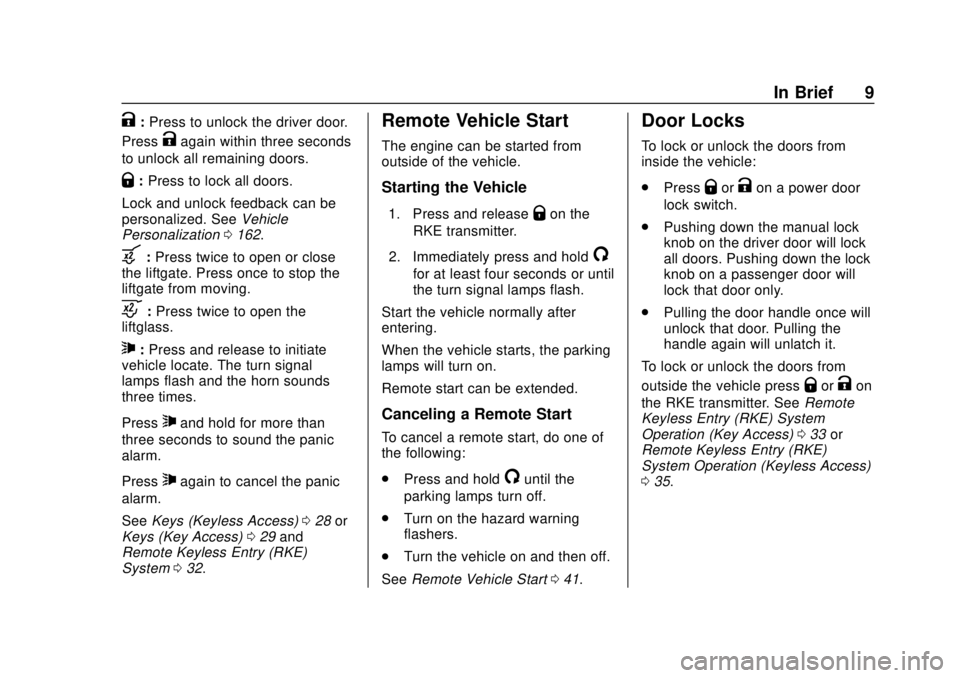
K:Press to unlock the driver door.
Press
Kagain within three seconds
to unlock all remaining doors.
Q: Press to lock all doors.
Lock and unlock feedback can be
personalized. See Vehicle
Personalization 0162.
b:Press twice to open or close
the liftgate. Press once to stop the
liftgate from moving.
c: Press twice to open the
liftglass.
7: Press and release to initiate
vehicle locate. The turn signal
lamps flash and the horn sounds
three times.
Press
7and hold for more than
three seconds to sound the panic
alarm.
Press
7again to cancel the panic
alarm.
See Keys (Keyless Access) 028 or
Keys (Key Access) 029 and
Remote Keyless Entry (RKE)
System 032.
Remote Vehicle Start
The engine can be started from
outside of the vehicle.
Starting the Vehicle
1. Press and releaseQon the
RKE transmitter.
2. Immediately press and hold
/
for at least four seconds or until
the turn signal lamps flash.
Start the vehicle normally after
entering.
When the vehicle starts, the parking
lamps will turn on.
Remote start can be extended.
Canceling a Remote Start
To cancel a remote start, do one of
the following:
. Press and hold
/until the
parking lamps turn off.
. Turn on the hazard warning
flashers.
. Turn the vehicle on and then off.
See Remote Vehicle Start 041.
Door Locks
To lock or unlock the doors from
inside the vehicle:
.
Press
QorKon a power door
lock switch.
. Pushing down the manual lock
knob on the driver door will lock
all doors. Pushing down the lock
knob on a passenger door will
lock that door only.
. Pulling the door handle once will
unlock that door. Pulling the
handle again will unlatch it.
To lock or unlock the doors from
outside the vehicle press
QorKon
the RKE transmitter. See Remote
Keyless Entry (RKE) System
Operation (Key Access) 033 or
Remote Keyless Entry (RKE)
System Operation (Keyless Access)
0 35.
Page 34 of 431
GMC Yukon/Yukon XL/Denali Owner Manual (GMNA-Localizing-U.S./
Canada/Mexico-11349262) - 2018 - CRC - 11/3/17
Keys, Doors, and Windows 33
Remote Keyless Entry
(RKE) System Operation
(Key Access)
The RKE transmitter functions may
work up to 60 m (197 ft) away from
the vehicle.
Other conditions can affect the
performance of the transmitter. See
Remote Keyless Entry (RKE)
System032.
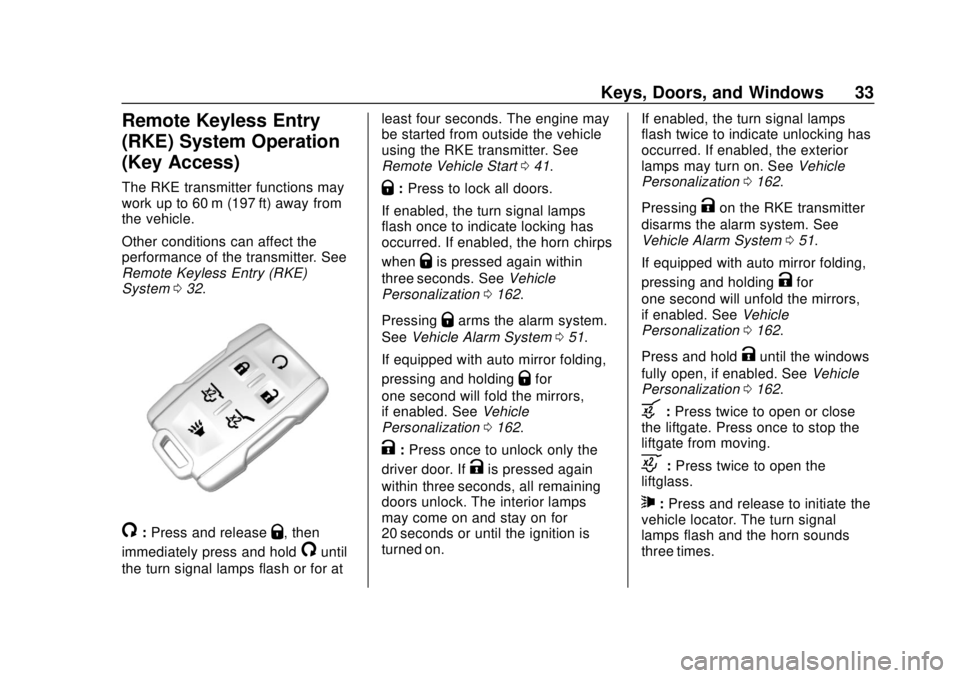
/:Press and releaseQ, then
immediately press and hold
/until
the turn signal lamps flash or for at least four seconds. The engine may
be started from outside the vehicle
using the RKE transmitter. See
Remote Vehicle Start
041.
Q:Press to lock all doors.
If enabled, the turn signal lamps
flash once to indicate locking has
occurred. If enabled, the horn chirps
when
Qis pressed again within
three seconds. See Vehicle
Personalization 0162.
Pressing
Qarms the alarm system.
See Vehicle Alarm System 051.
If equipped with auto mirror folding,
pressing and holding
Qfor
one second will fold the mirrors,
if enabled. See Vehicle
Personalization 0162.
K:Press once to unlock only the
driver door. If
Kis pressed again
within three seconds, all remaining
doors unlock. The interior lamps
may come on and stay on for
20 seconds or until the ignition is
turned on. If enabled, the turn signal lamps
flash twice to indicate unlocking has
occurred. If enabled, the exterior
lamps may turn on. See
Vehicle
Personalization 0162.
Pressing
Kon the RKE transmitter
disarms the alarm system. See
Vehicle Alarm System 051.
If equipped with auto mirror folding,
pressing and holding
Kfor
one second will unfold the mirrors,
if enabled. See Vehicle
Personalization 0162.
Press and hold
Kuntil the windows
fully open, if enabled. See Vehicle
Personalization 0162.
b:Press twice to open or close
the liftgate. Press once to stop the
liftgate from moving.
c: Press twice to open the
liftglass.
7: Press and release to initiate the
vehicle locator. The turn signal
lamps flash and the horn sounds
three times.
Page 35 of 431
GMC Yukon/Yukon XL/Denali Owner Manual (GMNA-Localizing-U.S./
Canada/Mexico-11349262) - 2018 - CRC - 11/3/17
34 Keys, Doors, and Windows
Press and hold7for more than
three seconds to activate the panic
alarm. The turn signal lamps flash
and the horn sounds repeatedly for
30 seconds. The alarm turns off
when the ignition is turned on or
7
is pressed again. The ignition must
be off for the panic alarm to work.
Programming Transmitters to
the Vehicle
Only RKE transmitters programmed
to this vehicle will work. If a
transmitter is lost or stolen, a
replacement can be purchased and
programmed through your dealer.
Each vehicle can have up to
eight transmitters programmed to it.
See your dealer for transmitter
programming.
Battery Replacement
Replace the battery in the
transmitter soon if the REPLACE
BATTERY IN REMOTE KEY
displays in the DIC.
Caution
When replacing the battery, do
not touch any of the circuitry on
the transmitter. Static from your
body could damage the
transmitter.
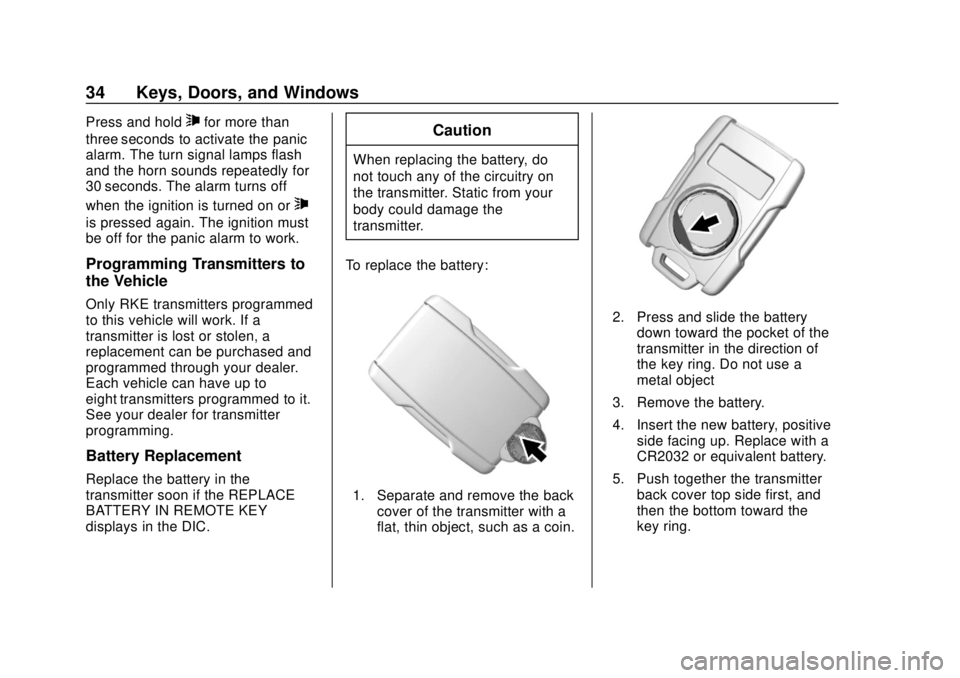
To replace the battery:
1. Separate and remove the back cover of the transmitter with a
flat, thin object, such as a coin.
2. Press and slide the batterydown toward the pocket of the
transmitter in the direction of
the key ring. Do not use a
metal object
3. Remove the battery.
4. Insert the new battery, positive side facing up. Replace with a
CR2032 or equivalent battery.
5. Push together the transmitter back cover top side first, and
then the bottom toward the
key ring.
Page 36 of 431
GMC Yukon/Yukon XL/Denali Owner Manual (GMNA-Localizing-U.S./
Canada/Mexico-11349262) - 2018 - CRC - 11/3/17
Keys, Doors, and Windows 35
Remote Keyless Entry
(RKE) System Operation
(Keyless Access)
The Keyless Access system allows
for vehicle entry when the
transmitter is within 1 m (3 ft). See
“Keyless Access Operation”later in
this section.
The RKE transmitter functions may
work up to 60 m (197 ft) away from
the vehicle.
Other conditions can affect the
performance of the transmitter. See
Remote Keyless Entry (RKE)
System 032.
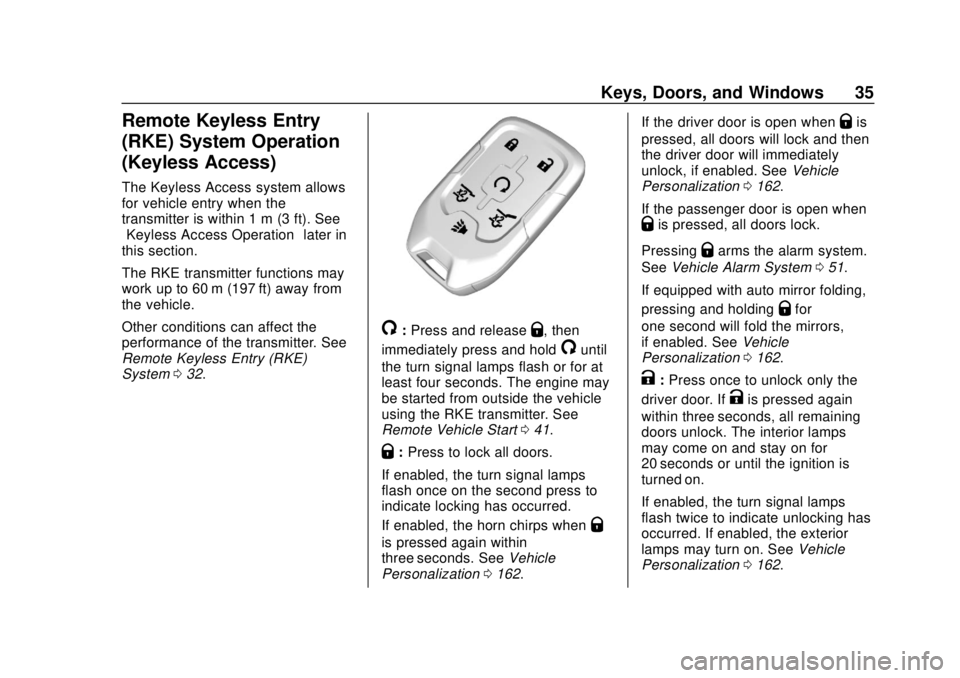
/:Press and releaseQ, then
immediately press and hold
/until
the turn signal lamps flash or for at
least four seconds. The engine may
be started from outside the vehicle
using the RKE transmitter. See
Remote Vehicle Start 041.
Q:Press to lock all doors.
If enabled, the turn signal lamps
flash once on the second press to
indicate locking has occurred.
If enabled, the horn chirps when
Q
is pressed again within
three seconds. See Vehicle
Personalization 0162. If the driver door is open when
Qis
pressed, all doors will lock and then
the driver door will immediately
unlock, if enabled. See Vehicle
Personalization 0162.
If the passenger door is open when
Qis pressed, all doors lock.
Pressing
Qarms the alarm system.
See Vehicle Alarm System 051.
If equipped with auto mirror folding,
pressing and holding
Qfor
one second will fold the mirrors,
if enabled. See Vehicle
Personalization 0162.
K:Press once to unlock only the
driver door. If
Kis pressed again
within three seconds, all remaining
doors unlock. The interior lamps
may come on and stay on for
20 seconds or until the ignition is
turned on.
If enabled, the turn signal lamps
flash twice to indicate unlocking has
occurred. If enabled, the exterior
lamps may turn on. See Vehicle
Personalization 0162.
Page 37 of 431
GMC Yukon/Yukon XL/Denali Owner Manual (GMNA-Localizing-U.S./
Canada/Mexico-11349262) - 2018 - CRC - 11/3/17
36 Keys, Doors, and Windows
PressingKon the RKE transmitter
disarms the alarm system. See
Vehicle Alarm System 051.
If equipped with auto mirror folding,
pressing and holding
Kfor
one second will unfold the mirrors,
if enabled. See Vehicle
Personalization 0162.
Press and hold
Kuntil the windows
fully open, if remote window
operation is enabled. See Vehicle
Personalization 0162.
b:Press twice to open or close
the liftgate. Press once to stop the
liftgate from moving.
c: Press twice to open the
liftglass.
7: Press and release to initiate
vehicle locate. The turn signal
lamps flash and the horn sounds
three times.
Press and hold
7for more than
three seconds to activate the panic
alarm. The turn signal lamps flash
and the horn sounds repeatedly for
30 seconds. The alarm turns off when the ignition is turned on or
7
is pressed again. The ignition must
be off for the panic alarm to work.
Keyless Access Operation
The Keyless Access system allows
for doors and the liftgate to be
accessed without pressing the RKE
transmitter button. The RKE
transmitter must be within 1 m (3 ft)
of the liftgate or door being opened.
If the vehicle has this feature, there
will be a button on the outside door
handles.
Keyless Access can be
programmed to unlock all doors on
the first lock/unlock press from the
driver door. See
Vehicle
Personalization 0162.
If equipped with memory seats, RKE
transmitters 1 and 2 are linked to
seating positions of memory 1 or 2.
See Memory Seats 066.
Keyless Unlocking/Locking from
the Driver Door
When the doors are locked and the
RKE transmitter is within 1 m (3 ft)
of the door handle, pressing the lock/unlock button on the driver door
handle will unlock the driver door.
If the lock/unlock button is pressed
again within five seconds, all
passenger doors and the liftgate will
unlock.
Driver Side Shown, Passenger
Side Similar
Pressing the lock/unlock button will
cause all doors to lock if any of the
following occur:
. It has been more than
five seconds since the first lock/
unlock button press.
. Two lock/unlock button presses
were used to unlock all doors.
Page 38 of 431
GMC Yukon/Yukon XL/Denali Owner Manual (GMNA-Localizing-U.S./
Canada/Mexico-11349262) - 2018 - CRC - 11/3/17
Keys, Doors, and Windows 37
.Any vehicle door has been
opened and all doors are now
closed.
Keyless Unlocking/Locking from
the Passenger Doors
When the doors are locked and the
RKE transmitter is within 1 m (3 ft)
of the door handle, pressing the
lock/unlock button on a passenger
door handle will unlock all doors.
Pressing the lock/unlock button will
cause all doors to lock if any of the
following occur:
. The lock/unlock button was used
to unlock all doors.
. Any vehicle door has been
opened and all doors are now
closed.
Passive Locking
If equipped with Keyless Access,
this feature will lock the vehicle
several seconds after all doors are
closed, if the vehicle is off and at
least one RKE transmitter has been
removed from the interior, or none
remain in the interior. If other electronic devices interfere
with the RKE transmitter signal, the
vehicle may not detect the RKE
transmitter inside the vehicle.
If passive locking is enabled, the
doors may lock with the RKE
transmitter inside the vehicle. Do
not leave the RKE transmitter in an
unattended vehicle.
To customize the doors to
automatically lock when exiting the
vehicle, see
“Remote Lock, Unlock,
Start” under Vehicle Personalization
0 162.
Temporary Disable of Passive
Locking
Temporarily disable passive locking
by pressing and holding
Kon the
interior door switch with a door open
for at least four seconds, or until
three chimes are heard. Passive
locking will then remain disabled
until
Qon the interior door is
pressed, or until the vehicle is
turned on. Remote Left In Vehicle Alert
When the vehicle is turned off and
an RKE transmitter is left in the
vehicle, the horn will chirp three
times after all doors are closed. To
turn on or off see
Vehicle
Personalization 0162.
Remote No Longer in Vehicle Alert
If the vehicle is on with a door open,
and then all doors are closed, the
vehicle will check for RKE
transmitters inside. If an RKE
transmitter is not detected, the DIC
will display NO REMOTE
DETECTED and the horn will chirp
three times. This occurs only once
each time the vehicle is driven. To
turn on or off see Vehicle
Personalization 0162.
Keyless Liftgate Opening
Press the touch pad on the
underside of the liftgate handle to
open the liftgate when all doors are
unlocked, or when the transmitter is
within 1 m (3 ft).
Page 45 of 431
GMC Yukon/Yukon XL/Denali Owner Manual (GMNA-Localizing-U.S./
Canada/Mexico-11349262) - 2018 - CRC - 11/3/17
44 Keys, Doors, and Windows
WhenQis pressed on the power
door lock switch while the door is
open, a chime will sound three
times indicating delayed locking is
active.
The doors will lock automatically
five seconds after all doors are
closed. If a door is reopened before
that time, the five-second timer will
reset when all doors are closed
again.
Press
Qon the door lock switch
again or press
Qon the RKE
transmitter to lock the doors
immediately.
This feature can be programmed.
See “Delayed Door Lock” under
Vehicle Personalization 0162.
Automatic Door Locks
The doors will lock automatically
when all doors are closed, the
ignition is on, and the vehicle is
shifted out of P (Park).
If a vehicle door is unlocked, and
then opened and closed, the doors
will lock either when your foot is removed from the brake or the
vehicle speed becomes faster than
13 km/h (8 mph).
To unlock the doors:
.
Press
Kon the power door lock
switch.
. Shift the transmission into
P (Park).
Automatic door locking cannot be
disabled. Automatic door unlocking
can be programmed. See Vehicle
Personalization 0162.
Lockout Protection
Key Access : When locking is
requested with the driver door open
and the key in the ignition, all the
doors will lock and then the driver
door will unlock.
This can be manually overridden by
pressing and holding
Qon the
power door lock switch. Keyless Access :
When locking is
requested with the driver door open
and the vehicle is on or in ACC/
ACCESSORY, all the doors will lock
and then the driver door will unlock.
If the vehicle is off and locking is
requested while a door is open,
when all doors are closed the
vehicle will check for RKE
transmitters inside. If an RKE
transmitter is detected and the
number of RKE transmitters inside
has not reduced, the driver door will
unlock and the horn will sound three
times.
This can be manually overridden by
pressing and holding
Qon the
power door lock switch.
Unlocked Door Anti-Lockout
If Unlocked Door Anti-Lockout is
turned on and the vehicle is off, the
driver door is open, and locking is
requested, all the doors will lock and
the driver door will remain open.
Press the button again to lock the
driver door. The Unlocked Door
Page 49 of 431
GMC Yukon/Yukon XL/Denali Owner Manual (GMNA-Localizing-U.S./
Canada/Mexico-11349262) - 2018 - CRC - 11/3/17
48 Keys, Doors, and Windows
Caution
Manually forcing the liftgate to
open or close during a power
cycle can damage the vehicle.
Allow the power cycle to
complete.
The power liftgate may be
temporarily disabled in extremely
low temperatures, or after repeated
power cycling over a short period of
time. If this occurs, the liftgate can
still be operated manually. Select
OFF on the liftgate switch.
If the vehicle is shifted out of
P (Park) while the power function is
in progress, the liftgate will continue
to completion. If the vehicle is
accelerated before the liftgate has
completed moving, the liftgate may
stop or reverse direction. Check for
Driver Information Center (DIC)
messages and make sure the
liftgate is closed and latched before
driving. Falling Liftgate Detection
If the power liftgate automatically
closes after a power opening cycle,
it indicates that the system is
reacting to excess weight on the
liftgate or a possible support strut
failure. Remove any excess weight.
If the liftgate continues to
automatically close after opening,
see your dealer for service before
using the power liftgate.
Interfering with the power liftgate
motion or manually closing the
liftgate too quickly after power
opening may resemble a support
strut failure. This could also activate
the falling liftgate detection feature.
Allow the liftgate to complete its
operation and wait a few seconds
before manually closing the liftgate.
Obstacle Detection Features
If the liftgate encounters an obstacle
during a power open or close cycle,
the liftgate will automatically reverse
direction and move a short distance
away from the obstacle. After
removing the obstruction, the power
liftgate operation can be used again.If the liftgate encounters multiple
obstacles on the same power cycle,
the power function will deactivate.
After removing the obstructions,
manually close the liftgate. This will
allow normal power operation
functions to resume.
If the vehicle is locked while the
liftgate is closing, and an obstacle
prevents the liftgate from completely
closing, the horn will sound as an
alert that the liftgate did not close.
Pinch sensors are on the side
edges of the liftgate. If an object is
caught between the liftgate and the
vehicle and presses against a
sensor, the liftgate will reverse
direction and stop at a partially open
position. The liftgate will remain
open until it is activated again or
closed manually.Setting the 3/4 Mode
To change the position the liftgate
stops at when opening:
1. Select MAX or 3/4 mode and open the liftgate.
Page 52 of 431
GMC Yukon/Yukon XL/Denali Owner Manual (GMNA-Localizing-U.S./
Canada/Mexico-11349262) - 2018 - CRC - 11/3/17
Keys, Doors, and Windows 51
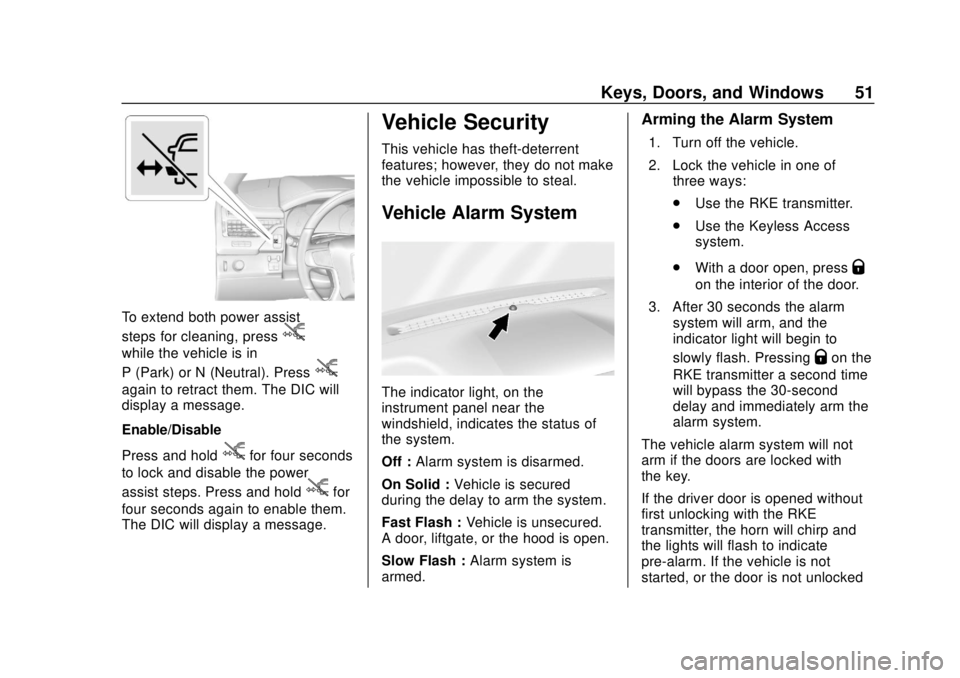
To extend both power assist
steps for cleaning, press
j
while the vehicle is in
P (Park) or N (Neutral). Press
j
again to retract them. The DIC will
display a message.
Enable/Disable
Press and hold
jfor four seconds
to lock and disable the power
assist steps. Press and hold
jfor
four seconds again to enable them.
The DIC will display a message.
Vehicle Security
This vehicle has theft-deterrent
features; however, they do not make
the vehicle impossible to steal.
Vehicle Alarm System
The indicator light, on the
instrument panel near the
windshield, indicates the status of
the system.
Off : Alarm system is disarmed.
On Solid : Vehicle is secured
during the delay to arm the system.
Fast Flash : Vehicle is unsecured.
A door, liftgate, or the hood is open.
Slow Flash : Alarm system is
armed.
Arming the Alarm System
1. Turn off the vehicle.
2. Lock the vehicle in one of three ways:
.Use the RKE transmitter.
. Use the Keyless Access
system.
. With a door open, press
Q
on the interior of the door.
3. After 30 seconds the alarm system will arm, and the
indicator light will begin to
slowly flash. Pressing
Qon the
RKE transmitter a second time
will bypass the 30-second
delay and immediately arm the
alarm system.
The vehicle alarm system will not
arm if the doors are locked with
the key.
If the driver door is opened without
first unlocking with the RKE
transmitter, the horn will chirp and
the lights will flash to indicate
pre-alarm. If the vehicle is not
started, or the door is not unlocked