reset GMC YUKON DENALI 2004 Owner's Guide
[x] Cancel search | Manufacturer: GMC, Model Year: 2004, Model line: YUKON DENALI, Model: GMC YUKON DENALI 2004Pages: 468, PDF Size: 3.18 MB
Page 375 of 468
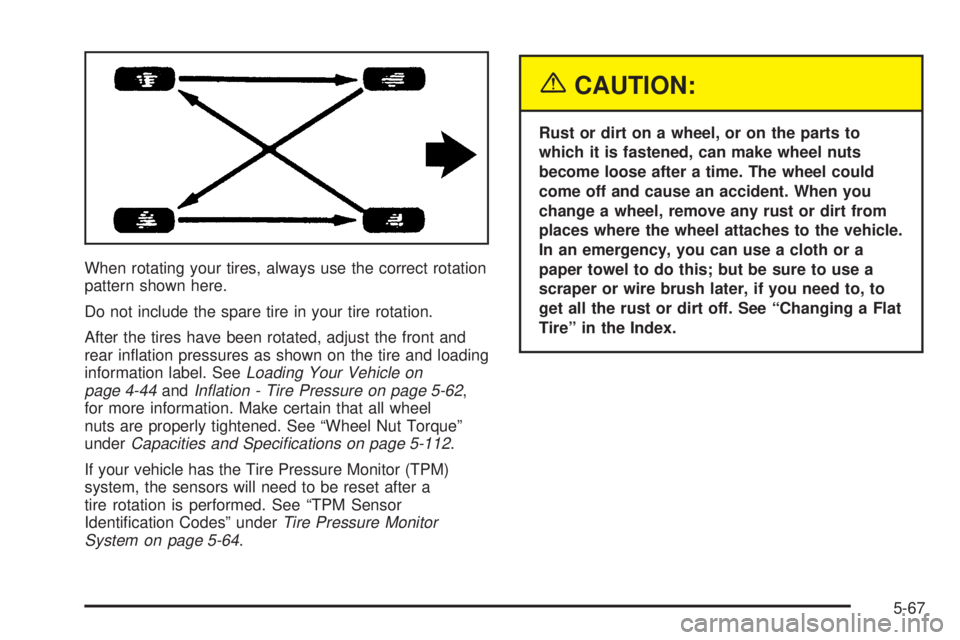
When rotating your tires, always use the correct rotation
pattern shown here.
Do not include the spare tire in your tire rotation.
After the tires have been rotated, adjust the front and
rear in¯ation pressures as shown on the tire and loading
information label. See
Loading Your Vehicle on
page 4-44andIn¯ation - Tire Pressure on page 5-62,
for more information. Make certain that all wheel
nuts are properly tightened. See ªWheel Nut Torqueº
under
Capacities and Speci®cations on page 5-112.
If your vehicle has the Tire Pressure Monitor (TPM)
system, the sensors will need to be reset after a
tire rotation is performed. See ªTPM Sensor
Identi®cation Codesº under
Tire Pressure Monitor
System on page 5-64.
{CAUTION:
Rust or dirt on a wheel, or on the parts to
which it is fastened, can make wheel nuts
become loose after a time. The wheel could
come off and cause an accident. When you
change a wheel, remove any rust or dirt from
places where the wheel attaches to the vehicle.
In an emergency, you can use a cloth or a
paper towel to do this; but be sure to use a
scraper or wire brush later, if you need to, to
get all the rust or dirt off. See ªChanging a Flat
Tireº in the Index.
5-67
Page 379 of 468
Wheel Alignment and Tire Balance
The wheels on your vehicle were aligned and balanced
carefully at the factory to give you the longest tire life
and best overall performance.
Scheduled wheel alignment and wheel balancing are
not needed. However, if you notice unusual tire wear or
your vehicle pulling one way or the other, the alignment
may need to be reset. If you notice your vehicle
vibrating when driving on a smooth road, your wheels
may need to be rebalanced.
Wheel Replacement
Replace any wheel that is bent, cracked, or badly rusted
or corroded. If wheel nuts keep coming loose, the
wheel, wheel bolts and wheel nuts should be replaced.
If the wheel leaks air, replace it (except some
aluminum wheels, which can sometimes be repaired).
See your dealer if any of these conditions exist.
Your dealer will know the kind of wheel you need.
Each new wheel should have the same load-carrying
capacity, diameter, width, offset and be mounted
the same way as the one it replaces.If you need to replace any of your wheels, wheel bolts
or wheel nuts, replace them only with new GM
original equipment parts. This way, you will be sure to
have the right wheel, wheel bolts and wheel nuts
for your vehicle.
{CAUTION:
Using the wrong replacement wheels, wheel
bolts or wheel nuts on your vehicle can be
dangerous. It could affect the braking and
handling of your vehicle, make your tires lose
air and make you lose control. You could have
a collision in which you or others could be
injured. Always use the correct wheel, wheel
bolts and wheel nuts for replacement.
Notice:The wrong wheel can also cause problems
with bearing life, brake cooling, speedometer or
odometer calibration, headlamp aim, bumper height,
vehicle ground clearance and tire clearance to the
body and chassis.
See
Changing a Flat Tire on page 5-74for more
information.
5-71
Page 426 of 468
Some maintenance services can be complex.
So, unless you are technically quali®ed and have
the necessary equipment, you should have your
GM Goodwrench dealer do these jobs.
When you go to your GM Goodwrench dealer for your
service needs, you will know that GM-trained and
supported service technicians will perform the work
using genuine GM parts.
If you want to get service information, see
Service
Publications Ordering Information on page 7-11.
Owner Checks and Services on page 6-9tells you what
should be checked, when to check it and what you
can easily do to help keep your vehicle in good
condition.
The proper replacement parts, ¯uids and lubricants to
use are listed in
Recommended Fluids and Lubricants
on page 6-13andNormal Maintenance Replacement
Parts on page 6-15. When your vehicle is serviced,
make sure these are used. All parts should be replaced
and all necessary repairs done before you or anyone
else drives the vehicle. We recommend the use of
genuine GM parts.
Scheduled Maintenance
When the CHANGE ENGINE OIL message comes on, it
means that service is required for your vehicle. Have
your vehicle serviced as soon as possible within the next
600 miles (1 000 km). It is possible that, if you are
driving under the best conditions, the engine oil
life system may not indicate that vehicle service is
necessary for over a year. However, your engine oil and
®lter must be changed at least once a year and at
this time the system must be reset. Your GM
Goodwrench dealer has GM-trained service technicians
who will perform this work using genuine GM parts
and reset the system.
If the engine oil life system is ever reset accidentally,
you must service your vehicle within 3,000 miles
(5 000 km) since your last service. Remember to reset
the oil life system whenever the oil is changed. See
Engine Oil on page 5-13for information on the Engine
Oil Life System and resetting the system.
When the CHANGE ENGINE OIL message appears,
certain services, checks and inspections are required.
Required services are described in the following for
ªMaintenanceIº and ªMaintenanceII.º Generally,
it is recommended that your ®rst service be
MaintenanceI, your second service be MaintenanceII
and that you alternate MaintenanceIand MaintenanceII
thereafter. However, in some cases, MaintenanceII
may be required more often.
6-4
Page 427 of 468
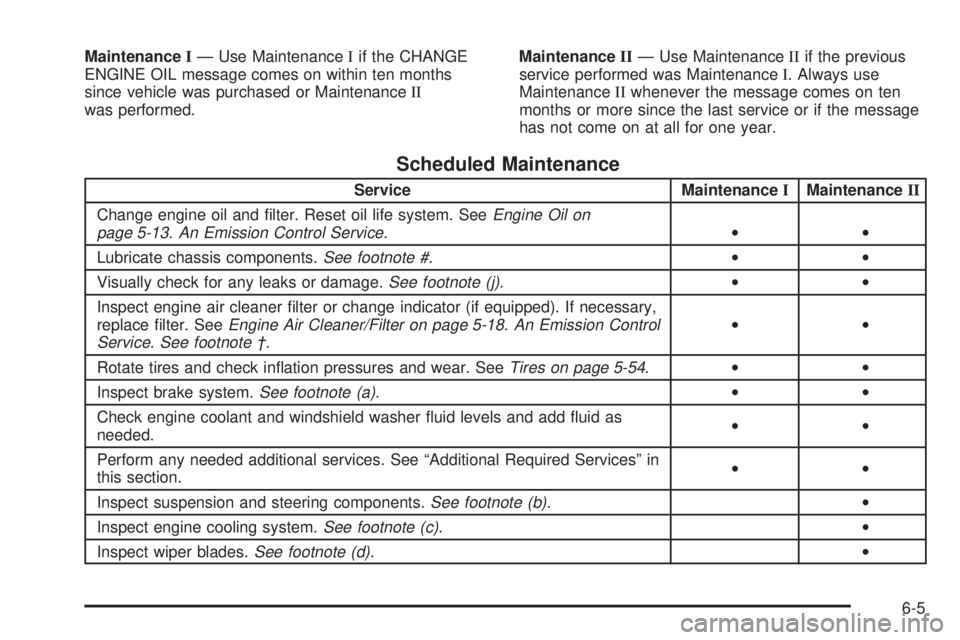
MaintenanceIÐ Use MaintenanceIif the CHANGE
ENGINE OIL message comes on within ten months
since vehicle was purchased or MaintenanceII
was performed.MaintenanceIIÐ Use MaintenanceIIif the previous
service performed was MaintenanceI. Always use
MaintenanceIIwhenever the message comes on ten
months or more since the last service or if the message
has not come on at all for one year.
Scheduled Maintenance
Service MaintenanceIMaintenanceII
Change engine oil and ®lter. Reset oil life system. See
Engine Oil on
page 5-13.An Emission Control Service.··
Lubricate chassis components.
See footnote #.··
Visually check for any leaks or damage.
See footnote (j).··
Inspect engine air cleaner ®lter or change indicator (if equipped). If necessary,
replace ®lter. See
Engine Air Cleaner/Filter on page 5-18.An Emission Control
Service. See footnote ².··
Rotate tires and check in¯ation pressures and wear. See
Tires on page 5-54.··
Inspect brake system.
See footnote (a).··
Check engine coolant and windshield washer ¯uid levels and add ¯uid as
needed.··
Perform any needed additional services. See ªAdditional Required Servicesº in
this section.··
Inspect suspension and steering components.
See footnote (b).·
Inspect engine cooling system.
See footnote (c).·
Inspect wiper blades.
See footnote (d).·
6-5
Page 462 of 468
O
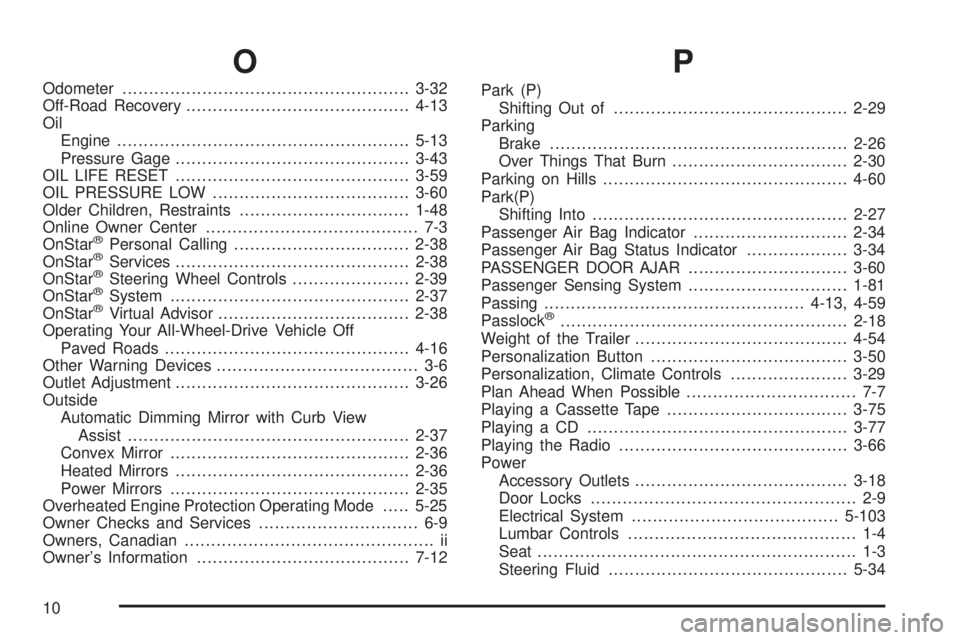
Odometer......................................................3-32
Off-Road Recovery..........................................4-13
Oil
Engine.......................................................5-13
Pressure Gage............................................3-43
OIL LIFE RESET............................................3-59
OIL PRESSURE LOW.....................................3-60
Older Children, Restraints................................1-48
Online Owner Center........................................ 7-3
OnStar
žPersonal Calling.................................2-38
OnStaržServices............................................2-38
OnStaržSteering Wheel Controls......................2-39
OnStaržSystem.............................................2-37
OnStaržVirtual Advisor....................................2-38
Operating Your All-Wheel-Drive Vehicle Off
Paved Roads..............................................4-16
Other Warning Devices...................................... 3-6
Outlet Adjustment............................................3-26
Outside
Automatic Dimming Mirror with Curb View
Assist.....................................................2-37
Convex Mirror.............................................2-36
Heated Mirrors............................................2-36
Power Mirrors.............................................2-35
Overheated Engine Protection Operating Mode.....5-25
Owner Checks and Services.............................. 6-9
Owners, Canadian............................................... ii
Owner's Information........................................7-12
P
Park (P)
Shifting Out of............................................2-29
Parking
Brake........................................................2-26
Over Things That Burn.................................2-30
Parking on Hills..............................................4-60
Park(P)
Shifting Into................................................2-27
Passenger Air Bag Indicator.............................2-34
Passenger Air Bag Status Indicator...................3-34
PASSENGER DOOR AJAR..............................3-60
Passenger Sensing System..............................1-81
Passing.................................................4-13, 4-59
Passlock
ž......................................................2-18
Weight of the Trailer........................................4-54
Personalization Button.....................................3-50
Personalization, Climate Controls......................3-29
Plan Ahead When Possible................................ 7-7
Playing a Cassette Tape..................................3-75
Playing a CD.................................................3-77
Playing the Radio...........................................3-66
Power
Accessory Outlets........................................3-18
Door Locks.................................................. 2-9
Electrical System.......................................5-103
Lumbar Controls........................................... 1-4
Seat............................................................ 1-3
Steering Fluid.............................................5-34
10
Page 464 of 468
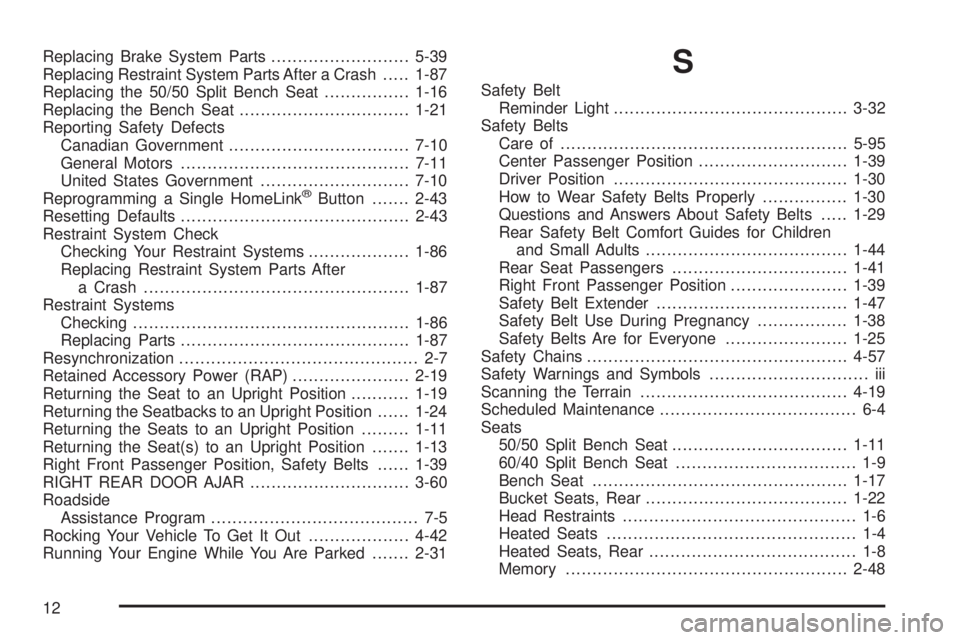
Replacing Brake System Parts..........................5-39
Replacing Restraint System Parts After a Crash.....1-87
Replacing the 50/50 Split Bench Seat................1-16
Replacing the Bench Seat................................1-21
Reporting Safety Defects
Canadian Government..................................7-10
General Motors...........................................7-11
United States Government............................7-10
Reprogramming a Single HomeLink
žButton.......2-43
Resetting Defaults...........................................2-43
Restraint System Check
Checking Your Restraint Systems...................1-86
Replacing Restraint System Parts After
a Crash..................................................1-87
Restraint Systems
Checking....................................................1-86
Replacing Parts...........................................1-87
Resynchronization............................................. 2-7
Retained Accessory Power (RAP)......................2-19
Returning the Seat to an Upright Position...........1-19
Returning the Seatbacks to an Upright Position......1-24
Returning the Seats to an Upright Position.........1-11
Returning the Seat(s) to an Upright Position.......1-13
Right Front Passenger Position, Safety Belts......1-39
RIGHT REAR DOOR AJAR..............................3-60
Roadside
Assistance Program....................................... 7-5
Rocking Your Vehicle To Get It Out...................4-42
Running Your Engine While You Are Parked.......2-31
S
Safety Belt
Reminder Light............................................3-32
Safety Belts
Care of......................................................5-95
Center Passenger Position............................1-39
Driver Position............................................1-30
How to Wear Safety Belts Properly................1-30
Questions and Answers About Safety Belts.....1-29
Rear Safety Belt Comfort Guides for Children
and Small Adults......................................1-44
Rear Seat Passengers.................................1-41
Right Front Passenger Position......................1-39
Safety Belt Extender....................................1-47
Safety Belt Use During Pregnancy.................1-38
Safety Belts Are for Everyone.......................1-25
Safety Chains.................................................4-57
Safety Warnings and Symbols.............................. iii
Scanning the Terrain.......................................4-19
Scheduled Maintenance..................................... 6-4
Seats
50/50 Split Bench Seat.................................1-11
60/40 Split Bench Seat.................................. 1-9
Bench Seat................................................1-17
Bucket Seats, Rear......................................1-22
Head Restraints............................................ 1-6
Heated Seats............................................... 1-4
Heated Seats, Rear....................................... 1-8
Memory.....................................................2-48
12
Page 465 of 468
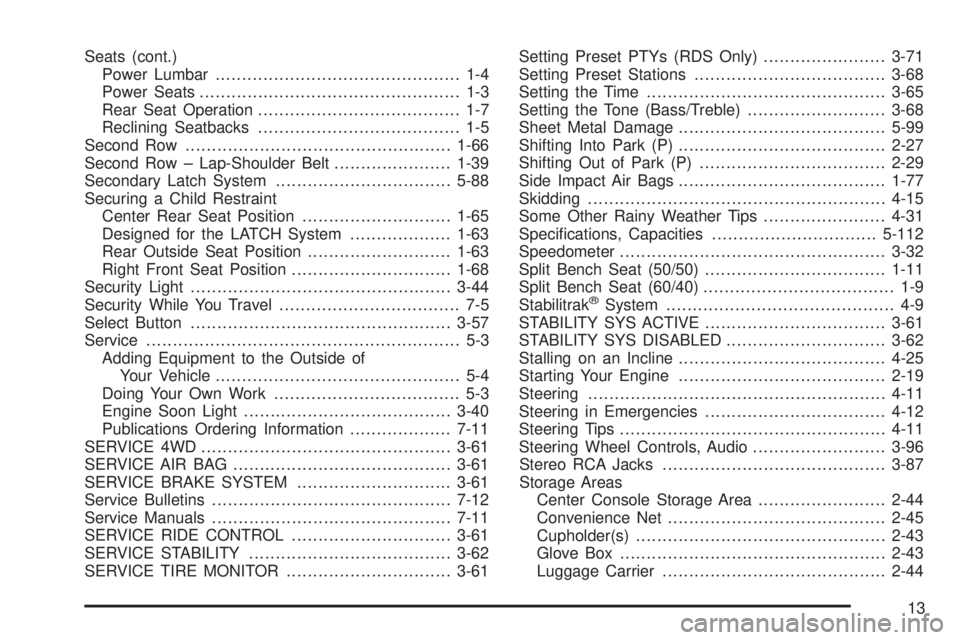
Seats (cont.)
Power Lumbar.............................................. 1-4
Power Seats................................................. 1-3
Rear Seat Operation...................................... 1-7
Reclining Seatbacks...................................... 1-5
Second Row..................................................1-66
Second Row ± Lap-Shoulder Belt......................1-39
Secondary Latch System.................................5-88
Securing a Child Restraint
Center Rear Seat Position............................1-65
Designed for the LATCH System...................1-63
Rear Outside Seat Position...........................1-63
Right Front Seat Position..............................1-68
Security Light.................................................3-44
Security While You Travel.................................. 7-5
Select Button.................................................3-57
Service........................................................... 5-3
Adding Equipment to the Outside of
Your Vehicle.............................................. 5-4
Doing Your Own Work................................... 5-3
Engine Soon Light.......................................3-40
Publications Ordering Information...................7-11
SERVICE 4WD...............................................3-61
SERVICE AIR BAG.........................................3-61
SERVICE BRAKE SYSTEM.............................3-61
Service Bulletins.............................................7-12
Service Manuals.............................................7-11
SERVICE RIDE CONTROL..............................3-61
SERVICE STABILITY......................................3-62
SERVICE TIRE MONITOR...............................3-61Setting Preset PTYs (RDS Only).......................3-71
Setting Preset Stations....................................3-68
Setting the Time.............................................3-65
Setting the Tone (Bass/Treble)..........................3-68
Sheet Metal Damage.......................................5-99
Shifting Into Park (P).......................................2-27
Shifting Out of Park (P)...................................2-29
Side Impact Air Bags.......................................1-77
Skidding........................................................4-15
Some Other Rainy Weather Tips.......................4-31
Speci®cations, Capacities...............................5-112
Speedometer..................................................3-32
Split Bench Seat (50/50)..................................1-11
Split Bench Seat (60/40).................................... 1-9
Stabilitrak
žSystem........................................... 4-9
STABILITY SYS ACTIVE..................................3-61
STABILITY SYS DISABLED..............................3-62
Stalling on an Incline.......................................4-25
Starting Your Engine.......................................2-19
Steering........................................................4-11
Steering in Emergencies..................................4-12
Steering Tips..................................................4-11
Steering Wheel Controls, Audio.........................3-96
Stereo RCA Jacks..........................................3-87
Storage Areas
Center Console Storage Area........................2-44
Convenience Net.........................................2-45
Cupholder(s)...............................................2-43
Glove Box..................................................2-43
Luggage Carrier..........................................2-44
13