lock GMC YUKON DENALI 2004 Repair Manual
[x] Cancel search | Manufacturer: GMC, Model Year: 2004, Model line: YUKON DENALI, Model: GMC YUKON DENALI 2004Pages: 468, PDF Size: 3.18 MB
Page 181 of 468
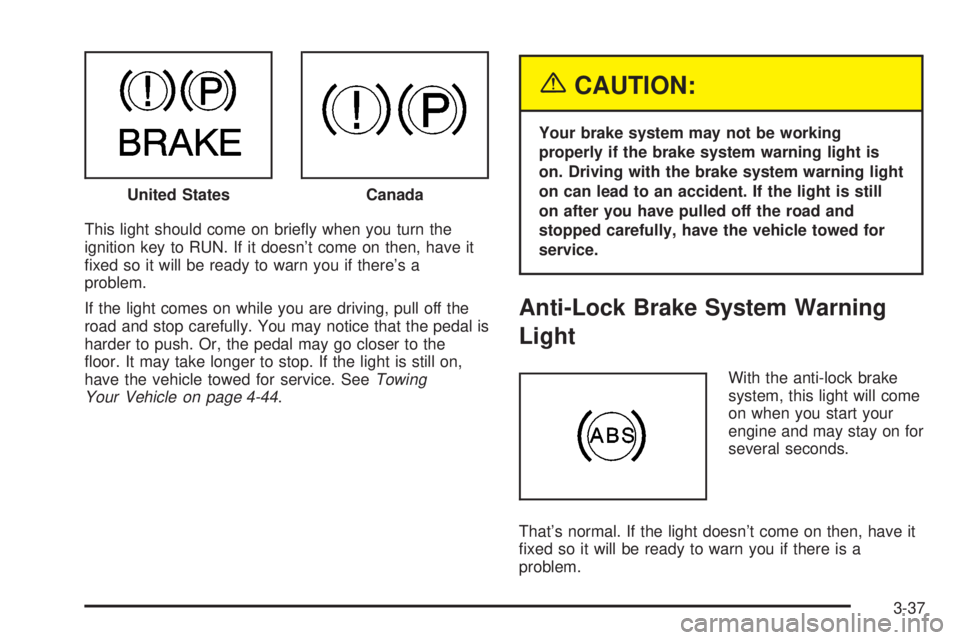
This light should come on brie¯y when you turn the
ignition key to RUN. If it doesn't come on then, have it
®xed so it will be ready to warn you if there's a
problem.
If the light comes on while you are driving, pull off the
road and stop carefully. You may notice that the pedal is
harder to push. Or, the pedal may go closer to the
¯oor. It may take longer to stop. If the light is still on,
have the vehicle towed for service. See
Towing
Your Vehicle on page 4-44.
{CAUTION:
Your brake system may not be working
properly if the brake system warning light is
on. Driving with the brake system warning light
on can lead to an accident. If the light is still
on after you have pulled off the road and
stopped carefully, have the vehicle towed for
service.
Anti-Lock Brake System Warning
Light
With the anti-lock brake
system, this light will come
on when you start your
engine and may stay on for
several seconds.
That's normal. If the light doesn't come on then, have it
®xed so it will be ready to warn you if there is a
problem. United States
Canada
3-37
Page 182 of 468
If the light stays on, or comes on when you're driving,
your vehicle needs service. You will also hear a chime
sound when the light is on steady. If the regular brake
system warning light isn't on, you still have brakes, but
you don't have anti-lock brakes. If the regular brake
system warning light is also on you don't have anti-lock
brakes and there's a problem with your regular brakes. In
addition to both lights, you will also hear a chime sound
on the ®rst occurrence of a problem and each time the
vehicle is shut off and then restarted. See
Brake System
Warning Light on page 3-36.
Traction Off Light
If you have the
Stabilitrakžsystem, this
light should come on brie¯y
when you turn the
ignition to RUN.
If the light doesn't come on then, the system may
require service; have it ®xed so it will be there to warn
you if the system is turned off.
For more information on the traction off light, see
StabilitrakžSystem on page 4-9.
Engine Coolant Temperature Gage
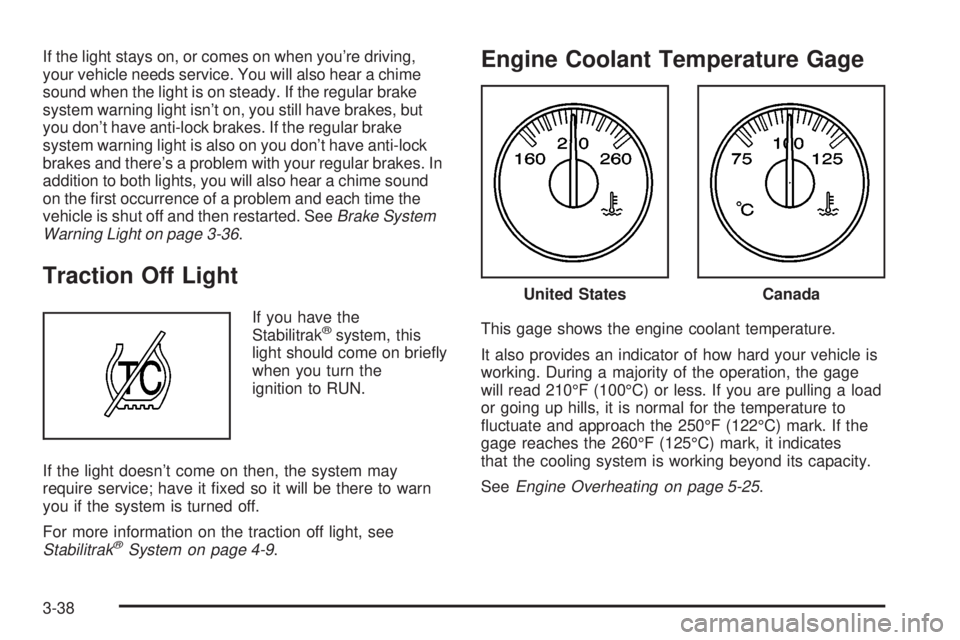
This gage shows the engine coolant temperature.
It also provides an indicator of how hard your vehicle is
working. During a majority of the operation, the gage
will read 210ÉF (100ÉC) or less. If you are pulling a load
or going up hills, it is normal for the temperature to
¯uctuate and approach the 250ÉF (122ÉC) mark. If the
gage reaches the 260ÉF (125ÉC) mark, it indicates
that the cooling system is working beyond its capacity.
See
Engine Overheating on page 5-25.
United StatesCanada
3-38
Page 188 of 468
Security Light
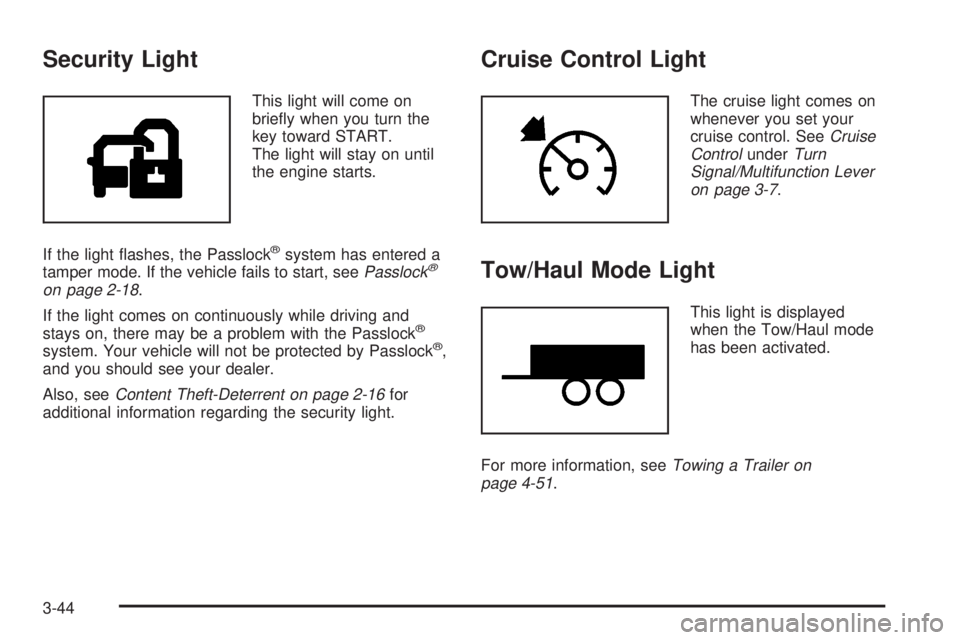
This light will come on
brie¯y when you turn the
key toward START.
The light will stay on until
the engine starts.
If the light ¯ashes, the Passlock
žsystem has entered a
tamper mode. If the vehicle fails to start, seePasslockž
on page 2-18.
If the light comes on continuously while driving and
stays on, there may be a problem with the Passlock
ž
system. Your vehicle will not be protected by Passlockž,
and you should see your dealer.
Also, see
Content Theft-Deterrent on page 2-16for
additional information regarding the security light.
Cruise Control Light
The cruise light comes on
whenever you set your
cruise control. See
Cruise
ControlunderTurn
Signal/Multifunction Lever
on page 3-7
.
Tow/Haul Mode Light
This light is displayed
when the Tow/Haul mode
has been activated.
For more information, see
Towing a Trailer on
page 4-51.
3-44
Page 194 of 468
The DIC does not replace the need to maintain your
vehicle as recommended in the Maintenance Schedule
in this manual. Also, the oil change reminder will not
detect dusty conditions or engine malfunctions that may
affect the oil. Also, the oil change reminder does not
measure how much oil you have in your engine. So, be
sure to check your oil level often. See
Engine Oil on
page 5-13.
Personalization Button
You can program certain features to a preferred setting
for up to two people. Press the personalization button
to scroll through the following personalization features.
All of the personalization options may not be available
on your vehicle. Only the options available will be
displayed on your DIC.
If your vehicle is not equipped with the DIC steering
wheel buttons you will not have any of the following
personalization options except for DISPLAY
LANGUAGE. See DISPLAY LANGUAGE later in this
section for more information.
·AUTOMATIC LOCKING
·AUTOMATIC UNLOCKING
·DELAYED LOCKING
·REMOTE LOCK FEEDBACK
·ALARM WARNING TYPE
·REMOTE UNLOCK FEEDBACK
·HEADLAMPS ON AT EXIT
·PERIMETER LIGHTING
·SEAT POSITION RECALL
·EASY EXIT DRIVER SEAT
·CURB VIEW ASSIST
·DISPLAY LANGUAGE
·DISPLAY UNITS (ENG/MET)
The default options for the above features were set
when your vehicle left the factory. The default options
are noted in the text following, but may have been
changed from their default state since then.
The driver's preferences can be recalled by pressing the
unlock button on the remote keyless entry transmitter
labeled 1 or 2 or by pressing the appropriate memory
button 1 or 2 located on the driver's door.
3-50
Page 195 of 468
Alarm Warning Type
Press the personalization button until ALARM
WARNING TYPE appears in the display. To select your
personalization for alarm warning type, press the
select button while ALARM WARNING TYPE is
displayed on the DIC. Pressing the select button will
scroll through the following choices:
ALARM WARNING: BOTH (default):The headlamps
will ¯ash and the horn will chirp when the alarm is
active.
ALARM WARNING: OFF:There will be no alarm
warning on activation.
ALARM WARNING: HORN:The horn will chirp when
the alarm is active.
ALARM WARNING: LAMPS:The headlamps will ¯ash
when the alarm is active.
Choose one of the four options and press the
personalization button while your choice is displayed on
the DIC to select it and move on to the next feature.
For more information on alarm warning type see
Content
Theft-Deterrent on page 2-16.
Automatic Locking
Press the personalization button until AUTOMATIC
LOCKING appears in the display. To select your
personalization for automatic locking, press the select
button while AUTOMATIC LOCKING is displayed on the
DIC. Pressing the select button will scroll through the
following choices:
LOCK DOORS MANUALLY:The doors will not be
locked automatically.
LOCK DOORS WITH SPEED:The doors will lock
when the vehicle speed is above 8 mph (13 km/h) for
three seconds.
LOCK DOORS OUT OF PARK (default):The doors
will lock when the vehicle is shifted out of PARK (P).
Choose one of the three options and press the
personalization button while it is displayed on the DIC to
select it and move on to the next feature. For more
information on automatic door locks see
Programmable
Automatic Door Locks on page 2-10.
3-51
Page 196 of 468

Automatic Unlocking
Press the personalization button until AUTOMATIC
UNLOCKING appears in the display. To select
your personalization for automatic unlocking, press the
select button while AUTOMATIC UNLOCKING is
displayed on the DIC. Pressing the select button will
scroll through the following choices:
UNLOCK ALL IN PARK (default):All of the doors will
unlock when the vehicle is shifted into PARK (P).
UNLOCK ALL AT KEY OUT:All of the doors will
unlock when the key is taken out of the ignition.
UNLOCK DOORS MANUALLY:The doors will not be
unlocked automatically.
UNLOCK DRIVER IN PARK:The driver's door will be
unlocked when the vehicle is shifted into PARK (P).
Choose one of the four options and press the
personalization button while it is displayed on the DIC to
select it and move on to the next feature. For more
information on automatic door locks see
Programmable
Automatic Door Locks on page 2-10.
Delayed Locking
If your DIC does not have this feature, you can still
program the delayed locking feature. SeeDelayed
Locking on page 2-9for more information.
When locking the doors with the power lock switch or
the keyless entry transmitter and a door or the liftgate is
open, the delayed locking feature will delay locking
the doors and tailgate until ®ve seconds after the last
door is closed.
Press the personalization button until DELAYED
LOCKING appears in the display. To select your
personalization for delayed locking, press the select
button while DELAYED LOCKING is displayed on the
DIC. Pressing the select button will scroll through
the following choices:
DELAYED LOCKING ON:The doors will not lock until
®ve seconds after the last door or the liftgate is
closed. You will hear three chimes to signal that the
delayed locking feature is in use. You can temporarily
override delayed locking by pressing the lock button
on the door or keyless entry transmitter a second time.
3-52
Page 197 of 468
DELAYED LOCKING OFF:The doors will lock
immediately when pressing the power lock switch or the
lock button on the keyless entry transmitter.
Choose one of the two options and press the
personalization button while it is displayed on the DIC to
select it and move on to the next feature. For more
information on automatic door locks see
Programmable
Automatic Door Locks on page 2-10.
This feature will not operate if the key is in the ignition.
Seat Position Recall
Press the personalization button until SEAT POSITION
RECALL appears in the display. To select your
personalization for seat position recall, press the select
button while SEAT POSITION RECALL is displayed
on the DIC. Pressing the select button will scroll through
the following choices:
SEAT POSITION RECALL OFF (default):The memory
seat position you saved will only be recalled when the
memory button 1 or 2 is pressed.
SEAT POSITION RECALL AT KEY IN:The memory
seat position you saved will be recalled when you
put the key in the ignition.SEAT POSITION RECALL ON REMOTE:The memory
seat position you saved will be recalled when you
unlock the vehicle with the remote keyless entry
transmitter.
Choose one of the three options and press the
personalization button while it is displayed on the DIC to
select it and move on to the next feature. For more
information on seat position recall see
Memory Seat on
page 2-48.
Perimeter Lighting
Press the personalization button until PERIMETER
LIGHTING appears in the display. To select your
personalization for perimeter lighting, press the select
button while PERIMETER LIGHTING is displayed on the
DIC. Pressing the select button will scroll through the
following choices:
PERIMETER LIGHTING ON (default):The headlamps
and back-up lamps will come on for 40 seconds, if it
is dark enough outside, when you unlock the vehicle
with the remote keyless entry transmitter.
PERIMETER LIGHTING OFF:The perimeter lights will
not come on when you unlock the vehicle with the
remote keyless entry transmitter.
Choose one of the two options and press the
personalization button while it is displayed on the DIC to
select it and move on to the next feature.
3-53
Page 198 of 468
Remote Lock Feedback
Press the personalization button until REMOTE LOCK
FEEDBACK appears in the display. To select your
personalization for the feedback you will receive when
locking the vehicle with the remote keyless entry
transmitter, press the select button while REMOTE
LOCK FEEDBACK is displayed on the DIC. Pressing
the select button will scroll through the following choices:
LOCK FEEDBACK: BOTH (default):The parking
lamps will ¯ash each time you press the button with the
lock symbol on the remote keyless entry transmitter
and the horn will chirp the second time you press the
lock button.
LOCK FEEDBACK: OFF:There will be no feedback
when locking the vehicle.
LOCK FEEDBACK: HORN:The horn will chirp the
second time you press the button with the lock symbol
on the remote keyless entry transmitter.
LOCK FEEDBACK: LAMPS:The parking lamps will
¯ash each time you press the button with the lock
symbol on the remote keyless entry transmitter.
Choose one of the four options and press the
personalization button while it is displayed on the DIC to
select it and move on to the next feature.
Remote Unlock Feedback
Press the personalization button until REMOTE
UNLOCK FEEDBACK appears in the display. To select
your personalization for the feedback you will receive
when unlocking the vehicle with the remote keyless
entry transmitter, press the select button while REMOTE
UNLOCK FEEDBACK is displayed on the DIC.
Pressing the select button will scroll through the
following choices:
UNLOCK FEEDBACK: LAMPS (default):The parking
lamps will ¯ash each time you press the button with
the unlock symbol on the remote keyless entry
transmitter.
UNLOCK FEEDBACK: BOTH:The parking lamps will
¯ash each time you press the button with the unlock
symbol on the remote keyless entry transmitter and the
horn will chirp the second time you press the unlock
button.
UNLOCK FEEDBACK: OFF:There will be no feedback
when unlocking the vehicle.
UNLOCK FEEDBACK: HORN:The horn will chirp the
second time you press the button with the unlock
symbol on the remote keyless entry transmitter.
Choose one of the four options and press the
personalization button while it is displayed on the DIC to
select it and move on to the next feature.
3-54
Page 204 of 468
OIL PRESSURE LOW
If low oil pressure levels occur, this message will be
displayed on the DIC and a chime will sound. Stop the
vehicle as soon as safely possible and do not operate
it until the cause of the low oil pressure has been
corrected. Check your oil as soon as possible and have
your vehicle serviced.
PASSENGER DOOR AJAR
If the passenger's door is not fully closed and the
vehicle is in a drive gear, this message will appear on
the display and you will hear a chime. Stop and turn off
the vehicle, check the door for obstacles, and close
the door again. Check to see if the message still
appears on the DIC. Pressing the select button will
acknowledge this message and clear it from the DIC
display.
RIGHT REAR DOOR AJAR
If the passenger's side rear door is not fully closed and
the vehicle is in a drive gear, this message will
appear on the display and you will hear a chime. Stop
and turn off the vehicle, check the door for obstacles,
and close the door again. Check to see if the message
still appears on the DIC. Pressing the select button
will acknowledge this message and clear it from the DIC
display.
REAR ACCESS OPEN
If the liftgate is open while the ignition is in RUN, this
message will appear on the DIC and you will hear
a chime. Turn off the vehicle and check the liftgate.
Restart the vehicle and check for the message on the
DIC display. Pressing the select button will acknowledge
this message and clear it from the DIC display.
REDUCED ENGINE POWER
This message is displayed and you will hear a chime
when the cooling system temperature gets too hot and
the engine further enters the engine coolant
protection mode.
See
Engine Overheating on page 5-25for further
information.
REPLACE LIFTGATE FUSE
This message will be displayed if the liftgate lock
malfunctions and/or the liftgate fuse blows. For more
information on fuses, see
Fuses and Circuit Breakers on
page 5-103
If the message returns after replacing the fuse, see you
dealer for service.
3-60
Page 216 of 468
TRAF (Traffic):If TRAF appears on the display, the
tuned station broadcasts traffic announcements
and when a traffic announcement comes on the tuned
radio station you will hear it.
If the current tuned station does not broadcast traffic
announcements, press this button and the radio
will seek to a station that does. When the radio ®nds a
station that broadcasts traffic announcements, it will
stop and TRAF will be displayed. When a traffic
announcement comes on the tuned radio station you
will hear it. If no station is found, NO TRAFFIC will
appear on the display.
If TRAF is on the display you can press the TRAF
button to turn off the traffic announcements.
Your radio will play the traffic announcement even if the
volume is low. Your radio will interrupt the play of a
cassette tape or CD if the last tuned station broadcasts
traffic announcements.
This function does not apply to XMŸ Satellite Radio
Service.Radio Messages
CAL ERR (Calibration Error):Your audio system has
been calibrated for your vehicle from the factory. If
CAL ERR appears on the display, it means that your
radio has not been con®gured properly for the vehicle
and must be returned to the dealer for service.
LOCKED:This message is displayed when the
THEFTLOCK
žsystem has locked up. You must return
to the dealer for service.
3-72