V4 mode GMC YUKON DENALI 2007 Owner's Manual
[x] Cancel search | Manufacturer: GMC, Model Year: 2007, Model line: YUKON DENALI, Model: GMC YUKON DENALI 2007Pages: 608, PDF Size: 2.92 MB
Page 169 of 608
Do not use the this system with any garage door
opener that does not have the stop and reverse
feature. This includes any garage door opener
model manufactured before April 1, 1982.
Read the instructions completely before attempting
to program the transmitter. Because of the
steps involved, it may be helpful to have another
person available to assist you in programming
the transmitter.
Be sure to keep the original remote control
transmitter for use in other vehicles, as well as,
for future programming. You only need the
original remote control transmitter for xed code
programming. It is also recommended that
upon the sale or lease termination of the vehicle,
the programmed buttons should be erased for
security purposes. See “Erasing your Universal
Home Remote Buttons” later in this section.
Be sure that people and objects are clear of
the garage door or security device you are
programming. When programming a garage door,
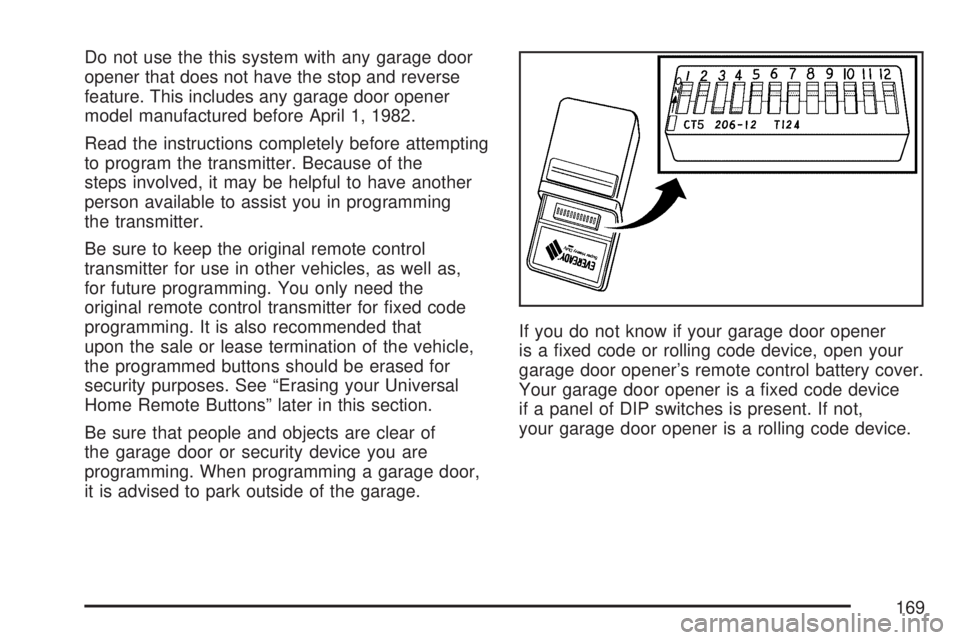
it is advised to park outside of the garage.If you do not know if your garage door opener
is a xed code or rolling code device, open your
garage door opener’s remote control battery cover.
Your garage door opener is a xed code device
if a panel of DIP switches is present. If not,
your garage door opener is a rolling code device.
169
Page 170 of 608
Programming Universal Home
Remote — Fixed Code
Fixed Code garage door openers are used for
garage doors produced prior to 1996. Fixed code
uses the same coded signal every time, which
is manually programmed by setting DIP switches
for a unique personal code.
Follow these steps to program up to three channels:
1. Make sure that your key is in the
ACCESSORY position and the engine is off
while programming the transmitter.
2. Remove the battery cover of the hand-held
transmitter.
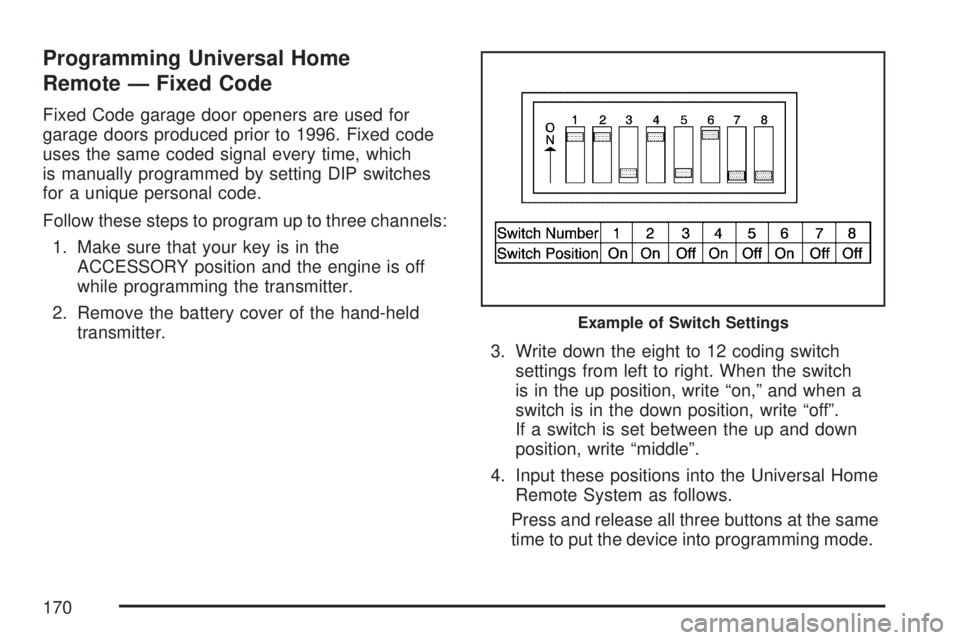
3. Write down the eight to 12 coding switch
settings from left to right. When the switch
is in the up position, write “on,” and when a
switch is in the down position, write “off”.
If a switch is set between the up and down
position, write “middle”.
4. Input these positions into the Universal Home
Remote System as follows.
Press and release all three buttons at the same
time to put the device into programming mode.
Example of Switch Settings
170
Page 174 of 608
Universal Home Remote System
Operation (With One Triangular LED)
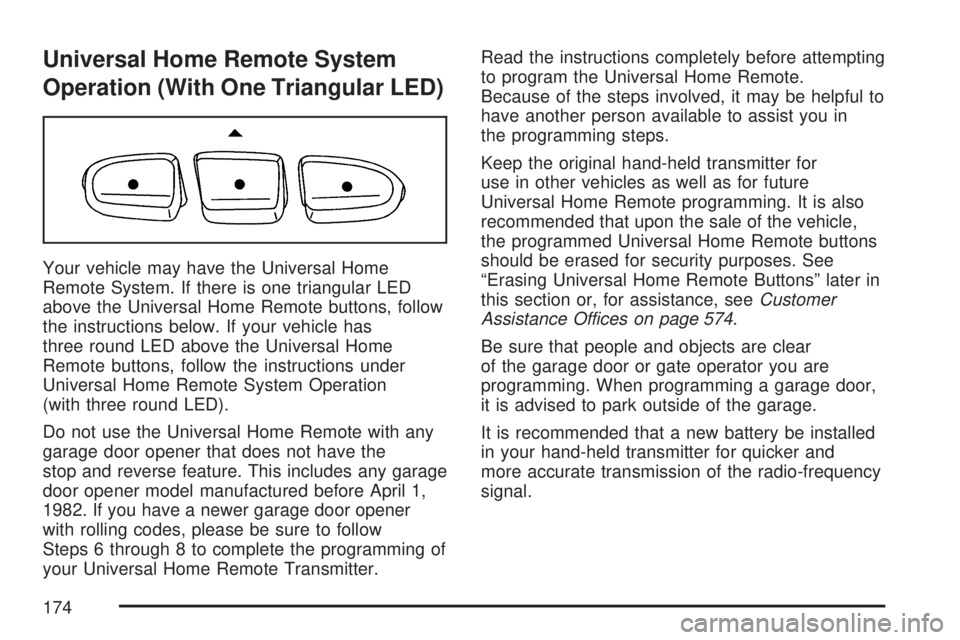
Your vehicle may have the Universal Home
Remote System. If there is one triangular LED
above the Universal Home Remote buttons, follow
the instructions below. If your vehicle has
three round LED above the Universal Home
Remote buttons, follow the instructions under
Universal Home Remote System Operation
(with three round LED).
Do not use the Universal Home Remote with any
garage door opener that does not have the
stop and reverse feature. This includes any garage
door opener model manufactured before April 1,
1982. If you have a newer garage door opener
with rolling codes, please be sure to follow
Steps 6 through 8 to complete the programming of
your Universal Home Remote Transmitter.Read the instructions completely before attempting
to program the Universal Home Remote.
Because of the steps involved, it may be helpful to
have another person available to assist you in
the programming steps.
Keep the original hand-held transmitter for
use in other vehicles as well as for future
Universal Home Remote programming. It is also
recommended that upon the sale of the vehicle,
the programmed Universal Home Remote buttons
should be erased for security purposes. See
“Erasing Universal Home Remote Buttons” later in
this section or, for assistance, seeCustomer
Assistance Offices on page 574.
Be sure that people and objects are clear
of the garage door or gate operator you are
programming. When programming a garage door,
it is advised to park outside of the garage.
It is recommended that a new battery be installed
in your hand-held transmitter for quicker and
more accurate transmission of the radio-frequency
signal.
174
Page 177 of 608
Using Universal Home Remote
Press and hold the appropriate Universal Home
Remote button for at least half of a second.
The indicator light will come on while the signal is
being transmitted.
Erasing Universal Home Remote
Buttons
To erase programming from the three Universal
Home Remote buttons do the following:
1. Press and hold down the two outside buttons
until the indicator light begins to ash, after
20 seconds. Do not hold the two outside
buttons for longer than 30 seconds.
2. Release both buttons.
The Universal Home Remote is now in the training
(learning) mode and can be programmed at any
time beginning with Step 2 under “Programming
Universal Home Remote” shown earlier in
this section.
Individual buttons cannot be erased, but they can
be reprogrammed. See “Reprogramming a
Single Universal Home Remote Button” following
this section.
Reprogramming a Single Universal
Home Remote Button
To program a device to Universal Home Remote
using a Universal Home Remote button
previously trained, follow these steps:
1. Press and hold the desired Universal Home
Remote button. Do not release the button.
2. The indicator light will begin to ash after
20 seconds. While still holding the Universal
Home Remote button, proceed with
Step 2 under “Programming Universal Home
Remote” shown earlier in this section.
For additional information on Universal Home
Remote, seeCustomer Assistance Offices
on page 574.
177
Page 179 of 608
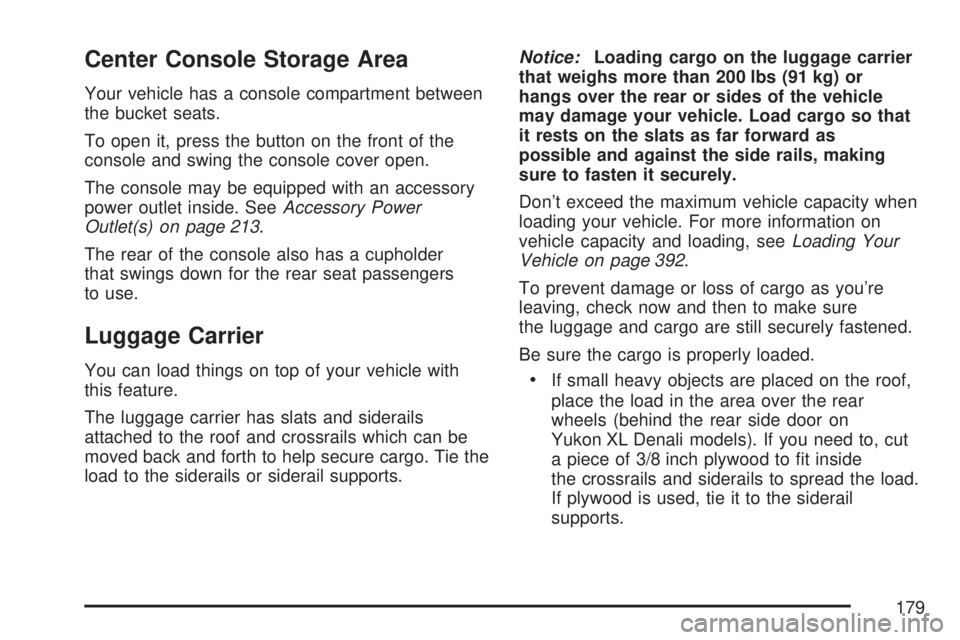
Center Console Storage Area
Your vehicle has a console compartment between
the bucket seats.
To open it, press the button on the front of the
console and swing the console cover open.
The console may be equipped with an accessory
power outlet inside. SeeAccessory Power
Outlet(s) on page 213.
The rear of the console also has a cupholder
that swings down for the rear seat passengers
to use.
Luggage Carrier
You can load things on top of your vehicle with
this feature.
The luggage carrier has slats and siderails
attached to the roof and crossrails which can be
moved back and forth to help secure cargo. Tie the
load to the siderails or siderail supports.Notice:Loading cargo on the luggage carrier
that weighs more than 200 lbs (91 kg) or
hangs over the rear or sides of the vehicle
may damage your vehicle. Load cargo so that
it rests on the slats as far forward as
possible and against the side rails, making
sure to fasten it securely.
Don’t exceed the maximum vehicle capacity when
loading your vehicle. For more information on
vehicle capacity and loading, seeLoading Your
Vehicle on page 392.
To prevent damage or loss of cargo as you’re
leaving, check now and then to make sure
the luggage and cargo are still securely fastened.
Be sure the cargo is properly loaded.If small heavy objects are placed on the roof,
place the load in the area over the rear
wheels (behind the rear side door on
Yukon XL Denali models). If you need to, cut
a piece of 3/8 inch plywood to t inside
the crossrails and siderails to spread the load.
If plywood is used, tie it to the siderail
supports.
179
Page 181 of 608
Cargo Cover
{CAUTION:
An improperly stored cargo cover could
be thrown about the vehicle during a
collision or sudden maneuver. You or
others could be injured. If you remove the
cover, always store it in the proper
storage location. When you put it back,
always be sure that it is securely
reattached.
If you have a cargo cover, you can use it to cover
items in the cargo area of your vehicle.
To use the cover, do the following:
1. Pull the cover handle toward the rear of the
vehicle.
2. Latch the cover posts into the retaining
sockets on the cargo area trim panels.To return the cover to the retracted position, do
the following:
1. Pull up on the cover handle to release the
cover posts from the retaining sockets.
2. Let the cover move forward to the full retracted
position.
To remove the cover, from a regular wheelbase
model, do the following:
1. Let the cover go all the way into the holder.
2. Then, grasping the driver’s side cover endcap,
push the cover endcap toward the passenger’s
side of the vehicle.
3. Swing the cover rearward and take it out of
the vehicle.
To put the cover in the vehicle, do the following:
1. Make sure the cover slot in the holder
faces rearward with the round surface
facing down.
2. Then, hold the cover at an angle and place
the cover endcap into the slot in the
passenger’s side trim panel.
3. Move the other end of the cover forward and
hold it next to the driver’s side trim panel slot.
181
Page 182 of 608
4. Press the endcaps in, this will allow the cover
to t into the trim slot.
5. Lightly pull on the cover holder to make sure
it is secure.
On the extended wheelbase models there are
two cover positions. The slots furthest forward
allow the cover to be used if the third seat is
removed or folded down. The cover can be
installed and removed from either side.
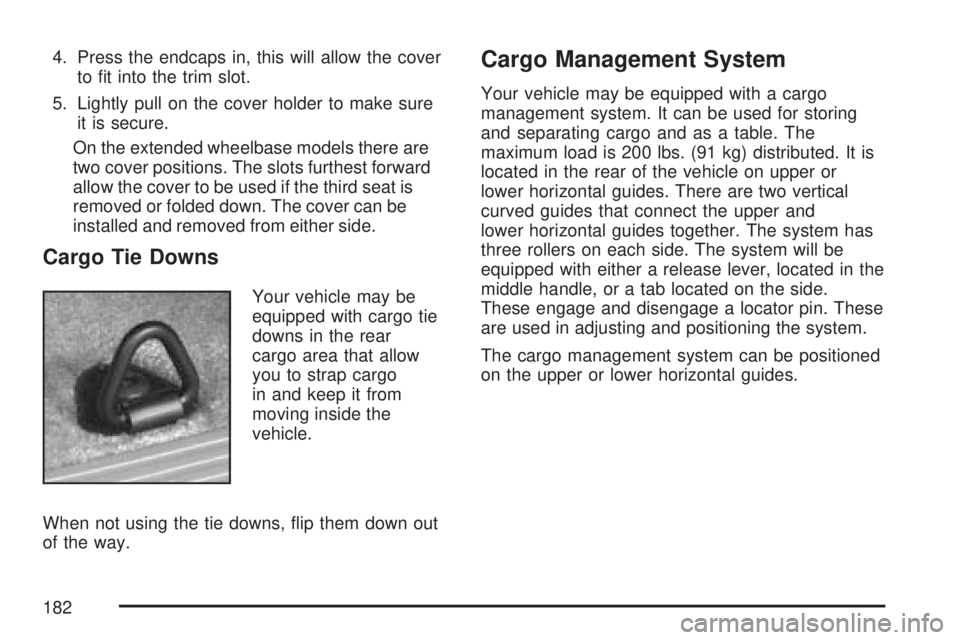
Cargo Tie Downs
Your vehicle may be
equipped with cargo tie
downs in the rear
cargo area that allow
you to strap cargo
in and keep it from
moving inside the
vehicle.
When not using the tie downs, ip them down out
of the way.
Cargo Management System
Your vehicle may be equipped with a cargo
management system. It can be used for storing
and separating cargo and as a table. The
maximum load is 200 lbs. (91 kg) distributed. It is
located in the rear of the vehicle on upper or
lower horizontal guides. There are two vertical
curved guides that connect the upper and
lower horizontal guides together. The system has
three rollers on each side. The system will be
equipped with either a release lever, located in the
middle handle, or a tab located on the side.
These engage and disengage a locator pin. These
are used in adjusting and positioning the system.
The cargo management system can be positioned
on the upper or lower horizontal guides.
182
Page 188 of 608
Anti-Lock Brake System Warning Light...... 234
StabiliTrak®Indicator Light......................... 235
Engine Coolant Temperature Gage............ 236
Tire Pressure Light.................................... 236
Malfunction Indicator Lamp........................ 237
Oil Pressure Gage..................................... 240
Oil Pressure Light..................................... 241
Security Light............................................ 241
Fog Lamp Light......................................... 242
Cruise Control Light.................................. 242
Highbeam On Light................................... 242
Tow/Haul Mode Light................................ 242
Fuel Gage................................................. 243
Low Fuel Warning Light............................ 244
Driver Information Center (DIC).................. 244
DIC Operation and Displays
(Using DIC Buttons)............................... 245
DIC Operation and Displays
(Using Trip Odometer Reset Stem)........ 250
DIC Warnings and Messages.................... 252
DIC Vehicle Customization
(With DIC Buttons)................................. 262Audio System(s)......................................... 272
Setting the Time (Radio with a
Six-Disc CD Player)............................... 274
Setting the Time (Radio with a
Single CD and DVD Player)................... 275
Radio with Six-Disc CD (MP3)................... 276
Radio with CD and DVD........................... 294
XM Radio Messages................................. 319
Navigation/Radio System........................... 321
Rear Seat Entertainment System............... 321
Rear Seat Audio (RSA)............................. 333
Theft-Deterrent Feature............................. 335
Audio Steering Wheel Controls.................. 335
Radio Reception........................................ 336
Care of Your CDs and DVDs.................... 338
Care of the CD and DVD Player............... 338
Rear Side Window Antenna....................... 338
XM™ Satellite Radio Antenna System....... 339
Section 3 Instrument Panel
188
Page 191 of 608
A. Air Outlets. SeeOutlet Adjustment on
page 222.
B. Turn Signal/Multifunction Lever. SeeTurn
Signal/Multifunction Lever on page 193.
C. Instrument Panel Cluster. SeeInstrument Panel
Cluster on page 226.
D. Gearshift Lever. SeeAutomatic Transmission
Operation on page 145.
E. Tow/Haul Selector Button. SeeTow/Haul Mode
on page 150.
F. Driver Information Center Controls. SeeDriver
Information Center (DIC) on page 244.
G. Audio System. SeeAudio System(s) on
page 272.
H. Exterior Lamps Control. SeeExterior Lamps on
page 203.
I. Dome Lamp Override Button. SeeDome Lamp
Override on page 207.J. Cruise Control Buttons. SeeAudio Steering
Wheel Controls on page 335.
K. Tilt Wheel Lever. SeeTilt Wheel on page 193.
L. Horn. SeeHorn on page 192.
M. Audio Steering Wheel Controls. SeeAudio
Steering Wheel Controls on page 335.
N. Dual Automatic Climate Controls. SeeDual
Automatic Climate Control System on
page 214.
O. Accessory Power Outlets. SeeAccessory
Power Outlet(s) on page 213. Cigarette Lighter
(If Equipped). SeeAshtray(s) and Cigarette
Lighter on page 214.
P. StabiliTrak
®Button. SeeStabiliTrak®System
on page 349. Rear Park Aid Disable Button.
SeeUltrasonic Rear Parking Assist (URPA) on
page 208.
Q. Glovebox. SeeGlove Box on page 178.
191
Page 194 of 608
N(Windshield Wipers):SeeWindshield
Wipers on page 196.
L( Windshield Washer):SeeWindshield
Washer on page 198.
5(Rear Wiper Delay):SeeRear Window
Wiper/Washer on page 199.
Z(Rear Wiper):SeeRear Window
Wiper/Washer on page 199.
=(Rear Wiper Wash):SeeRear Window
Wiper/Washer on page 199.
Turn and Lane-Change Signals
The turn signal has two upward (for right) and
two downward (for left) positions. These positions
allow you to signal a turn or a lane change.
To signal a turn, move the lever all the way up or
down. When the turn is nished, the lever will
return automatically.To signal a lane change, raise or lower the lever for
less than one second until the arrow starts to ash.
This will cause the turn signals to automatically
ash three times. It will ash six times if tow-haul
mode is active. Holding the turn signal lever for
more than one second will cause the turn signals
to ash until you release the lever. The lever will
return by itself when it is released.
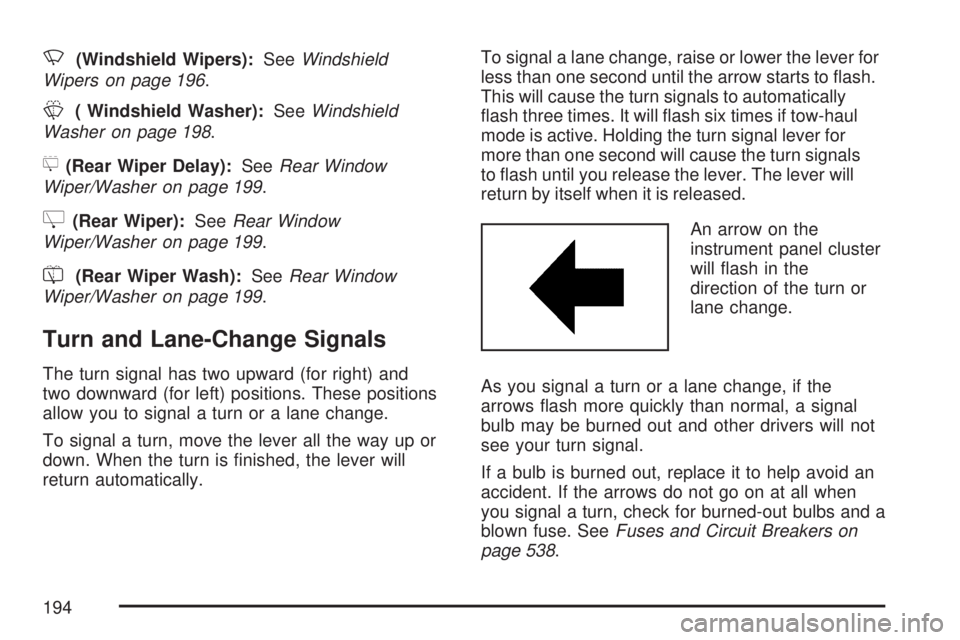
An arrow on the
instrument panel cluster
will ash in the
direction of the turn or
lane change.
As you signal a turn or a lane change, if the
arrows ash more quickly than normal, a signal
bulb may be burned out and other drivers will not
see your turn signal.
If a bulb is burned out, replace it to help avoid an
accident. If the arrows do not go on at all when
you signal a turn, check for burned-out bulbs and a
blown fuse. SeeFuses and Circuit Breakers on
page 538.
194