V4 mode GMC YUKON DENALI 2007 Owner's Guide
[x] Cancel search | Manufacturer: GMC, Model Year: 2007, Model line: YUKON DENALI, Model: GMC YUKON DENALI 2007Pages: 608, PDF Size: 2.92 MB
Page 197 of 608
Rainsense™ II Wipers
Your vehicle has Rainsense™ II windshield
wipers. These wipers automatically turn on when
a sensor, mounted next to the inside rearview
mirror, detects moisture on the windshield. When
active, these wipers are able to detect moisture
on the windshield and automatically turn on
the wipers.
To turn on the Rainsense™ feature, the wipers
must be set to one of the ve delay settings. Each
of the ve settings adjusts the sensitivity of the
rainsensor.
Since different drivers have different setting
preferences, it is recommended that the mid-range
setting, position three, be used initially. For more
wipes, select the higher settings; for fewer wipes,
select the lower settings located closer to the off
position on the multifunction lever.The rainsensor will automatically control the
frequency of the wipes from off to high speed
according to the weather conditions. The wipers
can be left in a Rainsense™ mode even when it
is not raining.
When Rainsense™ II is active, the headlamps will
turn on automatically after approximately eight
wipes. The headlamps will turn off if the wiper
switch is set to a delay position, and there have
been no wipes for approximately three minutes, or
if the wiper switch is turned to the off position. If
it is dark outside, the headlamps will remain on.
Notice:Going through an automatic car wash
with the wipers on can damage them. Turn
the wipers off when going through an
automatic car wash.
197
Page 215 of 608
Driver’s Side Temperature Control
The driver’s side temperature buttons are used to
adjust the temperature of the air coming through
the system on the driver’s side. The temperature
can be adjusted even if the system is turned
off. This is possible since outside air will always
ow through the system as the vehicle is moving
forward unless it is set to recirculation mode.
See “Recirculation” later in this section.
Press the + or−buttons to increase or decrease
the cabin temperature. The driver side
temperature display will show the temperature
setting decreasing or increasing.
Passenger’s Side Temperature Control
The passenger’s temperature buttons can be used
to change the temperature of the air coming
through the system on the passenger’s side of the
vehicle. The temperature can be adjusted even
if the system is turned off. This is possible
since outside air will always ow through the
system as the vehicle is moving forward unless it
is set to recirculation mode. See “Recirculation”
later in this section.Press the + or−buttons to increase or decrease
the cabin temperature. The passenger side
display will show the temperature setting
decreasing or increasing.
The passenger’s temperature setting can be
set to match the driver’s temperature setting by
pressing the PASS button and turning off the
PASS indicator. When the passenger’s
temperature setting is set different than the
driver’s setting, the indicator on the PASS button
will illuminate and both the driver’s side and
passenger’s side temperature displays will be
shown.
215
Page 216 of 608
Automatic Operation
AUTO (Automatic):When automatic operation
is active the system will control the inside
temperature, the air delivery, and the fan speed.
Use the steps below to place the entire system in
automatic mode:
1. Press the AUTO button.
When AUTO is selected, the display will
change to show the current temperature(s)
and AUTO will be lit on the display. The current
delivery mode and fan speed will also be
displayed for approximately 5 seconds.
When AUTO is selected, the air conditioning
operation and air inlet will be automatically
controlled. The air conditioning compressor will
run when the outside temperature is over about
40°F (4°C). The air inlet will normally be set to
outside air. If it is hot outside, the air inlet may
automatically switch to recirculate inside air to
help quickly cool down your vehicle. The light
on the button will illuminate in recirculation.2. Set the driver’s and passenger’s temperature.
To nd your comfort setting, start with a 74°F
(23°C) temperature setting and allow about
20 minutes for the system to regulate. Use the
driver’s or passenger’s temperature buttons to
adjust the temperature setting as necessary.
If you choose the temperature setting of 60°F
(15°C), the system will remain at the maximum
cooling setting. If you choose the temperature
setting of 90°F (32°C), the system will remain at
the maximum heat setting.Choosing either
maximum setting will not cause the vehicle to
heat or cool any faster.
Be careful not to cover the solar sensor located
on the top of the instrument panel near the
windshield. This sensor regulates air temperature
based on sun load and also turns on your
headlamps. For more information on the solar
sensor, see “Sensors” later in this section.
To avoid blowing cold air in cold weather, the
system will delay turning on the fan until warm air
is available. The length of delay depends on
the engine coolant temperature. Pressing the fan
switch will override this delay and change the
fan to a selected speed.
216
Page 217 of 608
O(On/Off):Press this button to turn off the
climate control system. Outside air will still enter
the vehicle, and will be directed to the oor.
This direction can be changed by pressing the
mode button. Recirculation can be selected once
you have selected vent or bi-level mode. The
temperature can also be adjusted using either
temperature button. If you adjust the air delivery
mode or temperature settings with the system
off, the display will illuminate briey to show you
the settings and then return off. Press the
on/off button or the up down arrows on the fan
switch, the defrost button, AUTO button, or the air
conditioning button to turn the system on when
it is off.
Manual Operation
You may manually adjust the air delivery mode or
fan speed.
y9 z(Fan):The buttons with the fan symbols
allow you to manually adjust the fan speed.
Press the up arrow to increase fan speed and the
down arrow to decrease fan speed.Pressing one of these buttons when the system
is off will turn the system on. Pressing one of these
buttons when in automatic control will place the
fan under manual control. The fan setting will
remain displayed and the AUTO light will turn off.
The air delivery mode will remain under
automatic control.
yNz(Mode):Press the mode up and down
buttons to manually change the direction of
the airow in your vehicle. Repeatedly press the
button until the desired mode appears on the
display. Pressing one of these buttons when the
system is off will change air delivery mode without
turning the system on. Pressing one of these
buttons when in automatic control will place the
mode under manual control.
The air delivery mode setting will be displayed and
the AUTO light will turn off. The fan will remain
under automatic control.
217
Page 218 of 608
H(Vent):This setting will deliver air to the
instrument panel outlets.
)(Bi-Level):This mode directs half of the air
to the instrument panel outlets and to the oor
outlets. The ow can be divided between vent and
oor outlets depending upon where the knob is
placed between the settings. A little air is directed
towards the windshield and side window outlets.
Cooler air is directed to the upper outlets and
warmer air to the oor outlets.
6(Floor):This mode directs most of the air to
the oor outlets, with some of the air directed
to the windshield, side window outlets, and
second row oor outlets. In this mode, the system
will automatically select outside air.
-(Defog):See “Defogging and Defrosting” later
in this section.
@(Recirculation):Press this button to turn
the recirculation mode on. When the button
is pressed, an indicator light will come on.
This mode keeps outside air from entering the
vehicle. It can be used to reduce outside air and
prevent odors from entering your vehicle.
Recirculation may also help cool the air inside your
vehicle more quickly once the temperature inside
the vehicle is less than the outside temperature.
The recirculation mode cannot be used with oor,
defrost, or defogging modes. If you try to select
recirculation in one of those modes, the indicator
will ash three times and turn off. The air
conditioning compressor will also come on when
this mode is activated. While in recirculation mode
the windows may fog when the weather is cold and
damp. To clear the fog, select either the defog or
defrost mode and increase the fan speed.
Recirculation mode can be turned off by pressing
the button again, or turning off the engine.
218
Page 219 of 608
Air Conditioning
#
(Air Conditioning):Press this button to turn
the air conditioning (A/C) compressor on and
off. When air conditioning is selected, an indicator
light will come on to let you know that the air
conditioning has been activated.
Pressing this button when the outside temperature
is too cool for air conditioning will make the air
conditioning indicator ash three times and
then turn off to let you know the air conditioning
mode is not available. If the air conditioning
is on and the outside temperature drops below a
temperature which is too cool for air conditioning
to be effective, the air conditioning light will turn off
to let you know the air conditioning mode has
been canceled.
On hot days, open the windows long enough to let
hot inside air escape. This helps to reduce the
time it takes for your vehicle to cool down. It also
helps the system to operate more efficiently.
The air conditioning system removes moisture from
the air, so you may sometimes notice a small
amount of water dripping underneath your vehicle
while idling or after turning off the engine. This
is normal.
Sensors
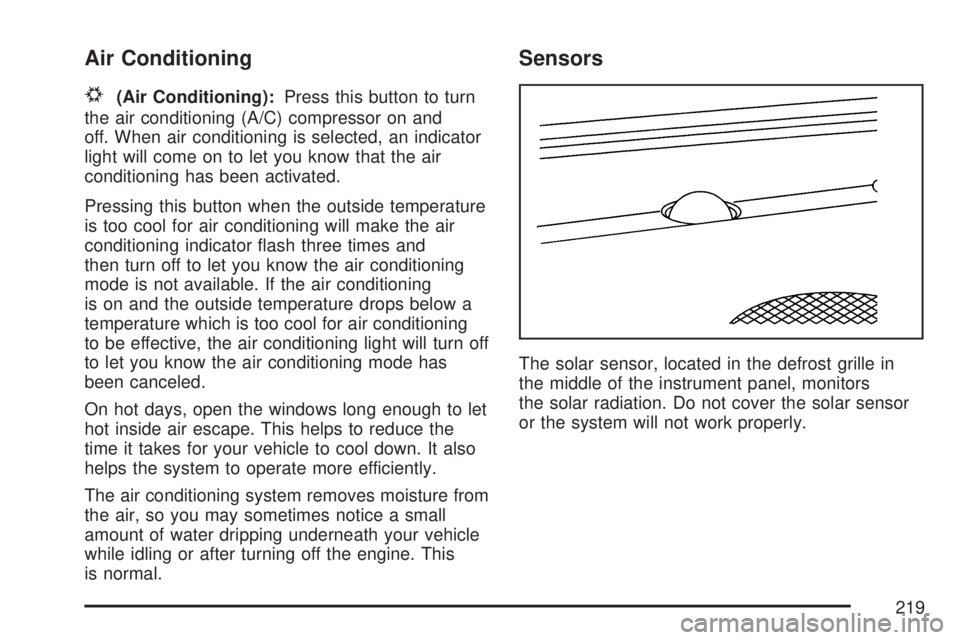
The solar sensor, located in the defrost grille in
the middle of the instrument panel, monitors
the solar radiation. Do not cover the solar sensor
or the system will not work properly.
219
Page 220 of 608
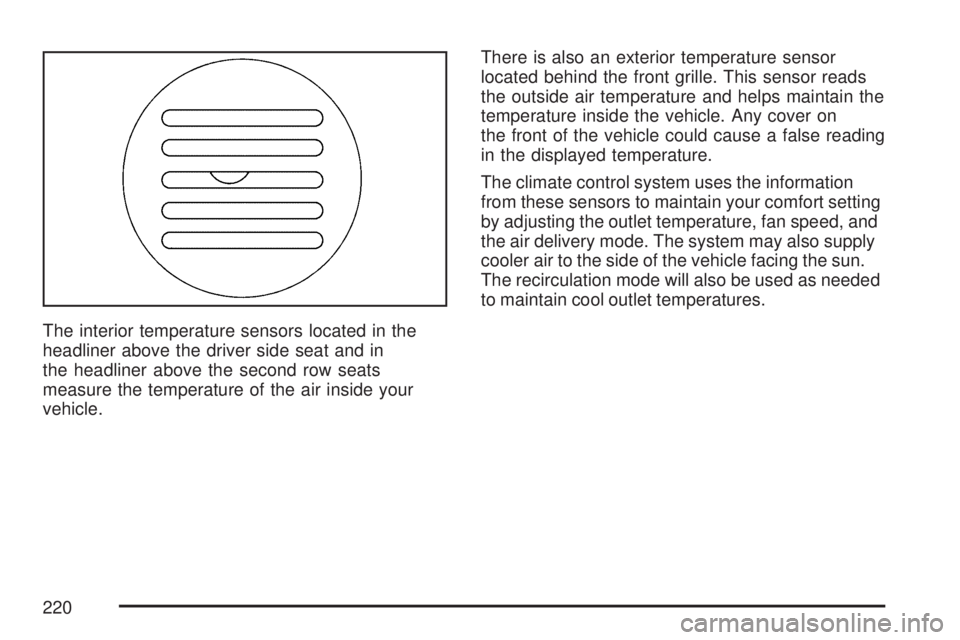
The interior temperature sensors located in the
headliner above the driver side seat and in
the headliner above the second row seats
measure the temperature of the air inside your
vehicle.There is also an exterior temperature sensor
located behind the front grille. This sensor reads
the outside air temperature and helps maintain the
temperature inside the vehicle. Any cover on
the front of the vehicle could cause a false reading
in the displayed temperature.
The climate control system uses the information
from these sensors to maintain your comfort setting
by adjusting the outlet temperature, fan speed, and
the air delivery mode. The system may also supply
cooler air to the side of the vehicle facing the sun.
The recirculation mode will also be used as needed
to maintain cool outlet temperatures.
220
Page 221 of 608
Defogging and Defrosting
Fog on the inside of the windows is a result of high
humidity (moisture) condensing on the cool window
glass. This can be minimized if the climate control
system is used properly. There are two modes to
clear fog or frost from your windshield.
Use the mode up and down arrows to select the
defog or defrost modes.
-(Defog):The defog mode is used to clear
the windows of fog or moisture and warm
the passengers. This mode directs air to the
windshield, oor outlets, and side window vents.
When you select this mode, the system turns
off recirculation and runs the air conditioning
compressor unless the outside temperature is
close to freezing. The recirculation mode cannot
be selected while in the defog mode. Do not drive
the vehicle until all the windows are clear.
0(Defrost):Press this button to remove fog or
frost from the windshield more quickly. This
mode directs a portion of the air to the windshield
and side window vents and some to the oor
vents. In this mode, the system will automatically
force outside air into your vehicle. The
recirculation mode cannot be selected while in the
defrost mode. The air conditioning compressor
will run automatically in this setting, unless
the outside temperature is close to freezing. Do
not drive the vehicle until all the windows are clear.
221
Page 223 of 608
Adding outside equipment to the front of your
vehicle, such as hood-air deectors, may
affect the performance of the heating and
air conditioning system. Check with your
dealer before adding equipment to the outside
of your vehicle.
Rear Air Conditioning and Heating
System and Electronic Climate
Controls
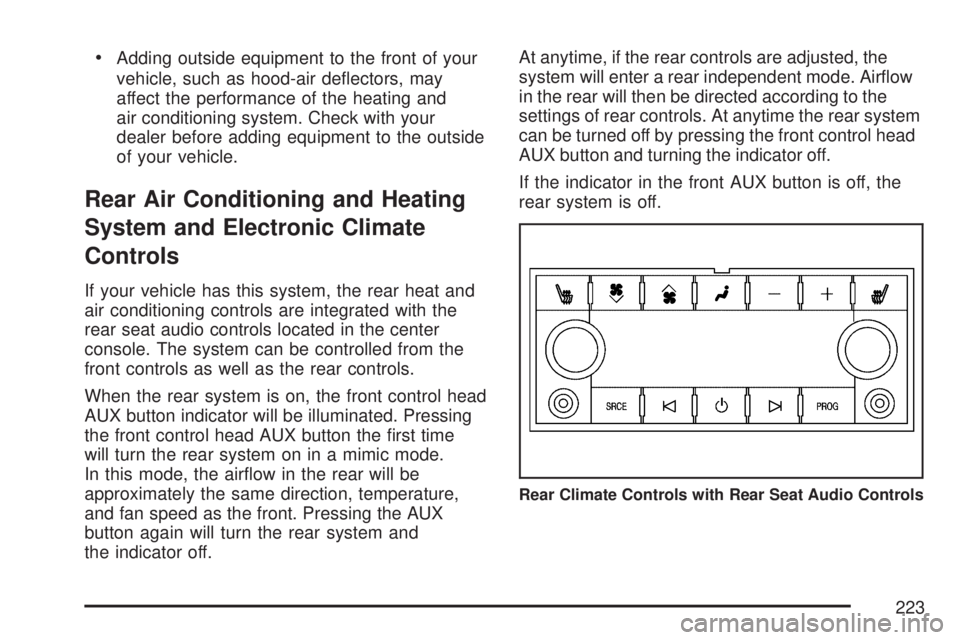
If your vehicle has this system, the rear heat and
air conditioning controls are integrated with the
rear seat audio controls located in the center
console. The system can be controlled from the
front controls as well as the rear controls.
When the rear system is on, the front control head
AUX button indicator will be illuminated. Pressing
the front control head AUX button the rst time
will turn the rear system on in a mimic mode.
In this mode, the airow in the rear will be
approximately the same direction, temperature,
and fan speed as the front. Pressing the AUX
button again will turn the rear system and
the indicator off.At anytime, if the rear controls are adjusted, the
system will enter a rear independent mode. Airow
in the rear will then be directed according to the
settings of rear controls. At anytime the rear system
can be turned off by pressing the front control head
AUX button and turning the indicator off.
If the indicator in the front AUX button is off, the
rear system is off.
Rear Climate Controls with Rear Seat Audio Controls
223
Page 224 of 608
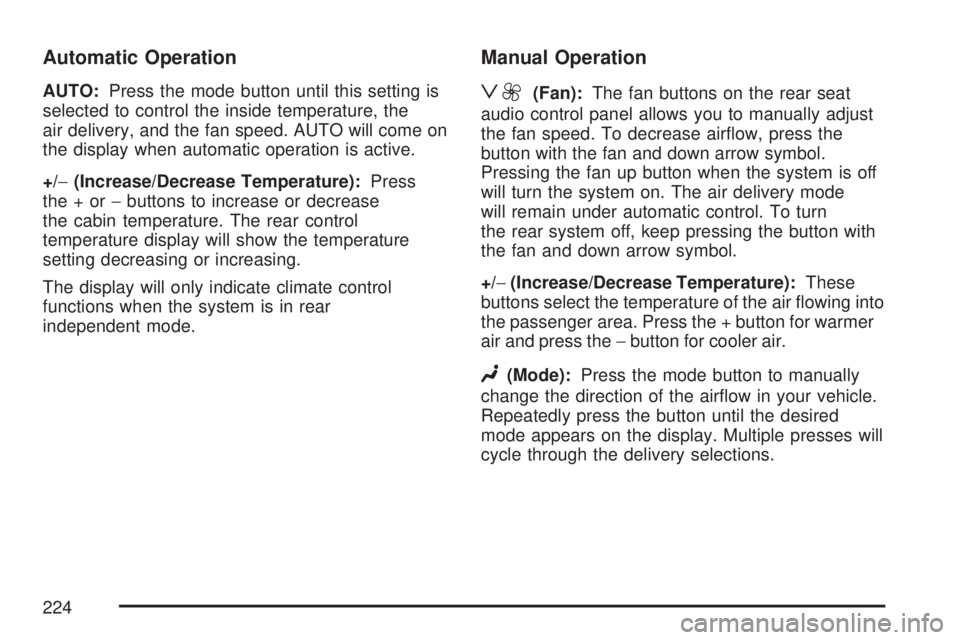
Automatic Operation
AUTO:Press the mode button until this setting is
selected to control the inside temperature, the
air delivery, and the fan speed. AUTO will come on
the display when automatic operation is active.
+/−(Increase/Decrease Temperature):Press
the+or−buttons to increase or decrease
the cabin temperature. The rear control
temperature display will show the temperature
setting decreasing or increasing.
The display will only indicate climate control
functions when the system is in rear
independent mode.
Manual Operation
z9(Fan):The fan buttons on the rear seat
audio control panel allows you to manually adjust
the fan speed. To decrease airow, press the
button with the fan and down arrow symbol.
Pressing the fan up button when the system is off
will turn the system on. The air delivery mode
will remain under automatic control. To turn
the rear system off, keep pressing the button with
the fan and down arrow symbol.
+/−(Increase/Decrease Temperature):These
buttons select the temperature of the air owing into
the passenger area. Press the + button for warmer
air and press the−button for cooler air.
N(Mode):Press the mode button to manually
change the direction of the airow in your vehicle.
Repeatedly press the button until the desired
mode appears on the display. Multiple presses will
cycle through the delivery selections.
224