ECU GMC YUKON DENALI 2008 Workshop Manual
[x] Cancel search | Manufacturer: GMC, Model Year: 2008, Model line: YUKON DENALI, Model: GMC YUKON DENALI 2008Pages: 502, PDF Size: 6.18 MB
Page 406 of 502
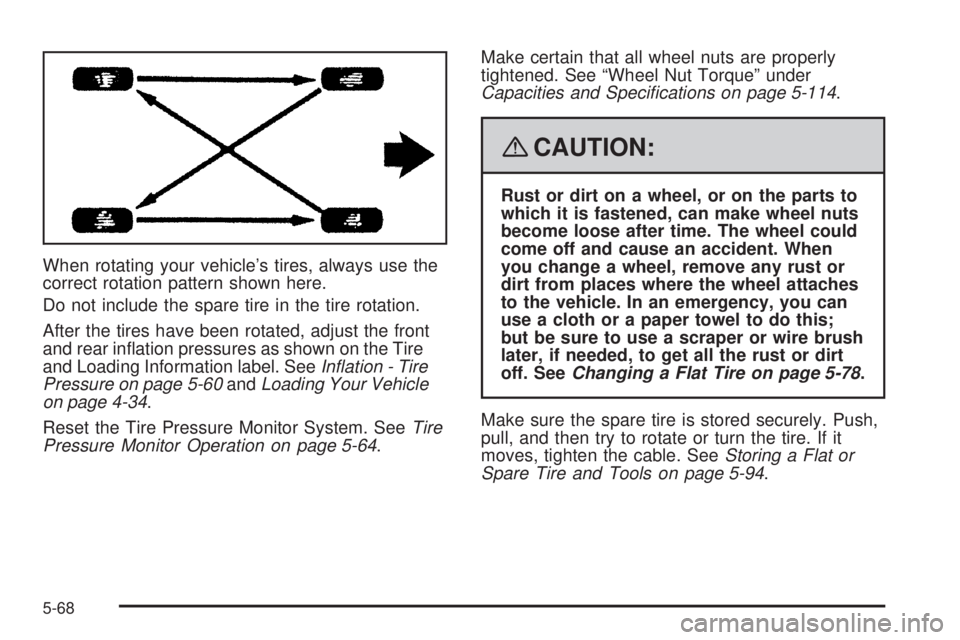
When rotating your vehicle’s tires, always use the
correct rotation pattern shown here.
Do not include the spare tire in the tire rotation.
After the tires have been rotated, adjust the front
and rear ination pressures as shown on the Tire
and Loading Information label. SeeInflation - Tire
Pressure on page 5-60andLoading Your Vehicle
on page 4-34.
Reset the Tire Pressure Monitor System. SeeTire
Pressure Monitor Operation on page 5-64.Make certain that all wheel nuts are properly
tightened. See “Wheel Nut Torque” under
Capacities and Specifications on page 5-114.
{CAUTION:
Rust or dirt on a wheel, or on the parts to
which it is fastened, can make wheel nuts
become loose after time. The wheel could
come off and cause an accident. When
you change a wheel, remove any rust or
dirt from places where the wheel attaches
to the vehicle. In an emergency, you can
use a cloth or a paper towel to do this;
but be sure to use a scraper or wire brush
later, if needed, to get all the rust or dirt
off. SeeChanging a Flat Tire on page 5-78.
Make sure the spare tire is stored securely. Push,
pull, and then try to rotate or turn the tire. If it
moves, tighten the cable. SeeStoring a Flat or
Spare Tire and Tools on page 5-94.
5-68
Page 429 of 502
3. Loosen the cable by turning the wrench
counterclockwise three or four turns.
4. Repeat this procedure at least two times. If the
spare tire lowers to the ground, continue with
Step 5 ofRemoving the Spare Tire and Tools
on page 5-79.
5. If the spare does not lower, turn the wrench
counterclockwise until approximately 6 inches
(15 cm) of cable is exposed.
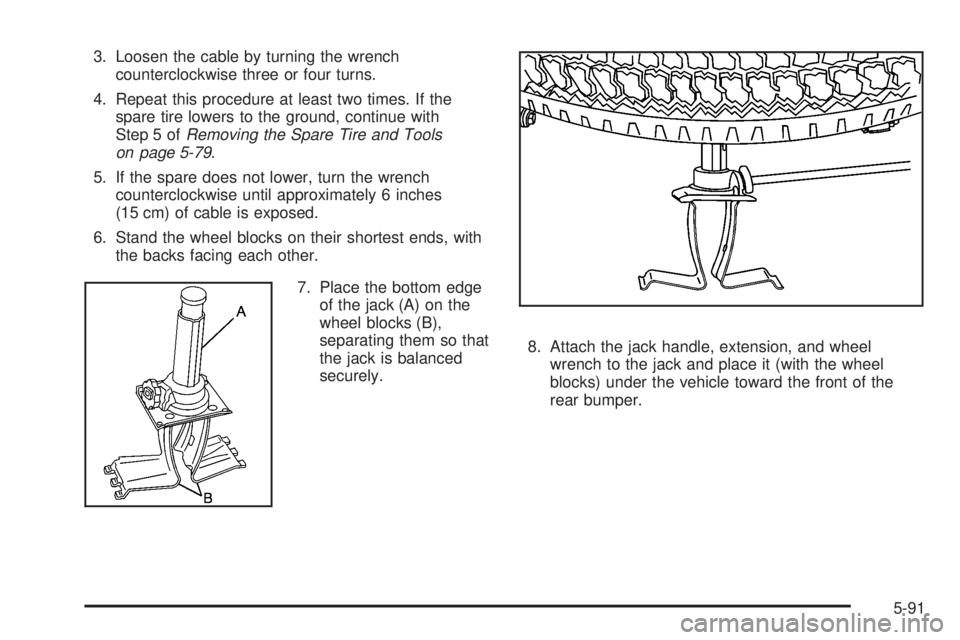
6. Stand the wheel blocks on their shortest ends, with
the backs facing each other.
7. Place the bottom edge
of the jack (A) on the
wheel blocks (B),
separating them so that
the jack is balanced
securely.8. Attach the jack handle, extension, and wheel
wrench to the jack and place it (with the wheel
blocks) under the vehicle toward the front of the
rear bumper.
5-91
Page 434 of 502
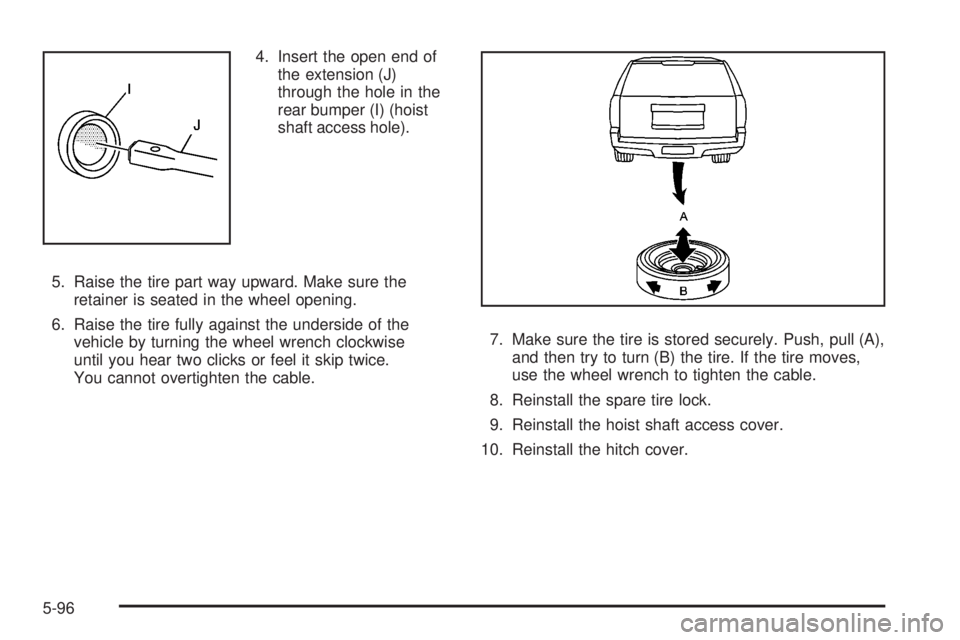
4. Insert the open end of
the extension (J)
through the hole in the
rear bumper (I) (hoist
shaft access hole).
5. Raise the tire part way upward. Make sure the
retainer is seated in the wheel opening.
6. Raise the tire fully against the underside of the
vehicle by turning the wheel wrench clockwise
until you hear two clicks or feel it skip twice.
You cannot overtighten the cable.7. Make sure the tire is stored securely. Push, pull (A),
and then try to turn (B) the tire. If the tire moves,
use the wheel wrench to tighten the cable.
8. Reinstall the spare tire lock.
9. Reinstall the hoist shaft access cover.
10. Reinstall the hitch cover.
5-96
Page 435 of 502
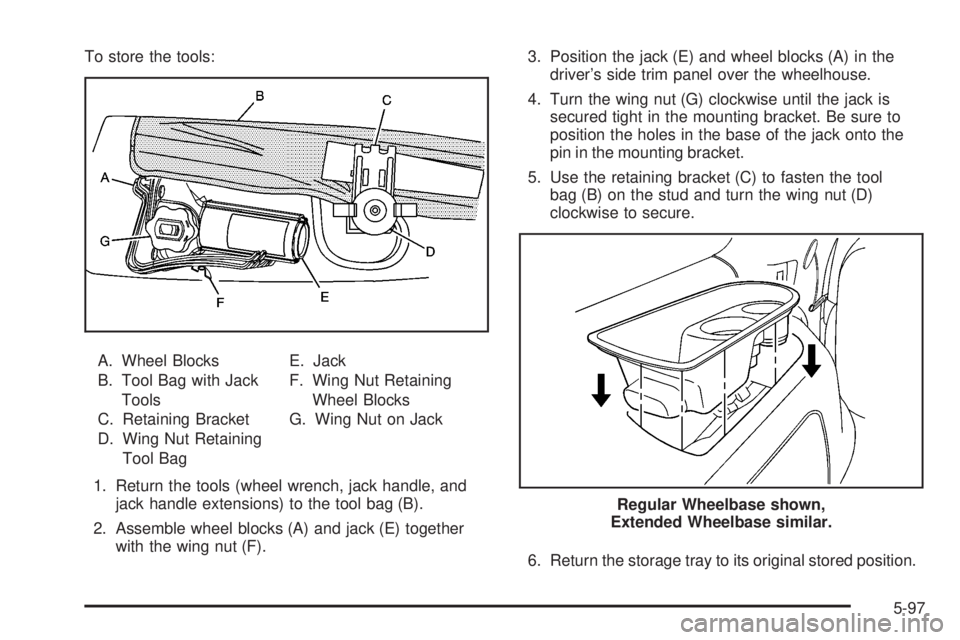
To store the tools:
A. Wheel Blocks
B. Tool Bag with Jack
Tools
C. Retaining Bracket
D. Wing Nut Retaining
Tool BagE. Jack
F. Wing Nut Retaining
Wheel Blocks
G. Wing Nut on Jack
1. Return the tools (wheel wrench, jack handle, and
jack handle extensions) to the tool bag (B).
2. Assemble wheel blocks (A) and jack (E) together
with the wing nut (F).3. Position the jack (E) and wheel blocks (A) in the
driver’s side trim panel over the wheelhouse.
4. Turn the wing nut (G) clockwise until the jack is
secured tight in the mounting bracket. Be sure to
position the holes in the base of the jack onto the
pin in the mounting bracket.
5. Use the retaining bracket (C) to fasten the tool
bag (B) on the stud and turn the wing nut (D)
clockwise to secure.
6. Return the storage tray to its original stored position.
Regular Wheelbase shown,
Extended Wheelbase similar.
5-97
Page 461 of 502
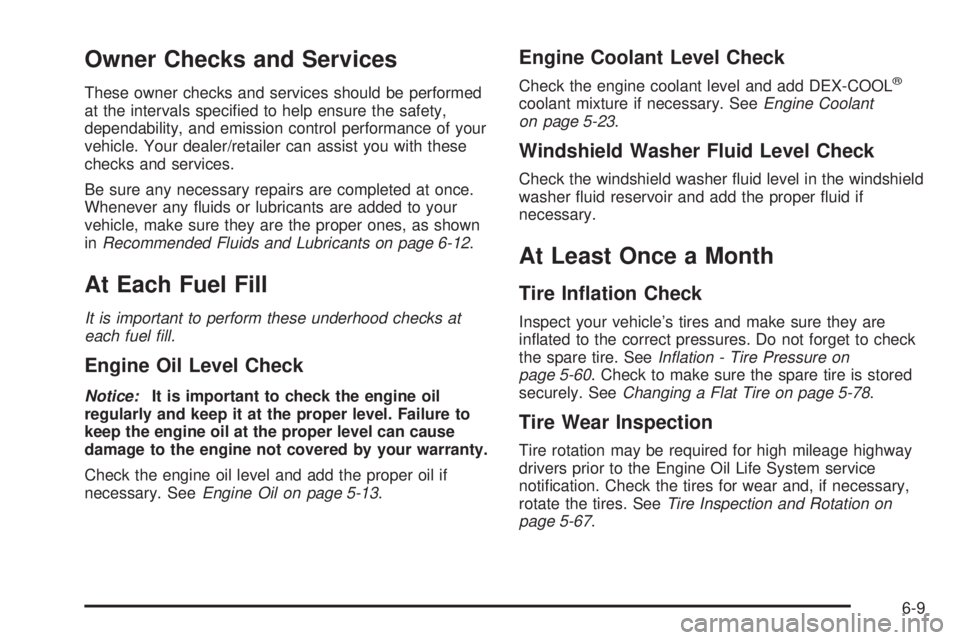
Owner Checks and Services
These owner checks and services should be performed
at the intervals specied to help ensure the safety,
dependability, and emission control performance of your
vehicle. Your dealer/retailer can assist you with these
checks and services.
Be sure any necessary repairs are completed at once.
Whenever any uids or lubricants are added to your
vehicle, make sure they are the proper ones, as shown
inRecommended Fluids and Lubricants on page 6-12.
At Each Fuel Fill
It is important to perform these underhood checks at
each fuel fill.
Engine Oil Level Check
Notice:It is important to check the engine oil
regularly and keep it at the proper level. Failure to
keep the engine oil at the proper level can cause
damage to the engine not covered by your warranty.
Check the engine oil level and add the proper oil if
necessary. SeeEngine Oil on page 5-13.
Engine Coolant Level Check
Check the engine coolant level and add DEX-COOL®
coolant mixture if necessary. SeeEngine Coolant
on page 5-23.
Windshield Washer Fluid Level Check
Check the windshield washer uid level in the windshield
washer uid reservoir and add the proper uid if
necessary.
At Least Once a Month
Tire Ination Check
Inspect your vehicle’s tires and make sure they are
inated to the correct pressures. Do not forget to check
the spare tire. SeeInflation - Tire Pressure on
page 5-60. Check to make sure the spare tire is stored
securely. SeeChanging a Flat Tire on page 5-78.
Tire Wear Inspection
Tire rotation may be required for high mileage highway
drivers prior to the Engine Oil Life System service
notication. Check the tires for wear and, if necessary,
rotate the tires. SeeTire Inspection and Rotation on
page 5-67.
6-9
Page 477 of 502
Lock-out Service:Lock-out service will be covered
at no charge if you are unable to gain entry into your
vehicle. A remote unlock may be available if you
have an active OnStar
®subscription. To ensure
security, the driver must present personal
identication before lock-out service is provided. In
Canada, the vehicle registration is also required.
Emergency Tow From a Public Roadway or
Highway:Tow to the nearest dealership for warranty
service or in the event of a vehicle-disabling crash.
Winch-out assistance is provided when the vehicle is
mired in sand, mud, or snow.
Flat Tire Change:Installation of a spare tire in good
condition, when equipped and properly inated, is
covered at no charge. The customer is responsible
for the repair or replacement of the tire if not covered
by a warrantable failure.
Jump Start:A battery jump start is covered at no
charge if the vehicle does not start.
Trip Routing Service:Upon request, Roadside
Assistance will send you detailed, computer
personalized maps, highlighting your choice of either
the most direct route or the most scenic route to your
destination, anywhere in North America, along with
helpful travel information pertaining to your trip.Please allow three weeks before your planned
departure date. In Canada, trip routing requests will
be limited to six per calendar year.
Trip Interruption Benets and Assistance:In the
event of a warranty related vehicle disablement,
while en route and over 150 miles (250 kilometres)
from original point of departure, you may qualify for
trip interruption expense assistance. This assistance
covers reasonable reimbursement of up to a
maximum of $500. In Canada, maximums include:
(A) meals (maximum of $50/day), (B) lodging
(maximum of $100/night) and (C) alternate ground
transportation (maximum of $40/day). This benet is
to assist you with some of the unplanned expense
you may incur while waiting for your vehicle to be
repaired.
Original detailed receipts, and a copy of the repair
order are required. In Canada, pre-authorization is
also required.
Once authorization has been given, your advisor will
help you make any necessary arrangements and
explain how to claim for trip interruption expense
assistance.
Alternative Service (Canada only):There may be
times, when Roadside Assistance cannot provide
timely assistance. Your advisor may authorize you to
secure local emergency road service, and you will be
reimbursed up to $100 (Canadian) upon submission
of the original receipt to Roadside Assistance.
7-7
Page 487 of 502
OnStar®
If your vehicle has OnStar and you subscribe to the
OnStar services, please refer to the OnStar Terms and
Conditions for information on data collection and use.
See alsoOnStar
®System on page 2-47in this manual for
more information.
Navigation System
If your vehicle has a navigation system, use of the
system may result in the storage of destinations,
addresses, telephone numbers, and other trip
information. Refer to the navigation system operating
manual for information on stored data and for deletion
instructions.
Radio Frequency
Identication (RFID)
RFID technology is used in some vehicles for functions
such as tire pressure monitoring and ignition system
security, as well as in connection with conveniences
such as key fobs for remote door locking/unlocking and
starting, and in-vehicle transmitters for garage door
openers. RFID technology in GM vehicles does not use
or record personal information or link with any other
GM system containing personal information.
7-17
Page 491 of 502
Child Restraints (cont.)
Lower Anchors and Tethers for Children..........1-60
Older Children.............................................1-49
Securing a Child Restraint in a Rear Seat
Position..................................................1-68
Securing a Child Restraint in the Center
Front Seat Position...................................1-71
Securing a Child Restraint in the Right
Front Seat Position...................................1-71
Where to Put the Restraint...........................1-58
Cigarette Lighter.............................................3-22
Cleaning
Aluminum Wheels......................................5-104
Exterior Lamps/Lenses................................5-102
Fabric/Carpet............................................5-100
Finish Care...............................................5-102
Instrument Panel, Vinyl, and Other Plastic
Surfaces...............................................5-101
Interior.......................................................5-98
Leather....................................................5-100
Speaker Covers.........................................5-101
Tires........................................................5-104
Underbody Maintenance.............................5-105
Washing Your Vehicle.................................5-102
Weatherstrips............................................5-101
Windshield, Backglass, and Wiper Blades......5-103
Wood Panels............................................5-101Cleaning (cont.)
Climate Control System
Dual Automatic............................................3-23
Outlet Adjustment........................................3-29
Rear Air Conditioning and Heating System,
Electronic................................................3-29
Clock, Setting.................................................3-74
Collision Damage Repair..................................7-10
Compass.......................................................2-40
Content Theft-Deterrent....................................2-22
Control of a Vehicle.......................................... 4-3
Convenience Net............................................2-60
Coolant
Engine Temperature Gage............................
3-41
Heater, Engine............................................2-29
Surge Tank Pressure Cap.............................5-26
Cooling System..............................................5-29
Cruise Control................................................3-13
Cruise Control Light........................................3-47
Cupholder(s)..................................................2-58
Customer Assistance Information
Courtesy Transportation.................................. 7-9
Customer Assistance for Text Telephone (TTY)
Users....................................................... 7-5
Customer Assistance Offices........................... 7-5
Customer Satisfaction Procedure..................... 7-2
GM Mobility Reimbursement Program............... 7-6
3
Page 492 of 502
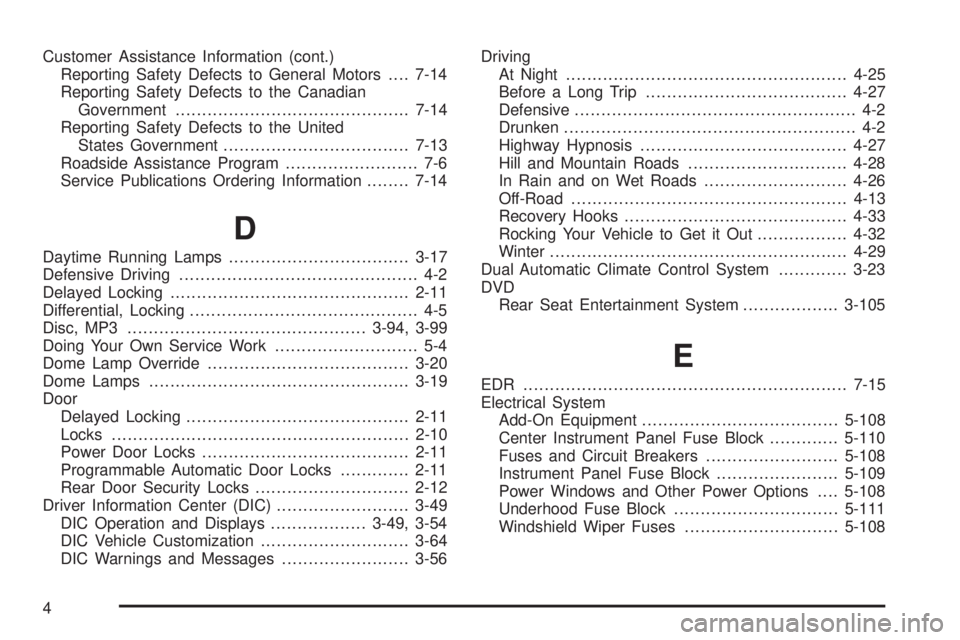
Customer Assistance Information (cont.)
Reporting Safety Defects to General Motors....7-14
Reporting Safety Defects to the Canadian
Government............................................7-14
Reporting Safety Defects to the United
States Government...................................7-13
Roadside Assistance Program......................... 7-6
Service Publications Ordering Information........7-14
D
Daytime Running Lamps..................................3-17
Defensive Driving............................................. 4-2
Delayed Locking.............................................2-11
Differential, Locking........................................... 4-5
Disc, MP3.............................................3-94, 3-99
Doing Your Own Service Work........................... 5-4
Dome Lamp Override......................................3-20
Dome Lamps.................................................3-19
Door
Delayed Locking..........................................2-11
Locks........................................................2-10
Power Door Locks.......................................2-11
Programmable Automatic Door Locks.............2-11
Rear Door Security Locks.............................2-12
Driver Information Center (DIC).........................3-49
DIC Operation and Displays..................3-49, 3-54
DIC Vehicle Customization............................3-64
DIC Warnings and Messages........................3-56Driving
At Night.....................................................4-25
Before a Long Trip......................................4-27
Defensive..................................................... 4-2
Drunken....................................................... 4-2
Highway Hypnosis.......................................4-27
Hill and Mountain Roads..............................4-28
In Rain and on Wet Roads...........................4-26
Off-Road....................................................4-13
Recovery Hooks..........................................4-33
Rocking Your Vehicle to Get it Out.................4-32
Winter........................................................4-29
Dual Automatic Climate Control System.............3-23
DVD
Rear Seat Entertainment System..................3-105
E
EDR .............................................................7-15
Electrical System
Add-On Equipment.....................................5-108
Center Instrument Panel Fuse Block.............5-110
Fuses and Circuit Breakers.........................5-108
Instrument Panel Fuse Block.......................5-109
Power Windows and Other Power Options....5-108
Underhood Fuse Block...............................5-111
Windshield Wiper Fuses.............................5-108
4
Page 495 of 502
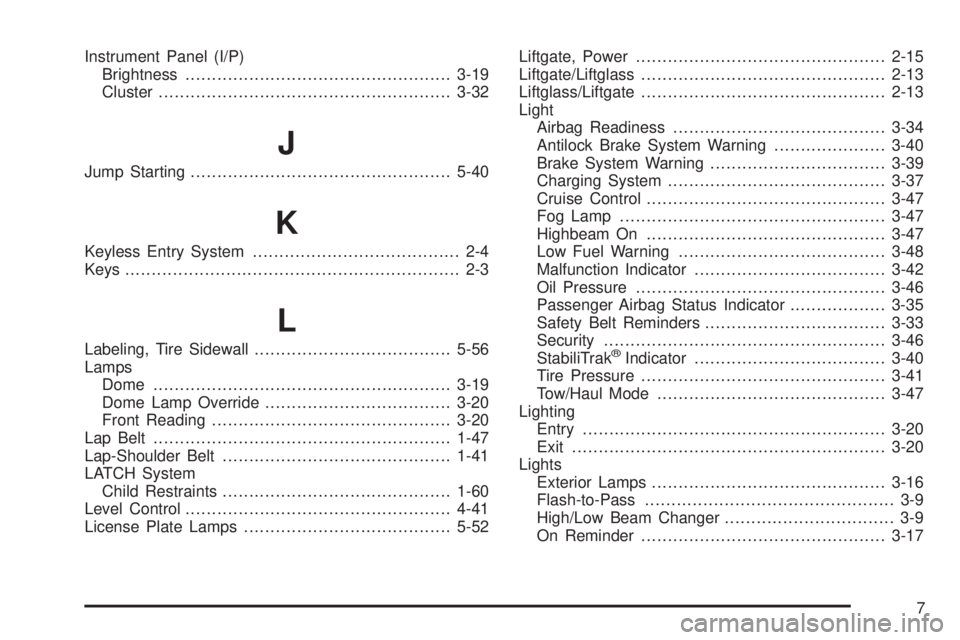
Instrument Panel (I/P)
Brightness..................................................3-19
Cluster.......................................................3-32
J
Jump Starting.................................................5-40
K
Keyless Entry System....................................... 2-4
Keys............................................................... 2-3
L
Labeling, Tire Sidewall.....................................5-56
Lamps
Dome........................................................3-19
Dome Lamp Override...................................3-20
Front Reading.............................................3-20
Lap Belt........................................................1-47
Lap-Shoulder Belt...........................................1-41
LATCH System
Child Restraints...........................................1-60
Level Control..................................................4-41
License Plate Lamps.......................................5-52Liftgate, Power...............................................2-15
Liftgate/Liftglass..............................................2-13
Liftglass/Liftgate..............................................2-13
Light
Airbag Readiness........................................3-34
Antilock Brake System Warning.....................3-40
Brake System Warning.................................3-39
Charging System.........................................3-37
Cruise Control.............................................3-47
Fog Lamp..................................................3-47
Highbeam On.............................................3-47
Low Fuel Warning.......................................3-48
Malfunction Indicator....................................3-42
Oil Pressure...............................................3-46
Passenger Airbag Status Indicator..................3-35
Safety Belt Reminders..................................3-33
Security.....................................................3-46
StabiliTrak®Indicator....................................3-40
Tire Pressure..............................................3-41
Tow/Haul Mode...........................................3-47
Lighting
Entry.........................................................3-20
Exit...........................................................3-20
Lights
Exterior Lamps............................................3-16
Flash-to-Pass............................................... 3-9
High/Low Beam Changer................................ 3-9
On Reminder..............................................3-17
7