light GMC YUKON DENALI 2009 Owner's Manual
[x] Cancel search | Manufacturer: GMC, Model Year: 2009, Model line: YUKON DENALI, Model: GMC YUKON DENALI 2009Pages: 100, PDF Size: 1.41 MB
Page 84 of 100
Playing a DVD
There are three ways to play a DVD:
Once a DVD is inserted, the system will
automatically start play of the DVD.
If you are on a map screen, touch the DVD screen
button.
Press the AUDIO hard key, then touch the DVD
screen button.
When a DVD is loaded in the DVD player, the rear seat
operator can power on the RSE video screen and
use the remote control to navigate through the DVD.
O(Power/Volume):Press this knob to turn the system
on and off. Turn the knob to increase or decrease the
volume of the audio system.
Press and hold this knob for more than two seconds to
turn the navigation system, RSE, and RSA off.
DVD Menu Options
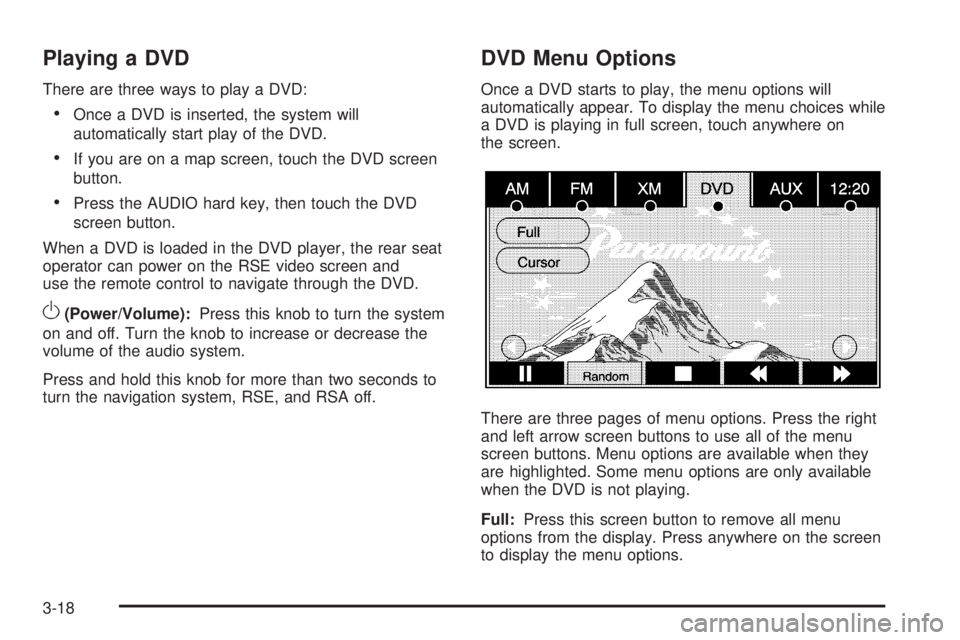
Once a DVD starts to play, the menu options will
automatically appear. To display the menu choices while
a DVD is playing in full screen, touch anywhere on
the screen.
There are three pages of menu options. Press the right
and left arrow screen buttons to use all of the menu
screen buttons. Menu options are available when they
are highlighted. Some menu options are only available
when the DVD is not playing.
Full:Press this screen button to remove all menu
options from the display. Press anywhere on the screen
to display the menu options.
3-18
Page 85 of 100
Cursor:Touch this button to access the cursor menu.
The arrows and other cursor options allow you to
navigate the DVD menu options. The cursor menu
options are only available if a DVD has a menu.
q,Q,r,R(Arrow Buttons):Use these arrow
buttons to move around the DVD menu.
Enter:Touch this button to select the highlighted option.
Return:Touch this button to go back to the previous
DVD menu.
Back:Touch this button to go back to the main DVD
display screen.
Move:Touch this button to move the cursor buttons
back and forth from the bottom-right corner to the top-left
corner of the screen.
j/r(Pause/Play):Touch this button to pause the
DVD. This button will then change to the play button.
Touch the play button to play the DVD.
Random:Touch this button to hear the tracks in random,
rather than sequential, order. Touch Random again to
turn off random play. This button is not available for
DVD video.
c(Stop):Touch this button to stop play of the DVD.
Press the play button to continue playing the DVD
from where the DVD was stopped. Press this button
twice to return to the beginning of the DVD.
r(Rewind):Touch and hold this button to rewind
through the scene, chapters, and titles. This button
may not work when the DVD is playing the copyright
information or the previews.
[(Forward):Touch and hold this button to advance
rapidly through the scene, chapters, and titles. This
button may not work when the DVD is playing the
copyright information or the previews.
Top Menu:Touch this button to display the rst menu
of the DVD. This button is not available on all DVDs.
Menu:Touch this button to display the DVD menu
of the current area of the DVD that is playing.
This button is not available for DVD audio.
Search:Touch this button to display the title search
screen. The keyboard allows you to type in the title
number of the title that you would like to watch.
Setup:Touch this button to display the DVD Setup
screen. This button is only available when the DVD is
not playing. The DVD Setup screen allows you to
change the brightness, contrast, and mode, change the
viewing on the monitor, and to change the initial
settings; language, parental level, and aspect.
!(Brightness):Touch the up or down screen arrows
to increase or decrease the brightness of the
navigation screen.
3-19
Page 86 of 100
_(Contrast):Touch the up or down screen arrows to
increase or decrease the contrast of the navigation
screen.
Auto (Automatic):Touch this screen button for the
system to automatically adjust the navigation screen
background depending on exterior lighting conditions.
Night:Touch this screen button and the system
will make the navigation screen background darken.
Day:Touch this screen button and the system will make
the navigation screen background brighten.
Monitor:From the DVD Setup screen, touch this
button to adjust the viewing angle of the DVD on the
navigation screen. This is not available on all DVDs.
Touch the
ebutton to close the screen in from the left
and right sides.
Touch the
Jbutton to ll the screen on the left and
right sides.
Touch the
dbutton to ll the screen on the top and
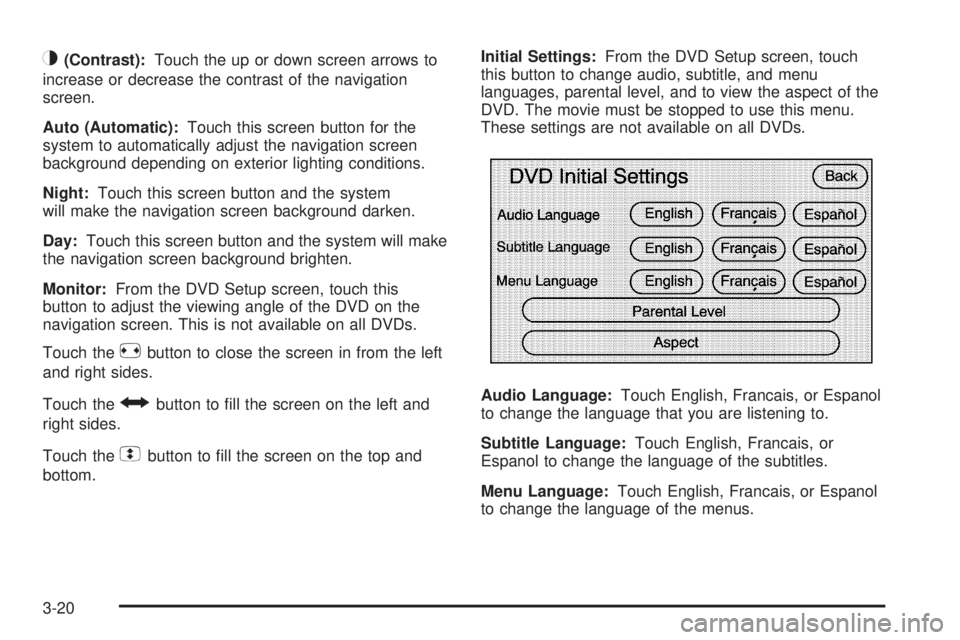
bottom.Initial Settings:From the DVD Setup screen, touch
this button to change audio, subtitle, and menu
languages, parental level, and to view the aspect of the
DVD. The movie must be stopped to use this menu.
These settings are not available on all DVDs.
Audio Language:Touch English, Francais, or Espanol
to change the language that you are listening to.
Subtitle Language:Touch English, Francais, or
Espanol to change the language of the subtitles.
Menu Language:Touch English, Francais, or Espanol
to change the language of the menus.
3-20