roof GMC YUKON DENALI 2010 User Guide
[x] Cancel search | Manufacturer: GMC, Model Year: 2010, Model line: YUKON DENALI, Model: GMC YUKON DENALI 2010Pages: 560, PDF Size: 4.32 MB
Page 116 of 560
What Will You See After an Airbag
Inflates?
After the frontal airbags and seat-mounted side impact
airbags inflate, they quickly deflate, so quickly that
some people may not even realize an airbag inflated.
Roof-rail airbags may still be at least partially inflated for
some time after they deploy. Some components of the
airbag module may be hot for several minutes. For
location of the airbag modules, seeWhat Makes an
Airbag Inflate? on page 2‑83.
The parts of the airbag that come into contact with you
may be warm, but not too hot to touch. There may be
some smoke and dust coming from the vents in the
deflated airbags. Airbag inflation does not prevent the
driver from seeing out of the windshield or being able to
steer the vehicle, nor does it prevent people from
leaving the vehicle.
{WARNING:
When an airbag inflates, there may be dust in the
air. This dust could cause breathing problems for
people with a history of asthma or other breathing
trouble. To avoid this, everyone in the vehicle
should get out as soon as it is safe to do so.
If you have breathing problems but cannot get out
of the vehicle after an airbag inflates, then get
fresh air by opening a window or a door. If you
experience breathing problems following an airbag
deployment, you should seek medical attention.
The vehicle has a feature that may automatically unlock
the doors, turn on the interior lamps and hazard warning
flashers, and shut off the fuel system after the airbags
inflate. You can lock the doors, turn off the interior
lamps and hazard warning flashers by using the
controls for those features.
2-84
Page 118 of 560
United StatesCanada
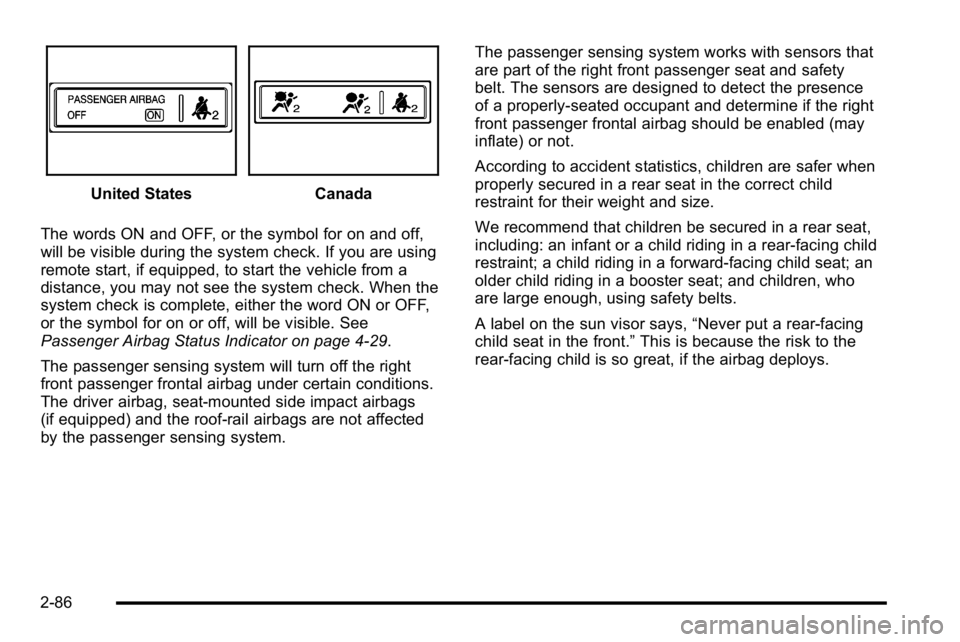
The words ON and OFF, or the symbol for on and off,
will be visible during the system check. If you are using
remote start, if equipped, to start the vehicle from a
distance, you may not see the system check. When the
system check is complete, either the word ON or OFF,
or the symbol for on or off, will be visible. See
Passenger Airbag Status Indicator on page 4‑29.
The passenger sensing system will turn off the right
front passenger frontal airbag under certain conditions.
The driver airbag, seat‐mounted side impact airbags
(if equipped) and the roof-rail airbags are not affected
by the passenger sensing system. The passenger sensing system works with sensors that
are part of the right front passenger seat and safety
belt. The sensors are designed to detect the presence
of a properly-seated occupant and determine if the right
front passenger frontal airbag should be enabled (may
inflate) or not.
According to accident statistics, children are safer when
properly secured in a rear seat in the correct child
restraint for their weight and size.
We recommend that children be secured in a rear seat,
including: an infant or a child riding in a rear-facing child
restraint; a child riding in a forward-facing child seat; an
older child riding in a booster seat; and children, who
are large enough, using safety belts.
A label on the sun visor says,
“Never put a rear-facing
child seat in the front.” This is because the risk to the
rear-facing child is so great, if the airbag deploys.
2-86
Page 123 of 560
Servicing Your Airbag-Equipped
Vehicle
Airbags affect how the vehicle should be serviced.
There are parts of the airbag system in several places
around the vehicle. Your dealer/retailer and the service
manual have information about servicing the vehicle
and the airbag system. To purchase a service manual,
seeService Publications Ordering Information
on
page 8‑16.
{WARNING:
For up to 10 seconds after the ignition is turned off
and the battery is disconnected, an airbag can still
inflate during improper service. You can be injured
if you are close to an airbag when it inflates. Avoid
yellow connectors. They are probably part of the
airbag system. Be sure to follow proper service
procedures, and make sure the person performing
work for you is qualified to do so.
Adding Equipment to Your
Airbag-Equipped Vehicle
Q: Is there anything I might add to or change about the vehicle that could keep the airbags from
working properly?
A: Yes. If you add things that change the vehicle's
frame, bumper system, height, front end or side
sheet metal, they may keep the airbag system from
working properly. Changing or moving any parts of
the front seats, safety belts, the airbag sensing and
diagnostic module, steering wheel, instrument panel,
roof-rail airbag modules, ceiling headliner or pillar
garnish trim, overhead console, front sensors, side
impact sensors, rollover sensor module, or airbag
wiring can affect the operation of the airbag system.
In addition, the vehicle may have a passenger
sensing system for the right front passenger
position, which includes sensors that are part of the
passenger seat. The passenger sensing system
may not operate properly if the original seat trim is
replaced with non-GM covers, upholstery or trim,
or with GM covers, upholstery or trim designed for a
2-91
Page 124 of 560
different vehicle. Any object, such as an aftermarket
seat heater or a comfort enhancing pad or device,
installed under or on top of the seat fabric, could
also interfere with the operation of the passenger
sensing system. This could either prevent proper
deployment of the passenger airbag(s) or prevent
the passenger sensing system from properly turning
off the passenger airbag(s). SeePassenger Sensing
System on page 2‑85.
If you have any questions, call Customer
Assistance. The phone numbers and addresses
for Customer Assistance are in Step Two of the
Customer Satisfaction Procedure in this manual.
See Customer Satisfaction Procedure on page 8‑2.
If the vehicle has rollover roof-rail airbags, see
Different Size Tires and Wheels
on page 6‑75for
additional important information. Q: Because I have a disability, I have to get my
vehicle modified. How can I find out whether
this will affect my airbag system?
A: If you have questions, call Customer Assistance.
The phone numbers and addresses for Customer
Assistance are in Step Two of the Customer
Satisfaction Procedure in this manual. See
Customer Satisfaction Procedure on page 8‑2.
In addition, your dealer/retailer and the service manual
have information about the location of the airbag
sensors, sensing and diagnostic module and airbag
wiring.
2-92
Page 128 of 560
Section 3 Features and Controls
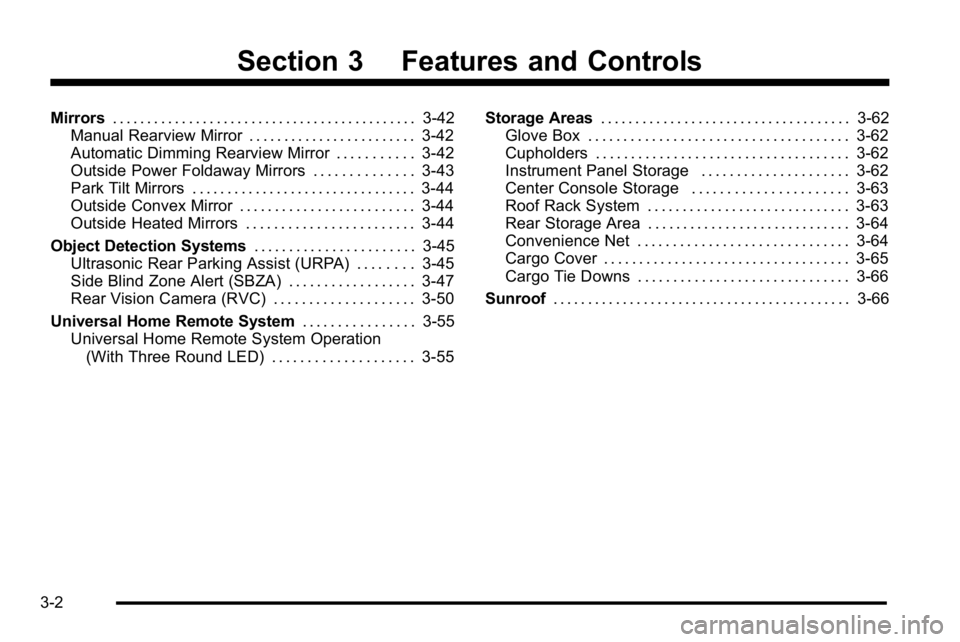
Mirrors. . . . . . . . . . . . . . . . . . . . . . . . . . . . . . . . . . . . . . . . . . . . 3-42
Manual Rearview Mirror . . . . . . . . . . . . . . . . . . . . . . . . 3-42
Automatic Dimming Rearview Mirror . . . . . . . . . . . 3-42
Outside Power Foldaway Mirrors . . . . . . . . . . . . . . 3-43
Park Tilt Mirrors . . . . . . . . . . . . . . . . . . . . . . . . . . . . . . . . 3-44
Outside Convex Mirror . . . . . . . . . . . . . . . . . . . . . . . . . 3-44
Outside Heated Mirrors . . . . . . . . . . . . . . . . . . . . . . . . 3-44
Object Detection Systems . . . . . . . . . . . . . . . . . . . . . . .3-45
Ultrasonic Rear Parking Assist (URPA) . . . . . . . . 3-45
Side Blind Zone Alert (SBZA) . . . . . . . . . . . . . . . . . . 3-47
Rear Vision Camera (RVC) . . . . . . . . . . . . . . . . . . . . 3-50
Universal Home Remote System . . . . . . . . . . . . . . . .3-55
Universal Home Remote System Operation (With Three Round LED) . . . . . . . . . . . . . . . . . . . . 3-55 Storage Areas
. . . . . . . . . . . . . . . . . . . . . . . . . . . . . . . . . . . . 3-62
Glove Box . . . . . . . . . . . . . . . . . . . . . . . . . . . . . . . . . . . . . 3-62
Cupholders . . . . . . . . . . . . . . . . . . . . . . . . . . . . . . . . . . . . 3-62
Instrument Panel Storage . . . . . . . . . . . . . . . . . . . . . 3-62
Center Console Storage . . . . . . . . . . . . . . . . . . . . . . 3-63
Roof Rack System . . . . . . . . . . . . . . . . . . . . . . . . . . . . . 3-63
Rear Storage Area . . . . . . . . . . . . . . . . . . . . . . . . . . . . . 3-64
Convenience Net . . . . . . . . . . . . . . . . . . . . . . . . . . . . . . 3-64
Cargo Cover . . . . . . . . . . . . . . . . . . . . . . . . . . . . . . . . . . . 3-65
Cargo Tie Downs . . . . . . . . . . . . . . . . . . . . . . . . . . . . . . 3-66
Sunroof . . . . . . . . . . . . . . . . . . . . . . . . . . . . . . . . . . . . . . . . . . . 3-66
3-2
Page 152 of 560
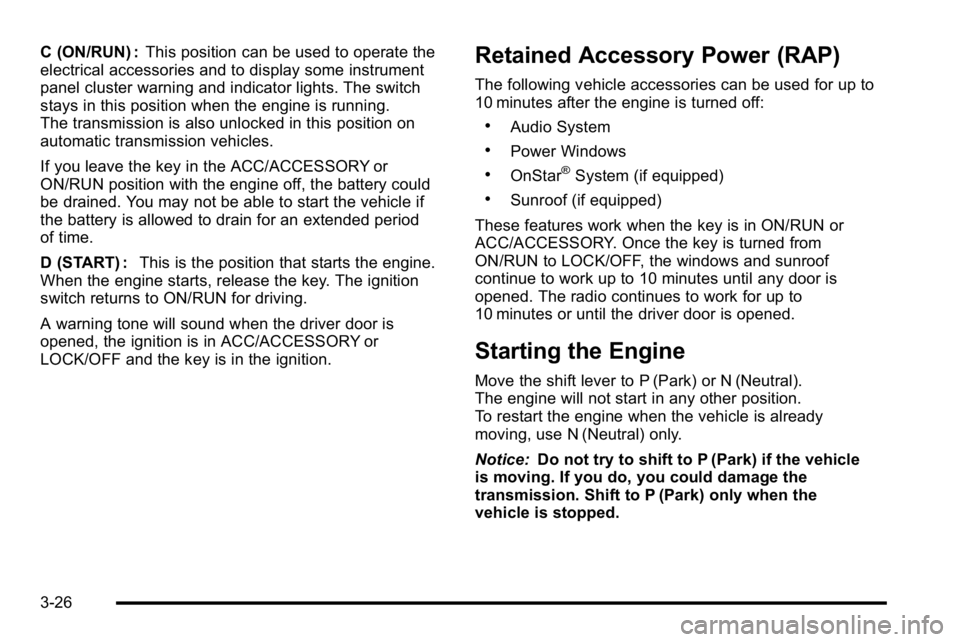
C (ON/RUN) :This position can be used to operate the
electrical accessories and to display some instrument
panel cluster warning and indicator lights. The switch
stays in this position when the engine is running.
The transmission is also unlocked in this position on
automatic transmission vehicles.
If you leave the key in the ACC/ACCESSORY or
ON/RUN position with the engine off, the battery could
be drained. You may not be able to start the vehicle if
the battery is allowed to drain for an extended period
of time.
D (START) : This is the position that starts the engine.
When the engine starts, release the key. The ignition
switch returns to ON/RUN for driving.
A warning tone will sound when the driver door is
opened, the ignition is in ACC/ACCESSORY or
LOCK/OFF and the key is in the ignition.Retained Accessory Power (RAP)
The following vehicle accessories can be used for up to
10 minutes after the engine is turned off:
.Audio System
.Power Windows
.OnStar®System (if equipped)
.Sunroof (if equipped)
These features work when the key is in ON/RUN or
ACC/ACCESSORY. Once the key is turned from
ON/RUN to LOCK/OFF, the windows and sunroof
continue to work up to 10 minutes until any door is
opened. The radio continues to work for up to
10 minutes or until the driver door is opened.
Starting the Engine
Move the shift lever to P (Park) or N (Neutral).
The engine will not start in any other position.
To restart the engine when the vehicle is already
moving, use N (Neutral) only.
Notice: Do not try to shift to P (Park) if the vehicle
is moving. If you do, you could damage the
transmission. Shift to P (Park) only when the
vehicle is stopped.
3-26
Page 189 of 560
Center Console Storage
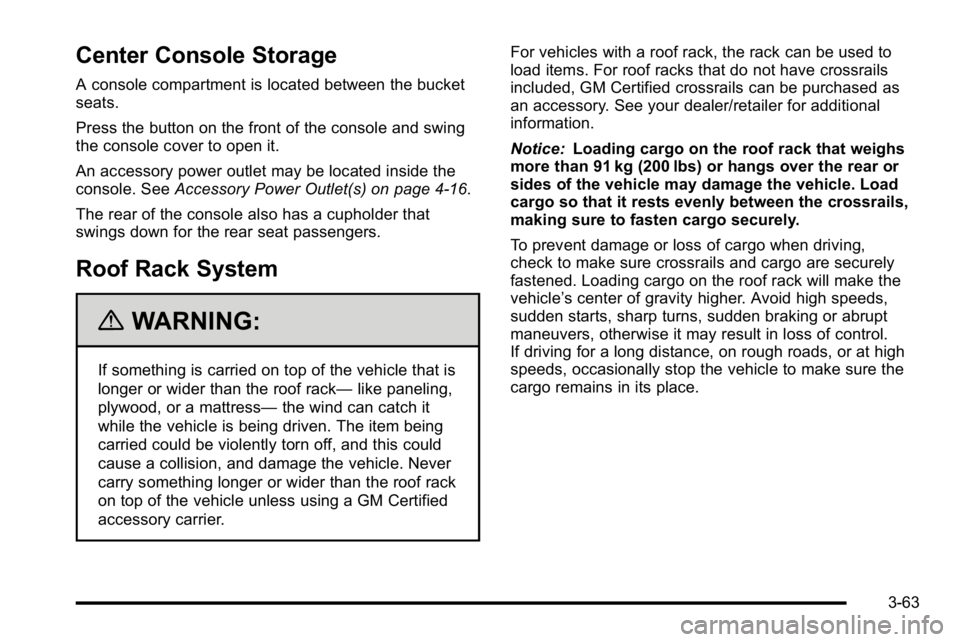
A console compartment is located between the bucket
seats.
Press the button on the front of the console and swing
the console cover to open it.
An accessory power outlet may be located inside the
console. SeeAccessory Power Outlet(s) on page 4‑16.
The rear of the console also has a cupholder that
swings down for the rear seat passengers.
Roof Rack System
{WARNING:
If something is carried on top of the vehicle that is
longer or wider than the roof rack— like paneling,
plywood, or a mattress— the wind can catch it
while the vehicle is being driven. The item being
carried could be violently torn off, and this could
cause a collision, and damage the vehicle. Never
carry something longer or wider than the roof rack
on top of the vehicle unless using a GM Certified
accessory carrier. For vehicles with a roof rack, the rack can be used to
load items. For roof racks that do not have crossrails
included, GM Certified crossrails can be purchased as
an accessory. See your dealer/retailer for additional
information.
Notice:
Loading cargo on the roof rack that weighs
more than 91 kg (200 lbs) or hangs over the rear or
sides of the vehicle may damage the vehicle. Load
cargo so that it rests evenly between the crossrails,
making sure to fasten cargo securely.
To prevent damage or loss of cargo when driving,
check to make sure crossrails and cargo are securely
fastened. Loading cargo on the roof rack will make the
vehicle’s center of gravity higher. Avoid high speeds,
sudden starts, sharp turns, sudden braking or abrupt
maneuvers, otherwise it may result in loss of control.
If driving for a long distance, on rough roads, or at high
speeds, occasionally stop the vehicle to make sure the
cargo remains in its place.
3-63
Page 190 of 560
Don't exceed the maximum vehicle capacity when
loading the vehicle. For more information on vehicle
capacity and loading, seeLoading the Vehicle
on
page 5‑31.
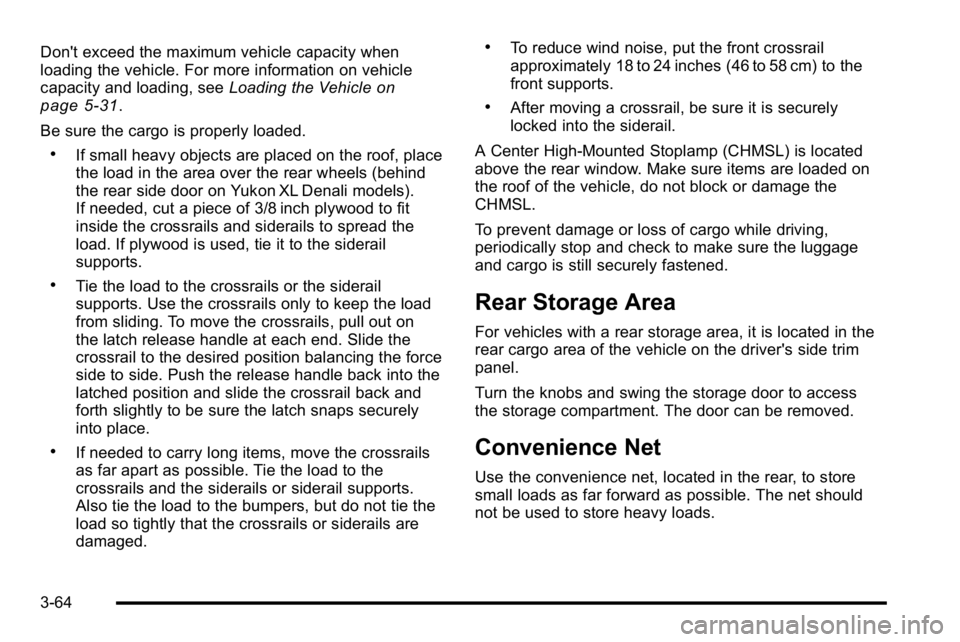
Be sure the cargo is properly loaded.
.If small heavy objects are placed on the roof, place
the load in the area over the rear wheels (behind
the rear side door on Yukon XL Denali models).
If needed, cut a piece of 3/8 inch plywood to fit
inside the crossrails and siderails to spread the
load. If plywood is used, tie it to the siderail
supports.
.Tie the load to the crossrails or the siderail
supports. Use the crossrails only to keep the load
from sliding. To move the crossrails, pull out on
the latch release handle at each end. Slide the
crossrail to the desired position balancing the force
side to side. Push the release handle back into the
latched position and slide the crossrail back and
forth slightly to be sure the latch snaps securely
into place.
.If needed to carry long items, move the crossrails
as far apart as possible. Tie the load to the
crossrails and the siderails or siderail supports.
Also tie the load to the bumpers, but do not tie the
load so tightly that the crossrails or siderails are
damaged.
.To reduce wind noise, put the front crossrail
approximately 18 to 24 inches (46 to 58 cm) to the
front supports.
.After moving a crossrail, be sure it is securely
locked into the siderail.
A Center High-Mounted Stoplamp (CHMSL) is located
above the rear window. Make sure items are loaded on
the roof of the vehicle, do not block or damage the
CHMSL.
To prevent damage or loss of cargo while driving,
periodically stop and check to make sure the luggage
and cargo is still securely fastened.
Rear Storage Area
For vehicles with a rear storage area, it is located in the
rear cargo area of the vehicle on the driver's side trim
panel.
Turn the knobs and swing the storage door to access
the storage compartment. The door can be removed.
Convenience Net
Use the convenience net, located in the rear, to store
small loads as far forward as possible. The net should
not be used to store heavy loads.
3-64
Page 192 of 560
Cargo Tie Downs
If the vehicle has cargo tie downs located in the rear
cargo area, these can be used to strap cargo down and
keep it from moving inside the vehicle.
Sunroof
Your vehicle may be equipped with a power sliding
sunroof. To open or close the sunroof, the ignition
needs to be turned to ON/RUN, or Retained Accessory
Power (RAP) must be active. When RAP is active, the
sunroof will work for 10 minutes after the ignition is
turned off, or until a front door is opened. SeeRetained
Accessory Power (RAP)
on page 3‑26for more
information.
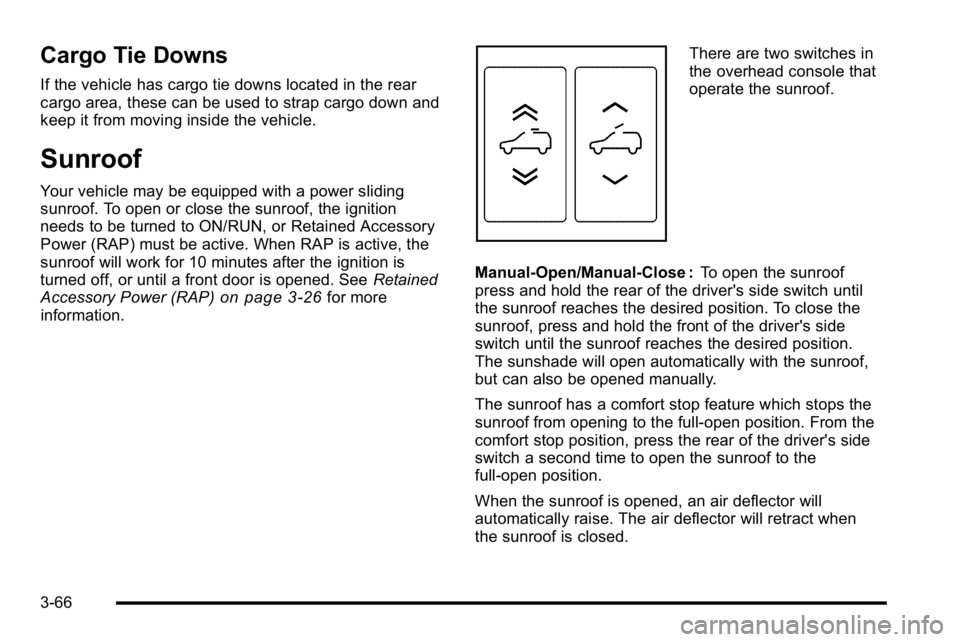
There are two switches in
the overhead console that
operate the sunroof.
Manual-Open/Manual-Close : To open the sunroof
press and hold the rear of the driver's side switch until
the sunroof reaches the desired position. To close the
sunroof, press and hold the front of the driver's side
switch until the sunroof reaches the desired position.
The sunshade will open automatically with the sunroof,
but can also be opened manually.
The sunroof has a comfort stop feature which stops the
sunroof from opening to the full-open position. From the
comfort stop position, press the rear of the driver's side
switch a second time to open the sunroof to the
full-open position.
When the sunroof is opened, an air deflector will
automatically raise. The air deflector will retract when
the sunroof is closed.
3-66
Page 193 of 560
Express-Open/Express-Close :To express-open the
sunroof, fully press and release the rear of the driver's
side switch. The sunroof will open automatically. To stop
the sunroof partway, press the switch a second time.
To express-close the sunroof, fully press and release
the front of the driver's side switch. The sunroof will
close automatically. To stop the sunroof partway, press
the switch a second time. The sunshade will open
automatically with the sunroof, but can also be opened
manually.
The sunroof has a comfort stop feature which stops the
sunroof from opening to the full-open position. From the
comfort stop position, press the rear of the driver's side
switch a second time to open the sunroof to the
full-open position.
When the sunroof is opened, an air deflector will
automatically raise. The air deflector will retract when
the sunroof is closed.
Vent : The sunroof has an express-vent open feature.
From the closed position, press the rear of the
passenger's side switch to vent the sunroof. To stop
the sunroof partway, press the switch a second time.
To close the sunroof, press and hold the front of the
passenger's side switch. To stop the sunroof partway,
release the switch. Anti-Pinch Feature :
If an object is in the path of the
sunroof while it is closing, the anti-pinch feature will
detect the object and stop the sunroof from closing at
the point of the obstruction. The sunroof will then
open halfway, and the air deflector will raise. To close
the sunroof once it has re-opened, refer to the
“Express-Close” or“Manual-Close” functions described
previously. If the sunroof is in the vent position, and
there is an object in the path of the sunroof when it
closing, the anti-pinch feature will detect the object and
stop the sunroof. To close the sunroof once it has
re-opened, refer to the “Manual-Close”or
“Express-Close” functions described previously.
Do not keep the sunroof open for long periods of time
while the vehicle is not in use. Debris can collect in the
tracks, damage the sunroof operation and plug the
water draining system.
3-67