service GMC YUKON DENALI 2010 Owner's Guide
[x] Cancel search | Manufacturer: GMC, Model Year: 2010, Model line: YUKON DENALI, Model: GMC YUKON DENALI 2010Pages: 560, PDF Size: 4.32 MB
Page 227 of 560
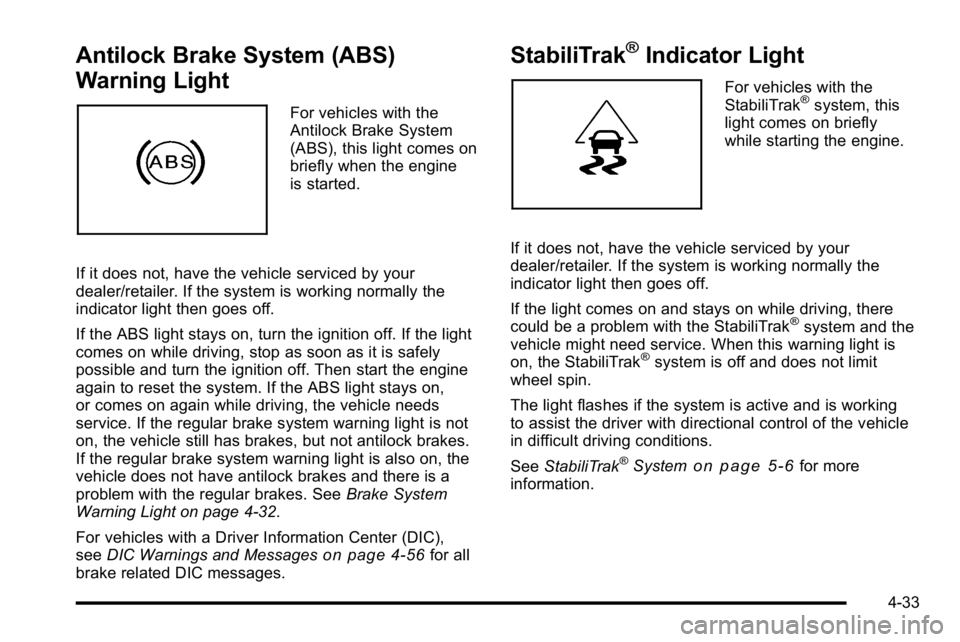
Antilock Brake System (ABS)
Warning Light
For vehicles with the
Antilock Brake System
(ABS), this light comes on
briefly when the engine
is started.
If it does not, have the vehicle serviced by your
dealer/retailer. If the system is working normally the
indicator light then goes off.
If the ABS light stays on, turn the ignition off. If the light
comes on while driving, stop as soon as it is safely
possible and turn the ignition off. Then start the engine
again to reset the system. If the ABS light stays on,
or comes on again while driving, the vehicle needs
service. If the regular brake system warning light is not
on, the vehicle still has brakes, but not antilock brakes.
If the regular brake system warning light is also on, the
vehicle does not have antilock brakes and there is a
problem with the regular brakes. See Brake System
Warning Light on page 4‑32.
For vehicles with a Driver Information Center (DIC),
see DIC Warnings and Messages
on page 4‑56for all
brake related DIC messages.
StabiliTrak®Indicator Light
For vehicles with the
StabiliTrak®system, this
light comes on briefly
while starting the engine.
If it does not, have the vehicle serviced by your
dealer/retailer. If the system is working normally the
indicator light then goes off.
If the light comes on and stays on while driving, there
could be a problem with the StabiliTrak
®system and the
vehicle might need service. When this warning light is
on, the StabiliTrak
®system is off and does not limit
wheel spin.
The light flashes if the system is active and is working
to assist the driver with directional control of the vehicle
in difficult driving conditions.
See StabiliTrak
®Systemon page 5‑6for more
information.
4-33
Page 229 of 560
When the Light Flashes First and Then is
On Steady
This indicates that there may be a problem with the Tire
Pressure Monitor System. The light flashes for about a
minute and stays on steady for the remainder of the
ignition cycle. This sequence repeats with every ignition
cycle. SeeTire Pressure Monitor Operation
on
page 6‑68for more information.
Malfunction Indicator Lamp
Check Engine Light
A computer system called OBD II (On-Board
Diagnostics-Second Generation) monitors operation
of the fuel, ignition, and emission control systems.
It ensures that emissions are at acceptable levels for
the life of the vehicle, helping to produce a cleaner
environment.
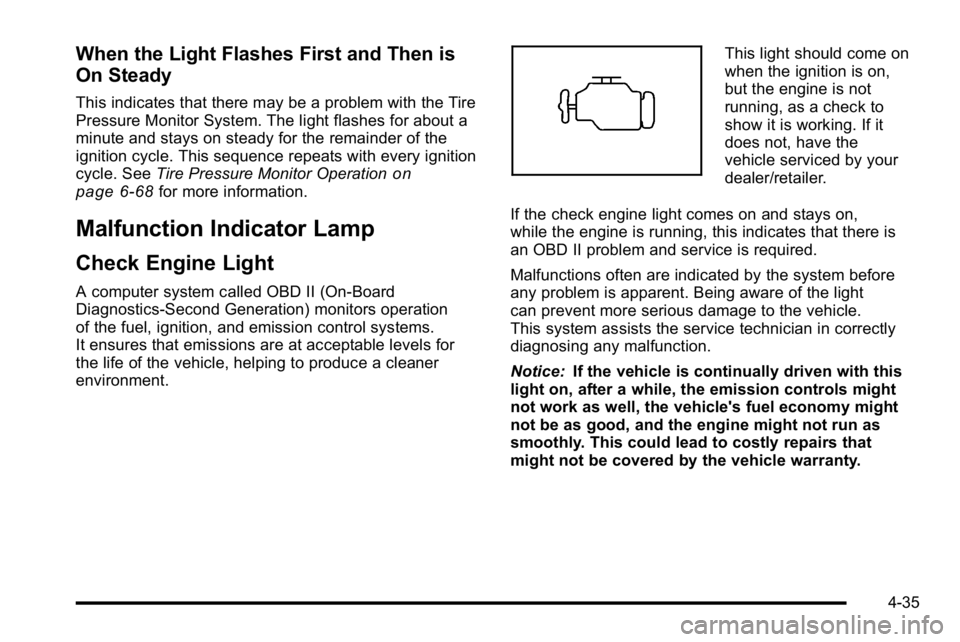
This light should come on
when the ignition is on,
but the engine is not
running, as a check to
show it is working. If it
does not, have the
vehicle serviced by your
dealer/retailer.
If the check engine light comes on and stays on,
while the engine is running, this indicates that there is
an OBD II problem and service is required.
Malfunctions often are indicated by the system before
any problem is apparent. Being aware of the light
can prevent more serious damage to the vehicle.
This system assists the service technician in correctly
diagnosing any malfunction.
Notice: If the vehicle is continually driven with this
light on, after a while, the emission controls might
not work as well, the vehicle's fuel economy might
not be as good, and the engine might not run as
smoothly. This could lead to costly repairs that
might not be covered by the vehicle warranty.
4-35
Page 230 of 560
Notice:Modifications made to the engine,
transmission, exhaust, intake, or fuel system of the
vehicle or the replacement of the original tires with
other than those of the same Tire Performance
Criteria (TPC) can affect the vehicle's emission
controls and can cause this light to come on.
Modifications to these systems could lead to
costly repairs not covered by the vehicle
warranty. This could also result in a failure to
pass a required Emission Inspection/Maintenance
test. See Accessories and Modifications
on
page 6‑3.
This light comes on during a malfunction in one of
two ways:
Light Flashing : A misfire condition has been detected.
A misfire increases vehicle emissions and could
damage the emission control system on the vehicle.
Diagnosis and service might be required.
To prevent more serious damage to the vehicle:
.Reduce vehicle speed.
.Avoid hard accelerations.
.Avoid steep uphill grades.
.If towing a trailer, reduce the amount of cargo
being hauled as soon as it is possible. If the light continues to flash, when it is safe to do so,
stop the vehicle. Find a safe place to park the vehicle.
Turn the key off, wait at least 10 seconds, and restart
the engine. If the light is still flashing, follow the
previous steps and see your dealer/retailer for service
as soon as possible.
Light On Steady :
An emission control system
malfunction has been detected on the vehicle.
Diagnosis and service might be required.
An emission system malfunction might be corrected by
doing the following:
.Make sure the fuel cap is fully installed. See Filling
the Tankon page 6‑9. The diagnostic system
can determine if the fuel cap has been left off or
improperly installed. A loose or missing fuel cap
allows fuel to evaporate into the atmosphere.
A few driving trips with the cap properly installed
should turn the light off.
.If the vehicle has been driven through a deep
puddle of water, the vehicle's electrical system
might be wet. The condition is usually corrected
when the electrical system dries out. A few driving
trips should turn the light off.
4-36
Page 232 of 560
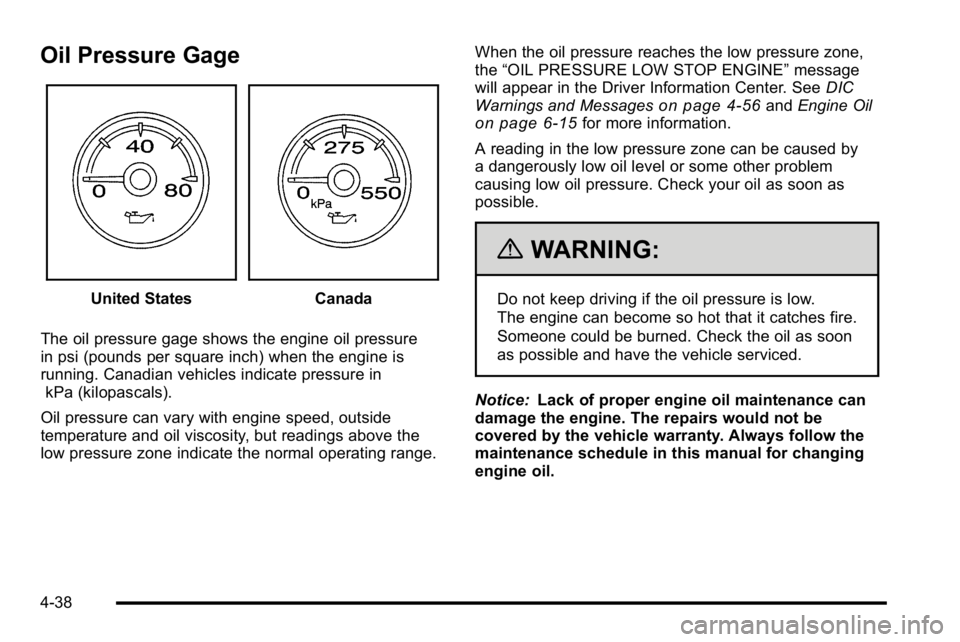
Oil Pressure Gage
United StatesCanada
The oil pressure gage shows the engine oil pressure
in psi (pounds per square inch) when the engine is
running. Canadian vehicles indicate pressure in kPa (kilopascals).
Oil pressure can vary with engine speed, outside
temperature and oil viscosity, but readings above the
low pressure zone indicate the normal operating range. When the oil pressure reaches the low pressure zone,
the
“OIL PRESSURE LOW STOP ENGINE” message
will appear in the Driver Information Center. See DIC
Warnings and Messages
on page 4‑56and Engine Oilon page 6‑15for more information.
A reading in the low pressure zone can be caused by
a dangerously low oil level or some other problem
causing low oil pressure. Check your oil as soon as
possible.
{WARNING:
Do not keep driving if the oil pressure is low.
The engine can become so hot that it catches fire.
Someone could be burned. Check the oil as soon
as possible and have the vehicle serviced.
Notice: Lack of proper engine oil maintenance can
damage the engine. The repairs would not be
covered by the vehicle warranty. Always follow the
maintenance schedule in this manual for changing
engine oil.
4-38
Page 233 of 560
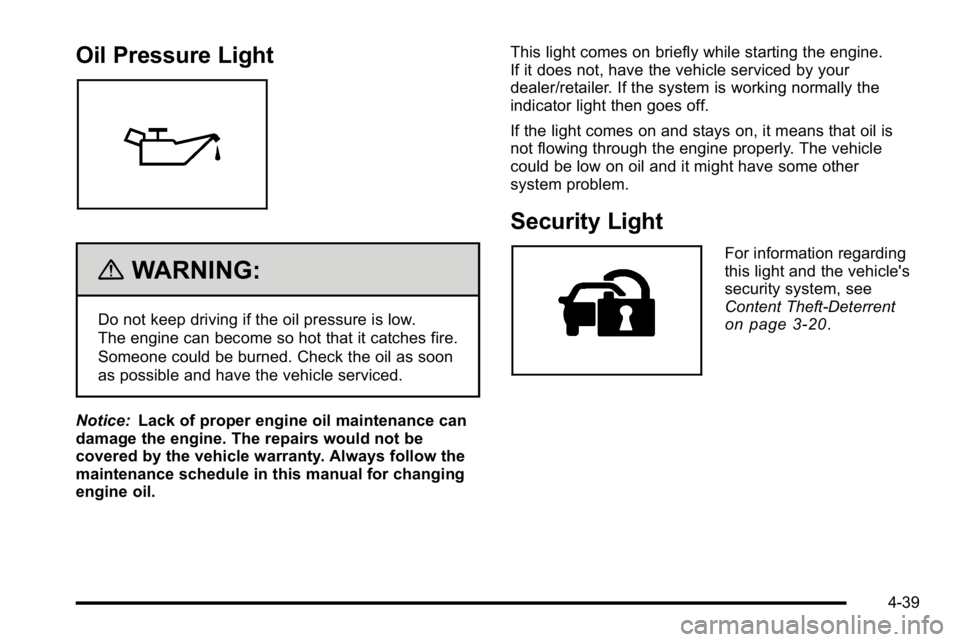
Oil Pressure Light
{WARNING:
Do not keep driving if the oil pressure is low.
The engine can become so hot that it catches fire.
Someone could be burned. Check the oil as soon
as possible and have the vehicle serviced.
Notice: Lack of proper engine oil maintenance can
damage the engine. The repairs would not be
covered by the vehicle warranty. Always follow the
maintenance schedule in this manual for changing
engine oil. This light comes on briefly while starting the engine.
If it does not, have the vehicle serviced by your
dealer/retailer. If the system is working normally the
indicator light then goes off.
If the light comes on and stays on, it means that oil is
not flowing through the engine properly. The vehicle
could be low on oil and it might have some other
system problem.
Security Light
For information regarding
this light and the vehicle's
security system, see
Content Theft-Deterrent
on page 3‑20.
4-39
Page 236 of 560
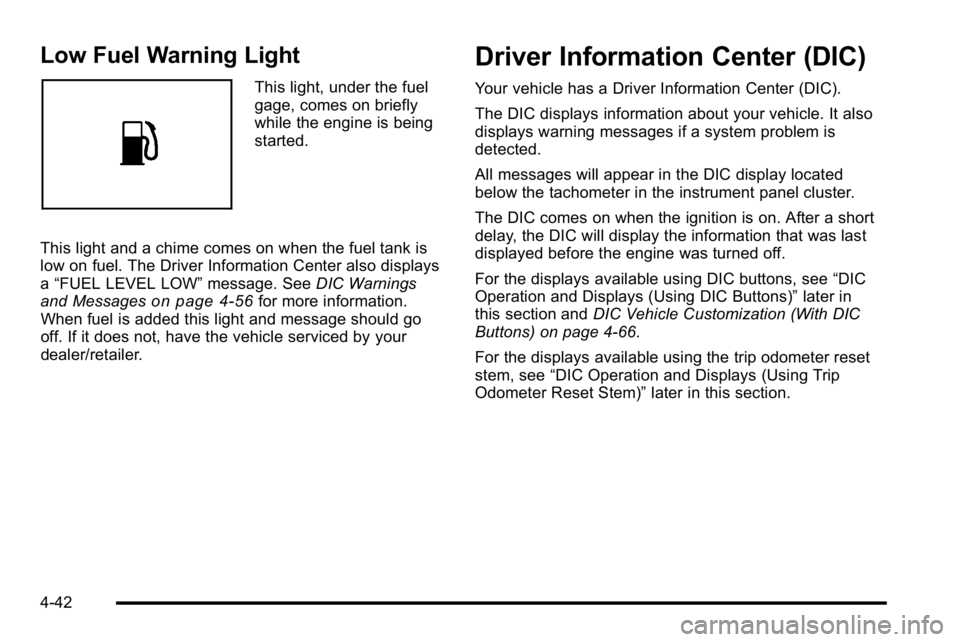
Low Fuel Warning Light
This light, under the fuel
gage, comes on briefly
while the engine is being
started.
This light and a chime comes on when the fuel tank is
low on fuel. The Driver Information Center also displays
a “FUEL LEVEL LOW” message. SeeDIC Warnings
and Messages
on page 4‑56for more information.
When fuel is added this light and message should go
off. If it does not, have the vehicle serviced by your
dealer/retailer.
Driver Information Center (DIC)
Your vehicle has a Driver Information Center (DIC).
The DIC displays information about your vehicle. It also
displays warning messages if a system problem is
detected.
All messages will appear in the DIC display located
below the tachometer in the instrument panel cluster.
The DIC comes on when the ignition is on. After a short
delay, the DIC will display the information that was last
displayed before the engine was turned off.
For the displays available using DIC buttons, see “DIC
Operation and Displays (Using DIC Buttons)” later in
this section and DIC Vehicle Customization (With DIC
Buttons) on page 4‑66.
For the displays available using the trip odometer reset
stem, see “DIC Operation and Displays (Using Trip
Odometer Reset Stem)” later in this section.
4-42
Page 241 of 560
just been changed. It cannot be reset accurately until
the next oil change. To reset the engine oil life system,
seeEngine Oil Life System on page 6‑18.
Side Blind Zone Alert
If your vehicle has the Side Blind Zone Alert (SBZA)
system, this display allows the system to be turned on
or off. Once in this display, press the set/reset button to
select between ON or OFF. If you choose ON, the
system will be turned on. If you choose OFF, the system
will be turned off. When the SBZA system is turned off,
the DIC will display the SIDE BLIND ZONE ALERT
SYSTEM OFF message as a reminder that the system
has been turned off. See DIC Warnings and Messages
on page 4‑56andSide Blind Zone Alert (SBZA)on
page 3‑47for more information.
Units
Press the vehicle information button until UNITS
displays. This display allows you to select between
English or Metric units of measurement. Once in this
display, press the set/reset button to select between
ENGLISH or METRIC units. All of the vehicle
information will then be displayed in the unit of
measurement selected.
Tire Pressure
On vehicles with the Tire Pressure Monitor System
(TPMS), the pressure for each tire can be viewed in the
DIC. The tire pressure will be shown in either pounds
per square inch (psi) or kilopascals (kPa). Press the
vehicle information button until the DIC displays FRONT
TIRES PSI (kPa) LEFT ## RIGHT ##. Press the vehicle
information button again until the DIC displays REAR
TIRES PSI (kPa) LEFT ## RIGHT ##.
If a low tire pressure condition is detected by the
system while driving, a message advising you to add
pressure in a specific tire will appear in the display.
See Inflation - Tire Pressure
on page 6‑64andDIC
Warnings and Messageson page 4‑56for more
information.
If the tire pressure display shows dashes instead of a
value, there may be a problem with your vehicle. If this
consistently occurs, see your dealer/retailer for service.
4-47
Page 251 of 560
CHECK TRAILER WIRING
On vehicles with the Integrated Trailer Brake Control
(ITBC) system, this message may display and a chime
may sound when one of the following conditions exists:
.A trailer with electric brakes becomes
disconnected from the vehicle.
‐If the disconnect occurs while the vehicle is
stopped, this message clears itself after a
short time.
‐ If the disconnect occurs while the vehicle is
moving, this message stays on until the ignition
is turned off.
.There is a short in the wiring to the electric trailer
brakes.
When this message displays, power is no longer
available to the trailer brakes.
As soon as it is safe to do so, carefully pull your vehicle
over to the side of the road and turn the ignition off.
Check the wiring connection to the trailer and turn
the ignition back on. This message clears if the trailer
is reconnected. This message also clears if you
acknowledge it. If this message still displays, either
your vehicle or the trailer needs service. See your
dealer/retailer.
See “Integrated Trailer Brake Control System” under
Towing a Trailer
on page 5‑42for more information.
DRIVER DOOR OPEN
This message displays and a chime sounds if the driver
door is not fully closed and the vehicle is shifted out of
P (Park). Stop and turn off the vehicle, check the door
for obstructions, and close the door again. Check to see
if the message still appears on the DIC.
ENGINE HOT A/C (Air Conditioning)
TURNED OFF
This message displays when the engine coolant
becomes hotter than the normal operating temperature.
See Engine Coolant Temperature Gage
on page 4‑34.
To avoid added strain on a hot engine, the air
conditioning compressor automatically turns off.
When the coolant temperature returns to normal,
the air conditioning compressor turns back on.
You can continue to drive your vehicle.
If this message continues to appear, have the system
repaired by your dealer/retailer as soon as possible to
avoid damage to the engine.
ENGINE OIL HOT IDLE ENGINE
This message displays when the engine oil becomes
hotter than the normal operating temperature. Stop and
allow the vehicle to idle until it cools down. See Engine
Coolant Temperature Gage
on page 4‑34.
4-57
Page 252 of 560
ENGINE OVERHEATED IDLE ENGINE
Notice:If you drive your vehicle while the engine is
overheating, severe engine damage may occur. If an
overheat warning appears on the instrument panel
cluster and/or DIC, stop the vehicle as soon as
possible. See Engine Overheating
on page 6‑32for
more information.
This message displays when the engine coolant
temperature is too hot. Stop and allow the vehicle to
idle until it cools down. See Engine Coolant
Temperature Gage on page 4‑34.
See Overheated Engine Protection Operating Mode
on
page 6‑35for information on driving to a safe place in
an emergency.
ENGINE OVERHEATED STOP ENGINE
Notice: If you drive your vehicle while the engine is
overheating, severe engine damage may occur. If an
overheat warning appears on the instrument panel
cluster and/or DIC, stop the vehicle as soon as
possible. See Engine Overheating
on page 6‑32for
more information.
This message displays and a chime sounds if the
engine cooling system reaches unsafe temperatures for
operation. Stop and turn off the vehicle as soon as it is
safe to do so to avoid severe damage. This message
clears when the engine has cooled to a safe operating
temperature.
ENGINE POWER IS REDUCED
This message displays and a chime sounds when the
cooling system temperature gets too hot and the engine
further enters the engine coolant protection mode. See
Engine Overheating
on page 6‑32for further
information.
This message also displays when the vehicle's engine
power is reduced. Reduced engine power can affect the
vehicle's ability to accelerate. If this message is on, but
there is no reduction in performance, proceed to your
destination. The performance may be reduced the next
time the vehicle is driven. The vehicle may be driven at
a reduced speed while this message is on, but
acceleration and speed may be reduced. Anytime this
message stays on, the vehicle should be taken to your
dealer/retailer for service as soon as possible.
FUEL LEVEL LOW
This message displays and a chime sounds if the fuel
level is low. Refuel as soon as possible. See Fuel Gage
on page 4‑41andFuelon page 6‑5for more
information.
HOOD OPEN
This message displays and a chime sounds if the hood
is not fully closed. Stop and turn off the vehicle, check
the hood for obstructions, and close the hood again.
Check to see if the message still appears on the DIC.
4-58
Page 253 of 560
ICE POSSIBLE DRIVE WITH CARE
This message displays when ice conditions are
possible.
LEFT REAR DOOR OPEN
This message displays and a chime sounds if the driver
side rear door is not fully closed and the vehicle is
shifted out of P (Park). Stop and turn off the vehicle,
check the door for obstructions, and close the door
again. Check to see if the message still appears on
the DIC.
OIL PRESSURE LOW STOP ENGINE
Notice:If you drive your vehicle while the engine oil
pressure is low, severe engine damage may occur.
If a low oil pressure warning appears on the Driver
Information Center (DIC), stop the vehicle as soon
as possible. Do not drive the vehicle until the cause
of the low oil pressure is corrected. See Engine Oil
on page 6‑15for more information.
This message displays if low oil pressure levels occur.
Stop the vehicle as soon as safely possible and do not
operate it until the cause of the low oil pressure has
been corrected. Check the oil as soon as possible and
have your vehicle serviced by your dealer/retailer. See
Engine Oil on page 6‑15.
PARK ASST BLOCKED SEE OWNERS
MANUAL
If your vehicle has the Ultrasonic Rear Parking Assist
(URPA) system, this message displays if there is
something interfering with the park assist system. See
Ultrasonic Rear Parking Assist (URPA)
on page 3‑45for more information.
PARK ASSIST OFF
After the vehicle has been started, this message
displays to remind the driver that the Ultrasonic Rear
Parking Assist (URPA) system has been turned off.
Press the set/reset button or the trip odometer reset
stem to acknowledge this message and clear it from the
DIC display. To turn the URPA system back on, see
Ultrasonic Rear Parking Assist (URPA) on page 3‑45.
PASSENGER DOOR OPEN
This message displays and a chime sounds if the front
passenger door is not fully closed and the vehicle is
shifted out of P (Park). Stop and turn off the vehicle,
check the door for obstructions, and close the door
again. Check to see if the message still appears on
the DIC.
4-59