ignition GMC YUKON DENALI 2015 Owner's Guide
[x] Cancel search | Manufacturer: GMC, Model Year: 2015, Model line: YUKON DENALI, Model: GMC YUKON DENALI 2015Pages: 439, PDF Size: 6.22 MB
Page 170 of 439
Black plate (45,1)GMC 2015i Yukon Denali/Yukon XL Denali Owner Manual (GMNA-
Localizing-U.S./Canada/Mexico-8431504) - 2015 - CRC - 7/30/14
Instruments and Controls 5-45
SERVICE SUSPENSION
SYSTEM
If the vehicle has the Magnetic Ride
Control suspension system, this
message displays when the
suspension system is not operating
properly. Have the vehicle serviced
by your dealer.
SERVICE TRACTION
CONTROL
This message displays when there
is a problem with the Traction
Control System (TCS). When this
message displays, the system will
not limit wheel spin. Adjust your
driving accordingly. See your dealer
for service. SeeTraction Control/
Electronic Stability Control on
page 9-41.
STABILITRAK INITIALIZING
This message may come on if the
StabiliTrak system has not fully
initialized because of road
conditions or the incorrect tire size.
When the StabiliTrak system is fully
initialized, the message will turn off. See
Traction Control/Electronic
Stability Control on page 9-41. If this
message continues to be displayed
for multiple ignition cycles and on
different road surfaces, see your
dealer for service.
TRACTION CONTROL OFF
This message displays when the
traction control has been turned off.
See Traction Control/Electronic
Stability Control on page 9-41.
TRACTION CONTROL ON
This message displays when the
traction control is active. See
Traction Control/Electronic Stability
Control on page 9-41.
STABILITRAK OFF
This message displays when the
StabiliTrak system has been turned
off. Adjust your driving accordingly.
To limit wheel spin and realize the
full benefits of the stability
enhancement system, you should normally leave StabiliTrak on. See
Traction Control/Electronic Stability
Control on page 9-41.
STABILITRAK OFF may also
display when the stability control
has been automatically disabled.
Several conditions can cause this
message to appear:
.If the system is overheating,
which could occur if StabiliTrak
activates continuously for an
extended period of time.
.If the brake system warning light
is on. See
Brake System
Warning Light on page 5-23.
.If the stability system takes
longer than usual to complete its
diagnostic checks due to driving
conditions.
.If an engine or vehicle-related
problem has been detected and
the vehicle needs service. See
your dealer.
.If the transfer case is in
Four-Wheel Drive Low.
Page 171 of 439
Black plate (46,1)GMC 2015i Yukon Denali/Yukon XL Denali Owner Manual (GMNA-
Localizing-U.S./Canada/Mexico-8431504) - 2015 - CRC - 7/30/14
5-46 Instruments and Controls
The message turns off as soon as
the conditions that caused the
message to be displayed are no
longer present.
Airbag System Messages
SERVICE AIRBAG
This message displays if there is a
problem with the airbag system.
Take the vehicle to your dealer for
service.
Security Messages
SERVICE THEFT DETERRENT
SYSTEM
This message displays when there
is a problem with the theft-deterrent
system. The vehicle may or may not
restart, so you may want to take the
vehicle to your dealer before turning
off the engine. SeeImmobilizer
Operation on page 2-21.
Steering System
Messages
STEERING ASSIST IS
REDUCED DRIVE WITH CARE
This message may display if a
problem occurs with the electric
power steering system. If this
message appears, steering effort
may be slightly higher than normal.
The vehicle is still safe to drive. Use
caution while in reduced assist
mode. If this message is persistent
or appears repeatedly, take the
vehicle to your dealer for service.
See Steering on page 9-4.
SERVICE POWER STEERING
This message displays when there
is a problem with electric power
steering. Take the vehicle to your
dealer for service. See Steering on
page 9-4.
Tire Messages
SERVICE TIRE MONITOR
SYSTEM
If equipped with the Tire Pressure
Monitor System (TPMS), this
message displays if a part on the
system is not working properly. The
tire pressure light also flashes and
then remains on during the same
ignition cycle. See Tire Pressure
Light on page 5-27. Several
conditions may cause this message
to appear. See Tire Pressure
Monitor Operation on page 10-51.
If the warning comes on and stays
on, there may be a problem with the
TPMS. See your dealer.
Page 173 of 439
Black plate (48,1)GMC 2015i Yukon Denali/Yukon XL Denali Owner Manual (GMNA-
Localizing-U.S./Canada/Mexico-8431504) - 2015 - CRC - 7/30/14
5-48 Instruments and Controls
FOR 4WD LOW SLOW TO XXX
If a four-wheel drive shift into 4nis
requested, but the vehicle speed is
too high, this message will display
until the correct vehicle speed is
reached.
GRADE BRAKING ACTIVE
This message displays when grade
braking has been activated while
driving on downhill grades. This
message will only appear the first
time the feature is activated in an
ignition cycle. See Tow/Haul Mode
on page 9-34, Automatic
Transmission on page 9-29, and
Cruise Control on page 9-44.
GRADE BRAKING OFF
This message displays when grade
braking has been disabled with the
Tow/Haul Mode button on the end of
the shift lever. See Tow/Haul Mode
on page 9-34, Automatic
Transmission on page 9-29, and
Cruise Control on page 9-44.
GRADE BRAKING ON
This message displays when grade
braking has been enabled with the
Tow/Haul Mode button on the end of
the shift lever. See Tow/Haul Mode
on page 9-34, Automatic
Transmission on page 9-29, and
Cruise Control on page 9-44.
SERVICE 4WD
If the vehicle has four-wheel drive,
this message may display if a
problem occurs with the
four-wheel-drive system. If this
message appears, stop as soon as
possible and turn off the vehicle.
Make sure the key is in the LOCK/
OFF position for at least
one minute, then restart the vehicle
and check for the message on the
DIC display. If the message is still
displayed or appears again when
you begin driving, the
four-wheel-drive system needs
service. See your dealer.
SHIFT DENIED
This message displays when the
shift lever is in M (Manual Mode)
and a transmission range has been
selected that is unavailable at the
current vehicle speed.
TO EXIT 4WD LOW SHIFT TO
NEUTRAL
If a four-wheel drive shift out of 4nis
requested, and the vehicle speed is
correct, but the transmission is not
in N (Neutral), this message will
display until the transmission is
shifted to N (Neutral).
TO EXIT 4WD LOW SLOW
TO XXX
If a four-wheel drive shift out of 4nis
requested, but the vehicle speed is
too high, this message will display
until the correct vehicle speed is
reached.
Page 174 of 439
Black plate (49,1)GMC 2015i Yukon Denali/Yukon XL Denali Owner Manual (GMNA-
Localizing-U.S./Canada/Mexico-8431504) - 2015 - CRC - 7/30/14
Instruments and Controls 5-49
TRANSMISSION HOT IDLE
ENGINE
This message displays and a chime
may sound if the transmission fluid
in the vehicle gets hot. Driving with
the transmission fluid temperature
high can cause damage to the
vehicle. Stop the vehicle and let it
idle to allow the transmission to
cool. This message clears and the
chime stops when the fluid
temperature reaches a safe level.
When towing, use Tow/Haul Mode
to prevent damage to the engine or
transmission. SeeTow/Haul Mode
on page 9-34.
VEHICLE IN 4WD LOW
This message will display if the
vehicle is driven in 4
nfor about
10 minutes above 72 km/h (45 mph).
Vehicle Reminder
Messages
CHECK TRAILER WIRING
On vehicles with the Integrated
Trailer Brake Control (ITBC) system,
this message may display and a
chime may sound when one of the
following conditions exists:
.A trailer with electric brakes
becomes disconnected from the
vehicle.
‐ If the disconnect occurs while
the vehicle is stopped, this
message clears itself after a
short time.
‐ If the disconnect occurs while
the vehicle is moving, this
message stays on until the
ignition is turned off.
.There is a short in the wiring to
the electric trailer brakes.
When this message displays, power
is no longer available to the trailer
brakes. As soon as it is safe to do so,
carefully pull the vehicle over to the
side of the road and turn the ignition
off. Check the wiring connection to
the trailer and turn the ignition back
on. This message clears if the trailer
is reconnected. This message also
clears if you acknowledge it. If this
message still displays, either the
vehicle or the trailer needs service.
See your dealer.
See
“Integrated Trailer Brake
Control System” underTowing
Equipment on page 9-77.
ICE POSSIBLE DRIVE
WITH CARE
This message displays when ice
conditions are possible.
TRAILER CONNECTED
On vehicles with the Integrated
Trailer Brake Control (ITBC) system,
this message displays briefly when
a trailer with electric or electric over
hydraulic brakes is first connected
to the vehicle.
Page 180 of 439
Black plate (55,1)GMC 2015i Yukon Denali/Yukon XL Denali Owner Manual (GMNA-
Localizing-U.S./Canada/Mexico-8431504) - 2015 - CRC - 7/30/14
Instruments and Controls 5-55
Select Off or On.
Auto Wipe in Reverse Gear
When on and the front wiper is on,
the rear wiper will automatically
activate when the vehicle is shifted
to R (Reverse).
Select Off or On.
Lighting
Select the Lighting menu and the
following may display:
.Vehicle Locator Lights
.Exit Lighting
Vehicle Locator Lights
This feature will flash the exterior
lamps when
Kon the Remote
Keyless Entry (RKE) transmitter is
pressed to locate the vehicle.
Select On or Off.
Exit Lighting
This allows the selection of how
long the exterior lamps stay on
when leaving the vehicle when it is
dark outside. Select Off, 30 Seconds, 60
Seconds, or 120 Seconds.
Power Door Locks
Select Power Door Locks and the
following may display:
.Unlocked Door Anti-Lockout
.Auto Door Unlock
.Delayed Door Lock
Unlocked Door Anti-Lockout
When on, this feature will keep the
driver door from locking when the
door is open and the key is in the
ignition. If Off is selected, the
Delayed Door Lock menu will be
available.
Select On or Off.
Auto Door Unlock
This allows selection of which of the
doors will automatically unlock when
the vehicle is shifted into P (Park).
Select Off, All Doors, or Driver Door. Delayed Door Lock
When on, this feature will delay the
locking of the doors. To override the
delay, press the power door lock
switch on the door.
Select On or Off.
Remote Lock, Unlock, Start
Select Remote Lock, Unlock, Start
and the following may display:
.Remote Unlock Light Feedback
.Remote Lock Feedback
.Remote Door Unlock
.Remote Start Auto Cool Seats
.Remote Start Auto Heat Seats
.Passive Door Unlock
.Passive Door Lock
.Remote Left in Vehicle Alert
Remote Unlock Light Feedback
When on, the exterior lamps will
flash when unlocking the vehicle
with the RKE transmitter.
Select Off or Flash Lights.
Page 189 of 439
Black plate (2,1)GMC 2015i Yukon Denali/Yukon XL Denali Owner Manual (GMNA-
Localizing-U.S./Canada/Mexico-8431504) - 2015 - CRC - 7/30/14
6-2 Lighting
For vehicles first sold in Canada,
the off position will only work when
the vehicle is shifted into P (Park).
AUTO (Automatic):Automatically
turns on the headlamps, parking
lamps, taillamps, instrument panel
lights, roof marker lamps (if
equipped), and license plate lamps.
When the vehicle is turned off and
the headlamps are in AUTO, the
headlamps turn off. When the key is
removed, the headlamps
automatically come on for a set
time. The time of the delay can be
changed using the DIC. See Driver
Information Center (DIC) on
page 5-30.
;(Parking Lamps): Turns on the
parking lamps including all lamps,
except the headlamps.
2(Headlamps): Turns on the
headlamps with the parking lamps
and instrument panel lights. When the headlamps are turned on
while the vehicle is on, the
headlamps turn off automatically
10 minutes after the ignition is
turned off. When the headlamps are
turned on while the vehicle is off,
the headlamps will stay on for
10 minutes before turning off to
prevent the battery from being
drained. Turn the headlamp control
off and then back to the headlamp
on position to make the headlamps
stay on for an additional 10 minutes.
To keep the lamps on for more than
10 minutes, the ignition must be in
the ACC/ACCESSORY or ON/RUN
position.
Exterior Lamps Off
Reminder
A reminder chime sounds when the
headlamps or parking lamps are
manually turned on, the ignition is
off, and a door is open. To disable
the chime, turn the lamps off.
Headlamp High/
Low-Beam Changer
$
(Headlamp High/Low-Beam
Changer): Push the turn signal
lever toward the instrument panel to
change the headlamps from low to
high beam.
Pull the turn signal lever toward you
and release it to return to low-beam
headlamps.
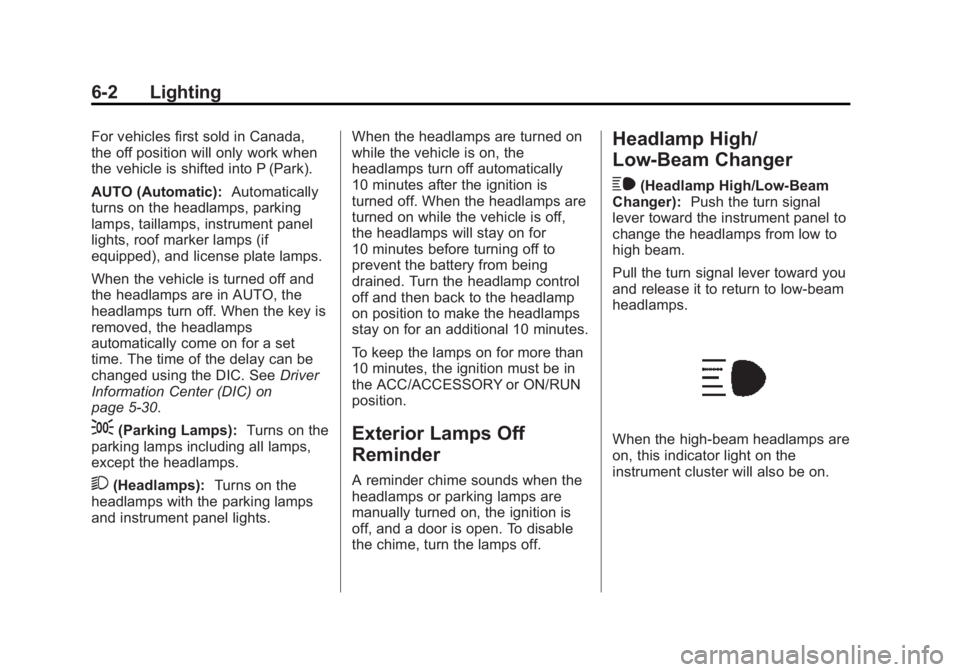
When the high-beam headlamps are
on, this indicator light on the
instrument cluster will also be on.
Page 190 of 439
Black plate (3,1)GMC 2015i Yukon Denali/Yukon XL Denali Owner Manual (GMNA-
Localizing-U.S./Canada/Mexico-8431504) - 2015 - CRC - 7/30/14
Lighting 6-3
Flash-to-Pass
This feature lets you use the
high-beam headlamps to signal a
driver in front of you that you want
to pass. It works even if the
headlamps are in the automatic
position.
To use it, pull the turn signal lever
toward you, then release it.
If the headlamps are in the
automatic position or on low beam,
the high-beam headlamps will turn
on. They will stay on as long as you
hold the lever toward you. The
high-beam indicator on the
instrument cluster will come on.
Release the lever to return to
normal operation.
Daytime Running
Lamps (DRL)
DRL can make it easier for others to
see the front of the vehicle during
the day. Fully functional DRL are
required on all vehicles first sold in
Canada.The DRL system comes on when
the following conditions are met:
.The ignition is on.
.The exterior lamp control is
in AUTO.
.The transmission is not in
P (Park).
.The light sensor determines it is
daytime.
When the DRL system is on, only
the DRL are on. The taillamps,
sidemarker lamps, instrument panel
lights, and other lamps will not
be on.
When it begins to get dark, the
automatic headlamp system
switches from DRL to the
headlamps.
To turn off the DRL, turn the exterior
lamp control to the off position and
then release. For vehicles first sold
in Canada, off will only work when
the vehicle is in P (Park).
Automatic Headlamp
System
When the exterior lamp control is
set to AUTO and it is dark enough
outside, the headlamps come on
automatically.
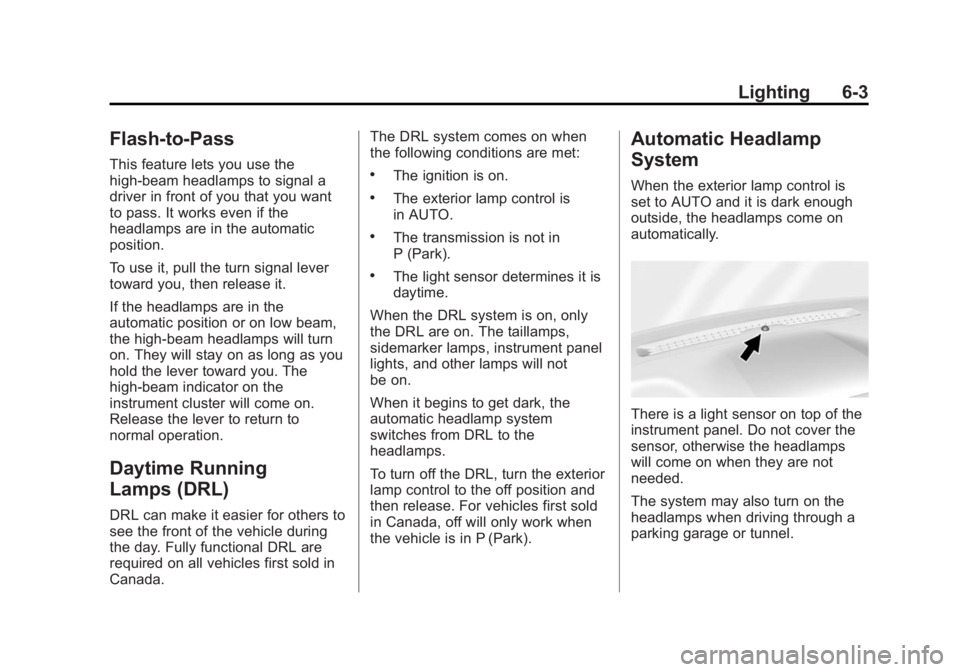
There is a light sensor on top of the
instrument panel. Do not cover the
sensor, otherwise the headlamps
will come on when they are not
needed.
The system may also turn on the
headlamps when driving through a
parking garage or tunnel.
Page 191 of 439
Black plate (4,1)GMC 2015i Yukon Denali/Yukon XL Denali Owner Manual (GMNA-
Localizing-U.S./Canada/Mexico-8431504) - 2015 - CRC - 7/30/14
6-4 Lighting
If the vehicle is started in a dark
garage, the automatic headlamp
system comes on immediately. If it
is light outside when the vehicle
leaves the garage, there is a slight
delay before the automatic
headlamp system changes to the
DRL. During that delay, the
instrument cluster may not be as
bright as usual. Make sure the
instrument panel brightness control
is in the full bright position. See
Instrument Panel Illumination
Control on page 6-6.
When it is bright enough outside,
the headlamps will turn off or may
change to Daytime Running
Lamps (DRL).The automatic headlamp system
turns off when the exterior lamp
control is turned to
Oor the ignition
is off.
Lights On with Wipers
If the windshield wipers are
activated in daylight with the engine
on, and the exterior lamp control is
in AUTO, the headlamps, parking
lamps, and other exterior lamps
come on. The transition time for the
lamps coming on varies based on
wiper speed. When the wipers are
not operating, these lamps turn off.
Move the exterior lamp control to
O
or;to disable this feature.
Hazard Warning Flashers
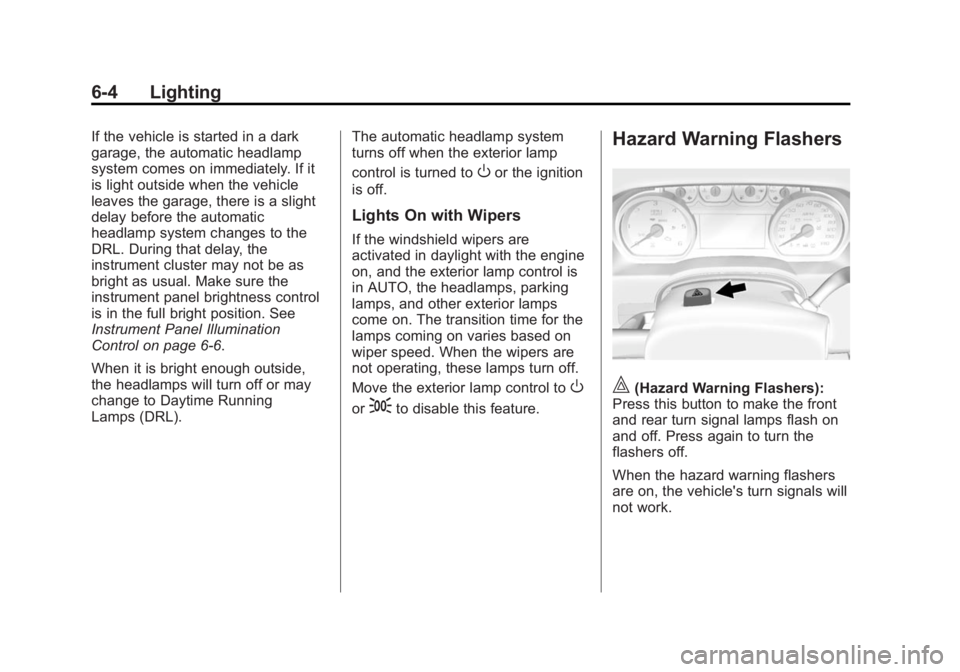
|(Hazard Warning Flashers):
Press this button to make the front
and rear turn signal lamps flash on
and off. Press again to turn the
flashers off.
When the hazard warning flashers
are on, the vehicle's turn signals will
not work.
Page 192 of 439
Black plate (5,1)GMC 2015i Yukon Denali/Yukon XL Denali Owner Manual (GMNA-
Localizing-U.S./Canada/Mexico-8431504) - 2015 - CRC - 7/30/14
Lighting 6-5
Turn and Lane-Change
Signals
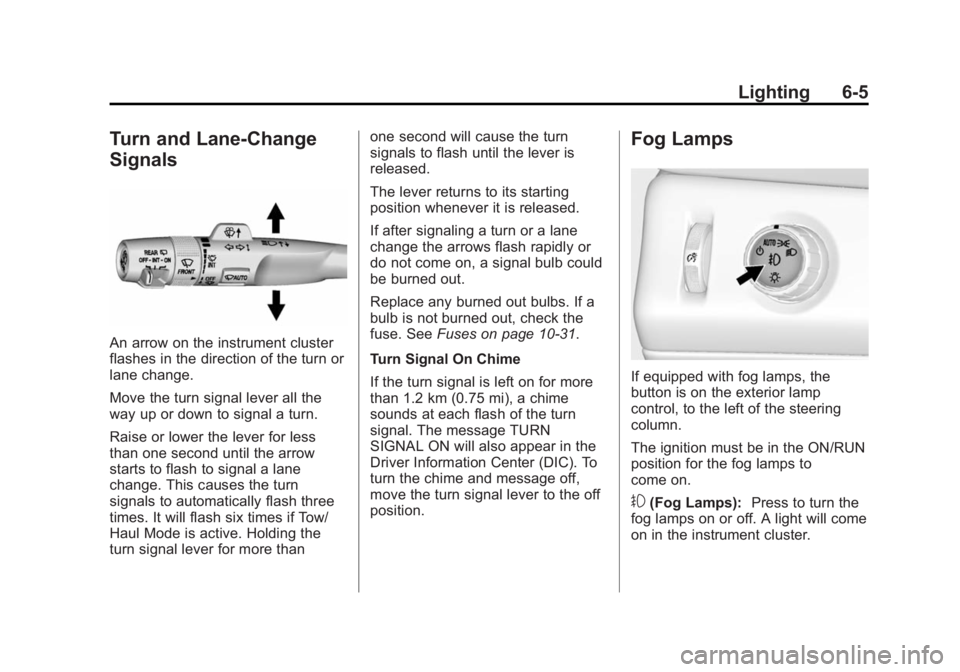
An arrow on the instrument cluster
flashes in the direction of the turn or
lane change.
Move the turn signal lever all the
way up or down to signal a turn.
Raise or lower the lever for less
than one second until the arrow
starts to flash to signal a lane
change. This causes the turn
signals to automatically flash three
times. It will flash six times if Tow/
Haul Mode is active. Holding the
turn signal lever for more thanone second will cause the turn
signals to flash until the lever is
released.
The lever returns to its starting
position whenever it is released.
If after signaling a turn or a lane
change the arrows flash rapidly or
do not come on, a signal bulb could
be burned out.
Replace any burned out bulbs. If a
bulb is not burned out, check the
fuse. See
Fuses on page 10-31.
Turn Signal On Chime
If the turn signal is left on for more
than 1.2 km (0.75 mi), a chime
sounds at each flash of the turn
signal. The message TURN
SIGNAL ON will also appear in the
Driver Information Center (DIC). To
turn the chime and message off,
move the turn signal lever to the off
position.
Fog Lamps
If equipped with fog lamps, the
button is on the exterior lamp
control, to the left of the steering
column.
The ignition must be in the ON/RUN
position for the fog lamps to
come on.
#(Fog Lamps): Press to turn the
fog lamps on or off. A light will come
on in the instrument cluster.
Page 194 of 439
Black plate (7,1)GMC 2015i Yukon Denali/Yukon XL Denali Owner Manual (GMNA-
Localizing-U.S./Canada/Mexico-8431504) - 2015 - CRC - 7/30/14
Lighting 6-7
Reading Lamps
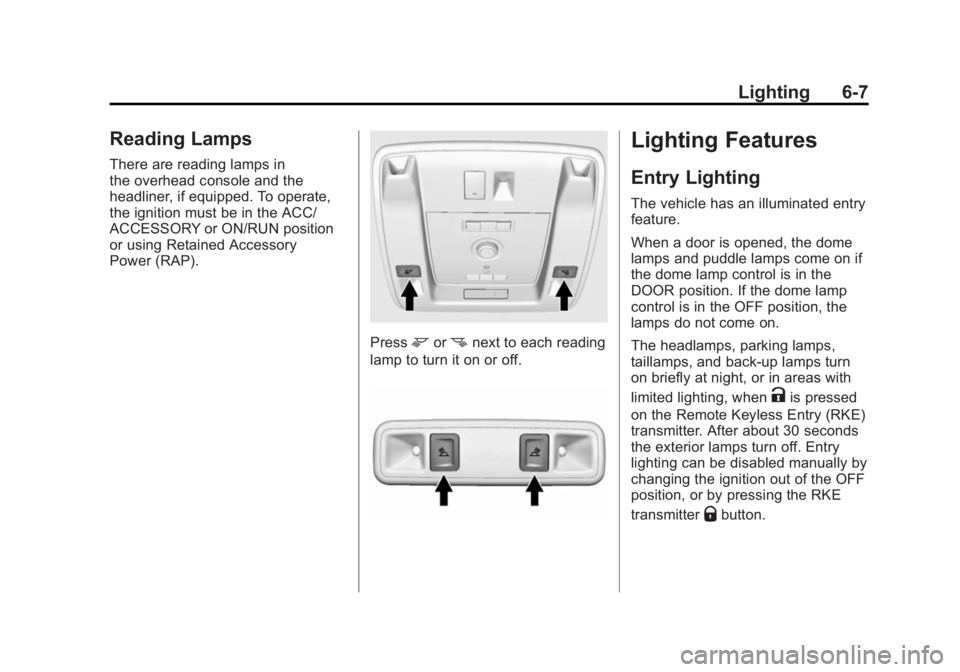
There are reading lamps in
the overhead console and the
headliner, if equipped. To operate,
the ignition must be in the ACC/
ACCESSORY or ON/RUN position
or using Retained Accessory
Power (RAP).
Pressmornnext to each reading
lamp to turn it on or off.
Lighting Features
Entry Lighting
The vehicle has an illuminated entry
feature.
When a door is opened, the dome
lamps and puddle lamps come on if
the dome lamp control is in the
DOOR position. If the dome lamp
control is in the OFF position, the
lamps do not come on.
The headlamps, parking lamps,
taillamps, and back-up lamps turn
on briefly at night, or in areas with
limited lighting, when
Kis pressed
on the Remote Keyless Entry (RKE)
transmitter. After about 30 seconds
the exterior lamps turn off. Entry
lighting can be disabled manually by
changing the ignition out of the OFF
position, or by pressing the RKE
transmitter
Qbutton.