engine oil GMC YUKON XL 2007 User Guide
[x] Cancel search | Manufacturer: GMC, Model Year: 2007, Model line: YUKON XL, Model: GMC YUKON XL 2007Pages: 608, PDF Size: 3.01 MB
Page 253 of 608
Remember, you must reset the OIL LIFE display
yourself after each oil change. It will not reset
itself. Also, be careful not to reset the OIL LIFE
display accidentally at any time other than
when the oil has just been changed. It cannot
be reset accurately until the next oil change.
To reset the engine oil life system, seeEngine Oil
Life System on page 441.
Relearn Tire Positions
To access this display, the vehicle must be in
PARK (P). If your vehicle has a Tire Pressure
Monitor (TPM) system, after rotating the tires or
after replacing a tire or sensor, the system
must re-learn the tire positions. To re-learn the tire
positions, seeTire Pressure Monitor System on
page 492. SeeTire Inspection and Rotation
on page 497andDIC Warnings and Messages on
page 254for more information.
Relearn Remote Key
To access this display, the vehicle must be in
PARK (P). This display allows you to match remote
keyless entry transmitters to your vehicle.
To match a remote keyless entry transmitter to
your vehicle, do the following:
1. Press the trip odometer reset stem until
RELEARN REMOTE KEY displays.
2. Press and hold the trip odometer reset stem
for three seconds.
The message REMOTE KEY LEARNING
ACTIVE will display.
3. Press and hold the lock and unlock buttons
on the rst transmitter at the same time for
approximately 15 seconds.
A chime will sound indicating that the
transmitter is matched.
4. To match additional transmitters at this time,
repeat Step 3.
Each vehicle can have a maximum of eight
transmitters matched to it.
5. To exit the programming mode, you must
cycle the key to LOCK.
253
Page 255 of 608
CHANGE ENGINE OIL SOON
This message will display when the engine oil
needs to be changed. When you change the
engine oil, be sure to reset the CHANGE ENGINE
OIL SOON message. SeeEngine Oil Life
System on page 441for information on how to
reset the message. This message will clear itself
after 10 seconds until the next ignition cycle
or until the message is reset. SeeEngine Oil on
page 438andScheduled Maintenance on
page 555for more information.
CHECK TIRE PRESSURE
If your vehicle has a Tire Pressure Monitor (TPM)
system, this message will display when the
pressure in one or more of the vehicle’s tires need
to be checked. This message will also display
LEFT FRONT, RIGHT FRONT, LEFT REAR, or
RIGHT REAR to indicate which tire needs to
be checked. You can receive more than one tire
pressure message at a time. To read the other
messages that may have been sent at the same
time, press the set/reset button or the trip
odometer reset stem. If a tire pressure message
appears on the DIC, stop as soon as you can.Have the tire pressures checked and set to those
shown on your Tire Loading Information Label.
SeeTires on page 482,Loading Your Vehicle on
page 390, andInation - Tire Pressure on
page 490. The DIC display also shows the tire
pressure values for the front and rear tires
by pressing the vehicle information button.
See“DIC Operation and Displays (With DIC
Buttons)”earlier in this section. If the tire pressure
is low, the low tire pressure warning light will
come on. SeeTire Pressure Light on page 235.
DRIVER DOOR OPEN
If the driver’s door is not fully closed and the
vehicle is in a drive gear, this message will display
and a chime will sound. Stop and turn off the
vehicle, check the door for obstructions, and close
the door again. Check to see if the message
still appears on the DIC.
255
Page 256 of 608
ENGINE HOT A/C (Air Conditioning)
TURNED OFF
This message will display when the engine coolant
becomes hotter than the normal operating
temperature. SeeEngine Coolant Temperature
Gage on page 234. To avoid added strain on a
hot engine, the air conditioning compressor
automatically turns off. When the coolant
temperature returns to normal, the air conditioning
compressor will turn back on. You can continue
to drive your vehicle.
If this message continues to appear, have the
system repaired by your GM dealer as soon
as possible to avoid damage to your engine.
ENGINE OIL LOW ADD OIL
If your vehicle has an oil level sensor and the oil
level in the vehicle is low, this message will
display. Check the oil level and correct it as
necessary. You may need to let the vehicle cool
or warm up and cycle the ignition to be sure
this message will clear.
This message will clear itself after 10 seconds,
until the next ignition cycle. SeeEngine Oil
on page 438for additional information.
ENGINE OVERHEATED IDLE ENGINE
Notice:If you drive your vehicle while the
engine is overheating, severe engine damage
may occur. If an overheat warning appears
on the instrument panel cluster and/or
DIC, stop the vehicle as soon as possible.
SeeEngine Overheating on page 452for more
information.
This message will display when the engine coolant
temperature is too hot. Stop and allow the
vehicle to idle until it cools down. SeeEngine
Coolant Temperature Gage on page 234.
SeeOverheated Engine Protection Operating
Mode on page 454for information on driving to a
safe place in an emergency.
256
Page 258 of 608
LEFT REAR DOOR OPEN
If the driver’s side rear door is not fully closed and
the vehicle is in a drive gear, this message will
display and a chime will sound. Stop and turn off
the vehicle, check the door for obstructions,
and close the door again. Check to see if the
message still appears on the DIC.
OIL PRESSURE LOW STOP ENGINE
Notice:If you drive your vehicle while the
engine oil pressure is low, severe engine
damage may occur. If a low oil pressure
warning appears on the Driver Information
Center (DIC), stop the vehicle as soon as
possible. Do not drive the vehicle until the
cause of the low oil pressure is corrected.
SeeEngine Oil on page 438for more
information.
If low oil pressure levels occur, this message will
display. Stop the vehicle as soon as safely
possible and do not operate it until the cause of
the low oil pressure has been corrected. Check
your oil as soon as possible and have your vehicle
serviced by your GM dealer. SeeEngine Oil on
page 438.
PARK ASSIST OFF
If your vehicle has the Ultrasonic Rear Parking
Assist (URPA) system, after the vehicle has been
started, this message will display to remind the
driver that the URPA system has been turned off.
Press the set/reset button or the trip odometer
reset stem to acknowledge this message and clear
it from the DIC display. To turn the URPA
system back on, seeUltrasonic Rear Parking
Assist (URPA) on page 205.
PASSENGER DOOR OPEN
If the passenger’s door is not fully closed and the
vehicle is in a drive gear, this message will
display and a chime will sound. Stop and turn off
the vehicle, check the door for obstructions,
and close the door again. Check to see if the
message still appears on the DIC.
REAR ACCESS OPEN
If the liftgate or liftglass is open while the ignition
is in RUN, this message will display and a
chime will sound. Turn off the vehicle and check
the liftgate and liftglass. Restart the vehicle
and check for the message on the DIC display.
258
Page 380 of 608
Once you are moving on the freeway, make
certain you allow a reasonable following distance.
Expect to move slightly slower at night.
When you want to leave the freeway, move to the
proper lane well in advance. If you miss your
exit, do not, under any circumstances, stop and
back up. Drive on to the next exit.
The exit ramp can be curved, sometimes quite
sharply. The exit speed is usually posted.
Reduce your speed according to your
speedometer, not to your sense of motion. After
driving for any distance at higher speeds, you may
tend to think you are going slower than you
actually are.
Before Leaving on a Long Trip
Make sure you are ready. Try to be well rested.
If you must start when you are not fresh — such as
after a day’s work — do not plan to make too
many miles that rst part of the journey. Wear
comfortable clothing and shoes you can easily
drive in.
Is your vehicle ready for a long trip? If you keep it
serviced and maintained, it is ready to go. If it
needs service, have it done before starting out.Of course, you will nd experienced and able
service experts in GM dealerships all across North
America. They will be ready and willing to help
if you need it.
Here are some things you can check before a trip:
Windshield Washer Fluid:Is the reservoir
full? Are all windows clean inside and outside?
Wiper Blades:Are they in good shape?
Fuel, Engine Oil, Other Fluids:Have you
checked all levels?
Lamps:Are they all working? Are the lenses
clean?
Tires:They are vitally important to a safe,
trouble-free trip. Is the tread good enough
for long-distance driving? Are the tires
all inated to the recommended pressure?
Weather Forecasts:What is the weather
outlook along your route? Should you
delay your trip a short time to avoid a major
storm system?
Maps:Do you have up-to-date maps?
380
Page 418 of 608
Driving On Grades
Reduce speed and shift to a lower gearbefore
you start down a long or steep downgrade. If you
don’t shift down, you might have to use your
brakes so much that they would get hot and no
longer work well.
You can tow in DRIVE (D). You may want to shift
the transmission to THIRD (3) or, if necessary,
a lower gear selection if the transmission shifts too
often (e.g., under heavy loads and/or hilly
conditions).
You may also want to activate the tow/haul mode
if the transmission shifts too often. See “Tow/Haul
Mode” earlier in this section for more information.
When towing at high altitude on steep uphill
grades, consider the following: Engine coolant at
or near sea level will boil at a lower temperature
than at higher altitudes. If you turn your engine off
immediately after towing at high altitude on
steep uphill grades, your vehicle may show signs
similar to engine overheating.To avoid this, let the engine run while parked
(preferably on level ground) with the automatic
transmission in PARK (P) for a few minutes before
turning the engine off. If you do get the overheat
warning, seeEngine Overheating on page 452.
Parking on Hills
{CAUTION:
You really should not park your vehicle,
with a trailer attached, on a hill. If
something goes wrong, your rig could
start to move. People can be injured, and
both your vehicle and the trailer can be
damaged.
But if you ever have to park your rig on a hill,
here’s how to do it:
1. Apply your regular brake, but don’t shift into
PARK (P) yet.
2. Have someone place chocks under the trailer
wheels.
418
Page 420 of 608
Maintenance When Trailer Towing
Your vehicle will need service more often when
you’re pulling a trailer. See the Maintenance
Schedule for more on this. Things that are
especially important in trailer operation are
automatic transmission uid (don’t overll), engine
oil, axle lubricant, belts, cooling system and
brake system. Each of these is covered in this
manual, and the Index will help you nd them
quickly. If you’re trailering, it’s a good idea
to review these sections before you start your trip.
Check periodically to see that all hitch nuts and
bolts are tight.
Trailer Wiring Harness
Your vehicle is equipped with the following wiring
harnesses for towing a trailer.
Basic Trailer Wiring
The trailer wiring harness, with a seven-pin
connector, is located at the rear of the vehicle and
is tied to the vehicle’s frame. The harness
connector can be plugged into a seven-pin
universal heavy-duty trailer connector available
through your dealer.
The seven-wire harness contains the following
trailer circuits:
Yellow: Left Stop/Turn Signal
Dark Green: Right Stop/Turn Signal
Brown: Taillamps
White: Ground
Light Green: Back-up Lamps
Red: Battery Feed*
Dark Blue: Trailer Brake*
*The fuses for these two circuits are installed in
the underhood electrical center, but the wires
are not connected. They should be connected by
your dealer or a qualied service center.
420
Page 423 of 608
Service.........................................................426
Accessories and Modications....................426
California Proposition 65 Warning...............427
Doing Your Own Service Work...................427
Adding Equipment to the Outside of
Your Vehicle...........................................428
Fuel..............................................................428
Gasoline Octane........................................428
Gasoline Specications...............................428
California Fuel............................................429
Additives....................................................429
Fuel E85 (85% Ethanol).............................430
Fuels in Foreign Countries.........................431
Filling the Tank..........................................432
Filling a Portable Fuel Container................434
Checking Things Under the Hood..............434
Hood Release............................................435
Engine Compartment Overview...................436
Engine Oil..................................................438
Engine Oil Life System...............................441
Engine Air Cleaner/Filter.............................443
Automatic Transmission Fluid.....................445
Engine Coolant...........................................449Coolant Surge Tank Pressure Cap.............451
Engine Overheating....................................452
Overheated Engine Protection
Operating Mode......................................454
Cooling System..........................................455
Engine Fan Noise......................................460
Power Steering Fluid..................................461
Windshield Washer Fluid............................462
Brakes.......................................................463
Battery.......................................................466
Jump Starting.............................................467
Rear Axle.....................................................472
Four-Wheel Drive.........................................473
Front Axle....................................................474
Headlamp Aiming........................................475
Bulb Replacement........................................478
Halogen Bulbs............................................478
Taillamps, Turn Signal, Stoplamps and
Back-up Lamps.......................................478
License Plate Lamp....................................480
Replacement Bulbs....................................481
Section 5 Service and Appearance Care
423
Page 434 of 608
Filling a Portable Fuel Container
{CAUTION:
Never ll a portable fuel container while it
is in your vehicle. Static electricity
discharge from the container can ignite the
gasoline vapor. You can be badly burned
and your vehicle damaged if this occurs.
To help avoid injury to you and others:
Dispense gasoline only into approved
containers.
Do not ll a container while it is inside a
vehicle, in a vehicle’s trunk, pickup
bed, or on any surface other than the
ground.
Bring the ll nozzle in contact with the
inside of the ll opening before
operating the nozzle. Contact should
be maintained until the lling is
complete.
Do not smoke while pumping gasoline.
Checking Things Under
the Hood
{CAUTION:
An electric fan under the hood can start up
and injure you even when the engine is not
running. Keep hands, clothing, and tools
away from any underhood electric fan.
{CAUTION:
Things that burn can get on hot engine
parts and start a re. These include
liquids like fuel, oil, coolant, brake uid,
windshield washer and other uids, and
plastic or rubber. You or others could be
burned. Be careful not to drop or spill
things that will burn onto a hot engine.
434
Page 437 of 608
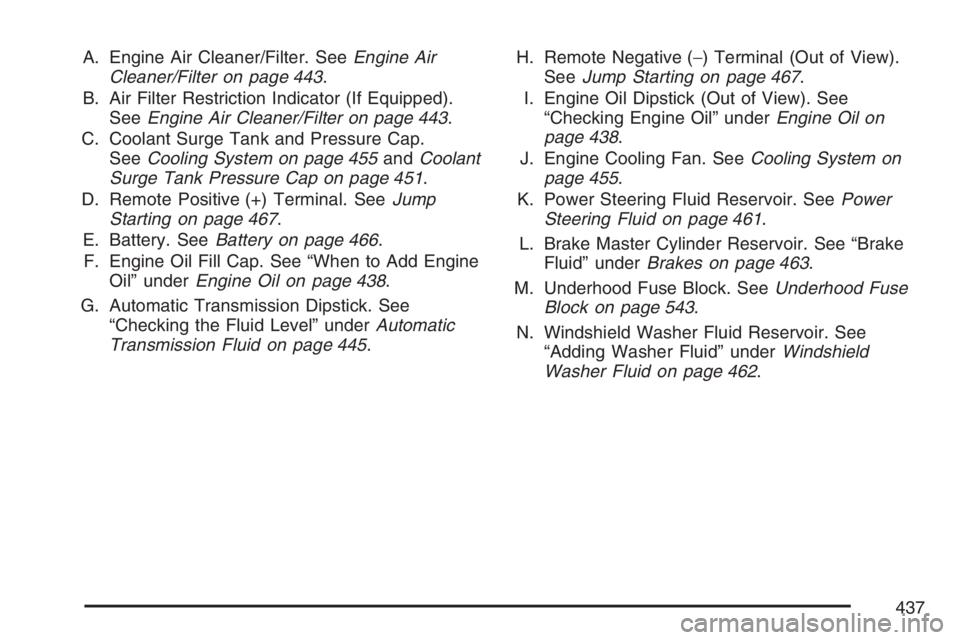
A. Engine Air Cleaner/Filter. SeeEngine Air
Cleaner/Filter on page 443.
B. Air Filter Restriction Indicator (If Equipped).
SeeEngine Air Cleaner/Filter on page 443.
C. Coolant Surge Tank and Pressure Cap.
SeeCooling System on page 455andCoolant
Surge Tank Pressure Cap on page 451.
D. Remote Positive (+) Terminal. SeeJump
Starting on page 467.
E. Battery. SeeBattery on page 466.
F. Engine Oil Fill Cap. See “When to Add Engine
Oil” underEngine Oil on page 438.
G. Automatic Transmission Dipstick. See
“Checking the Fluid Level” underAutomatic
Transmission Fluid on page 445.H. Remote Negative (−) Terminal (Out of View).
SeeJump Starting on page 467.
I. Engine Oil Dipstick (Out of View). See
“Checking Engine Oil” underEngine Oil on
page 438.
J. Engine Cooling Fan. SeeCooling System on
page 455.
K. Power Steering Fluid Reservoir. SeePower
Steering Fluid on page 461.
L. Brake Master Cylinder Reservoir. See “Brake
Fluid” underBrakes on page 463.
M. Underhood Fuse Block. SeeUnderhood Fuse
Block on page 543.
N. Windshield Washer Fluid Reservoir. See
“Adding Washer Fluid” underWindshield
Washer Fluid on page 462.
437