radio GMC YUKON XL 2007 User Guide
[x] Cancel search | Manufacturer: GMC, Model Year: 2007, Model line: YUKON XL, Model: GMC YUKON XL 2007Pages: 608, PDF Size: 3.01 MB
Page 208 of 608
The ultrasonic sensors are not kept clean.
So, be sure to keep your vehicle’s rear bumper
free of mud, dirt, snow, ice, and slush. For
cleaning instructions, seeWashing Your
Vehicle on page 532. If the DIC still displays the
PARKING ASSIST OFF message after
cleaning the bumper and driving forward at a
speed of at least 15 mph (25 km/h), see your
dealer.
Other conditions that may affect system
performance include vibrations from a
jackhammer or the compression of air brakes
on a very large truck or other mechanical
devices that interfere with URPA performance.
When URPA is disabled without driver action
and the driver attempts to turn URPA back on
using the Driver Information Center (DIC), the
PARKING ASSIST ON option will not be
selectable if the necessary conditions stated
above for normal system operation are not met.
As always, drivers should use care when backing
up a vehicle. Always look behind you, being
sure to check for other vehicles, obstructions and
blind spots.For Driver Information Center messages related to
URPA, seeDIC Warnings and Messages on
page 254.
If the bumper is damaged, your URPA system
may not work properly. Take the vehicle to
your dealer to repair the system.
Accessory Power Outlet(s)
With accessory power outlets you can plug in
auxiliary electrical equipment, such as a cellular
telephone or CB radio.
Your vehicle will have two accessory power
outlets under the climate controls, one on the back
of the oor console and a additional accessory
power outlet in the rear cargo area on the
passenger side.
To use the power outlet, lift the spring cap and
insert electrical 12V device plug. To close
the power outlet, remove 12V electrical device
plug and the spring cap will close.
Certain power accessory plugs may not be
compatible to the accessory power outlet and
could result in blown adapter or vehicle fuses.
208
Page 230 of 608
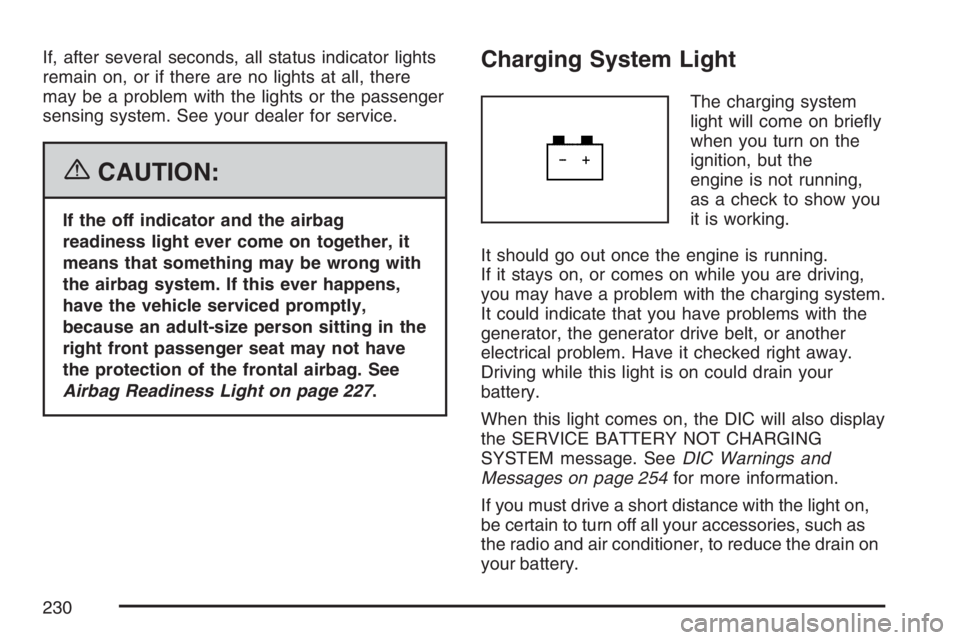
If, after several seconds, all status indicator lights
remain on, or if there are no lights at all, there
may be a problem with the lights or the passenger
sensing system. See your dealer for service.
{CAUTION:
If the off indicator and the airbag
readiness light ever come on together, it
means that something may be wrong with
the airbag system. If this ever happens,
have the vehicle serviced promptly,
because an adult-size person sitting in the
right front passenger seat may not have
the protection of the frontal airbag. See
Airbag Readiness Light on page 227.
Charging System Light
The charging system
light will come on briey
when you turn on the
ignition, but the
engine is not running,
as a check to show you
it is working.
It should go out once the engine is running.
If it stays on, or comes on while you are driving,
you may have a problem with the charging system.
It could indicate that you have problems with the
generator, the generator drive belt, or another
electrical problem. Have it checked right away.
Driving while this light is on could drain your
battery.
When this light comes on, the DIC will also display
the SERVICE BATTERY NOT CHARGING
SYSTEM message. SeeDIC Warnings and
Messages on page 254for more information.
If you must drive a short distance with the light on,
be certain to turn off all your accessories, such as
the radio and air conditioner, to reduce the drain on
your battery.
230
Page 274 of 608
EXIT FEATURE SETTINGS
This feature allows you to exit the feature
settings menu.
Press the customization button until PRESS
VTO
EXIT FEATURE SETTINGS appears in the DIC
display. Press the set/reset button once to exit the
menu.
If you do not exit, pressing the customization
button again will return you to the beginning of the
feature settings menu.
Exiting the Feature Settings Menu
The feature settings menu will be exited when any
of the following occurs:
The vehicle is shifted out of PARK (P).
The vehicle is no longer in RUN.
The trip/fuel or vehicle information DIC buttons
are pressed.
The end of the feature settings menu is
reached and exited.
A 40 second time period has elapsed with no
selection made.
Audio System(s)
Determine which radio your vehicle has and then
read the pages following to familiarize yourself
with its features.
Driving without distraction is a necessity for a
safer driving experience. SeeDefensive Driving on
page 340. By taking a few moments to read this
manual and get familiar with your vehicle’s
audio system, you can use it with less effort, as
well as take advantage of its features. While your
vehicle is parked, set up your audio system by
presetting your favorite radio stations, setting the
tone and adjusting the speakers. Then, when
driving conditions permit, you can tune to
your favorite stations using the presets and
steering wheel controls if the vehicle has them.
274
Page 275 of 608
{CAUTION:
This system provides you with a far
greater access to audio stations and song
listings. Giving extended attention to
entertainment tasks while driving can
cause a crash and you or others can be
injured or killed. Always keep your eyes
on the road and your mind on the
drive — avoid engaging in extended
searching while driving.
Keeping your mind on the drive is important for
safe driving. For more information, seeDefensive
Driving on page 340.Here are some ways in which you can help avoid
distraction while driving.
While your vehicle is parked:Familiarize yourself with all of its controls.
Familiarize yourself with its operation.
Set up your audio system by presetting your
favorite radio stations, setting the tone, and
adjusting the speakers. Then, when driving
conditions permit, you can tune to your favorite
radio stations using the presets and steering
wheel controls if the vehicle has them.
Notice:Before adding any sound equipment
to your vehicle, such as an audio system,
CD player, CB radio, mobile telephone,
or two-way radio, make sure that it can be
added by checking with your dealer. Also,
check federal rules covering mobile radio and
telephone units. If sound equipment can be
added, it is very important to do it properly.
Added sound equipment may interfere with the
operation of your vehicle’s engine, radio, or
other systems, and even damage them.
Your vehicle’s systems may interfere with the
operation of sound equipment that has
been added.
275
Page 276 of 608
Notice:The chime signals related to safety
belts, parking brake, and other functions
of your vehicle operate through the
radio/entertainment system. If that equipment
is replaced or additional equipment is added
to your vehicle, the chimes may not work. Make
sure that replacement or additional equipment
is compatible with your vehicle before
installing it. SeeAccessories and Modifications
on page 426.
Your vehicle may have a feature called Retained
Accessory Power (RAP). With RAP, the audio
system can be played even after the ignition
is turned off. SeeRetained Accessory Power
(RAP) on page 138for more information.Setting the Time (Radio with a
Single CD Player)
If your vehicle has a radio with a single CD player,
the radio will have a clock button for setting the
time and date.
To set the time and date, follow the instructions
below:
1. Press the clock button and the HR, MIN, MM,
DD, YYYY (hour, minute, month, day, and
year) will appear on the display.
2. Press the pushbutton located under any one
of the labels that you want to change. Every
time the pushbutton is pressed again, the time
or the date if selected, will increase by one.
Another way to increase the time or date, is
to press the right SEEK arrow or the FWD
button.
3. To decrease, press the left SEEK arrow or the
REV button. You can also rotate the tune
knob to adjust the selected setting.
276
Page 277 of 608
Changing the Time and Date Default
Settings
You can change the time default setting from
12 hours to 24 hours or change the date default
setting from month/day/year to day/month/year.
To change the time or date default settings, follow
the instructions below:
1. Press the clock button and then the
pushbutton located under the forward arrow
label until the time 12H and 24H, and the date
MM/DD/YYYY (month, day, and year) and
DD/MM/YYYY (day, month, and year)
are displayed.
2. Press the pushbutton located under the
desired option.
3. Press the clock button again to apply the
selected default, or let the screen time out.
Setting the Time (Radio with a
Six-Disc CD Player)
If your vehicle has a radio with a six-disc CD
player, the radio will have a MENU button instead
of the clock button to set the time and date.
To set the time and date, follow the instructions
below:
1. Press the MENU button. Once the clock
option is displayed, press the pushbutton
located under that label. The HR, MIN, MM,
DD, YYYY (hour, minute, month, day,
and year) will appear on the display.
2. Press the pushbutton located under any one
of the time or date setting labels that you
want to change. Every time the pushbutton is
pressed again, the time or the date if
selected, will increase by one.
Another way to increase the time or date, is
to press the right SEEK arrow or the FWD
button.
3. To decrease, press the left SEEK arrow or the
REV button. You can also rotate the tune
knob to adjust the selected setting.
277
Page 278 of 608
Changing the Time and Date Default
Settings
You can change the time default setting from
12 hours to 24 hours or change the date default
setting from month/day/year to day/month/year.
To change the time or date default settings, follow
the instructions below:
1. Press the MENU button. Once the clock
option is displayed, press the pushbutton
located under that label. The 12H and 24H,
and the date MM/DD/YYYY (month, day,
and year) and DD/MM/YYYY (day, month, and
year) will appear on the display.
2. Press the pushbutton located under the
desired option.
3. Press the MENU button again to apply the
selected default, or let the screen time out.
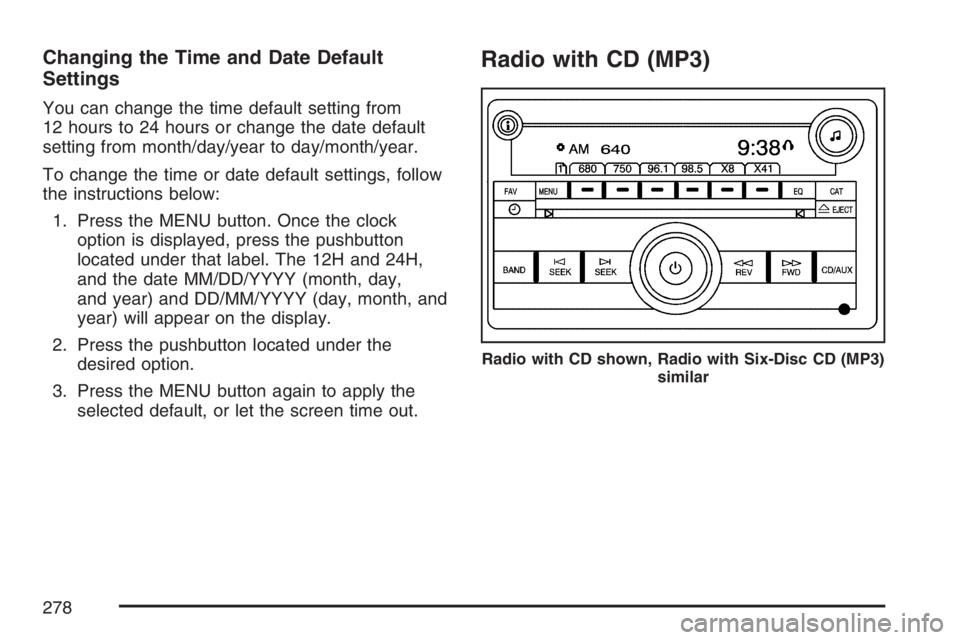
Radio with CD (MP3)
Radio with CD shown, Radio with Six-Disc CD (MP3)
similar
278
Page 279 of 608
Radio Data System (RDS)
The audio system has a Radio Data System
(RDS). The RDS feature is available for use only
on FM stations that broadcast RDS information.
This system relies upon receiving specic
information from these stations and will only work
when the information is available. While the
radio is tuned to an FM-RDS station, the station
name or call letters will appear on the display.
In rare cases, a radio station may broadcast
incorrect information that will cause the radio
features to work improperly. If this happens,
contact the radio station.
XM™ Satellite Radio Service
XM™ is a satellite radio service that is based in the
48 contiguous United States and in Canada
(if available). XM™ offers over 100 coast-to-coast
channels including music, news, sports, talk,
traffic/weather, and children’s programming. XM™
provides digital quality audio and text information
that includes song title and artist name. A service
fee is required in order to receive the XM™ service.
For more information, contact XM™ at
www.xmradio.com or call 1-800-852-XMXM (9696).
Playing the Radio
O
(Power/Volume):Press this knob to turn the
system on and off.
Turn this knob clockwise or counterclockwise to
increase or decrease the volume.
Speed Compensated Volume (SCV):The radio
has Speed Compensated Volume (SCV). When
SCV is on, the radio volume automatically adjusts
to compensate for road and wind noise as you
speed up or slow down while driving. That way, the
volume level should sound about the same as
you drive.
To activate SCV:
1. Set the radio volume to the desired level.
2. Press the MENU button to display the radio
setup menu.
3. Press the pushbutton under the AUTO
VOLUM label on the radio display.
4. Press the pushbutton under the desired Speed
Compensated Volume setting (OFF, Low, Med,
or High) to select the level of radio volume
compensation. The display will time out after
approximately 10 seconds. Each higher setting
allows for more radio volume compensation at
faster vehicle speeds.
279
Page 280 of 608
Finding a Station
BAND:Press this button to switch between AM,
FM, or XM™ (if equipped). The display will
show the selection.
f(Tune):Turn this knob to select radio stations.
©SEEK¨:Press the right or left SEEK
arrow to go to the next or to the previous station
and stay there.
To scan stations, press and hold either SEEK
arrow for a few seconds until you hear a beep.
The radio will go to a station, play for a few
seconds, then go on to the next station. Press
either SEEK arrow again to stop scanning.
The radio will only seek and scan stations with a
strong signal that are in the selected band.
4(Information) (XM™ Satellite Radio Service,
MP3, and RDS Features):Press the information
button to display additional text information related
to the current FM-RDS or XM™ station, or MP3
song. A choice of additional information such as:
Channel, Song, Artist, and CAT may appear.
Continue pressing the information button to
highlight the desired label, or press the pushbutton
positioned under any one of the labels and the
information about that label will be displayed.
When information is not available, No Info will
appear on the display.
Storing a Radio Station as a Favorite
Drivers are encouraged to set up their radio station
favorites while the vehicle is parked. Tune to your
favorite stations using the presets, favorites button,
and steering wheel controls, if the vehicle has this
feature. SeeDefensive Driving on page 340.
280
Page 281 of 608
FAV (Favorites):A maximum of 36 stations
can be programmed as favorites using the
six pushbuttons positioned below the radio station
frequency labels and by using the radio favorites
page button (FAV button). Press the FAV button to
go through up to six pages of favorites, each having
six favorite stations available per page. Each page
of favorites can contain any combination of AM, FM,
or XM™ (if equipped) stations. To store a station as
a favorite, perform the following steps:
1. Tune to the desired radio station.
2. Press the FAV button to display the page
where you want the station stored.
3. Press and hold one of the six pushbuttons
until you hear a beep. Whenever that
pushbutton is pressed and released, the
station that was set will return.
4. Repeat the steps for each pushbutton radio
station you want stored as a favorite.The number of favorites pages can be setup using
the MENU button. To setup the number of
favorites pages, perform the following steps:
1. Press the MENU button to display the radio
setup menu.
2. Press the pushbutton located below the
FAV 1-6 label.
3. Select the desired number of favorites pages
by pressing the pushbutton located below the
displayed page numbers.
4. Press the FAV button, or let the menu time
out, to return to the original main radio
screen showing the radio station frequency
labels and to begin the process of
programming your favorites for the chosen
amount of numbered pages.
281