tow GMC YUKON XL 2007 Owner's Guide
[x] Cancel search | Manufacturer: GMC, Model Year: 2007, Model line: YUKON XL, Model: GMC YUKON XL 2007Pages: 608, PDF Size: 3.01 MB
Page 177 of 608
To use the cover, do the following:
1. Pull the cover handle toward the rear of the
vehicle.
2. Latch the cover posts into the retaining
sockets on the cargo area trim panels.
To return the cover to the retracted position, do
the following:
1. Pull up on the cover handle to release the
cover posts from the retaining sockets.
2. Let the cover move forward to the full retracted
position.
To remove the cover, from a regular wheelbase
model, do the following:
1. Let the cover go all the way into the holder.
2. Then, grasping the driver’s side cover endcap,
push the cover endcap toward the passenger’s
side of the vehicle.
3. Swing the cover rearward and take it out of
the vehicle.To put the cover in the vehicle, do the following:
1. Make sure the cover slot in the holder faces
rearward with the round surface facing down.
2. Then, hold the cover at an angle and place
the cover endcap into the slot in the
passenger’s side trim panel.
3. Move the other end of the cover forward and
hold it next to the driver’s side trim panel slot.
4. Press the endcaps in, this will allow the cover
to t into the trim slot.
5. Lightly pull on the cover holder to make sure
it is secure.
On the extended wheelbase models there are
two cover positions. The slots furthest
forward allow the cover to be used if the third
seat is removed or folded down. The cover
can be installed and removed from either side.
177
Page 179 of 608
To adjust the system from the upper guide to the
lower guide, do the following:
1. Squeeze and hold the release lever, or slide
the tab towards the inside of the vehicle, to
retract the locator pin.
2. Pull the system back until the front rollers
reach the vertical curved guides.
3. Lower the front rollers to the lower guides and
pull the system back until the middle set of
rollers clear the upper guides.
4. Lower the system until the middle rollers are
lined up with lower guides. While holding in
the release lever or tab, push the system
forward until all three sets of rollers are on the
guides.
5. Release the lever or tab and push the system
until the locator pin reaches the locator hole.To adjust the system from the lower guide to the
upper guide, do the following:
1. Squeeze and hold the release lever, or slide
the tab towards the inside of the vehicle, to
retract the locator pin.
2. Pull the system back until the middle rollers can
be raised and placed into the upper guides.
3. Push the system forward until the front rollers
are lined up with the vertical curved guides.
4. Push down on the rear of the system and
raise the front rollers up the vertical curved
guides.
5. Push the system forward until all three sets of
rollers are resting on the guides and release
the lever or tab.
6. Push the system forward until the locator pin
reaches the locator hole.
The cargo management system can be pulled out
and used as a table on both the upper and
lower guide. To use a table, squeeze the release
lever and pull the system towards you. Release
the lever and pull the system until the locator pin
reaches the next hole. The system will extend
out of the vehicle. The liftgate can not be closed in
this position. Do not the operate the vehicle with
liftgate open.
179
Page 184 of 608
Brake System Warning Light......................232
Anti-Lock Brake System Warning Light.......233
StabiliTrak
®Indicator Light..........................234
Engine Coolant Temperature Gage.............234
Tire Pressure Light.....................................235
Malfunction Indicator Lamp.........................236
Oil Pressure Gage.....................................239
Oil Pressure Light......................................240
Security Light.............................................241
Fog Lamp Light..........................................241
Cruise Control Light...................................242
Highbeam On Light....................................242
Tow/Haul Mode Light.................................242
Fuel Gage..................................................243
Low Fuel Warning Light.............................243
Driver Information Center (DIC)..................244
DIC Operation and Displays
(With DIC Buttons)..................................244
DIC Operation and Displays
(Without DIC Buttons).............................251
DIC Warnings and Messages.....................254
DIC Vehicle Customization
(With DIC Buttons)..................................264Audio System(s)..........................................274
Setting the Time (Radio with a
Single CD Player)...................................276
Setting the Time (Radio with a
Six-Disc CD Player)................................277
Radio with CD (MP3).................................278
Radio with CD and DVD (MP3)..................295
XM Radio Messages..................................319
Navigation/Radio System............................321
Rear Seat Entertainment System................321
Rear Seat Audio (RSA)..............................332
Theft-Deterrent Feature..............................334
Audio Steering Wheel Controls...................334
Radio Reception.........................................335
Care of Your CDs and DVDs.....................336
Care of the CD and DVD Player................337
Rear Side Window Antenna.......................337
XM™ Satellite Radio Antenna System........337
Section 3 Instrument Panel
184
Page 187 of 608
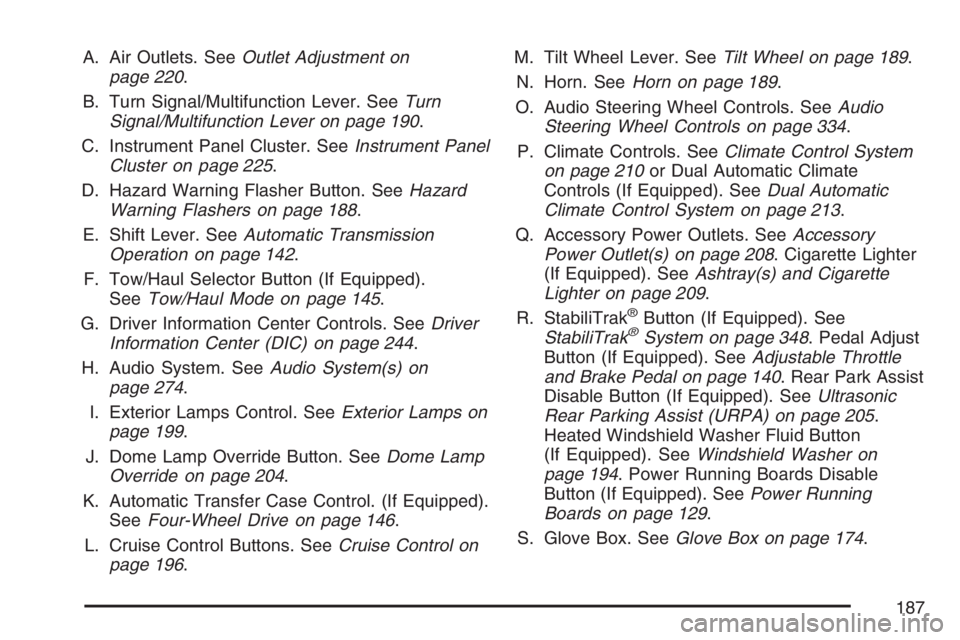
A. Air Outlets. SeeOutlet Adjustment on
page 220.
B. Turn Signal/Multifunction Lever. SeeTurn
Signal/Multifunction Lever on page 190.
C. Instrument Panel Cluster. SeeInstrument Panel
Cluster on page 225.
D. Hazard Warning Flasher Button. SeeHazard
Warning Flashers on page 188.
E. Shift Lever. SeeAutomatic Transmission
Operation on page 142.
F. Tow/Haul Selector Button (If Equipped).
SeeTow/Haul Mode on page 145.
G. Driver Information Center Controls. SeeDriver
Information Center (DIC) on page 244.
H. Audio System. SeeAudio System(s) on
page 274.
I. Exterior Lamps Control. SeeExterior Lamps on
page 199.
J. Dome Lamp Override Button. SeeDome Lamp
Override on page 204.
K. Automatic Transfer Case Control. (If Equipped).
SeeFour-Wheel Drive on page 146.
L. Cruise Control Buttons. SeeCruise Control on
page 196.M. Tilt Wheel Lever. SeeTilt Wheel on page 189.
N. Horn. SeeHorn on page 189.
O. Audio Steering Wheel Controls. SeeAudio
Steering Wheel Controls on page 334.
P. Climate Controls. SeeClimate Control System
on page 210or Dual Automatic Climate
Controls (If Equipped). SeeDual Automatic
Climate Control System on page 213.
Q. Accessory Power Outlets. SeeAccessory
Power Outlet(s) on page 208. Cigarette Lighter
(If Equipped). SeeAshtray(s) and Cigarette
Lighter on page 209.
R. StabiliTrak
®Button (If Equipped). See
StabiliTrak®System on page 348. Pedal Adjust
Button (If Equipped). SeeAdjustable Throttle
and Brake Pedal on page 140. Rear Park Assist
Disable Button (If Equipped). SeeUltrasonic
Rear Parking Assist (URPA) on page 205.
Heated Windshield Washer Fluid Button
(If Equipped). SeeWindshield Washer on
page 194. Power Running Boards Disable
Button (If Equipped). SeePower Running
Boards on page 129.
S. Glove Box. SeeGlove Box on page 174.
187
Page 191 of 608
Turn and Lane-Change Signals
The turn signal has two upward (for right) and
two downward (for left) positions. These positions
allow you to signal a turn or a lane change.
To signal a turn, move the lever all the way up or
down. When the turn is nished, the lever will
return automatically.
To signal a lane change, raise or lower the lever
for less than one second until the arrow starts
to ash. This will cause the turn signals to
automatically ash three times. It will ash
six times if tow-haul mode is active. Holding the
turn signal lever for more than one second
will cause the turn signals to ash until you release
the lever. The lever will return by itself when it is
released.
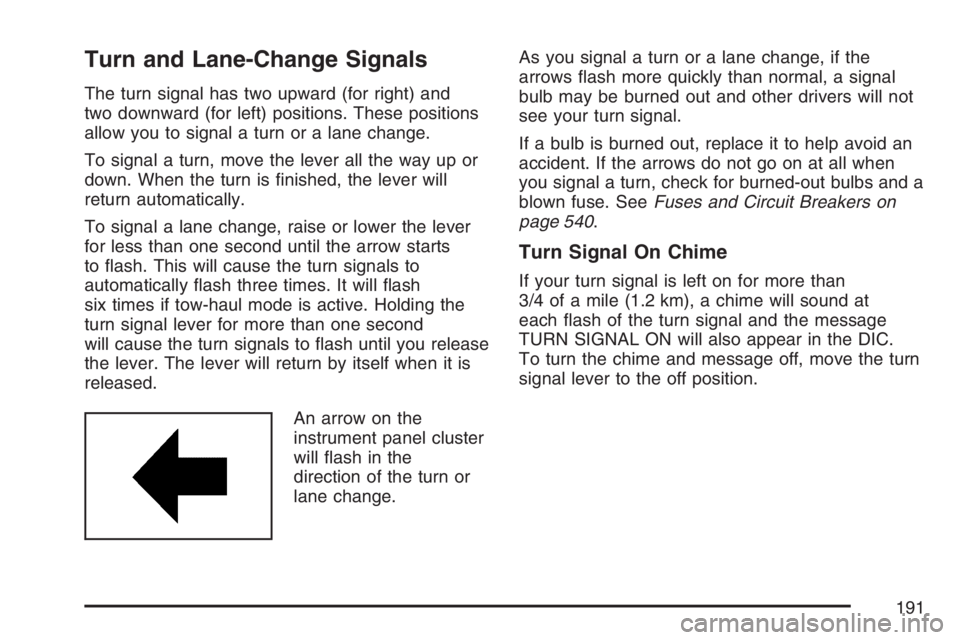
An arrow on the
instrument panel cluster
will ash in the
direction of the turn or
lane change.As you signal a turn or a lane change, if the
arrows ash more quickly than normal, a signal
bulb may be burned out and other drivers will not
see your turn signal.
If a bulb is burned out, replace it to help avoid an
accident. If the arrows do not go on at all when
you signal a turn, check for burned-out bulbs and a
blown fuse. SeeFuses and Circuit Breakers on
page 540.
Turn Signal On Chime
If your turn signal is left on for more than
3/4 of a mile (1.2 km), a chime will sound at
each ash of the turn signal and the message
TURN SIGNAL ON will also appear in the DIC.
To turn the chime and message off, move the turn
signal lever to the off position.
191
Page 192 of 608
Headlamp High/Low-Beam Changer
53(Headlamp High/Low Beam Changer):
To change the headlamps from low to high beam,
push the lever toward the instrument panel. To
return to low-beam headlamps, pull the
multifunction lever toward you. Then release it.
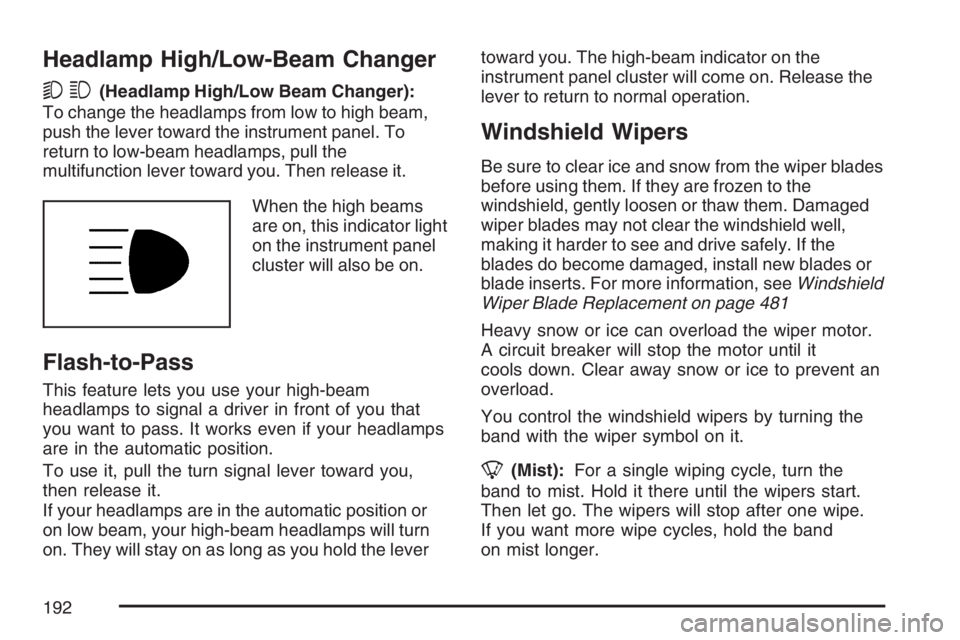
When the high beams
are on, this indicator light
on the instrument panel
cluster will also be on.
Flash-to-Pass
This feature lets you use your high-beam
headlamps to signal a driver in front of you that
you want to pass. It works even if your headlamps
are in the automatic position.
To use it, pull the turn signal lever toward you,
then release it.
If your headlamps are in the automatic position or
on low beam, your high-beam headlamps will turn
on. They will stay on as long as you hold the levertoward you. The high-beam indicator on the
instrument panel cluster will come on. Release the
lever to return to normal operation.
Windshield Wipers
Be sure to clear ice and snow from the wiper blades
before using them. If they are frozen to the
windshield, gently loosen or thaw them. Damaged
wiper blades may not clear the windshield well,
making it harder to see and drive safely. If the
blades do become damaged, install new blades or
blade inserts. For more information, seeWindshield
Wiper Blade Replacement on page 481
Heavy snow or ice can overload the wiper motor.
A circuit breaker will stop the motor until it
cools down. Clear away snow or ice to prevent an
overload.
You control the windshield wipers by turning the
band with the wiper symbol on it.
8(Mist):For a single wiping cycle, turn the
band to mist. Hold it there until the wipers start.
Then let go. The wipers will stop after one wipe.
If you want more wipe cycles, hold the band
on mist longer.
192
Page 210 of 608
Climate Controls
Climate Control System
With this system you can control the heating,
cooling, defrost, defog and ventilation of your
vehicle.
Manual Operation
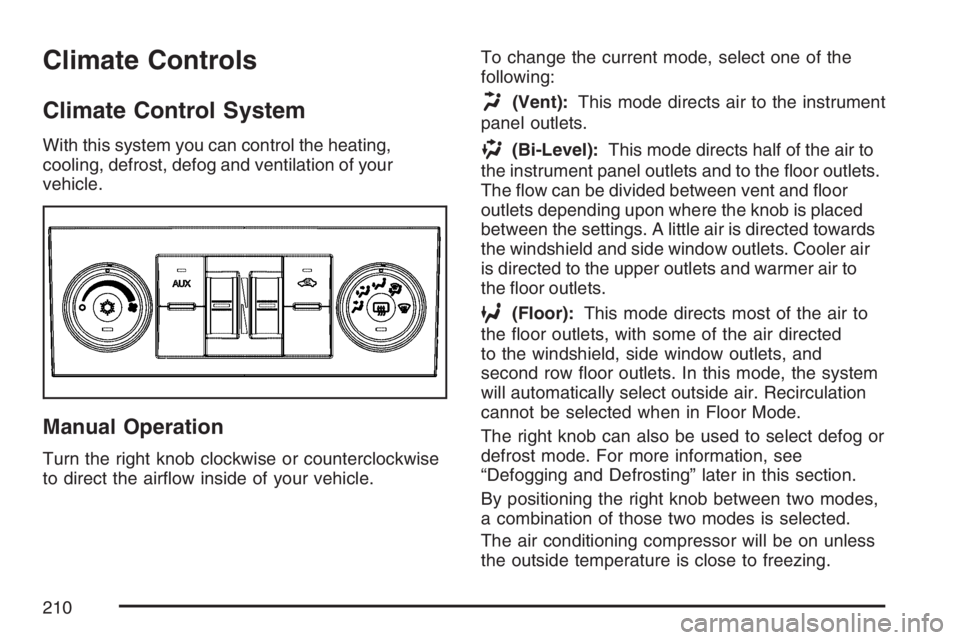
Turn the right knob clockwise or counterclockwise
to direct the airow inside of your vehicle.To change the current mode, select one of the
following:
H(Vent):This mode directs air to the instrument
panel outlets.
)(Bi-Level):This mode directs half of the air to
the instrument panel outlets and to the oor outlets.
The ow can be divided between vent and oor
outlets depending upon where the knob is placed
between the settings. A little air is directed towards
the windshield and side window outlets. Cooler air
is directed to the upper outlets and warmer air to
the oor outlets.
6(Floor):This mode directs most of the air to
the oor outlets, with some of the air directed
to the windshield, side window outlets, and
second row oor outlets. In this mode, the system
will automatically select outside air. Recirculation
cannot be selected when in Floor Mode.
The right knob can also be used to select defog or
defrost mode. For more information, see
“Defogging and Defrosting” later in this section.
By positioning the right knob between two modes,
a combination of those two modes is selected.
The air conditioning compressor will be on unless
the outside temperature is close to freezing.
210
Page 217 of 608
)(Bi-Level):This mode directs half of the air
to the instrument panel outlets and to the oor
outlets. The ow can be divided between vent and
oor outlets depending upon where the knob is
placed between the settings. A little air is directed
towards the windshield and side window outlets.
Cooler air is directed to the upper outlets and
warmer air to the oor outlets.
6(Floor):This mode directs most of the air to
the oor outlets, with some of the air directed
to the windshield, side window outlets, and
second row oor outlets. In this mode, the system
will automatically select outside air.
-(Defog):See “Defogging and Defrosting” later
in this section.
@(Recirculation):Press this button to turn
the recirculation mode on. When the button
is pressed, an indicator light will come on.
This mode keeps outside air from entering the
vehicle. It can be used to reduce outside air and
prevent odors from entering your vehicle.
Recirculation may also help cool the air inside
your vehicle more quickly once the temperature
inside the vehicle is less than the outside
temperature.
The recirculation mode cannot be used with oor,
defrost, or defogging modes. If you try to select
recirculation in one of those modes, the indicator
will ash three times and turn off. The air
conditioning compressor will also come on when
this mode is activated. While in recirculation mode
the windows may fog when the weather is cold
and damp. To clear the fog, select either the defog
or defrost mode and increase the fan speed.
Recirculation mode can be turned off by pressing
the button again, or turning off the engine.
217
Page 221 of 608
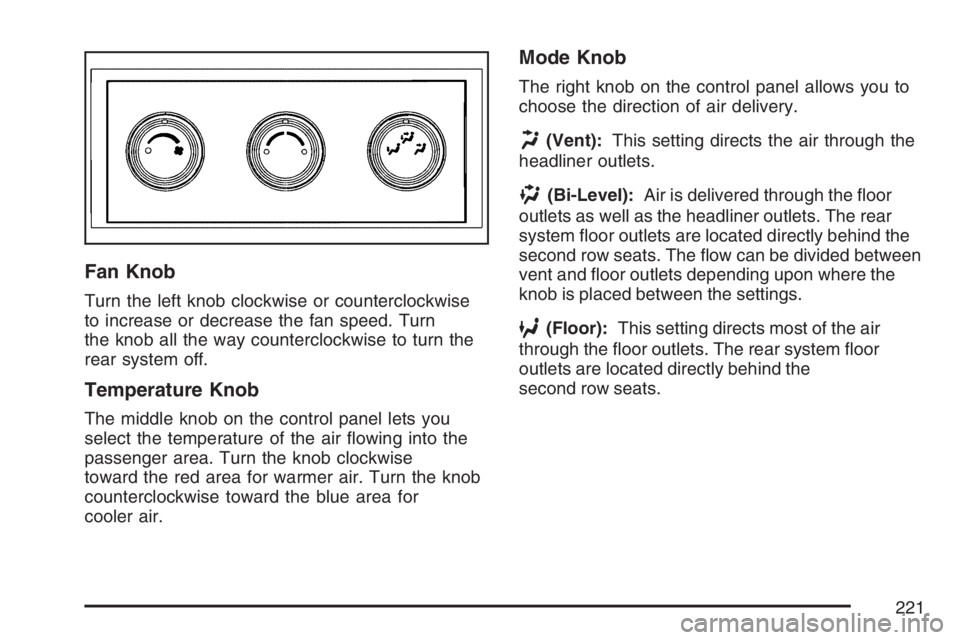
Fan Knob
Turn the left knob clockwise or counterclockwise
to increase or decrease the fan speed. Turn
the knob all the way counterclockwise to turn the
rear system off.
Temperature Knob
The middle knob on the control panel lets you
select the temperature of the air owing into the
passenger area. Turn the knob clockwise
toward the red area for warmer air. Turn the knob
counterclockwise toward the blue area for
cooler air.
Mode Knob
The right knob on the control panel allows you to
choose the direction of air delivery.
H(Vent):This setting directs the air through the
headliner outlets.
)(Bi-Level):Air is delivered through the oor
outlets as well as the headliner outlets. The rear
system oor outlets are located directly behind the
second row seats. The ow can be divided between
vent and oor outlets depending upon where the
knob is placed between the settings.
6(Floor):This setting directs most of the air
through the oor outlets. The rear system oor
outlets are located directly behind the
second row seats.
221
Page 232 of 608
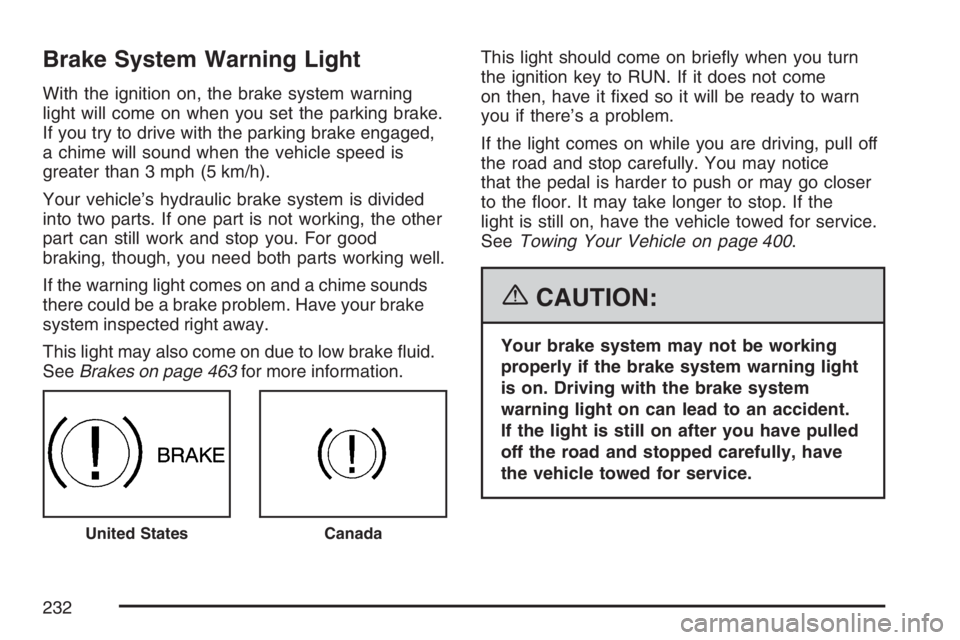
Brake System Warning Light
With the ignition on, the brake system warning
light will come on when you set the parking brake.
If you try to drive with the parking brake engaged,
a chime will sound when the vehicle speed is
greater than 3 mph (5 km/h).
Your vehicle’s hydraulic brake system is divided
into two parts. If one part is not working, the other
part can still work and stop you. For good
braking, though, you need both parts working well.
If the warning light comes on and a chime sounds
there could be a brake problem. Have your brake
system inspected right away.
This light may also come on due to low brake uid.
SeeBrakes on page 463for more information.This light should come on briey when you turn
the ignition key to RUN. If it does not come
on then, have it xed so it will be ready to warn
you if there’s a problem.
If the light comes on while you are driving, pull off
the road and stop carefully. You may notice
that the pedal is harder to push or may go closer
to the oor. It may take longer to stop. If the
light is still on, have the vehicle towed for service.
SeeTowing Your Vehicle on page 400.
{CAUTION:
Your brake system may not be working
properly if the brake system warning light
is on. Driving with the brake system
warning light on can lead to an accident.
If the light is still on after you have pulled
off the road and stopped carefully, have
the vehicle towed for service.
United StatesCanada
232