instrument panel GMC YUKON XL 2007 Service Manual
[x] Cancel search | Manufacturer: GMC, Model Year: 2007, Model line: YUKON XL, Model: GMC YUKON XL 2007Pages: 608, PDF Size: 3.01 MB
Page 256 of 608
ENGINE HOT A/C (Air Conditioning)
TURNED OFF
This message will display when the engine coolant
becomes hotter than the normal operating
temperature. SeeEngine Coolant Temperature
Gage on page 234. To avoid added strain on a
hot engine, the air conditioning compressor
automatically turns off. When the coolant
temperature returns to normal, the air conditioning
compressor will turn back on. You can continue
to drive your vehicle.
If this message continues to appear, have the
system repaired by your GM dealer as soon
as possible to avoid damage to your engine.
ENGINE OIL LOW ADD OIL
If your vehicle has an oil level sensor and the oil
level in the vehicle is low, this message will
display. Check the oil level and correct it as
necessary. You may need to let the vehicle cool
or warm up and cycle the ignition to be sure
this message will clear.
This message will clear itself after 10 seconds,
until the next ignition cycle. SeeEngine Oil
on page 438for additional information.
ENGINE OVERHEATED IDLE ENGINE
Notice:If you drive your vehicle while the
engine is overheating, severe engine damage
may occur. If an overheat warning appears
on the instrument panel cluster and/or
DIC, stop the vehicle as soon as possible.
SeeEngine Overheating on page 452for more
information.
This message will display when the engine coolant
temperature is too hot. Stop and allow the
vehicle to idle until it cools down. SeeEngine
Coolant Temperature Gage on page 234.
SeeOverheated Engine Protection Operating
Mode on page 454for information on driving to a
safe place in an emergency.
256
Page 257 of 608
ENGINE OVERHEATED STOP ENGINE
Notice:If you drive your vehicle while the
engine is overheating, severe engine damage
may occur. If an overheat warning appears
on the instrument panel cluster and/or
DIC, stop the vehicle as soon as possible. See
Engine Overheating on page 452for more
information.
If the engine cooling system reaches unsafe
temperatures for operation, this message will
display and a chime will sound. Stop and turn off
the vehicle as soon as it is safe to do so to avoid
severe damage. This message will clear when the
engine has cooled to a safe operating temperature.
ENGINE POWER IS REDUCED
This message will display and a chime will sound
when the cooling system temperature gets too
hot and the engine further enters the engine
coolant protection mode. SeeEngine Overheating
on page 452for further information.This message will also display when the vehicle’s
engine power is reduced. Reduced engine
power can affect the vehicle’s ability to accelerate.
If this message is on, but there is no reduction
in performance, proceed to your destination.
The performance may be reduced the next time
the vehicle is driven. The vehicle may be driven at
a reduced speed while this message is on, but
acceleration and speed may be reduced. Anytime
this message stays on, the vehicle should be
taken to your GM dealer for service as soon as
possible.
FUEL LEVEL LOW
If the fuel level is low, this message will display
and a chime will sound. Refuel as soon as
possible. SeeFuel Gage on page 243and
Fuel on page 428for more information.
HOOD OPEN
If the hood is not fully closed, this message will
display and a chime will sound. Stop and turn off
the vehicle, check the hood for obstructions, and
close the hood again. Check to see if the message
still appears on the DIC.
257
Page 260 of 608
SERVICE BATTERY CHARGING
SYSTEM
On some vehicles, if there is a problem with the
battery charging system, this message will display.
Under certain conditions, the battery warning
light may also turn on in the instrument panel
cluster. SeeCharging System Light on page 230.
Driving with this problem could drain the battery.
Turn off all unnecessary accessories. Have
the electrical system checked as soon as possible.
See your GM dealer.
SERVICE BRAKE SYSTEM
If there is a problem with the brake system, this
message will display along with the brake system
warning light. SeeBrake System Warning Light
on page 232. If this message appears, stop
as soon as possible and turn off the vehicle.
Restart the vehicle and check for the message on
the DIC display. If the message is still displayed
or appears again when you begin driving, the
brake system needs service as soon as possible.
See your GM dealer.
SERVICE BRAKES SOON
If there is a problem with the brake system, this
message will display. If this message appears,
stop as soon as possible and turn off the vehicle.
Restart the vehicle and check for the message
on the DIC display. If the message is still displayed
or appears again when you begin driving, the
brake system needs service. See your GM dealer.
SERVICE PARK ASSIST
If your vehicle has the Ultrasonic Rear Parking
Assist (URPA) system, this message will display
if there is a problem with the URPA system. Do not
use this system to help you park. SeeUltrasonic
Rear Parking Assist (URPA) on page 205for more
information. See your GM dealer for service.
260
Page 263 of 608
TIGHTEN GAS CAP
If the vehicle’s fuel cap is not tightened properly,
this message may display along with the check
engine light on the instrument panel cluster.
SeeMalfunction Indicator Lamp on page 236.
Reinstall the fuel cap fully. SeeFilling the Tank on
page 432. The diagnostic system can determine
if the fuel cap has been left off or improperly
installed. A loose or missing fuel cap will allow fuel
to evaporate into the atmosphere. A few driving
trips with the cap properly installed should turn this
light and message off.
TIRE LEARNING ACTIVE
If your vehicle has a Tire Pressure Monitor (TPM)
system, this message will display when the system
is re-learning the tire positions on your vehicle. See
DIC Operation and Displays (With DIC Buttons) on
page 244orDIC Operation and Displays (Without
DIC Buttons) on page 251for more information.
The tire positions must be re-learned after rotating
the tires or after replacing a tire or sensor. SeeTire
Inspection and Rotation on page 497,Tire Pressure
Monitor System on page 492, andInation - Tire
Pressure on page 490for more information.
TRACTION CONTROL OFF
If your vehicle has StabiliTrak®, this message will
display when the traction control system is
turned off. Adjust your driving accordingly.
SeeStabiliTrak
®System on page 348for more
information.
TRANSMISSION HOT IDLE ENGINE
Notice:If you drive your vehicle while
the transmission uid is overheating and the
transmission temperature warning is displayed
on the instrument panel cluster and/or DIC,
you can damage the transmission. This could
lead to costly repairs that would not be
covered by your warranty. Do not drive your
vehicle with overheated transmission uid
or while the transmission temperature warning
is displayed.
If the transmission uid in the vehicle gets hot, this
message will display along with a continuous
chime. Driving with the transmission uid
temperature high can cause damage to the vehicle.
Stop the vehicle and let it idle to allow the
transmission to cool. This message will clear and
the chime will stop when the uid temperature
reaches a safe level.
263
Page 348 of 608
StabiliTrak®System
Your vehicle may be equipped with the
StabiliTrak®system which combines antilock
brake, traction and stability control systems and
helps the driver maintain directional control of the
vehicle in most driving conditions.
When you rst start your vehicle and begin to drive
away, the system performs several diagnostic
checks to ensure there are no problems. You may
hear or feel the system working. This is normal and
does not mean there is a problem with your vehicle.
The system should initialize before the vehicle
reaches 20 mph (32 km/h). In some cases, it may
take approximately two miles of driving before the
system initializes.
If the system fails to turn on or activate, the
StabiliTrak
®light along with one of the following
messages will be displayed on the Driver
Information Center (DIC) (TRACTION CONTROL
OFF, SERVICE TRACTION CONTROL,
STABILITRAK OFF, SERVICE STABILITRAK).
For 2500 series vehicles, if the vehicle has gone
through heavy acceleration or braking during
the rst 2 miles (3.2 km) after starting your vehicle,
these messages may also appear.For 1500 series vehicles, if these DIC messages
appear, make sure the StabiliTrack
®system
has not been turned off, then turn the steering
wheel through either the ten or two o’clock
positions. If this does not clear the message(s),
take your vehicle to the dealer for service. If this is
the case, your vehicle does not need servicing.
Turn your vehicle off and back on again to
reset the system. If any of these messages appear
on the Driver Information Center (DIC), and your
vehicle hasn’t gone through hard acceleration
or braking in the rst two miles, your vehicle
should be taken in for service. For more
information on the DIC messages, seeDriver
Information Center (DIC) on page 244.
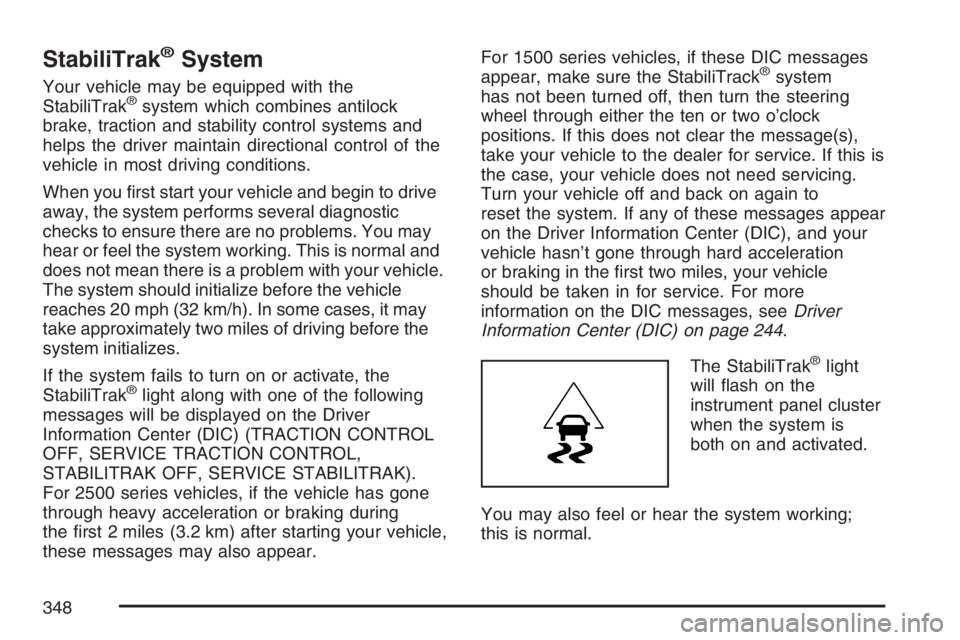
The StabiliTrak
®light
will ash on the
instrument panel cluster
when the system is
both on and activated.
You may also feel or hear the system working;
this is normal.
348
Page 349 of 608
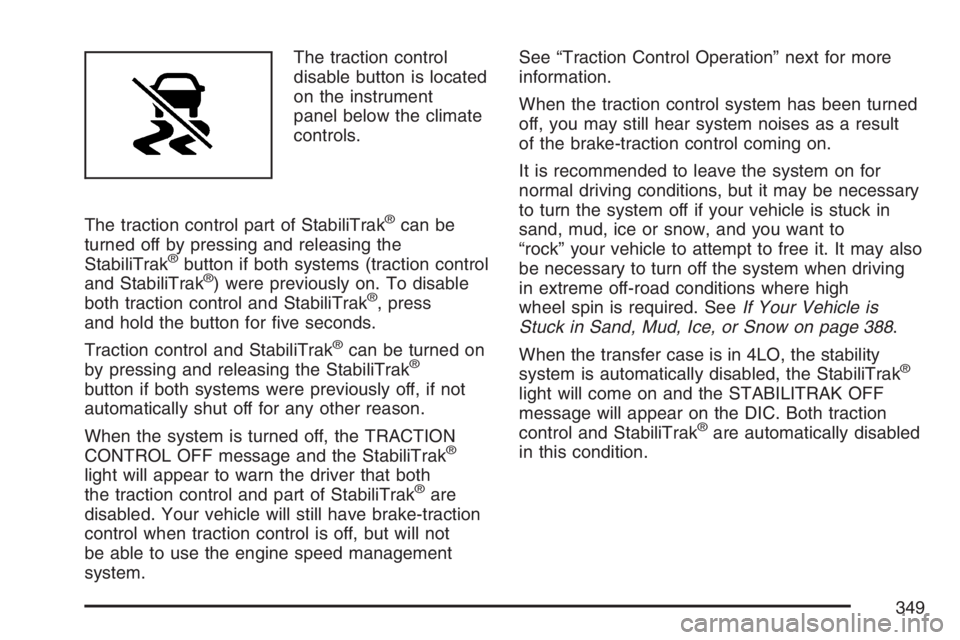
The traction control
disable button is located
on the instrument
panel below the climate
controls.
The traction control part of StabiliTrak
®can be
turned off by pressing and releasing the
StabiliTrak
®button if both systems (traction control
and StabiliTrak®) were previously on. To disable
both traction control and StabiliTrak®, press
and hold the button for ve seconds.
Traction control and StabiliTrak
®can be turned on
by pressing and releasing the StabiliTrak®
button if both systems were previously off, if not
automatically shut off for any other reason.
When the system is turned off, the TRACTION
CONTROL OFF message and the StabiliTrak
®
light will appear to warn the driver that both
the traction control and part of StabiliTrak®are
disabled. Your vehicle will still have brake-traction
control when traction control is off, but will not
be able to use the engine speed management
system.See “Traction Control Operation” next for more
information.
When the traction control system has been turned
off, you may still hear system noises as a result
of the brake-traction control coming on.
It is recommended to leave the system on for
normal driving conditions, but it may be necessary
to turn the system off if your vehicle is stuck in
sand, mud, ice or snow, and you want to
“rock” your vehicle to attempt to free it. It may also
be necessary to turn off the system when driving
in extreme off-road conditions where high
wheel spin is required. SeeIf Your Vehicle is
Stuck in Sand, Mud, Ice, or Snow on page 388.
When the transfer case is in 4LO, the stability
system is automatically disabled, the StabiliTrak
®
light will come on and the STABILITRAK OFF
message will appear on the DIC. Both traction
control and StabiliTrak
®are automatically disabled
in this condition.
349
Page 407 of 608
Provide the same solid shift feel when pulling
a heavy trailer or a large or heavy load as
when the vehicle is unloaded.
Improve control of vehicle speed while
requiring less throttle pedal activity when
pulling a heavy trailer or a large or heavy load.
Increase the charging system voltage to assist
in recharging a battery installed in a trailer.
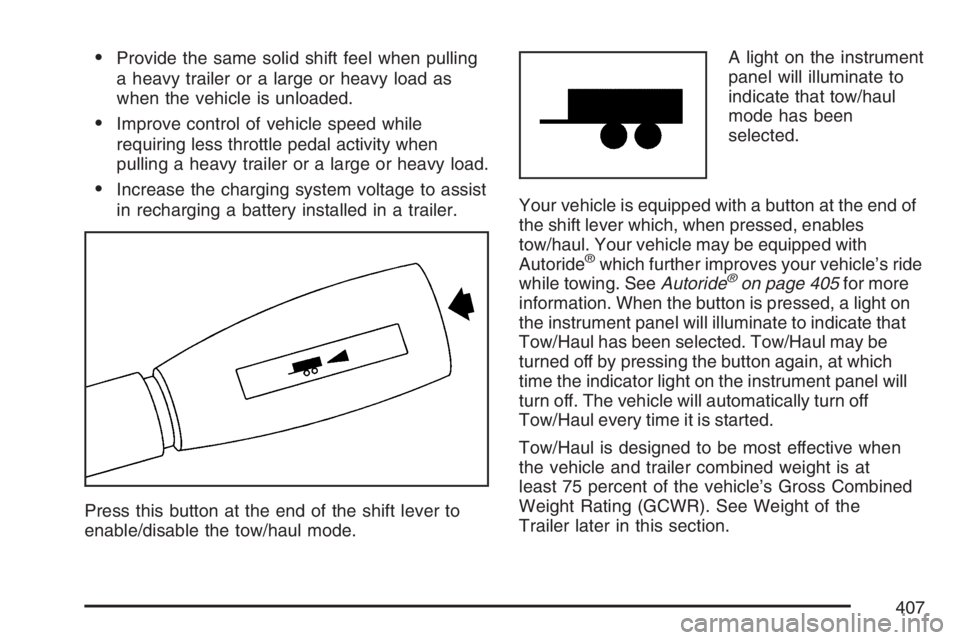
Press this button at the end of the shift lever to
enable/disable the tow/haul mode.A light on the instrument
panel will illuminate to
indicate that tow/haul
mode has been
selected.
Your vehicle is equipped with a button at the end of
the shift lever which, when pressed, enables
tow/haul. Your vehicle may be equipped with
Autoride
®which further improves your vehicle’s ride
while towing. SeeAutoride®on page 405for more
information. When the button is pressed, a light on
the instrument panel will illuminate to indicate that
Tow/Haul has been selected. Tow/Haul may be
turned off by pressing the button again, at which
time the indicator light on the instrument panel will
turn off. The vehicle will automatically turn off
Tow/Haul every time it is started.
Tow/Haul is designed to be most effective when
the vehicle and trailer combined weight is at
least 75 percent of the vehicle’s Gross Combined
Weight Rating (GCWR). See Weight of the
Trailer later in this section.
407
Page 417 of 608
Following Distance
Stay at least twice as far behind the vehicle ahead
as you would when driving your vehicle without
a trailer. This can help you avoid situations
that require heavy braking and sudden turns.
Passing
You’ll need more passing distance up ahead when
you’re towing a trailer. And, because you’re a
good deal longer, you’ll need to go much farther
beyond the passed vehicle before you can
return to your lane.
Backing Up
Hold the bottom of the steering wheel with
one hand. Then, to move the trailer to the left, just
move that hand to the left. To move the trailer
to the right, move your hand to the right. Always
back up slowly and, if possible, have someone
guide you.
Making Turns
Notice:Making very sharp turns while
trailering could cause the trailer to come in
contact with the vehicle. Your vehicle could be
damaged. Avoid making very sharp turns
while trailering.
When you’re turning with a trailer, make wider
turns than normal. Do this so your trailer
won’t strike soft shoulders, curbs, road signs,
trees or other objects. Avoid jerky or sudden
maneuvers. Signal well in advance.
Turn Signals When Towing a Trailer
The arrows on your instrument panel will
ash whenever you signal a turn or lane change.
Properly hooked up, the trailer lamps will also
ash, telling other drivers you’re about to
turn, change lanes or stop.
When towing a trailer, the arrows on your
instrument panel will ash for turns even if the bulbs
on the trailer are burned out. Thus, you may think
drivers behind you are seeing your signal when
they are not. It’s important to check occasionally to
be sure the trailer bulbs are still working.
417
Page 422 of 608
Electric Brake Control Wiring
Provisions
These wiring provisions are included with your
vehicle as part of the trailer wiring package. These
provisions are for an electric brake controller. The
instrument panel contains blunt cut wires near the
data link connector for the trailer brake controller.
The harness contains the following wires:
Dark Blue: Brake Signal to Trailer Connector
Red/Black: Battery
Light Blue/White: Brake Switch
White: Ground
It should be installed by your dealer or a qualied
service center.
Power Winches
If you wish to use a power winch on your vehicle,
only use it when your vehicle is stationary or
anchored.
Trailer Recommendations
You must subtract your hitch loads from the Cargo
Weight Rating (CWR) for your vehicle. CWR is
the maximum weight of the load your vehicle can
carry. It doesn’t include the weight of the people
inside. But you can gure about 150 lbs. (68 kg) for
each seat. The total cargo load must not be
more than your vehicle’s CWR.
Weigh your vehicle with the trailer attached, so
that you won’t go over the GVWR or GAWR. If you
are using a weight-distributing hitch, weigh the
vehicle without the spring bars in place.
You’ll get the best performance if you spread out
the weight of your load the right way, and if
you choose the correct hitch and trailer brakes.
For more information, seeTowing a Trailer
on page 405.
422
Page 424 of 608
Windshield Wiper Blade Replacement........481
Tires.............................................................482
Tire Sidewall Labeling................................484
Tire Terminology and Denitions................487
Ination - Tire Pressure..............................490
Tire Pressure Monitor System....................492
Tire Inspection and Rotation.......................497
When It Is Time for New Tires...................499
Buying New Tires.......................................500
Different Size Tires and Wheels.................502
Uniform Tire Quality Grading......................502
Wheel Alignment and Tire Balance.............504
Wheel Replacement...................................504
Tire Chains................................................506
If a Tire Goes Flat.....................................507
Changing a Flat Tire..................................508
Removing the Spare Tire and Tools...........509
Removing the Flat Tire and Installing the
Spare Tire..............................................513
Secondary Latch System............................519
Storing a Flat or Spare Tire and Tools.......522
Spare Tire..................................................526Appearance Care.........................................527
Cleaning the Inside of Your Vehicle...........528
Fabric/Carpet..............................................529
Leather......................................................530
Instrument Panel, Vinyl, and Other
Plastic Surfaces......................................531
Care of Safety Belts...................................531
Weatherstrips.............................................531
Washing Your Vehicle................................532
Cleaning Exterior Lamps/Lenses.................532
Finish Care................................................532
Windshield, Backglass, and
Wiper Blades..........................................534
Aluminum or Chrome-Plated Wheels..........534
Tires..........................................................535
Sheet Metal Damage..................................535
Finish Damage...........................................536
Underbody Maintenance.............................536
Chemical Paint Spotting.............................536
Vehicle Care/Appearance Materials............537
Vehicle Identication...................................538
Vehicle Identication Number (VIN)............538
Service Parts Identication Label................538
Section 5 Service and Appearance Care
424