fuel GMC YUKON XL 2018 User Guide
[x] Cancel search | Manufacturer: GMC, Model Year: 2018, Model line: YUKON XL, Model: GMC YUKON XL 2018Pages: 425, PDF Size: 7.37 MB
Page 144 of 425
GMC Yukon/Yukon XL/Denali Owner Manual (GMNA-Localizing-U.S./
Canada/Mexico-11349262) - 2018 - crc - 6/20/17
Instruments and Controls 143system. Have it checked by your
dealer. Driving while this light is on
could drain the battery.
When this light comes on, or is
flashing, the Driver Information
Center (DIC) also displays a
message.
If a short distance must be driven
with the light on, be sure to turn off
all accessories, such as the radio
and air conditioner.
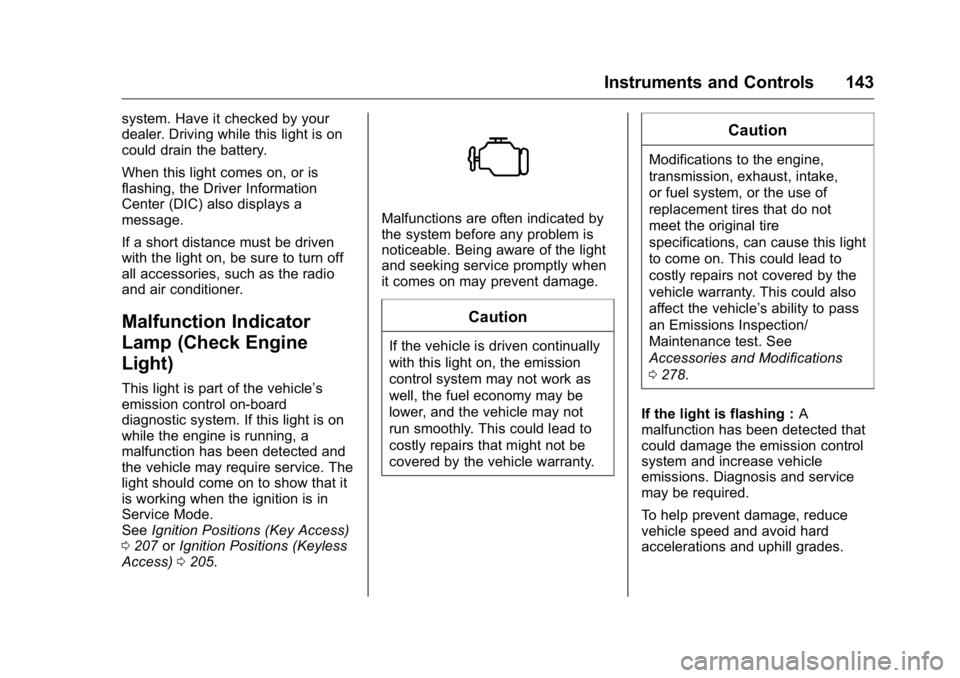
Malfunction Indicator
Lamp (Check Engine
Light) This light is part of the vehicle ’ s
emission control on-board
diagnostic system. If this light is on
while the engine is running, a
malfunction has been detected and
the vehicle may require service. The
light should come on to show that it
is working when the ignition is in
Service Mode.
See Ignition Positions (Key Access)
0 207 or Ignition Positions (Keyless
Access) 0 205 . Malfunctions are often indicated by
the system before any problem is
noticeable. Being aware of the light
and seeking service promptly when
it comes on may prevent damage.
CautionIf the vehicle is driven continually
with this light on, the emission
control system may not work as
well, the fuel economy may be
lower, and the vehicle may not
run smoothly. This could lead to
costly repairs that might not be
covered by the vehicle warranty. CautionModifications to the engine,
transmission, exhaust, intake,
or fuel system, or the use of
replacement tires that do not
meet the original tire
specifications, can cause this light
to come on. This could lead to
costly repairs not covered by the
vehicle warranty. This could also
affect the vehicle ’ s ability to pass
an Emissions Inspection/
Maintenance test. See
Accessories and Modifications
0 278 .
If the light is flashing : A
malfunction has been detected that
could damage the emission control
system and increase vehicle
emissions. Diagnosis and service
may be required.
To help prevent damage, reduce
vehicle speed and avoid hard
accelerations and uphill grades.
Page 145 of 425
GMC Yukon/Yukon XL/Denali Owner Manual (GMNA-Localizing-U.S./
Canada/Mexico-11349262) - 2018 - crc - 6/20/17
144 Instruments and Controls If towing a trailer, reduce the
amount of cargo being hauled as
soon as possible.
If the light continues to flash, find a
safe place to park. Turn the vehicle
off and wait at least 10 seconds
before restarting the engine. If the
light is still flashing, follow the
previous guidelines and see your
dealer for service as soon as
possible.
If the light is on steady : A
malfunction has been detected.
Diagnosis and service may be
required.
Check the following:
.
If fuel has been added to the
vehicle using the capless fuel
funnel adapter, make sure that it
has been removed. See “ Filling
the Tank with a Portable Gas
Can ” under Filling the Tank
0 256 . The diagnostic system
can detect if the adapter has
been left installed in the vehicle,
allowing fuel to evaporate into
the atmosphere. A few driving
trips with the adapter removed
may turn off the light. .
Poor fuel quality can cause
inefficient engine operation and
poor driveability, which may go
away once the engine is warmed
up. If this occurs, change the
fuel brand. It may require at
least one full tank of the proper
fuel to turn the light off. See Fuel
0 254 .
If the light remains on, see your
dealer.
Emissions Inspection and
Maintenance Programs If the vehicle requires an Emissions
Inspection/Maintenance test, the
test equipment will likely connect to
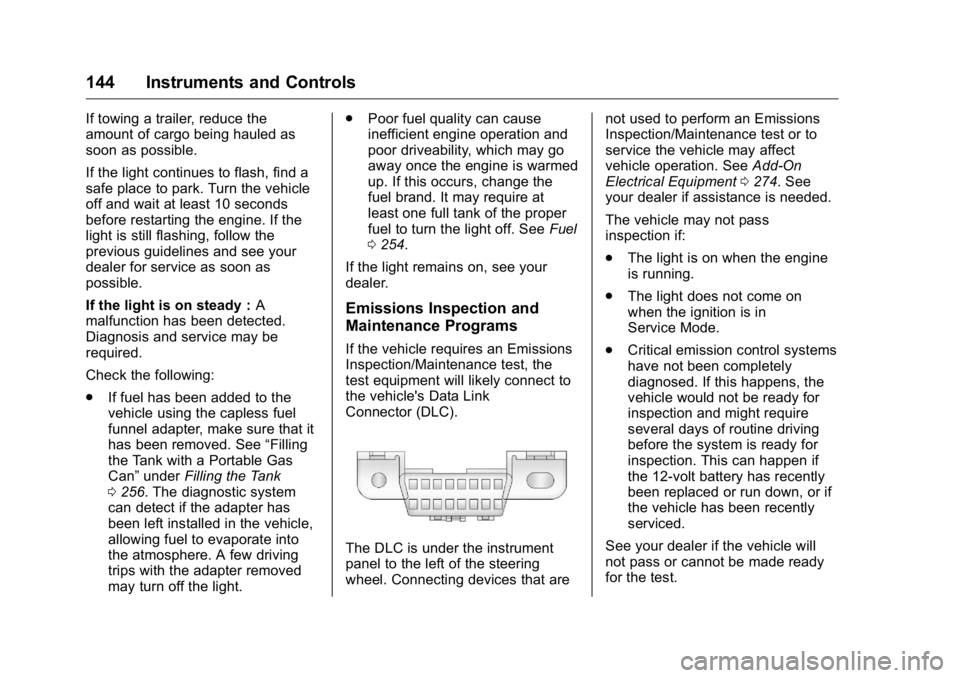
the vehicle's Data Link
Connector (DLC).
The DLC is under the instrument
panel to the left of the steering
wheel. Connecting devices that are not used to perform an Emissions
Inspection/Maintenance test or to
service the vehicle may affect
vehicle operation. See Add-On
Electrical Equipment 0 274 . See
your dealer if assistance is needed.
The vehicle may not pass
inspection if:
.
The light is on when the engine
is running.
.
The light does not come on
when the ignition is in
Service Mode.
.
Critical emission control systems
have not been completely
diagnosed. If this happens, the
vehicle would not be ready for
inspection and might require
several days of routine driving
before the system is ready for
inspection. This can happen if
the 12-volt battery has recently
been replaced or run down, or if
the vehicle has been recently
serviced.
See your dealer if the vehicle will
not pass or cannot be made ready
for the test.
Page 150 of 425
GMC Yukon/Yukon XL/Denali Owner Manual (GMNA-Localizing-U.S./
Canada/Mexico-11349262) - 2018 - crc - 6/20/17
Instruments and Controls 149
Engine Oil Pressure Light CautionLack of proper engine oil
maintenance can damage the
engine. Driving with the engine oil
low can also damage the engine.
The repairs would not be covered
by the vehicle warranty. Check
the oil level as soon as possible.
Add oil if required, but if the oil
level is within the operating range
and the oil pressure is still low,
have the vehicle serviced. Always
follow the maintenance schedule
for changing engine oil.
This light should come on briefly as
the engine is started. If it does not
come on, have the vehicle serviced
by your dealer. If the light comes on and stays on, it
means that oil is not flowing through
the engine properly. The vehicle
could be low on oil and might have
some other system problem. See
your dealer.
Low Fuel Warning Light
This light is near the fuel gauge and
comes on briefly when the ignition is
turned on as a check to show it is
working.
It also comes on when the fuel tank
is low on fuel. The light turns off
when fuel is added. If it does not,
have the vehicle serviced. Security Light The security light should come on
briefly as the engine is started. If it
does not come on, have the vehicle
serviced by your dealer. If the
system is working normally, the
indicator light turns off.
If the light stays on and the engine
does not start, there could be a
problem with the theft-deterrent
system. See Immobilizer Operation
0 51 .
High-Beam On Light
Page 152 of 425
GMC Yukon/Yukon XL/Denali Owner Manual (GMNA-Localizing-U.S./
Canada/Mexico-11349262) - 2018 - crc - 6/20/17
Instruments and Controls 151
Information Displays Driver Information
Center (DIC) The DIC displays are shown in the
center of the instrument cluster in
the Info app. See Instrument Cluster
0 133 . The displays show the status
of many vehicle systems. The
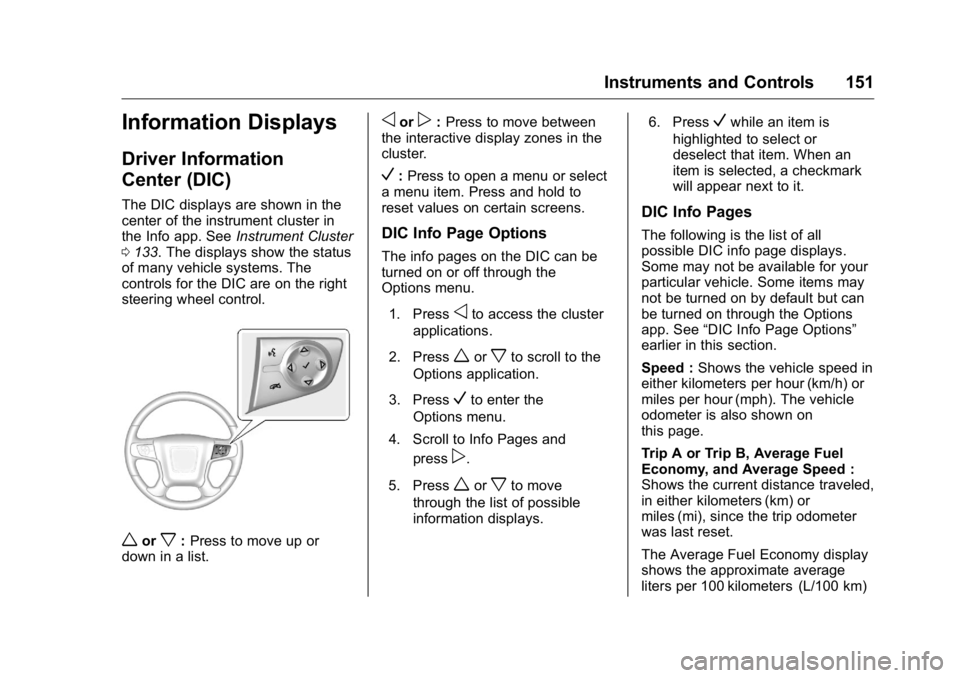
controls for the DIC are on the right
steering wheel control.
w or
x : Press to move up or
down in a list. o or
p : Press to move between
the interactive display zones in the
cluster.
V : Press to open a menu or select
a menu item. Press and hold to
reset values on certain screens.
DIC Info Page Options The info pages on the DIC can be
turned on or off through the
Options menu.
1. Press
o to access the cluster
applications.
2. Press
w or
x to scroll to the
Options application.
3. Press
V to enter the
Options menu.
4. Scroll to Info Pages and
press
p .
5. Press
w or
x to move
through the list of possible
information displays. 6. Press
V while an item is
highlighted to select or
deselect that item. When an
item is selected, a checkmark
will appear next to it.
DIC Info Pages The following is the list of all
possible DIC info page displays.
Some may not be available for your
particular vehicle. Some items may
not be turned on by default but can
be turned on through the Options
app. See “ DIC Info Page Options ”
earlier in this section.
Speed : Shows the vehicle speed in
either kilometers per hour (km/h) or
miles per hour (mph). The vehicle
odometer is also shown on
this page.
Trip A or Trip B, Average Fuel
Economy, and Average Speed :
Shows the current distance traveled,
in either kilometers (km) or
miles (mi), since the trip odometer
was last reset.
The Average Fuel Economy display
shows the approximate average
liters per 100 kilometers (L/100 km)
Page 153 of 425
GMC Yukon/Yukon XL/Denali Owner Manual (GMNA-Localizing-U.S./
Canada/Mexico-11349262) - 2018 - crc - 6/20/17
152 Instruments and Controls or miles per gallon (mpg). This
number is calculated based on the
number of L/100 km (mpg) recorded
since the last time this menu item
was reset. This number reflects only
the approximate average fuel
economy that the vehicle has right
now, and will change as driving
conditions change.
The Average Speed display shows
the average speed of the vehicle in
kilometers per hour (km/h) or miles
per hour (mph). This average is
calculated based on the various
vehicle speeds recorded since the
last reset of this value.
Press and hold
V while this display
is active to reset the trip odometer,
the average fuel economy, and the
average speed. Or press
p and
select reset in the menu.
Fuel Range and Instantaneous
Fuel Economy : Shows the
approximate distance the vehicle
can be driven without refueling.
LOW will be displayed when the
vehicle is low on fuel. The fuel
range estimate is based on an
average of the vehicle's fuel economy over recent driving history
and the amount of fuel remaining in
the fuel tank. It also shows if the
Active Fuel Management is active
and in V4 mode, or inactive and in
V8 mode. See Active Fuel
Management 0 214 .
The Instantaneous Fuel Economy
display shows the current fuel
economy in either liters per
100 kilometers (L/100 km) or miles
per gallon (mpg). This number
reflects only the approximate fuel
economy that the vehicle has right
now and changes frequently as
driving conditions change.
Timer and Fuel Used : Can be
used as a timer. To start the timer,
press
V while this display is active.
The display will show the amount of
time that has passed since the timer
was last reset. To stop the timer,
press
V briefly while this display is
active and the timer is running. To
reset the timer to zero, press and
hold
V while this display is active. This also shows the number of
liters (L) or gallons (gal) of fuel used
since the last reset of this
menu item.
Oil Life : Shows an estimate of the
oil's remaining useful life.
If REMAINING OIL LIFE 99% is
displayed, that means 99% of the
current oil life remains.
When the remaining oil life is low,
the CHANGE ENGINE OIL SOON
message will appear on the display.
The oil should be changed as soon
as possible. See Engine Oil 0 283 .
In addition to the engine oil life
system monitoring the oil life,
additional maintenance is
recommended in the Maintenance
Schedule. See Maintenance
Schedule 0 370 .
The Oil Life display must be reset
after each oil change. It will not
reset itself. Do not to reset the Oil
Life display at any time other than
when the oil has just been changed.
It cannot be reset accurately until
the next oil change. To reset the
engine oil life system, press and
Page 154 of 425
GMC Yukon/Yukon XL/Denali Owner Manual (GMNA-Localizing-U.S./
Canada/Mexico-11349262) - 2018 - crc - 6/20/17
Instruments and Controls 153hold
V for several seconds while
the Oil Life display is active. See
Engine Oil Life System 0 285 .
Tire Pressure : Shows the
approximate pressures of all four
tires. Tire pressure is displayed in
either kilopascal (kPa) or in pounds
per square inch (psi). If the pressure
is low, the value for that tire is
shown in amber.
See Tire Pressure Monitor System
0 329 and Tire Pressure Monitor
Operation 0 330 .
Best Fuel Economy : Displays
average fuel economy, the best fuel
economy over the selected
distance, and a bar graph showing
instantaneous fuel economy.
Press
p to change the selected
distance. Press and hold
V while
this display is active to reset the
best fuel economy and average fuel
economy. This display can also be
reset by selecting reset in the menu.
Top Consumers : Shows a list of
the features that are currently
impacting the fuel economy, in order from highest to lowest. If a feature is
turned off, it will be removed from
the list.
Economy Trend : Shows history of
the Average Fuel Economy from the
last 50 km (30 mi). Each bar
represents about 5 km (3 mi) of
driving. During driving the bars will
shift to always reflect the most
recent distance on the right side.
Press and hold
V to clear the graph
or press
p to reset through
the menu.
ECO Index : Provides feedback on
the efficiency of current driving
behavior. The bar graph shows a
value that is based on current fuel
consumption compared to what is
expected from the vehicle with good
and bad driving habits. It also shows
if the Active Fuel Management is
active and in V4 mode, or inactive
and in V8 mode. See Active Fuel
Management 0 214 .
Engine Hours : Shows the total
number of hours the engine has run.
This display also shows the engine
idle hours. Trailer Brake : Displays on vehicles
with the Integrated Trailer Brake
Control (ITBC) system.
TRAILER GAIN shows the trailer
gain setting.
OUTPUT shows the power output to
the trailer any time a trailer with
electric brakes is connected. Output
is displayed in 0 to 10 bars. Dashes
may appear in the OUTPUT display
if a trailer is not connected.
Speed Signs : Shows sign
information, which comes from a
roadway database in the onboard
navigation.
Off Road : Displays vehicle pitch
and roll information, road wheel
angle, and four-wheel drive (4WD)
status.
Following Distance : Used to
select the alert timing for the
Forward Collision Alert (FCA). See
Forward Collision Alert (FCA)
System 0 246 .
Blank Page : Shows no
information.
Page 155 of 425
GMC Yukon/Yukon XL/Denali Owner Manual (GMNA-Localizing-U.S./
Canada/Mexico-11349262) - 2018 - crc - 6/20/17
154 Instruments and Controls Transmission Fluid Temperature
Gauge : Shows the temperature of
the automatic transmission fluid in
either degrees Celsius (°C) or
degrees Fahrenheit (°F).
Head-Up Display (HUD)
{ WarningIf the HUD image is too bright or
too high in your field of view, it
may take you more time to see
things you need to see when it is
dark outside. Be sure to keep the
HUD image dim and placed low in
your field of view.
If equipped with HUD, some
information concerning the
operation of the vehicle is projected
onto the windshield. The image is
projected through the HUD lens on
top of the instrument panel. The
information appears as an image
focused out toward the front of the
vehicle. CautionIf you try to use the HUD image
as a parking aid, you may
misjudge the distance and
damage your vehicle. Do not use
the HUD image as a parking aid.
The HUD information can be
displayed in various languages. The
speedometer reading and other
numerical values can be displayed
in either English or metric units.
The language selection is changed
through the radio and the units of
measurement is changed through
the instrument cluster. See Vehicle
Personalization 0 158 and “ Cluster
Settings Menu ” under Instrument
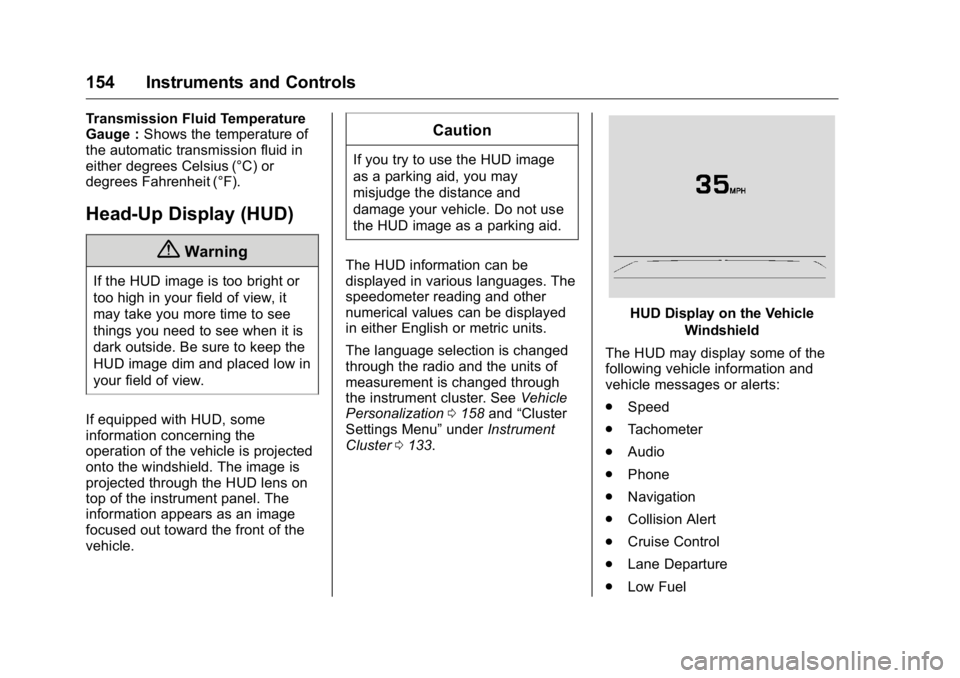
Cluster 0 133 . HUD Display on the Vehicle
Windshield
The HUD may display some of the
following vehicle information and
vehicle messages or alerts:
.
Speed
.
Tachometer
.
Audio
.
Phone
.
Navigation
.
Collision Alert
.
Cruise Control
.
Lane Departure
.
Low Fuel
Page 182 of 425
GMC Yukon/Yukon XL/Denali Owner Manual (GMNA-Localizing-U.S./
Canada/Mexico-11349262) - 2018 - crc - 6/20/17
Climate Controls 181Front Climate Controls Automatic Operation
The system automatically controls
the fan speed, air delivery, air
conditioning, and recirculation in
order to heat or cool the vehicle to
the desired temperature.
When AUTO is lit, all four functions
operate automatically. Each function
can also be manually set and the
setting is displayed. Functions not
manually set will continue to be
automatically controlled, even if the
AUTO indicator is not lit.
To place the system in
automatic mode:
1. Press AUTO.
2. Set the driver and passenger
temperature.
To find your comfort setting,
start with 22 °C (72 °F) and
allow the system time to
stabilize. Then adjust the
temperature as needed for best
comfort. To improve fuel efficiency and to
cool the vehicle faster, recirculation
may be automatically selected in
warm weather.
The recirculation light will not come
on when automatically controlled.
Press
@ to manually select
recirculation; press it again to select
outside air.
Do not cover the solar sensor on the
top of the instrument panel near the
windshield. This sensor regulates
air temperature based on sun load.
See “ Sensors ” later in this section.
Manual Operation
O : Press to turn the climate control
system on or off. When off is
selected, the system will stop air
from flowing into the cabin. If on is
selected, a button is pressed, or a
knob is turned, the climate control
system will turn on and operate at
the current setting.
9 : Turn clockwise or
counterclockwise to increase or
decrease the fan speed. Press
AUTO to return to automatic
operation. The maximum auto fan speed can
be adjusted. See “ Climate and Air
Quality ” under Vehicle
Personalization 0 158 .
Driver and Passenger
Temperature Control : The
temperature can be adjusted
separately for the driver and
passenger.
Turn the knob clockwise or
counterclockwise to increase or
decrease the driver or passenger
temperature setting.
SYNC : Press to link the passenger
and rear climate temperature
settings to the driver setting. The
SYNC indicator light will turn on.
When the passenger or rear climate
settings are adjusted, the SYNC
indicator light turns off.
Air Delivery Mode Control : Press
Y ,
\ ,
[ , or
- to change the
direction of the airflow. An indicator
light comes on in the selected mode
button.
Page 189 of 425
GMC Yukon/Yukon XL/Denali Owner Manual (GMNA-Localizing-U.S./
Canada/Mexico-11349262) - 2018 - crc - 6/21/17
188 Driving and Operating
Driving and
Operating Driving Information Distracted Driving . . . . . . . . . . . . 189
Defensive Driving . . . . . . . . . . . . . 190
Drunk Driving . . . . . . . . . . . . . . . . . 190
Control of a Vehicle . . . . . . . . . . . 190
Braking . . . . . . . . . . . . . . . . . . . . . . . 190
Steering . . . . . . . . . . . . . . . . . . . . . . 191
Off-Road Recovery . . . . . . . . . . . 191
Loss of Control . . . . . . . . . . . . . . . 192
Off-Road Driving . . . . . . . . . . . . . 192
Driving on Wet Roads . . . . . . . . 197
Hill and Mountain Roads . . . . . 198
Winter Driving . . . . . . . . . . . . . . . . 198
If the Vehicle Is Stuck . . . . . . . . 200
Vehicle Load Limits . . . . . . . . . . . 200
Starting and Operating New Vehicle Break-In . . . . . . . . . 204
Adjustable Throttle and Brake
Pedal . . . . . . . . . . . . . . . . . . . . . . . 205
Ignition Positions (Keyless
Access) . . . . . . . . . . . . . . . . . . . . . 205
Ignition Positions (Key
Access) . . . . . . . . . . . . . . . . . . . . . 207
Starting the Engine . . . . . . . . . . . 209
Engine Heater . . . . . . . . . . . . . . . . 210 Retained Accessory
Power (RAP) . . . . . . . . . . . . . . . . 212
Shifting Into Park . . . . . . . . . . . . . 212
Shifting out of Park . . . . . . . . . . . 213
Parking over Things
That Burn . . . . . . . . . . . . . . . . . . . 214
Active Fuel Management . . . . . 214
Extended Parking . . . . . . . . . . . . 214
Engine Exhaust Engine Exhaust . . . . . . . . . . . . . . 215
Running the Vehicle While
Parked . . . . . . . . . . . . . . . . . . . . . . 215
Automatic Transmission Automatic Transmission . . . . . . 216
Manual Mode . . . . . . . . . . . . . . . . . 218
Tow/Haul Mode . . . . . . . . . . . . . . . 222
Drive Systems Four-Wheel Drive . . . . . . . . . . . . . 222
Brakes Antilock Brake
System (ABS) . . . . . . . . . . . . . . . 227
Parking Brake . . . . . . . . . . . . . . . . 228
Brake Assist . . . . . . . . . . . . . . . . . . 228
Hill Start Assist (HSA) . . . . . . . . 229
Ride Control Systems
Traction Control/Electronic
Stability Control . . . . . . . . . . . . . 229 Hill Descent Control (HDC) . . . 231
Magnetic Ride Control . . . . . . . . 232
Locking Rear Axle . . . . . . . . . . . . 232
Automatic Level Control . . . . . . 232
Cruise Control Cruise Control . . . . . . . . . . . . . . . . 233
Adaptive Cruise Control . . . . . . 235
Driver Assistance Systems Driver Assistance Systems . . . 242
Assistance Systems for
Parking or Backing . . . . . . . . . . 243
Assistance Systems for
Driving . . . . . . . . . . . . . . . . . . . . . . 246
Forward Collision Alert (FCA)
System . . . . . . . . . . . . . . . . . . . . . . 246
Forward Automatic
Braking (FAB) . . . . . . . . . . . . . . . 248
Side Blind Zone
Alert (SBZA) . . . . . . . . . . . . . . . . 250
Lane Change Alert (LCA) . . . . . 250
Lane Departure
Warning (LDW) . . . . . . . . . . . . . 252
Lane Keep Assist (LKA) . . . . . . 252
Fuel Fuel . . . . . . . . . . . . . . . . . . . . . . . . . . 254
California Fuel
Requirements . . . . . . . . . . . . . . . 255
Fuels in Foreign Countries . . . 255
Fuel Additives . . . . . . . . . . . . . . . . 255
Page 190 of 425
GMC Yukon/Yukon XL/Denali Owner Manual (GMNA-Localizing-U.S./
Canada/Mexico-11349262) - 2018 - crc - 6/21/17
Driving and Operating 189E85 or FlexFuel . . . . . . . . . . . . . . 256
Filling the Tank . . . . . . . . . . . . . . . 256
Filling a Portable Fuel
Container . . . . . . . . . . . . . . . . . . . 258
Trailer Towing General Towing
Information . . . . . . . . . . . . . . . . . . 259
Driving Characteristics and
Towing Tips . . . . . . . . . . . . . . . . . 259
Trailer Towing . . . . . . . . . . . . . . . . 262
Towing Equipment . . . . . . . . . . . . 267
Trailer Sway Control (TSC) . . . 273
Conversions and Add-Ons Add-On Electrical
Equipment . . . . . . . . . . . . . . . . . . 274 Driving Information Distracted Driving Distraction comes in many forms
and can take your focus from the
task of driving. Exercise good
judgment and do not let other
activities divert your attention away
from the road. Many local
governments have enacted laws
regarding driver distraction. Become
familiar with the local laws in
your area.
To avoid distracted driving, keep
your eyes on the road, keep your
hands on the steering wheel, and
focus your attention on driving.
.
Do not use a phone in
demanding driving situations.
Use a hands-free method to
place or receive necessary
phone calls.
.
Watch the road. Do not read,
take notes, or look up
information on phones or other
electronic devices. .
Designate a front seat
passenger to handle potential
distractions.
.
Become familiar with vehicle
features before driving, such as
programming favorite radio
stations and adjusting climate
control and seat settings.
Program all trip information into
any navigation device prior to
driving.
.
Wait until the vehicle is parked
to retrieve items that have fallen
to the floor.
.
Stop or park the vehicle to tend
to children.
.
Keep pets in an appropriate
carrier or restraint.
.
Avoid stressful conversations
while driving, whether with a
passenger or on a cell phone.
{ Warning
Taking your eyes off the road too
long or too often could cause a
crash resulting in injury or death.
Focus your attention on driving.