ECO mode GMC YUKON XL 2018 Owners Manual
[x] Cancel search | Manufacturer: GMC, Model Year: 2018, Model line: YUKON XL, Model: GMC YUKON XL 2018Pages: 425, PDF Size: 7.37 MB
Page 11 of 425
GMC Yukon/Yukon XL/Denali Owner Manual (GMNA-Localizing-U.S./
Canada/Mexico-11349262) - 2018 - crc - 6/20/17
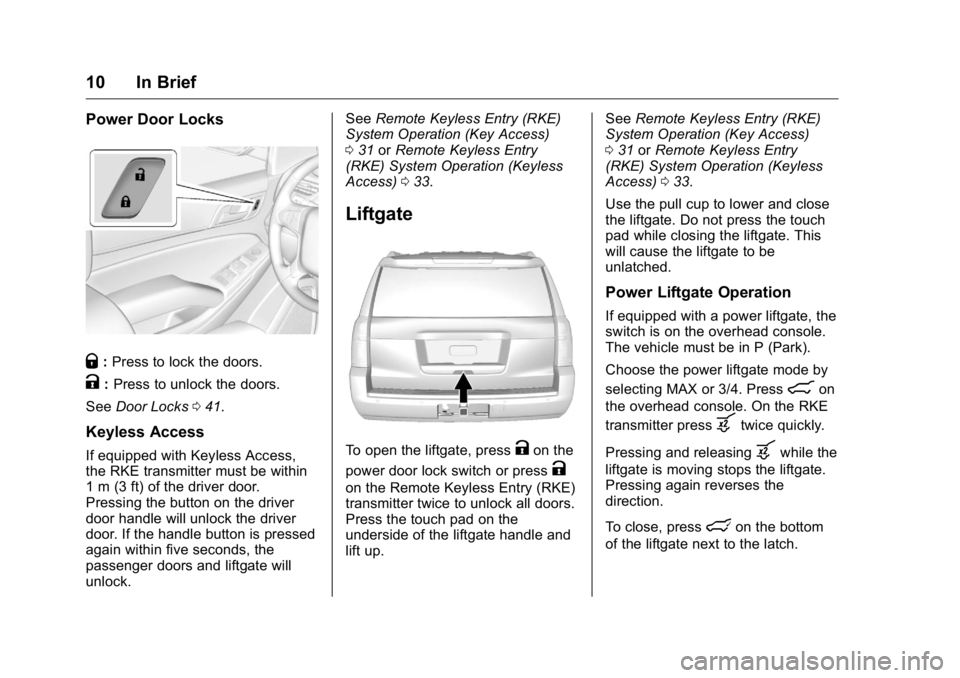
10 In Brief Power Door Locks
Q : Press to lock the doors.
K : Press to unlock the doors.
See Door Locks 0 41 .
Keyless Access If equipped with Keyless Access,
the RKE transmitter must be within
1 m (3 ft) of the driver door.
Pressing the button on the driver
door handle will unlock the driver
door. If the handle button is pressed
again within five seconds, the
passenger doors and liftgate will
unlock. See Remote Keyless Entry (RKE)
System Operation (Key Access)
0 31 or Remote Keyless Entry
(RKE) System Operation (Keyless
Access) 0 33 .
Liftgate
To open the liftgate, press
K on the
power door lock switch or press
Kon the Remote Keyless Entry (RKE)
transmitter twice to unlock all doors.
Press the touch pad on the
underside of the liftgate handle and
lift up. See Remote Keyless Entry (RKE)
System Operation (Key Access)
0 31 or Remote Keyless Entry
(RKE) System Operation (Keyless
Access) 0 33 .
Use the pull cup to lower and close
the liftgate. Do not press the touch
pad while closing the liftgate. This
will cause the liftgate to be
unlatched.
Power Liftgate Operation If equipped with a power liftgate, the
switch is on the overhead console.
The vehicle must be in P (Park).
Choose the power liftgate mode by
selecting MAX or 3/4. Press
8 on
the overhead console. On the RKE
transmitter press
b twice quickly.
Pressing and releasing
b while the
liftgate is moving stops the liftgate.
Pressing again reverses the
direction.
To close, press
l on the bottom
of the liftgate next to the latch.
Page 26 of 425
GMC Yukon/Yukon XL/Denali Owner Manual (GMNA-Localizing-U.S./
Canada/Mexico-11349262) - 2018 - crc - 6/20/17
In Brief 25Loading Information label. See
Vehicle Load Limits 0 200 . The
warning light will remain on until the
tire pressure is corrected.
The low tire pressure warning light
may come on in cool weather when
the vehicle is first started, and then
turn off as the vehicle is driven. This
may be an early indicator that the
tire pressures are getting low and
the tires need to be inflated to the
proper pressure.
The TPMS does not replace normal
monthly tire maintenance. Maintain
the correct tire pressures.
See Tire Pressure Monitor System
0 329 .
Tire Fill Alert (If Equipped)
This feature provides visual and
audible alerts outside the vehicle to
help when inflating an underinflated
tire to the recommended cold tire
pressure. See “ Tire Fill Alert (If
Equipped) ” under Tire Pressure
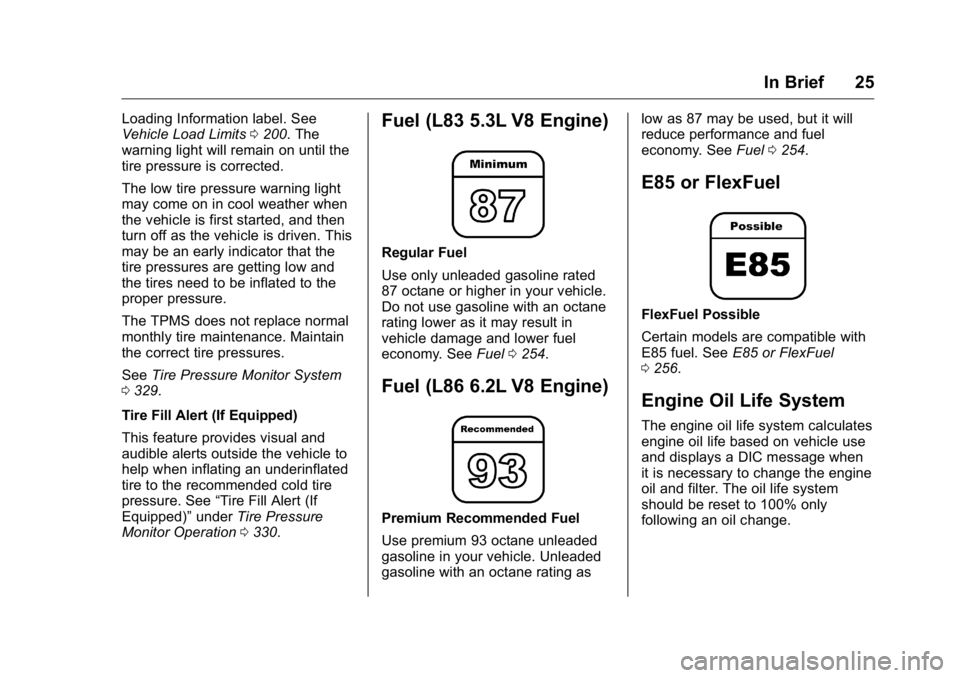
Monitor Operation 0 330 . Fuel (L83 5.3L V8 Engine) Regular Fuel
Use only unleaded gasoline rated
87 octane or higher in your vehicle.
Do not use gasoline with an octane
rating lower as it may result in
vehicle damage and lower fuel
economy. See Fuel 0 254 .
Fuel (L86 6.2L V8 Engine)
Premium Recommended Fuel
Use premium 93 octane unleaded
gasoline in your vehicle. Unleaded
gasoline with an octane rating as low as 87 may be used, but it will
reduce performance and fuel
economy. See Fuel 0 254 .
E85 or FlexFuel
FlexFuel Possible
Certain models are compatible with
E85 fuel. See E85 or FlexFuel
0 256 .
Engine Oil Life System The engine oil life system calculates
engine oil life based on vehicle use
and displays a DIC message when
it is necessary to change the engine
oil and filter. The oil life system
should be reset to 100% only
following an oil change.
Page 38 of 425
GMC Yukon/Yukon XL/Denali Owner Manual (GMNA-Localizing-U.S./
Canada/Mexico-11349262) - 2018 - crc - 6/20/17
Keys, Doors, and Windows 371. Remove the key from the
recognized transmitter.
2. Place the two recognized
transmitters in the cupholder or
on the passenger seat.
3. Insert the vehicle key into the
key lock cylinder on the driver
door handle. Then turn the key
counterclockwise, to the unlock
position, five times within
10 seconds.
The Driver Information Center
(DIC) displays READY FOR
REMOTE#2, 3, 4, ETC.
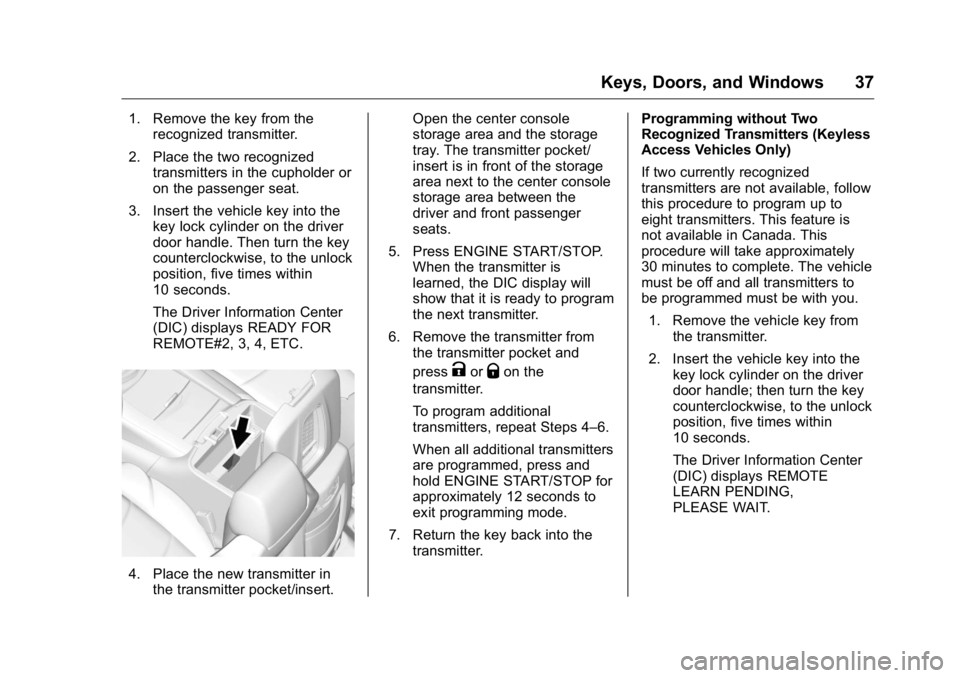
4. Place the new transmitter in
the transmitter pocket/insert. Open the center console
storage area and the storage
tray. The transmitter pocket/
insert is in front of the storage
area next to the center console
storage area between the
driver and front passenger
seats.
5. Press ENGINE START/STOP.
When the transmitter is
learned, the DIC display will
show that it is ready to program
the next transmitter.
6. Remove the transmitter from
the transmitter pocket and
press
K or
Q on the
transmitter.
To program additional
transmitters, repeat Steps 4 – 6.
When all additional transmitters
are programmed, press and
hold ENGINE START/STOP for
approximately 12 seconds to
exit programming mode.
7. Return the key back into the
transmitter. Programming without Two
Recognized Transmitters (Keyless
Access Vehicles Only)
If two currently recognized
transmitters are not available, follow
this procedure to program up to
eight transmitters. This feature is
not available in Canada. This
procedure will take approximately
30 minutes to complete. The vehicle
must be off and all transmitters to
be programmed must be with you.
1. Remove the vehicle key from
the transmitter.
2. Insert the vehicle key into the
key lock cylinder on the driver
door handle; then turn the key
counterclockwise, to the unlock
position, five times within
10 seconds.
The Driver Information Center
(DIC) displays REMOTE
LEARN PENDING,
PLEASE WAIT.
Page 39 of 425
GMC Yukon/Yukon XL/Denali Owner Manual (GMNA-Localizing-U.S./
Canada/Mexico-11349262) - 2018 - crc - 6/20/17
38 Keys, Doors, and Windows 3. Wait for 10 minutes until the
DIC displays PRESS ENGINE
START BUTTON TO LEARN,
then press ENGINE
START/STOP.
The DIC will again display
REMOTE LEARN PENDING,
PLEASE WAIT.
4. Repeat Step 3 two additional
times. After the third time all
previously known transmitters
will no longer work with the
vehicle. Remaining transmitters
can be relearned during the
next steps.
The DIC display should now
show READY FOR REMOTE
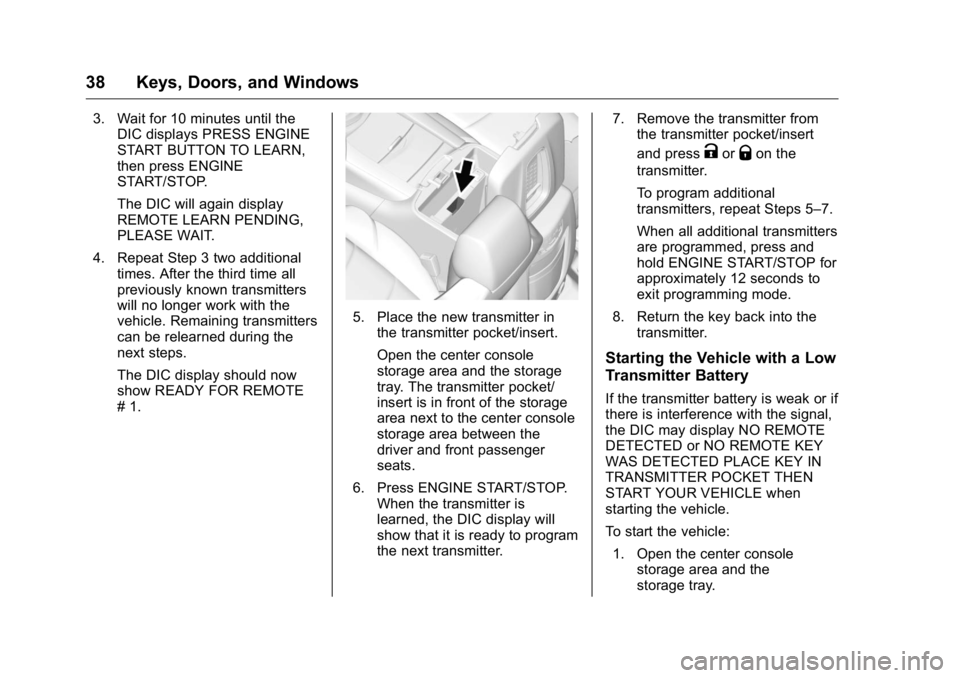
# 1. 5. Place the new transmitter in
the transmitter pocket/insert.
Open the center console
storage area and the storage
tray. The transmitter pocket/
insert is in front of the storage
area next to the center console
storage area between the
driver and front passenger
seats.
6. Press ENGINE START/STOP.
When the transmitter is
learned, the DIC display will
show that it is ready to program
the next transmitter. 7. Remove the transmitter from
the transmitter pocket/insert
and press
K or
Q on the
transmitter.
To program additional
transmitters, repeat Steps 5 – 7.
When all additional transmitters
are programmed, press and
hold ENGINE START/STOP for
approximately 12 seconds to
exit programming mode.
8. Return the key back into the
transmitter.
Starting the Vehicle with a Low
Transmitter Battery If the transmitter battery is weak or if
there is interference with the signal,
the DIC may display NO REMOTE
DETECTED or NO REMOTE KEY
WAS DETECTED PLACE KEY IN
TRANSMITTER POCKET THEN
START YOUR VEHICLE when
starting the vehicle.
To start the vehicle:
1. Open the center console
storage area and the
storage tray.
Page 48 of 425
GMC Yukon/Yukon XL/Denali Owner Manual (GMNA-Localizing-U.S./
Canada/Mexico-11349262) - 2018 - crc - 6/20/17
Keys, Doors, and Windows 47sensor, the liftgate will reverse
direction and stop at a partially open
position. The liftgate will remain
open until it is activated again or
closed manually.
Setting the 3/4 Mode To change the position the liftgate
stops at when opening:
1. Select MAX or 3/4 mode and
open the liftgate.
2. Stop the liftgate movement at
the desired height by pressing
any liftgate button. Manually
adjust the liftgate position if
needed.
3. Press and hold
l on the
bottom edge of the liftgate next
to the latch on the outside of
the liftgate until the turn signals
flash and a beep sounds. This
indicates the setting has been
recorded.
The liftgate cannot be set below a
minimum programmable height.
If there is no light flash or sound,
then the height adjustment may be
too low. Manual Operation Select OFF to manually operate the
liftgate. See “ Manual Liftgate ” at the
beginning of this section.
CautionAttempting to move the liftgate
too quickly and with excessive
force may result in damage to the
vehicle.
Operate the liftgate manually with a
smooth motion and moderate
speed. The system includes a
feature which limits the manual
closing speed to protect the
components.
Hands-Free Operation If equipped with Hands-Free Vehicle
Access, the liftgate may be
operated with a kicking motion
under the rear bumper.
The liftgate will not operate if the
RKE transmitter is not within
1 m (3 ft). The hands-free feature will not work
while the liftgate is moving. To stop
the liftgate while in motion use one
of the liftgate switches.
Page 90 of 425
GMC Yukon/Yukon XL/Denali Owner Manual (GMNA-Localizing-U.S./
Canada/Mexico-11349262) - 2018 - crc - 6/20/17
Seats and Restraints 89designed to inflate in frontal
impacts, near frontal impacts,
or rear impacts.
Seat-mounted side impact airbags
are designed to inflate in moderate
to severe side crashes depending
on the location of the impact.
Seat-mounted side impact airbags
are not designed to inflate in frontal
impacts, near frontal impacts,
rollovers, or rear impacts.
A seat-mounted side impact airbag
is designed to inflate on the side of
the vehicle that is struck.
Roof-rail airbags are designed to
inflate in moderate to severe side
crashes depending on the location
of the impact. In addition, these
roof-rail airbags are designed to
inflate during a rollover or in a
severe frontal impact. Roof-rail
airbags are not designed to inflate in
rear impacts. Both roof-rail airbags
will inflate when either side of the
vehicle is struck, if the sensing
system predicts that the vehicle is
about to roll over on its side, or in a
severe frontal impact. In any particular crash, no one can
say whether an airbag should have
inflated simply because of the
vehicle damage or the repair costs.
What Makes an Airbag
Inflate? In a deployment event, the sensing
system sends an electrical signal
triggering a release of gas from the
inflator. Gas from the inflator fills the
airbag causing the bag to break out
of the cover. The inflator, the airbag,
and related hardware are all part of
the airbag module.
For airbag locations, see Where Are
the Airbags? 0 86 .
How Does an Airbag
Restrain? In moderate to severe frontal or
near frontal collisions, even belted
occupants can contact the steering
wheel or the instrument panel. In
moderate to severe side collisions,
even belted occupants can contact
the inside of the vehicle. Airbags supplement the protection
provided by seat belts by
distributing the force of the impact
more evenly over the
occupant's body.
Rollover capable roof-rail airbags
are designed to help contain the
head and chest of occupants in the
outboard seating positions in the
first, second, and third rows. The
rollover capable roof-rail airbags are
designed to help reduce the risk of
full or partial ejection in rollover
events, although no system can
prevent all such ejections.
But airbags would not help in many
types of collisions, primarily
because the occupant's motion is
not toward those airbags. See When
Should an Airbag Inflate? 0 88 .
Airbags should never be regarded
as anything more than a supplement
to seat belts.
Page 107 of 425
GMC Yukon/Yukon XL/Denali Owner Manual (GMNA-Localizing-U.S./
Canada/Mexico-11349262) - 2018 - crc - 6/20/17
106 Seats and Restraints
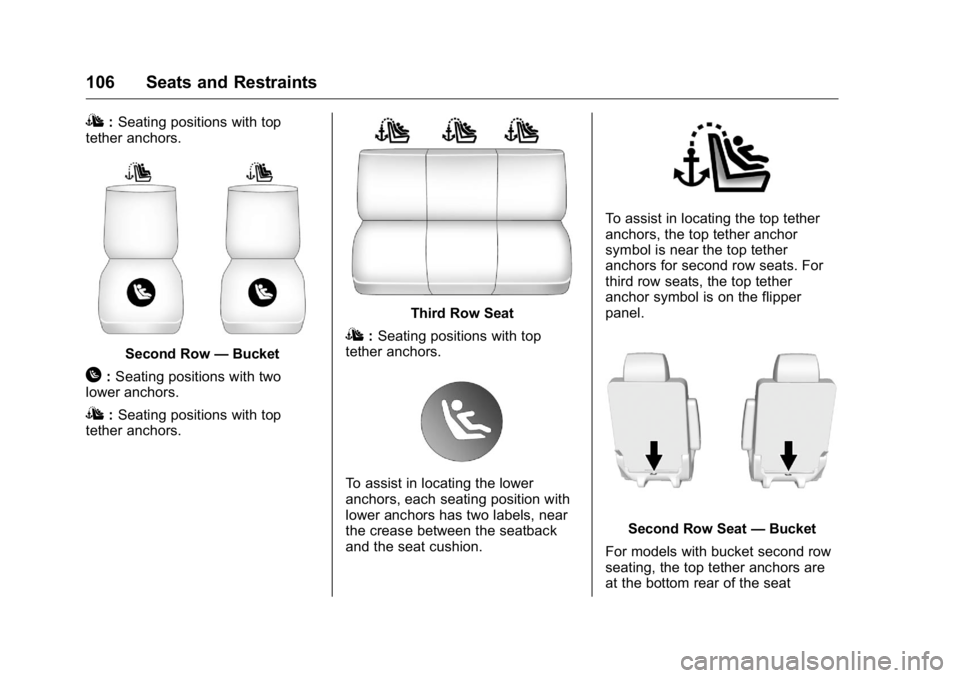
I : Seating positions with top
tether anchors.
Second Row — Bucket
H : Seating positions with two
lower anchors.
I : Seating positions with top
tether anchors. Third Row Seat
I : Seating positions with top
tether anchors.
To assist in locating the lower
anchors, each seating position with
lower anchors has two labels, near
the crease between the seatback
and the seat cushion. To assist in locating the top tether
anchors, the top tether anchor
symbol is near the top tether
anchors for second row seats. For
third row seats, the top tether
anchor symbol is on the flipper
panel.
Second Row Seat — Bucket
For models with bucket second row
seating, the top tether anchors are
at the bottom rear of the seat
Page 108 of 425
GMC Yukon/Yukon XL/Denali Owner Manual (GMNA-Localizing-U.S./
Canada/Mexico-11349262) - 2018 - crc - 6/20/17
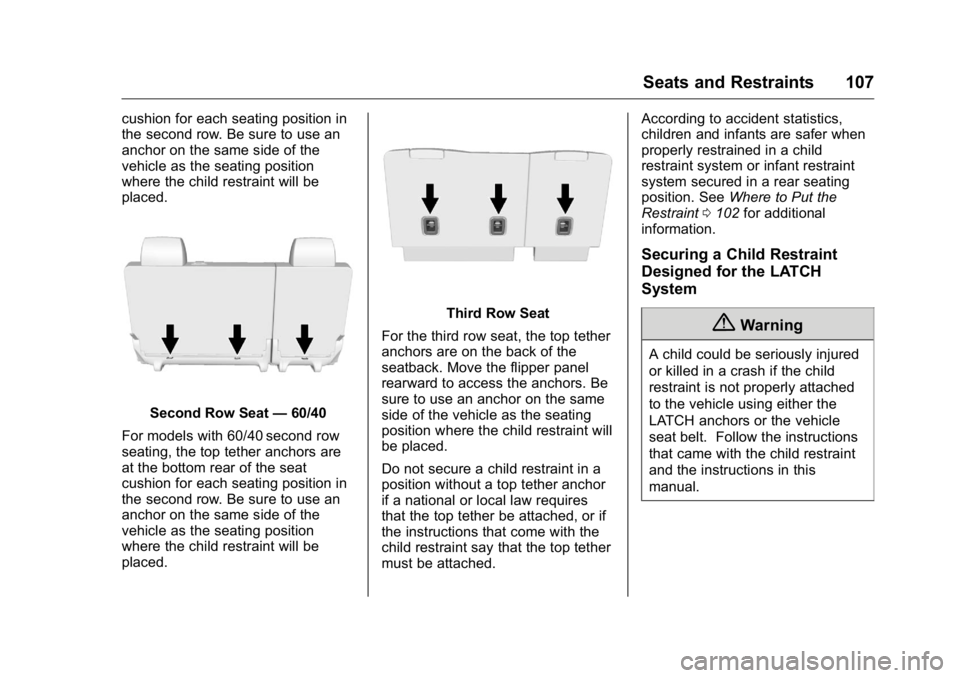
Seats and Restraints 107cushion for each seating position in
the second row. Be sure to use an
anchor on the same side of the
vehicle as the seating position
where the child restraint will be
placed.
Second Row Seat — 60/40
For models with 60/40 second row
seating, the top tether anchors are
at the bottom rear of the seat
cushion for each seating position in
the second row. Be sure to use an
anchor on the same side of the
vehicle as the seating position
where the child restraint will be
placed. Third Row Seat
For the third row seat, the top tether
anchors are on the back of the
seatback. Move the flipper panel
rearward to access the anchors. Be
sure to use an anchor on the same
side of the vehicle as the seating
position where the child restraint will
be placed.
Do not secure a child restraint in a
position without a top tether anchor
if a national or local law requires
that the top tether be attached, or if
the instructions that come with the
child restraint say that the top tether
must be attached. According to accident statistics,
children and infants are safer when
properly restrained in a child
restraint system or infant restraint
system secured in a rear seating
position. See Where to Put the
Restraint 0 102 for additional
information.
Securing a Child Restraint
Designed for the LATCH
System
{ WarningA child could be seriously injured
or killed in a crash if the child
restraint is not properly attached
to the vehicle using either the
LATCH anchors or the vehicle
seat belt. Follow the instructions
that came with the child restraint
and the instructions in this
manual.
Page 141 of 425
GMC Yukon/Yukon XL/Denali Owner Manual (GMNA-Localizing-U.S./
Canada/Mexico-11349262) - 2018 - crc - 6/20/17
140 Instruments and Controls CautionDo not drive the vehicle while the
transmission fluid is overheating,
or the transmission can be
damaged. This could lead to
costly repairs that would not be
covered by the warranty.
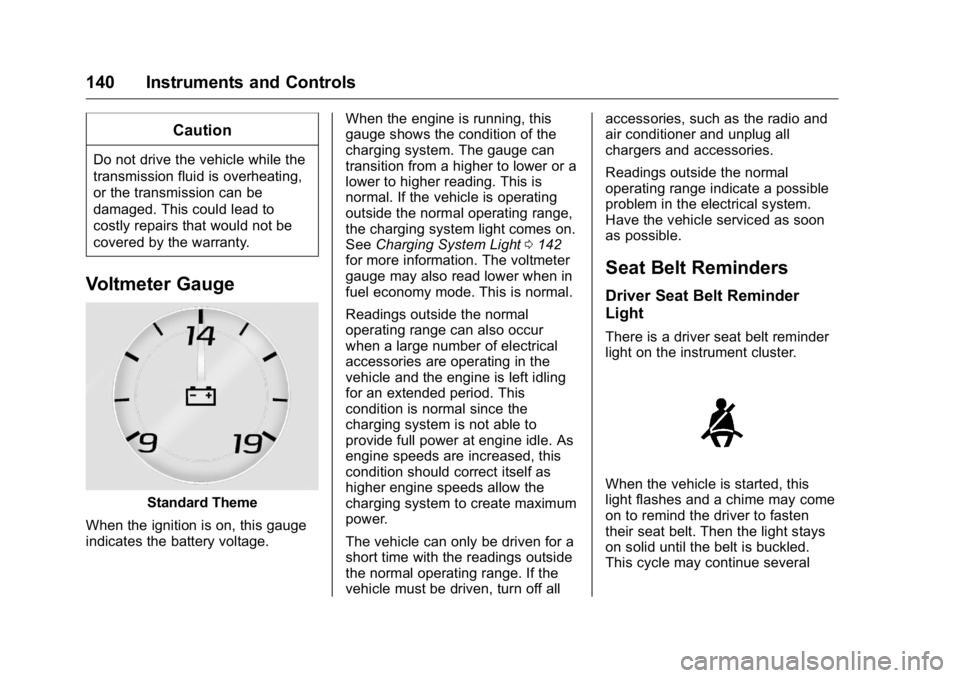
Voltmeter Gauge
Standard Theme
When the ignition is on, this gauge
indicates the battery voltage. When the engine is running, this
gauge shows the condition of the
charging system. The gauge can
transition from a higher to lower or a
lower to higher reading. This is
normal. If the vehicle is operating
outside the normal operating range,
the charging system light comes on.
See Charging System Light 0 142
for more information. The voltmeter
gauge may also read lower when in
fuel economy mode. This is normal.
Readings outside the normal
operating range can also occur
when a large number of electrical
accessories are operating in the
vehicle and the engine is left idling
for an extended period. This
condition is normal since the
charging system is not able to
provide full power at engine idle. As
engine speeds are increased, this
condition should correct itself as
higher engine speeds allow the
charging system to create maximum
power.
The vehicle can only be driven for a
short time with the readings outside
the normal operating range. If the
vehicle must be driven, turn off all accessories, such as the radio and
air conditioner and unplug all
chargers and accessories.
Readings outside the normal
operating range indicate a possible
problem in the electrical system.
Have the vehicle serviced as soon
as possible.
Seat Belt Reminders Driver Seat Belt Reminder
Light There is a driver seat belt reminder
light on the instrument cluster.
When the vehicle is started, this
light flashes and a chime may come
on to remind the driver to fasten
their seat belt. Then the light stays
on solid until the belt is buckled.
This cycle may continue several
Page 144 of 425
GMC Yukon/Yukon XL/Denali Owner Manual (GMNA-Localizing-U.S./
Canada/Mexico-11349262) - 2018 - crc - 6/20/17
Instruments and Controls 143system. Have it checked by your
dealer. Driving while this light is on
could drain the battery.
When this light comes on, or is
flashing, the Driver Information
Center (DIC) also displays a
message.
If a short distance must be driven
with the light on, be sure to turn off
all accessories, such as the radio
and air conditioner.
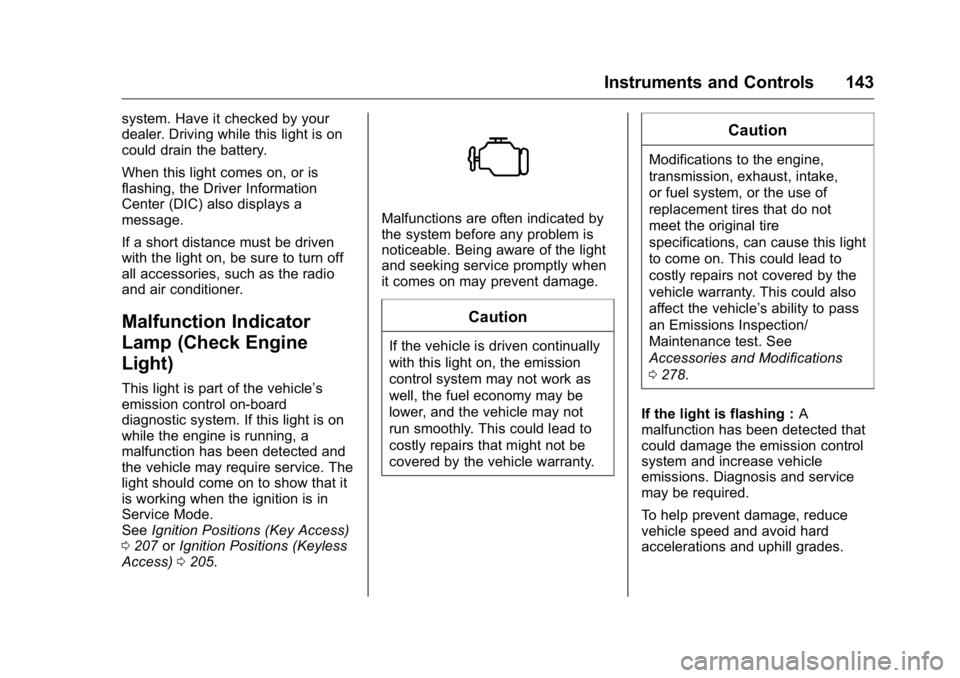
Malfunction Indicator
Lamp (Check Engine
Light) This light is part of the vehicle ’ s
emission control on-board
diagnostic system. If this light is on
while the engine is running, a
malfunction has been detected and
the vehicle may require service. The
light should come on to show that it
is working when the ignition is in
Service Mode.
See Ignition Positions (Key Access)
0 207 or Ignition Positions (Keyless
Access) 0 205 . Malfunctions are often indicated by
the system before any problem is
noticeable. Being aware of the light
and seeking service promptly when
it comes on may prevent damage.
CautionIf the vehicle is driven continually
with this light on, the emission
control system may not work as
well, the fuel economy may be
lower, and the vehicle may not
run smoothly. This could lead to
costly repairs that might not be
covered by the vehicle warranty. CautionModifications to the engine,
transmission, exhaust, intake,
or fuel system, or the use of
replacement tires that do not
meet the original tire
specifications, can cause this light
to come on. This could lead to
costly repairs not covered by the
vehicle warranty. This could also
affect the vehicle ’ s ability to pass
an Emissions Inspection/
Maintenance test. See
Accessories and Modifications
0 278 .
If the light is flashing : A
malfunction has been detected that
could damage the emission control
system and increase vehicle
emissions. Diagnosis and service
may be required.
To help prevent damage, reduce
vehicle speed and avoid hard
accelerations and uphill grades.