buttons GMC YUKON XL DENALI 2005 User Guide
[x] Cancel search | Manufacturer: GMC, Model Year: 2005, Model line: YUKON XL DENALI, Model: GMC YUKON XL DENALI 2005Pages: 62, PDF Size: 1.17 MB
Page 25 of 62
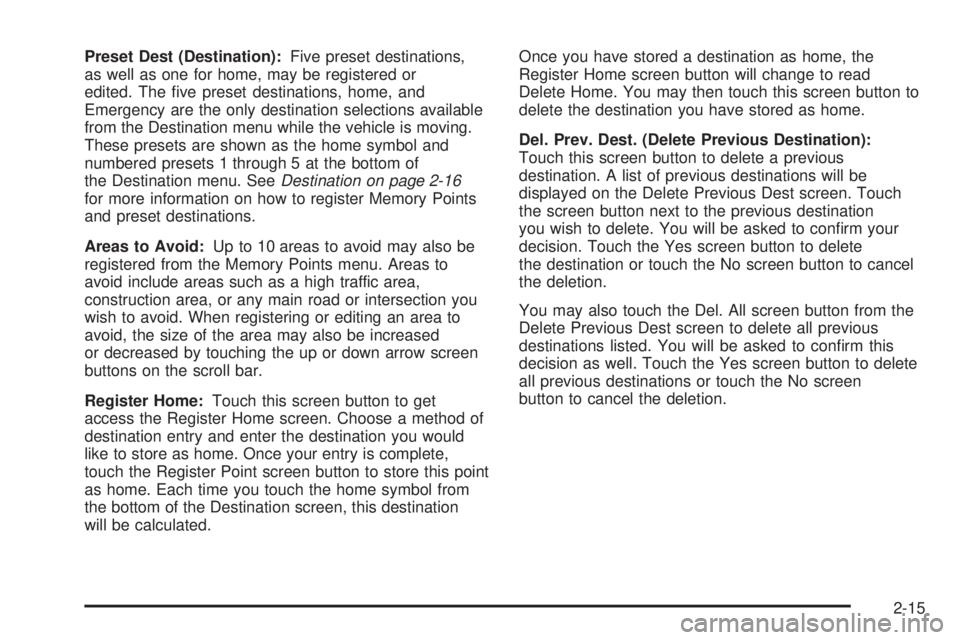
Preset Dest (Destination):Five preset destinations,
as well as one for home, may be registered or
edited. The ve preset destinations, home, and
Emergency are the only destination selections available
from the Destination menu while the vehicle is moving.
These presets are shown as the home symbol and
numbered presets 1 through 5 at the bottom of
the Destination menu. SeeDestination on page 2-16
for more information on how to register Memory Points
and preset destinations.
Areas to Avoid:Up to 10 areas to avoid may also be
registered from the Memory Points menu. Areas to
avoid include areas such as a high traffic area,
construction area, or any main road or intersection you
wish to avoid. When registering or editing an area to
avoid, the size of the area may also be increased
or decreased by touching the up or down arrow screen
buttons on the scroll bar.
Register Home:Touch this screen button to get
access the Register Home screen. Choose a method of
destination entry and enter the destination you would
like to store as home. Once your entry is complete,
touch the Register Point screen button to store this point
as home. Each time you touch the home symbol from
the bottom of the Destination screen, this destination
will be calculated.Once you have stored a destination as home, the
Register Home screen button will change to read
Delete Home. You may then touch this screen button to
delete the destination you have stored as home.
Del. Prev. Dest. (Delete Previous Destination):
Touch this screen button to delete a previous
destination. A list of previous destinations will be
displayed on the Delete Previous Dest screen. Touch
the screen button next to the previous destination
you wish to delete. You will be asked to conrm your
decision. Touch the Yes screen button to delete
the destination or touch the No screen button to cancel
the deletion.
You may also touch the Del. All screen button from the
Delete Previous Dest screen to delete all previous
destinations listed. You will be asked to conrm this
decision as well. Touch the Yes screen button to delete
all previous destinations or touch the No screen
button to cancel the deletion.
2-15
Page 27 of 62
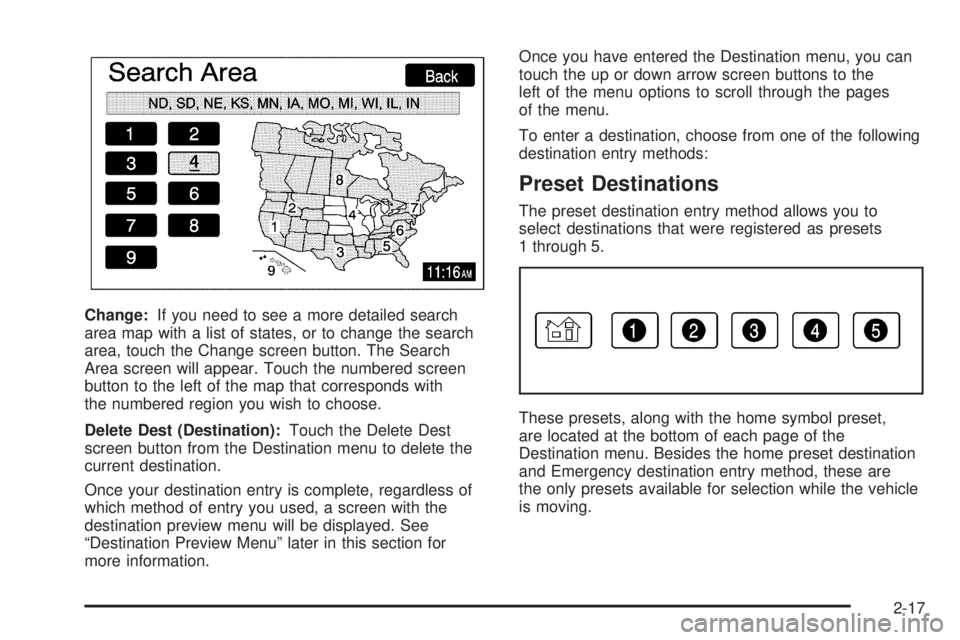
Change:If you need to see a more detailed search
area map with a list of states, or to change the search
area, touch the Change screen button. The Search
Area screen will appear. Touch the numbered screen
button to the left of the map that corresponds with
the numbered region you wish to choose.
Delete Dest (Destination):Touch the Delete Dest
screen button from the Destination menu to delete the
current destination.
Once your destination entry is complete, regardless of
which method of entry you used, a screen with the
destination preview menu will be displayed. See
“Destination Preview Menu” later in this section for
more information.Once you have entered the Destination menu, you can
touch the up or down arrow screen buttons to the
left of the menu options to scroll through the pages
of the menu.
To enter a destination, choose from one of the following
destination entry methods:
Preset Destinations
The preset destination entry method allows you to
select destinations that were registered as presets
1 through 5.
These presets, along with the home symbol preset,
are located at the bottom of each page of the
Destination menu. Besides the home preset destination
and Emergency destination entry method, these are
the only presets available for selection while the vehicle
is moving.
2-17
Page 30 of 62
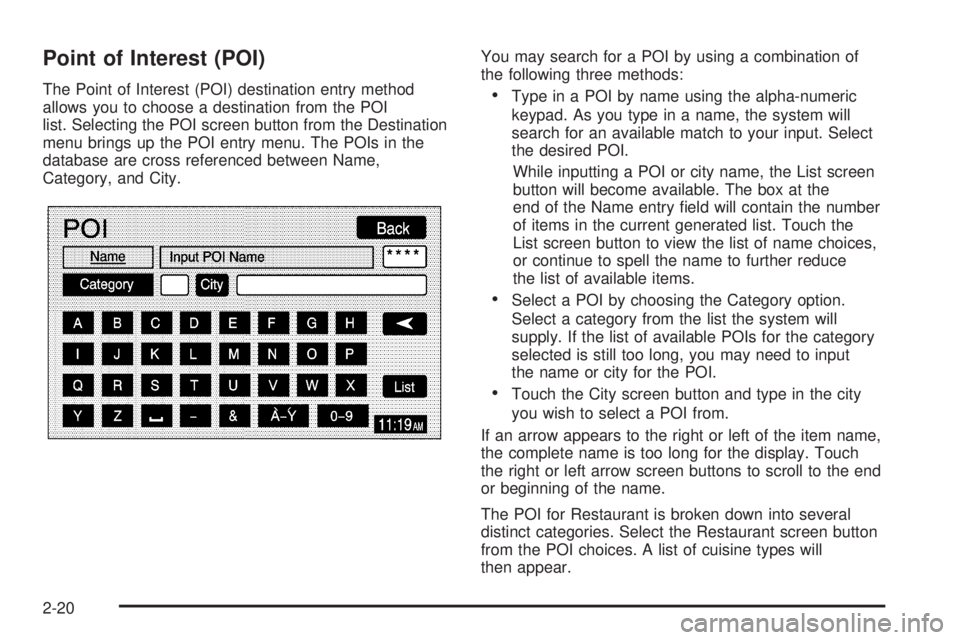
Point of Interest (POI)
The Point of Interest (POI) destination entry method
allows you to choose a destination from the POI
list. Selecting the POI screen button from the Destination
menu brings up the POI entry menu. The POIs in the
database are cross referenced between Name,
Category, and City.You may search for a POI by using a combination of
the following three methods:Type in a POI by name using the alpha-numeric
keypad. As you type in a name, the system will
search for an available match to your input. Select
the desired POI.
While inputting a POI or city name, the List screen
button will become available. The box at the
end of the Name entry eld will contain the number
of items in the current generated list. Touch the
List screen button to view the list of name choices,
or continue to spell the name to further reduce
the list of available items.
Select a POI by choosing the Category option.
Select a category from the list the system will
supply. If the list of available POIs for the category
selected is still too long, you may need to input
the name or city for the POI.
Touch the City screen button and type in the city
you wish to select a POI from.
If an arrow appears to the right or left of the item name,
the complete name is too long for the display. Touch
the right or left arrow screen buttons to scroll to the end
or beginning of the name.
The POI for Restaurant is broken down into several
distinct categories. Select the Restaurant screen button
from the POI choices. A list of cuisine types will
then appear.
2-20
Page 33 of 62
Map
The Map destination entry method displays the last
location on the map, and the road preference.
Scroll across and touch the map at the location you
would like to set as your destination. Once you
have located the desired destination, touch the Enter
Destination screen button and then the OK screen
button. The route will then be calculated. You may begin
driving to start route guidance or you may touch the
Route screen button and then the Start screen button.
You may also zoom out to view the entire regional map.
See “Touch-Sensitive Screen Buttons” underUsing
the Navigation System on page 2-2for more information.
However, if you zoom out as much as possible and
scroll around the map, some parts of the map will
appear to be missing because they are not readable in
larger scales.
Previous Start Point
The Previous start point destination entry method allows
you to select the last start point as a destination.
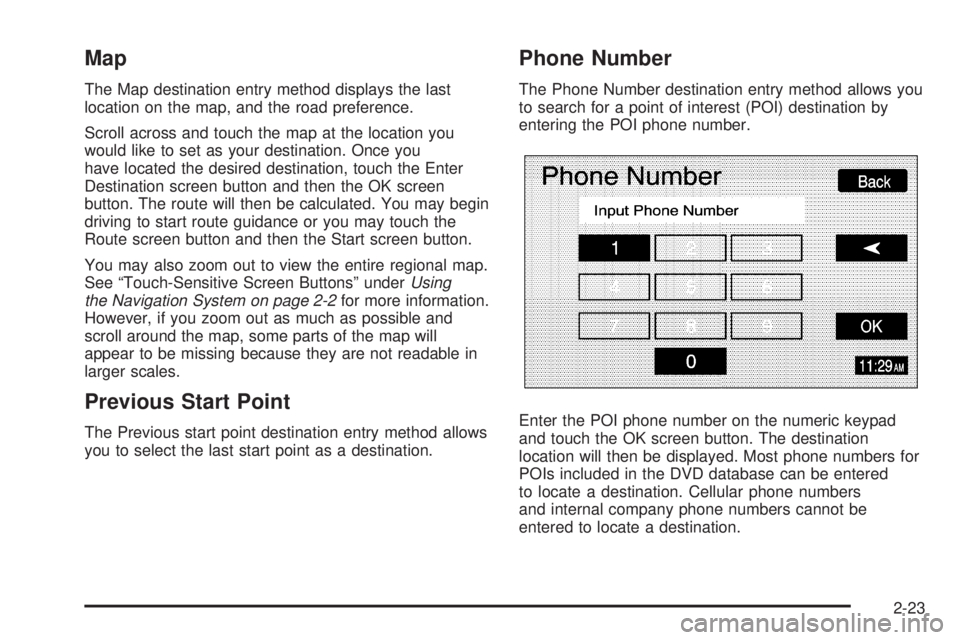
Phone Number
The Phone Number destination entry method allows you
to search for a point of interest (POI) destination by
entering the POI phone number.
Enter the POI phone number on the numeric keypad
and touch the OK screen button. The destination
location will then be displayed. Most phone numbers for
POIs included in the DVD database can be entered
to locate a destination. Cellular phone numbers
and internal company phone numbers cannot be
entered to locate a destination.
2-23
Page 41 of 62
Configure Menu
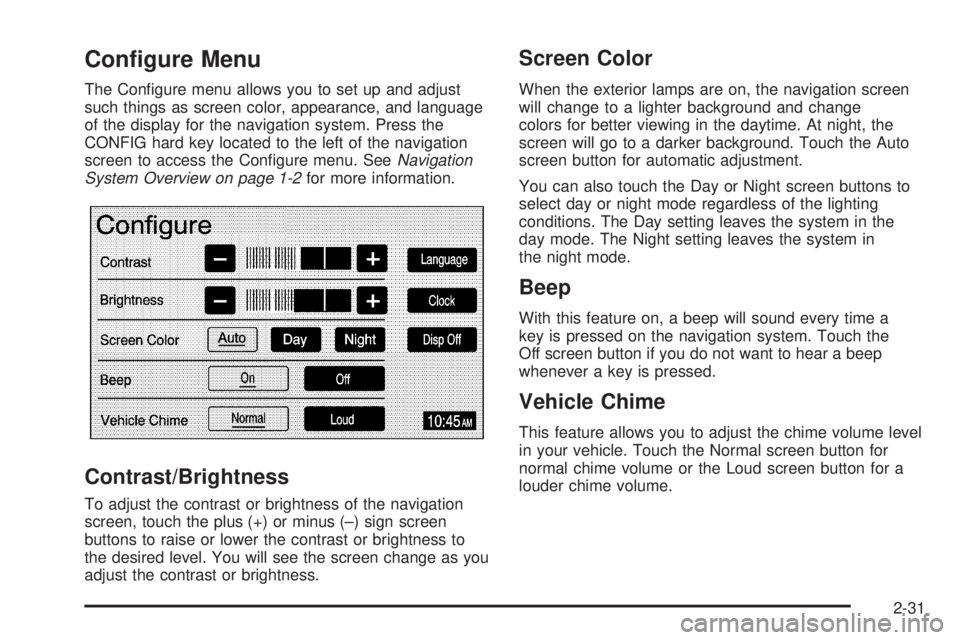
The Congure menu allows you to set up and adjust
such things as screen color, appearance, and language
of the display for the navigation system. Press the
CONFIG hard key located to the left of the navigation
screen to access the Congure menu. SeeNavigation
System Overview on page 1-2for more information.
Contrast/Brightness
To adjust the contrast or brightness of the navigation
screen, touch the plus (+) or minus (–) sign screen
buttons to raise or lower the contrast or brightness to
the desired level. You will see the screen change as you
adjust the contrast or brightness.
Screen Color
When the exterior lamps are on, the navigation screen
will change to a lighter background and change
colors for better viewing in the daytime. At night, the
screen will go to a darker background. Touch the Auto
screen button for automatic adjustment.
You can also touch the Day or Night screen buttons to
select day or night mode regardless of the lighting
conditions. The Day setting leaves the system in the
day mode. The Night setting leaves the system in
the night mode.
Beep
With this feature on, a beep will sound every time a
key is pressed on the navigation system. Touch the
Off screen button if you do not want to hear a beep
whenever a key is pressed.
Vehicle Chime
This feature allows you to adjust the chime volume level
in your vehicle. Touch the Normal screen button for
normal chime volume or the Loud screen button for a
louder chime volume.
2-31
Page 43 of 62
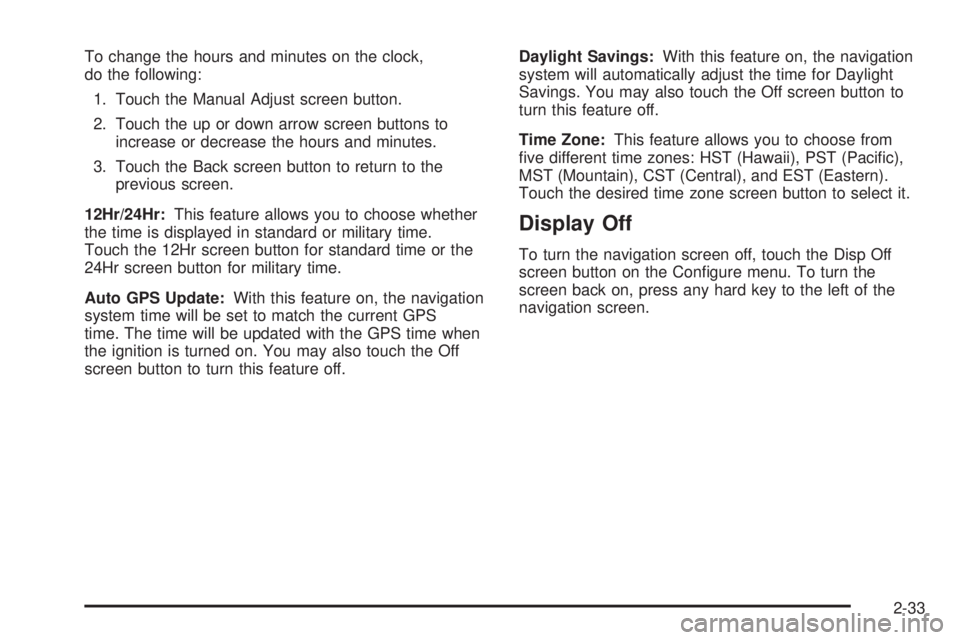
To change the hours and minutes on the clock,
do the following:
1. Touch the Manual Adjust screen button.
2. Touch the up or down arrow screen buttons to
increase or decrease the hours and minutes.
3. Touch the Back screen button to return to the
previous screen.
12Hr/24Hr:This feature allows you to choose whether
the time is displayed in standard or military time.
Touch the 12Hr screen button for standard time or the
24Hr screen button for military time.
Auto GPS Update:With this feature on, the navigation
system time will be set to match the current GPS
time. The time will be updated with the GPS time when
the ignition is turned on. You may also touch the Off
screen button to turn this feature off.Daylight Savings:With this feature on, the navigation
system will automatically adjust the time for Daylight
Savings. You may also touch the Off screen button to
turn this feature off.
Time Zone:This feature allows you to choose from
ve different time zones: HST (Hawaii), PST (Pacic),
MST (Mountain), CST (Central), and EST (Eastern).
Touch the desired time zone screen button to select it.
Display Off
To turn the navigation screen off, touch the Disp Off
screen button on the Congure menu. To turn the
screen back on, press any hard key to the left of the
navigation screen.
2-33
Page 49 of 62
Setting Preset Stations
Up to 30 stations, six AM, six FM1, six FM2, six XM1,
and six XM2, if equipped, can be programmed using the
six screen buttons on the bottom of each band menu.
To set preset stations, do the following:
1. Turn the audio system on.
2. Press the BAND hard key to select AM, FM1, FM2,
XM1, or XM2, if equipped.
3. Locate the desired station using the SEEK hard key
or the tuning knob.
4. Press and hold one of the six preset screen buttons
until you hear a beep. Whenever you press that
screen button while in that band menu, the station
you set will return.
5. Repeat the steps for each preset and source.
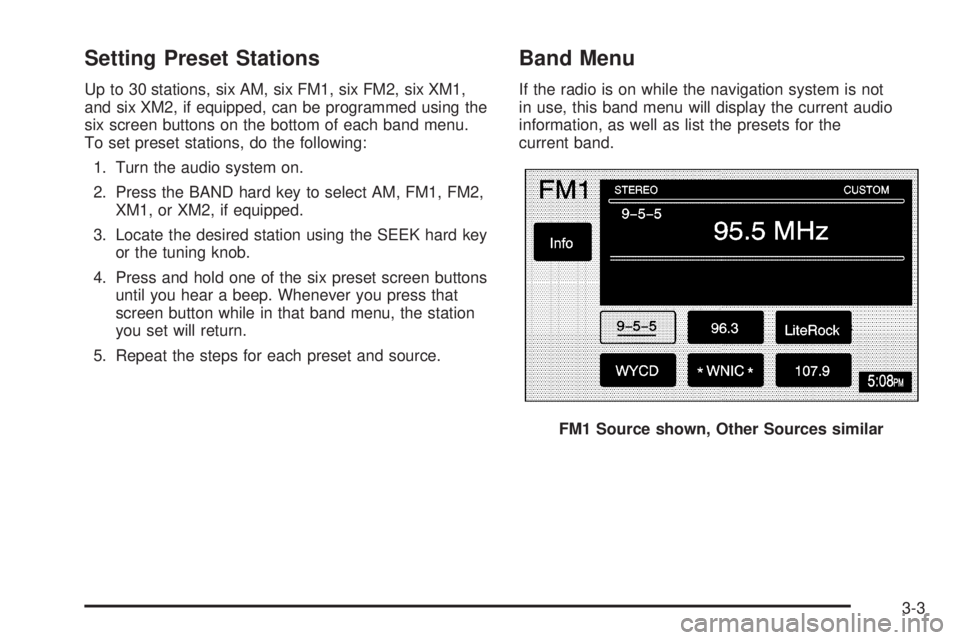
Band Menu
If the radio is on while the navigation system is not
in use, this band menu will display the current audio
information, as well as list the presets for the
current band.
FM1 Source shown, Other Sources similar
3-3
Page 51 of 62
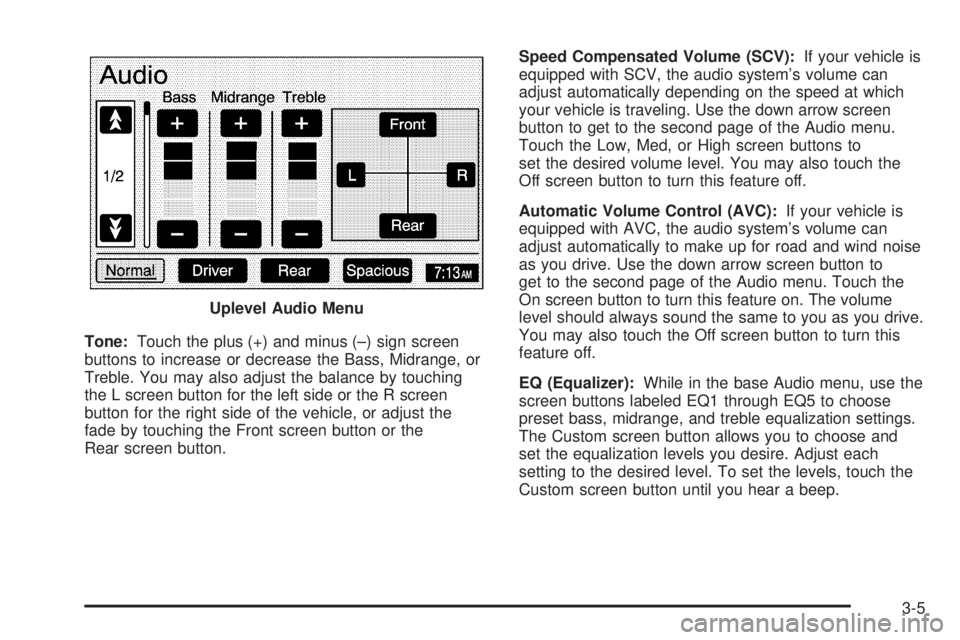
Tone:Touch the plus (+) and minus (–) sign screen
buttons to increase or decrease the Bass, Midrange, or
Treble. You may also adjust the balance by touching
the L screen button for the left side or the R screen
button for the right side of the vehicle, or adjust the
fade by touching the Front screen button or the
Rear screen button.Speed Compensated Volume (SCV):If your vehicle is
equipped with SCV, the audio system’s volume can
adjust automatically depending on the speed at which
your vehicle is traveling. Use the down arrow screen
button to get to the second page of the Audio menu.
Touch the Low, Med, or High screen buttons to
set the desired volume level. You may also touch the
Off screen button to turn this feature off.
Automatic Volume Control (AVC):If your vehicle is
equipped with AVC, the audio system’s volume can
adjust automatically to make up for road and wind noise
as you drive. Use the down arrow screen button to
get to the second page of the Audio menu. Touch the
On screen button to turn this feature on. The volume
level should always sound the same to you as you drive.
You may also touch the Off screen button to turn this
feature off.
EQ (Equalizer):While in the base Audio menu, use the
screen buttons labeled EQ1 through EQ5 to choose
preset bass, midrange, and treble equalization settings.
The Custom screen button allows you to choose and
set the equalization levels you desire. Adjust each
setting to the desired level. To set the levels, touch the
Custom screen button until you hear a beep. Uplevel Audio Menu
3-5