buttons GMC YUKON XL DENALI 2005 Owners Manual
[x] Cancel search | Manufacturer: GMC, Model Year: 2005, Model line: YUKON XL DENALI, Model: GMC YUKON XL DENALI 2005Pages: 62, PDF Size: 1.17 MB
Page 5 of 62
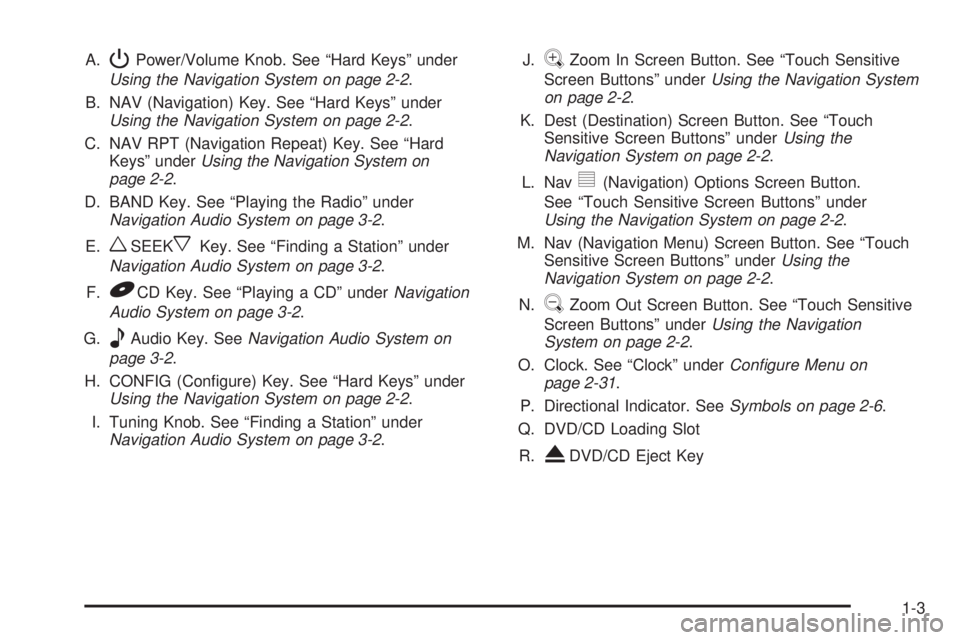
A.PPower/Volume Knob. See “Hard Keys” under
Using the Navigation System on page 2-2.
B. NAV (Navigation) Key. See “Hard Keys” under
Using the Navigation System on page 2-2.
C. NAV RPT (Navigation Repeat) Key. See “Hard
Keys” underUsing the Navigation System on
page 2-2.
D. BAND Key. See “Playing the Radio” under
Navigation Audio System on page 3-2.
E.
wSEEKxKey. See “Finding a Station” under
Navigation Audio System on page 3-2.
F.
BCD Key. See “Playing a CD” underNavigation
Audio System on page 3-2.
G.
eAudio Key. SeeNavigation Audio System on
page 3-2.
H. CONFIG (Congure) Key. See “Hard Keys” under
Using the Navigation System on page 2-2.
I. Tuning Knob. See “Finding a Station” under
Navigation Audio System on page 3-2.J.
VZoom In Screen Button. See “Touch Sensitive
Screen Buttons” underUsing the Navigation System
on page 2-2.
K. Dest (Destination) Screen Button. See “Touch
Sensitive Screen Buttons” underUsing the
Navigation System on page 2-2.
L. Nav
y(Navigation) Options Screen Button.
See “Touch Sensitive Screen Buttons” under
Using the Navigation System on page 2-2.
M. Nav (Navigation Menu) Screen Button. See “Touch
Sensitive Screen Buttons” underUsing the
Navigation System on page 2-2.
N.
UZoom Out Screen Button. See “Touch Sensitive
Screen Buttons” underUsing the Navigation
System on page 2-2.
O. Clock. See “Clock” underConfigure Menu on
page 2-31.
P. Directional Indicator. SeeSymbols on page 2-6.
Q. DVD/CD Loading Slot
R.
XDVD/CD Eject Key
1-3
Page 6 of 62
Getting Started
Before you begin to operate the navigation system, read
this manual thoroughly to become familiar with it and
to understand how the system works.
The navigation system allows you to do the following:
Plan a route with provided turn-by-turn route
and map guidance with voice prompts.
Select a destination using various methods
and choices.
The information in the system may not always be
complete. Road conditions such as prohibited turns,
detours, and construction zones, change frequently.
It is important to consider whether you can follow
the directions given by the system for the current
conditions.
When getting started, you may set the navigation system
to your preference using various options. You will also
need to know how to perform various functions to begin
route guidance. Reference the following topics for
further information:
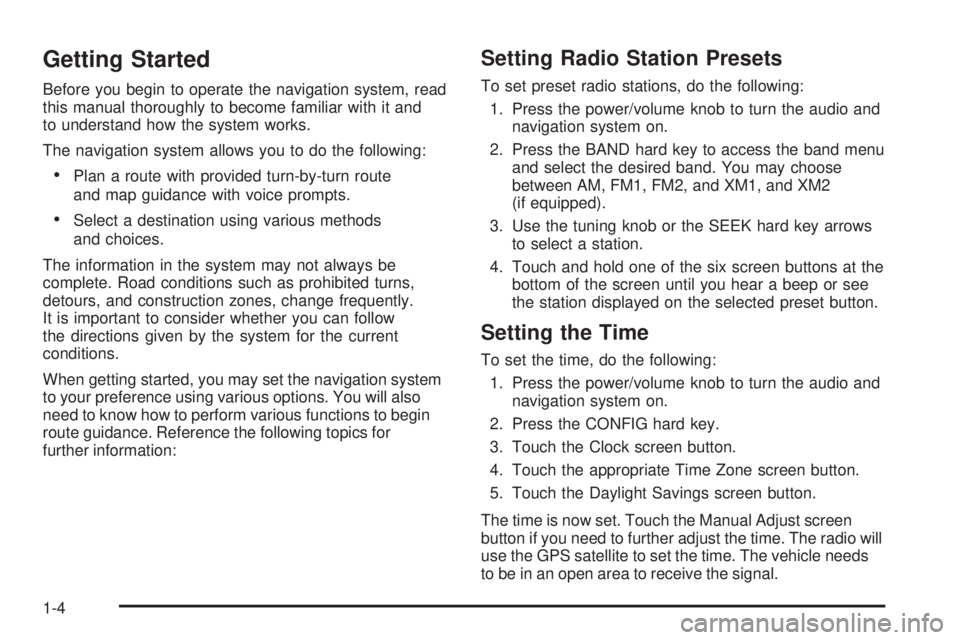
Setting Radio Station Presets
To set preset radio stations, do the following:
1. Press the power/volume knob to turn the audio and
navigation system on.
2. Press the BAND hard key to access the band menu
and select the desired band. You may choose
between AM, FM1, FM2, and XM1, and XM2
(if equipped).
3. Use the tuning knob or the SEEK hard key arrows
to select a station.
4. Touch and hold one of the six screen buttons at the
bottom of the screen until you hear a beep or see
the station displayed on the selected preset button.
Setting the Time
To set the time, do the following:
1. Press the power/volume knob to turn the audio and
navigation system on.
2. Press the CONFIG hard key.
3. Touch the Clock screen button.
4. Touch the appropriate Time Zone screen button.
5. Touch the Daylight Savings screen button.
The time is now set. Touch the Manual Adjust screen
button if you need to further adjust the time. The radio will
use the GPS satellite to set the time. The vehicle needs
to be in an open area to receive the signal.
1-4
Page 9 of 62
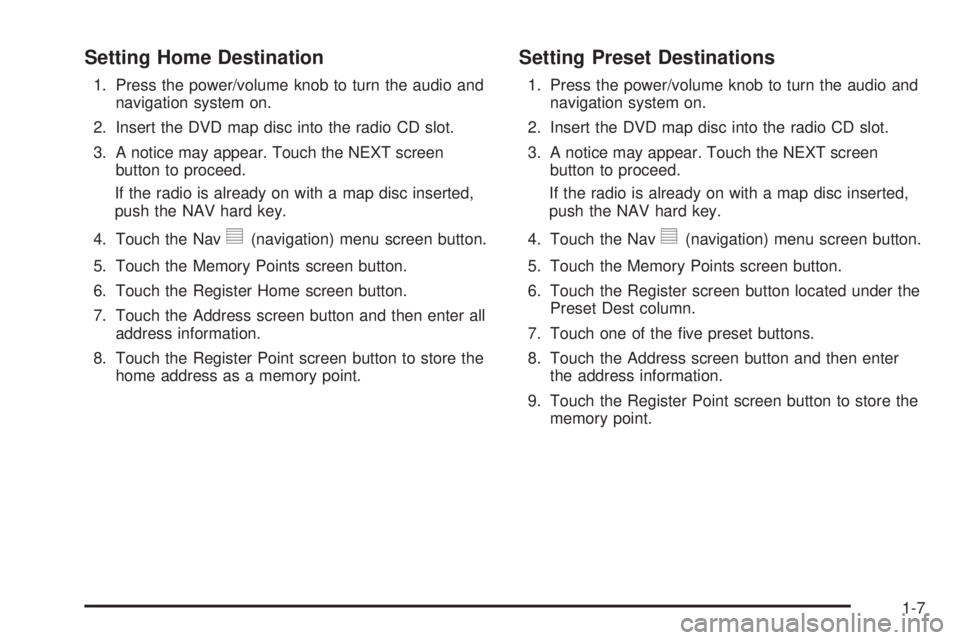
Setting Home Destination
1. Press the power/volume knob to turn the audio and
navigation system on.
2. Insert the DVD map disc into the radio CD slot.
3. A notice may appear. Touch the NEXT screen
button to proceed.
If the radio is already on with a map disc inserted,
push the NAV hard key.
4. Touch the Nav
y(navigation) menu screen button.
5. Touch the Memory Points screen button.
6. Touch the Register Home screen button.
7. Touch the Address screen button and then enter all
address information.
8. Touch the Register Point screen button to store the
home address as a memory point.
Setting Preset Destinations
1. Press the power/volume knob to turn the audio and
navigation system on.
2. Insert the DVD map disc into the radio CD slot.
3. A notice may appear. Touch the NEXT screen
button to proceed.
If the radio is already on with a map disc inserted,
push the NAV hard key.
4. Touch the Nav
y(navigation) menu screen button.
5. Touch the Memory Points screen button.
6. Touch the Register screen button located under the
Preset Dest column.
7. Touch one of the ve preset buttons.
8. Touch the Address screen button and then enter
the address information.
9. Touch the Register Point screen button to store the
memory point.
1-7
Page 12 of 62
Features and Controls
Using the Navigation System
This section includes the basic information you will need
to know to operate the navigation system.
The main navigation menu displays a number of
options which offer information on a variety of topics.
SeeNavigation Menu on page 2-7for more information.
Use the keys located to the left of the navigation
screen along with the available touch-sensitive screen
buttons on the navigation screen to operate the system.
Once the vehicle is moving, various functions will be
disabled to reduce driver distractions.
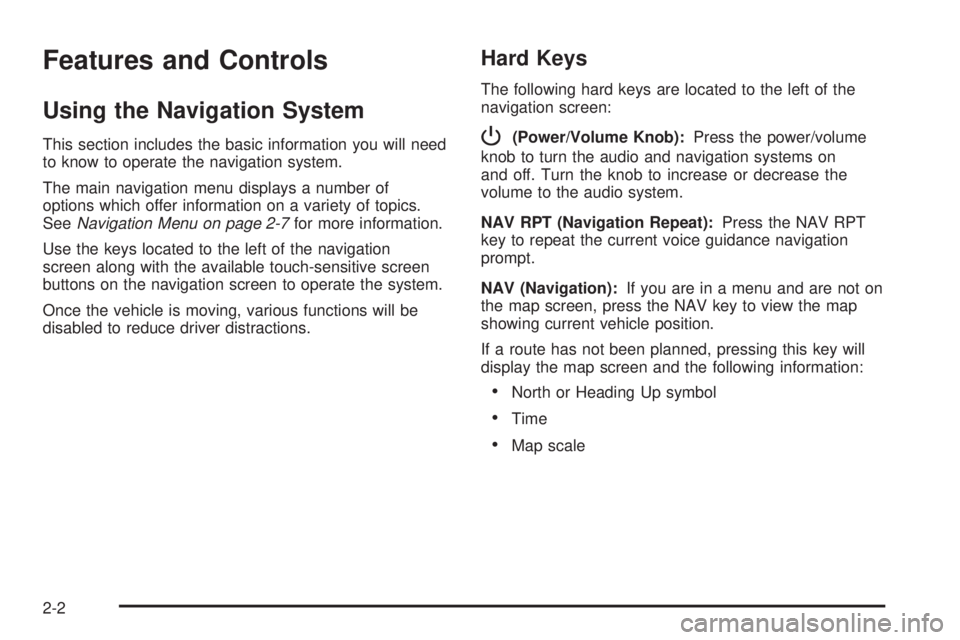
Hard Keys
The following hard keys are located to the left of the
navigation screen:
P(Power/Volume Knob):Press the power/volume
knob to turn the audio and navigation systems on
and off. Turn the knob to increase or decrease the
volume to the audio system.
NAV RPT (Navigation Repeat):Press the NAV RPT
key to repeat the current voice guidance navigation
prompt.
NAV (Navigation):If you are in a menu and are not on
the map screen, press the NAV key to view the map
showing current vehicle position.
If a route has not been planned, pressing this key will
display the map screen and the following information:
North or Heading Up symbol
Time
Map scale
2-2
Page 14 of 62
Touch-Sensitive Screen Buttons
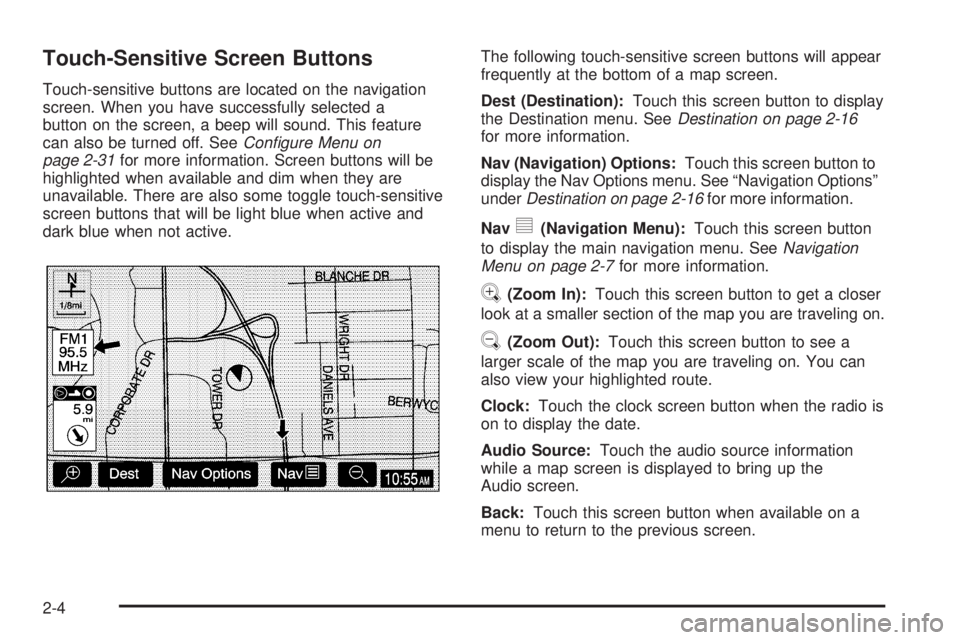
Touch-sensitive buttons are located on the navigation
screen. When you have successfully selected a
button on the screen, a beep will sound. This feature
can also be turned off. SeeConfigure Menu on
page 2-31for more information. Screen buttons will be
highlighted when available and dim when they are
unavailable. There are also some toggle touch-sensitive
screen buttons that will be light blue when active and
dark blue when not active.The following touch-sensitive screen buttons will appear
frequently at the bottom of a map screen.
Dest (Destination):Touch this screen button to display
the Destination menu. SeeDestination on page 2-16
for more information.
Nav (Navigation) Options:Touch this screen button to
display the Nav Options menu. See “Navigation Options”
underDestination on page 2-16for more information.
Nav
y(Navigation Menu):Touch this screen button
to display the main navigation menu. SeeNavigation
Menu on page 2-7for more information.
V(Zoom In):Touch this screen button to get a closer
look at a smaller section of the map you are traveling on.
U(Zoom Out):Touch this screen button to see a
larger scale of the map you are traveling on. You can
also view your highlighted route.
Clock:Touch the clock screen button when the radio is
on to display the date.
Audio Source:Touch the audio source information
while a map screen is displayed to bring up the
Audio screen.
Back:Touch this screen button when available on a
menu to return to the previous screen.
2-4
Page 17 of 62
Navigation Menu
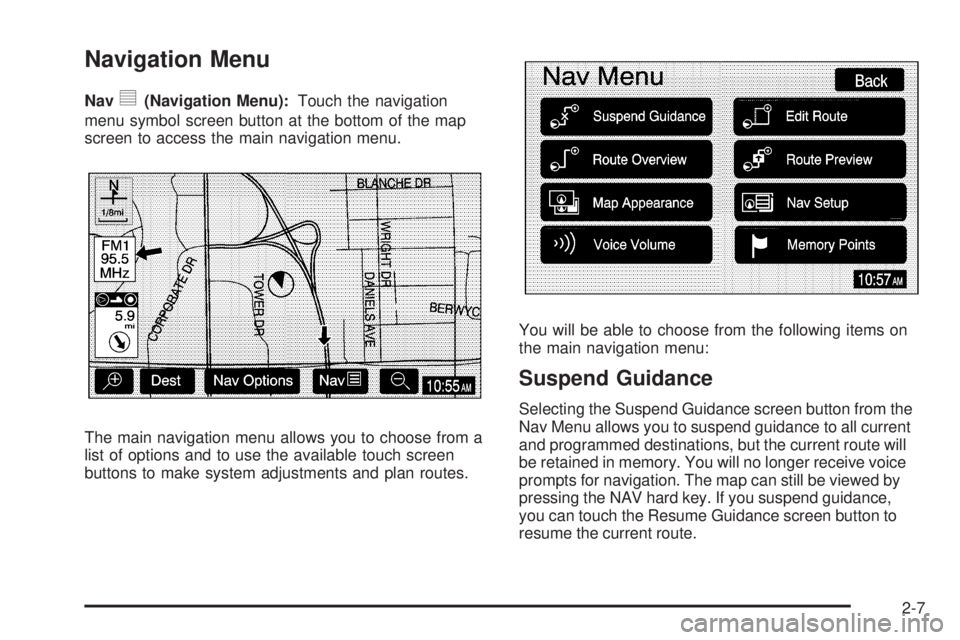
Navy(Navigation Menu):Touch the navigation
menu symbol screen button at the bottom of the map
screen to access the main navigation menu.
The main navigation menu allows you to choose from a
list of options and to use the available touch screen
buttons to make system adjustments and plan routes.You will be able to choose from the following items on
the main navigation menu:
Suspend Guidance
Selecting the Suspend Guidance screen button from the
Nav Menu allows you to suspend guidance to all current
and programmed destinations, but the current route will
be retained in memory. You will no longer receive voice
prompts for navigation. The map can still be viewed by
pressing the NAV hard key. If you suspend guidance,
you can touch the Resume Guidance screen button to
resume the current route.
2-7
Page 19 of 62
Voice Volume
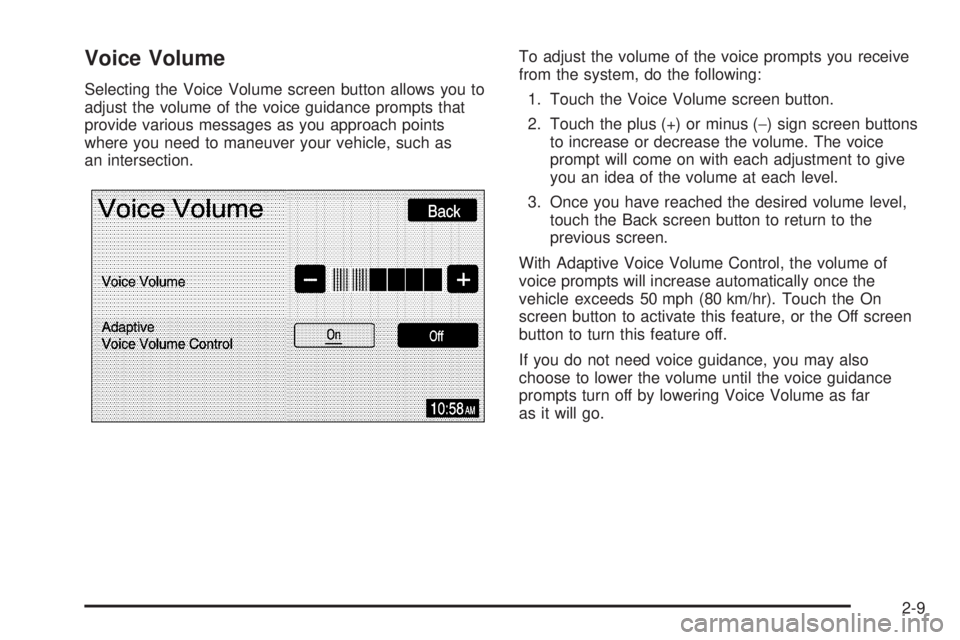
Selecting the Voice Volume screen button allows you to
adjust the volume of the voice guidance prompts that
provide various messages as you approach points
where you need to maneuver your vehicle, such as
an intersection.To adjust the volume of the voice prompts you receive
from the system, do the following:
1. Touch the Voice Volume screen button.
2. Touch the plus (+) or minus (−) sign screen buttons
to increase or decrease the volume. The voice
prompt will come on with each adjustment to give
you an idea of the volume at each level.
3. Once you have reached the desired volume level,
touch the Back screen button to return to the
previous screen.
With Adaptive Voice Volume Control, the volume of
voice prompts will increase automatically once the
vehicle exceeds 50 mph (80 km/hr). Touch the On
screen button to activate this feature, or the Off screen
button to turn this feature off.
If you do not need voice guidance, you may also
choose to lower the volume until the voice guidance
prompts turn off by lowering Voice Volume as far
as it will go.
2-9
Page 21 of 62
Route Preview
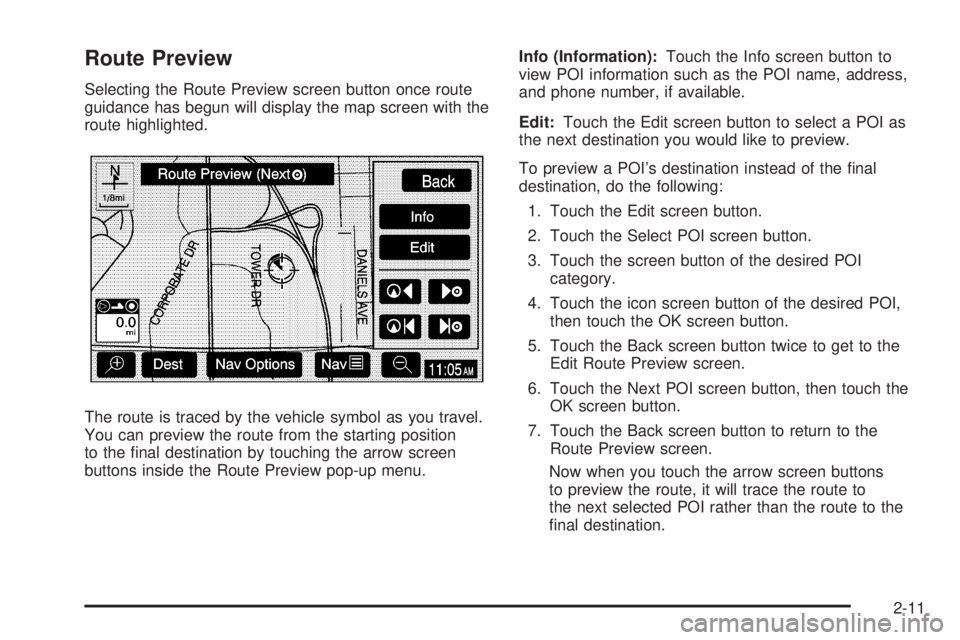
Selecting the Route Preview screen button once route
guidance has begun will display the map screen with the
route highlighted.
The route is traced by the vehicle symbol as you travel.
You can preview the route from the starting position
to the nal destination by touching the arrow screen
buttons inside the Route Preview pop-up menu.Info (Information):Touch the Info screen button to
view POI information such as the POI name, address,
and phone number, if available.
Edit:Touch the Edit screen button to select a POI as
the next destination you would like to preview.
To preview a POI’s destination instead of the nal
destination, do the following:
1. Touch the Edit screen button.
2. Touch the Select POI screen button.
3. Touch the screen button of the desired POI
category.
4. Touch the icon screen button of the desired POI,
then touch the OK screen button.
5. Touch the Back screen button twice to get to the
Edit Route Preview screen.
6. Touch the Next POI screen button, then touch the
OK screen button.
7. Touch the Back screen button to return to the
Route Preview screen.
Now when you touch the arrow screen buttons
to preview the route, it will trace the route to
the next selected POI rather than the route to the
nal destination.
2-11
Page 22 of 62
To return to previewing the route to the nal destination,
do the following:
1. Touch the Edit screen button.
2. Touch the Next screen button.
3. Touch the OK screen button, then the Back screen
button to return to the Route Preview screen.
Now when you touch the arrow screen buttons to
preview the route, it will trace the route to the nal
destination rather than the route to the next POI.
Use the following arrow screen buttons from the Route
Preview pop-up menu to trace a route:
Iq(Preview to current location):Touch this screen
button to preview the route traveling toward the vehicle’s
current location. Touch this screen button repeatedly to
increase the speed at which the indicator will trace
the route.
rh(Preview to final destination):Touch this screen
button to view the route traveling toward the nal
destination. Touch this screen button repeatedly to
increase the speed at which the indicator will trace
the route.
It(View current location):Touch this screen
button to view the vehicle’s current location along the
current route.
uh(View final destination):Touch this screen button
to view the nal destination along the current route.
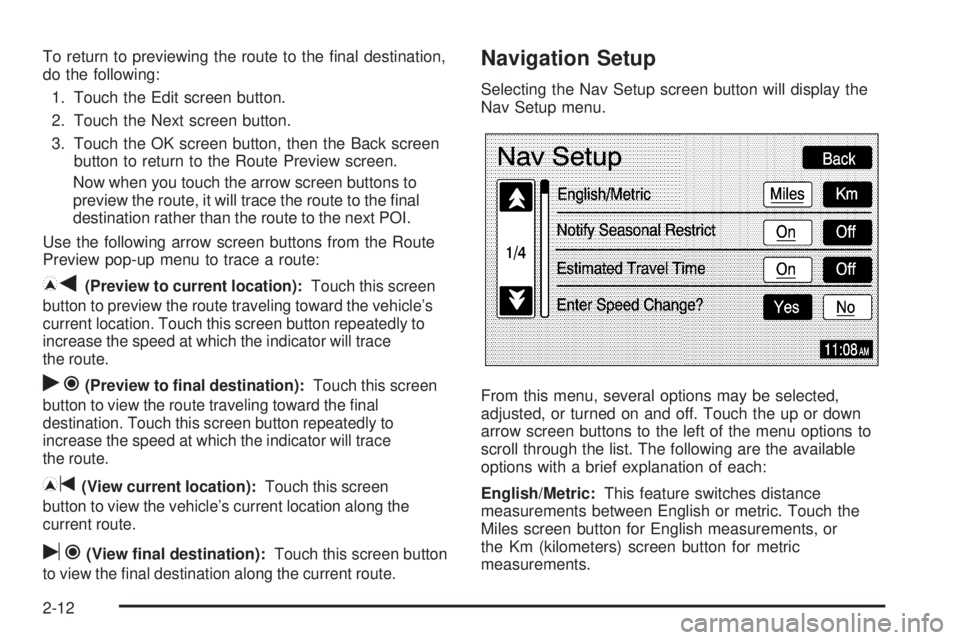
Navigation Setup
Selecting the Nav Setup screen button will display the
Nav Setup menu.
From this menu, several options may be selected,
adjusted, or turned on and off. Touch the up or down
arrow screen buttons to the left of the menu options to
scroll through the list. The following are the available
options with a brief explanation of each:
English/Metric:This feature switches distance
measurements between English or metric. Touch the
Miles screen button for English measurements, or
the Km (kilometers) screen button for metric
measurements.
2-12
Page 23 of 62
Notify Seasonal Restrict (Restrictions):This feature
noties the driver of seasonal maneuver restrictions.
Touch the On screen button to have a voice prompt
warn of existing seasonal restrictions played at
guidance points. Touch the Off screen button to turn
this feature off.
Estimated Travel Time:This feature displays the
estimated time to travel from your current position to
the destination. Touch the On screen button to have the
estimated travel time displayed with the distance to
destination, or the Off screen button to turn this
feature off.
Enter Speed Change?:This feature allows you to
adjust estimated speeds for Freeway, Main street, or
Residential driving. These speed values are used
to calculate estimated travel time. To change estimated
speeds, touch the Yes screen button. The Change
Speed menu will appear. Touch the arrow screen
buttons under each road type to increase or decrease
the speed. The maximum allowable speed to set is
100 mph (161 km). You may also touch the Default
screen button to choose factory default speed settings
as your choice. When your adjustments are complete,
touch the Back screen button to return to the
Nav Setup menu.Auto Reroute:With this feature on, the navigation
system will automatically recalculate a route if you drive
off course. You may also choose to turn this feature off.
Voice Guide in All Mode:Touch the On screen button
to hear navigation voice prompts while in Audio mode.
You may also touch the Off screen button to turn off the
voice prompts.
Current Street Name:Touch the On screen button to
display the current street name that the vehicle is
traveling on. You may also touch the Off screen button
to turn this feature off.
Exit Information:This feature will display map icons
which can be selected to display the next exit’s
information, including Point of Interest (POI) facilities
such as gas stations, restaurants, and lodging. Touch
the On screen button to display exit information icons, or
touch the Off screen button to cancel the display of
exit information icons.
Map Color (Day):This feature allows you to adjust the
daytime map appearance. Choose between Normal,
Auto, 1, 2, 3, or 4. The numbered settings vary the color
scheme of the map display. The Auto setting will
change the map appearance automatically every three
months. When the desired color setting has been
selected, press the NAV hard key to view the adjusted
map color.
2-13