wheel GMC YUKON XL DENALI 2005 Owners Manual
[x] Cancel search | Manufacturer: GMC, Model Year: 2005, Model line: YUKON XL DENALI, Model: GMC YUKON XL DENALI 2005Pages: 62, PDF Size: 1.17 MB
Page 24 of 62
Map Color (Night):This feature allows you to adjust
the nighttime map appearance. Choose between
Normal, Auto, 1, 2, 3, or 4. The numbered settings vary
the color scheme of the map display. The Auto setting
will change the map appearance automatically every
three months. When the desired color setting has been
selected, press the NAV hard key to view the adjusted
map color.
Calibrate System?:This feature will calibrate wheel
speed to assist in the calculation of vehicle position.
This feature also allows you to manually reposition the
vehicle symbol on the map. You may need to calibrate
the system following a tire change, rotation, or if
your vehicle has been relocated a great distance.
Touch the Yes screen button to calibrate the system, or
the No screen button to leave the calibration as it is.
Select Defaults?:This feature allows you to restore
all available factory default settings in the Nav Setup
menu. Touch the Yes screen button to restore defaults,
or the No screen button to retain the current settings.Memory Points
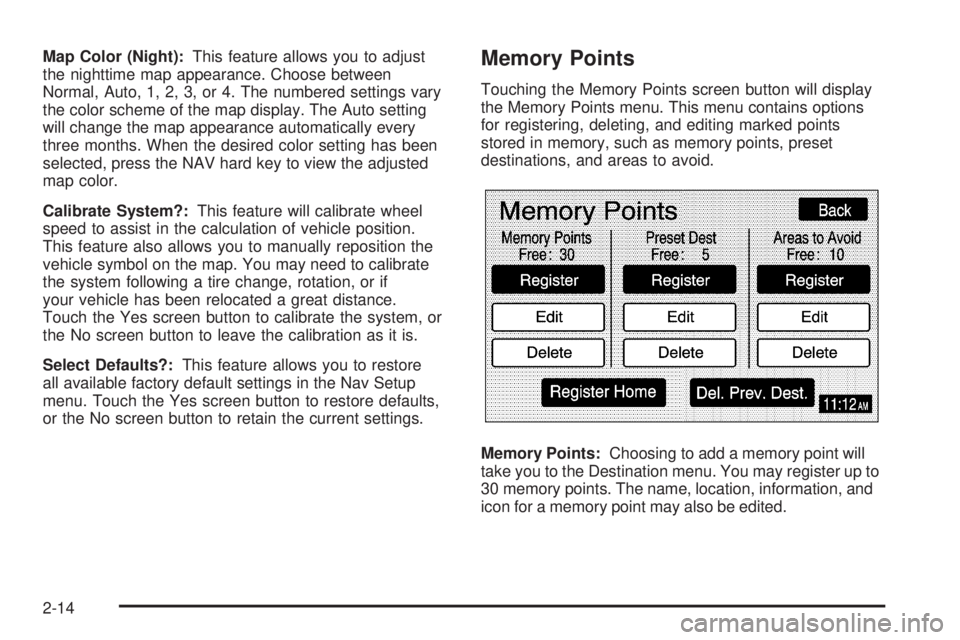
Touching the Memory Points screen button will display
the Memory Points menu. This menu contains options
for registering, deleting, and editing marked points
stored in memory, such as memory points, preset
destinations, and areas to avoid.
Memory Points:Choosing to add a memory point will
take you to the Destination menu. You may register up to
30 memory points. The name, location, information, and
icon for a memory point may also be edited.
2-14
Page 52 of 62
After adjustments are made, press the BAND hard key
to go back to the preset station menu. Now that you
have preset the station and the EQ setting, you can
assign the EQ to the preset station. To do this, touch the
desired preset station screen button until you hear a
beep. The EQ setting will now be assigned to that preset
unless you decide to change it.
If you were at the CD screen before setting an EQ and
you press the CD hard key, you will be returned to
the CD screen, and the EQ will be set to that screen
until you change it.Digital Signal Processing (DSP)
If your vehicle is equipped with DSP, you have a choice
of four different listening experiences. DSP can be used
while listening to the audio system or the CD player.
You can choose from the following DSP settings:
Normal:Touch this screen button to adjust the audio to
deliver all occupants the best possible sound qualities.
Driver:Touch this screen button to adjust the audio
to deliver the driver’s seat occupant the best possible
sound qualities.
Rear:Touch this screen button to adjust the audio to
deliver the rear seat occupants the best possible
sound qualities.
Spacious:Touch this screen button to make the
listening space seem larger.
See “Rear Seat Audio (RSA)”, “Theft-Deterrent Feature”,
“Audio Steering Wheel Controls”, “Radio Reception”,
and antenna information in Section 3 of your vehicle’s
owner manual for more information.
3-6