sensor HONDA ACCORD 2013 9.G User Guide
[x] Cancel search | Manufacturer: HONDA, Model Year: 2013, Model line: ACCORD, Model: HONDA ACCORD 2013 9.GPages: 595, PDF Size: 20.67 MB
Page 83 of 595
82
uuIndicators uInformation Display Warning and Information Messages
*
Instrument Panel
Information Display Warning and Information Messages
*
The following messages appear only on the information display.
Message
Condition
Explanation
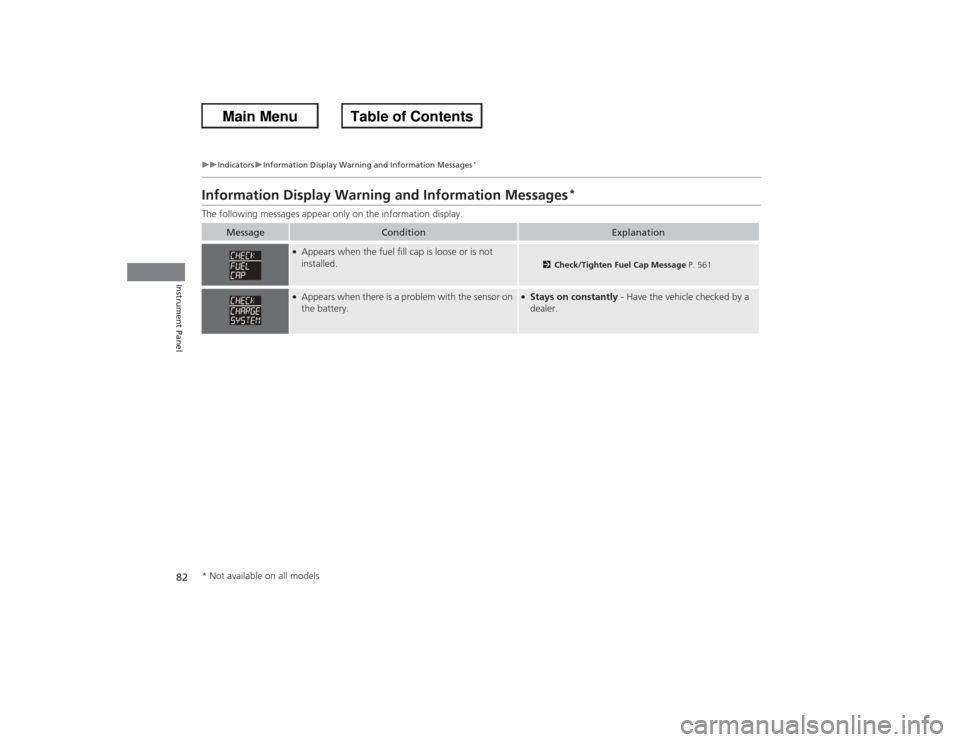
●Appears when the fuel fill cap is loose or is not
installed.
2 Check/Tighten Fuel Cap Message P. 561
●Appears when there is a problem with the sensor on
the battery.
●Stays on constantly - Have the vehicle checked by a
dealer.
* Not available on all models
Page 88 of 595
87
uuIndicators uMulti-Information Display Warning and Information Messages
*
Continued
Instrument Panel
Message
Condition
Explanation
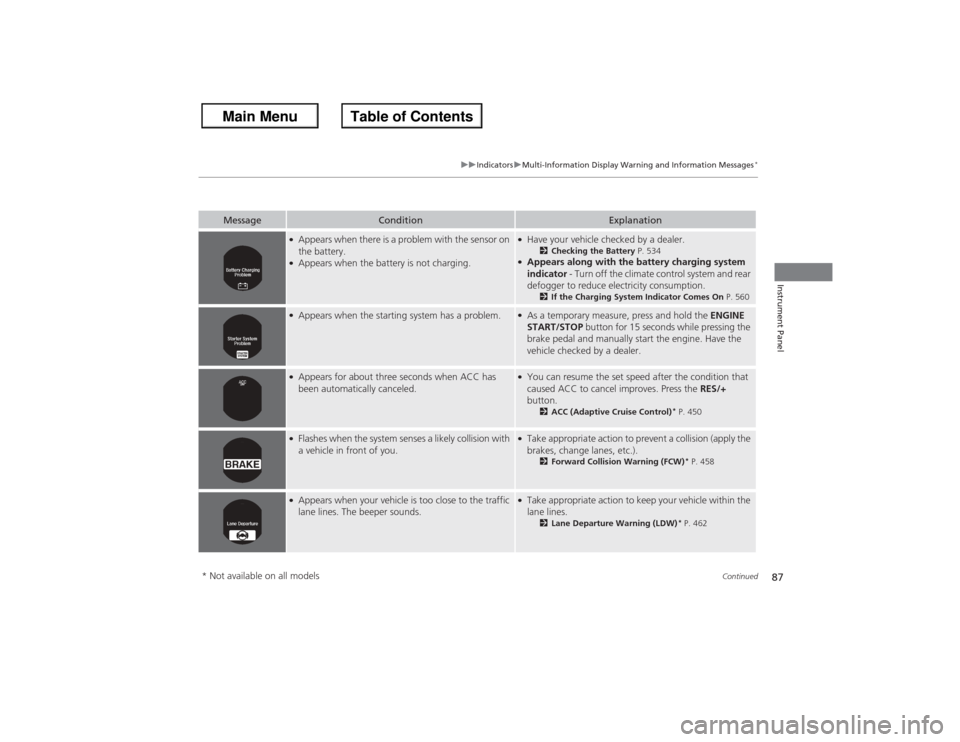
●Appears when there is a problem with the sensor on
the battery.●Appears when the battery is not charging.
●Have your vehicle checked by a dealer.
2Checking the Battery P. 534
●Appears along with the battery charging system
indicator - Turn off the climate control system and rear
defogger to reduce electricity consumption.
2 If the Charging System Indicator Comes On P. 560
●Appears when the starting system has a problem.
●As a temporary measure, press and hold the ENGINE
START/STOP button for 15 seconds while pressing the
brake pedal and manually start the engine. Have the
vehicle checked by a dealer.
●Appears for about three seconds when ACC has
been automatically canceled.
●You can resume the set speed after the condition that
caused ACC to cancel improves. Press the RES/+
button.
2 ACC (Adaptive Cruise Control)
* P. 450
●Flashes when the system senses a likely collision with
a vehicle in front of you.
●Take appropriate action to prevent a collision (apply the
brakes, change lanes, etc.).
2Forward Collision Warning (FCW)
* P. 458
●Appears when your vehicle is too close to the traffic
lane lines. The beeper sounds.
●Take appropriate action to keep your vehicle within the
lane lines.
2Lane Departure Warning (LDW)
* P. 462
* Not available on all models
Page 93 of 595
uuGauges and Displays uInformation Display
*
92Instrument Panel
Shows the outside temperature in Fahrenheit (U.S.) or Celsius (Canada).■Adjusting the outside temperature indicator
Adjust the temperature reading up to ± 5°F or ± 3°C if the temperature reading
seems incorrect.
1. Turn the ignition switch to ON
(w*1.
2. Press and hold the (Select/Reset) knob for 10 seconds or more while the
outside temperature is shown on the information display.
u The information display goes into temperature adjustment mode. The display
starts showing from -5°F to +5°F (U.S.) or -3°C to +3°C (Canada).
3. Release the knob when the right adjustment amount is shown.
u The adjustment is complete.
Shows the estimated distance you can travel on the remaining fuel. This distance is
estimated from the fuel economy of your trips in the past.
*1: Models with the smart entry system have an ENGINE START/STOP button instead of an
ignition switch.■Outside Temperature
*
■Range
1 Outside Temperature
*
The temperature sensor is in the front bumper.
Road heat and exhaust from another vehicle can
affect the temperature reading when your vehicle
speed is less than 19 mph (30 km/h).
It may take several minutes for the display to be
updated after the temperature reading has stabilized.1Adjusting the outside temperature indicator
Adjust the temperature reading up to ± 5°F or ± 3°C.
* Not available on all models
Page 97 of 595
uuGauges and Displays uMulti-Information Display
*
96Instrument Panel
Shows the average speed in mph (U.S.) or km/h (Canada) since the last time Trip A
or Trip B was reset.
Shows the instant fuel economy as a bar graph in mpg (U.S.) or l/100 km (Canada).
Shows the remaining oil life and Maintenance Minder
TM.
2 Maintenance Minder
TM P. 489
Shows the outside temperature in Fahrenheit (U.S.) or Celsius (Canada).■Adjusting the outside temperature display
Adjust the temperature reading up to ±5°F or ±3°C if the temperature reading
seems incorrect.■Average Speed■Instant Fuel Economy■Engine Oil Life■Outside Temperature
1 Average Speed
You can change when to reset the average speed.
2 Customized Features P. 97, 2991Outside Temperature
The temperature sensor is in the front bumper.
Road heat and exhaust from another vehicle can
affect the temperature reading when your vehicle
speed is less than 19 mph (30 km/h).
It may take several minutes for the display to be
updated after the temperature reading has stabilized.
Use the multi-information display's customized
features to correct the temperature.
2 Customized Features P. 97, 299
Page 106 of 595
105
Controls
This chapter explains how to operate the various controls necessary for driving.
Setting the Clock.............................. 106
Locking and Unlocking the Doors Key Types and Functions .................. 108Low Smart Entry Remote Signal Strength
*....................................110
Locking/Unlocking the Doors from the
Inside ............................................. 116
Childproof Door Locks . .................... 118
Auto Door Locking/Unlocking .......... 119
Opening and Closing the Trunk ....... 120
Security System Immobilizer System .......................... 124
Security System Alarm ...................... 124Opening and Closing the Windows ..... 127
Opening and Closing the Moonroof
*.. 130
Operating the Switches Around the Steering WheelIgnition Switch
*............................... 131
ENGINE START/STOP Button
*........... 132
Ignition Switch and Power Mode Comparison ................................... 135
Turn Signals ..................................... 136
Light Switches.................................. 136
Fog Lights
*...................................... 138
Daytime Running Lights ................... 139
Wipers and Washers ........................ 140
Brightness Control ........................... 141
Rear Defogger/Heated Door Mirror
*
Button ........................................... 142 Driving Position Memory System
*.... 143
Adjusting the Steering Wheel .......... 145
Adjusting the Mirrors Interior Rearview Mirror ................... 146
Power Door Mirrors ......................... 147
Adjusting the Seats .......................... 148
Interior Lights/Interior Convenience
Items ................................................ 156
Heating and Cooling
*
Using Vents, Heating and A/C.......... 166
Climate Control System
*
Using Automatic Climate Control .... 169
Synchronized Mode ......................... 171
Automatic Climate Control Sensors ... 172
* Not available on all models
Page 114 of 595
Continued
113
uuLocking and Unlocking the Doors uLocking/Unlocking the Doors from the Outside
Controls
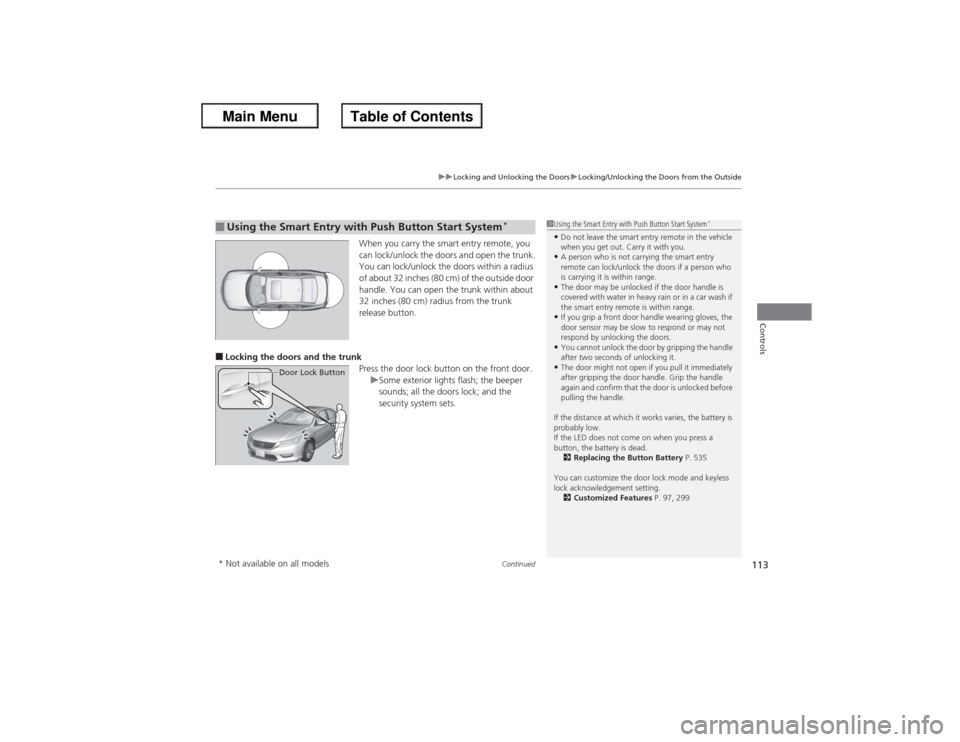
When you carry the smart entry remote, you
can lock/unlock the doors and open the trunk.
You can lock/unlock the doors within a radius
of about 32 inches (80 cm) of the outside door
handle. You can open the trunk within about
32 inches (80 cm) radius from the trunk
release button.
■Locking the doors and the trunk
Press the door lock button on the front door.uSome exterior lights flash; the beeper
sounds; all the doors lock; and the
security system sets.■Using the Smart Entry with Push Button Start System
*
Door Lock Button
1Using the Smart Entry with Push Button Start System
*
•Do not leave the smart entry remote in the vehicle
when you get out. Carry it with you.•A person who is not carrying the smart entry
remote can lock/unlock the doors if a person who
is carrying it is within range.•The door may be unlocked if the door handle is
covered with water in heavy rain or in a car wash if
the smart entry remote is within range.•If you grip a front door handle wearing gloves, the
door sensor may be slow to respond or may not
respond by unlocking the doors.•You cannot unlock the door by gripping the handle
after two seconds of unlocking it.•The door might not open if you pull it immediately
after gripping the door handle. Grip the handle
again and confirm that the door is unlocked before
pulling the handle.
If the distance at which it works varies, the battery is
probably low.
If the LED does not come on when you press a
button, the battery is dead. 2 Replacing the Button Battery P. 535
You can customize the door lock mode and keyless
lock acknowledgement setting. 2 Customized Features P. 97, 299
* Not available on all models
Page 138 of 595
Continued
137
uuOperating the Switches Around the Steering Wheel uLight Switches
Controls
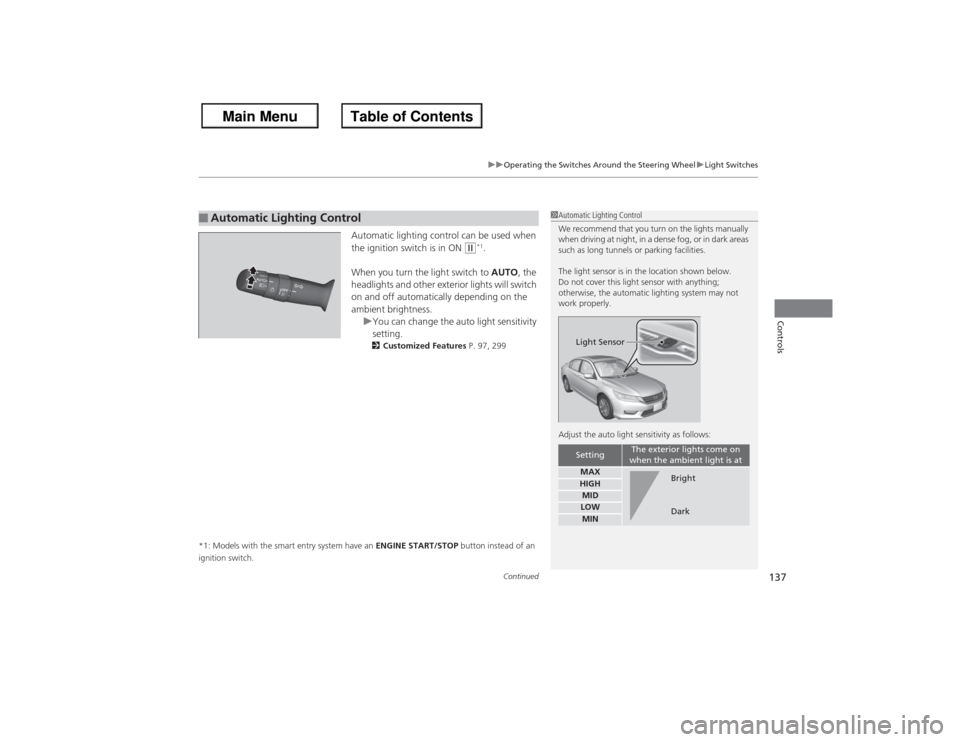
Automatic lighting control can be used when
the ignition switch is in ON
(w*1.
When you turn the light switch to AUTO, the
headlights and other exterior lights will switch
on and off automatically depending on the
ambient brightness. uYou can change the auto light sensitivity
setting.
2 Customized Features P. 97, 299
*1: Models with the smart entry system have an ENGINE START/STOP button instead of an
ignition switch.
■Automatic Lighting Control
1 Automatic Lighting Control
We recommend that you turn on the lights manually
when driving at night, in a dense fog, or in dark areas
such as long tunnels or parking facilities.
The light sensor is in the location shown below.
Do not cover this light sensor with anything;
otherwise, the automatic lighting system may not
work properly.
Adjust the auto light sensitivity as follows:
Setting
The exterior lights come on
when the ambient light is at
MAXHIGHMIDLOWMINLight Sensor
Bright
Dark
Page 147 of 595
146Controls
Adjusting the MirrorsInterior Rearview MirrorAdjust the angle of the rearview mirror when you are sitting in the correct driving
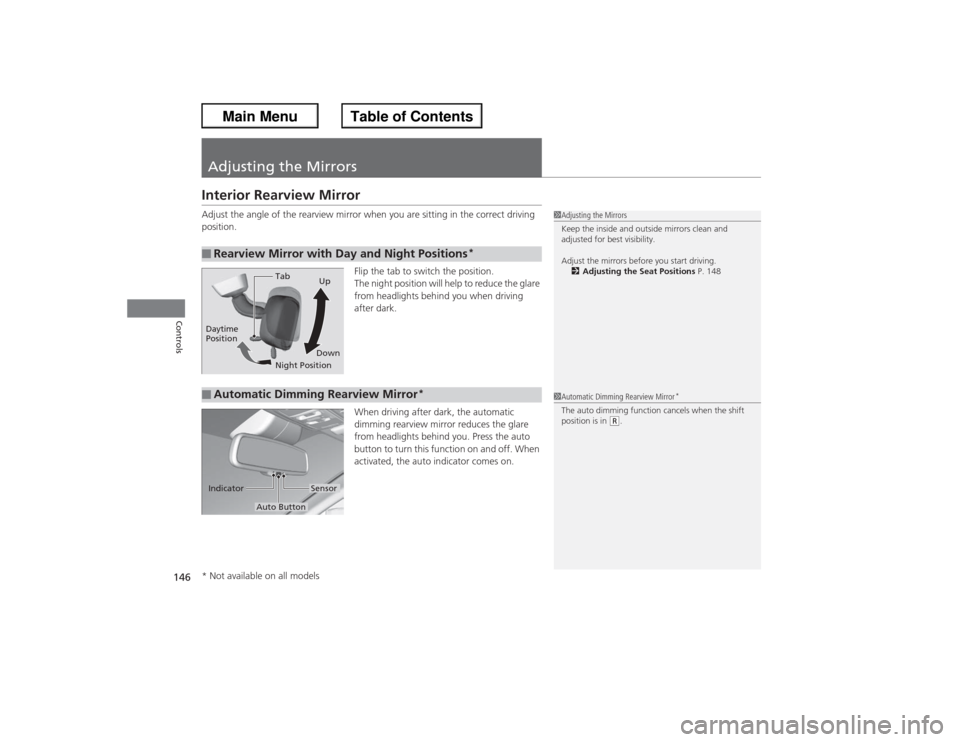
position.Flip the tab to switch the position.
The night position will help to reduce the glare
from headlights behind you when driving
after dark.
When driving after dark, the automatic
dimming rearview mirror reduces the glare
from headlights behind you. Press the auto
button to turn this function on and off. When
activated, the auto indicator comes on.■Rearview Mirror with Day and Night Positions
*
1Adjusting the Mirrors
Keep the inside and outside mirrors clean and
adjusted for best visibility.
Adjust the mirrors before you start driving.
2 Adjusting the Seat Positions P. 148
Tab
Daytime
Position
Night PositionUp
Down■Automatic Dimming Rearview Mirror
*
1 Automatic Dimming Rearview Mirror
*
The auto dimming function cancels when the shift
position is in
(R.
Sensor
Auto Button
Indicator
* Not available on all models
Page 155 of 595
154
uuAdjusting the Seats uRear Seats
Controls
Rear Seats
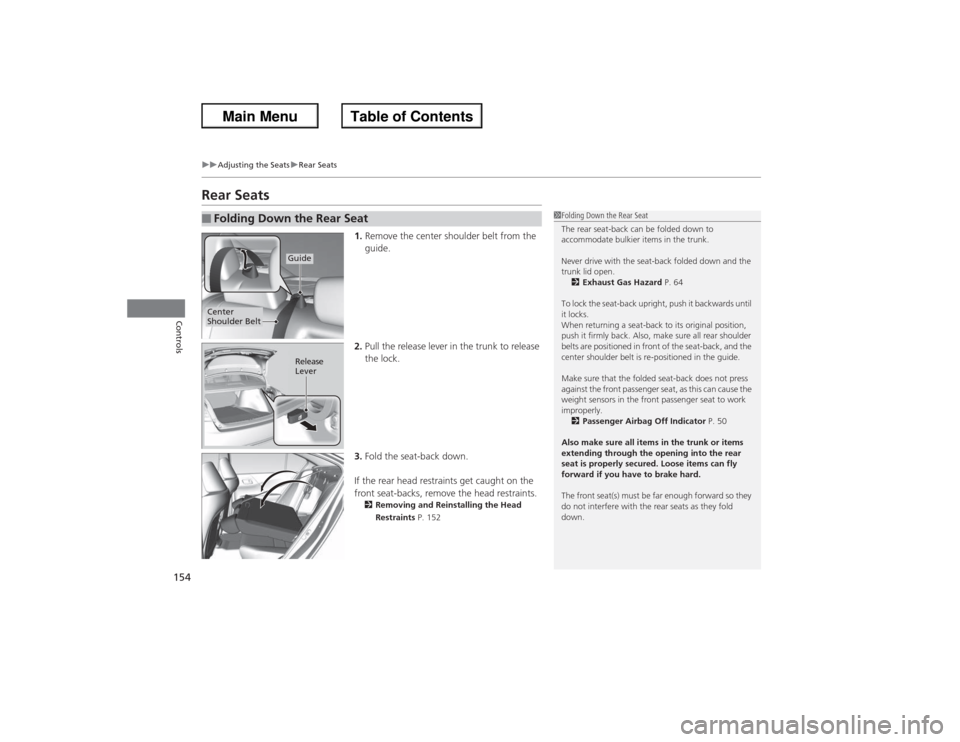
1. Remove the center shoulder belt from the
guide.
2. Pull the release lever in the trunk to release
the lock.
3. Fold the seat-back down.
If the rear head restraints get caught on the
front seat-backs, remove the head restraints.2 Removing and Reinstalling the Head
Restraints P. 152
■Folding Down the Rear Seat
1Folding Down the Rear Seat
The rear seat-back can be folded down to
accommodate bulkier items in the trunk.
Never drive with the seat-back folded down and the
trunk lid open.
2 Exhaust Gas Hazard P. 64
To lock the seat-back upright, push it backwards until
it locks.
When returning a seat-back to its original position,
push it firmly back. Also, make sure all rear shoulder
belts are positioned in front of the seat-back, and the
center shoulder belt is re-positioned in the guide.
Make sure that the folded seat-back does not press
against the front passenger seat, as this can cause the
weight sensors in the front passenger seat to work
improperly. 2 Passenger Airbag Off Indicator P. 50
Also make sure all items in the trunk or items
extending through the opening into the rear
seat is properly secured. Loose items can fly
forward if you have to brake hard.
The front seat(s) must be far enough forward so they
do not interfere with the rear seats as they fold
down.
Guide
Center
Shoulder Belt
Release
Lever
Page 172 of 595
171
uuClimate Control System
*uSynchronized Mode
Controls
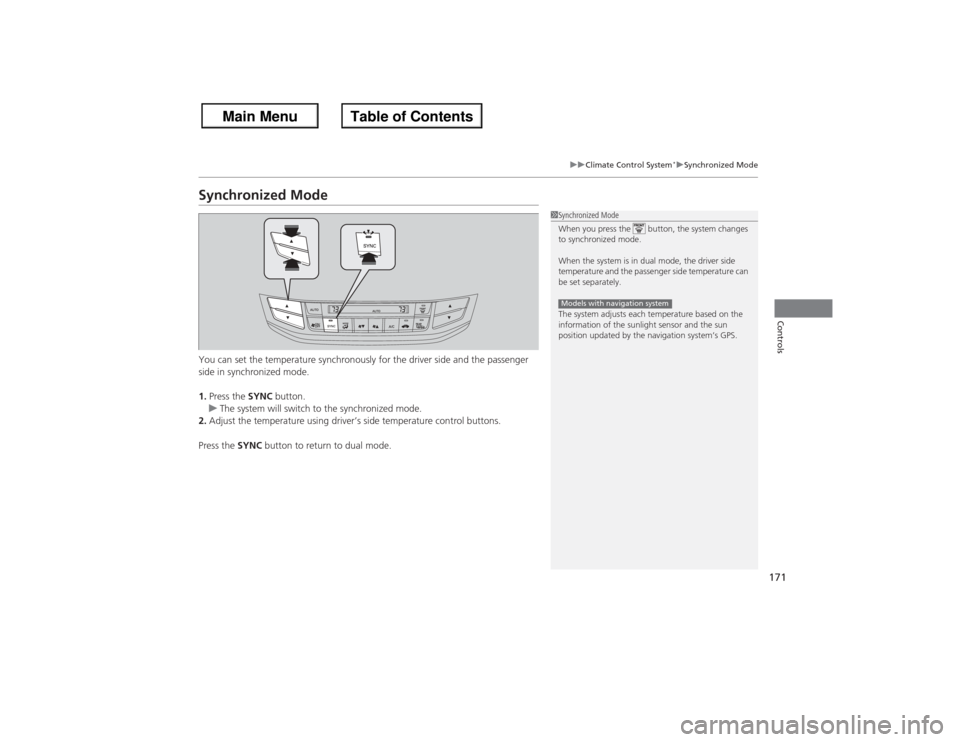
Synchronized ModeYou can set the temperature synchronously for the driver side and the passenger
side in synchronized mode.
1. Press the SYNC button.
u The system will switch to the synchronized mode.
2. Adjust the temperature using driver’s side temperature control buttons.
Press the SYNC button to return to dual mode.
1Synchronized Mode
When you press the button, the system changes
to synchronized mode.
When the system is in dual mode, the driver side
temperature and the passenger side temperature can
be set separately.
The system adjusts each temperature based on the
information of the sunlight sensor and the sun
position updated by the navigation system’s GPS.Models with navigation system