electrical HONDA ACCORD 2014 9.G User Guide
[x] Cancel search | Manufacturer: HONDA, Model Year: 2014, Model line: ACCORD, Model: HONDA ACCORD 2014 9.GPages: 595
Page 539 of 595
538Maintenance
CleaningInterior CareUse a damp cloth with a mixture of mild detergent and warm water to remove dirt.
Use a clean cloth to remove detergent residue.
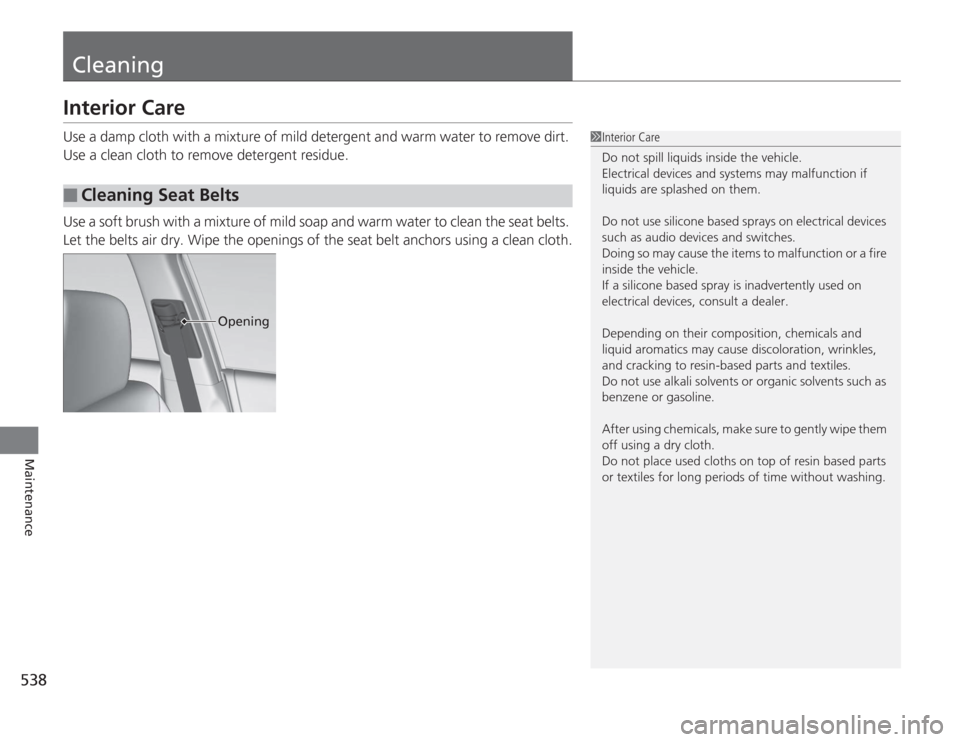
Use a soft brush with a mixture of mild soap and warm water to clean the seat belts.
Let the belts air dry. Wipe the openings of the seat belt anchors using a clean cloth.■
Cleaning Seat Belts
1Interior Care
Do not spill liquids inside the vehicle.
Electrical devices and systems may malfunction if
liquids are splashed on them.
Do not use silicone based sprays on electrical devices
such as audio devices and switches.
Doing so may cause the items to malfunction or a fire
inside the vehicle.
If a silicone based spray is inadvertently used on
electrical devices, consult a dealer.
Depending on their composition, chemicals and
liquid aromatics may cause discoloration, wrinkles,
and cracking to resin-based parts and textiles.
Do not use alkali solvents or organic solvents such as
benzene or gasoline.
After using chemicals, make sure to gently wipe them
off using a dry cloth.
Do not place used cloths on top of resin based parts
or textiles for long periods of time without washing.
Opening
Page 561 of 595
560Handling the Unexpected
Indicator, Coming On/BlinkingIf the Low Oil Pressure Indicator Comes On
■
Reasons for the indicator to come on
Comes on when the engine oil pressure is low.
■
What to do as soon as the indicator comes on
1. Immediately park the vehicle in a safe place.
2. If necessary, turn the hazard warning lights on.
■
What to do after parking the vehicle
1. Stop the engine and let it sit for about one minute.
2. Open the hood and check the oil level.
u Add oil as necessary.
3. Start the engine and check the low oil pressure indicator.
u The indicator goes off: Start driving again.
u The indicator does not go off within 10 seconds: Stop the engine
and contact a dealer for repairs immediately.
If the Charging System Indicator Comes On
■
Reasons for the indicator to come on
Comes on when the battery is not being charged.
■
What to do when the indicator comes on
Turn off the heating and cooling system
* /climate control system
*, rear
defogger, and other electrical systems, and immediately contact a dealer
for repairs.
1 If the Low Oil Pressure Indicator Comes On
NOTICERunning the engine with low oil pressure can cause
serious mechanical damage almost immediately.1If the Charging System Indicator Comes On
If you need to stop temporarily, do not turn off the
engine. Restarting the engine may rapidly discharge
the battery.
* Not available on all models
Page 565 of 595
564Handling the Unexpected
FusesFuse LocationsIf any electrical devices are not working,
turn the ignition switch to LOCK
(0
*1 and
check to see if any applicable fuse is blown.
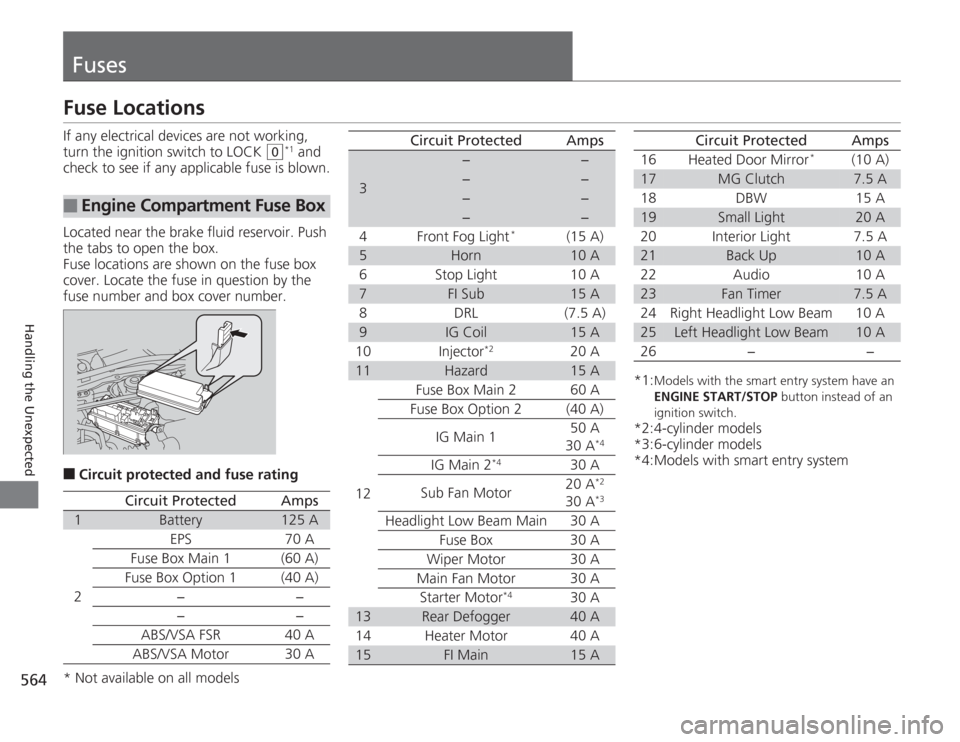
Located near the brake fluid reservoir. Push
the tabs to open the box.
Fuse locations are shown on the fuse box
cover. Locate the fuse in question by the
fuse number and box cover number.
■
Circuit protected and fuse rating
■
Engine Compartment Fuse Box
Circuit Protected
Amps
1
Battery
125 A
2
EPS
70 A
Fuse Box Main 1 (60 A)
Fuse Box Option 1
(40 A)
−−
−
−
ABS/VSA FSR 40 A
ABS/VSA Motor 30 A
3
−
−
−
−
−
−
−
−
4 Front Fog Light
*
(15 A)
5
Horn
10 A
6 Stop Light 10 A
7
FI Sub
15 A
8 DRL (7.5 A)
9
IG Coil
15 A
10 Injector
*2
20 A
11
Hazard
15 A
12 Fuse Box Main 2 60 A
Fuse Box Option 2 (40 A)
IG Main 1 50 A
30 A
*4
IG Main 2
*4
30 A
Sub Fan Motor 20 A
*2
30 A
*3
Headlight Low Beam Main 30 A
Fuse Box 30 A
Wiper Motor 30 A
Main Fan Motor 30 A Starter Motor
*4
30 A
13
Rear Defogger
40 A
14 Heater Motor 40 A
15
FI Main
15 A
Circuit Protected
Amps
*1:
Models with the smart ent ry system have an
ENGINE START/STOP button instead of an
ignition switch.
*2:4-cylinder models
*3:6-cylinder models
*4:Models with smart entry system 16 Heated Door Mirror
*
(10 A)
17
MG Clutch
7.5 A
18 DBW 15 A
19
Small Light
20 A
20 Interior Light 7.5 A
21
Back Up
10 A
22 Audio 10 A
23
Fan Timer
7.5 A
24 Right Headlight Low Beam 10 A
25
Left Headlight Low Beam
10 A
26 − −
Circuit Protected
Amps
* Not available on all models
Page 567 of 595
566
uuFuses uInspecting and Changing Fuses
Handling the Unexpected
Inspecting and Changing Fuses
1. Turn the ignition switch to LOCK
(0
*1. Turn
headlights and all accessories off.
2. Remove the fuse box cover.
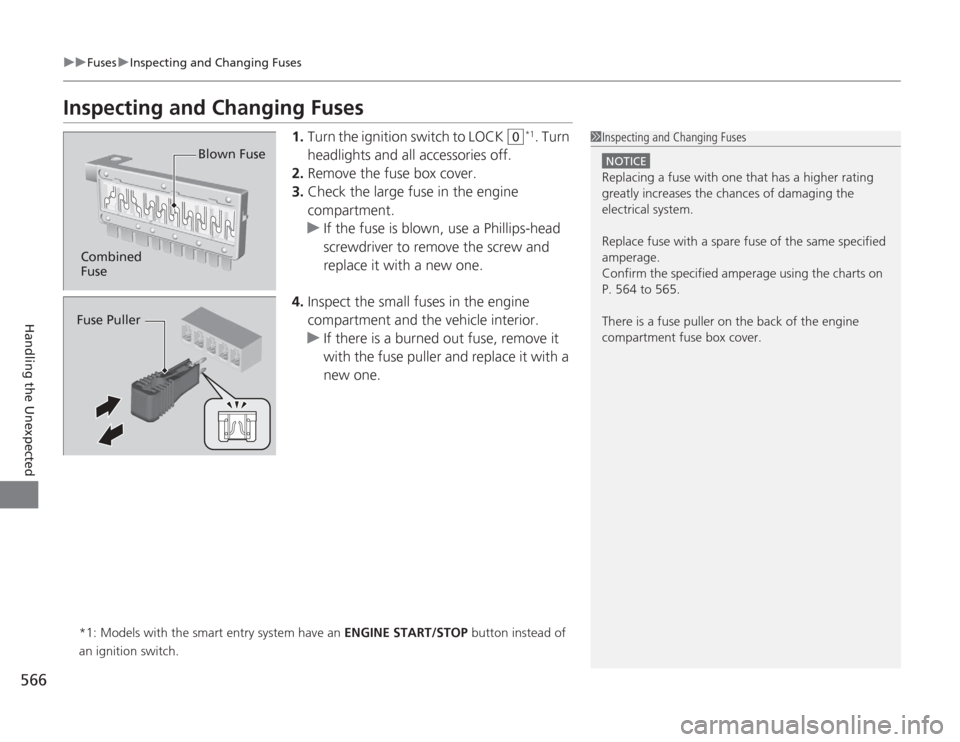
3. Check the large fuse in the engine
compartment.
u If the fuse is blown, use a Phillips-head
screwdriver to remove the screw and
replace it with a new one.
4. Inspect the small fuses in the engine
compartment and the vehicle interior.
u If there is a burned out fuse, remove it
with the fuse puller and replace it with a
new one.
*1: Models with the smart entry system have an ENGINE START/STOP button instead of
an ignition switch.
1 Inspecting and Changing Fuses
NOTICEReplacing a fuse with one that has a higher rating
greatly increases the chances of damaging the
electrical system.
Replace fuse with a spare fuse of the same specified
amperage.
Confirm the specified amperage using the charts on
P. 564 to 565.
There is a fuse puller on the back of the engine
compartment fuse box cover.
Combined
Fuse Blown FuseFuse Puller