service HONDA ACCORD 2022 Owners Manual
[x] Cancel search | Manufacturer: HONDA, Model Year: 2022, Model line: ACCORD, Model: HONDA ACCORD 2022Pages: 657, PDF Size: 11.42 MB
Page 3 of 657
These data can help provide a better understanding of the
circumstances in which crashes and injuries occur. NOTE: EDR data
are recorded by your vehicle only if a non-tri vial crash situation
occurs; no data are recorded by the EDR under normal driving
conditions and no personal data (e.g., name, gender, age, and
crash location) are recorded. Howe ver, other parties, such as law
enforcement, could combine the EDR data with the type of
personally identifying data routinely acquired during a crash
investigation.
To read data recorded by an ED R, special equipment is required,
and access to the vehicle or the ED R is needed. In addition to the
vehicle manufacturer, other parties, such as law enforcement, that
have the special equipment, can r ead the information if they have
access to the vehicle or the EDR.
The data belongs to the vehicle owner and may not be accessed by
anyone else except as legally required or with the permission of the
vehicle owner.Service Diagnostic Recorders
This vehicle is equipped with serv ice-related devices that record
information about powertrain perfor mance. The data can be used
to verify emissions law requirements and/or help technicians
diagnose and solve service problems. It may also be combined with
data from other sources for research purposes, but it remains
confidential. Some diagnostic and maintenance information is
uploaded to Honda upon vehicle start up.
California Perchlorate Contamination Prevention Act
The airbags, seat belt tensioners , and CR type batteries in this
vehicle may contain perchlorate materials - special handling may
apply. See www.dtsc.ca.gov/hazardouswaste/perchlorate/
As you read this manual, you will find information that is preceded
by a symbol. This information is intended to help you avoid
damage to your vehicle, other property, or the environment.
NOTICE
Page 4 of 657
Software End User License Agreement
Your vehicle comes equipped with software, which is governed by
the End User License Agreement in Owner’s Manual, and which
contains a binding arbitration clau se. Please refer to the End User
License Agreement for the terms and conditions governing your
use of the installed software, as well as the applications, services,
functions, and content provided through the software. Your use of
the installed software will serve as your consent to the terms and
conditions of the End User License Agreement.
You may opt out within 30 days of your initial use of the Software
by sending a signed, written notice to HONDA at American Honda
Motor Co., Inc., Honda Automobile Customer Service, Mail Stop
CHI-5, 1919 Torrance Blvd., Torrance, CA 90501-2746.
Privacy Notice
This vehicle may share location and usage information. To manage
this setting, visit www.hondalink.com/vehicle-data-choices .
To learn more about how we collect and use Personal
Information, please read our Privacy Policy, accessible at
www.honda.com.
Page 7 of 657
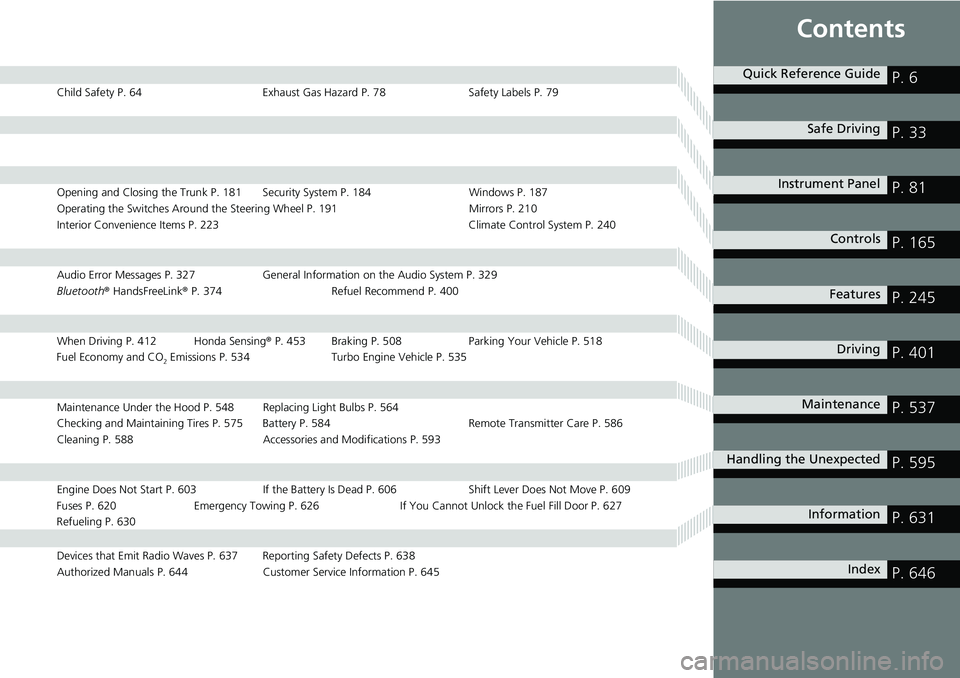
Contents
Child Safety P. 64Exhaust Gas Hazard P. 78Safety Labels P. 79
Opening and Closing the Trunk P. 181 Security System P. 184 Windows P. 187
Operating the Switches Around the Steering Wheel P. 191 Mirrors P. 210
Interior Convenience Items P. 223 Climate Control System P. 240
Audio Error Messages P. 327General Information on the Audio System P. 329
Bluetooth ® HandsFreeLink ® P. 374 Refuel Recommend P. 400
When Driving P. 412 Honda Sensing ® P. 453 Braking P. 508 Parki ng Your Vehicle P. 518
Fuel Economy and CO
2 Emissions P. 534 Turbo Engine Vehicle P. 535
Maintenance Under the Hood P. 548 Replacing Light Bulbs P. 564
Checking and Maintaining Tires P. 575 Battery P. 584 Remote Transmitter Care P. 586
Cleaning P. 588 Accessories and Modifications P. 593
Engine Does Not Start P. 603 If the Battery Is Dead P. 606 Shift Lever Does Not Move P. 609
Fuses P. 620 Emergency Towing P. 626 If You Cannot Unlock the Fuel Fill Door P. 627
Refueling P. 630
Devices that Emit Radio Waves P. 637 Reporting Safety Defects P. 638
Authorized Manuals P. 644 Customer Service Information P. 645
Quick Reference GuideP. 6
Safe DrivingP. 33
Instrument PanelP. 81
ControlsP. 165
FeaturesP. 245
DrivingP. 401
MaintenanceP. 537
Handling the UnexpectedP. 595
InformationP. 631
IndexP. 646
Page 31 of 657
Quick Reference Guide
29
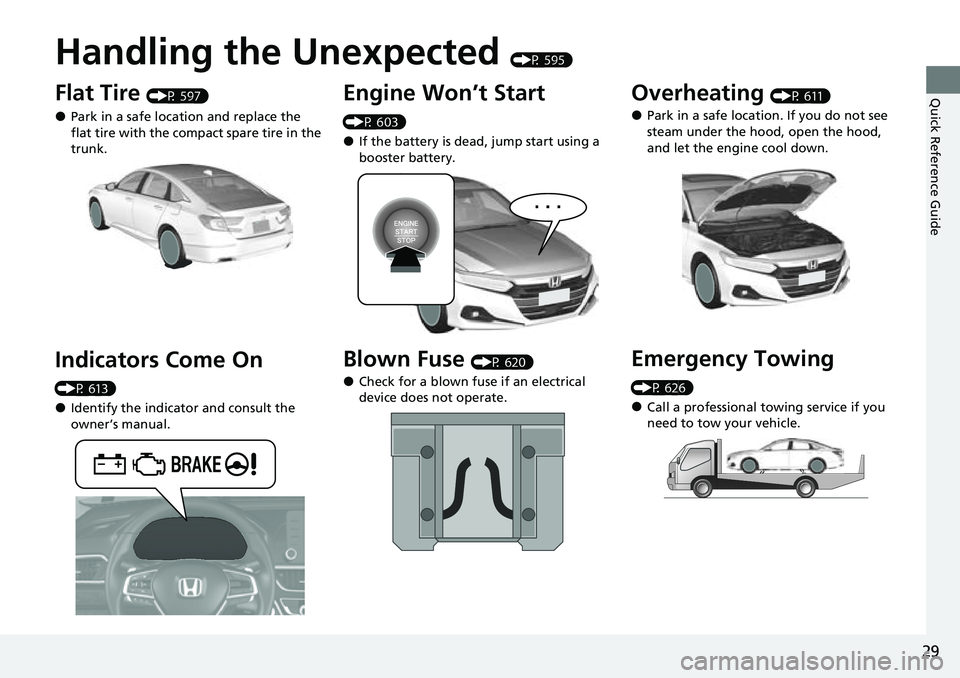
Handling the Unexpected (P 595)
Flat Tire (P 597)
●Park in a safe location and replace the
flat tire with the compact spare tire in the
trunk.
Indicators Come On
(P 613)
●Identify the indicator and consult the
owner’s manual.
Engine Won’t Start
(P 603)
●If the battery is dead, jump start using a
booster battery.
Blown Fuse (P 620)
●Check for a blown fuse if an electrical
device does not operate.
Overheating (P 611)
●Park in a safe location. If you do not see
steam under the hood, open the hood,
and let the engine cool down.
Emergency Towing
(P 626)
●Call a professional towing service if you
need to tow your vehicle.
Page 65 of 657
63
uuAirbags uAirbag Care
Safe Driving
Airbag Care
You do not need to, and should not, perform any maintenance on or replace any
airbag system components yourself. However, you should have your vehicle
inspected by a dealer in the following situations:
■When the airbags have deployed
If an airbag has inflated, the control unit and other related parts must be replaced.
Similarly, once an automatic seat belt te nsioner has been activated, it must be
replaced.
■When the vehicle has been in a moderate-to-severe collision
Even if the airbags did not inflate, have yo ur dealer inspect the following: the driver’s
seat position sensor, weight sensors in the passenger’s seat, front seat belt
tensioners, and each seat belt that was worn during the crash.
■Do not remove or modify a front seat without consulting a dealer
This would likely disable or affect the proper operation of the driver’s seat position
sensor or the weight sensors in the passenge r’s seat. If it is necessary to remove or
modify a front seat to accommodate a pe rson with disabilities, contact a Honda
dealer, or for U.S. vehicles, American Honda Automobile Customer Service at
1-800-999-1009 and for Canadian vehicles, Honda Canada Customer Relations at
1-888-9-HONDA-9.
1 Airbag Care
We recommend against the use of salvaged airbag
system components, includi ng the airbag, tensioners,
sensors, and control unit.
Page 247 of 657
245
Features
This chapter describes how to operate technology features.
Audio SystemAbout Your Audio System ................ 246
USB Ports ......................................... 247
Audio System Theft Protection ......... 249
Audio Remote Controls .................... 250
Audio System Basic Operation ........ 253
Audio/Information Screen ................ 254
System Updates
*............................. 266
Adjusting the Sound ........................ 272
Display Setup ................................... 273
Voice Control Operation .................. 275
Playing AM/FM Radio ....................... 278
Playing SiriusXM ® Radio
*................. 282
Playing an iPod ................................ 293 Playing a USB Flash Drive ................. 296
Playing
Bluetooth ® Audio................. 299
HondaLink ®..................................... 301
HondaLink ® Service
*........................ 305
Wi-Fi Connection ............................. 310
AT&T Hotspot
*................................ 311
Siri Eyes Free*.................................. 312
Apple CarPlay .................................. 313
Android Auto................................... 320
Audio Error Messages ...................... 327
General Information on the Audio System ............................................. 329
Customized Features ........................ 351
HomeLink ® Universal Transceiver
*..... 371 Bluetooth®
HandsFreeLink® ............. 374
Refuel Recommend .............................. 400
* Not available on all models
Page 248 of 657
246
Features
Audio System
About Your Audio System
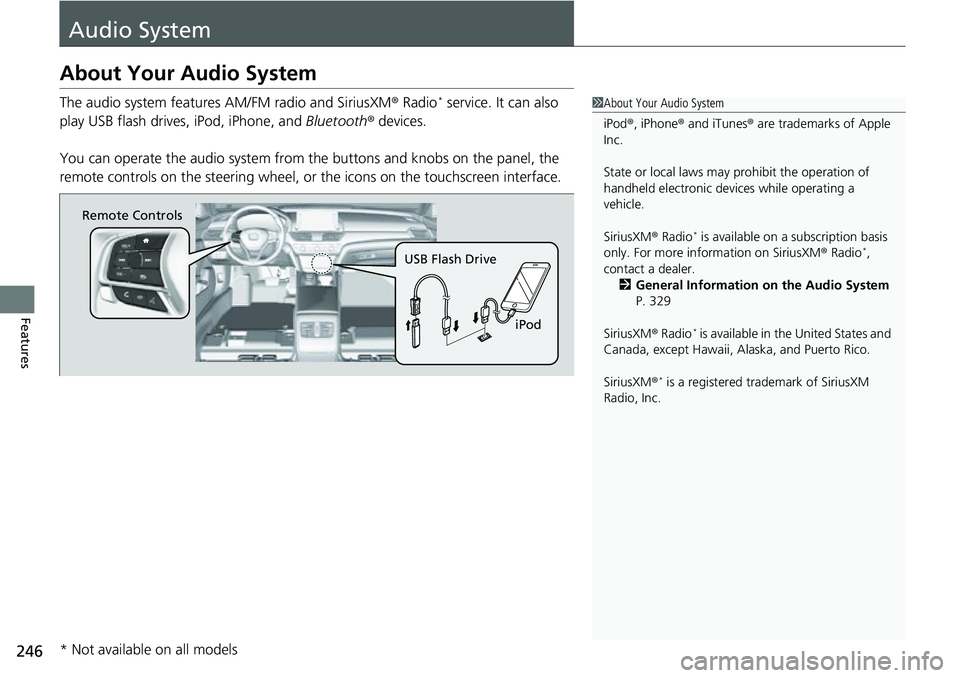
The audio system features AM/FM radio and SiriusXM® Radio* service. It can also
play USB flash drives, iPod, iPhone, and Bluetooth® devices.
You can operate the audio system from the buttons and knobs on the panel, the
remote controls on the steering wheel, or the icons on the touchscreen interface.1 About Your Audio System
iPod ®, iPhone ® and iTunes ® are trademarks of Apple
Inc.
State or local laws may pr ohibit the operation of
handheld electronic devices while operating a
vehicle.
SiriusXM ® Radio
* is available on a subscription basis
only. For more information on SiriusXM ® Radio*,
contact a dealer. 2 General Information on the Audio System
P. 329
SiriusXM ® Radio
* is available in the United States and
Canada, except Ha waii, Alaska, and Puerto Rico.
SiriusXM ®
* is a registered tra demark of SiriusXM
Radio, Inc.
Remote Controls
iPod
USB Flash Drive
* Not available on all models
Page 304 of 657
302
uuAudio System Basic Operation uHondaLink ®
Features
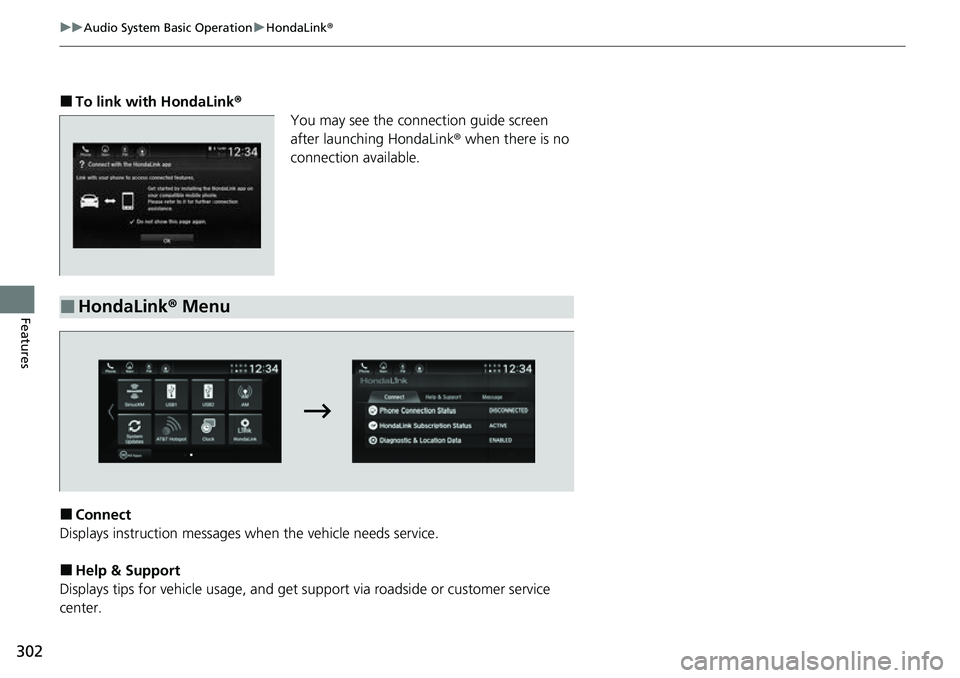
■To link with HondaLink ®
You may see the conne ction guide screen
after launching HondaLink ® when there is no
connection available.
■Connect
Displays instruction messages wh en the vehicle needs service.
■Help & Support
Displays tips for vehicle usage, and get support via roadside or customer service
center.
■HondaLink® Menu
Page 307 of 657
305
uuAudio System Basic Operation uHondaLink® Service*
Continued
Features
HondaLink® Service*
Is a subscription-based service that provides convenient features such as voice
communication in case of emergency, online security, and one-on-one operator
assistance.
■Automatic collis ion notification
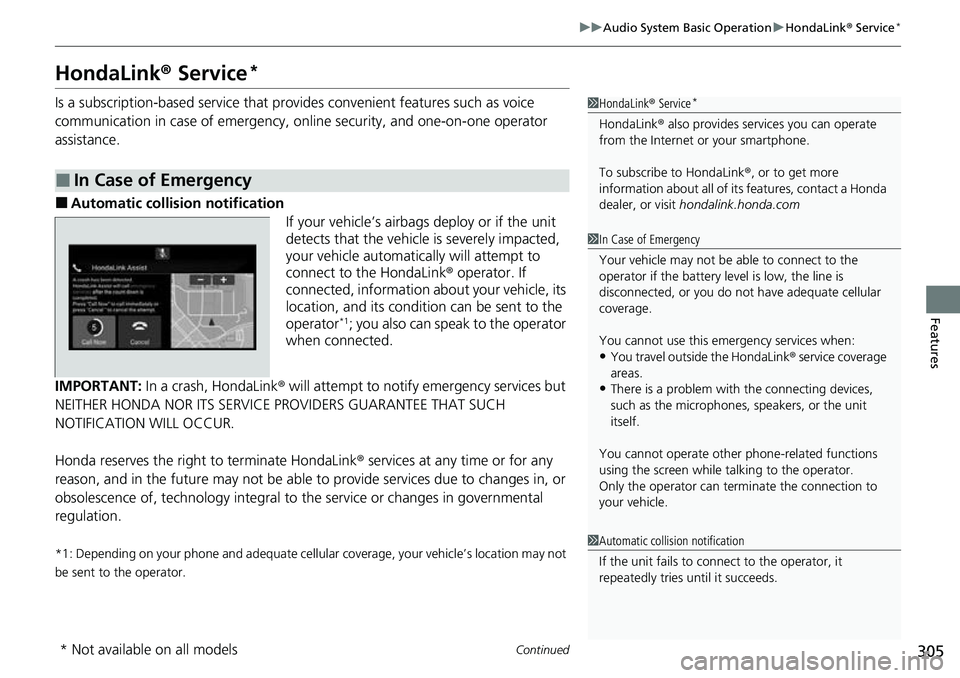
If your vehicle’s airbags deploy or if the unit
detects that the vehicle is severely impacted,
your vehicle automatically will attempt to
connect to the HondaLink ® operator. If
connected, information ab out your vehicle, its
location, and its condition can be sent to the
operator
*1; you also can speak to the operator
when connected.
IMPORTANT: In a crash, HondaLink® will attempt to notify emergency services but
NEITHER HONDA NOR ITS SERVICE PROVIDERS GUARANTEE THAT SUCH
NOTIFICATION WILL OCCUR.
Honda reserves the right to terminate HondaLink ® services at any time or for any
reason, and in the future may not be able to provide services due to changes in, or
obsolescence of, technology integral to the service or changes in governmental
regulation.
*1: Depending on your phone and adequate cellular coverage, your vehicle’s location may not
be sent to the operator.
■In Case of Emergency
1 HondaLink ® Service*
HondaLink ® also provides serv ices you can operate
from the Internet or your smartphone.
To subscribe to HondaLink ®, or to get more
information about all of it s features, contact a Honda
dealer, or visit hondalink.honda.com
1In Case of Emergency
Your vehicle may not be able to connect to the
operator if the battery level is low, the line is
disconnected, or you do not have adequate cellular
coverage.
You cannot use this emergency services when:
•You travel outside the HondaLink ® service coverage
areas.
•There is a problem with the connecting devices,
such as the microphones, speakers, or the unit
itself.
You cannot operate othe r phone-related functions
using the screen while talking to the operator.
Only the operator can terminate the connection to
your vehicle.
1 Automatic collision notification
If the unit fails to connect to the operator, it
repeatedly tries until it succeeds.
* Not available on all models
Page 308 of 657
uuAudio System Basic Operation uHondaLink ® Service*
306
Features
■Manual operator connection
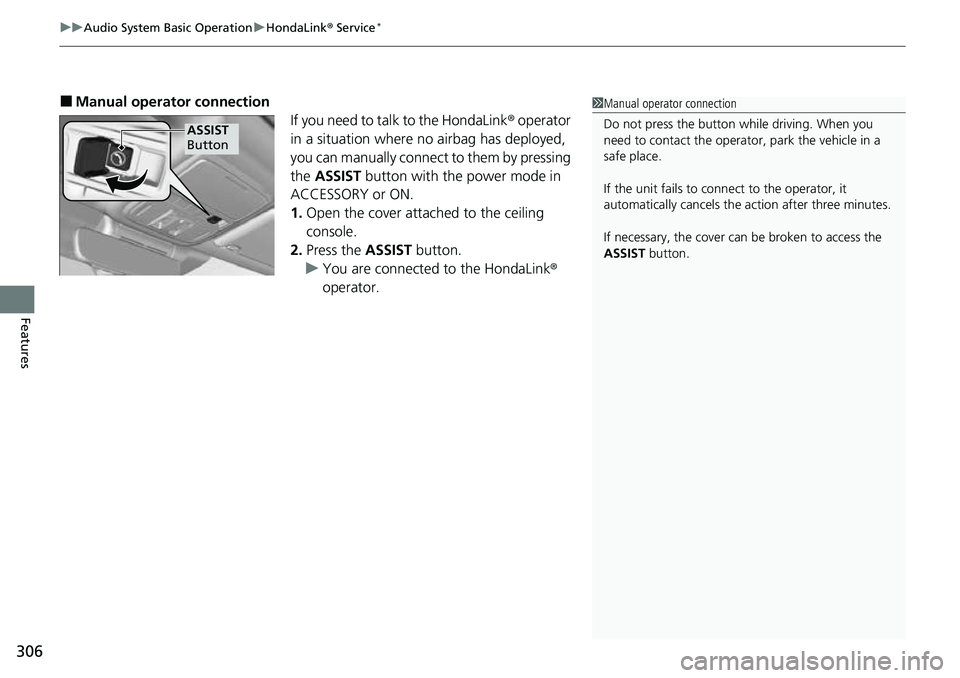
If you need to talk to the HondaLink ® operator
in a situation where no airbag has deployed,
you can manually connect to them by pressing
the ASSIST button with the power mode in
ACCESSORY or ON.
1. Open the cover attached to the ceiling
console.
2. Press the ASSIST button.
u You are connected to the HondaLink ®
operator.1 Manual operator connection
Do not press the button while driving. When you
need to contact the operato r, park the vehicle in a
safe place.
If the unit fails to connect to the operator, it
automatically cancels the action after three minutes.
If necessary, the cover can be broken to access the
ASSIST button.
ASSIST
Button