wheel HONDA ACCORD 2023 User Guide
[x] Cancel search | Manufacturer: HONDA, Model Year: 2023, Model line: ACCORD, Model: HONDA ACCORD 2023Pages: 533, PDF Size: 20.09 MB
Page 96 of 533
94
uuIndicators u
Instrument Panel
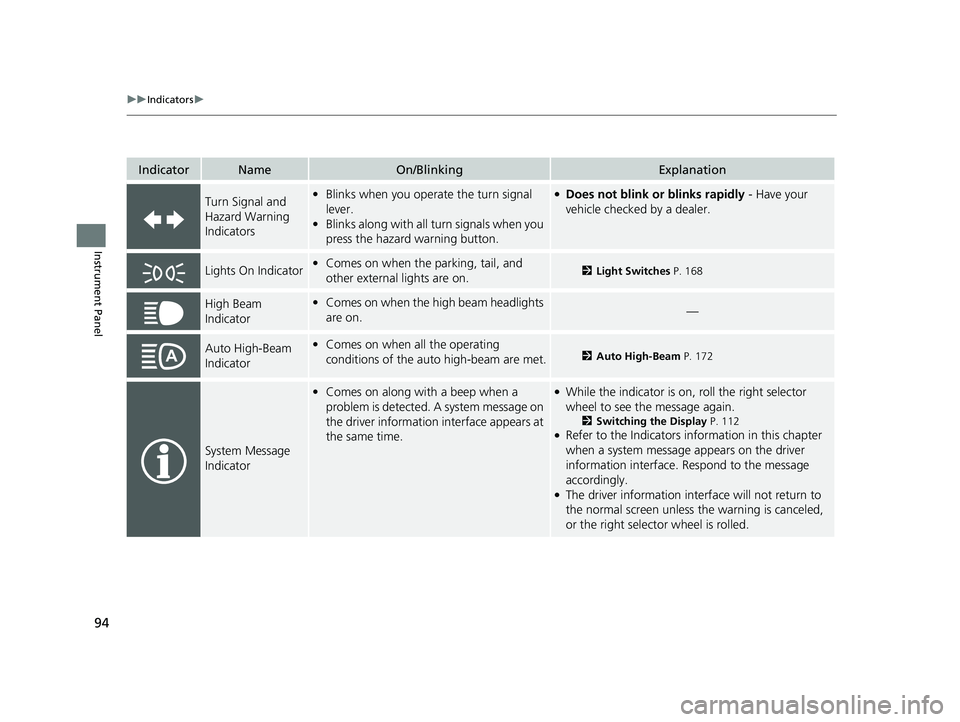
IndicatorNameOn/BlinkingExplanation
Turn Signal and
Hazard Warning
Indicators•Blinks when you oper ate the turn signal
lever.
• Blinks along with all turn signals when you
press the hazard warning button.●Does not blink or blinks rapidly - Have your
vehicle checked by a dealer.
Lights On Indicator• Comes on when the parking, tail, and
other external lights are on.2 Light Switches P. 168
High Beam
Indicator•Comes on when the high beam headlights
are on.—
Auto High-Beam
Indicator•Comes on when all the operating
conditions of the auto high-beam are met.2 Auto High-Beam P. 172
System Message
Indicator
•Comes on along with a beep when a
problem is detected. A system message on
the driver information interface appears at
the same time.●While the indicator is on, roll the right selector
wheel to see the message again.
2 Switching the Display P. 112●Refer to the Indicators in formation in this chapter
when a system message appears on the driver
information interface. Respond to the message
accordingly.
●The driver information interface will not return to
the normal screen unless the warning is canceled,
or the right selector wheel is rolled.
23 ACCORD 4D US PET MAP-3130A6000_01.book 94 ページ 2022年10月19日 水曜日 午前11時49分
Page 111 of 533
Continued109
uuGauges and Driver Information Interface uDriver Information Interface (Left Side Area)
Instrument Panel
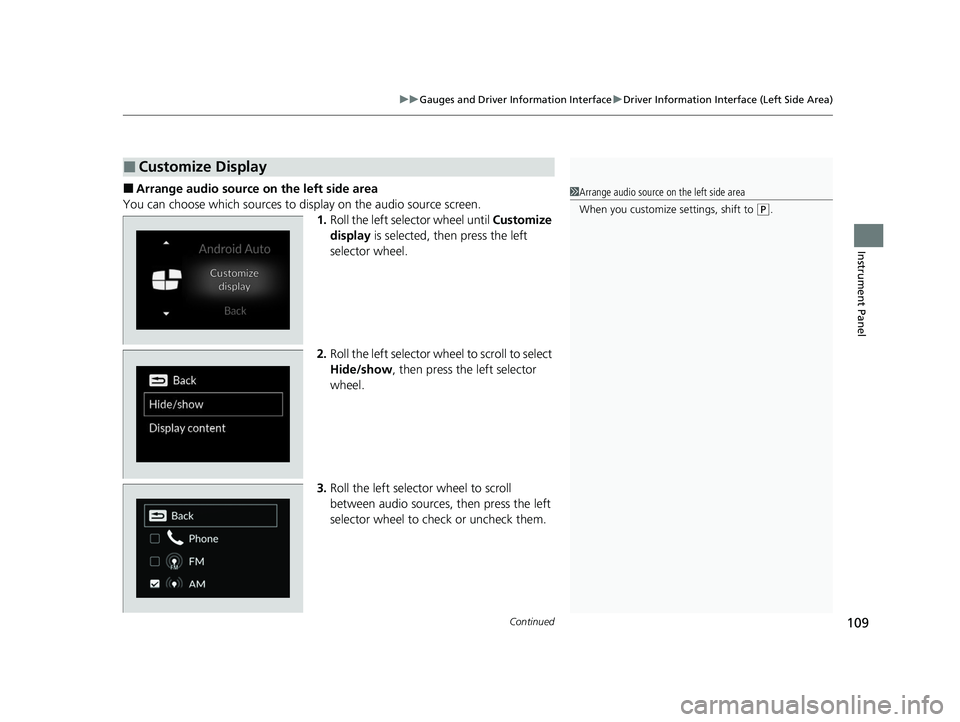
■Arrange audio source on the left side area
You can choose which sources to display on the audio source screen. 1.Roll the left selector wheel until Customize
display is selected, then press the left
selector wheel.
2. Roll the left selector wheel to scroll to select
Hide/show , then press the left selector
wheel.
3. Roll the left selector wheel to scroll
between audio sources, then press the left
selector wheel to check or uncheck them.
■Customize Display
1Arrange audio source on the left side area
When you customize settings, shift to
(P.
23 ACCORD 4D US PET MAP-3130A6000_01.book 109 ページ 2022年10月19日 水曜日 午前11時49分
Page 112 of 533
110
uuGauges and Driver Information Interface uDriver Information Interface (Left Side Area)
Instrument Panel
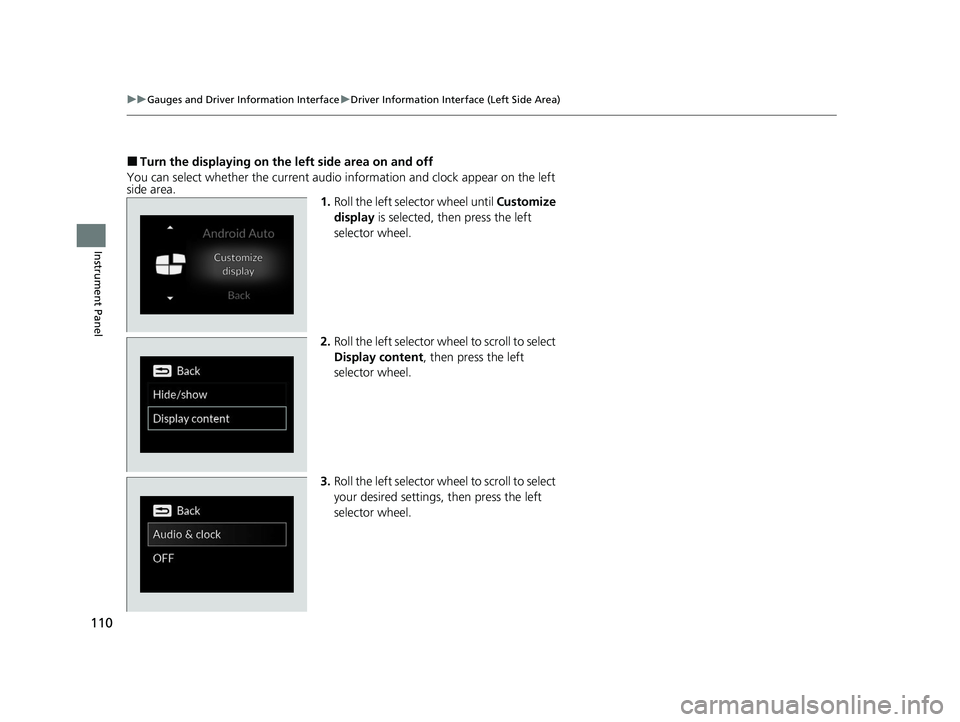
■Turn the displaying on the left side area on and off
You can select whether the current audio information and clock appear on the left
side area. 1.Roll the left selector wheel until Customize
display is selected, then press the left
selector wheel.
2. Roll the left selector wheel to scroll to select
Display content , then press the left
selector wheel.
3. Roll the left selector wheel to scroll to select
your desired settings, then press the left
selector wheel.
23 ACCORD 4D US PET MAP-3130A6000_01.book 110 ページ 2022年10月19日 水曜日 午前11時49分
Page 114 of 533
112
uuGauges and Driver Information Interface uDriver Information Interface (Right Side Area)
Instrument Panel
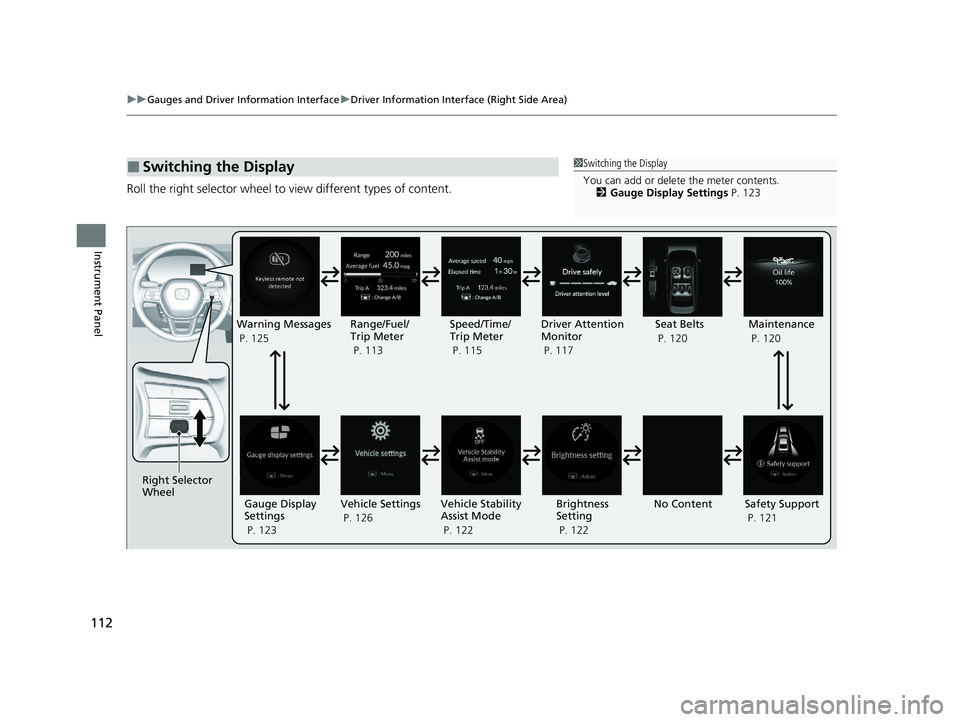
Roll the right selector wheel to view different types of content.
■Switching the Display1Switching the Display
You can add or delete the meter contents.
2 Gauge Display Settings P. 123
Right Selector
Wheel
No ContentMaintenance
P. 120
Safety Support
P. 121
Vehicle Settings
P. 126 Vehicle Stability
Assist Mode
P. 122 Brightness
Setting
P. 122
Warning Messages
P. 125
Range/Fuel/
Trip Meter
P. 113 Driver Attention
Monitor
P. 117
Speed/Time/
Trip Meter
P. 115
Gauge Display
Settings
P. 123 Seat Belts
P. 120
23 ACCORD 4D US PET MAP-3130A6000_01.book 112 ページ 2022年10月19日 水曜日 午前11時49分
Page 115 of 533
113
uuGauges and Driver Information Interface uDriver Information Interface (Right Side Area)
Continued
Instrument Panel
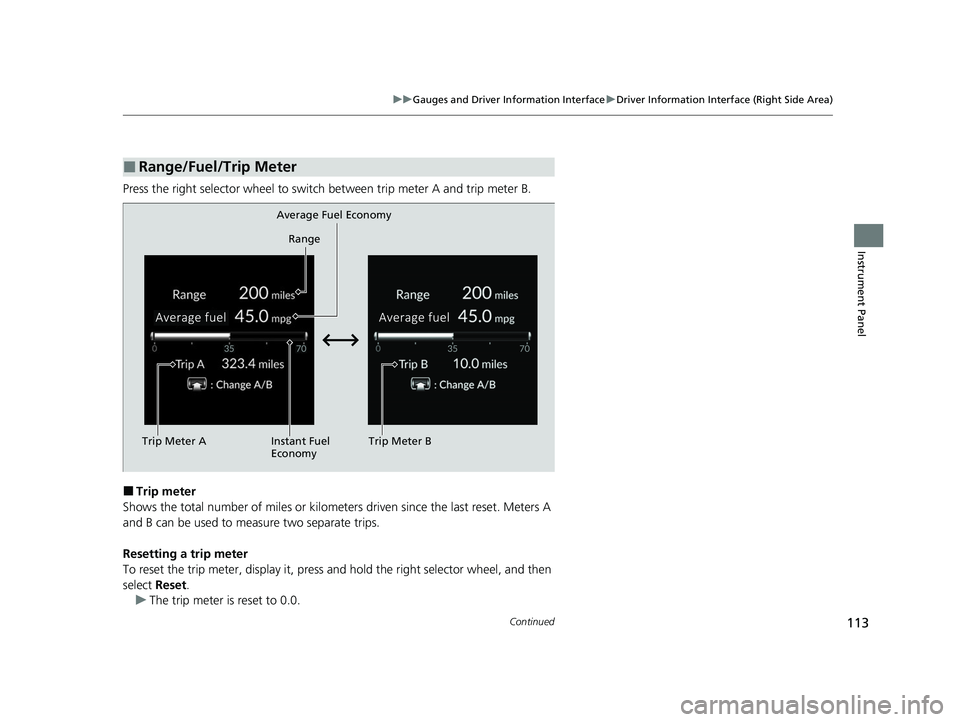
Press the right selector wheel to switch between trip meter A and trip meter B.
■Trip meter
Shows the total number of miles or kilomete rs driven since the last reset. Meters A
and B can be used to measure two separate trips.
Resetting a trip meter
To reset the trip meter, display it, press and hold the right sele ctor wheel, and then
select Reset.
u The trip meter is reset to 0.0.
■Range/Fuel/Trip Meter
Trip Meter A Range
Average Fuel Economy
Instant Fuel
Economy Trip Meter B
23 ACCORD 4D US PET MAP-3130A6000_01.book 113 ページ 2022年10月19日 水曜日 午前11時49分
Page 117 of 533
115
uuGauges and Driver Information Interface uDriver Information Interface (Right Side Area)
Continued
Instrument Panel
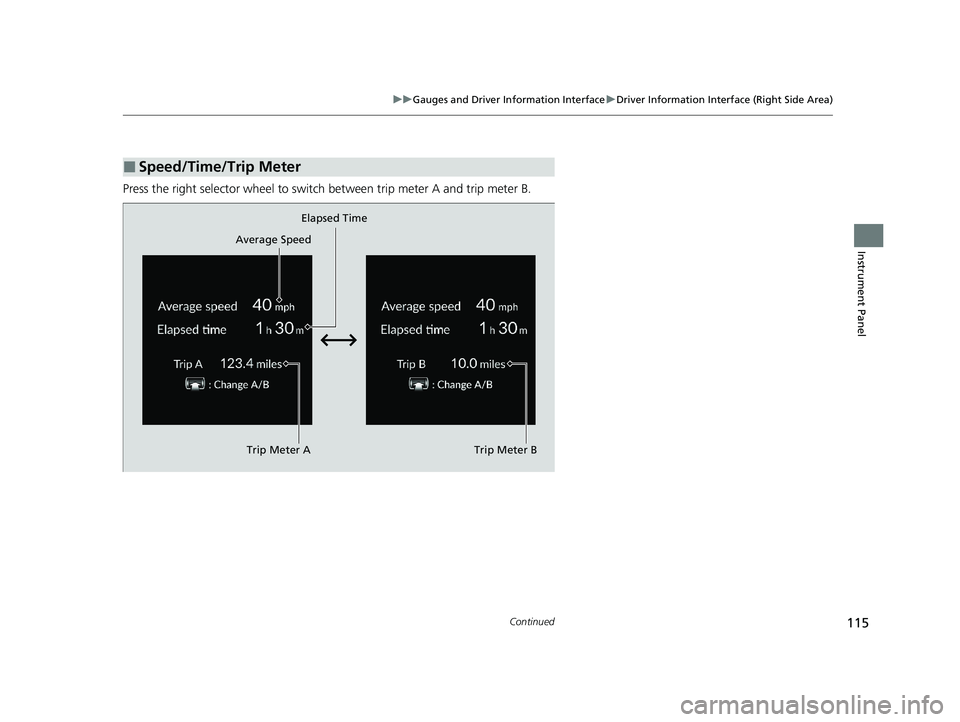
Press the right selector wheel to switch between trip meter A and trip meter B.
■Speed/Time/Trip Meter
Trip Meter AElapsed Time
Trip Meter B
Average Speed
23 ACCORD 4D US PET MAP-3130A6000_01.book 115 ページ 2022年10月19日 水曜日 午前11時49分
Page 119 of 533
Continued117
uuGauges and Driver Information Interface uDriver Information Interface (Right Side Area)
Instrument Panel
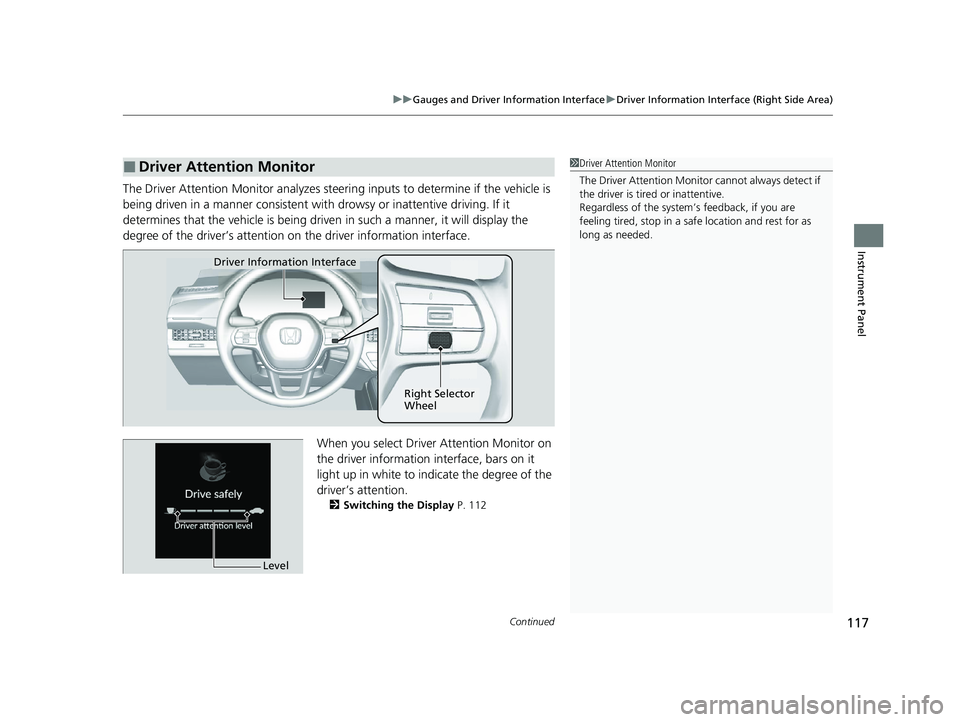
The Driver Attention Monitor analyzes steering inputs to determine if the vehicle is
being driven in a manner consistent with drowsy or inattentive driving. If it
determines that the vehicle is being driven in such a manner, it will display the
degree of the driver’s attention on the driver information interface.
When you select Driver Attention Monitor on
the driver information in terface, bars on it
light up in white to indicate the degree of the
driver’s attention.
2 Switching the Display P. 112
■Driver Attention Monitor1Driver Attention Monitor
The Driver Attenti on Monitor cannot always detect if
the driver is tired or inattentive.
Regardless of the system’s feedback, if you are
feeling tired, stop in a safe location and rest for as
long as needed.
Driver Information Interface
Right Selector
Wheel
Level
23 ACCORD 4D US PET MAP-3130A6000_01.book 117 ページ 2022年10月19日 水曜日 午前11時49分
Page 120 of 533
118
uuGauges and Driver Information Interface uDriver Information Interface (Right Side Area)
Instrument Panel
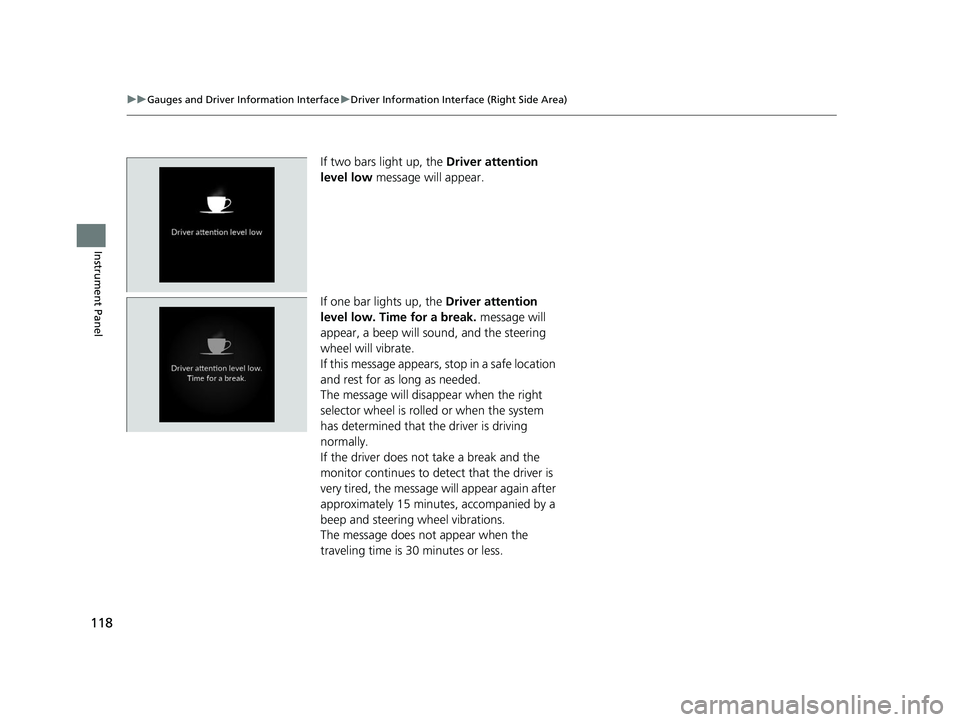
If two bars light up, the Driver attention
level low message will appear.
If one bar lights up, the Driver attention
level low. Time for a break. message will
appear, a beep will sound, and the steering
wheel will vibrate.
If this message appears, stop in a safe location
and rest for as long as needed.
The message will disappear when the right
selector wheel is rolled or when the system
has determined that the driver is driving
normally.
If the driver does not take a break and the
monitor continues to detect that the driver is
very tired, the message will appear again after
approximately 15 minutes, accompanied by a
beep and steering wheel vibrations.
The message does not appear when the
traveling time is 30 minutes or less.
23 ACCORD 4D US PET MAP-3130A6000_01.book 118 ページ 2022年10月19日 水曜日 午前11時49分
Page 123 of 533
Continued121
uuGauges and Driver Information Interface uDriver Information Interface (Right Side Area)
Instrument Panel
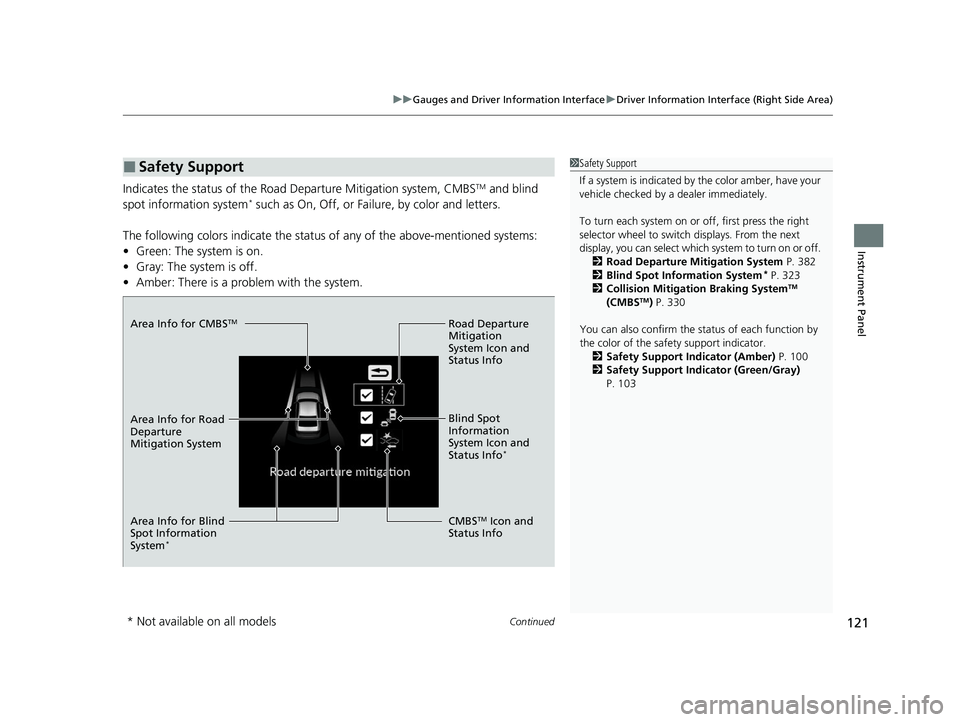
Indicates the status of the Road Departure Mitigation system, CMBSTM and blind
spot information system* such as On, Off, or Failure, by color and letters.
The following colors indica te the status of any of the above-mentioned systems:
• Green: The system is on.
• Gray: The system is off.
• Amber: There is a problem with the system.
■Safety Support1Safety Support
If a system is indicated by the color amber, have your
vehicle checked by a dealer immediately.
To turn each system on or off, first press the right
selector wheel to switch displays. From the next
display, you can select which system to turn on or off. 2 Road Departure Mitigation System P. 382
2 Blind Spot Information System
* P. 323
2 Collision Mitigation Braking SystemTM
(CMBSTM) P. 330
You can also confirm the st atus of each function by
the color of the safe ty support indicator.
2 Safety Support Indicator (Amber) P. 100
2 Safety Support Indicator (Green/Gray)
P. 103
Area Info for CMBSTM
Area Info for Blind
Spot Information
System
*
Area Info for Road
Departure
Mitigation System Road Departure
Mitigation
System Icon and
Status Info
CMBS
TM Icon and
Status Info Blind Spot
Information
System Icon and
Status Info
*
* Not available on all models
23 ACCORD 4D US PET MAP-3130A6000_01.book 121 ページ 2022年10月19日 水曜日 午前11時49分
Page 124 of 533
uuGauges and Driver Information Interface uDriver Information Interface (Right Side Area)
122
Instrument Panel
Display the adjustment for instrument panel brightness.
When the power mode is in ON, you can use the right selector wheel to adjust
instrument panel brightness.
Brighten: Roll the right selector wheel up.
Dim: Roll the right selector wheel down.
Press the right selector wheel to exit.
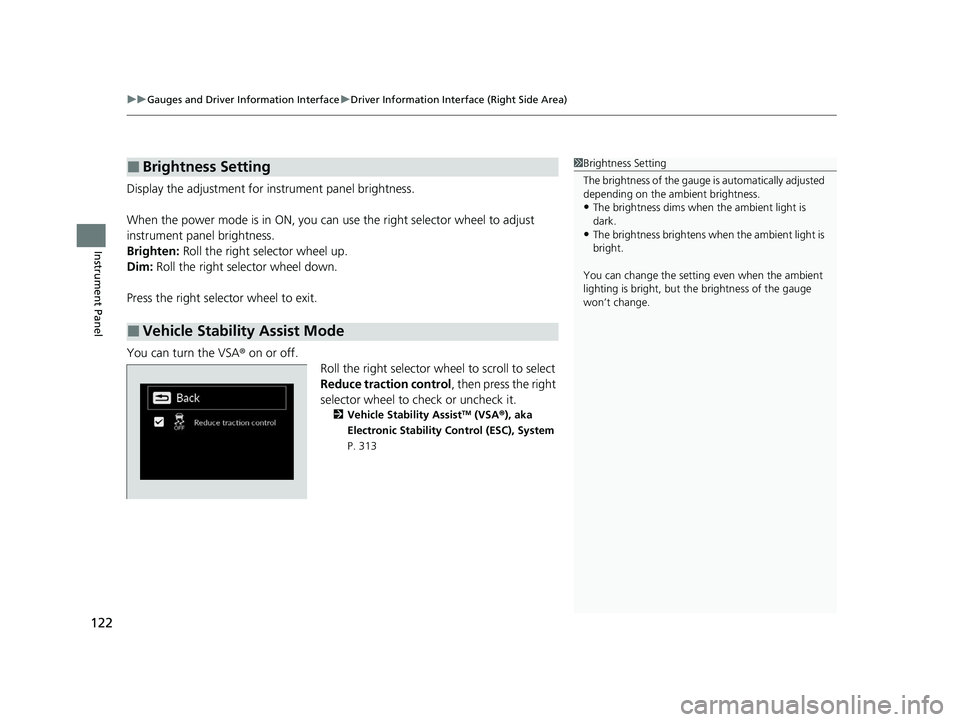
You can turn the VSA® on or off. Roll the right selector wheel to scroll to select
Reduce traction control, then press the right
selector wheel to check or uncheck it.
2 Vehicle Stability AssistTM (VSA ®), aka
Electronic Stability Control (ESC), System
P. 313
■Brightness Setting
■Vehicle Stability Assist Mode
1 Brightness Setting
The brightness of the gauge is automatically adjusted
depending on the ambient brightness.
•The brightness dims when the ambient light is
dark.
•The brightness brightens when the ambient light is
bright.
You can change the setting even when the ambient
lighting is bright, but the brightness of the gauge
won’t change.
23 ACCORD 4D US PET MAP-3130A6000_01.book 122 ページ 2022年10月19日 水曜日 午前11時49分