wheel HONDA ACCORD 2023 Owner's Manual
[x] Cancel search | Manufacturer: HONDA, Model Year: 2023, Model line: ACCORD, Model: HONDA ACCORD 2023Pages: 533, PDF Size: 20.09 MB
Page 125 of 533
123
uuGauges and Driver Information Interface uDriver Information Interface (Right Side Area)
Continued
Instrument Panel
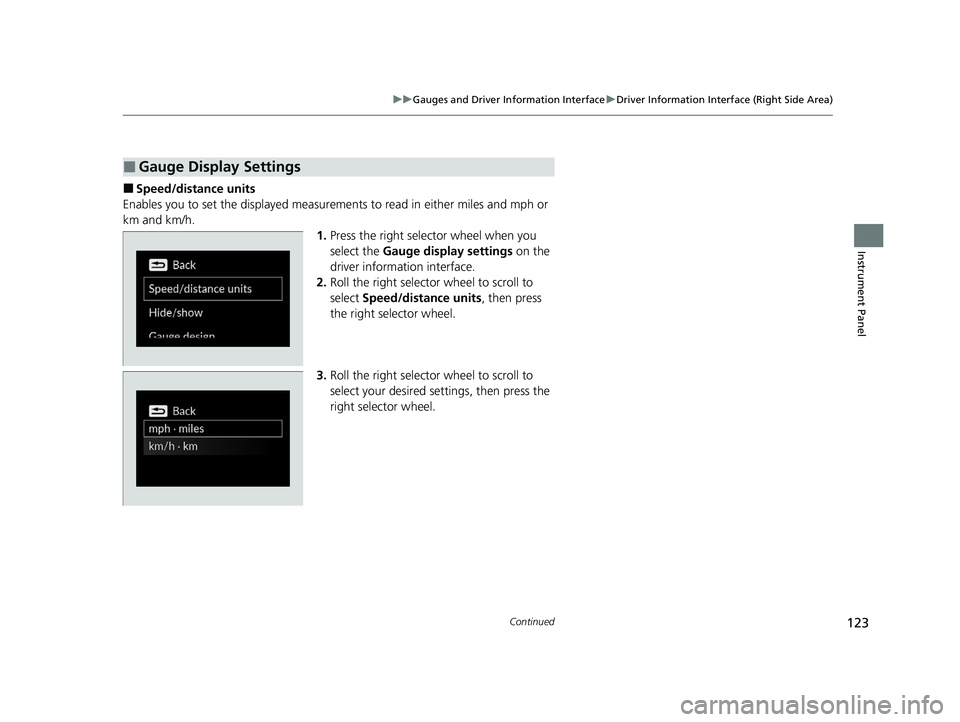
■Speed/distance units
Enables you to set the displa yed measurements to read in either miles and mph or
km and km/h. 1.Press the right selector wheel when you
select the Gauge display settings on the
driver information interface.
2. Roll the right selector wheel to scroll to
select Speed/distance units, then press
the right selector wheel.
3. Roll the right selector wheel to scroll to
select your desired settings, then press the
right selector wheel.
■Gauge Display Settings
23 ACCORD 4D US PET MAP-3130A6000_01.book 123 ページ 2022年10月19日 水曜日 午前11時49分
Page 126 of 533
uuGauges and Driver Information Interface uDriver Information Interface (Right Side Area)
124
Instrument Panel
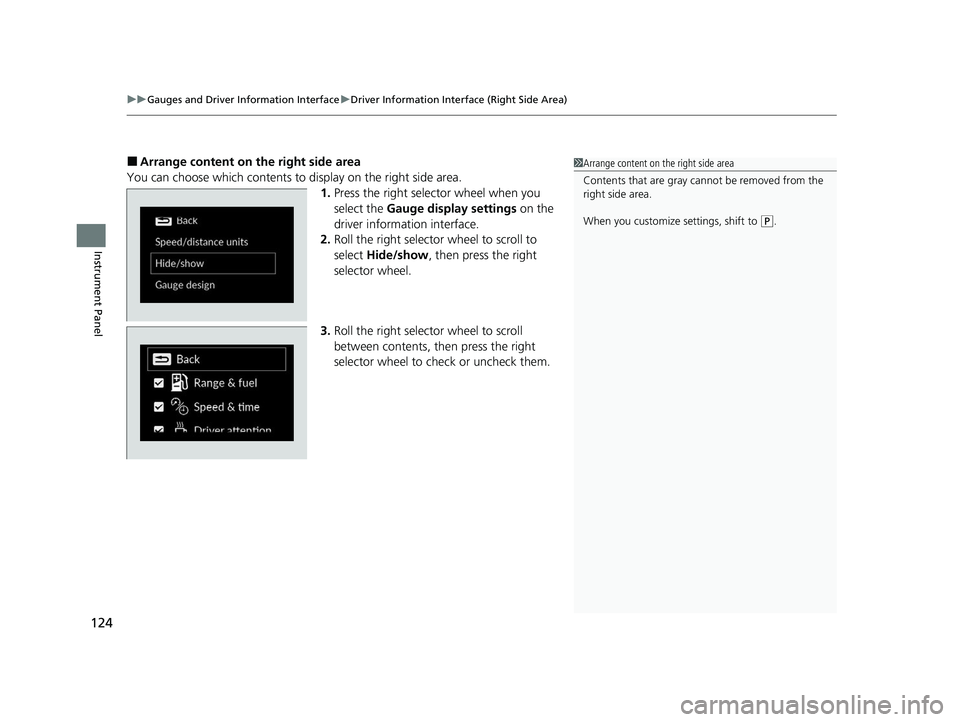
■Arrange content on the right side area
You can choose which contents to display on the right side area. 1.Press the right selector wheel when you
select the Gauge display settings on the
driver information interface.
2. Roll the right selector wheel to scroll to
select Hide/show , then press the right
selector wheel.
3. Roll the right selector wheel to scroll
between contents, th en press the right
selector wheel to check or uncheck them.1 Arrange content on the right side area
Contents that are gray ca nnot be removed from the
right side area.
When you customize settings, shift to
( P.
23 ACCORD 4D US PET MAP-3130A6000_01.book 124 ページ 2022年10月19日 水曜日 午前11時49分
Page 127 of 533
Continued125
uuGauges and Driver Information Interface uDriver Information Interface (Right Side Area)
Instrument Panel
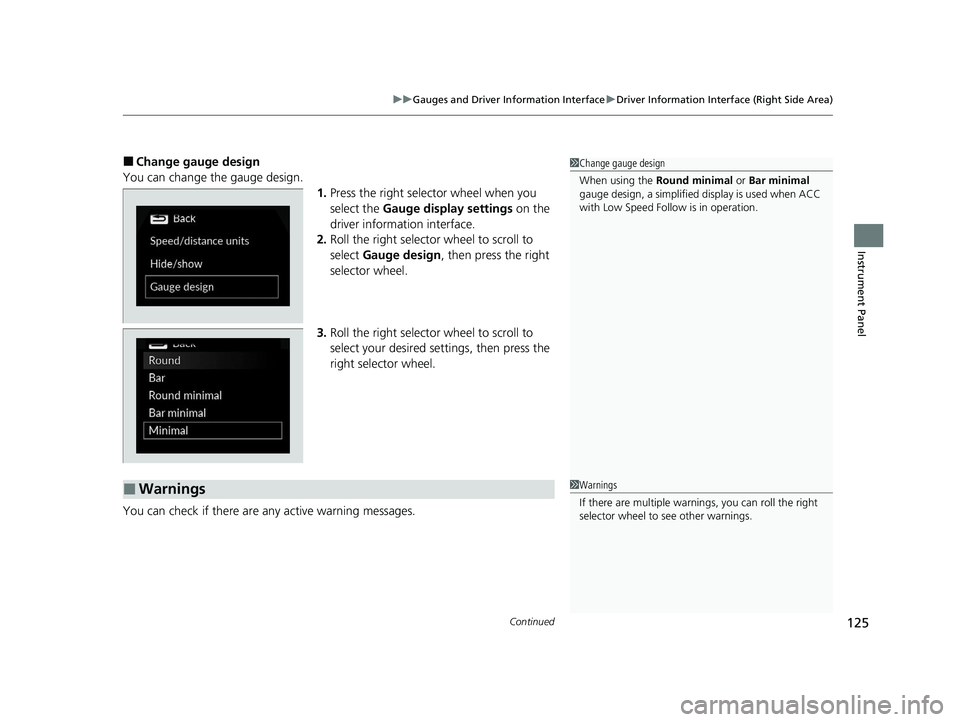
■Change gauge design
You can change the gauge design. 1.Press the right selector wheel when you
select the Gauge display settings on the
driver information interface.
2. Roll the right selector wheel to scroll to
select Gauge design , then press the right
selector wheel.
3. Roll the right selector wheel to scroll to
select your desired settings, then press the
right selector wheel.
You can check if there are any active warning messages.1 Change gauge design
When using the Round minimal or Bar minimal
gauge design, a simplified display is used when ACC
with Low Speed Follow is in operation.
■Warnings1 Warnings
If there are multiple warnings, you can roll the right
selector wheel to see other warnings.
23 ACCORD 4D US PET MAP-3130A6000_01.book 125 ページ 2022年10月19日 水曜日 午前11時49分
Page 128 of 533
uuGauges and Driver Information Interface uDriver Information Interface (Right Side Area)
126
Instrument Panel
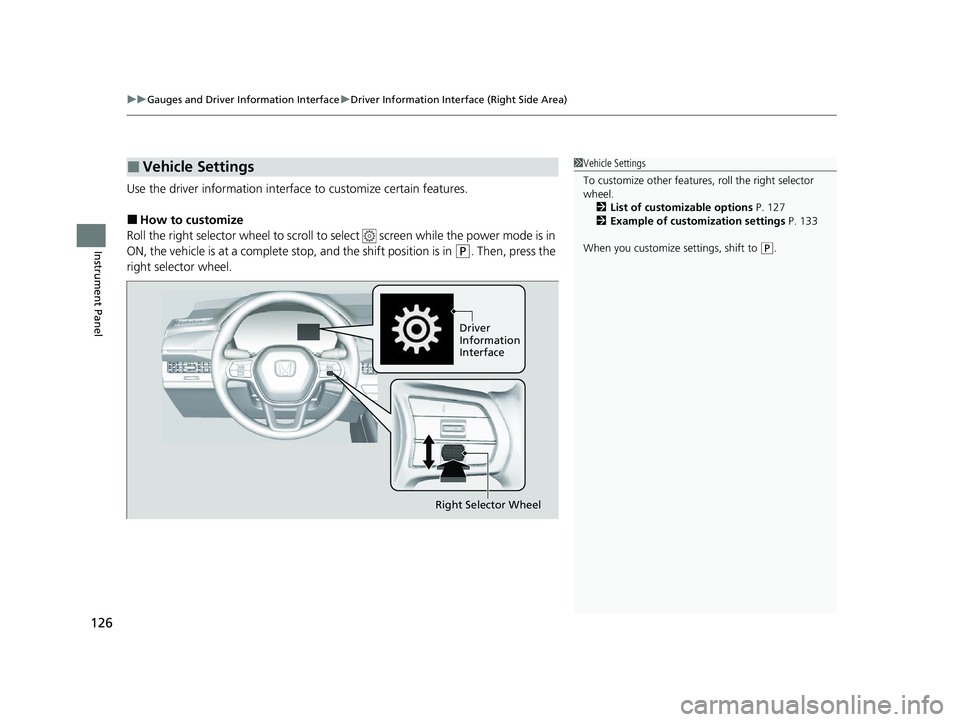
Use the driver information interfac e to customize certain features.
■How to customize
Roll the right selector wheel to scroll to se lect screen while the power mode is in
ON, the vehicle is at a complete stop, and the shift position is in
(P. Then, press the
right selector wheel.
■Vehicle Settings1 Vehicle Settings
To customize other features , roll the right selector
wheel.
2 List of customizable options P. 127
2 Example of customization settings P. 133
When you customize settings, shift to
( P.
Driver
Information
Interface
Right Selector Wheel
23 ACCORD 4D US PET MAP-3130A6000_01.book 126 ページ 2022年10月19日 水曜日 午前11時49分
Page 135 of 533
133
uuGauges and Driver Information Interface uDriver Information Interface (Right Side Area)
Continued
Instrument Panel
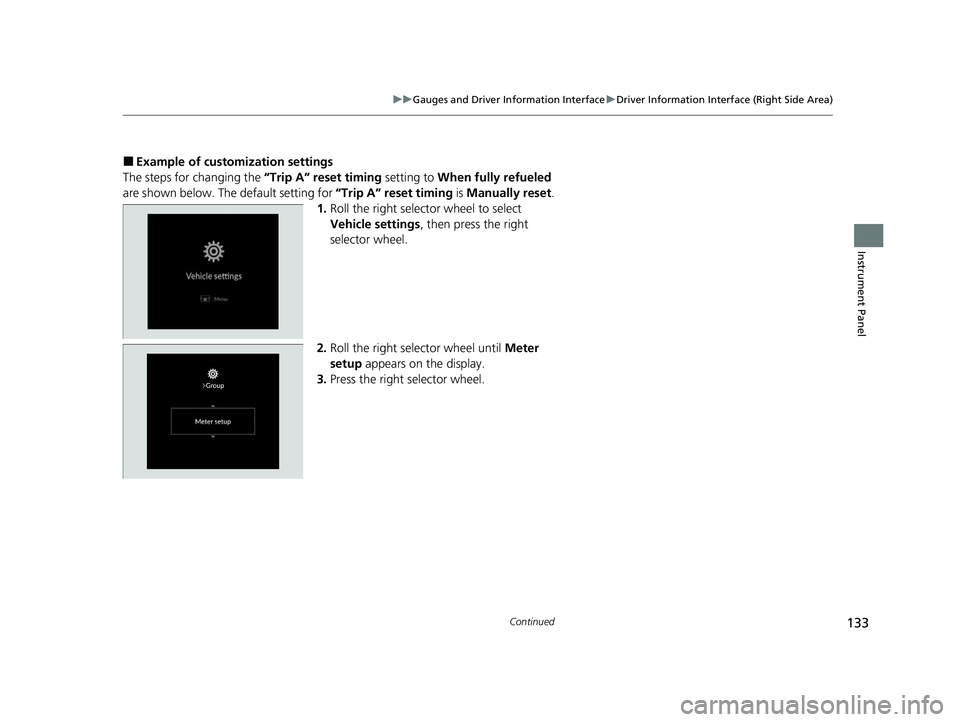
■Example of customization settings
The steps for changing the “Trip A” reset timing setting to When fully refueled
are shown below. The default setting for “Trip A” reset timing is Manually reset .
1. Roll the right selector wheel to select
Vehicle settings , then press the right
selector wheel.
2. Roll the right selector wheel until Meter
setup appears on the display.
3. Press the right selector wheel.
23 ACCORD 4D US PET MAP-3130A6000_01.book 133 ページ 2022年10月19日 水曜日 午前11時49分
Page 136 of 533
134
uuGauges and Driver Information Interface uDriver Information Interface (Right Side Area)
Instrument Panel
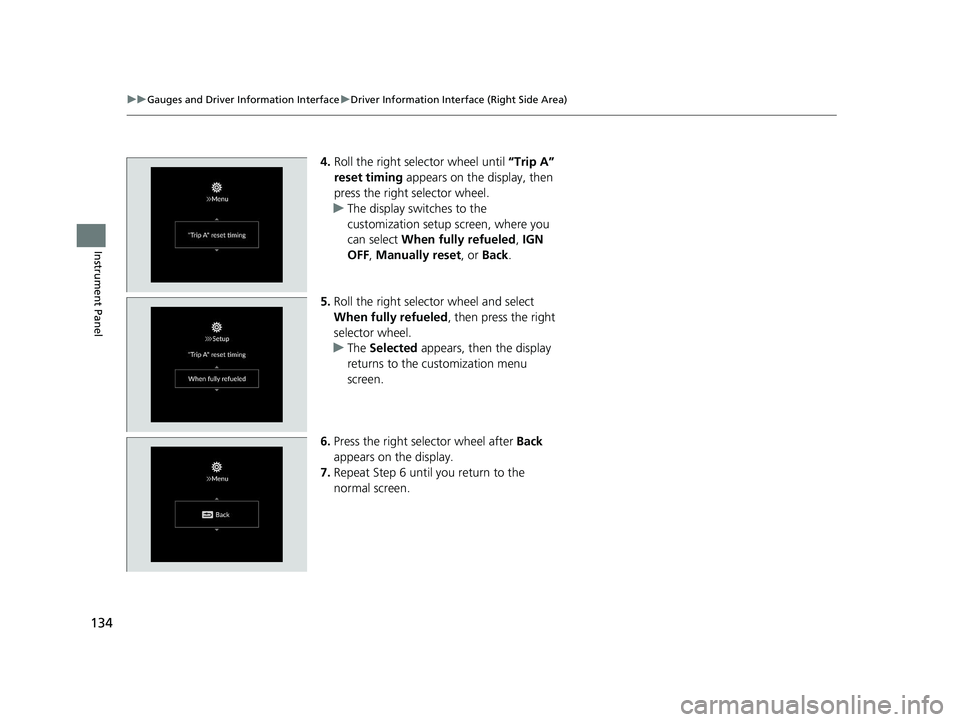
4. Roll the right selector wheel until “Trip A”
reset timing appears on the display, then
press the right selector wheel.
u The display switches to the
customization setup screen, where you
can select When fully refueled , IGN
OFF , Manually reset , or Back.
5. Roll the right selector wheel and select
When fully refueled , then press the right
selector wheel.
u The Selected appears, then the display
returns to the customization menu
screen.
6. Press the right selector wheel after Back
appears on the display.
7. Repeat Step 6 until you return to the
normal screen.
23 ACCORD 4D US PET MAP-3130A6000_01.book 134 ページ 2022年10月19日 水曜日 午前11時49分
Page 137 of 533
135
Controls
This chapter explains how to operate the various controls necessary for driving.
Clock.................................................. 136
Locking and Unlocking the Doors Key .................................................. 137
Low Keyless Remote Signal Strength ... 139
Locking/Unlocking the Doors from the Outside .......................................... 140
Locking/Unlocking the Doors from the Inside ............................................. 149
Childproof Door Locks ..................... 151
Auto Door Locking/Unlocking .......... 152
Opening and Closing the Trunk ....... 153Security System
Immobilizer System .......................... 156
Security System Alarm...................... 156
Windows ........................................... 159
Moonroof
*........................................ 162
Operating the Switches Around the Steering Wheel ENGINE START/STOP Button............. 164
Turn Signals ..................................... 167
Light Switches.................................. 168
Daytime Running Lights ................... 171
Auto High-Beam .............................. 172 Wipers and Washers ........................ 175
Rear Defogger/Heated Door Mirror
*
Button ........................................... 177
Adjusting the Steering Wheel .......... 178
Mirrors Interior Rearview Mirror ................... 179
Power Door Mirrors ......................... 180
Seats .................................................. 181
Interior Convenience Items .............. 190
Climate Control System Using Automatic Climate Control .... 199
Automatic Climate Control Sensors ... 204
* Not available on all models
23 ACCORD 4D US PET MAP-3130A6000_01.book 135 ページ 2022年10月19日 水曜日 午前11時49分
Page 166 of 533
164
Controls
Operating the Switches Around the Steering Wheel
ENGINE START/STOP Button
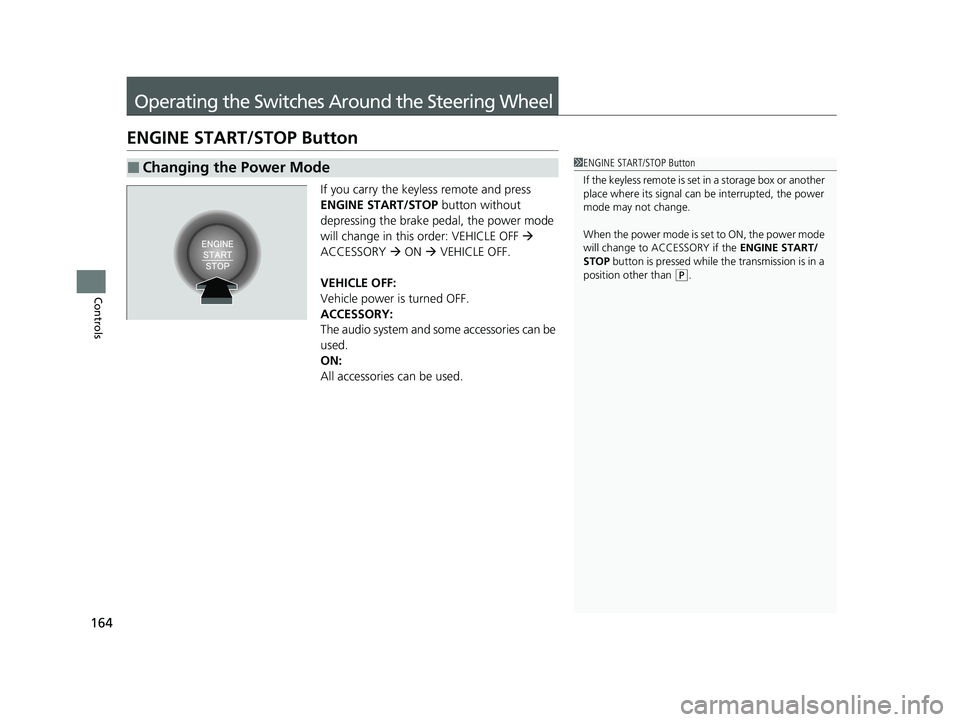
If you carry the keyless remote and press
ENGINE START/STOP button without
depressing the brake pedal, the power mode
will change in this order: VEHICLE OFF
ACCESSORY ON VEHICLE OFF.
VEHICLE OFF:
Vehicle power is turned OFF.
ACCESSORY:
The audio system and some accessories can be
used.
ON:
All accessories can be used.
■Changing the Power Mode1 ENGINE START/STOP Button
If the keyless remote is set in a storage box or another
place where its signal can be interrupted, the power
mode may not change.
When the power mode is set to ON, the power mode
will change to ACCESSORY if the ENGINE START/
STOP button is pressed while th e transmission is in a
position other than
( P.
23 ACCORD 4D US PET MAP-3130A6000_01.book 164 ページ 2022年10月19日 水曜日 午前11時49分
Page 167 of 533
165
uuOperating the Switches Around the Steering Wheel uENGINE START/STOP Button
Continued
Controls
If you leave the vehicle for 30 to 60 minutes with the transmission in (P and the
power mode in ACCESSORY, the vehicle automa tically goes into the mode similar to
VEHICLE OFF to avoid draining the battery.
If you open the driver’s door when the pow er mode is set to ACCESSORY, a warning
buzzer sounds.
■Automatic Power Off
■Power Mode Reminder
23 ACCORD 4D US PET MAP-3130A6000_01.book 165 ページ 2022年10月19日 水曜日 午前11時49分
Page 168 of 533
uuOperating the Switches Around the Steering Wheel uENGINE START/STOP Button
166
Controls
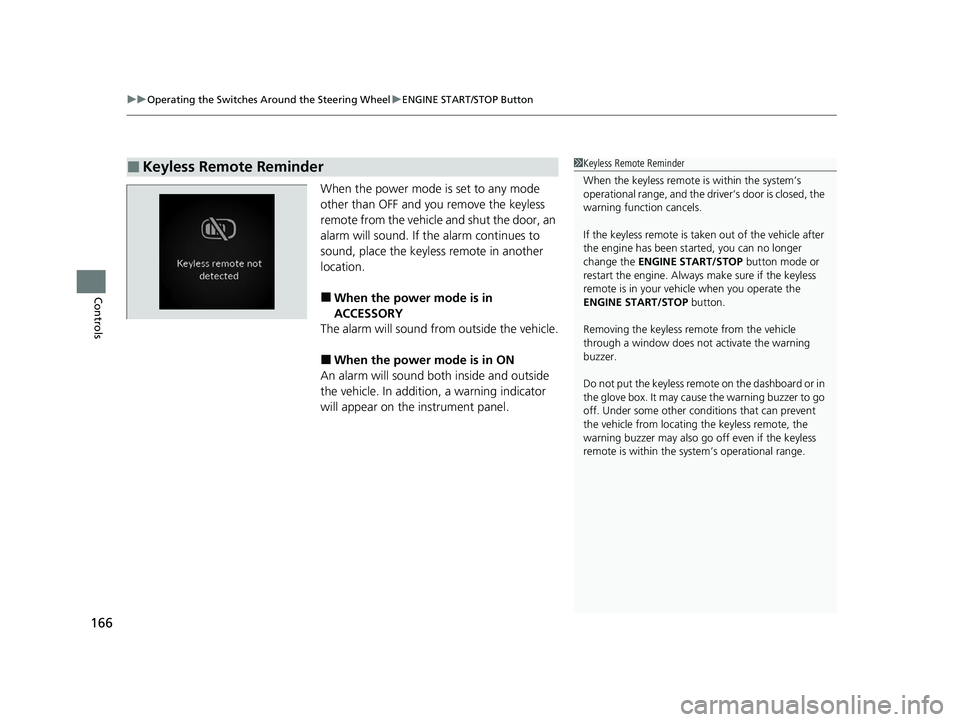
When the power mode is set to any mode
other than OFF and you remove the keyless
remote from the vehicle and shut the door, an
alarm will sound. If th e alarm continues to
sound, place the keyless remote in another
location.
■When the power mode is in
ACCESSORY
The alarm will sound from outside the vehicle.
■When the power mode is in ON
An alarm will sound both inside and outside
the vehicle. In addition, a warning indicator
will appear on the instrument panel.
■Keyless Remote Reminder1 Keyless Remote Reminder
When the keyless remote is within the system’s
operational range, and the driv er’s door is closed, the
warning function cancels.
If the keyless remote is taken out of the vehicle after
the engine has been st arted, you can no longer
change the ENGINE START/STOP button mode or
restart the engine. Always make sure if the keyless
remote is in your vehi cle when you operate the
ENGINE START/STOP button.
Removing the keyless remote from the vehicle
through a window does not activate the warning
buzzer.
Do not put the keyless remo te on the dashboard or in
the glove box. It may cause the warning buzzer to go
off. Under some other cond itions that can prevent
the vehicle from locating the keyless remote, the
warning buzzer may also go off even if the keyless
remote is within the system’s operational range.
23 ACCORD 4D US PET MAP-3130A6000_01.book 166 ページ 2022年10月19日 水曜日 午前11時49分