change time HONDA ACCORD 2023 Owner's Manual
[x] Cancel search | Manufacturer: HONDA, Model Year: 2023, Model line: ACCORD, Model: HONDA ACCORD 2023Pages: 533, PDF Size: 20.09 MB
Page 262 of 533
260
uuCustomized Features u
Features
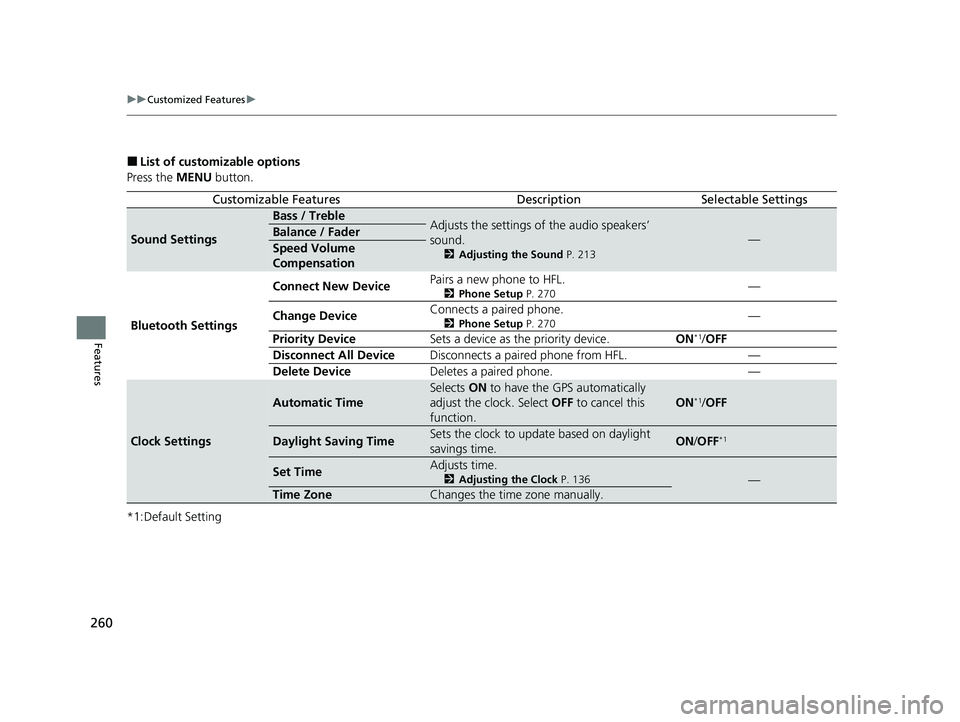
■List of customizable options
Press the MENU button.
*1:Default Setting
Customizable FeaturesDescriptionSelectable Settings
Sound Settings
Bass / TrebleAdjusts the settings of the audio speakers’
sound.
2 Adjusting the Sound P. 213
—Balance / Fader
Speed Volume
Compensation
Bluetooth Settings Connect New Device
Pairs a new phone to HFL.
2
Phone Setup P. 270—
Change Device Connects a paired phone.
2
Phone Setup P. 270—
Priority Device Sets a device as the priority device. ON
*1/OFF
Disconnect All Device Disconnects a paired phone from HFL. —
Delete Device Deletes a paired phone. —
Clock Settings
Automatic Time
Selects ON to have the GPS automatically
adjust the clock. Select OFF to cancel this
function.
ON*1/ OFF
Daylight Saving TimeSets the clock to update based on daylight
savings time.ON /OFF*1
Set TimeAdjusts time.
2 Adjusting the Clock P. 136—
Time ZoneChanges the time zone manually.
23 ACCORD 4D US PET MAP-3130A6000_01.book 260 ページ 2022年10月19日 水曜日 午前11時49分
Page 263 of 533
261
uuCustomized Features u
Continued
Features
*1:Default Setting
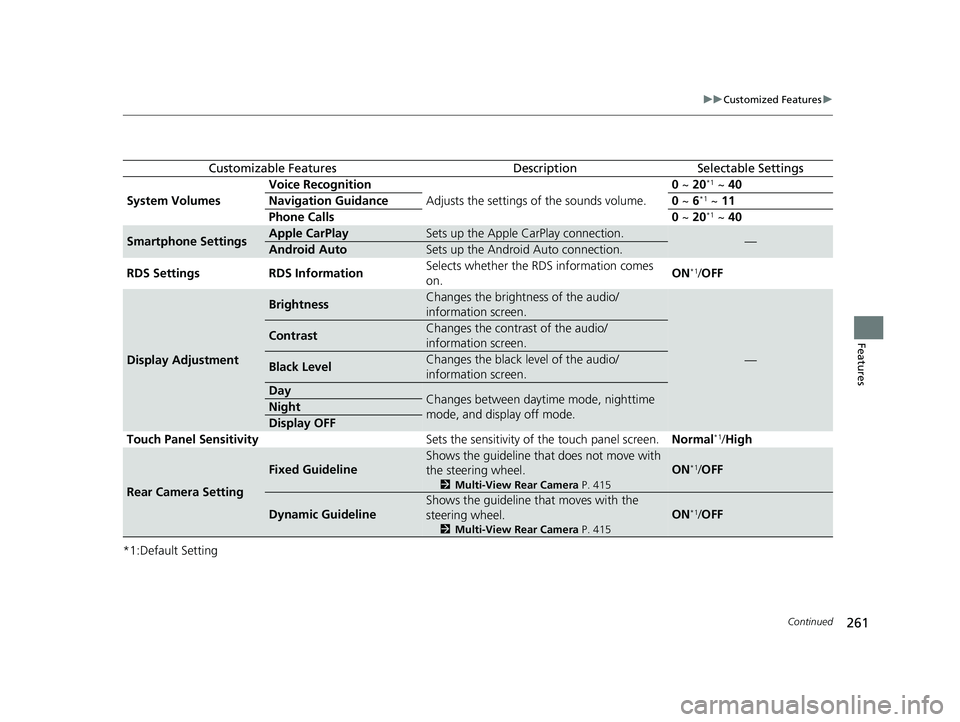
Customizable FeaturesDescriptionSelectable Settings
System Volumes Voice Recognition
Adjusts the settings of the sounds volume. 0
~ 20*1 ~ 40
Navigation Guidance 0 ~ 6*1 ~ 11
Phone Calls 0 ~ 20*1 ~ 40
Smartphone SettingsApple CarPlaySets up the Apple CarPlay connection.—Android AutoSets up the Android Auto connection.
RDS Settings RDS Information Selects whether the RDS information comes
on.ON
*1/
OFF
Display Adjustment
BrightnessChanges the brightness of the audio/
information screen.
—
ContrastChanges the contrast of the audio/
information screen.
Black LevelChanges the black level of the audio/
information screen.
DayChanges between daytime mode, nighttime
mode, and display off mode.Night
Display OFF
Touch Panel Sensitivity Sets the sensitivity of the touch panel screen.Normal*1/High
Rear Camera Setting
Fixed Guideline
Shows the guideline that does not move with
the steering wheel.
2 Multi-View Rear Camera P. 415
ON*1/OFF
Dynamic Guideline
Shows the guideline th at moves with the
steering wheel.
2 Multi-View Rear Camera P. 415
ON*1/OFF
23 ACCORD 4D US PET MAP-3130A6000_01.book 261 ページ 2022年10月19日 水曜日 午前11時49分
Page 325 of 533
323
uuWhen Driving uBlind Spot Information System*
Continued
Driving
Blind Spot Information System*
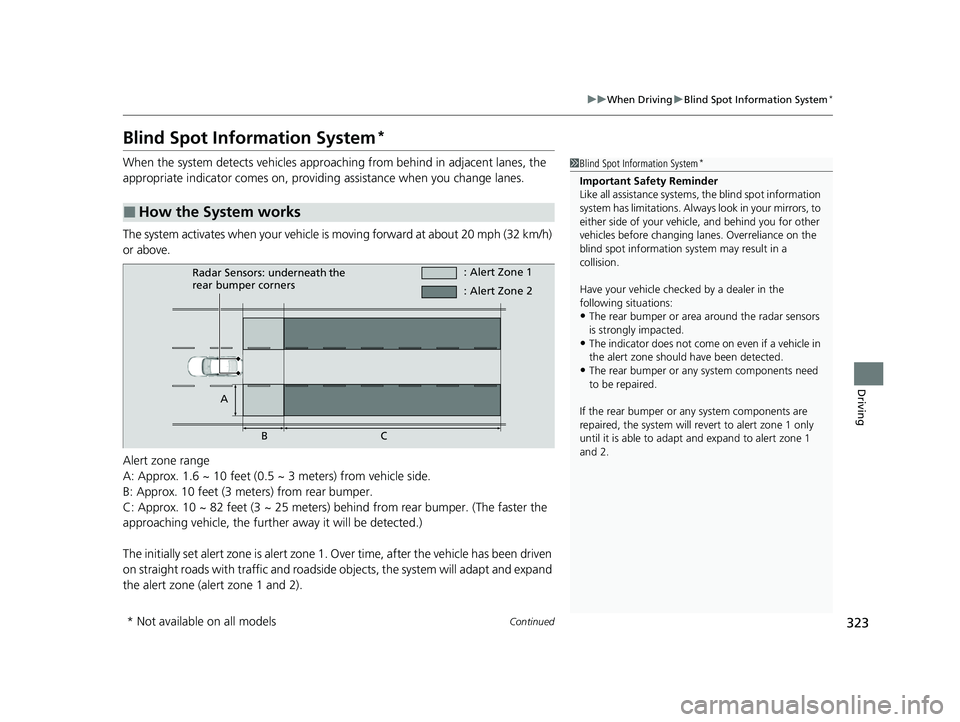
When the system detects vehicles approaching from behind in adjacent lanes, the
appropriate indicator comes on, providin g assistance when you change lanes.
The system activates when your vehicle is moving forward at about 20 mph (32 km/h)
or above.
Alert zone range
A: Approx. 1.6 ~ 10 feet (0.5 ~ 3 meters) from vehicle side.
B: Approx. 10 feet (3 meters) from rear bumper.
C: Approx. 10 ~ 82 feet (3 ~ 25 meters) behind from rear bumper. (The faster the
approaching vehicle, the further away it will be detected.)
The initially set alert zone is alert zone 1. Over time, after the vehicle has been driven
on straight roads with traffic and roadside objects, the system will adapt and expand
the alert zone (alert zone 1 and 2).
■How the System works
1 Blind Spot Information System*
Important Safety Reminder
Like all assistance systems, the blind spot information
system has limitations. Always look in your mirrors, to
either side of your vehicl e, and behind you for other
vehicles before changing la nes. Overreliance on the
blind spot information sy stem may result in a
collision.
Have your vehicle checked by a dealer in the
following situations:
•The rear bumper or area around the radar sensors
is strongly impacted.
•The indicator does not come on even if a vehicle in
the alert zone should have been detected.
•The rear bumper or any system components need
to be repaired.
If the rear bumper or any system components are
repaired, the system will re vert to alert zone 1 only
until it is able to adapt and expand to alert zone 1
and 2.
Radar Sensors: underneath the
rear bumper corners : Alert Zone 1
A BC : Alert Zone 2
* Not available on all models
23 ACCORD 4D US PET MAP-3130A6000_01.book 323 ページ 2022年10月19日 水曜日 午前11時49分
Page 327 of 533
Continued325
uuWhen Driving uBlind Spot Information System*
Driving
You can turn the system on and off using the driver information interface.
2 Switching the Display P. 112
2 Safety Support P. 121
The blind spot information system will stay on the previously selected on or off
setting each time you start the engine.
■Blind Spot Information System On and Off1Blind Spot Information System*
You can change the settings for the blind spot
information system.
2 Vehicle Settings P. 126
* Not available on all models
23 ACCORD 4D US PET MAP-3130A6000_01.book 325 ページ 2022年10月19日 水曜日 午前11時49分
Page 350 of 533
uuHonda Sensing ®u Adaptive Cruise Control (ACC) with Low Speed Follow
348
Driving
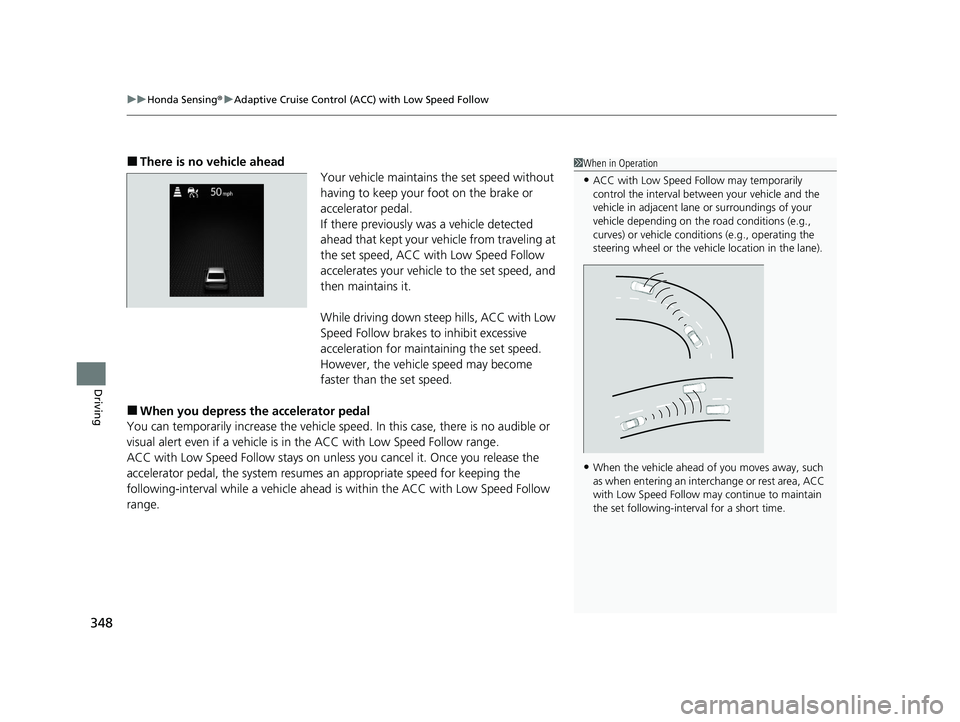
■There is no vehicle ahead
Your vehicle maintains the set speed without
having to keep your foot on the brake or
accelerator pedal.
If there previously was a vehicle detected
ahead that kept your vehicle from traveling at
the set speed, ACC with Low Speed Follow
accelerates your vehicle to the set speed, and
then maintains it.
While driving down steep hills, ACC with Low
Speed Follow brakes to inhibit excessive
acceleration for maintaining the set speed.
However, the vehicle speed may become
faster than the set speed.
■When you depress th e accelerator pedal
You can temporarily increase th e vehicle speed. In this case, there is no audible or
visual alert even if a vehicle is in the ACC with Low Speed Follow range.
ACC with Low Speed Follow stays on unless you cancel it. Once you release the
accelerator pedal, the system resume s an appropriate speed for keeping the
following-interval wh ile a vehicle ahead is within the ACC with Low Speed Follow
range.
1 When in Operation
•ACC with Low Speed Follow may temporarily
control the interval between your vehicle and the
vehicle in adjacent lane or surroundings of your
vehicle depending on the road conditions (e.g.,
curves) or vehicle condi tions (e.g., operating the
steering wheel or the vehicle location in the lane).
•When the vehicle ahead of you moves away, such
as when entering an interchange or rest area, ACC
with Low Speed Follow may continue to maintain
the set following-interval for a short time.
23 ACCORD 4D US PET MAP-3130A6000_01.book 348 ページ 2022年10月19日 水曜日 午前11時49分
Page 357 of 533
355
uuHonda Sensing ®u Adaptive Cruise Control (ACC) with Low Speed Follow
Continued
Driving
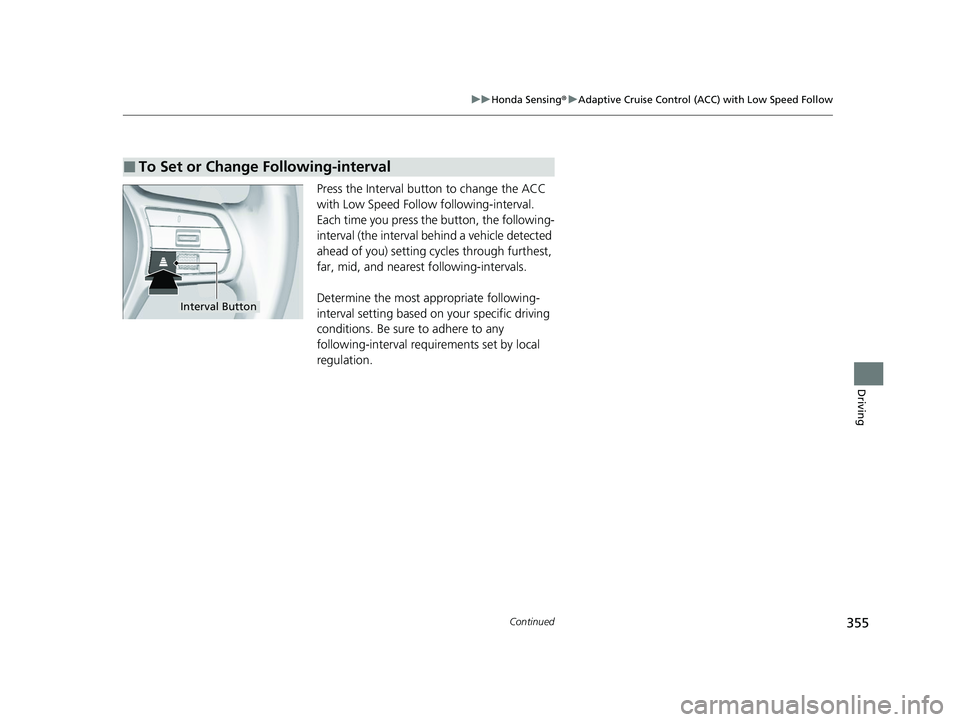
Press the Interval button to change the ACC
with Low Speed Follow following-interval.
Each time you press th e button, the following-
interval (the interval behind a vehicle detected
ahead of you) setting cy cles through furthest,
far, mid, and nearest following-intervals.
Determine the most appropriate following-
interval setting based on your specific driving
conditions. Be sure to adhere to any
following-interval requirements set by local
regulation.
■To Set or Change Following-interval
Interval Button
23 ACCORD 4D US PET MAP-3130A6000_01.book 355 ページ 2022年10月19日 水曜日 午前11時49分
Page 363 of 533
361
uuHonda Sensing ®u Adaptive Cruise Control (ACC) with Low Speed Follow
Driving
• Each time you press the RES/+/SET/− switch up or down, the vehicle speed is
increased or decreased by about 1 mph or 1 km/h accordingly.
• If you keep the RES/+/SET/− switch pressed up or down, the vehicle speed
increases or decreases by about 5 mph or 5 km/h accordingly.
To cancel cruise control, do any of the following:
• Press the CANCEL button.
u The indicator (green) on the gauge changes to the indicator (white).
• Press the button.
u The indicator (green) goes off.
• Depress the brake pedal.
u The indicator (green) on the gauge changes to the indicator (white).
■To Adjust the Vehicle Speed
■To Cancel
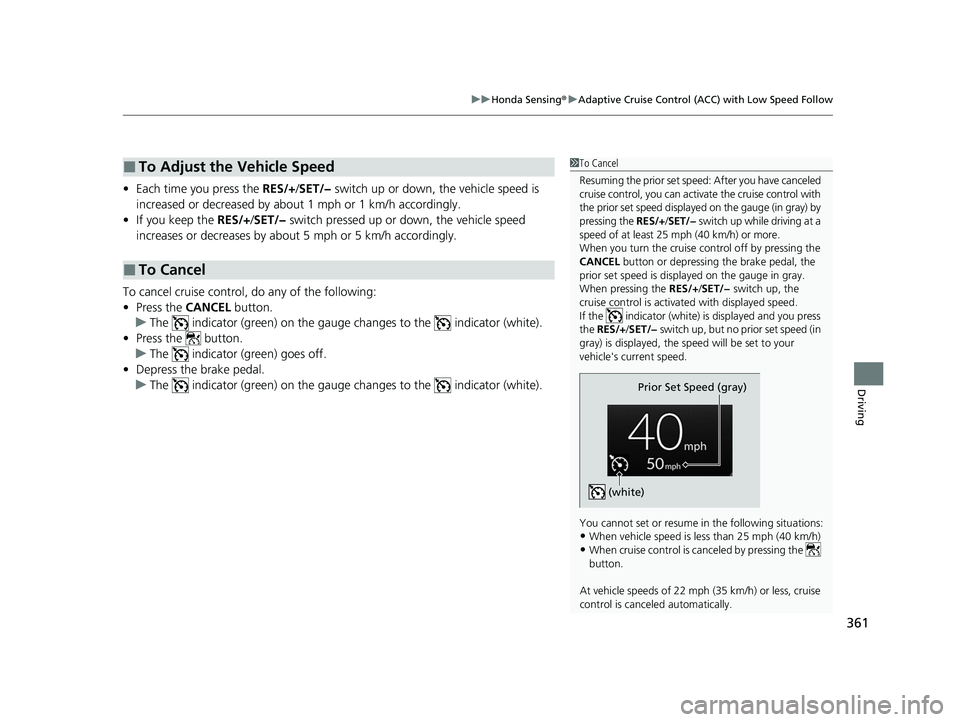
1To Cancel
Resuming the prior set speed: After you have canceled
cruise control, you can activa te the cruise control with
the prior set speed displayed on the gauge (in gray) by
pressing the RES/+/SET/− switch up while driving at a
speed of at least 25 mph (40 km/h) or more.
When you turn the cruise control off by pressing the
CANCEL button or depressing the brake pedal, the
prior set speed is displayed on the gauge in gray.
When pressing the RES/+/SET/− switch up, the
cruise control is activated with displayed speed.
If the indicator (white) is displayed and you press
the RES/+ /SET/− switch up, but no prior set speed (in
gray) is displayed, the sp eed will be set to your
vehicle's current speed.
You cannot set or resume in the following situations:
•When vehicle speed is less than 25 mph (40 km/h)
•When cruise control is ca nceled by pressing the
button.
At vehicle speeds of 22 m ph (35 km/h) or less, cruise
control is canceled automatically.
Prior Set Speed (gray)
(white)
23 ACCORD 4D US PET MAP-3130A6000_01.book 361 ページ 2022年10月19日 水曜日 午前11時49分
Page 368 of 533
366
uuHonda Sensing ®u Lane Keeping Assist System (LKAS)
Driving
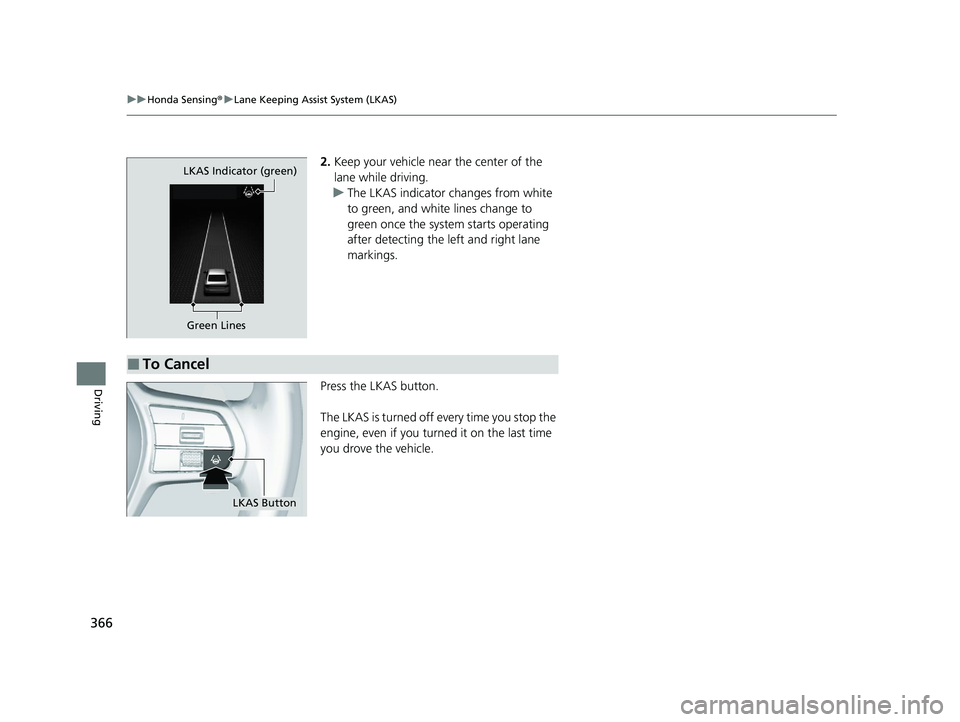
2. Keep your vehicle near the center of the
lane while driving.
u The LKAS indicator changes from white
to green, and white lines change to
green once the system starts operating
after detecting the left and right lane
markings.
Press the LKAS button.
The LKAS is turned off every time you stop the
engine, even if you turned it on the last time
you drove the vehicle.
Green Lines
LKAS Indicator (green)
■To Cancel
LKAS Button
23 ACCORD 4D US PET MAP-3130A6000_01.book 366 ページ 2022年10月19日 水曜日 午前11時49分
Page 385 of 533
Continued383
uuHonda Sensing ®u Road Departure Mitigation System
Driving
The system cancels assisting operations wh en you turn the steering wheel to avoid
crossing over detected lane markings or approaching the outer edge of the
pavement (into grass or gravel border) or an oncoming vehicle.
If the system operates several times with out detecting driver response, the system
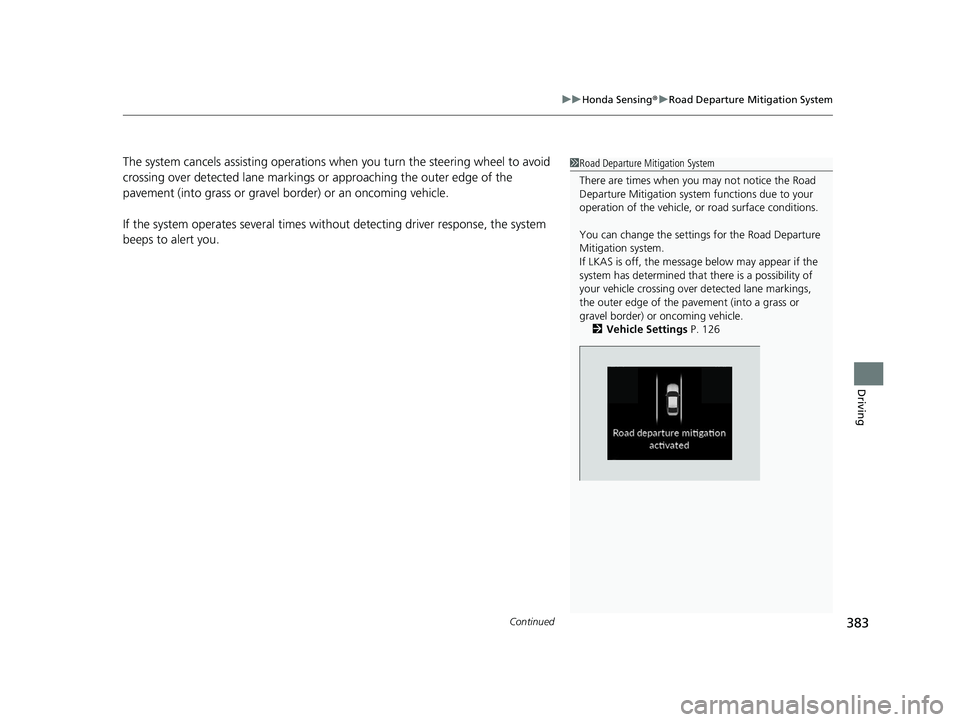
beeps to alert you.1 Road Departure Mitigation System
There are times when you may not notice the Road
Departure Mitigation system functions due to your
operation of the vehicle, or road surface conditions.
You can change the settin gs for the Road Departure
Mitigation system.
If LKAS is off, the message below may appear if the
system has determined that there is a possibility of
your vehicle crossing over detected lane markings,
the outer edge of the pa vement (into a grass or
gravel border) or oncoming vehicle.
2 Vehicle Settings P. 126
23 ACCORD 4D US PET MAP-3130A6000_01.book 383 ページ 2022年10月19日 水曜日 午前11時49分
Page 429 of 533
427
Maintenance
Maintenance MinderTM
If the engine oil life is less than 15%, you will see the Maintenance Minder messages
appear on the driver information interfac e every time you set the power mode to
ON. The messages notify you when to change the engine oil, or when to bring your
vehicle to a dealer for indicated maintenance services.
23 ACCORD 4D US PET MAP-3130A6000_01.book 427 ページ 2022年10月19日 水曜日 午前11時49分