service HONDA ACCORD HYBRID 2023 User Guide
[x] Cancel search | Manufacturer: HONDA, Model Year: 2023, Model line: ACCORD HYBRID, Model: HONDA ACCORD HYBRID 2023Pages: 627, PDF Size: 23 MB
Page 266 of 627
264
uuAudio System Basic Operation uHondaLink ®
Features
HondaLink ®
HondaLink® connects you to the latest information from Honda. You can connect
your phone wirelessly through Wi-Fi or Bluetooth®.
2Wi-Fi Connection P. 270
2 Phone Setup P. 346
Use the following procedure to connect to HondaLink ®.
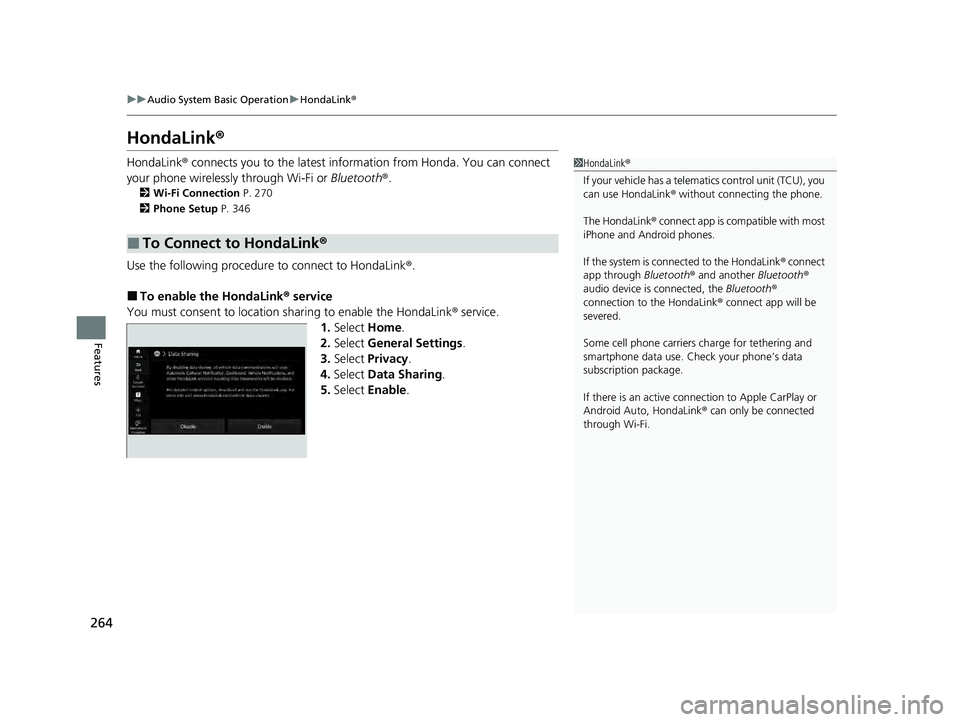
■To enable the HondaLink® service
You must consent to location sharing to enable the HondaLink ® service.
1. Select Home.
2. Select General Settings .
3. Select Privacy .
4. Select Data Sharing .
5. Select Enable .
■To Connect to HondaLink ®
1HondaLink ®
If your vehicle has a telema tics control unit (TCU), you
can use HondaLink ® without connecting the phone.
The HondaLink® connect app is compatible with most
iPhone and Android phones.
If the system is connected to the HondaLink ® connect
app through Bluetooth® and another Bluetooth®
audio device is connected, the Bluetooth®
connection to the HondaLink ® connect app will be
severed.
Some cell phone carriers charge for tethering and
smartphone data use. Check your phone’s data
subscription package.
If there is an active connection to Appl e CarPlay or
Android Auto, HondaLink ® can only be connected
through Wi-Fi.
23 ACCORD 4D US HEV MAP-3130B6000.book 264 ページ 2022年10月13日 木曜日 午後4時50分
Page 267 of 627
265
uuAudio System Basic Operation uHondaLink ®
Continued
Features
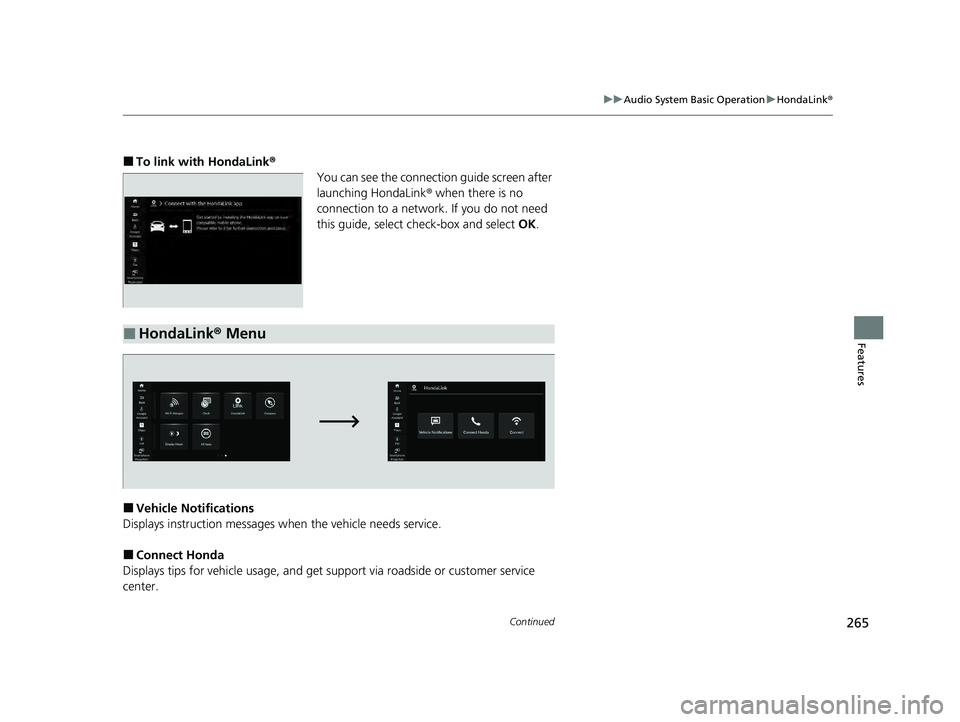
■To link with HondaLink ®
You can see the connection guide screen after
launching HondaLink ® when there is no
connection to a network. If you do not need
this guide, select check-box and select OK.
■Vehicle Notifications
Displays instruction messages when the vehicle needs service.
■Connect Honda
Displays tips for vehicle us age, and get support via road side or customer service
center.
■HondaLink® Menu
23 ACCORD 4D US HEV MAP-3130B6000.book 265 ページ 2022年10月13日 木曜日 午後4時50分
Page 269 of 627
267
uuAudio System Basic Operation uHondaLink ® Service
Continued
Features
HondaLink ® Service
Is a subscription-based service that provid es convenient features such as voice
communication in case of emergency, online security, and one-on-one operator
assistance.1 HondaLink ® Service
HondaLink ® also provides serv ices you can operate
from the Internet or your smartphone.
To subscribe to HondaLink ®, or to get more
information about all of it s features, contact a Honda
dealer, or visit hondalink.honda.com
23 ACCORD 4D US HEV MAP-3130B6000.book 267 ページ 2022年10月13日 木曜日 午後4時50分
Page 270 of 627
uuAudio System Basic Operation uHondaLink ® Service
268
Features
Your subscribed telematics service provider can track your vehicle’s location,
remotely lock or unlock doors, and help you find your vehicle.
To use these features, you need your us er ID and personal identification number
(PIN).
■Stolen vehicle tracking
This feature searches and tracks down your ve hicle position even if it is on the move.
If you believe that your vehicle has been stolen, contact the police as well as the
provider.
■Remote door lock/unlock
The provider can remotely lock or unlock doors upon your request.
■Vehicle finder
This feature is convenient to use when trying to locate yo ur vehicle in large areas,
such as a crowded parking lot. If you cannot locate your vehicle after using the
remote transmitter’s answerba ck function, you can contact the provider which can
then flash your vehicle’s exterior lights and sound the horn, and sends vehicle
location via web/Smartphone.
■Security alarm notification
If the security system in your vehicle detects an abnormal condition, such as
someone tampering with the lock on your ve hicle, the provider notifies you by email.
■Security Features1Security Features
The contact information of your provider, your user
ID and PIN will be given when you subscribe to
HondaLink ®. If you forget any of the above, contact a
Honda dealer, or go to hondalink.honda.com.
You can also activate the remote door lock/unlock
and vehicle finder features from the Internet or using
your smartphone app. As k a dealer, or visit
hondalink.honda.com .
1Vehicle finder
The lights will stop flas hing and horn will stop
sounding under the following:
•When 30 seconds have elapsed.
•You unlock the doors using the remote transmitter.•You unlock the doors using the keyless access
system.
•You unlock the doors using the built-in key.•The power mode is set to ACCESSORY or ON.
23 ACCORD 4D US HEV MAP-3130B6000.book 268 ページ 2022年10月13日 木曜日 午後4時50分
Page 271 of 627
269
uuAudio System Basic Operation uHondaLink ® Service
Features
Your subscribed telematics service provider can check your vehicle’s condition.
■Virtual Dashboard
You can remotely check the mileage, fu el range, and oil life in your app.
■Remote start and stop the engine
You can remotely turn the power system on and off using your app the same way
as the keyless remote.
■Geofence Alert
You can receive a notifi cation anytime your vehicle enters or leaves a region set by
you.
■Speed Alert
You can receive a notification when your vehicle has exceeded a speed limit set by
you.
■Personal Data Wipe
You can reset your audio and navigation system settings to factory defaults with the
app.
■Wi-Fi hotspot
Vehicle provides a 4G LTE network environment as a Wi-Fi router to use a tablet or
a smartphone in your vehicle.
■Convenient Features1 Convenient Features
The contact information of your provider, your user
ID, and PIN will be give n when you subscribe to
HondaLink ®. If you forget any of the above, contact a
Honda dealer, or go to hondalink.honda.com.
23 ACCORD 4D US HEV MAP-3130B6000.book 269 ページ 2022年10月13日 木曜日 午後4時50分
Page 274 of 627
272
uuAudio System Basic Operation uAT&T Hotspot
Features
AT&T Hotspot
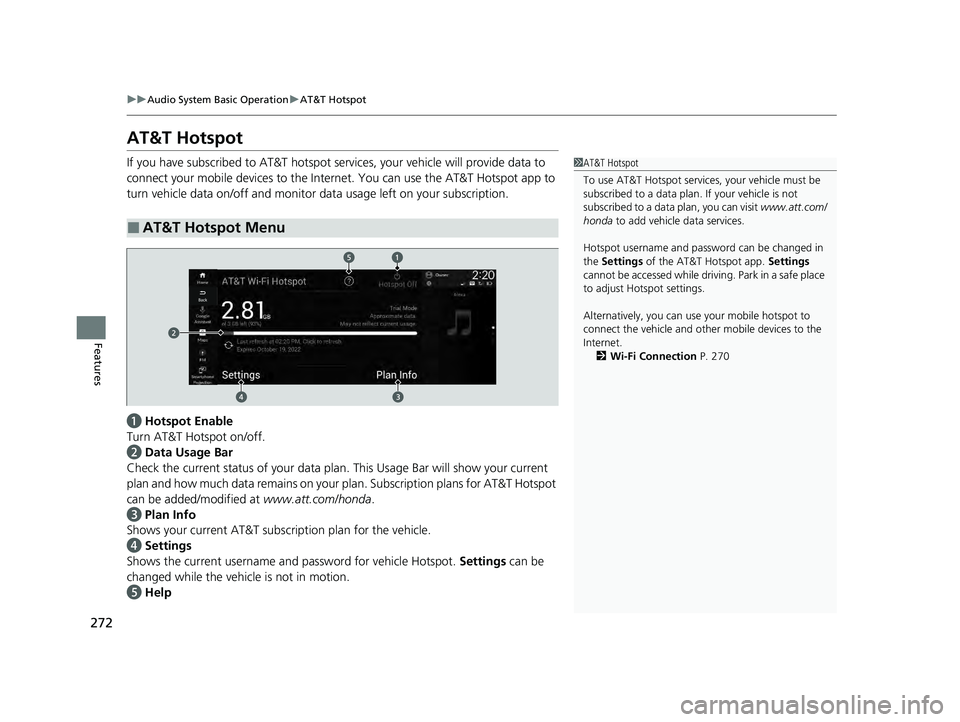
If you have subscribed to AT&T hotspot services, your vehicle will provide data to
connect your mobile devices to the Intern et. You can use the AT&T Hotspot app to
turn vehicle data on/off and monitor data usage left on your subscription.
a Hotspot Enable
Turn AT&T Hotspot on/off.
b Data Usage Bar
Check the current status of your data plan. This Usage Bar will show your current
plan and how much data remains on your plan. Subscription plans for AT&T Hotspot
can be added/modified at www.att.com/honda.
c Plan Info
Shows your current AT&T subscription plan for the vehicle.
d Settings
Shows the current username and password for vehicle Hotspot. Settings can be
changed while the vehicle is not in motion.
e Help
■AT&T Hotspot Menu
1AT&T Hotspot
To use AT&T Hotspot servic es, your vehicle must be
subscribed to a data plan . If your vehicle is not
subscribed to a data plan, you can visit www.att.com/
honda to add vehicle data services.
Hotspot username and pass word can be changed in
the Settings of the AT&T Hotspot app. Settings
cannot be accessed while driving. Park in a safe place
to adjust Hotspot settings.
Alternatively, you can use your mobile hotspot to
connect the vehicle and other mobile devices to the
Internet. 2 Wi-Fi Connection P. 270
23 ACCORD 4D US HEV MAP-3130B6000.book 272 ページ 2022年10月13日 木曜日 午後4時50分
Page 276 of 627
uuAudio System Basic Operation uApple CarPlay
274
Features
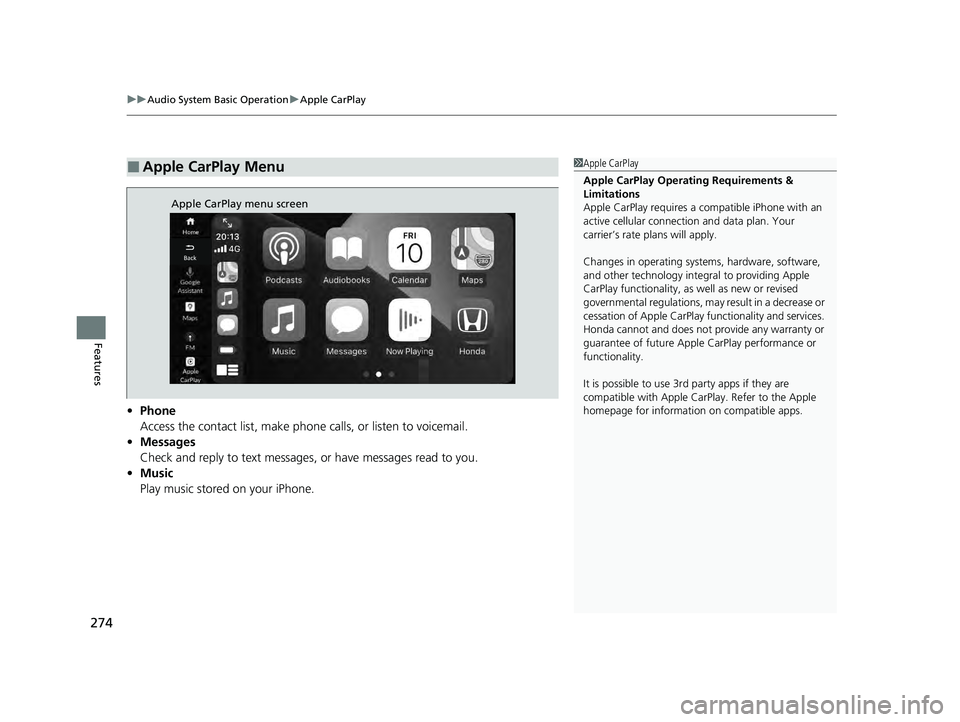
• Phone
Access the contact list, make phone calls, or listen to voicemail.
• Messages
Check and reply to text messages, or have messages read to you.
• Music
Play music stored on your iPhone.
■Apple CarPlay Menu1Apple CarPlay
Apple CarPlay Operating Requirements &
Limitations
Apple CarPlay requi res a compatible iPhone with an
active cellular connecti on and data plan. Your
carrier’s rate plans will apply.
Changes in operating systems, hardware, software,
and other technology integral to providing Apple
CarPlay functionality, as well as new or revised
governmental regulations, may result in a decrease or
cessation of Apple CarPlay functionality and services.
Honda cannot and does not pr ovide any warranty or
guarantee of future Appl e CarPlay performance or
functionality.
It is possible to use 3r d party apps if they are
compatible with Apple CarPlay. Refer to the Apple
homepage for information on compatible apps.
Apple CarPlay menu screen
23 ACCORD 4D US HEV MAP-3130B6000.book 274 ページ 2022年10月13日 木曜日 午後4時50分
Page 283 of 627
Continued281
uuAudio System Basic Operation uAndroid AutoTM
Features
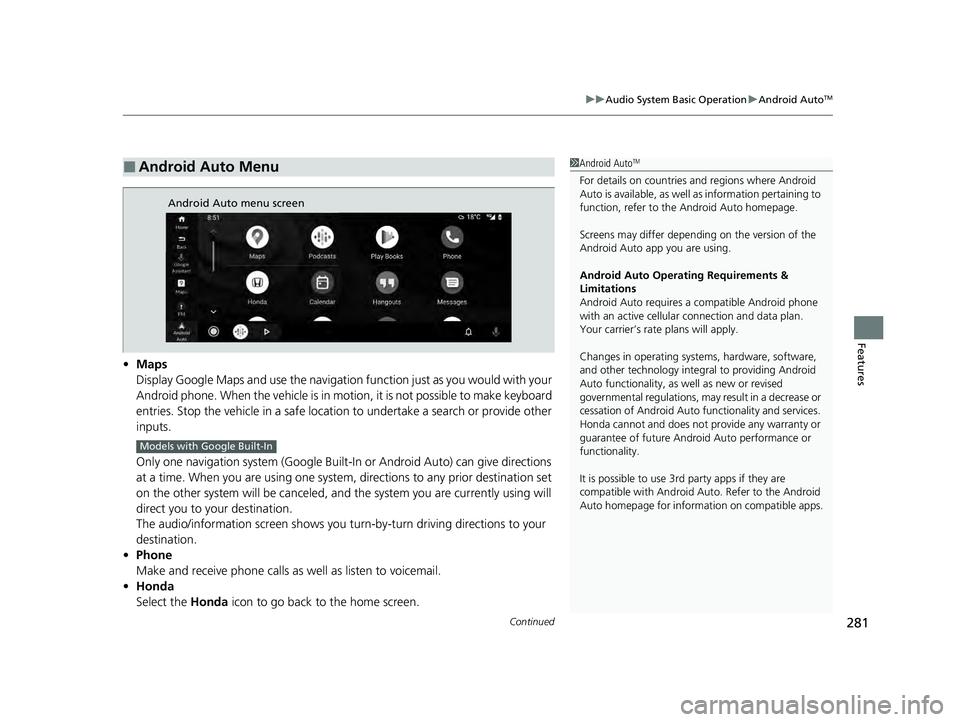
• Maps
Display Google Maps and use the navigation function just as you would with your
Android phone. When the vehicle is in motion, it is not possible to make keyboard
entries. Stop the vehicle in a safe location to undertake a search or provide other
inputs.
Only one navigation system (Google Built-In or Android Auto) can give directions
at a time. When you are using one system, directions to any prior destination set
on the other system will be canceled, and the system you are currently using will
direct you to your destination.
The audio/information screen shows you turn-by-turn driving directions to your
destination.
• Phone
Make and receive phone calls as well as listen to voicemail.
• Honda
Select the Honda icon to go back to the home screen.
■Android Auto Menu1Android AutoTM
For details on c ountries and regions where Android
Auto is available, as well as information pertaining to
function, refer to the Android Auto homepage.
Screens may differ depending on the version of the
Android Auto app you are using.
Android Auto Operating Requirements &
Limitations
Android Auto requires a compatible Android phone
with an active cellular connection and data plan.
Your carrier’s rate plans will apply.
Changes in operating systems, hardware, software,
and other technology integral to providing Android
Auto functionality, as well as new or revised
governmental regulations, may result in a decrease or
cessation of Android Auto functionality and services.
Honda cannot and does not pr ovide any warranty or
guarantee of future Android Auto performance or
functionality.
It is possible to use 3r d party apps if they are
compatible with Android Auto. Refer to the Android
Auto homepage for informat ion on compatible apps.
Android Auto menu screen
Models with Google Built-In
23 ACCORD 4D US HEV MAP-3130B6000.book 281 ページ 2022年10月13日 木曜日 午後4時50分
Page 288 of 627
286
uuAudio System Basic Operation uGoogle Built-In*
Features
Google Built-In*
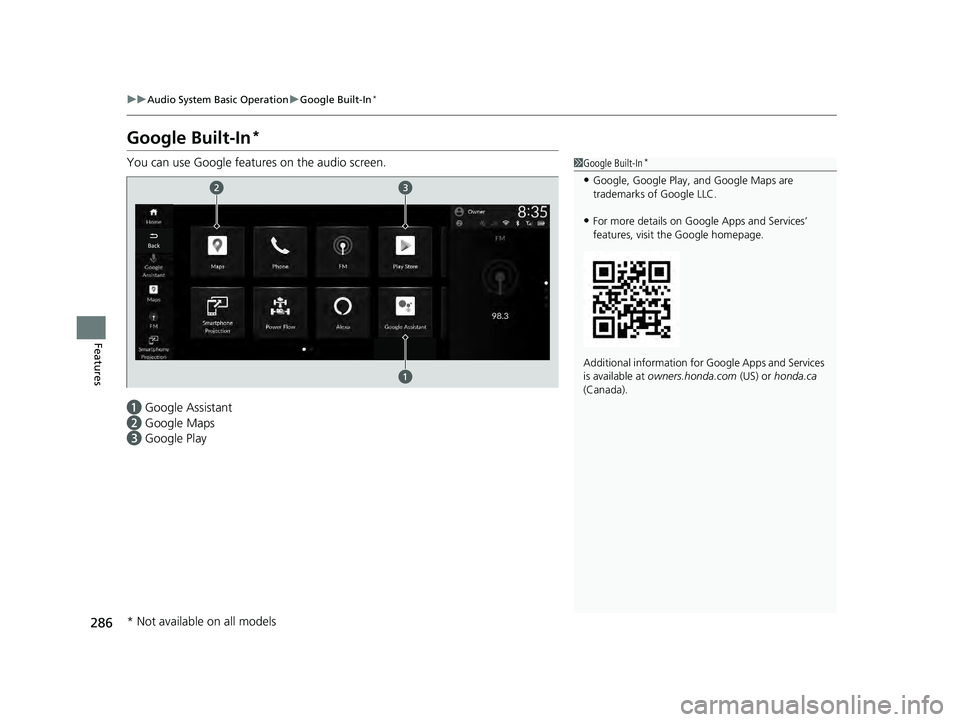
You can use Google features on the audio screen.
a Google Assistant
b Google Maps
c Google Play1Google Built-In*
•Google, Google Play, and Google Maps are
trademarks of Google LLC.
•For more details on Google Apps and Services’
features, visit the Google homepage.
Additional information for Google Apps and Services
is available at owners.honda.com (US) or honda.ca
(Canada).
* Not available on all models
23 ACCORD 4D US HEV MAP-3130B6000.book 286 ページ 2022年10月13日 木曜日 午後4時50分
Page 291 of 627
289
uuAudio System Basic Operation uGoogle Built-In*
Features
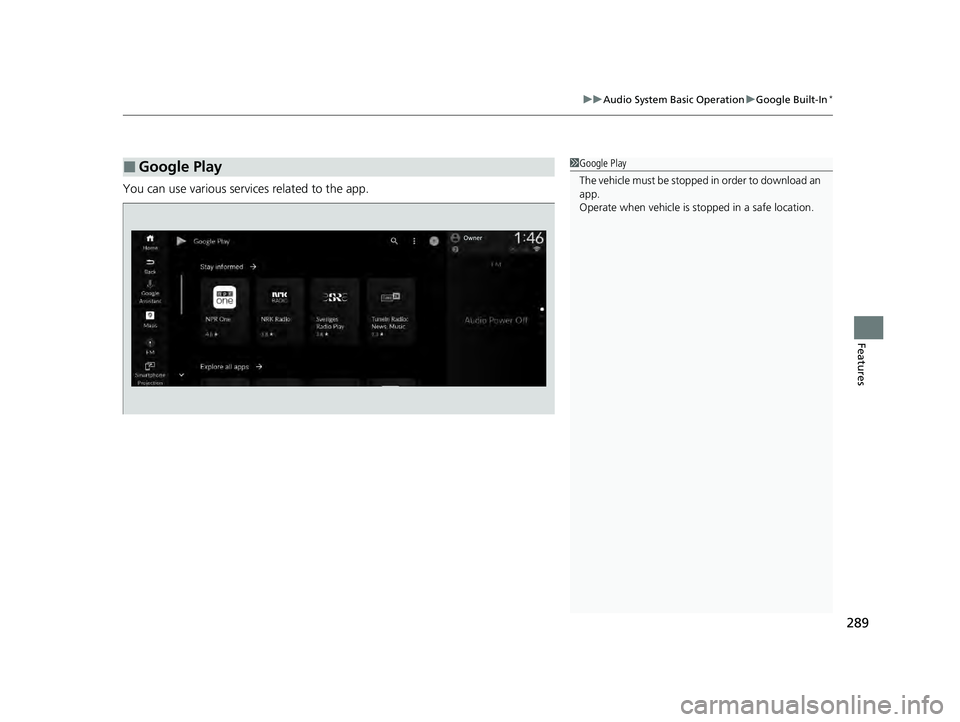
You can use various services related to the app.
■Google Play1Google Play
The vehicle must be stopped in order to download an
app.
Operate when vehicle is stopped in a safe location.
23 ACCORD 4D US HEV MAP-3130B6000.book 289 ページ 2022年10月13日 木曜日 午後4時50分