brake HONDA ACCORD HYBRID 2023 Owner's Manual
[x] Cancel search | Manufacturer: HONDA, Model Year: 2023, Model line: ACCORD HYBRID, Model: HONDA ACCORD HYBRID 2023Pages: 627, PDF Size: 23 MB
Page 172 of 627
170
Controls
Operating the Switches Around the Steering Wheel
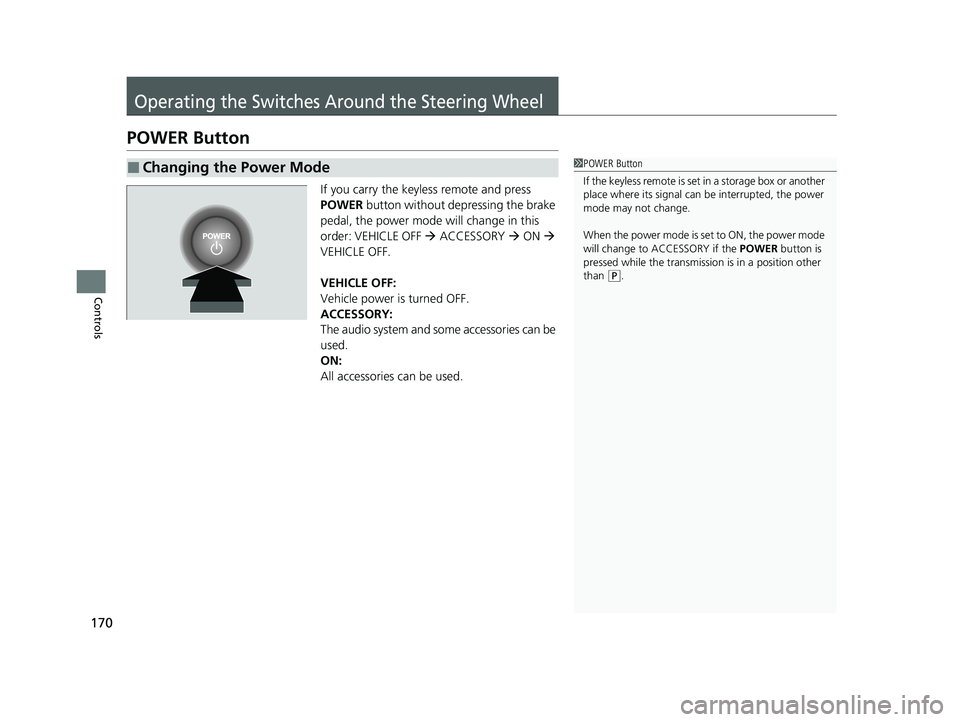
POWER Button
If you carry the keyless remote and press
POWER button without depressing the brake
pedal, the power mode will change in this
order: VEHICLE OFF ACCESSORY ON
VEHICLE OFF.
VEHICLE OFF:
Vehicle power is turned OFF.
ACCESSORY:
The audio system and some accessories can be
used.
ON:
All accessories can be used.
■Changing the Power Mode1 POWER Button
If the keyless remote is set in a storage box or another
place where its signal can be interrupted, the power
mode may not change.
When the power mode is set to ON, the power mode
will change to ACCESSORY if the POWER button is
pressed while the transmissi on is in a position other
than
( P.
23 ACCORD 4D US HEV MAP-3130B6000.book 170 ページ 2022年10月13日 木曜日 午後4時50分
Page 176 of 627
174
uuOperating the Switches Around the Steering Wheel uLight Switches
Controls
Light Switches
Rotating the light switch turns the lights on
and off, regardless of the power mode
setting.
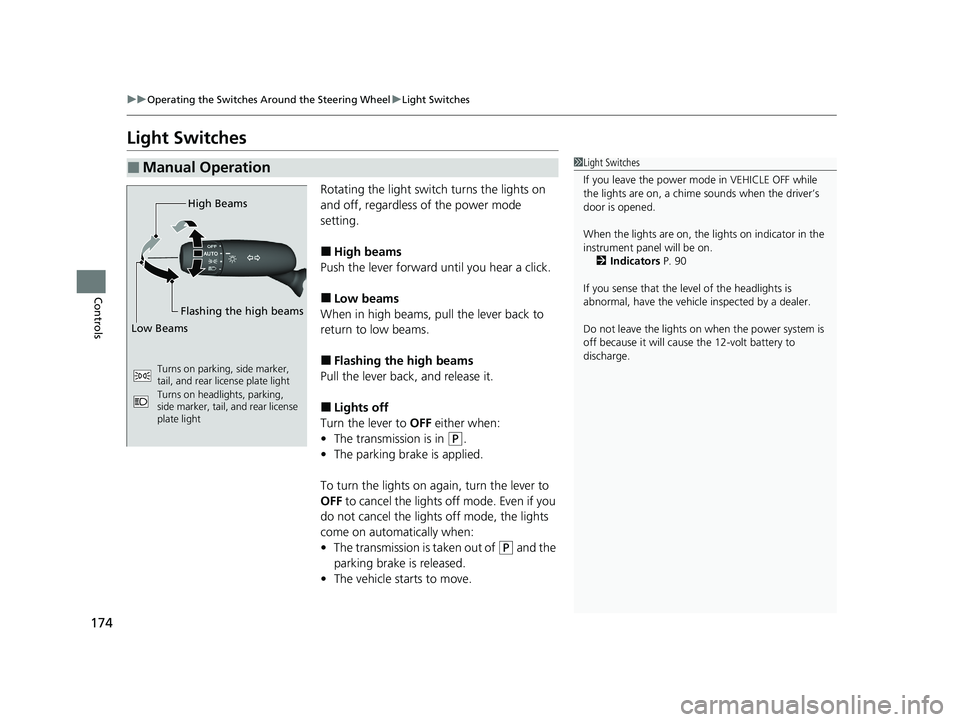
■High beams
Push the lever forward until you hear a click.
■Low beams
When in high beams, pull the lever back to
return to low beams.
■Flashing the high beams
Pull the lever back, and release it.
■Lights off
Turn the lever to OFF either when:
• The transmission is in
(P.
• The parking brake is applied.
To turn the lights on ag ain, turn the lever to
OFF to cancel the lights off mode. Even if you
do not cancel the lights off mode, the lights
come on automatically when:
• The transmission is taken out of
(P and the
parking brake is released.
• The vehicle starts to move.
■Manual Operation1Light Switches
If you leave the power mode in VEHICLE OFF while
the lights are on, a chime sounds when the driver’s
door is opened.
When the lights are on, the lights on indicator in the
instrument pane l will be on.
2 Indicators P. 90
If you sense that the le vel of the headlights is
abnormal, have the vehicl e inspected by a dealer.
Do not leave the lights on when the power system is
off because it will caus e the 12-volt battery to
discharge.
Turns on parking, side marker,
tail, and rear license plate light
Turns on headlights, parking,
side marker, tail, and rear license
plate light
High Beams
Flashing the high beams
Low Beams
23 ACCORD 4D US HEV MAP-3130B6000.book 174 ページ 2022年10月13日 木曜日 午後4時50分
Page 179 of 627
177
uuOperating the Switches Around the Steering Wheel uDaytime Running Lights
Controls
Daytime Running Lights
The parking/daytime running lights come on when the following conditions have
been met:
• The power mode is in ON.
• The headlight switch is in AUTO or .
• The parking brake is released.
The lights remain on even if you set th e parking brake. Setting the power mode to
VEHICLE OFF will turn off the daytime running lights.
The daytime running lights are off once the h eadlight switch is turned on, or when
the head light switch is in AUTO and it is getting darker outside.
23 ACCORD 4D US HEV MAP-3130B6000.book 177 ページ 2022年10月13日 木曜日 午後4時50分
Page 187 of 627
185
uuOperating the Switches Around the Steering Wheel uDriving Position Memory System*
Controls
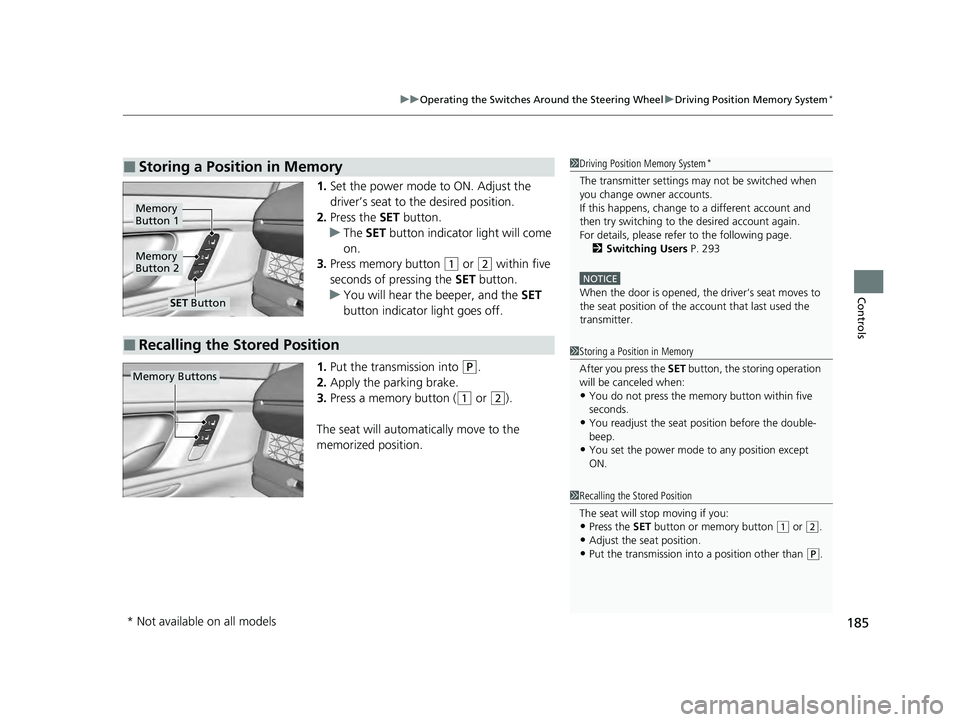
1. Set the power mode to ON. Adjust the
driver’s seat to the desired position.
2. Press the SET button.
u The SET button indicator light will come
on.
3. Press memory button
(1 or (2 within five
seconds of pressing the SET button.
u You will hear the beeper, and the SET
button indicator light goes off.
1. Put the transmission into
(P.
2. Apply the parking brake.
3. Press a memory button (
(1 or (2).
The seat will automatically move to the
memorized position.
■Storing a Position in Memory1 Driving Position Memory System*
The transmitter settings ma y not be switched when
you change owner accounts.
If this happens, change to a different account and
then try switching to the desired account again.
For details, please refe r to the following page.
2 Switching Users P. 293
NOTICE
When the door is opened, the driver‘s seat moves to
the seat position of the a ccount that last used the
transmitter.
1 Storing a Position in Memory
After you press the SET button, the storing operation
will be canceled when:
•You do not press the memory button within five
seconds.
•You readjust the seat position before the double-
beep.
•You set the power mode to any position except
ON.
Memory
Button 1
Memory
Button 2
SET Button
■Recalling the Stored Position
1Recalling the Stored Position
The seat will st op moving if you:
•Press the SET button or memory button (1 or (2.
•Adjust the seat position.•Put the transmission into a position other than (P.
Memory Buttons
* Not available on all models
23 ACCORD 4D US HEV MAP-3130B6000.book 185 ページ 2022年10月13日 木曜日 午後4時50分
Page 194 of 627
192
uuSeats uRear Seats
Controls
Rear Seats
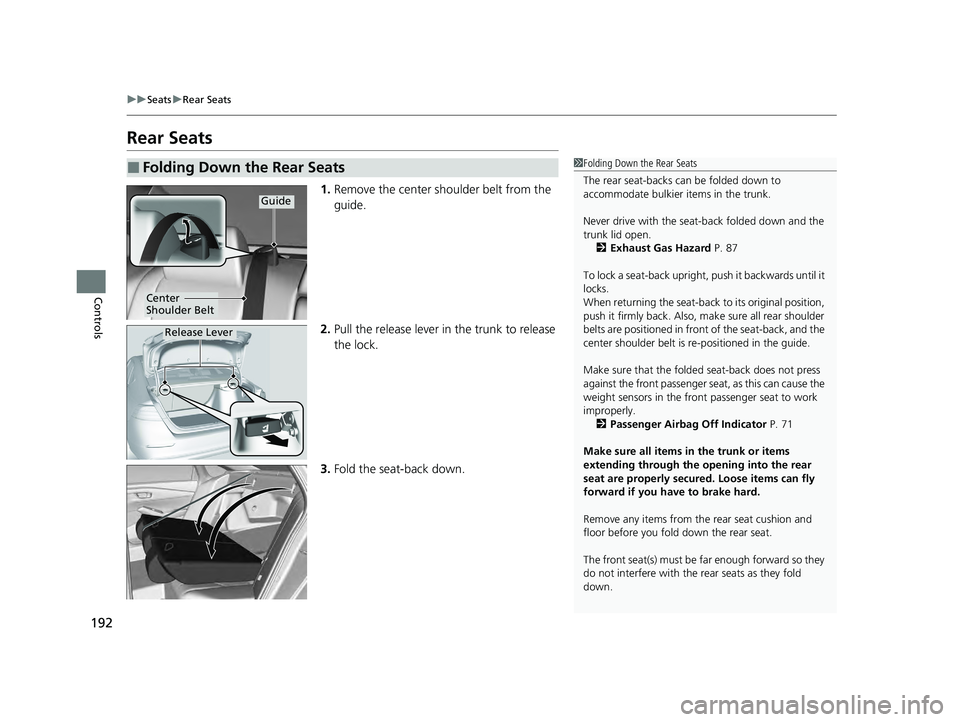
1. Remove the center shoulder belt from the
guide.
2. Pull the release lever in the trunk to release
the lock.
3. Fold the seat-back down.
■Folding Down the Rear Seats1Folding Down the Rear Seats
The rear seat-backs can be folded down to
accommodate bulkier items in the trunk.
Never drive with the seat-back folded down and the
trunk lid open. 2 Exhaust Gas Hazard P. 87
To lock a seat-back upright, push it backwards until it
locks.
When returning the seat-back to its original position,
push it firmly back. Also, m ake sure all rear shoulder
belts are positioned in front of the seat-back, and the
center shoulder belt is re -positioned in the guide.
Make sure that the folded seat-back does not press
against the front passenger seat, as this can cause the
weight sensors in the front passenger seat to work
improperly. 2 Passenger Airbag Off Indicator P. 71
Make sure all items in the trunk or items
extending through the opening into the rear
seat are properly secured. Loose items can fly
forward if you have to brake hard.
Remove any items from th e rear seat cushion and
floor before you fold down the rear seat.
The front seat(s) must be far enough forward so they
do not interfere with the rear seats as they fold
down.
Guide
Center
Shoulder Belt
Release Lever
23 ACCORD 4D US HEV MAP-3130B6000.book 192 ページ 2022年10月13日 木曜日 午後4時50分
Page 297 of 627
295
uuAudio System Basic Operation uProfile Settings
Continued
Features
Profile Settings
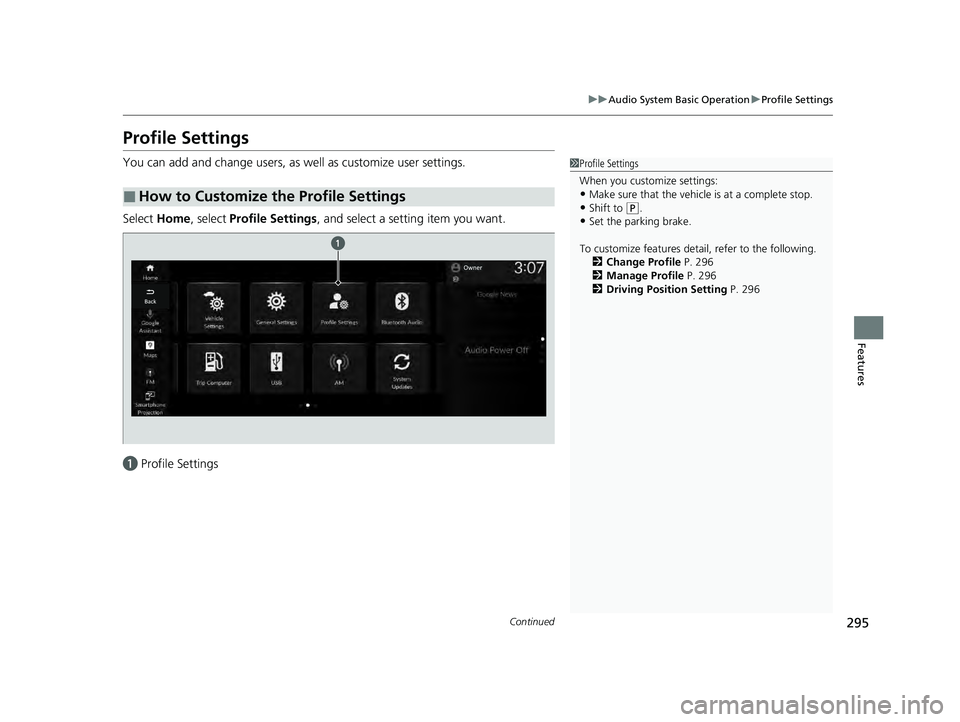
You can add and change users, as well as customize user settings.
Select Home, select Profile Settings, and select a setting item you want.
a Profile Settings
■How to Customize the Profile Settings
1Profile Settings
When you customize settings:
•Make sure that the vehicle is at a complete stop.
•Shift to (P.•Set the parking brake.
To customize features detail, refer to the following. 2 Change Profile P. 296
2 Manage Profile P. 296
2 Driving Position Setting P. 296
23 ACCORD 4D US HEV MAP-3130B6000.book 295 ページ 2022年10月13日 木曜日 午後4時50分
Page 365 of 627
363
Driving
This chapter discusses driving and refueling.
Before Driving................................... 364
Towing a Trailer ................................ 369
When Driving
Turning on the Power ...................... 370
Precautions While Driving................. 377
Transmission .................................... 377
Shifting ............................................ 378
Deceleration Paddle Selector ............ 380
Acoustic Vehicle Al erting System ...... 383
Drive Mode System .......................... 384
Vehicle Stability AssistTM (VSA®), aka Electronic
Stability Control (ESC), System ................. 390
Motion Management System ........... 392
Tire Pressure Monitoring System (TPMS)*.. 393Tire Pressure Monitoring System (TPMS) - Required Federal Explanation ......... 396
Blind Spot Information System ......... 398
High Voltage Battery ........................ 402
Honda Sensing ®
Collision Mitigati on Braking System
TM
(CMBSTM) ....................................... 406
Low Speed Braking Control*............ 418
Adaptive Cruise Control (ACC) with Low Speed Follow ................................. 424
Lane Keeping Assist System (LKAS) .. 445
Traffic Jam Assist ............................. 456 Road Departure Miti
gation System... 465
Traffic Sign Recognition System ....... 473
Front Sensor Camera ....................... 479
Radar Sensor ................................... 481
Sonar Sensors
*................................ 482
Braking
Brake System ................................... 483
Anti-lock Brake System (ABS) ........... 491
Brake Assist System ......................... 492
Parking Your Vehicle ........................ 493
Multi-View Rear Camera .................. 502
Refueling ........................................... 504
Fuel Economy and CO
2 Emissions .... 507
* Not available on all models
23 ACCORD 4D US HEV MAP-3130B6000.book 363 ページ 2022年10月13日 木曜日 午後4時50分
Page 367 of 627
Continued365
uuBefore Driving uDriving Preparation
Driving
• Store or secure all items on board properly.
u Carrying too much cargo, or improperly storing it, can affect your vehicle's
handling, stability, sto pping distance, and tires, and make it unsafe.
2Maximum Load Limit P. 367
•Do not pile items higher than the seat height.
u They can block your view and may be thrown forward in the event of sudden
braking.
• Do not place anything in the front seat footwells. Make sure to secure the floor
mat.
u An object or unsecured floor mat can in terfere with your brake and accelerator
pedal operation while driving.
• If you have any animals on board, do not let them move around in the vehicle.
u They may interfere with driv ing and a crash could occur.
• Securely close and lock all doors and the trunk.
2 Locking/Unlocking the Doors from the Inside P. 155
•Adjust your seating position properly.
u Adjust the head restraint, too.
2Seats P. 189
2 Adjusting the Front Head Restraint Positions P. 195
•Adjust the mirrors and steering wheel properly.
u Adjust them while sitting in the proper driving position.
2 Mirrors P. 187
2 Adjusting the Steering Wheel P. 186
■Interior Checks1Interior Checks
The headlight aim is set by the factory, and does not
need to be adjusted. Howeve r, if you regularly carry
heavy items in the trunk, have the aiming readjusted
at a dealer or by a qualified technician.
23 ACCORD 4D US HEV MAP-3130B6000.book 365 ページ 2022年10月13日 木曜日 午後4時50分
Page 372 of 627
370
Driving
When Driving
Turning on the Power
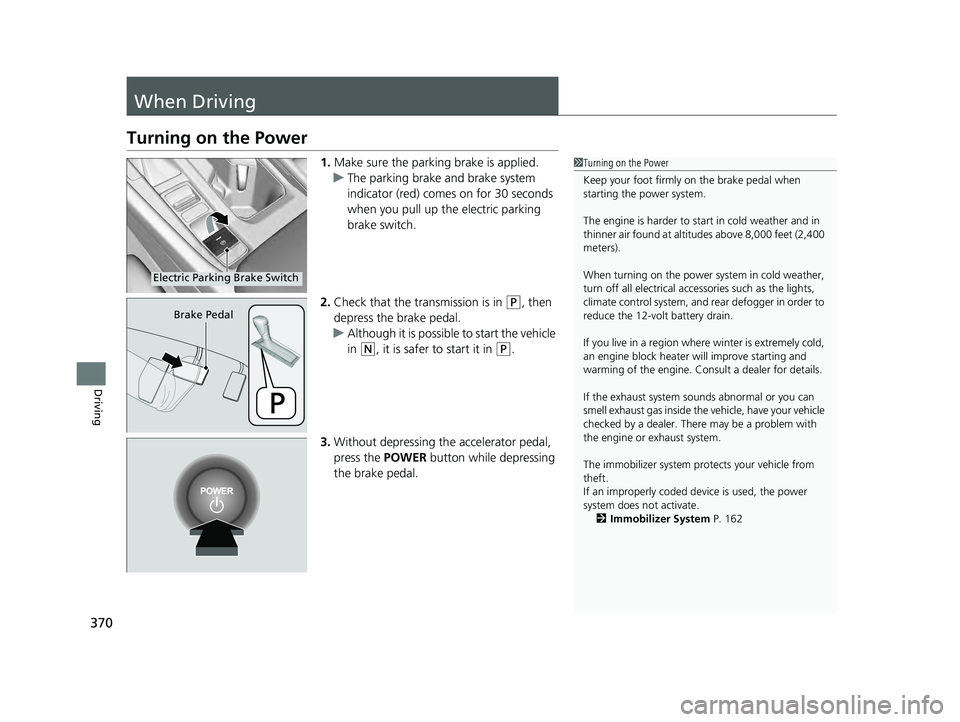
1.Make sure the parking brake is applied.
u The parking brake and brake system
indicator (red) comes on for 30 seconds
when you pull up the electric parking
brake switch.
2. Check that the tr ansmission is in
(P, then
depress the brake pedal.
u Although it is possible to start the vehicle
in
(N, it is safer to start it in (P.
3. Without depressing th e accelerator pedal,
press the POWER button while depressing
the brake pedal.
1 Turning on the Power
Keep your foot firmly on the brake pedal when
starting the power system.
The engine is harder to st art in cold weather and in
thinner air found at altit udes above 8,000 feet (2,400
meters).
When turning on the power system in cold weather,
turn off all electrical accessories such as the lights,
climate control system, and rear defogger in order to
reduce the 12-volt battery drain.
If you live in a region where winter is extremely cold,
an engine block heater will improve starting and
warming of the engine. Cons ult a dealer for details.
If the exhaust system sounds abnormal or you can
smell exhaust gas inside the vehicle, have your vehicle
checked by a dealer. There may be a problem with
the engine or exhaust system.
The immobilizer system pr otects your vehicle from
theft.
If an improperly coded de vice is used, the power
system does not activate.
2 Immobilizer System P. 162
Electric Parking Brake Switch
Brake Pedal
23 ACCORD 4D US HEV MAP-3130B6000.book 370 ページ 2022年10月13日 木曜日 午後4時50分
Page 373 of 627
Continued371
uuWhen Driving uTurning on the Power
Driving
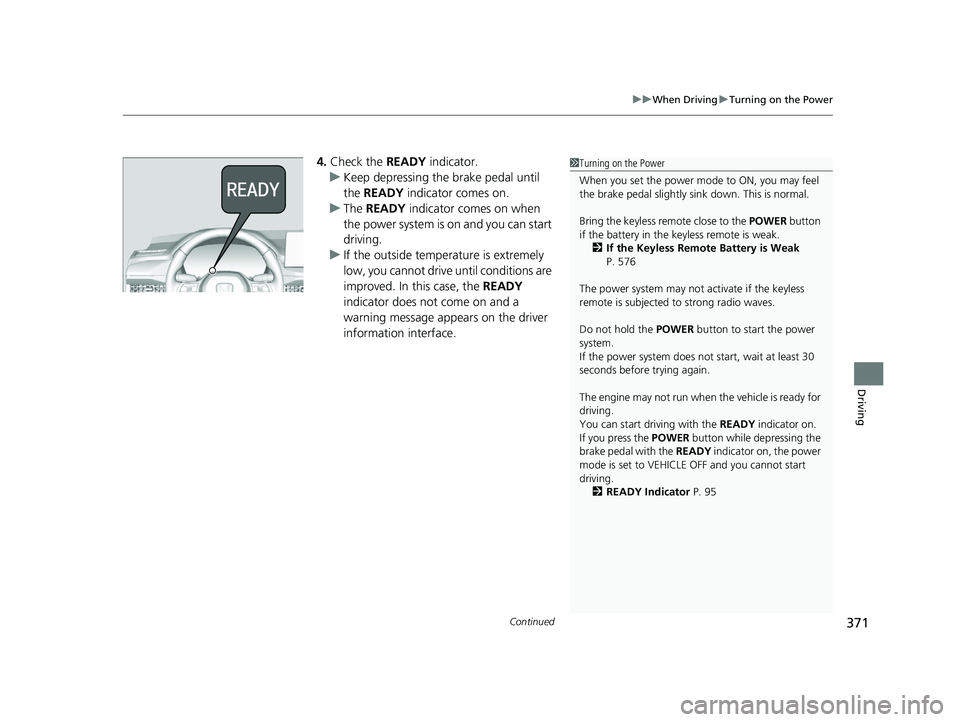
4. Check the READY indicator.
u Keep depressing the brake pedal until
the READY indicator comes on.
u The READY indicator comes on when
the power system is on and you can start
driving.
u If the outside temperature is extremely
low, you cannot drive until conditions are
improved. In this case, the READY
indicator does not come on and a
warning message appears on the driver
information interface.1 Turning on the Power
When you set the power mode to ON, you may feel
the brake pedal slightly si nk down. This is normal.
Bring the keyless remote close to the POWER button
if the battery in the keyless remote is weak.
2 If the Keyless Remote Battery is Weak
P. 576
The power system may not activate if the keyless
remote is subjected to strong radio waves.
Do not hold the POWER button to start the power
system.
If the power system does not start, wait at least 30
seconds before trying again.
The engine may not run when the vehicle is ready for
driving.
You can start driving with the READY indicator on.
If you press the POWER button while depressing the
brake pedal with the READY indicator on, the power
mode is set to VEHICLE OFF and you cannot start
driving. 2 READY Indicator P. 95
23 ACCORD 4D US HEV MAP-3130B6000.book 371 ページ 2022年10月13日 木曜日 午後4時50分