parking brake HONDA ACCORD SEDAN 2020 (in English) User Guide
[x] Cancel search | Manufacturer: HONDA, Model Year: 2020, Model line: ACCORD SEDAN, Model: HONDA ACCORD SEDAN 2020Pages: 728, PDF Size: 34.06 MB
Page 112 of 728
110
uuIndicators uDriver Information Interface Wa rning and Information Messages
Instrument Panel
MessageConditionExplanation
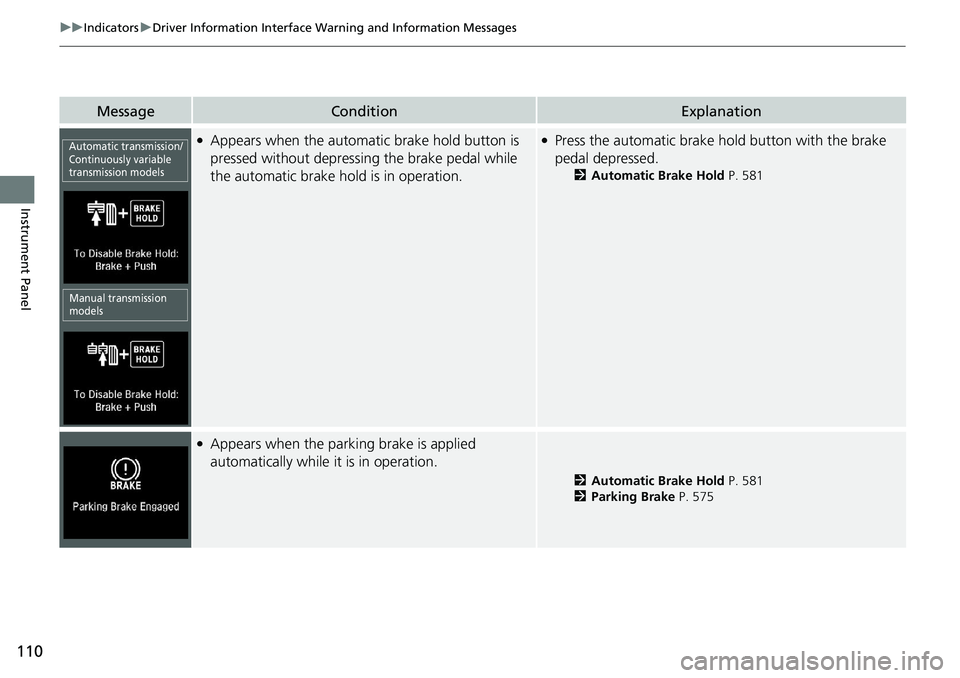
●Appears when the automatic brake hold button is
pressed without depressing the brake pedal while
the automatic brake hold is in operation.●Press the automatic brake ho ld button with the brake
pedal depressed.
2 Automatic Brake Hold P. 581
●Appears when the parking brake is applied
automatically while it is in operation.
2Automatic Brake Hold P. 581
2 Parking Brake P. 575
Automatic transmission/
Continuously variable
transmission models
Manual transmission
models
Page 113 of 728
111
uuIndicators uDriver Information Interface Wa rning and Information Messages
Continued
Instrument Panel
MessageConditionExplanation
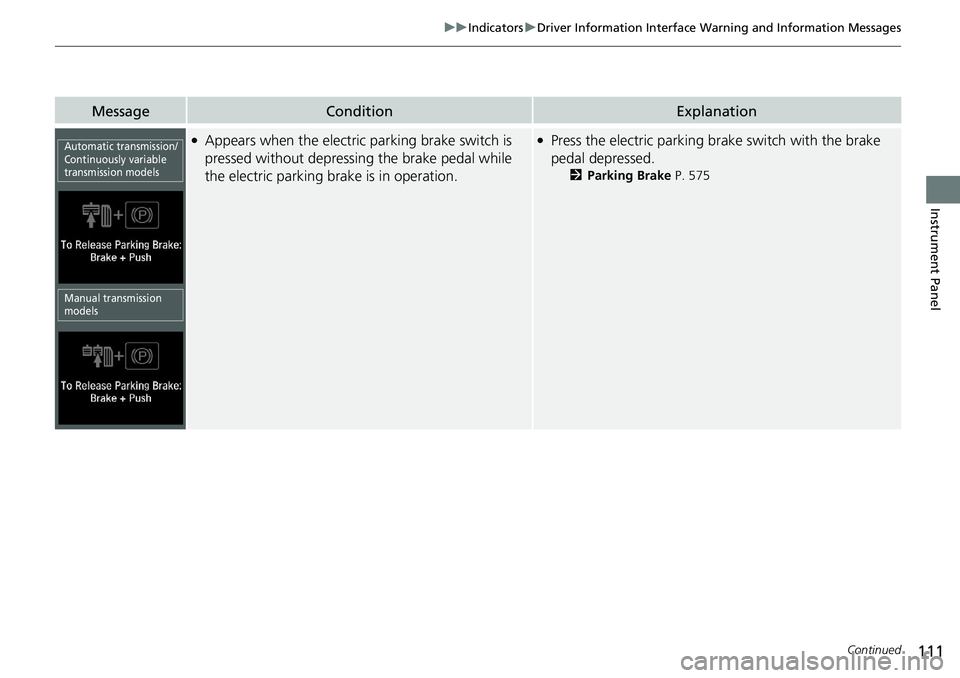
●Appears when the electric parking brake switch is
pressed without depressing the brake pedal while
the electric parking brake is in operation.●Press the electric parking brake switch with the brake
pedal depressed.
2 Parking Brake P. 575
Automatic transmission/
Continuously variable
transmission models
Manual transmission
models
Page 118 of 728
116
uuIndicators uDriver Information Interface Wa rning and Information Messages
Instrument Panel
MessageConditionExplanation
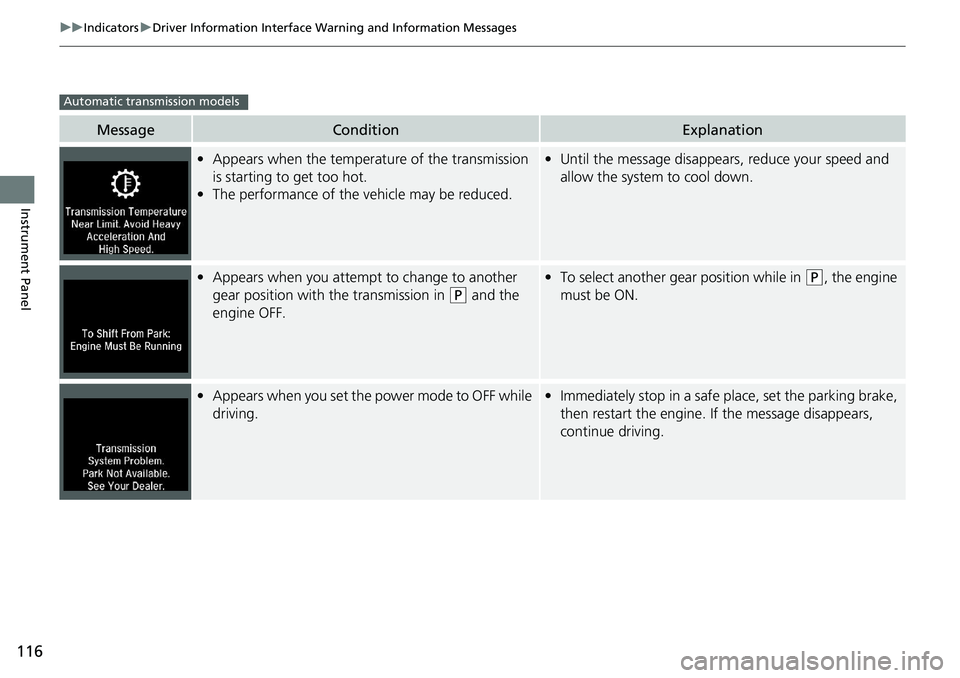
•Appears when the temperature of the transmission
is starting to get too hot.
• The performance of the vehicle may be reduced.•Until the message disappears, reduce your speed and
allow the system to cool down.
•Appears when you attempt to change to another
gear position with the transmission in
(P and the
engine OFF.
• To select another gear position while in (P, the engine
must be ON.
• Appears when you set the power mode to OFF while
driving.•Immediately stop in a safe place, set the parking brake,
then restart the engine. If the message disappears,
continue driving.
Automatic transmission models
Page 119 of 728
117
uuIndicators uDriver Information Interface Wa rning and Information Messages
Continued
Instrument Panel
MessageConditionExplanation
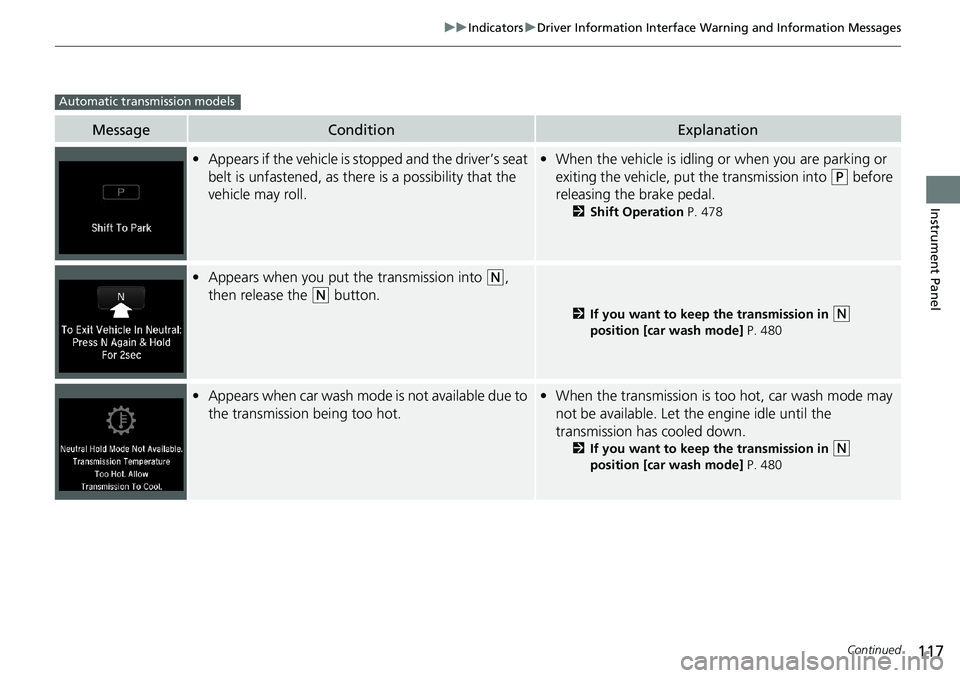
•Appears if the vehicle is st opped and the driver’s seat
belt is unfastened, as there is a possibility that the
vehicle may roll.• When the vehicle is idling or when you are parking or
exiting the vehicle, put the transmission into
(P before
releasing the brake pedal.
2 Shift Operation P. 478
•Appears when you put the transmission into (N,
then release the
(N button.
2 If you want to keep the transmission in (N
position [car wash mode] P. 480
•Appears when car wash mode is not available due to
the transmission being too hot.•When the transmission is too hot, car wash mode may
not be available. Let the engine idle until the
transmission has cooled down.
2 If you want to keep the transmission in (N
position [car wash mode] P. 480
Automatic transmission models
Page 126 of 728
124
uuIndicators uDriver Information Interface Wa rning and Information Messages
Instrument Panel
MessageConditionExplanation
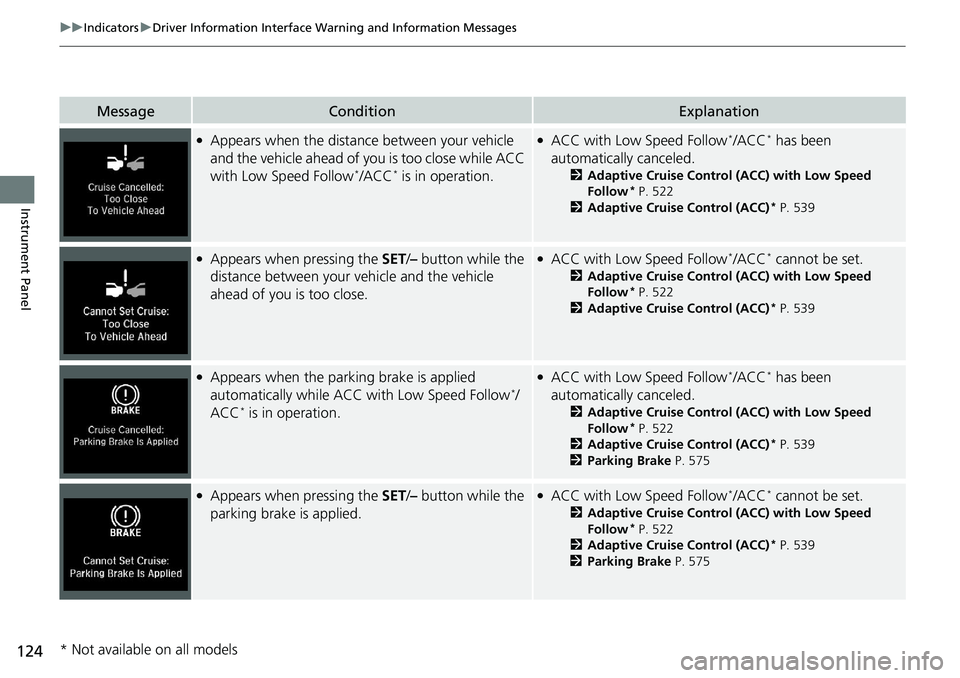
●Appears when the distance between your vehicle
and the vehicle ahead of you is too close while ACC
with Low Speed Follow
*/ACC* is in operation.
●ACC with Low Speed Follow*/ACC* has been
automatically canceled.
2 Adaptive Cruise Control (ACC) with Low Speed
Follow* P. 522
2 Adaptive Cruise Control (ACC)* P. 539
●Appears when pressing the SET/– button while the
distance between your vehicle and the vehicle
ahead of you is too close.●ACC with Low Speed Follow*/ACC* cannot be set.
2 Adaptive Cruise Control (ACC) with Low Speed
Follow* P. 522
2 Adaptive Cruise Control (ACC)* P. 539
●Appears when the parking brake is applied
automatically while ACC with Low Speed Follow*/
ACC* is in operation.
●ACC with Low Speed Follow*/ACC* has been
automatically canceled.
2 Adaptive Cruise Control (ACC) with Low Speed
Follow* P. 522
2 Adaptive Cruise Control (ACC)* P. 539
2 Parking Brake P. 575
●Appears when pressing the SET/– button while the
parking brake is applied.●ACC with Low Speed Follow*/ACC* cannot be set.
2 Adaptive Cruise Control (ACC) with Low Speed
Follow* P. 522
2 Adaptive Cruise Control (ACC)* P. 539
2 Parking Brake P. 575
* Not available on all models
Page 196 of 728
194
uuOperating the Switches Around the Steering Wheel uLight Switches
Controls
Light Switches
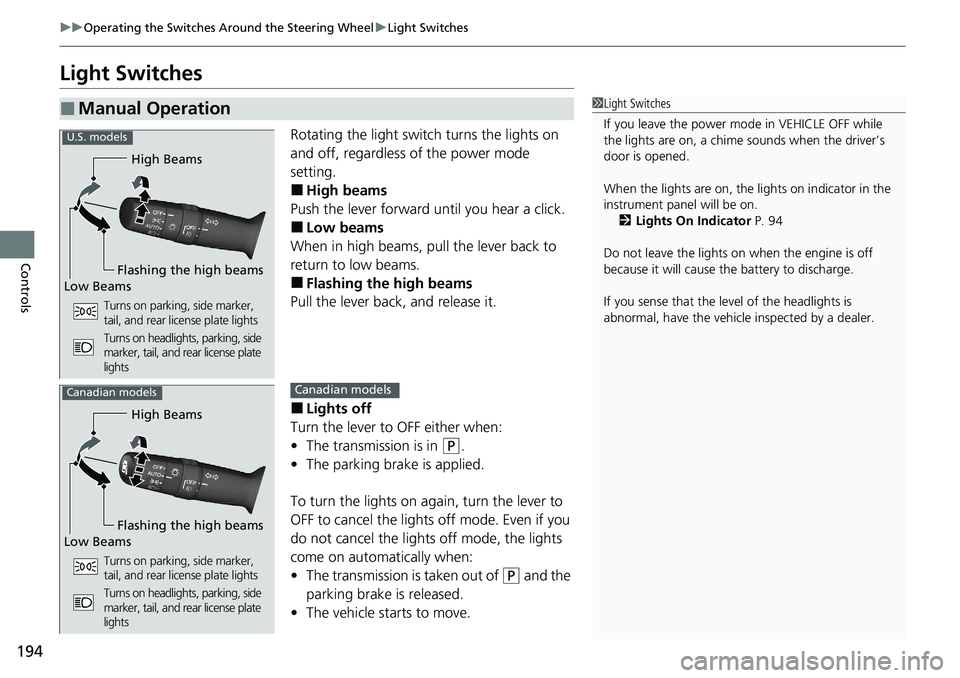
Rotating the light switch turns the lights on
and off, regardless of the power mode
setting.
■High beams
Push the lever forward until you hear a click.
■Low beams
When in high beams, pull the lever back to
return to low beams.
■Flashing the high beams
Pull the lever back, and release it.
■Lights off
Turn the lever to OFF either when:
• The transmission is in
(P.
• The parking brake is applied.
To turn the lights on again, turn the lever to
OFF to cancel the lights off mode. Even if you
do not cancel the lights off mode, the lights
come on automatically when:
• The transmission is taken out of
(P and the
parking brake is released.
• The vehicle starts to move.
■Manual Operation1Light Switches
If you leave the power mode in VEHICLE OFF while
the lights are on, a chime sounds when the driver’s
door is opened.
When the lights are on, the lights on indicator in the
instrument pane l will be on.
2 Lights On Indicator P. 94
Do not leave the lights on when the engine is off
because it will cause the battery to discharge.
If you sense that the le vel of the headlights is
abnormal, have the vehicl e inspected by a dealer.
High Beams
Flashing the high beams
Low Beams
Turns on parking, side marker,
tail, and rear license plate lights
Turns on headlights, parking, side
marker, tail, and rear license plate
lights
U.S. models
High Beams
Flashing the high beams
Low Beams
Turns on parking, side marker,
tail, and rear license plate lights
Turns on headlights, parking, side
marker, tail, and rear license plate
lights
Canadian modelsCanadian models
Page 199 of 728
197
uuOperating the Switches Around the Steering Wheel uDaytime Running Lights
Controls
Daytime Running Lights
The parking/daytime running lights come on when the following conditions have
been met:
• The power mode is in ON.
• The headlight switch is off, or in .
• The parking brake is released.
The lights remain on even if you set the pa rking brake. Setting the power mode to
VEHICLE OFF will turn off the daytime running lights.
The daytime running lights are off once the h eadlight switch is turned on, or when
the head light switch is in AUTO and it is getting darker outside.1Daytime Running Lights
The parking lights serve as daytime running lights.
Page 209 of 728
207
uuOperating the Switches Around the Steering Wheel uDriving Position Memory System*
Controls
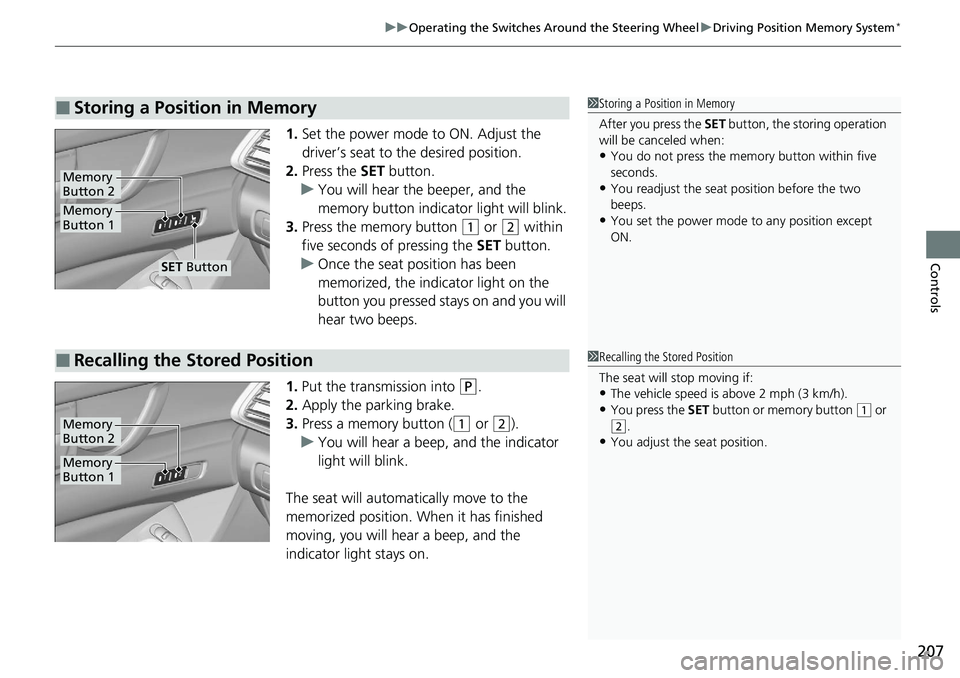
1. Set the power mode to ON. Adjust the
driver’s seat to the desired position.
2. Press the SET button.
u You will hear the beeper, and the
memory button indicator light will blink.
3. Press the memory button
(1 or (2 within
five seconds of pressing the SET button.
u Once the seat position has been
memorized, the indicator light on the
button you pressed stays on and you will
hear two beeps.
1. Put the transmission into
(P.
2. Apply the parking brake.
3. Press a memory button (
(1 or (2).
u You will hear a beep, and the indicator
light will blink.
The seat will automatically move to the
memorized position. When it has finished
moving, you will hear a beep, and the
indicator light stays on.
■Storing a Position in Memory1 Storing a Position in Memory
After you press the SET button, the storing operation
will be canceled when:
•You do not press the memory button within five
seconds.
•You readjust the seat position before the two
beeps.
•You set the power mode to any position except
ON.Memory
Button 1
Memory
Button 2
SET Button
■Recalling the Stored Position1 Recalling the Stored Position
The seat will stop moving if:
•The vehicle speed is above 2 mph (3 km/h).
•You press the SET button or memory button (1 or (2.
•You adjust the seat position.
Memory
Button 1
Memory
Button 2
Page 385 of 728
383Continued
Features
Customized Features
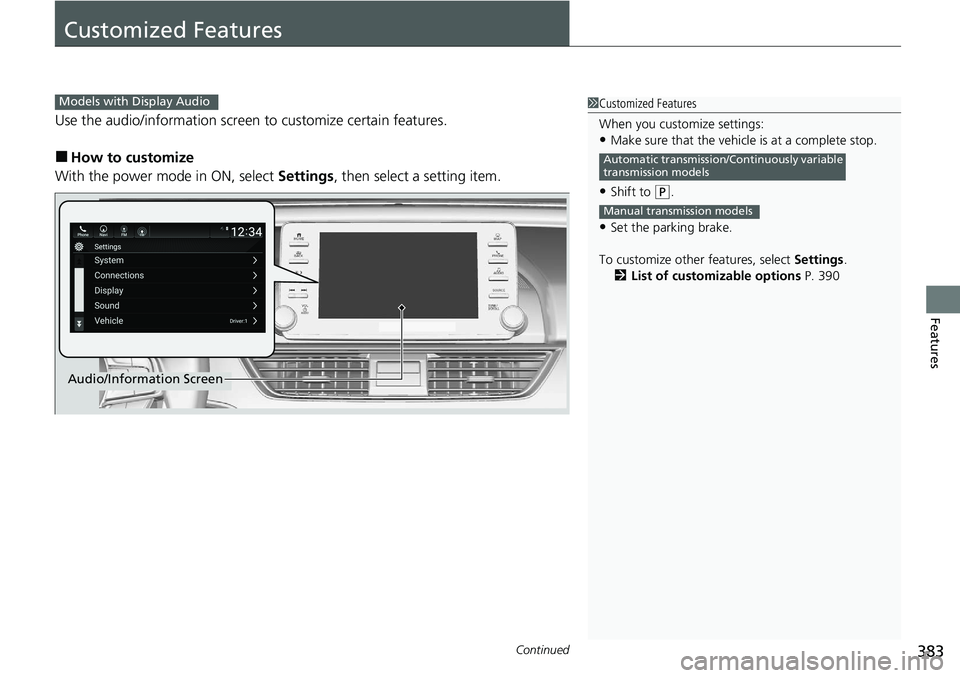
Use the audio/information screen to customize certain features.
■How to customize
With the power mode in ON, select Settings, then select a setting item.
1Customized Features
When you customize settings:
•Make sure that the vehicle is at a complete stop.
•Shift to (P.
•Set the parking brake.
To customize other features, select Settings.
2 List of customizable options P. 390
Automatic transmission/Continuously variable
transmission models
Manual transmission models
Models with Display Audio
Audio/Information Screen
Page 457 of 728
455
Driving
This chapter discusses driving and refueling.
Before Driving................................... 456
Towing a Trailer ................................ 461
When Driving Starting the Engine .......................... 467
Precautions While Driving................. 475
Automatic Transmission
*/Continuously
Variable Transmission*................... 476
Shifting .................... 477, 484, 486, 490
SPORT Mode
*.................................. 493
ECON Button ................................... 494
Adaptive Damper System
*............... 495Vehicle Stability AssistTM (VSA ®), aka
Electronic Stability Control (ESC),
System.......................................... 496
Agile Handling Assist ............................. 498Tire Pressure Monitoring System (TPMS) .... 499Tire Pressure Monitoring System (TPMS) -
Required Federal Explanation ......... 503
Blind spot information System
*........... 505
LaneWatchTM*.................................. 508
Honda Sensing ®................................ 510
Collision Mitigati on Braking System
TM
(CMBSTM) ....................................... 513
Adaptive Cruise Control (ACC) with Low Speed Follow
*............................... 522
Adaptive Cruise Control (ACC)*....... 539
Lane Keeping Assist System (LKAS).... 554
Road Departure Mi tigation (RDM)
System ........................................ 562
Traffic Sign Recognition System ....... 566
Front Sensor Camera ....................... 572
Radar Sensor ................................... 574
Braking Brake System ................................... 575
Anti-lock Brake System (ABS) ........... 585
Brake Assist System ......................... 586
Parking Your Vehicle ........................ 587
Multi-View Rear Camera .................. 598
Refueling ........................................... 601
Fuel Economy and CO
2 Emissions .... 604
Turbo Engine Vehicle ....................... 605
* Not available on all models