clock HONDA CIVIC 2010 8.G User Guide
[x] Cancel search | Manufacturer: HONDA, Model Year: 2010, Model line: CIVIC, Model: HONDA CIVIC 2010 8.GPages: 387, PDF Size: 6.47 MB
Page 320 of 387
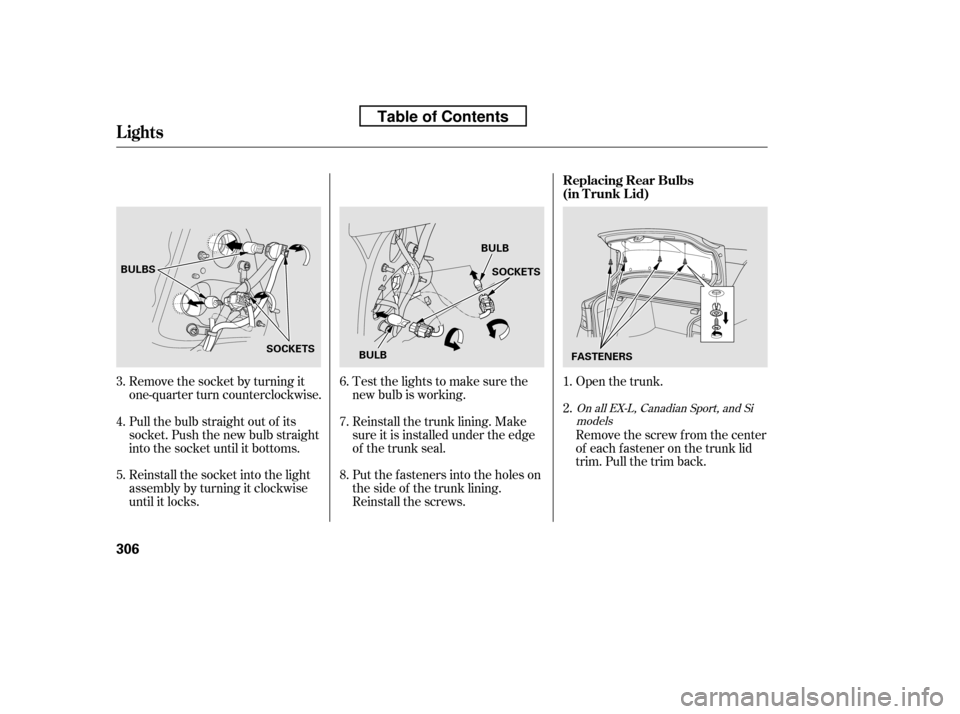
Open the trunk.
Remove the socket by turning it
one-quarter turn counterclockwise.
Pull the bulb straight out of its
socket. Push the new bulb straight
into the socket until it bottoms.
Reinstall the socket into the light
assembly by turning it clockwise
until it locks. Put the f asteners into the holes on
the side of the trunk lining.
Reinstall the screws.
Reinstall the trunk lining. Make
sure it is installed under the edge
of the trunk seal.
Test the lights to make sure the
new bulb is working.
Remove the screw from the center
of each f astener on the trunk lid
trim. Pull the trim back.
1. 2.
4. 5. 6. 7. 8.
3.
OnallEX-L,CanadianSport,andSi
models
Lights
Replacing Rear Bulbs
(in T runk L id)
306
BULBS
SOCKETS SOCKETS
BULB
FASTENERS
BULB
Table of Contents
Page 321 of 387
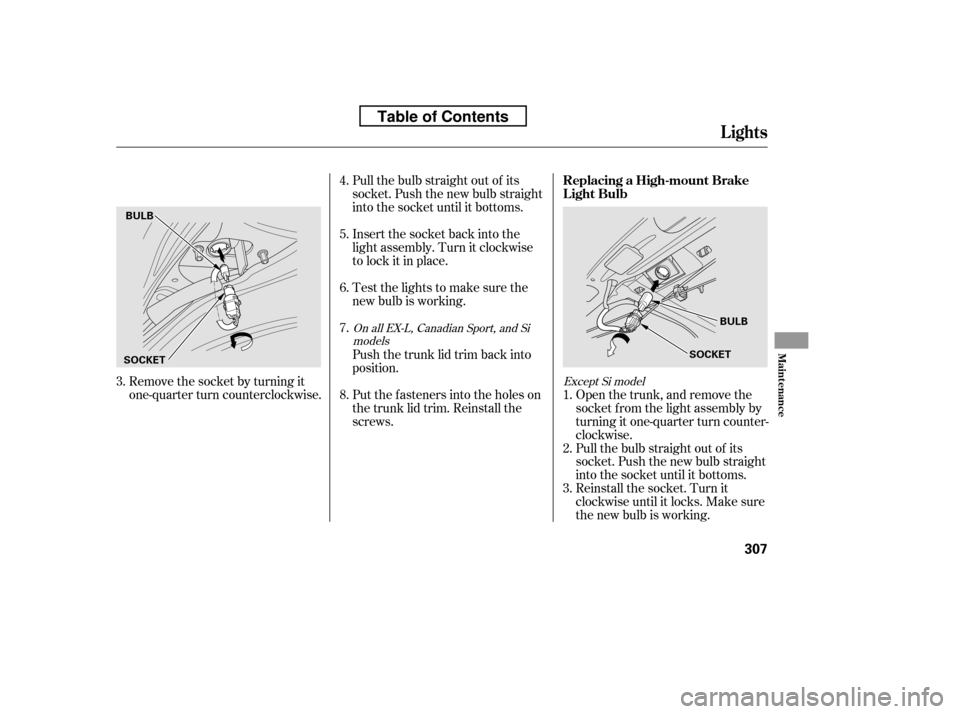
Remove the socket by turning it
one-quarter turn counterclockwise.Pull the bulb straight out of its
socket. Push the new bulb straight
into the socket until it bottoms.
Insert the socket back into the
light assembly. Turn it clockwise
to lock it in place.
Test the lights to make sure the
new bulb is working.
Put the f asteners into the holes on
the trunk lid trim. Reinstall the
screws.
Push the trunk lid trim back into
position.
Reinstall the socket. Turn it
clockwise until it locks. Make sure
the new bulb is working.
Pull the bulb straight out of its
socket. Push the new bulb straight
into the socket until it bottoms.
Open the trunk, and remove the
socket f rom the light assembly by
turning it one-quarter turn counter-
clockwise.
2.
1. 3.
4. 5.6. 7. 8.
3.Except Si model
OnallEX-L,CanadianSport,andSi
models
Lights
Replacing a High-mount Brake
Light Bulb
Maint enance
307
BULB
SOCKET
BULB
SOCKET
Table of Contents
Page 323 of 387
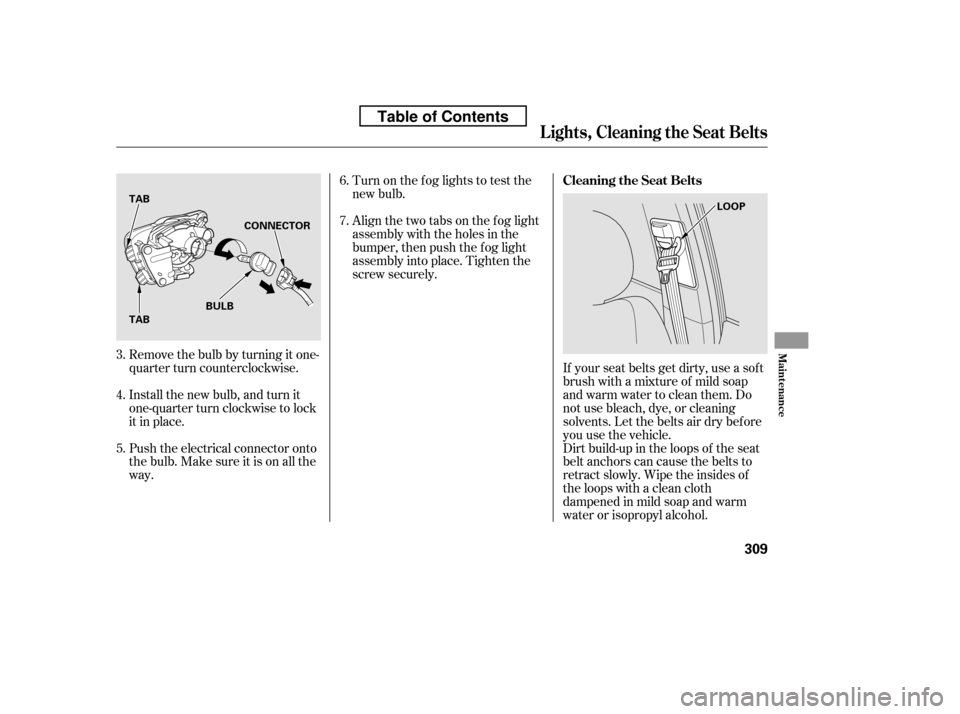
Turn on the f og lights to test the
new bulb.
Align the two tabs on the f og light
assembly with the holes in the
bumper, then push the f og light
assembly into place. Tighten the
screw securely.
Remove the bulb by turning it one-
quarter turn counterclockwise.
Install the new bulb, and turn it
one-quarter turn clockwise to lock
it in place.
Push the electrical connector onto
the bulb. Make sure it is on all the
way. If your seat belts get dirty, use a sof t
brush with a mixture of mild soap
and warm water to clean them. Do
not use bleach, dye, or cleaning
solvents. Let the belts air dry bef ore
you use the vehicle.
Dirt build-up in the loops of the seat
belt anchors can cause the belts to
retract slowly. Wipe the insides of
the loops with a clean cloth
dampened in mild soap and warm
water or isopropyl alcohol.
6. 7.
3.4. 5.
Lights, Cleaning the Seat Belts
Cleaning the Seat Belts
Maint enance
309
TAB TAB CONNECTOR
BULB LOOP
Table of Contents
Page 342 of 387
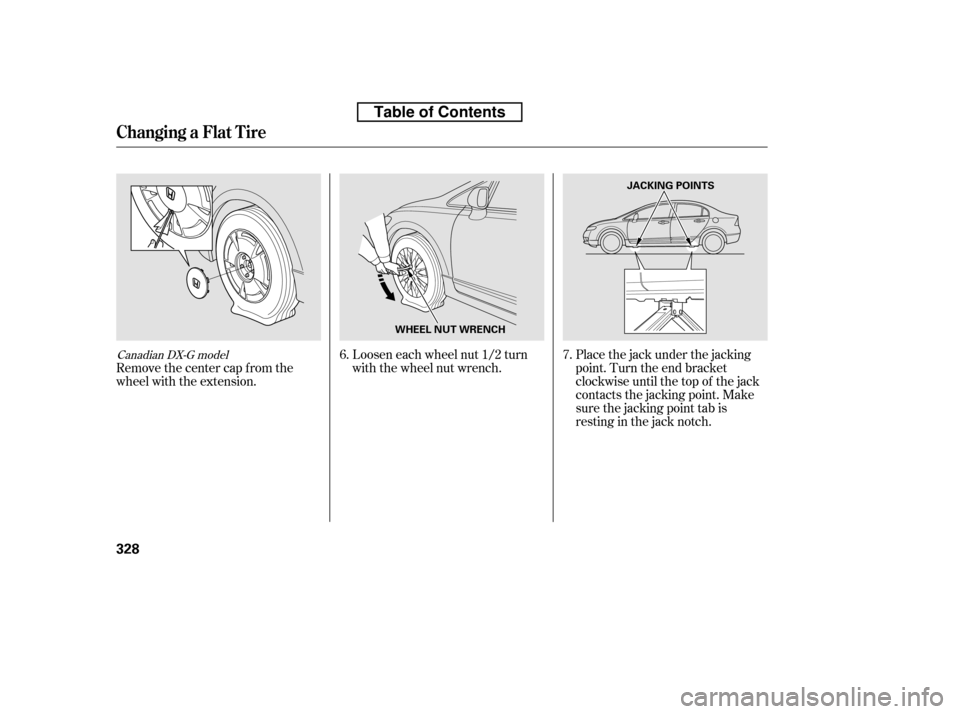
Placethejackunderthejacking
point. Turn the end bracket
clockwise until the top of the jack
contacts the jacking point. Make
sure the jacking point tab is
restinginthejacknotch.
Loosen each wheel nut 1/2 turn
with the wheel nut wrench.
Remove the center cap from the
wheel with the extension. 6.
7.Canadian DX-G model
Changing a Flat T ire
328
JACKING POINTS
WHEEL NUT WRENCH
Table of Contents
Page 352 of 387
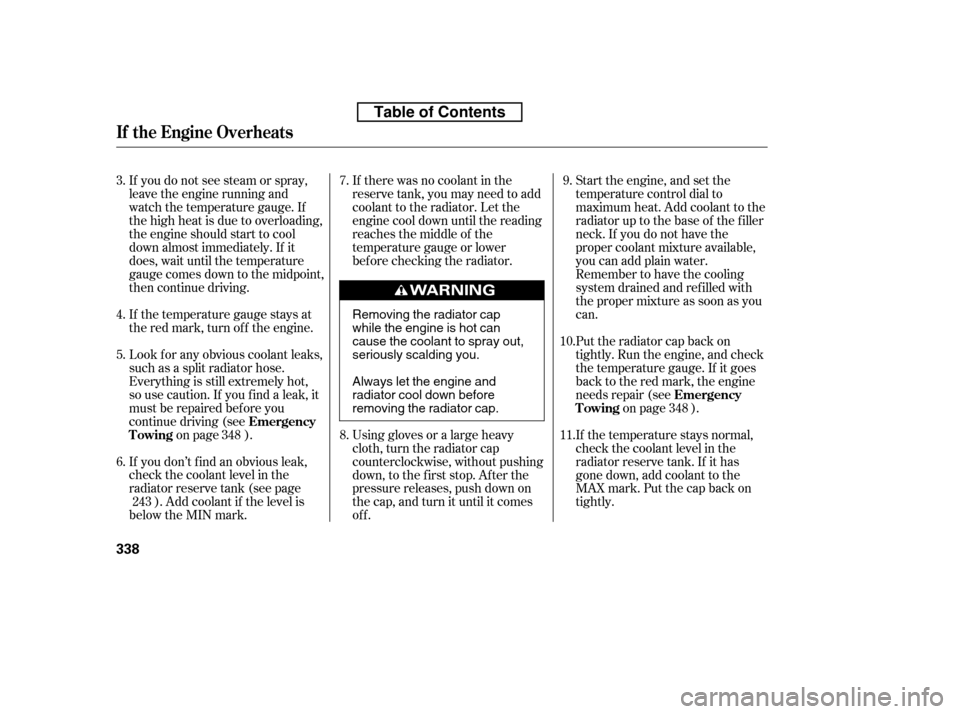
Put the radiator cap back on
tightly. Run the engine, and check
the temperature gauge. If it goes
back to the red mark, the engine
needs repair (seeon page ).
If you do not see steam or spray,
leave the engine running and
watch the temperature gauge. If
the high heat is due to overloading,
the engine should start to cool
down almost immediately. If it
does, wait until the temperature
gauge comes down to the midpoint,
then continue driving.
If the temperature gauge stays at
the red mark, turn of f the engine.
Look f or any obvious coolant leaks,
such as a split radiator hose.
Everything is still extremely hot,
so use caution. If you f ind a leak, it
must be repaired bef ore you
continue driving (see
on page ).
If you don’t f ind an obvious leak,
check the coolant level in the
radiator reserve tank (see page ). Add coolant if the level is
below the MIN mark. Start the engine, and set the
temperature control dial to
maximum heat. Add coolant to the
radiator up to the base of the f iller
neck. If you do not have the
proper coolant mixture available,
you can add plain water.
Remember to have the cooling
system drained and ref illed with
the proper mixture as soon as you
can.
If the temperature stays normal,
check the coolant level in the
radiator reserve tank. If it has
gone down, add coolant to the
MAX mark. Put the cap back on
tightly.
Using gloves or a large heavy
cloth, turn the radiator cap
counterclockwise, without pushing
down, to the f irst stop. Af ter the
pressure releases, push down on
the cap, and turn it until it comes
off.
If there was no coolant in the
reserve tank, you may need to add
coolant to the radiator. Let the
engine cool down until the reading
reaches the middle of the
temperature gauge or lower
bef ore checking the radiator.
7. 8. 9.
3. 4. 5. 6. 10. 11.
348
243 348
Emergency
Towing
Emergency
Towing
If theEngineOverheats
338
Removing the radiator cap
while the engine is hot can
cause the coolant to spray out,
seriously scalding you.
Always let the engine and
radiator cool down before
removing the radiator cap.
Table of Contents
Page 359 of 387
When the audio system is disabled,
the clock setting in the audio system
will be canceled. You will need to
reset the clock (see page ).
If the radio f use is removed, the
audio system may disable itself . The
nexttimeyouturnontheradio,you
will see ‘‘ENTER CODE’’ in the
f requency display. Use the preset
buttons to enter the five-digit code
(see page ).
If the replacement fuse of the
same rating blows in a short time,
there is probably a serious
electrical problem with your
vehicle. Leave the blown fuse in
that circuit, and have your vehicle
checked by a qualif ied technician.
6.
206
207
Fuses
T aking Care of t he Unexpect ed
345
Replacing a f use with one that has a
higher rating greatly increases the
chances of damaging the electrical
system. If you do not have a
replacement f use with the proper rating
f or the circuit, install one with a lower
rating.
Table of Contents