reset mode HONDA CIVIC 2012 9.G User Guide
[x] Cancel search | Manufacturer: HONDA, Model Year: 2012, Model line: CIVIC, Model: HONDA CIVIC 2012 9.GPages: 345, PDF Size: 9.02 MB
Page 123 of 345
122
uuOperating the Switches Around the Steering WheeluBrightness Control
Controls
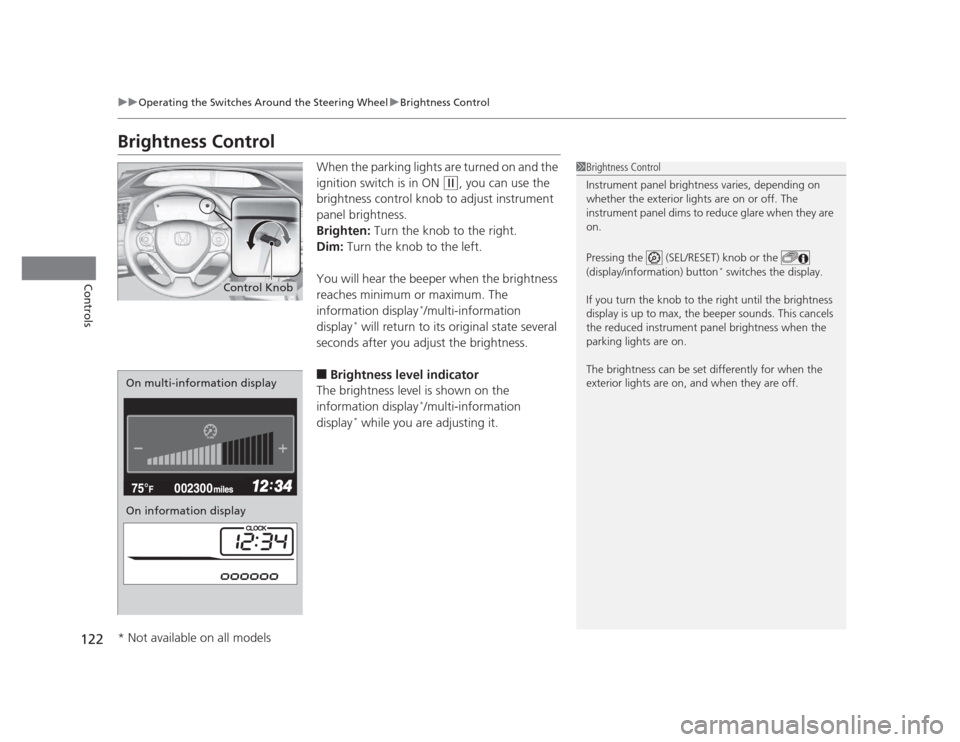
Brightness ControlWhen the parking lights are turned on and the
ignition switch is in ON
(w, you can use the
brightness control knob to adjust instrument
panel brightness.
Brighten: Turn the knob to the right.
Dim: Turn the knob to the left.
You will hear the beeper when the brightness
reaches minimum or maximum. The
information display *
/multi-information
display *
will return to its original state several
seconds after you adjust the brightness. ■ Brightness level indicator
The brightness level is shown on the
information display *
/multi-information
display *
while you are adjusting it.
1Brightness Control
Instrument panel brightness varies, depending on
whether the exterior lights are on or off. The
instrument panel dims to reduce glare when they are on.
Pressing the (SEL/RESET) knob or the
(display/information) button *
switches the display.
If you turn the knob to the right until the brightness
display is up to max, the beeper sounds. This cancels
the reduced instrument panel brightness when the
parking lights are on.
The brightness can be set differently for when the
exterior lights are on, and when they are off.
Control Knob
On multi-information display
On information display
* Not available on all models
Page 147 of 345
146
uuAudio System*uAudio System Theft Protection
*
Features
Audio System Theft Protection *
The audio system is disabled when it is disconnected from the power source, such as
when the battery is disconnected or goes dead. ■ Reactivating the audio system
1. Turn the ignition switch to ON
(w , and turn on the audio system.
uIf you turn the ignition switch to ACCESSORY (q, you will be requested to
enter the audio security code. See step 3.
2. Press and hold the power button again for more than two seconds.
uThe audio system is reactivated when the system’s control unit recognizes that
the system is in your vehicle.
If the control unit fails to recognize, “ENTER CODE” appears on the multi- information display.
3. Enter the audio security code using the preset buttons. If you enter an incorrect
digit, continue to the last digit, then try again. If you do not enter code correctly
after 10 tries, leave the system for one hour before trying again, or visit a dealer
to have the system reset.
1Audio System Theft Protection
Find the audio system's security code and serial
number label in your owner’s manual kit.
We recommend that you write down the serial
number in this owner’s manual.
Do not store the label in your vehicle. If you lose the
label, you must first retrieve the serial number, and
then obtain the code.
You can find out about your serial number and
security code from a dealer.
You can register the security code at Owner Link (owners.honda.com. ), and find information on how
to retrieve the serial number and obtain the code at
radio-navicode.honda.com .
U.S. models
* Not available on all models
Page 151 of 345
uuAudio System Basic Operation*uPlaying the AM/FM Radio
150
Features
Use the auto select feature to scan both bands and store the strongest station in each preset. 1. Press the SETUP button.
2. Press to enter the auto select mode.
uThe system goes into scan mode for several seconds.
To turn off auto select, press again. This restores the presets you originally set.
Provides text data information related to your selected RDS capable FM station.
■ RDS INFO ON
Press the SETUP button twice then press while listening to an RDS capable
station. The station name is displayed. To turn off the RDS information, press
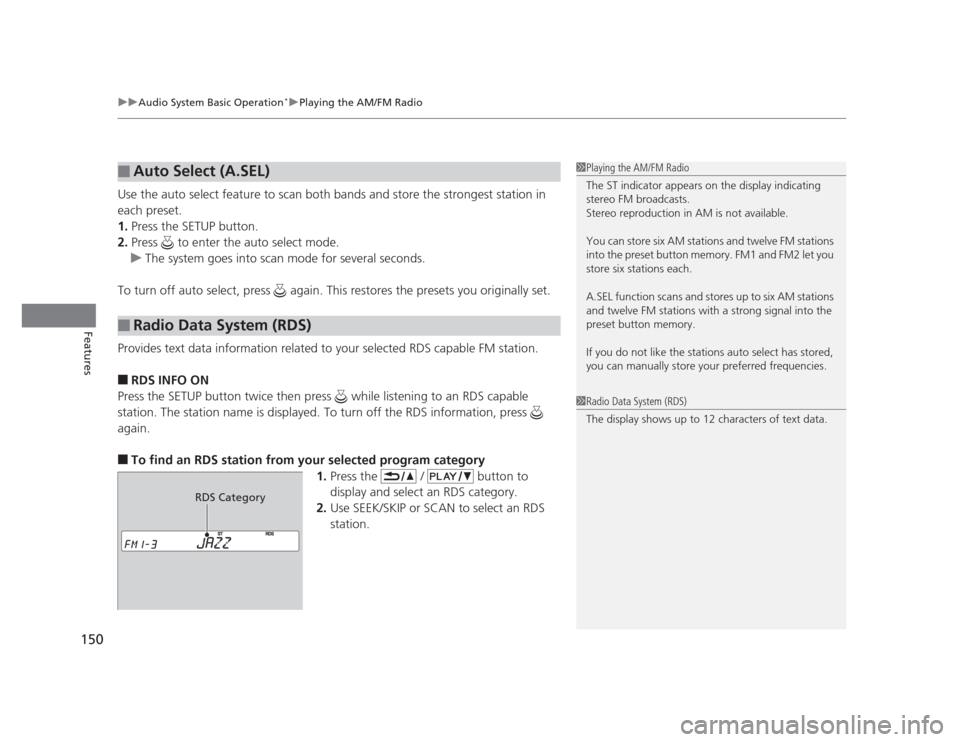
again. ■ To find an RDS station from your selected program category
1.Press the / button to
display and select an RDS category.
2. Use SEEK/SKIP or SCAN to select an RDS
station.
■Auto Select (A.SEL)
■Radio Data System (RDS)
1Playing the AM/FM Radio
The ST indicator appears on the display indicating
stereo FM broadcasts.
Stereo reproduction in AM is not available.
You can store six AM stations and twelve FM stations
into the preset button memory. FM1 and FM2 let you
store six stations each.
A.SEL function scans and stores up to six AM stations
and twelve FM stations with a strong signal into the preset button memory.
If you do not like the stations auto select has stored,
you can manually store your preferred frequencies.
1Radio Data System (RDS)
The display shows up to 12 characters of text data.
RDS Category
Page 157 of 345
156
uuAudio System Basic Operation*uAudio Remote Controls
*
Features
Audio Remote Controls *
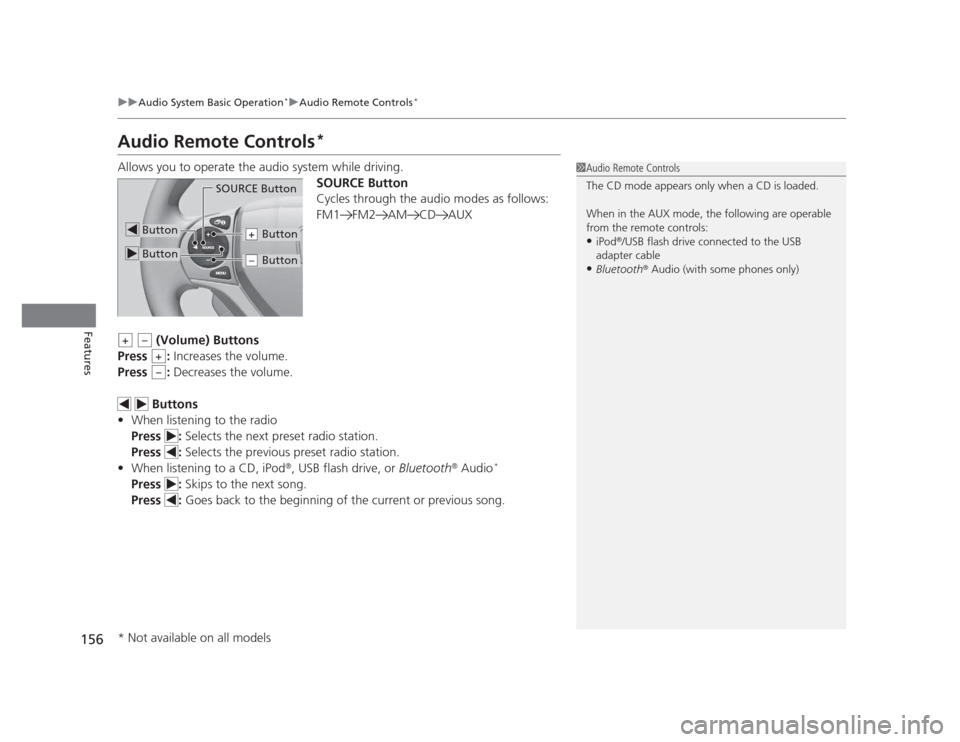
Allows you to operate the audio system while driving. SOURCE Button
Cycles through the audio modes as follows:
FM1 FM2 AM CD AUX
(Volume) Buttons
Press : Increases the volume.
Press : Decreases the volume.
Buttons
• When listening to the radio
Press : Selects the next preset radio station.
Press : Selects the previous preset radio station.
• When listening to a CD, iPod ®
, USB flash drive, or Bluetooth®
Audio *
Press : Skips to the next song.
Press : Goes back to the beginning of the current or previous song.
1Audio Remote Controls
The CD mode appears only when a CD is loaded.
When in the AUX mode, the following are operable
from the remote controls: •iPod ®
/USB flash drive connected to the USB
adapter cable
• Bluetooth ®
Audio (with some phones only)
Button
SOURCE Button
Button
Button+
Button–
+–
+
–
* Not available on all models
Page 160 of 345
Continued159
uuAudio System Basic Operation*uPlaying the AM/FM Radio
Features
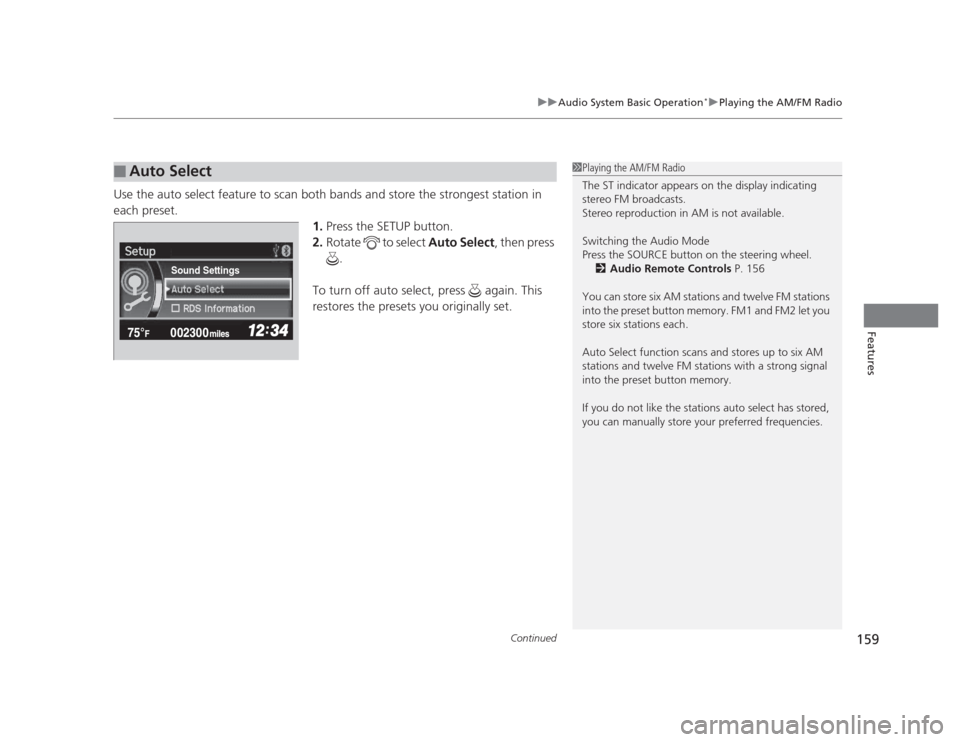
Use the auto select feature to scan both bands and store the strongest station in each preset.
1.Press the SETUP button.
2. Rotate to select Auto Select, then press
.
To turn off auto select, press again. This
restores the presets you originally set.
■Auto Select1Playing the AM/FM Radio
The ST indicator appears on the display indicating
stereo FM broadcasts.
Stereo reproduction in AM is not available.
Switching the Audio Mode
Press the SOURCE button on the steering wheel. 2 Audio Remote Controls P. 156
You can store six AM stations and twelve FM stations
into the preset button memory. FM1 and FM2 let you
store six stations each.
Auto Select function scans and stores up to six AM
stations and twelve FM stations with a strong signal
into the preset button memory.
If you do not like the stations auto select has stored,
you can manually store your preferred frequencies.
Sound Settings
Page 244 of 345
243
Continued
Maintenance
Maintenance Minder™
If the engine oil life is less than 15%, you will see the Maintenance Minder messages
appear on the information display *
or the multi-information display *
every time you
turn the ignition switch to ON
(w . The messages notify you when to change the
engine oil, or when to bring your vehicle to a dealer for indicated maintenance
services.
To Use Maintenance Minder TM
1. Turn the ignition switch to ON
(w .
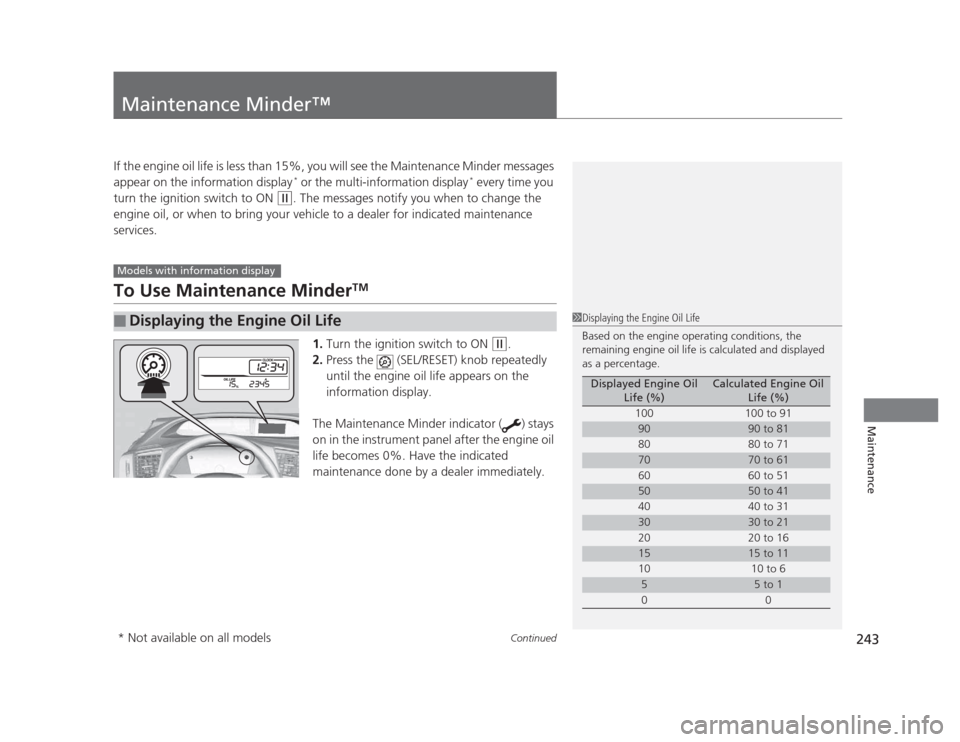
2. Press the (SEL/RESET) knob repeatedly
until the engine oil life appears on the
information display.
The Maintenance Minder indicator ( ) stays
on in the instrument panel after the engine oil
life becomes 0%. Have the indicated
maintenance done by a dealer immediately.
■Displaying the Engine Oil Life
Models with information display
1Displaying the Engine Oil Life
Based on the engine operating conditions, the
remaining engine oil life is calculated and displayed
as a percentage.
Displayed Engine Oil Life (%)Calculated Engine Oil Life (%)
100 100 to 91
9090 to 81
80 80 to 71
7070 to 61
60 60 to 51
5050 to 41
40 40 to 31
3030 to 21
20 20 to 16
1515 to 11
10 10 to 6
55 to 1
00
* Not available on all models
Page 245 of 345
244
uuMaintenance Minder™uTo Use Maintenance MinderTM
Maintenance
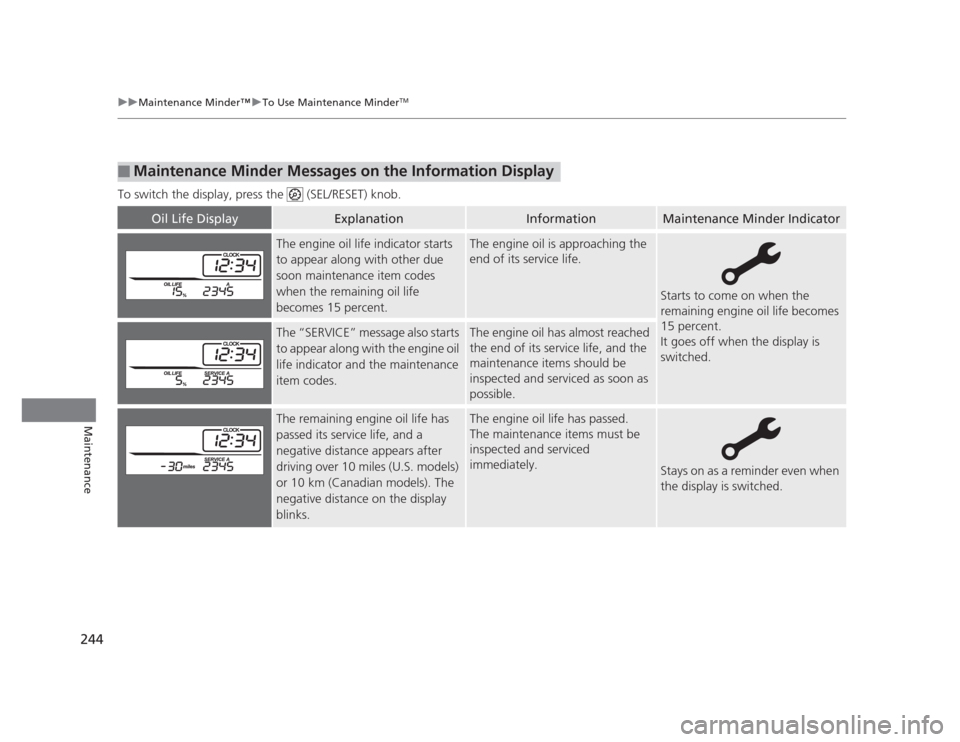
To switch the display, press the (SEL/RESET) knob.
■Maintenance Minder Messages on the Information Display
Oil Life DisplayExplanationInformationMaintenance Minder Indicator
The engine oil life indicator starts
to appear along with other due
soon maintenance item codes
when the remaining oil life
becomes 15 percent.The engine oil is approaching the
end of its service life.
Starts to come on when the
remaining engine oil life becomes
15 percent.
It goes off when the display is switched.
The “SERVICE” message also starts
to appear along with the engine oil
life indicator and the maintenance
item codes.The engine oil has almost reached
the end of its service life, and the
maintenance items should be
inspected and serviced as soon as
possible.
The remaining engine oil life has
passed its service life, and a negative distance appears after
driving over 10 miles (U.S. models)
or 10 km (Canadian models). The
negative distance on the display
blinks.The engine oil life has passed.
The maintenance items must be
inspected and serviced immediately.
Stays on as a reminder even when
the display is switched.
Page 251 of 345
uuMaintenance Minder™uTo Use Maintenance MinderTM
250
Maintenance
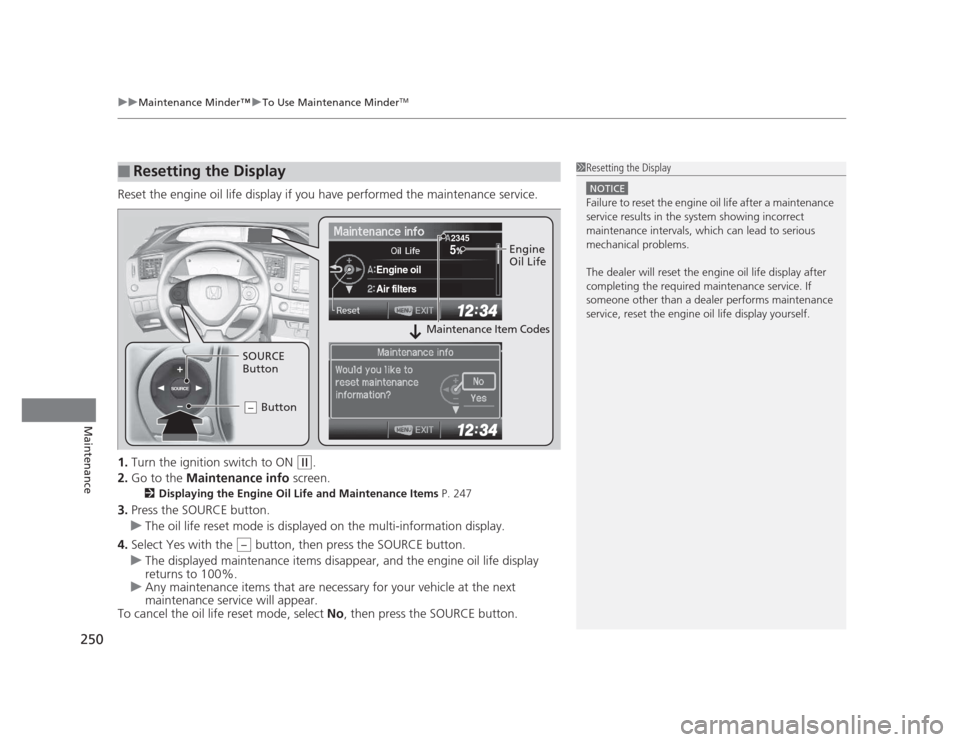
Reset the engine oil life display if you have performed the maintenance service. 1. Turn the ignition switch to ON
(w .
2. Go to the Maintenance info screen.
2 Displaying the Engine Oil Life and Maintenance Items P. 247
3. Press the SOURCE button.
uThe oil life reset mode is displayed on the multi-information display.
4. Select Yes with the button, then press the SOURCE button.
uThe displayed maintenance items disappear, and the engine oil life display returns to 100%.
uAny maintenance items that are necessary for your vehicle at the next
maintenance service will appear.
To cancel the oil life reset mode, select No, then press the SOURCE button.
■Resetting the Display1Resetting the Display
NOTICE
Failure to reset the engine oil life after a maintenance
service results in the system showing incorrect
maintenance intervals, which can lead to serious
mechanical problems.
The dealer will reset the engine oil life display after
completing the required maintenance service. If
someone other than a dealer performs maintenance
service, reset the engine oil life display yourself.
SOURCE
5
Engine oil
Air filters
2345Engine
Oil Life
SOURCE
Button Button
–
Maintenance Item Codes
–
Page 290 of 345
289
Maintenance
Battery
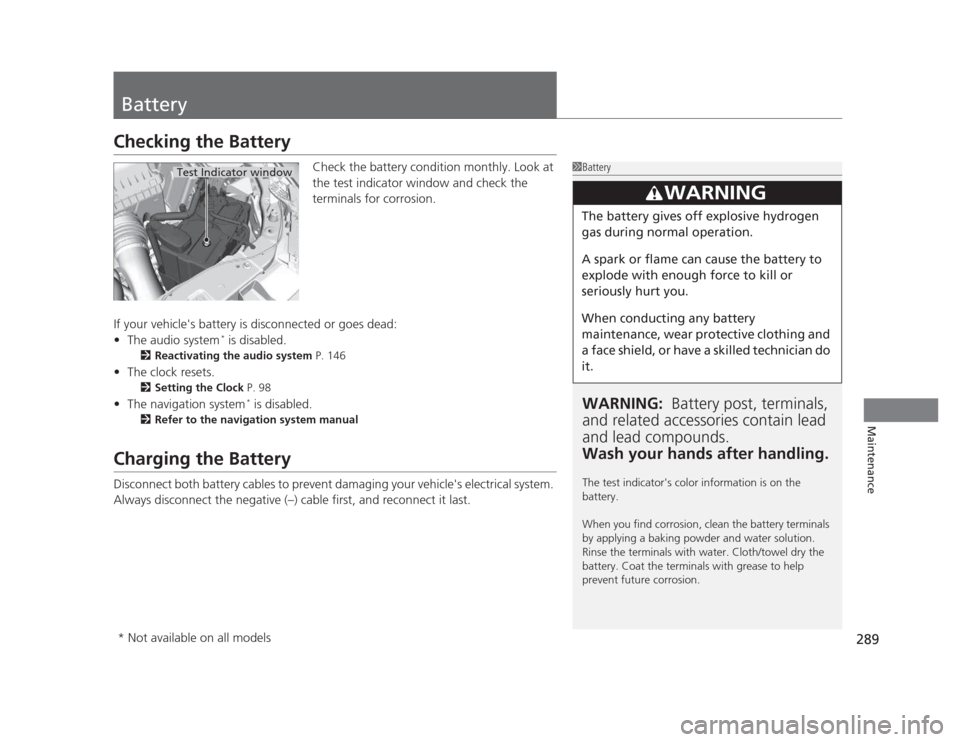
Checking the BatteryCheck the battery condition monthly. Look at
the test indicator window and check the
terminals for corrosion.
If your vehicle's battery is disconnected or goes dead: • The audio system *
is disabled.
2 Reactivating the audio system P. 146
• The clock resets.
2 Setting the Clock P. 98
• The navigation system *
is disabled.
2 Refer to the navigation system manual
Charging the Battery
Disconnect both battery cables to prevent damaging your vehicle's electrical system.
Always disconnect the negative (–) cable first, and reconnect it last.
1Battery
WARNING: Battery post, terminals,
and related accessories contain lead and lead compounds.
Wash your hands after handling.
The test indicator's color information is on the battery.
When you find corrosion, clean the battery terminals
by applying a baking powder and water solution.
Rinse the terminals with water. Cloth/towel dry the
battery. Coat the terminals with grease to help
prevent future corrosion.
3WARNING
The battery gives off explosive hydrogen
gas during normal operation.
A spark or flame can cause the battery to
explode with enough force to kill or
seriously hurt you.
When conducting any battery
maintenance, wear protective clothing and
a face shield, or have a skilled technician do it.
Test Indicator window
* Not available on all models
Page 343 of 345
342
INDEX
Trunk....................................................... 109
Outside Temperature Display .................... 85
Overheating .............................................. 311
P
Panic Mode ............................................... 113
Parking ...................................................... 233
Parking Brake ............................................ 229
Parking Brake and Brake System Indicator ............................................ 66, 315
Passenger Airbag Off Indicator ................. 47
Passing Indicators ..................................... 118
Power Windows ........................................ 114
Precautions While Driving ........................ 213
Rain ......................................................... 213
Pregnant Women ....................................... 33
Puncture (Tire) .......................................... 299
R
Radiator ..................................................... 262
Radio (AM/FM) .................................. 149, 158
Radio Data System (RDS) .................. 150, 160
Range .................................................... 81, 84
RDS (Radio Data System) .................. 150, 160
Readiness Codes (Emissions Testing) ....... 331
Rear Defogger/Heated Door Mirror
Button ...................................................... 123
Rear Seats (Folding Down) ....................... 132
Rearview Mirror ........................................ 125 Refueling
.................................................. 234
Fuel Gauge................................................ 78
Gasoline .................................. 234, 324, 326
Low Fuel Indicator ..................................... 68
Regulations ............................... 226, 283, 329
Remote Transmitter ................................. 101
Replacement
Battery .................................................... 290
Bulbs ....................................................... 268
Fuses ............................................... 318, 319
Tires ........................................................ 286
Wiper Blade Rubber ................................ 278
Reporting Safety Defects ......................... 330
Resetting a Trip Meter ......................... 80, 83
S
Safe Driving ................................................ 23
Safety Check ............................................... 27
Safety Labels ............................................... 63
Safety Message ........................................... 22
Seat Belts .................................................... 28
Adjusting the Shoulder Anchor.................. 32
Automatic Seat Belt Tensioners ................. 30
Checking................................................... 34
Fastening .................................................. 31
Installing a Child Seat with a Lap/
Shoulder Seat Belt ................................... 57
Pregnant Women ...................................... 33
Reminder .................................................. 29
Warning Indicator ............................... 29, 68 Seat Heaters
............................................. 139
Seats .......................................................... 126
Adjusting ................................................ 126
Front Seats.............................................. 126
Rear Seats ............................................... 132
Seat Heaters ........................................... 139
Security System ........................................ 112
Immobilizer System Indicator..................... 74
Security System Alarm Indicator ................ 74
SEL/RESET Knob .................................... 80, 82
Select Lever ................................ 15, 215, 217
Operation ................................. 15, 216, 217
Releasing ................................................ 310
Won’t Move ........................................... 310
Selecting a Child Seat ................................ 54
Selector Knob (Audio) ..................... 147, 155
Setting the Clock ........................................ 98
Shift Lever .................................. 15, 215, 217
Shift Position Indicator ...................... 67, 216
Shifting (Transmission) .................... 215, 217
Shoulder Anchor ........................................ 32
Side Airbags ............................................... 42
Cutoff System ........................................... 44
Off Indicator ............................................. 44
Side Curtain Airbags .................................. 45
Snow Tires ................................................ 288
Spare Tire ................................. 299, 325, 327
Spark Plugs ....................................... 324, 326
Specifications ........................................... 324
Specified Fuel ........................... 234, 324, 326
Speedometer .............................................. 78