window HONDA CIVIC 2012 9.G User Guide
[x] Cancel search | Manufacturer: HONDA, Model Year: 2012, Model line: CIVIC, Model: HONDA CIVIC 2012 9.GPages: 345, PDF Size: 9.02 MB
Page 76 of 345
75
uuIndicatorsu
Instrument Panel
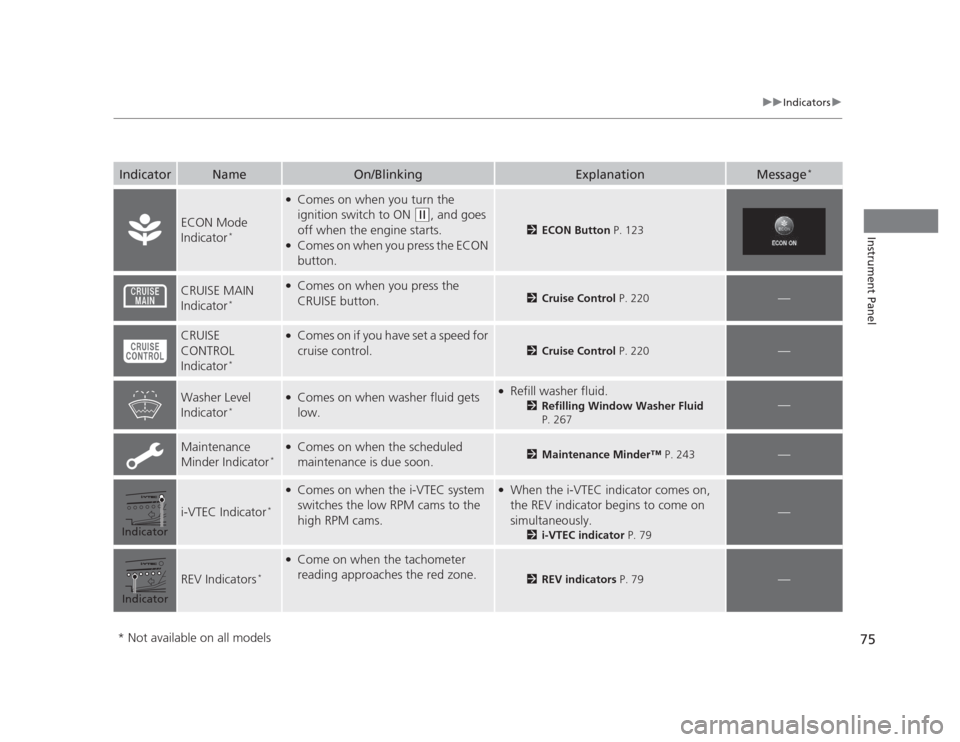
IndicatorNameOn/BlinkingExplanationMessage*
ECON Mode
Indicator
*
●
Comes on when you turn the
ignition switch to ON
(w , and goes
off when the engine starts.
● Comes on when you press the ECON
button.
2 ECON Button P. 123
CRUISE MAIN
Indicator*●
Comes on when you press the
CRUISE button.
2 Cruise Control P. 220—
CRUISE CONTROL
Indicator*●
Comes on if you have set a speed for
cruise control.
2 Cruise Control P. 220—
Washer Level
Indicator*●
Comes on when washer fluid gets
low.● Refill washer fluid.
2Refilling Window Washer Fluid
P. 267
—
Maintenance
Minder Indicator *●
Comes on when the scheduled
maintenance is due soon.2 Maintenance Minder™ P. 243—
i-VTEC Indicator*
●
Comes on when the i-VTEC system
switches the low RPM cams to the
high RPM cams.● When the i-VTEC indicator comes on,
the REV indicator begins to come on
simultaneously.
2i-VTEC indicator P. 79
—
REV Indicators*
●
Come on when the tachometer
reading approaches the red zone.
2 REV indicators P. 79—
Indicator
Indicator
* Not available on all models
Page 77 of 345
76
uuIndicatorsuMulti-Information Display Warning and Information Messages *
Instrument Panel
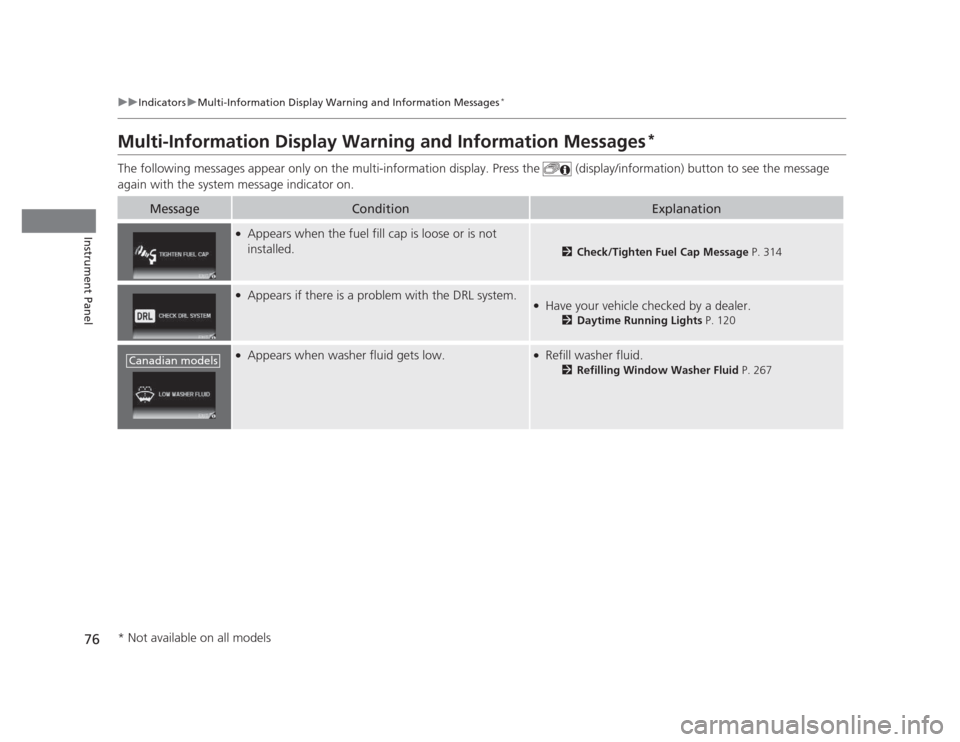
Multi-Information Display Warning and Information Messages *
The following messages appear only on the multi-information display. Press the (display/information) button to see the message
again with the system message indicator on.
MessageConditionExplanation
● Appears when the fuel fill cap is loose or is not
installed.
2 Check/Tighten Fuel Cap Message P. 314
●
Appears if there is a problem with the DRL system.●Have your vehicle checked by a dealer.
2Daytime Running Lights P. 120
●
Appears when washer fluid gets low.●Refill washer fluid.
2Refilling Window Washer Fluid P. 267Canadian models
* Not available on all models
Page 98 of 345
97
Controls
This chapter explains how to operate the various controls necessary for driving.
Setting the Clock ................................ 98
Locking and Unlocking the Doors
Key Types and Functions ... ................. 99
Locking/Unlocking the Doors from the Outside .......................................... 101
Locking/Unlocking the Doors from the
Inside ............................................. 103
Childproof Door Locks ..................... 104
Auto Door Locking/Unlocking *
........ 105
Opening and Closing the Trunk ....... 109
Security System ................................ 112
Immobilizer System .......................... 112
Security System Alarm *
.................... 112
Opening and Closing the Windows ..... 114Opening and Closing the Moonroof*...... 116Operating the Switches Around the
Steering WheelIgnition Switch ................................. 117
Turn Signals ..................................... 118
Light Switches.................................. 118Fog Lights *
...................................... 120
Daytime Running Lights ................... 120
Wipers and Washers ........................ 121
Brightness Control ........................... 122 Rear Defogger/Heated Door Mirror *
Button ........................................... 123
ECON Button *
................................. 123
Adjusting the Steering Wheel........... 124 Adjusting the Mirrors
....................... 125
Interior Rearview Mirror ................... 125
Power Door Mirrors *
....................... 125
Adjusting the Seats .......................... 126
Adjusting the Seat Positions ............. 126
Interior Lights/Interior Convenience Items ................................................ 134
Interior Lights .................................. 134
Interior Convenience Items .............. 135
Heating and Cooling *
....................... 140
Using Vents, Heating and A/C *
........ 140
* Not available on all models
Page 105 of 345
uuLocking and Unlocking the DoorsuChildproof Door Locks
104
Controls
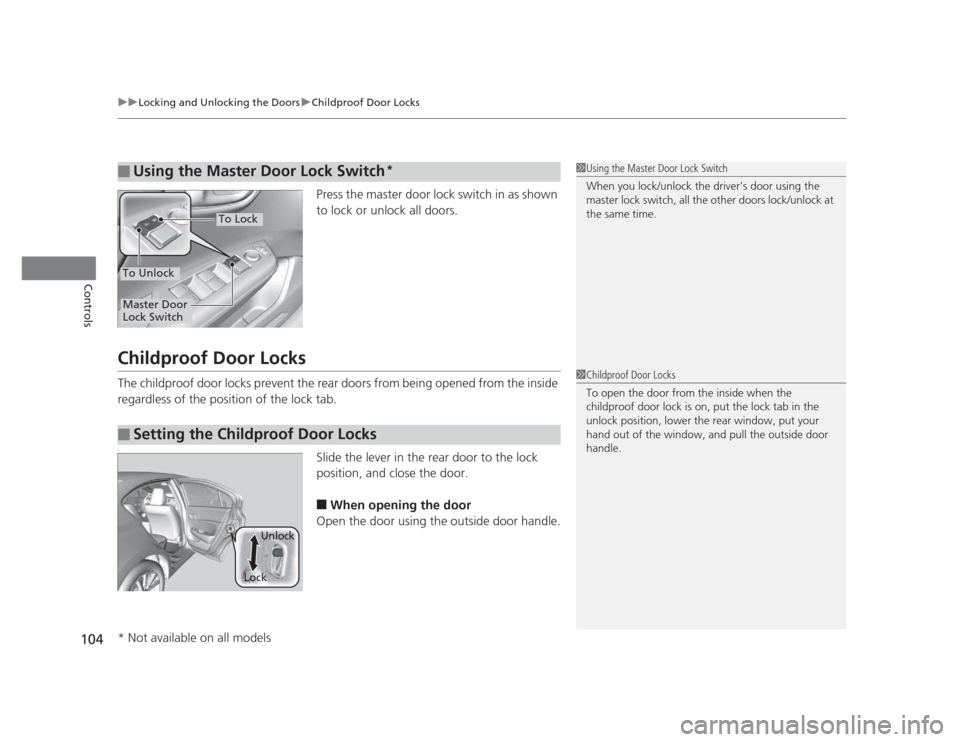
Press the master door lock switch in as shown
to lock or unlock all doors.
Childproof Door Locks
The childproof door locks prevent the rear doors from being opened from the inside
regardless of the position of the lock tab. Slide the lever in the rear door to the lock
position, and close the door.■ When opening the door
Open the door using the outside door handle.
■Using the Master Door Lock Switch*1Using the Master Door Lock Switch
When you lock/unlock the driver's door using the
master lock switch, all the other doors lock/unlock at the same time.
To Unlock
Master Door
Lock Switch
To Lock
■Setting the Childproof Door Locks
1Childproof Door Locks
To open the door from the inside when the
childproof door lock is on, put the lock tab in the
unlock position, lower the rear window, put your
hand out of the window, and pull the outside door handle.
LockUnlock
* Not available on all models
Page 114 of 345
113
uuSecurity SystemuSecurity System Alarm*
Controls
■
Setting the security system alarm
The security system alarm automatically sets when the following conditions have
been met: • The ignition switch is in LOCK
(0 , and the key has been removed from the
ignition switch.
• The hood and trunk are closed.
• All doors are locked with the key or the remote transmitter.
■ When the security system alarm sets
The security system indicator in the instrument panel blinks. When the blinking
interval changes after about 15 seconds, the security system is set. ■ To cancel the security system alarm
The security system is canceled when the vehicle is unlocked using the key or remote
transmitter, or the ignition switch is turned to ON
(w . The security system indicator
goes off at the same time.
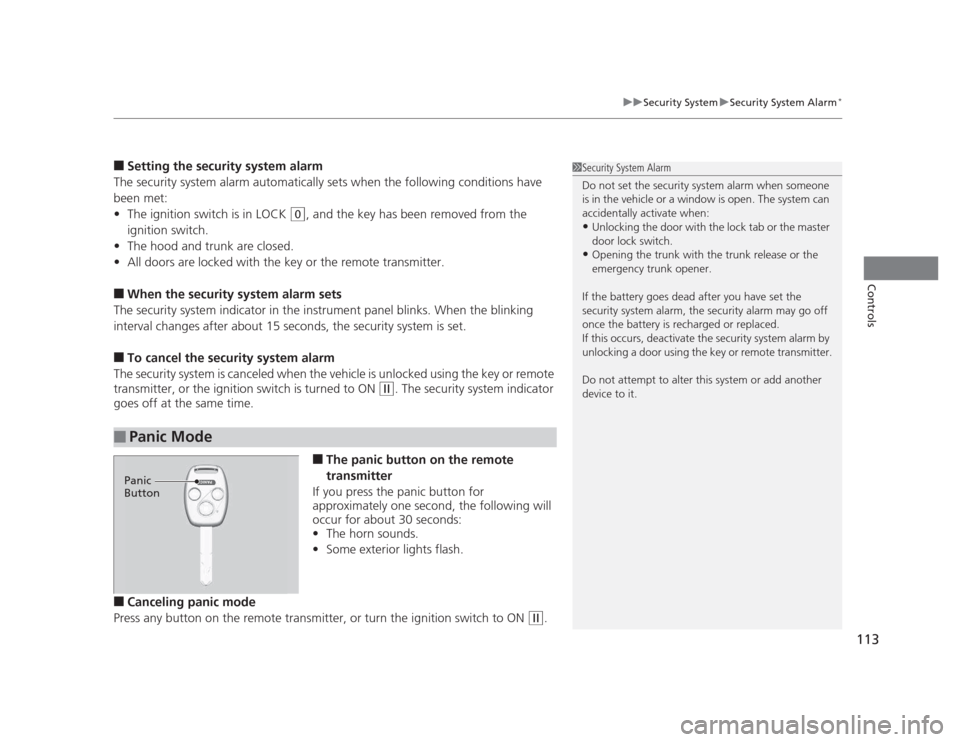
■The panic button on the remote
transmitter
If you press the panic button for
approximately one second, the following will
occur for about 30 seconds: • The horn sounds.
• Some exterior lights flash.
■ Canceling panic mode
Press any button on the remote transmitter, or turn the ignition switch to ON
(w .
■Panic Mode
1Security System Alarm
Do not set the security system alarm when someone
is in the vehicle or a window is open. The system can
accidentally activate when:•Unlocking the door with the lock tab or the master
door lock switch.
• Opening the trunk with the trunk release or the
emergency trunk opener.
If the battery goes dead after you have set the
security system alarm, the security alarm may go off
once the battery is recharged or replaced.
If this occurs, deactivate the security system alarm by
unlocking a door using the key or remote transmitter.
Do not attempt to alter this system or add another device to it.
Panic
Button
Page 115 of 345
114
Controls
Opening and Closing the Windows
Opening/Closing the Power Windows
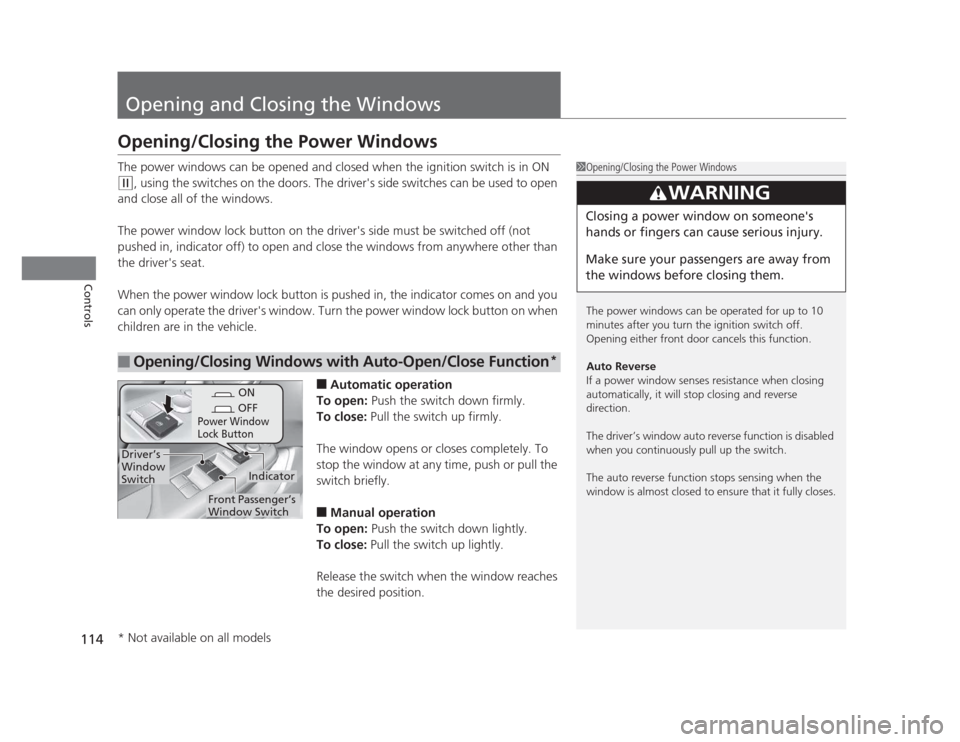
The power windows can be opened and closed when the ignition switch is in ON
(w, using the switches on the doors. The driver's side switches can be used to open
and close all of the windows.
The power window lock button on the driver's side must be switched off (not
pushed in, indicator off) to open and close the windows from anywhere other than
the driver's seat.
When the power window lock button is pushed in, the indicator comes on and you
can only operate the driver's window. Turn the power window lock button on when
children are in the vehicle.
■Automatic operation
To open: Push the switch down firmly.
To close: Pull the switch up firmly.
The window opens or closes completely. To
stop the window at any time, push or pull the
switch briefly. ■ Manual operation
To open: Push the switch down lightly.
To close: Pull the switch up lightly.
Release the switch when the window reaches
the desired position.
■Opening/Closing Windows with Auto-Open/Close Function *
1Opening/Closing the Power Windows
The power windows can be operated for up to 10
minutes after you turn the ignition switch off.
Opening either front door cancels this function.
Auto Reverse
If a power window senses resistance when closing
automatically, it will stop closing and reverse direction.
The driver’s window auto reverse function is disabled
when you continuously pull up the switch.
The auto reverse function stops sensing when the
window is almost closed to ensure that it fully closes.
3WARNING
Closing a power window on someone's
hands or fingers can cause serious injury.
Make sure your passengers are away from
the windows before closing them.
ON
OFF
Power Window
Lock Button
Indicator
Driver’s
Window
Switch
Front Passenger’s
Window Switch
* Not available on all models
Page 116 of 345
115
uuOpening and Closing the WindowsuOpening/Closing the Power Windows
Controls
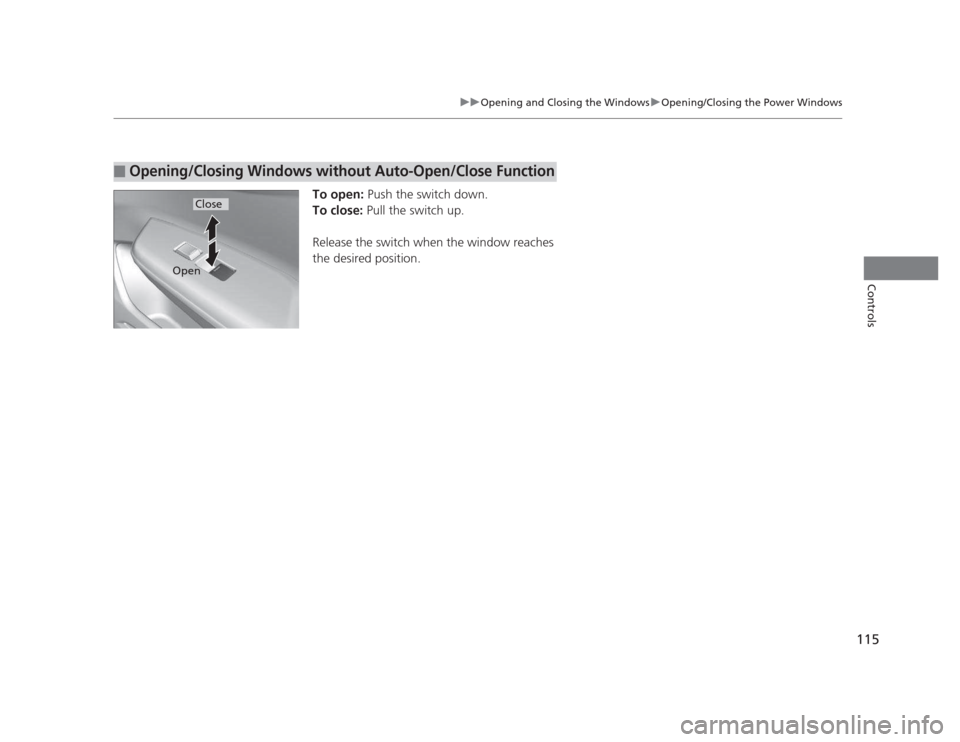
To open: Push the switch down.
To close: Pull the switch up.
Release the switch when the window reaches
the desired position.
■Opening/Closing Windows without Auto-Open/Close Function
Close
Open
Page 124 of 345
123
uuOperating the Switches Around the Steering WheeluRear Defogger/Heated Door Mirror*
Button
Controls
Rear Defogger/Heated Door Mirror *
Button
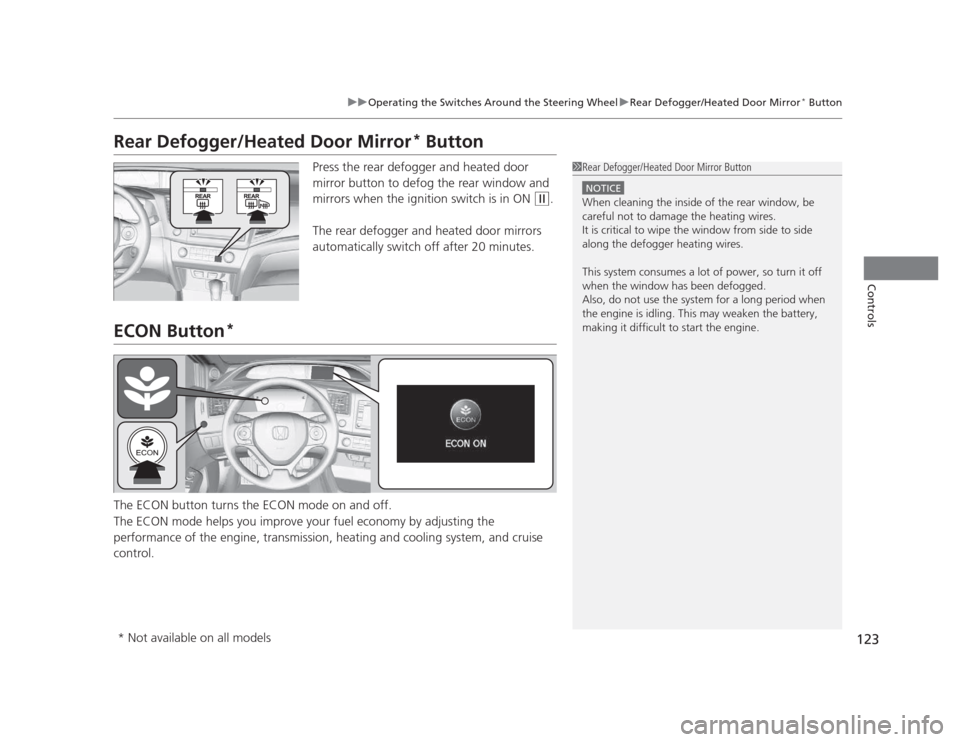
Press the rear defogger and heated door
mirror button to defog the rear window and
mirrors when the ignition switch is in ON
(w .
The rear defogger and heated door mirrors
automatically switch off after 20 minutes.
ECON Button *
The ECON button turns the ECON mode on and off.
The ECON mode helps you improve your fuel economy by adjusting the
performance of the engine, transmission, heating and cooling system, and cruise control.
1Rear Defogger/Heated Door Mirror Button
NOTICE
When cleaning the inside of the rear window, be careful not to damage the heating wires.
It is critical to wipe the window from side to side
along the defogger heating wires.
This system consumes a lot of power, so turn it off
when the window has been defogged.
Also, do not use the system for a long period when
the engine is idling. This may weaken the battery,
making it difficult to start the engine.
* Not available on all models
Page 142 of 345
Continued141
uuHeating and Cooling*uUsing Vents, Heating and A/C
*
Controls
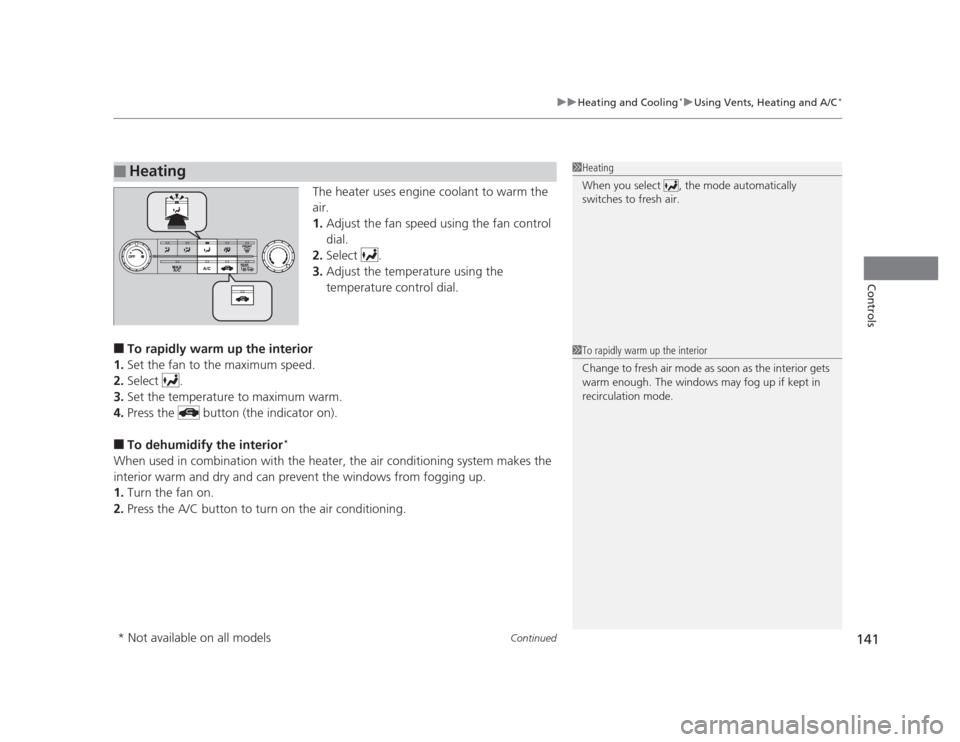
The heater uses engine coolant to warm the
air. 1.
Adjust the fan speed using the fan control
dial.
2. Select .
3. Adjust the temperature using the
temperature control dial.
■ To rapidly warm up the interior
1. Set the fan to the maximum speed.
2. Select .
3. Set the temperature to maximum warm.
4. Press the button (the indicator on).
■ To dehumidify the interior *
When used in combination with the heater, the air conditioning system makes the
interior warm and dry and can prevent the windows from fogging up. 1. Turn the fan on.
2. Press the A/C button to turn on the air conditioning.
■Heating1Heating
When you select , the mode automatically
switches to fresh air.
1To rapidly warm up the interior
Change to fresh air mode as soon as the interior gets
warm enough. The windows may fog up if kept in
recirculation mode.
* Not available on all models
Page 143 of 345
uuHeating and Cooling*uUsing Vents, Heating and A/C
*
142
Controls
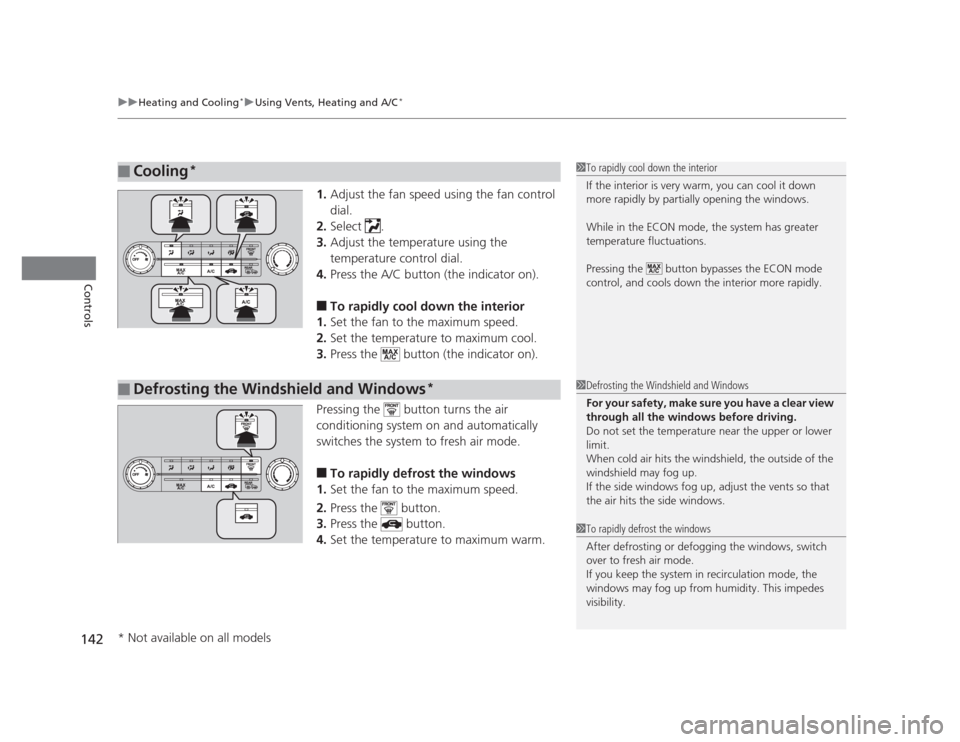
1. Adjust the fan speed using the fan control dial.
2. Select .
3. Adjust the temperature using the
temperature control dial.
4. Press the A/C button (the indicator on).
■ To rapidly cool down the interior
1. Set the fan to the maximum speed.
2. Set the temperature to maximum cool.
3. Press the button (the indicator on).
Pressing the button turns the air
conditioning system on and automatically
switches the system to fresh air mode. ■ To rapidly defrost the windows
1. Set the fan to the maximum speed.
2. Press the button.
3. Press the button.
4. Set the temperature to maximum warm.
■Cooling *1To rapidly cool down the interior
If the interior is very warm, you can cool it down
more rapidly by partially opening the windows.
While in the ECON mode, the system has greater
temperature fluctuations.
Pressing the button bypasses the ECON mode
control, and cools down the interior more rapidly.
■Defrosting the Windshield and Windows *1Defrosting the Windshield and Windows
For your safety, make sure you have a clear view
through all the windows before driving.
Do not set the temperature near the upper or lower
limit.
When cold air hits the windshield, the outside of the windshield may fog up.
If the side windows fog up, adjust the vents so that
the air hits the side windows.
1To rapidly defrost the windows
After defrosting or defogging the windows, switch
over to fresh air mode.
If you keep the system in recirculation mode, the
windows may fog up from humidity. This impedes
visibility.
* Not available on all models