Start HONDA CIVIC 2012 9.G Owner's Manual
[x] Cancel search | Manufacturer: HONDA, Model Year: 2012, Model line: CIVIC, Model: HONDA CIVIC 2012 9.GPages: 345, PDF Size: 9.02 MB
Page 140 of 345
139
uuInterior Lights/Interior Convenience ItemsuInterior Convenience Items
Controls
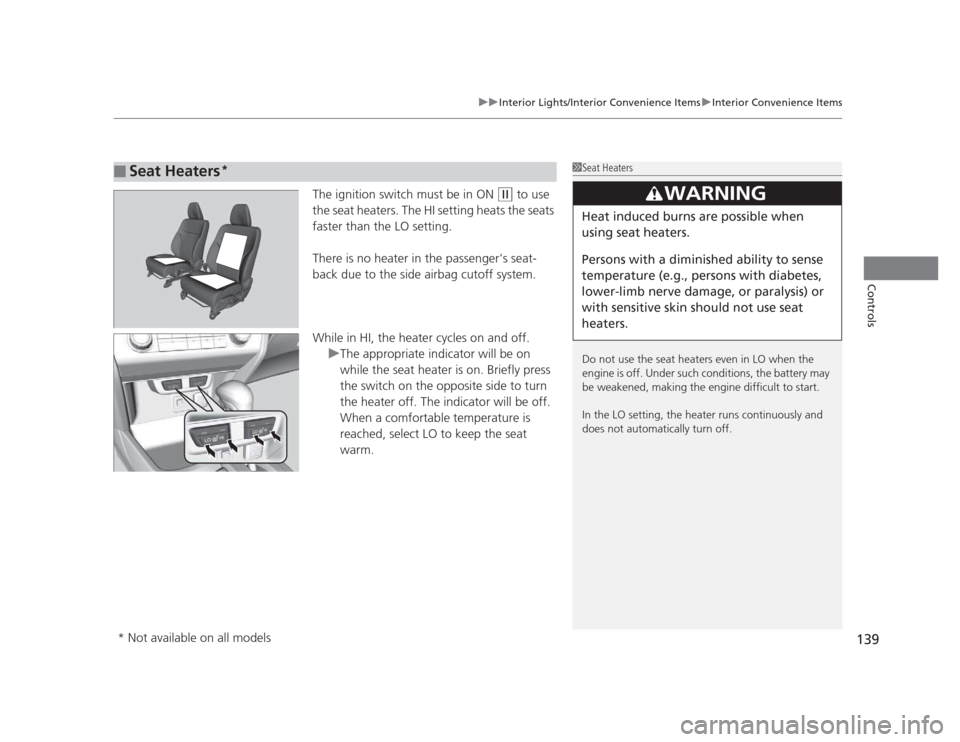
The ignition switch must be in ON (w to use
the seat heaters. The HI setting heats the seats faster than the LO setting.
There is no heater in the passenger's seat-
back due to the side airbag cutoff system.
While in HI, the heater cycles on and off.
uThe appropriate indicator will be on
while the seat heater is on. Briefly press
the switch on the opposite side to turn
the heater off. The indicator will be off.
When a comfortable temperature is
reached, select LO to keep the seat warm.
■Seat Heaters *1Seat Heaters
Do not use the seat heaters even in LO when the
engine is off. Under such conditions, the battery may
be weakened, making the engine difficult to start.
In the LO setting, the heater runs continuously and
does not automatically turn off.
3WARNING
Heat induced burns are possible when
using seat heaters.
Persons with a diminish
ed ability to sense
temperature (e.g., persons with diabetes,
lower-limb nerve damage, or paralysis) or
with sensitive skin should not use seat
heaters.
* Not available on all models
Page 197 of 345
196
uuBluetooth®
HandsFreeLink ®*uHFL Menus
Features
■
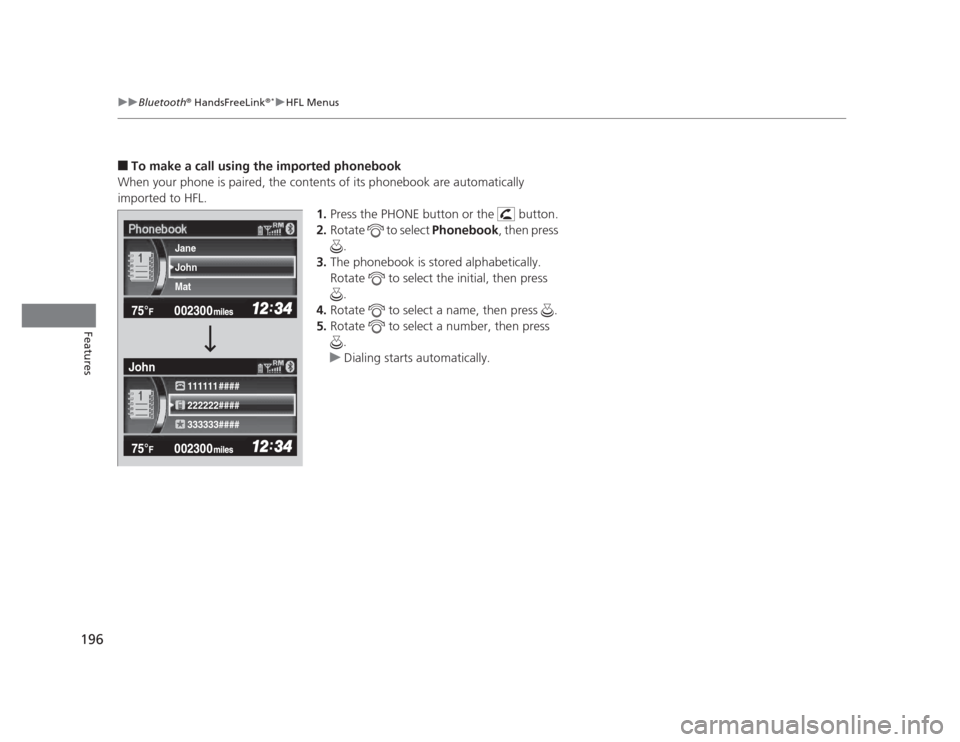
To make a call using the imported phonebook
When your phone is paired, the contents of its phonebook are automatically
imported to HFL.
1.Press the PHONE button or the button.
2. Rotate to select Phonebook, then press
.
3. The phonebook is stored alphabetically.
Rotate to select the initial, then press
.
4. Rotate to select a name, then press .
5. Rotate to select a number, then press
.
uDialing starts automatically.
222222####
111111 #### 333333####
John
JaneMat
John
Page 198 of 345
197
uuBluetooth®
HandsFreeLink ®*uHFL Menus
Continued
Features
■
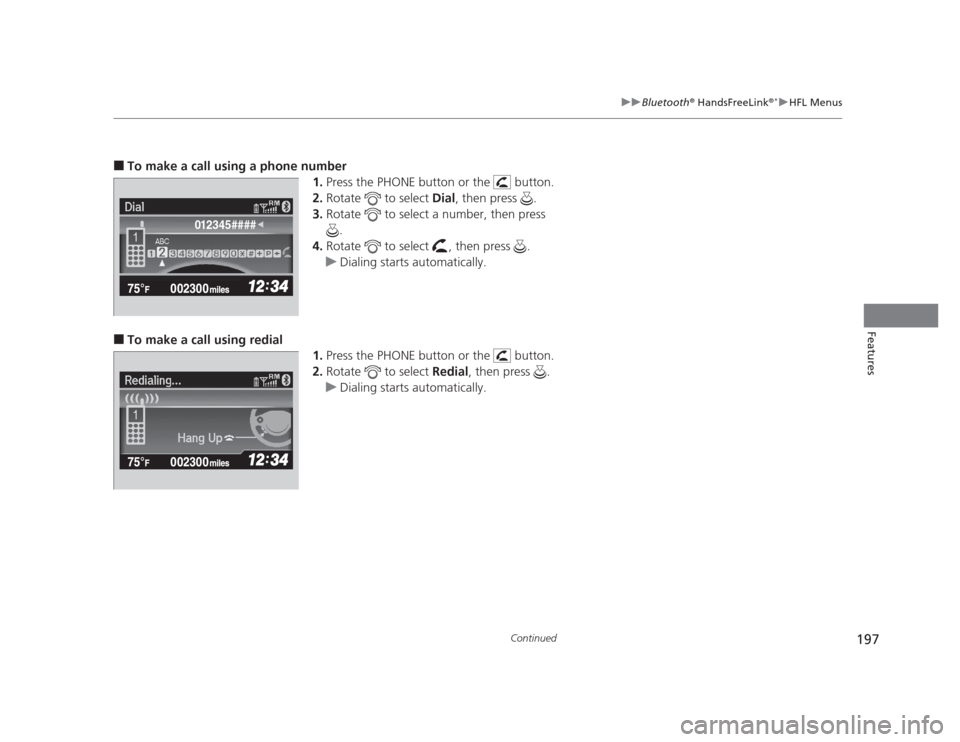
To make a call using a phone number
1.Press the PHONE button or the button.
2. Rotate to select Dial, then press .
3. Rotate to select a number, then press
.
4. Rotate to select , then press .
uDialing starts automatically.
■ To make a call using redial
1.Press the PHONE button or the button.
2. Rotate to select Redial, then press .
uDialing starts automatically.
012345####
Page 199 of 345
uuBluetooth®
HandsFreeLink ®*uHFL Menus
198
Features
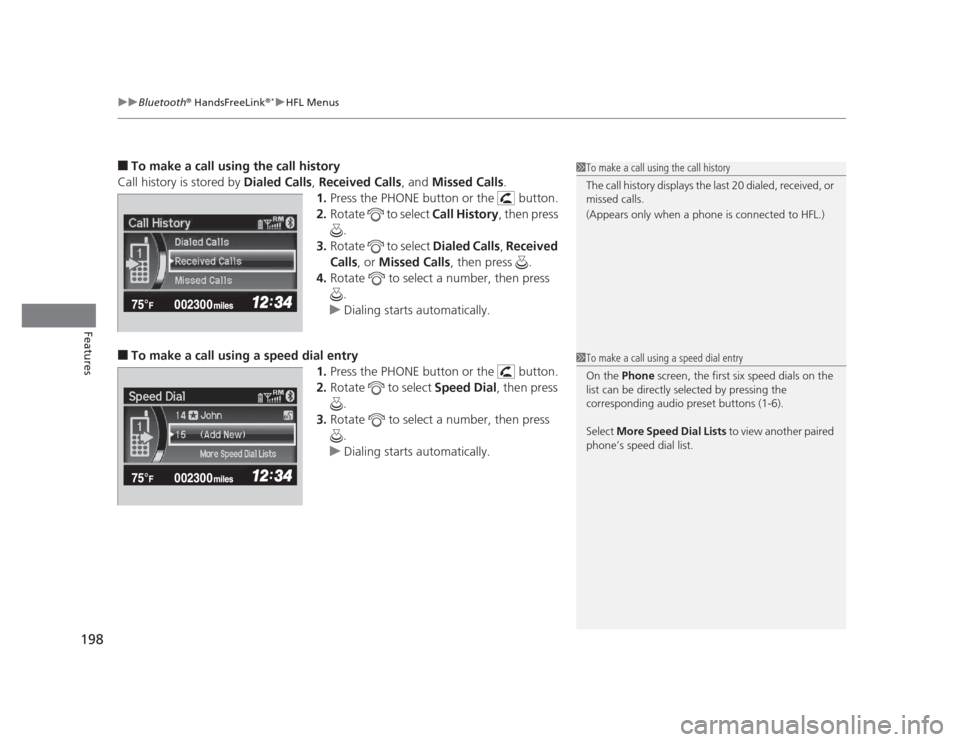
■ To make a call using the call history
Call history is stored by Dialed Calls, Received Calls , and Missed Calls .
1. Press the PHONE button or the button.
2. Rotate to select Call History, then press
.
3. Rotate to select Dialed Calls, Received
Calls , or Missed Calls , then press .
4. Rotate to select a number, then press
.
uDialing starts automatically.
■ To make a call using a speed dial entry
1.Press the PHONE button or the button.
2. Rotate to select Speed Dial, then press
.
3. Rotate to select a number, then press
.
uDialing starts automatically.
1To make a call using the call history
The call history displays the last 20 dialed, received, or
missed calls.
(Appears only when a phone is connected to HFL.)
1To make a call using a speed dial entry
On the Phone screen, the first six speed dials on the
list can be directly selected by pressing the
corresponding audio preset buttons (1-6).
Select More Speed Dial Lists to view another paired
phone’s speed dial list.
Page 202 of 345
201
Driving
This chapter discusses driving, refueling, and information on items such as accessories.
Before Driving Driving Preparation .......................... 202
Maximum Load Limit........................ 205
Towing a Trailer
Towing Preparation .......................... 207
Driving Safely with a Trailer .............. 209
Towing Your Vehicle ........................ 210
When Driving Starting the Engine .......................... 211
Precautions While Driving................. 213
Automatic Transmission ................... 214 Shifting .......................................... 215
Shifting .......................................... 217
Cruise Control *
............................... 220
VSA® (Vehicle Stability Assist), aka ESC
(Electronic Stability Control), System ...... 223
TPMS (Tire Pressure Monitoring System) ... 225
Tire Pressure Monitoring System (TPMS) - Required Federal Explanation ......... 226
Braking
Brake System ................................... 229
ABS (Anti-lock Brake System) ........... 231
Automatic transmission models
Manual transmission models
Brake Assist System ......................... 232
Parking Your Vehicle
When Stopped ................................ 233
Parking ............................................ 233
Refueling Fuel Information .............................. 234
How to Refuel ................................. 235
Fuel Economy .................................... 237
Improving Fuel Economy .................. 237
Accessories and Modifications
Accessories ...................................... 238
Modifications................................... 238
* Not available on all models
Page 203 of 345
202
Driving
Before Driving
Driving Preparation
Check the following items before you start driving. •Make sure there are no obstructions on the windows, door mirrors, exterior
lights, or other parts of the vehicle.
uRemove any frost, snow, or ice.
uRemove any snow on the roof, as this can slip down and obstruct your field of
vision while driving. If frozen solid, remove ice once it has softened.
uWhen removing ice from around the wheels, be sure not to damage the wheel
or wheel components.
• Make sure the hood is securely closed.
uIf the hood opens while driving, your front view will be blocked.
• Make sure the tires are in good condition.
uCheck air pressure, check for damage and excessive wear.
2 Checking and Maintaining Tires P. 280
• Make sure there are no people or objects behind or around the vehicle.
uThere are blind spots from the inside.
■Exterior Checks1Exterior Checks
NOTICE
When doors are frozen shut, use warm water around
the door edges to melt any ice. Do not try to force
them open, as this can damage the rubber trim
around the doors. When done, wipe dry to avoid further freezing.
Do not pour warm water into the key cylinder.
You will be unable to insert key if the water freezes in
the hole.
Page 205 of 345
204
uuBefore DrivinguDriving Preparation
Driving
•Be sure items placed on the floor behind the front seats cannot roll under the seats.
uThey can interfere with the driver's ability to operate the pedals, the operation
of the seats, or the operation of the sensors under the seats.
• Everyone in the vehicle must fasten their seat belt.
2 Fastening a Seat Belt P. 31
• Make sure that the indicators in the instrument panel come on when you start the
vehicle, and go off soon after.
uAlways have a dealer check the vehicle if a problem is indicated.
2 Indicators P. 66
Page 208 of 345
207
Continued
Driving
Towing a Trailer
Your vehicle is not designed to tow a trailer. Attempting to do so can void your
warranties.
Towing Preparation
Your vehicle can tow a trailer if you carefully observe the load limits, use the proper
equipment, and follow the towing guidelines. Check the load limits before driving.
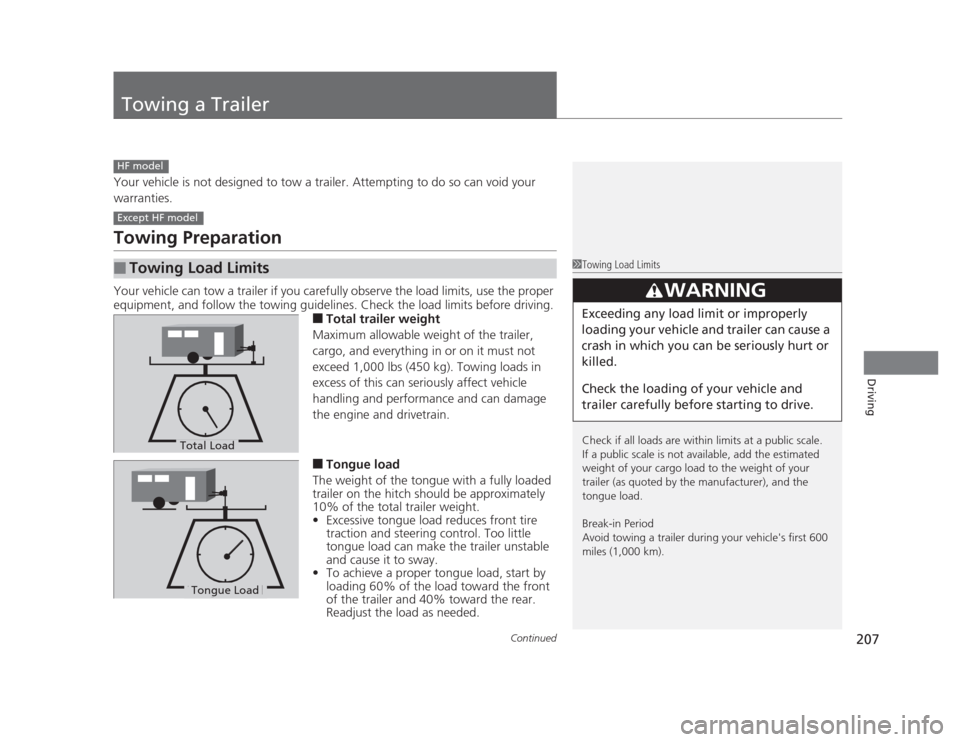
■Total trailer weight
Maximum allowable weight of the trailer,
cargo, and everything in or on it must not
exceed 1,000 lbs (450 kg). Towing loads in
excess of this can seriously affect vehicle
handling and performance and can damage
the engine and drivetrain. ■ Tongue load
The weight of the tongue with a fully loaded
trailer on the hitch should be approximately
10% of the total trailer weight. • Excessive tongue load reduces front tire
traction and steering control. Too little
tongue load can make the trailer unstable
and cause it to sway.
• To achieve a proper tongue load, start by
loading 60% of the load toward the front
of the trailer and 40% toward the rear.
Readjust the load as needed.
■Towing Load Limits
HF model
Except HF model
1Towing Load Limits
Check if all loads are within limits at a public scale.
If a public scale is not available, add the estimated
weight of your cargo load to the weight of your
trailer (as quoted by the manufacturer), and the
tongue load.
Break-in Period
Avoid towing a trailer during your vehicle's first 600
miles (1,000 km).
3WARNING
Exceeding any load limit or improperly
loading your vehicle and trailer can cause a
crash in which you can be seriously hurt or
killed.
Check the loading of your vehicle and
trailer carefully before starting to drive.
Total Load
Tongue LoadTongue Load
Page 212 of 345
211
Continued
Driving
When Driving
Starting the Engine
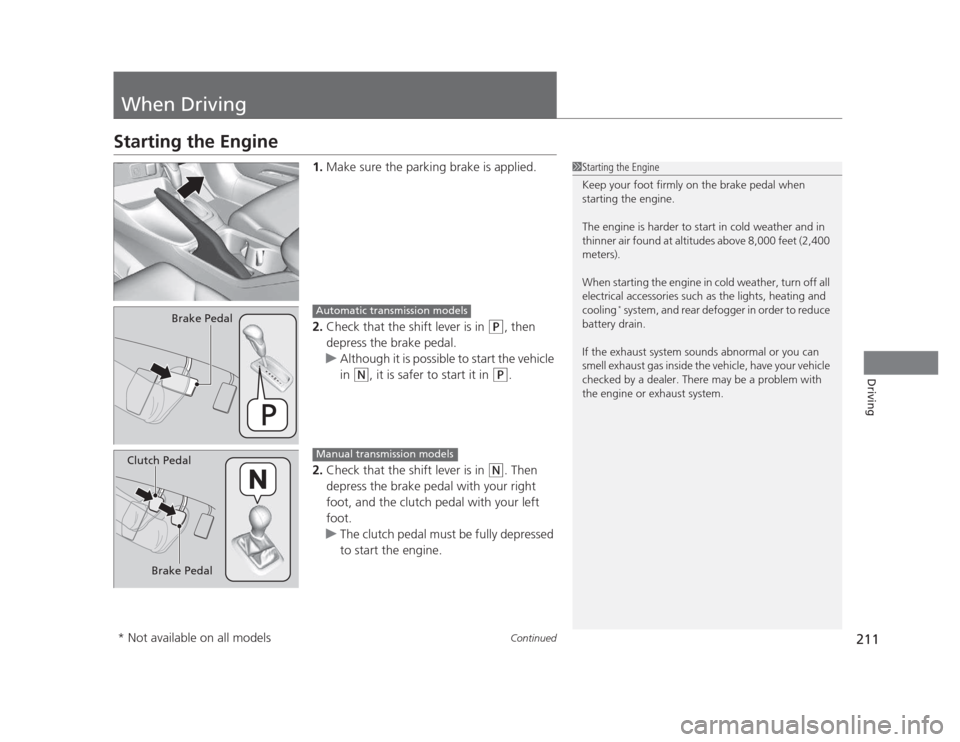
1.Make sure the parking brake is applied.
2. Check that the shift lever is in
(P , then
depress the brake pedal.
uAlthough it is possible to start the vehicle
in
(N , it is safer to start it in (P.
2. Check that the shift lever is in
(N . Then
depress the brake pedal with your right
foot, and the clutch pedal with your left foot.
uThe clutch pedal must be fully depressed
to start the engine.
1Starting the Engine
Keep your foot firmly on the brake pedal when
starting the engine.
The engine is harder to start in cold weather and in
thinner air found at altitudes above 8,000 feet (2,400 meters).
When starting the engine in cold weather, turn off all
electrical accessories such as the lights, heating and cooling *
system, and rear defogger in order to reduce
battery drain.
If the exhaust system sounds abnormal or you can
smell exhaust gas inside the vehicle, have your vehicle
checked by a dealer. There may be a problem with
the engine or exhaust system.
Brake PedalAutomatic transmission models
Brake Pedal
Clutch Pedal
Manual transmission models
* Not available on all models
Page 213 of 345
uuWhen DrivinguStarting the Engine
212
Driving
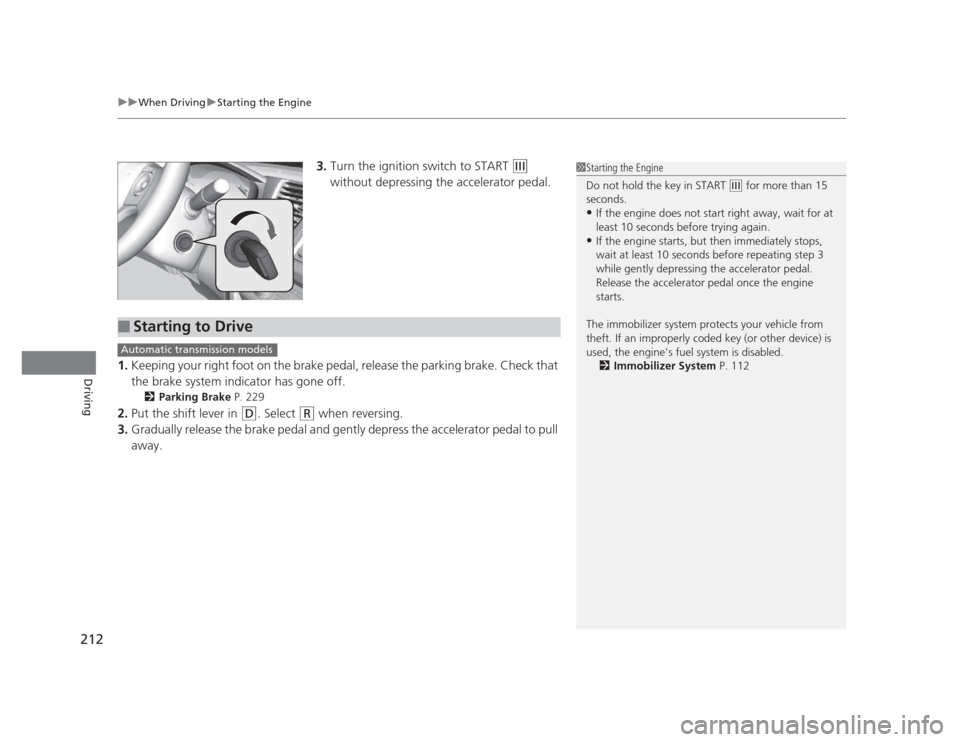
3. Turn the ignition switch to START (e
without depressing the accelerator pedal.
1. Keeping your right foot on the brake pedal, release the parking brake. Check that
the brake system indicator has gone off.
2 Parking Brake P. 229
2. Put the shift lever in
(D . Select (R when reversing.
3. Gradually release the brake pedal and gently depress the accelerator pedal to pull
away.
1Starting the Engine
Do not hold the key in START
(e for more than 15
seconds. • If the engine does not start right away, wait for at
least 10 seconds before trying again.
• If the engine starts, but then immediately stops,
wait at least 10 seconds before repeating step 3
while gently depressing the accelerator pedal.
Release the accelerator pedal once the engine starts.
The immobilizer system protects your vehicle from
theft. If an improperly coded key (or other device) is
used, the engine's fuel system is disabled. 2 Immobilizer System P. 112
■Starting to Drive
Automatic transmission models