Instrument HONDA CIVIC 2012 9.G Owner's Guide
[x] Cancel search | Manufacturer: HONDA, Model Year: 2012, Model line: CIVIC, Model: HONDA CIVIC 2012 9.GPages: 345, PDF Size: 9.02 MB
Page 92 of 345
91
uuGauges and DisplaysuMulti-Information Display*
Continued
Instrument Panel
*1: Not available on all models
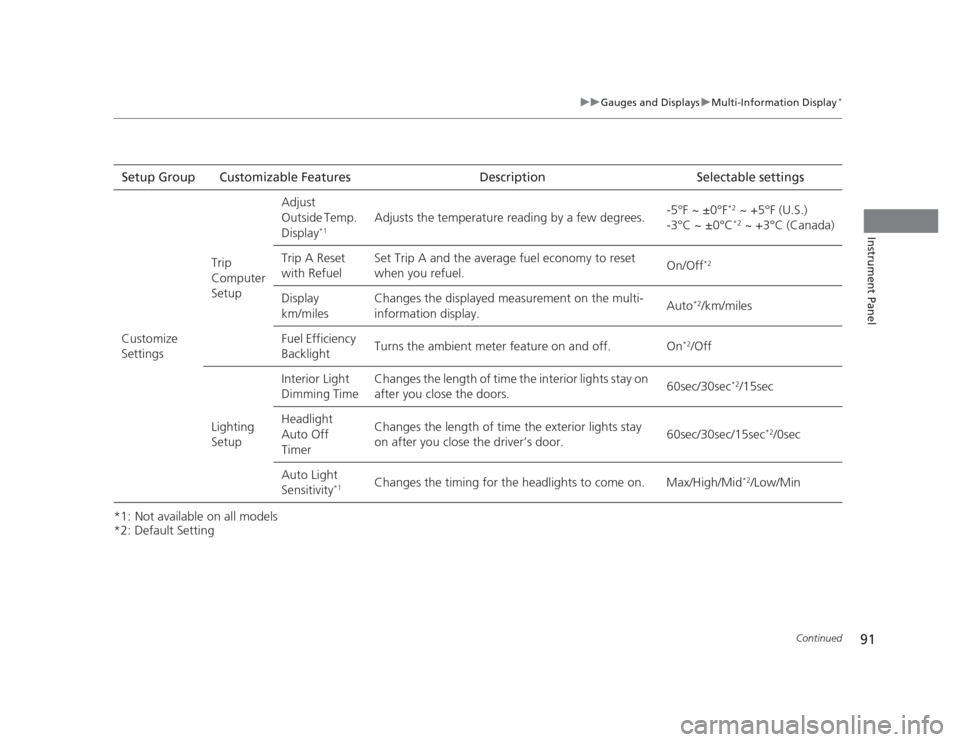
*2: Default SettingSetup Group Customizable Features Description Selectable settings
Customize
Settings Trip Computer SetupAdjust
Outside Temp.
Display
*1 Adjusts the temperature reading by a few degrees.
-5°F ~ ±0°F
*2
~ +5°F (U.S.)
-3°C ~ ±0°C *2
~ +3°C (Canada)
Trip A Reset
with Refuel Set Trip A and the average fuel economy to reset
when you refuel.
On/Off
*2
Display km/miles Changes the displayed measurement on the multi-information display.
Auto
*2
/km/miles
Fuel Efficiency
Backlight Turns the ambient meter feature on and off. On
*2
/Off
Lighting Setup Interior Light
Dimming Time
Changes the length of time the interior lights stay on
after you close the doors.
60sec/30sec
*2
/15sec
Headlight Auto Off
Timer Changes the length of time the exterior lights stay
on after you close the driver’s door.
60sec/30sec/15sec
*2
/0sec
Auto Light Sensitivity *1Changes the timing for the headlights to come on. Max/High/Mid
*2
/Low/Min
Page 93 of 345
92
uuGauges and DisplaysuMulti-Information Display*
Instrument Panel
*1:Default Setting
*2:Default Setting for automatic transmission
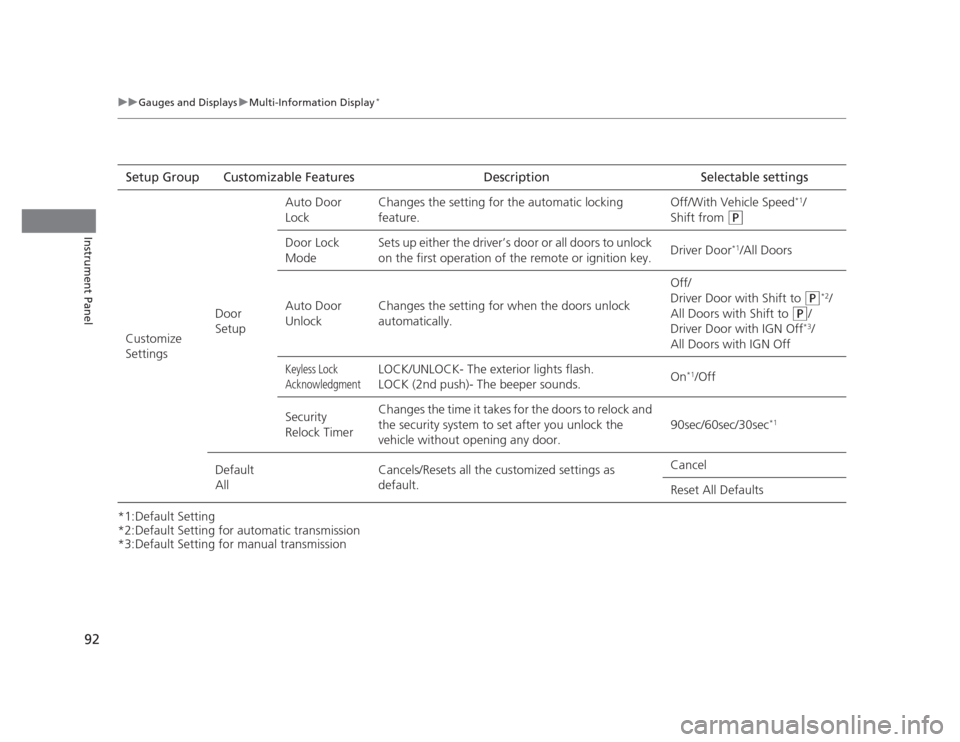
*3:Default Setting for manual transmissionSetup Group Customizable Features Description Selectable settings
Customize Settings Door SetupAuto Door
Lock
Changes the setting for the automatic locking feature. Off/With Vehicle Speed
*1
/
Shift from
(P
Door Lock
Mode Sets up either the driver’s door or all doors to unlock
on the first operation of the remote or ignition key.
Driver Door
*1
/All Doors
Auto Door
Unlock Changes the setting for when the doors unlock
automatically. Off/
Driver Door with Shift to
(P
*2
/
All Doors with Shift to
(P /
Driver Door with IGN Off *3
/
All Doors with IGN Off
Keyless Lock
AcknowledgmentLOCK/UNLOCK- The exterior lights flash.
LOCK (2nd push)- The beeper sounds. On
*1
/Off
Security
Relock Timer Changes the time it takes for the doors to relock and
the security system to set after you unlock the
vehicle without opening any door.
90sec/60sec/30sec
*1
Default All Cancels/Resets all the customized settings as default. Cancel Reset All Defaults
Page 94 of 345
Continued93
uuGauges and DisplaysuMulti-Information Display*
Instrument Panel
■
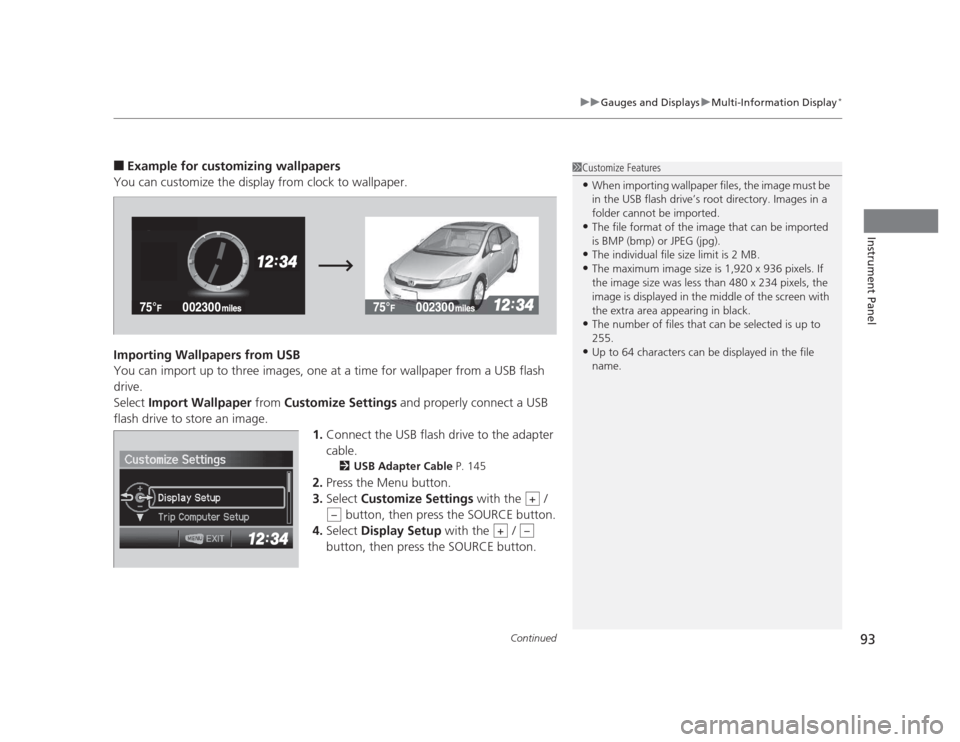
Example for customizing wallpapers
You can customize the display from clock to wallpaper.
Importing Wallpapers from USB
You can import up to three images, one at a time for wallpaper from a USB flash drive.Select Import Wallpaper from Customize Settings and properly connect a USB
flash drive to store an image.
1.Connect the USB flash drive to the adapter
cable.
2 USB Adapter Cable P. 145
2. Press the Menu button.
3. Select Customize Settings with the /
button, then press the SOURCE button.
4. Select Display Setup with the /
button, then press the SOURCE button.1Customize Features • When importing wallpaper files, the image must be
in the USB flash drive’s root directory. Images in a
folder cannot be imported.
• The file format of the image that can be imported
is BMP (bmp) or JPEG (jpg).
• The individual file size limit is 2 MB.
• The maximum image size is 1,920 x 936 pixels. If
the image size was less than 480 x 234 pixels, the
image is displayed in the middle of the screen with
the extra area appearing in black.
• The number of files that can be selected is up to 255.
• Up to 64 characters can be displayed in the file name.
+
–
+–
Page 95 of 345
94
uuGauges and DisplaysuMulti-Information Display*
Instrument Panel
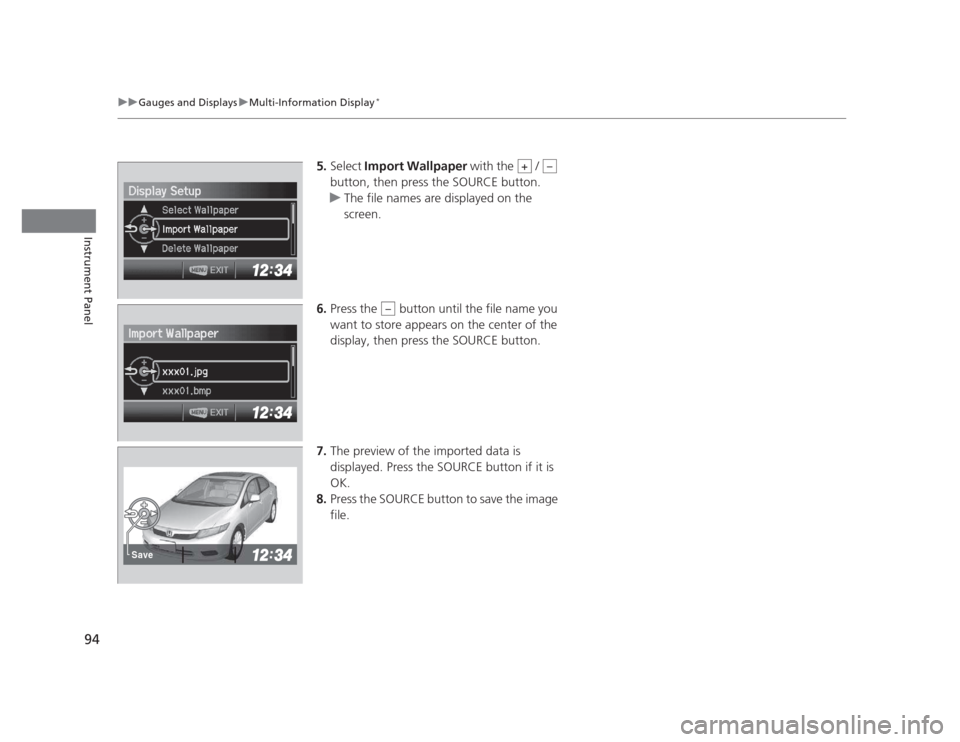
5.
Select Import Wallpaper with the /
button, then press the SOURCE button.
uThe file names are displayed on the screen.
6. Press the button until the file name you
want to store appears on the center of the display, then press the SOURCE button.
7. The preview of the imported data is
displayed. Press the SOURCE button if it is
OK.
8. Press the SOURCE button to save the image file.
+–
–
Save
Page 96 of 345
95
uuGauges and DisplaysuMulti-Information Display*
Continued
Instrument Panel
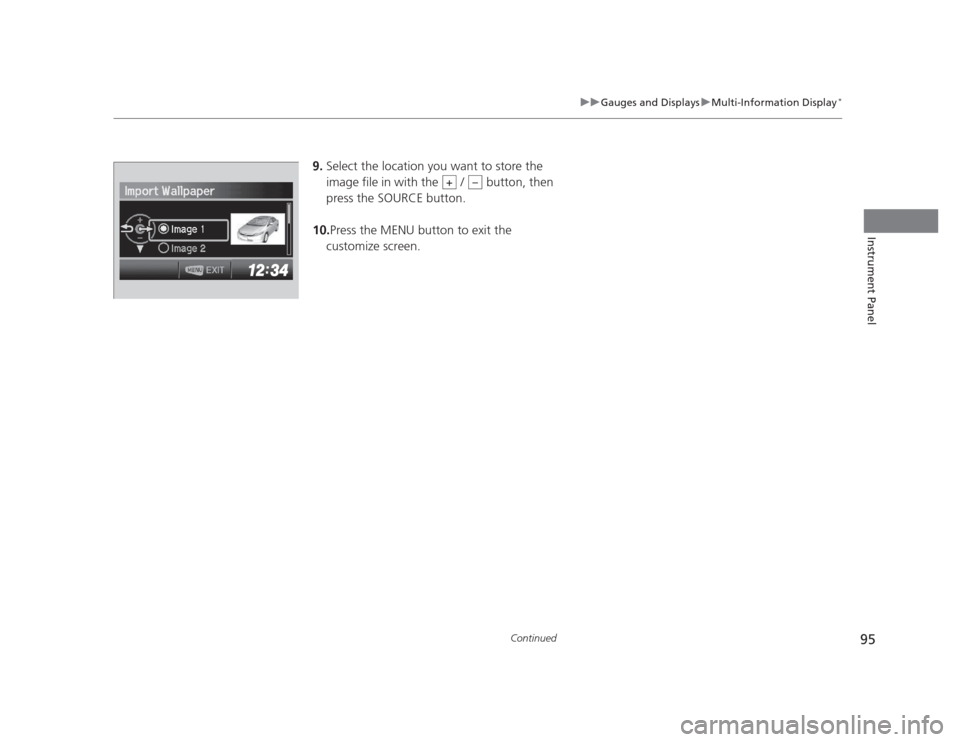
9.
Select the location you want to store the
image file in with the / button, then
press the SOURCE button.
10. Press the MENU button to exit the
customize screen.
+–
Page 97 of 345
96
uuGauges and DisplaysuMulti-Information Display*
Instrument Panel
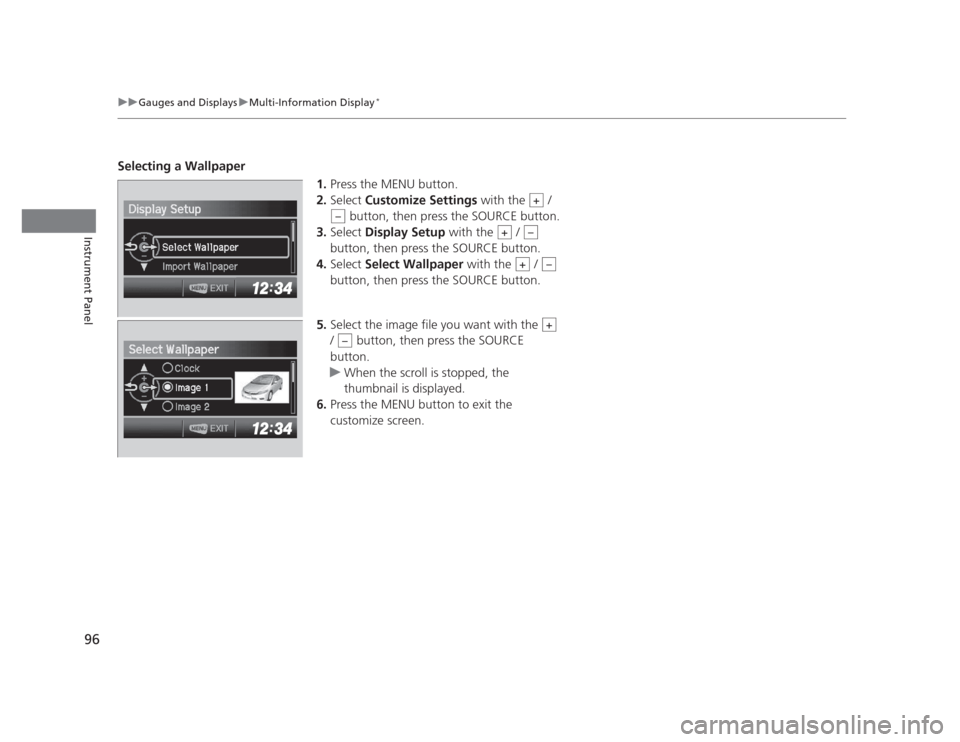
Selecting a Wallpaper
1.Press the MENU button.
2. Select Customize Settings with the /
button, then press the SOURCE button.
3. Select Display Setup with the /
button, then press the SOURCE button.
4. Select Select Wallpaper with the /
button, then press the SOURCE button.
5. Select the image file you want with the
/ button, then press the SOURCE
button.
uWhen the scroll is stopped, the
thumbnail is displayed.
6. Press the MENU button to exit the
customize screen.
+
–
+–
+–
+
–
Page 114 of 345
113
uuSecurity SystemuSecurity System Alarm*
Controls
■
Setting the security system alarm
The security system alarm automatically sets when the following conditions have
been met: • The ignition switch is in LOCK
(0 , and the key has been removed from the
ignition switch.
• The hood and trunk are closed.
• All doors are locked with the key or the remote transmitter.
■ When the security system alarm sets
The security system indicator in the instrument panel blinks. When the blinking
interval changes after about 15 seconds, the security system is set. ■ To cancel the security system alarm
The security system is canceled when the vehicle is unlocked using the key or remote
transmitter, or the ignition switch is turned to ON
(w . The security system indicator
goes off at the same time.
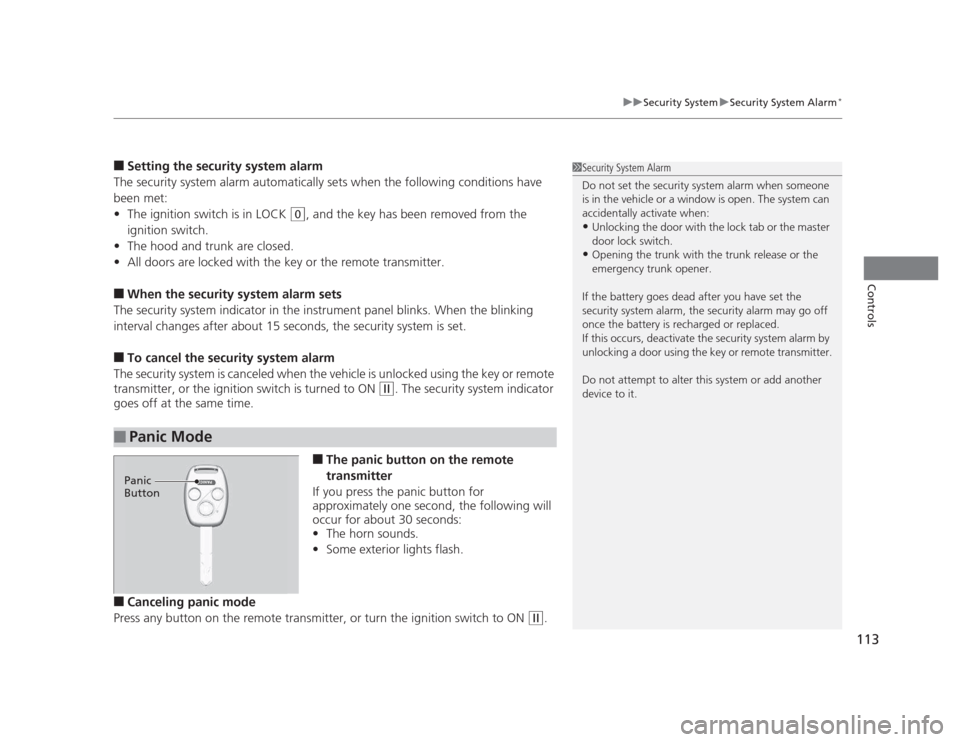
■The panic button on the remote
transmitter
If you press the panic button for
approximately one second, the following will
occur for about 30 seconds: • The horn sounds.
• Some exterior lights flash.
■ Canceling panic mode
Press any button on the remote transmitter, or turn the ignition switch to ON
(w .
■Panic Mode
1Security System Alarm
Do not set the security system alarm when someone
is in the vehicle or a window is open. The system can
accidentally activate when:•Unlocking the door with the lock tab or the master
door lock switch.
• Opening the trunk with the trunk release or the
emergency trunk opener.
If the battery goes dead after you have set the
security system alarm, the security alarm may go off
once the battery is recharged or replaced.
If this occurs, deactivate the security system alarm by
unlocking a door using the key or remote transmitter.
Do not attempt to alter this system or add another device to it.
Panic
Button
Page 119 of 345
118
uuOperating the Switches Around the Steering WheeluTurn Signals
Controls
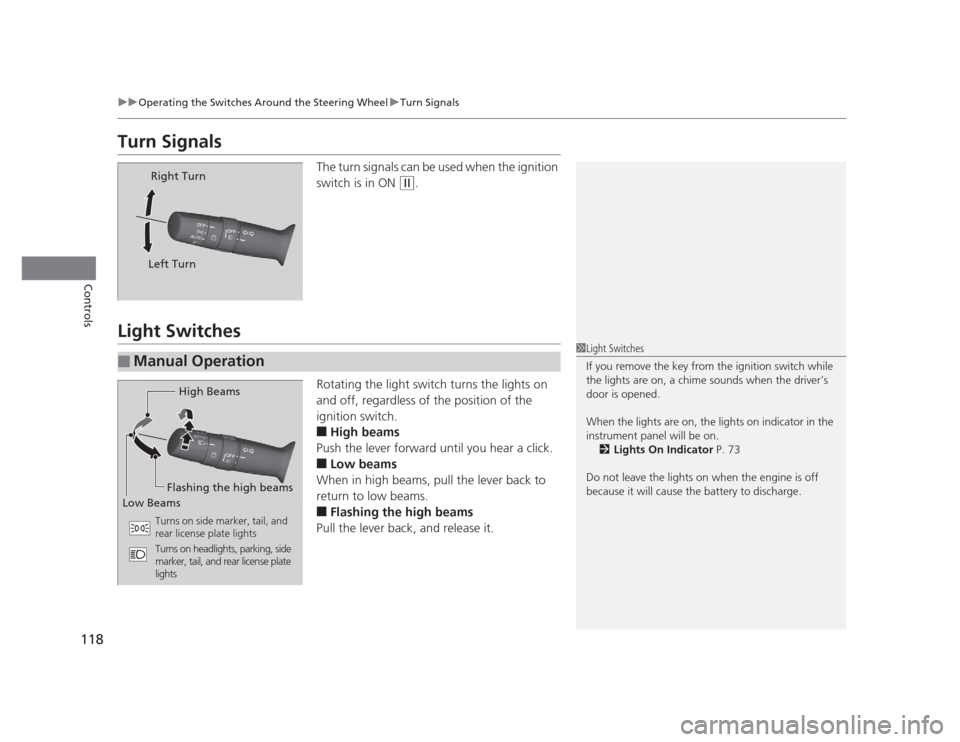
Turn SignalsThe turn signals can be used when the ignition
switch is in ON
(w.
Light Switches
Rotating the light switch turns the lights on
and off, regardless of the position of the
ignition switch. ■High beams
Push the lever forward until you hear a click. ■ Low beams
When in high beams, pull the lever back to
return to low beams.■ Flashing the high beams
Pull the lever back, and release it.
Right Turn
Left Turn
■Manual Operation
1Light Switches
If you remove the key from the ignition switch while
the lights are on, a chime sounds when the driver’s
door is opened.
When the lights are on, the lights on indicator in the
instrument panel will be on. 2 Lights On Indicator P. 73
Do not leave the lights on when the engine is off
because it will cause the battery to discharge.
High Beams
Flashing the high beams
Low Beams
Turns on side marker, tail, and
rear license plate lights
Turns on headlights, parking, side
marker, tail, and rear license plate lights
Page 120 of 345
119
uuOperating the Switches Around the Steering WheeluLight Switches
Controls
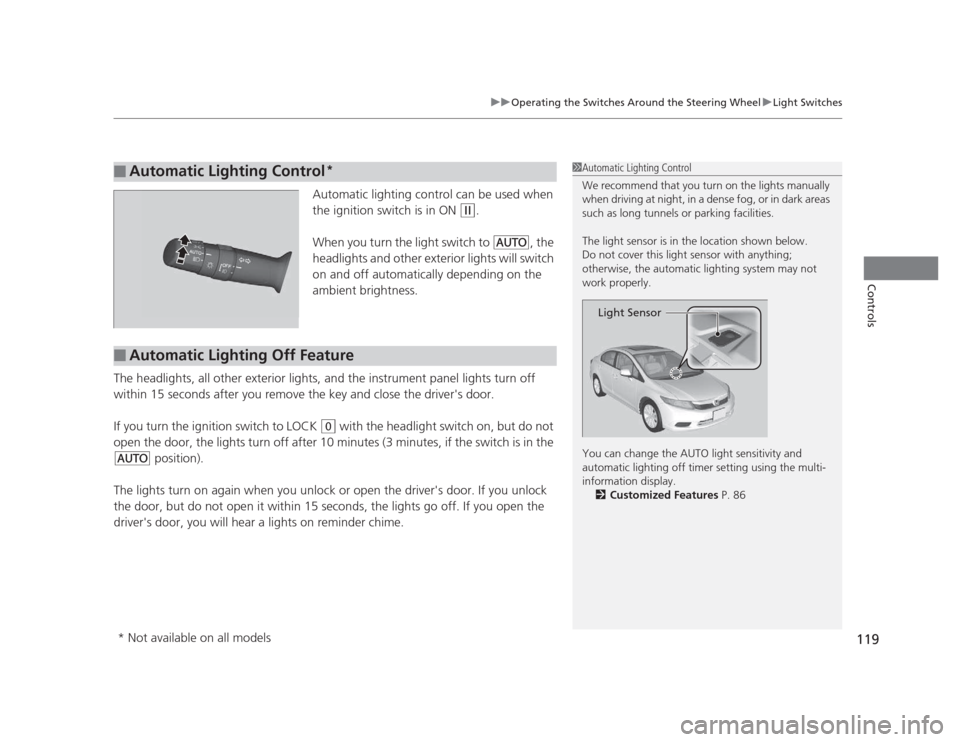
Automatic lighting control can be used when
the ignition switch is in ON
(w.
When you turn the light switch to
#Y , the
headlights and other exterior lights will switch
on and off automatically depending on the
ambient brightness.
The headlights, all other exterior lights, and the instrument panel lights turn off
within 15 seconds after you remove the key and close the driver's door.
If you turn the ignition switch to LOCK
(0 with the headlight switch on, but do not
open the door, the lights turn off after 10 minutes (3 minutes, if the switch is in the
#Y position).
The lights turn on again when you unlock or open the driver's door. If you unlock
the door, but do not open it within 15 seconds, the lights go off. If you open the
driver's door, you will hear a lights on reminder chime.
■Automatic Lighting Control *1Automatic Lighting Control
We recommend that you turn on the lights manually
when driving at night, in a dense fog, or in dark areas
such as long tunnels or parking facilities.
The light sensor is in the location shown below.
Do not cover this light sensor with anything;
otherwise, the automatic lighting system may not
work properly.
You can change the AUTO light sensitivity and
automatic lighting off timer setting using the multi-
information display.
2 Customized Features P. 86
Light Sensor
■Automatic Lighting Off Feature
* Not available on all models
Page 121 of 345
120
uuOperating the Switches Around the Steering WheeluFog Lights*
Controls
Fog Lights *
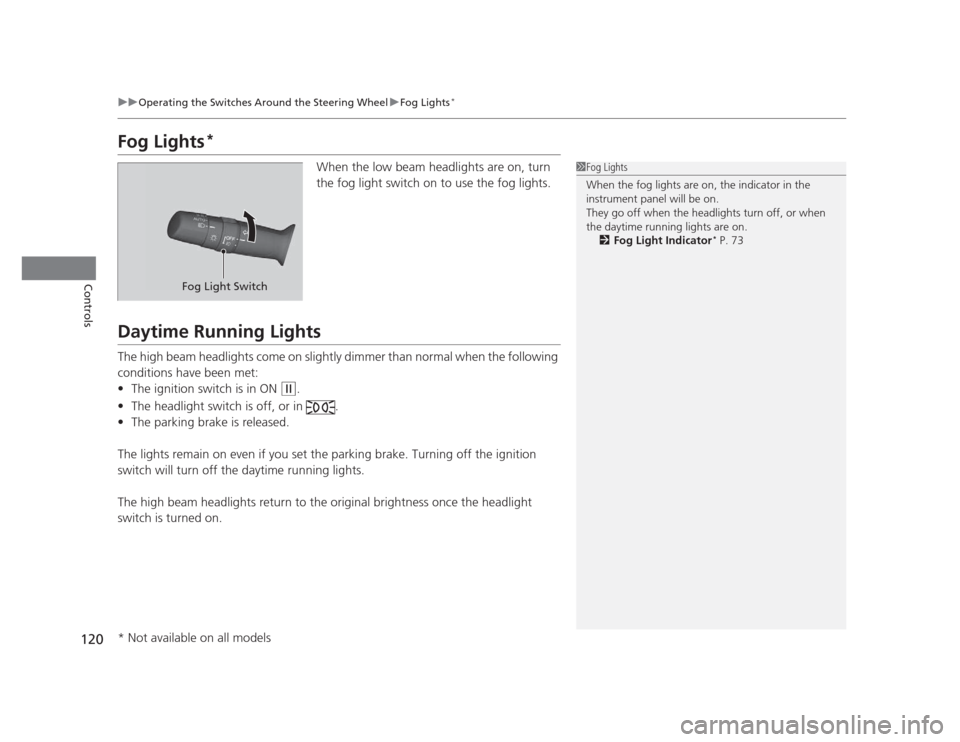
When the low beam headlights are on, turn
the fog light switch on to use the fog lights.
Daytime Running Lights
The high beam headlights come on slightly dimmer than normal when the following
conditions have been met:•The ignition switch is in ON
(w .
• The headlight switch is off, or in .
• The parking brake is released.
The lights remain on even if you set the parking brake. Turning off the ignition
switch will turn off the daytime running lights.
The high beam headlights return to the origin al brightness once the headlight
switch is turned on.
1Fog Lights
When the fog lights are on, the indicator in the
instrument panel will be on.
They go off when the headlights turn off, or when
the daytime running lights are on. 2 Fog Light Indicator *
P. 73
Fog Light Switch
* Not available on all models