Door HONDA CIVIC 2012 9.G Service Manual
[x] Cancel search | Manufacturer: HONDA, Model Year: 2012, Model line: CIVIC, Model: HONDA CIVIC 2012 9.GPages: 345, PDF Size: 9.02 MB
Page 135 of 345
134
Controls
Interior Lights/Interior Convenience Items
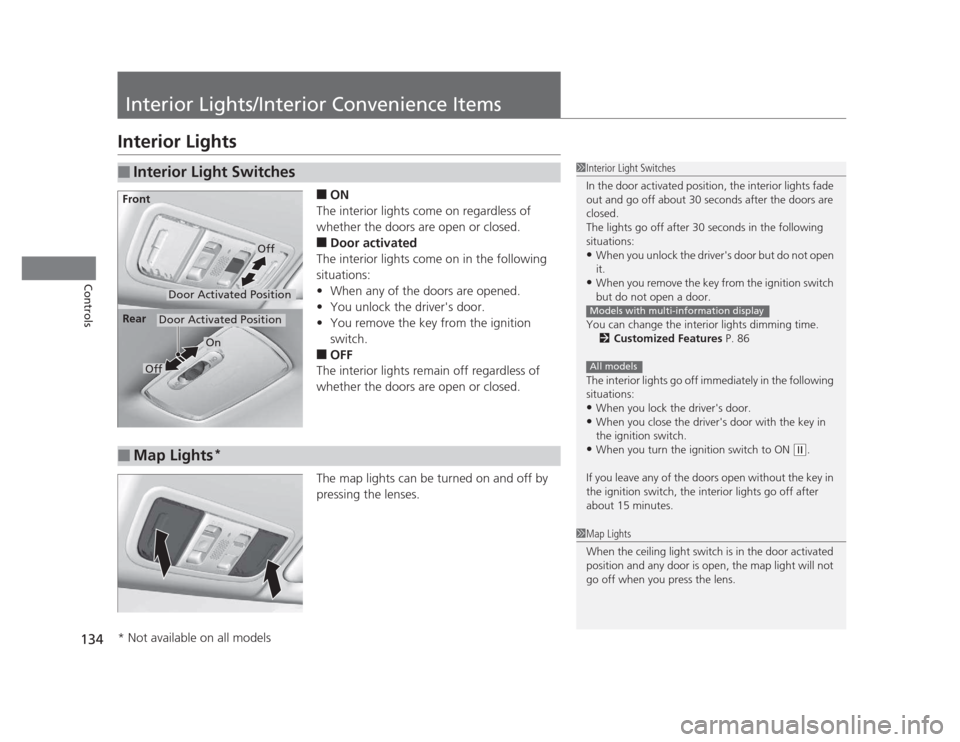
Interior Lights■ON
The interior lights come on regardless of
whether the doors are open or closed. ■ Door activated
The interior lights come on in the following
situations: • When any of the doors are opened.
• You unlock the driver's door.
• You remove the key from the ignition
switch.
■ OFF
The interior lights remain off regardless of
whether the doors are open or closed.
The map lights can be turned on and off by
pressing the lenses.
■Interior Light Switches1Interior Light Switches
In the door activated position, the interior lights fade
out and go off about 30 seconds after the doors are closed.
The lights go off after 30 seconds in the following
situations:• When you unlock the driver's door but do not open it.
• When you remove the key from the ignition switch
but do not open a door.
You can change the interior lights dimming time. 2 Customized Features P. 86
The interior lights go off immediately in the following
situations: • When you lock the driver's door.
• When you close the driver's door with the key in
the ignition switch.
• When you turn the ignition switch to ON
(w .
If you leave any of the doors open without the key in
the ignition switch, the interior lights go off after
about 15 minutes.
Models with multi-information display
All models
Door Activated Position
Off
Front
Door Activated Position
On
Off
Rear
■Map Lights
*
1Map Lights
When the ceiling light switch is in the door activated
position and any door is open, the map light will not
go off when you press the lens.
* Not available on all models
Page 203 of 345
202
Driving
Before Driving
Driving Preparation
Check the following items before you start driving. •Make sure there are no obstructions on the windows, door mirrors, exterior
lights, or other parts of the vehicle.
uRemove any frost, snow, or ice.
uRemove any snow on the roof, as this can slip down and obstruct your field of
vision while driving. If frozen solid, remove ice once it has softened.
uWhen removing ice from around the wheels, be sure not to damage the wheel
or wheel components.
• Make sure the hood is securely closed.
uIf the hood opens while driving, your front view will be blocked.
• Make sure the tires are in good condition.
uCheck air pressure, check for damage and excessive wear.
2 Checking and Maintaining Tires P. 280
• Make sure there are no people or objects behind or around the vehicle.
uThere are blind spots from the inside.
■Exterior Checks1Exterior Checks
NOTICE
When doors are frozen shut, use warm water around
the door edges to melt any ice. Do not try to force
them open, as this can damage the rubber trim
around the doors. When done, wipe dry to avoid further freezing.
Do not pour warm water into the key cylinder.
You will be unable to insert key if the water freezes in
the hole.
Page 204 of 345
Continued203
uuBefore DrivinguDriving Preparation
Driving
•Store or secure all items on board properly.
uCarrying too much cargo, or improp erly storing it, can affect your vehicle's
handling, stability, stopping distance, and tires, and make it unsafe. 2 Maximum Load Limit P. 205
• Do not pile items higher than the seat height.
uThey can block your view and may be thrown forward in the event of sudden
braking.
• Do not place anything in the front seat footwells. Make sure to secure the floor mat *
.
uAn object or unsecured floor mat can interfere with your brake and accelerator
pedal operation while driving.
• If you have any animals on board, do not let them move around in the vehicle.
uThey may interfere with driving and a crash could occur.
• Securely close and lock all doors and the trunk.
2 Locking/Unlocking the Doors from the Inside P. 103
• Adjust your seating position properly.
uAdjust the head restraint, too.
2 Adjusting the Seats P. 126
2 Adjusting the Head Restraints P. 129
• Adjust the mirrors and steering wheel properly for your driving.
uAdjust them while sitting in the proper driving position.
2 Adjusting the Mirrors P. 125
2 Adjusting the Steering Wheel P. 124
■Interior Checks1Interior Checks
The headlight aim is set by the factory, and does not
need to be adjusted. However, if you regularly carry
heavy items in the trunk or tow a trailer, have the
aiming readjusted at a dealer or by a qualified
technician.
* Not available on all models
Page 206 of 345
205
uuBefore DrivinguMaximum Load Limit
Continued
Driving
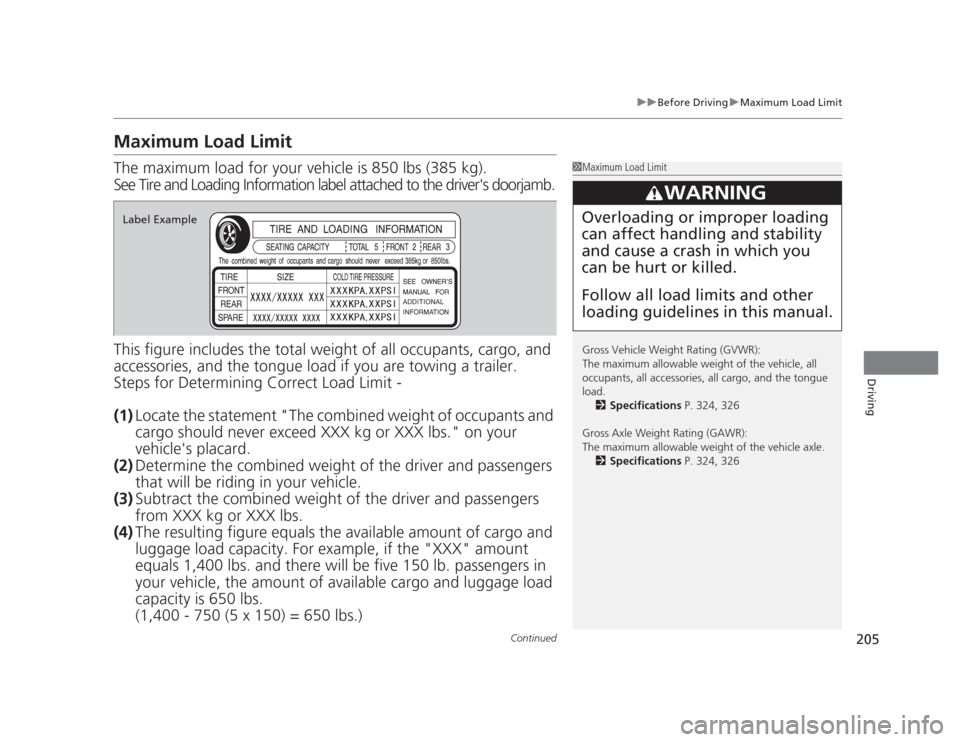
Maximum Load Limit The maximum load for your vehicle is 850 lbs (385 kg).
See Tire and Loading Information label attached to the driver's doorjamb.
This figure includ es the total weight of all occupants, cargo, and
accessories, and the tongue load if you are towing a trailer.
Steps for Determining Correct Load Limit - (1) Locate the statement "The combined weight of occupants and
cargo should never exceed XXX kg or XXX lbs." on your
vehicle's placard.
(2) Determine the combined weight of the driver and passengers
that will be riding in your vehicle.
(3) Subtract the combined weight of the driver and passengers
from XXX kg or XXX lbs.
(4) The resulting figure equals the ava ilable amount of cargo and
luggage load capacity. For example, if the "XXX" amount
equals 1,400 lbs. and there will be five 150 lb. passengers in
your vehicle, the amount of av ailable cargo and luggage load
capacity is 650 lbs.(1,400 - 750 (5 x 150) = 650 lbs.)
1Maximum Load Limit
Gross Vehicle Weight Rating (GVWR):
The maximum allowable weight of the vehicle, all
occupants, all accessories, all cargo, and the tongue load. 2 Specifications P. 324, 326
Gross Axle Weight Rating (GAWR):
The maximum allowable weight of the vehicle axle. 2 Specifications P. 324, 326
3WARNING
Overloading or improper loading can affect handling and stability
and cause a crash in which you
can be hurt or killed.
Follow all load limits and other loading guidelines in this manual.Label Example
Page 207 of 345
206
uuBefore DrivinguMaximum Load Limit
Driving
(5)Determine the combin ed weight of luggage and cargo being
loaded on the vehicle. That weight may not safely exceed the
available cargo and luggage load capacity calculated in step 4.
(6) If your vehicle will be towing a trailer, load from your trailer will
be transferred to your vehicle. Consult this manual to
determine how this reduces the available cargo and luggage
load capacity of your vehicle.
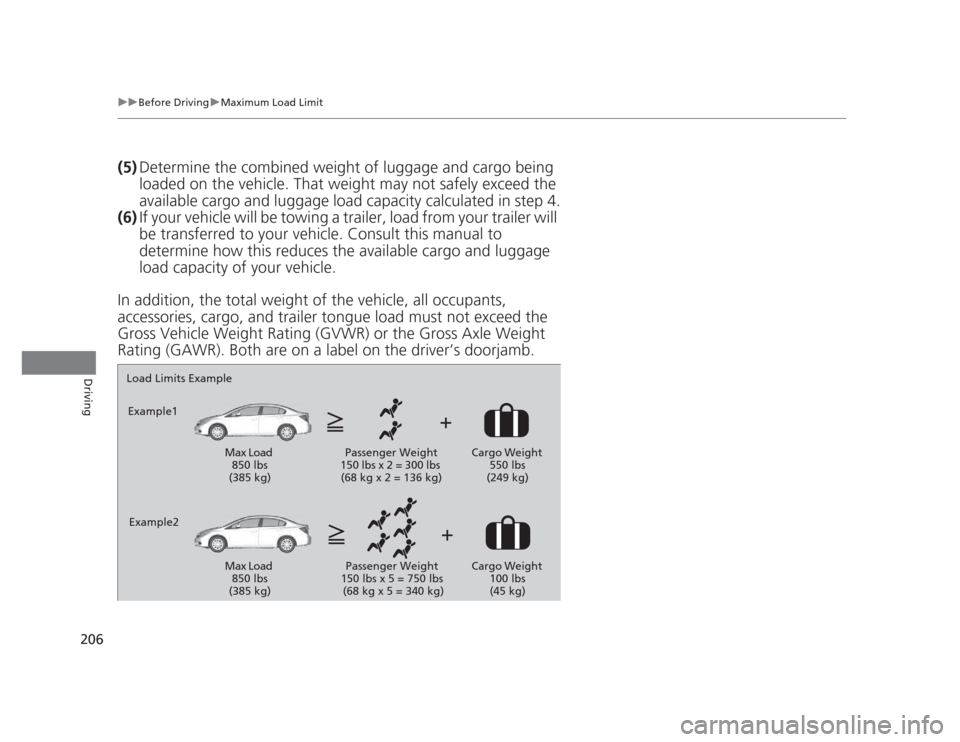
In addition, the total weight of the vehicle, all occupants,
accessories, cargo, and trailer tongue load must not exceed the
Gross Vehicle Weight Rating (GVWR) or the Gross Axle Weight
Rating (GAWR). Both are on a label on the driver’s doorjamb.
Load Limits Example
Example1
Max Load 850 lbs
(385 kg) Passenger Weight
150 lbs x 2 = 300 lbs (68 kg x 2 = 136 kg) Cargo Weight
550 lbs
(249 kg)
Example2 Max Load 850 lbs
(385 kg) Passenger Weight
150 lbs x 5 = 750 lbs
(68 kg x 5 = 340 kg) Cargo Weight
100 lbs (45 kg)
Page 236 of 345
Continued235
uuRefuelinguHow to Refuel
Driving
Qualifying gasoline retailers will, in most cases, identify their gasoline as having met
"TOP TIER Detergent Gasoline" standards at the retail location. This fuel is
guaranteed to contain the proper level of detergent additives and be free of metallic
additives. The proper level of detergent additives, and absence of harmful metallic
additives in gasoline, help avoid build-up of deposits in your engine and emission
control system.
For further important fuel-related information for your vehicle, or on information on
gasoline that does not contain MMT, visit www.hondacars.com. In Canada, visit
www.honda.ca for additional information on gasoline. For more information on top
tier gasoline, visit www.toptiergas.com .
■ Fuel tank capacity: 13.2 US gal (50 liters)
How to Refuel
1.Stop your vehicle with the service station
pump on the left side of the vehicle in the rear.
2. Turn off the engine.
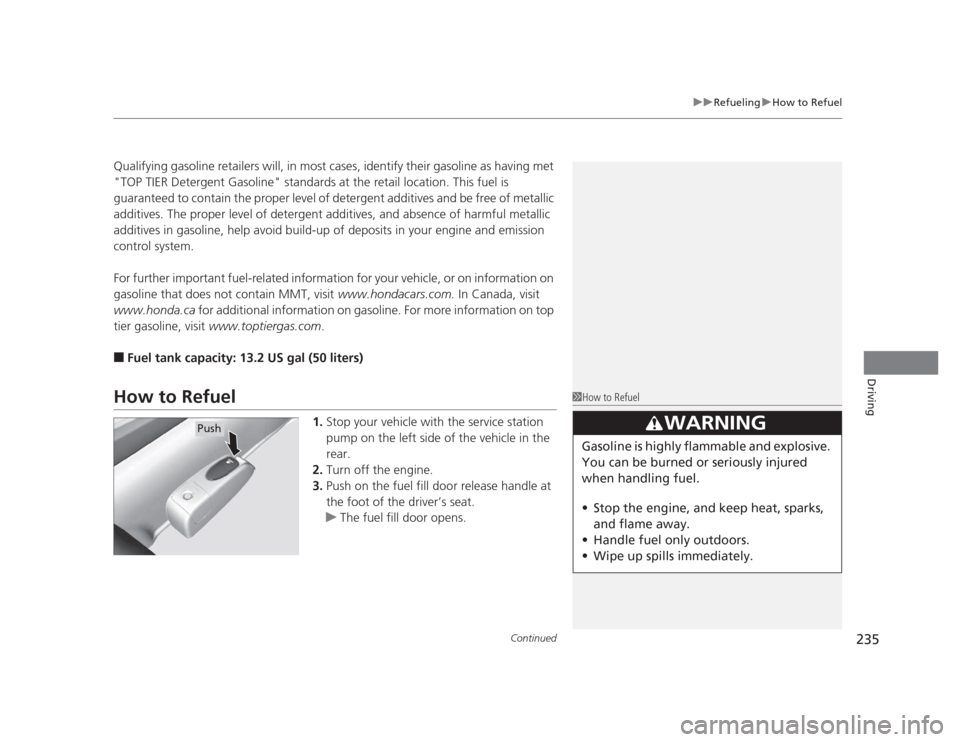
3. Push on the fuel fill door release handle at
the foot of the driver’s seat.
uThe fuel fill door opens.
1How to Refuel
3WARNING
Gasoline is highly flammable and explosive.
You can be burned or seriously injured
when handling fuel. • Stop the engine, and keep heat, sparks,
and flame away.
• Handle fuel only outdoors.
• Wipe up spills immediately.
Push
Page 237 of 345
uuRefuelinguHow to Refuel
236
Driving
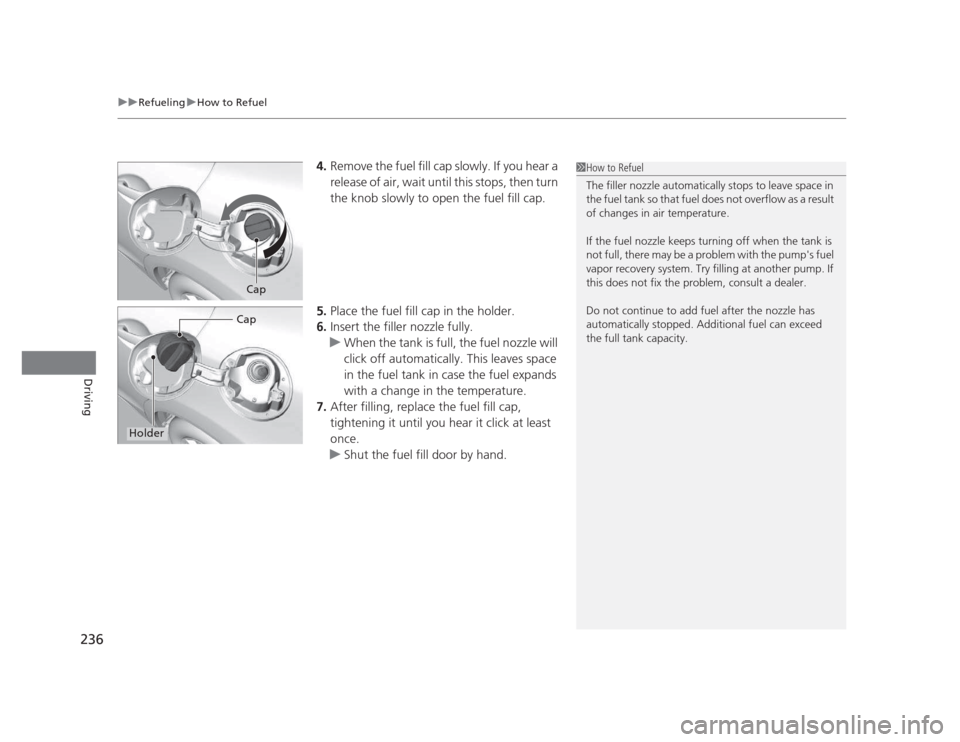
4. Remove the fuel fill cap slowly. If you hear a
release of air, wait until this stops, then turn
the knob slowly to open the fuel fill cap.
5. Place the fuel fill cap in the holder.
6. Insert the filler nozzle fully.
uWhen the tank is full, the fuel nozzle will
click off automatically. This leaves space
in the fuel tank in case the fuel expands
with a change in the temperature.
7. After filling, replace the fuel fill cap,
tightening it until you hear it click at least
once.
uShut the fuel fill door by hand.
1How to Refuel
The filler nozzle automatically stops to leave space in
the fuel tank so that fuel does not overflow as a result
of changes in air temperature.
If the fuel nozzle keeps turning off when the tank is
not full, there may be a problem with the pump's fuel
vapor recovery system. Try filling at another pump. If
this does not fix the problem, consult a dealer.
Do not continue to add fuel after the nozzle has
automatically stopped. Additional fuel can exceed
the full tank capacity.
Cap
Cap
Holder
Page 281 of 345
280
Maintenance
Checking and Maintaining Tires
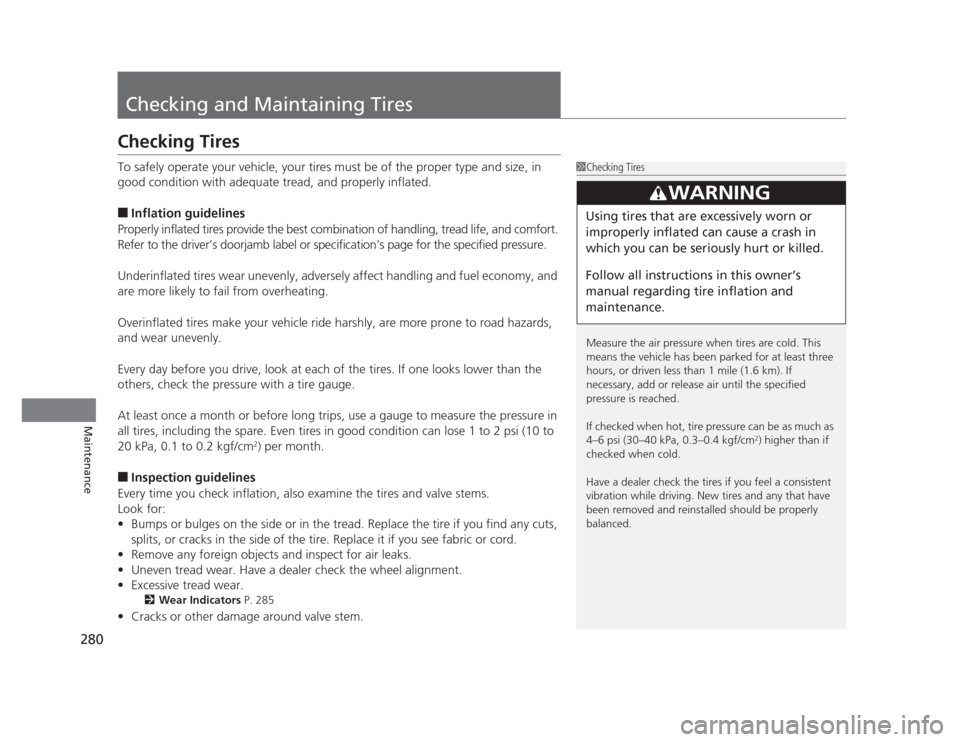
Checking Tires
To safely operate your vehicle, your tires must be of the proper type and size, in
good condition with adequate tread, and properly inflated. ■Inflation guidelines
Properly inflated tires provide the best combination of handling, tread life, and comfort.
Refer to the driver’s doorjamb label or specification’s page for the specified pressure.
Underinflated tires wear unevenly, adversely affect handling and fuel economy, and
are more likely to fail from overheating.
Overinflated tires make your vehicle ride harshly, are more prone to road hazards, and wear unevenly.
Every day before you drive, look at each of the tires. If one looks lower than the
others, check the pressure with a tire gauge.
At least once a month or before long trips, use a gauge to measure the pressure in
all tires, including the spare. Even tires in good condition can lose 1 to 2 psi (10 to
20 kPa, 0.1 to 0.2 kgf/cm 2
) per month.
■ Inspection guidelines
Every time you check inflation, also examine the tires and valve stems.Look for:• Bumps or bulges on the side or in the tread. Replace the tire if you find any cuts,
splits, or cracks in the side of the tire. Replace it if you see fabric or cord.
• Remove any foreign objects and inspect for air leaks.
• Uneven tread wear. Have a dealer check the wheel alignment.
• Excessive tread wear.
2 Wear Indicators P. 285
• Cracks or other damage around valve stem.
1Checking Tires
Measure the air pressure when tires are cold. This
means the vehicle has been parked for at least three
hours, or driven less than 1 mile (1.6 km). If
necessary, add or release air until the specified
pressure is reached.
If checked when hot, tire pressure can be as much as
4–6 psi (30–40 kPa, 0.3–0.4 kgf/cm 2
) higher than if
checked when cold.
Have a dealer check the tires if you feel a consistent
vibration while driving. New tires and any that have
been removed and reinstalled should be properly balanced.
3WARNING
Using tires that are excessively worn or
improperly inflated can cause a crash in
which you can be seriously hurt or killed.
Follow all instruction s in this owner’s
manual regarding tire inflation and
maintenance.
Page 282 of 345
281
uuChecking and Maintaining TiresuTire and Loading Information Label
Continued
Maintenance
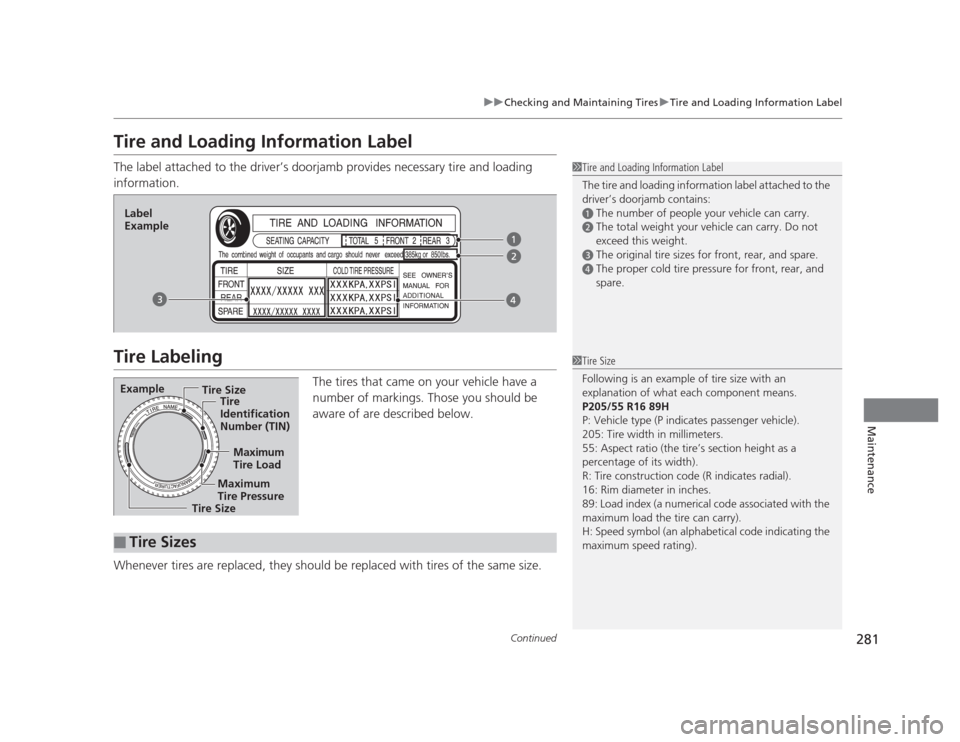
Tire and Loading Information Label
The label attached to the driver’s doorjamb provides necessary tire and loading information.
Tire LabelingThe tires that came on your vehicle have a
number of markings. Those you should be
aware of are described below.
Whenever tires are replaced, they should be replaced with tires of the same size.
1Tire and Loading Information Label
The tire and loading information label attached to the
driver’s doorjamb contains:
aThe number of people your vehicle can carry.
bThe total weight your vehicle can carry. Do not
exceed this weight.
cThe original tire sizes for front, rear, and spare.
dThe proper cold tire pressure for front, rear, and
spare.
Label
Example
Example Tire Size
Tire
Identification
Number (TIN)
Maximum Tire Load
Maximum
Tire Pressure
Tire Size
■Tire Sizes
1Tire Size
Following is an example of tire size with an
explanation of what each component means.
P205/55 R16 89H
P: Vehicle type (P indicates passenger vehicle).
205: Tire width in millimeters.
55: Aspect ratio (the tire’s section height as a
percentage of its width).
R: Tire construction code (R indicates radial).
16: Rim diameter in inches.
89: Load index (a numerical code associated with the
maximum load the tire can carry).
H: Speed symbol (an alphabetical code indicating the
maximum speed rating).
Page 285 of 345
uuChecking and Maintaining TiresuDOT Tire Quality Grading (U.S. Vehicles)
284
Maintenance
The traction grades, from highest to lowest, are AA, A, B, and C. Those grades repres ent the tire's ability to stop on wet pavement
as measured under controlled conditions on specified
government test surfaces of asphalt and concrete. A tire marked C may have poor traction performance.
The temperature grades are A (the highest), B, and C, representing the tire's resistance to the generation of heat and its
ability to dissipate heat when tested under controlled conditions
on a specified indoor la boratory test wheel. Sustained high
temperature can cause the material of the tire to degenerate and
reduce tire life, and excessive temperature can lead to sudden tire
failure. The grade C corresponds to a level of performance which
all passenger car tires must meet under the Federal Motor Vehicle
Safety Standard No. 109. Grades B and A represent higher levels
of performance on the laboratory test wheel than the minimum
required by law.
■Traction
■Temperature
1Traction
Warning: The traction grade
assigned to this tire is based on
straight-ahead braking traction tests, and does not incl ude acceleration,
cornering, hydroplaning, or peak
traction characteristics.
1Temperature
Warning: The temperature grade for
this tire is established for a tire that is
properly inflated and not
overloaded. Excessive speed,
underinflation, or excessive loading,
either separately or in combination,
can cause heat build up and possible
tire failure.