cooling HONDA CIVIC 2013 9.G User Guide
[x] Cancel search | Manufacturer: HONDA, Model Year: 2013, Model line: CIVIC, Model: HONDA CIVIC 2013 9.GPages: 367, PDF Size: 8.43 MB
Page 145 of 367
uuHeating and Cooling
*uUsing Vents, Heating and A/C
*
144Controls
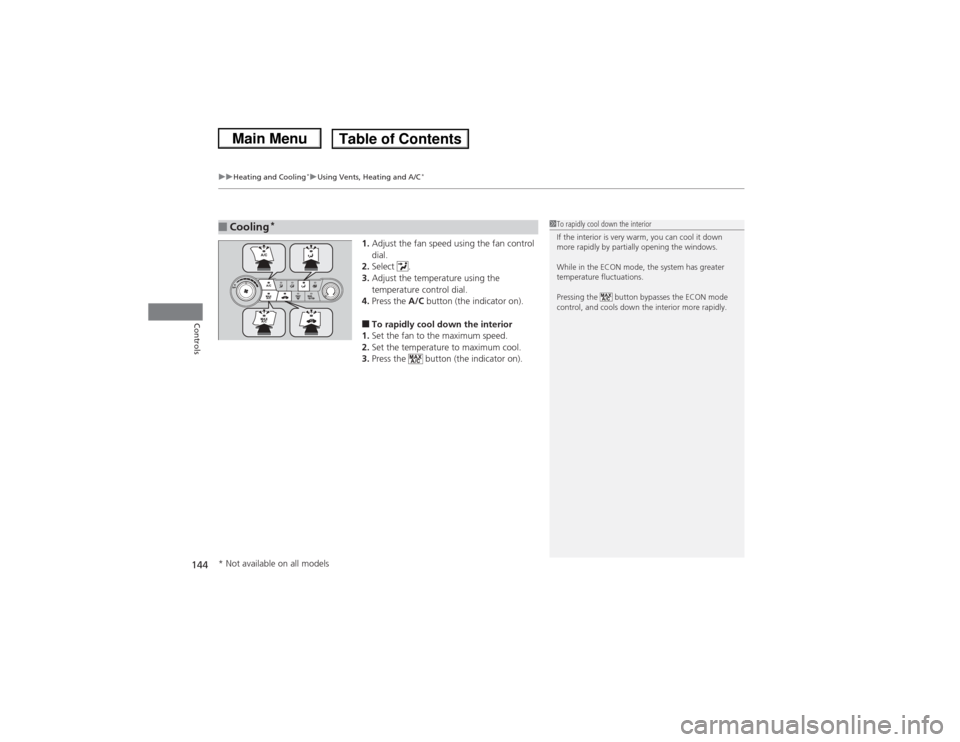
1. Adjust the fan speed using the fan control
dial.
2. Select .
3. Adjust the temperature using the
temperature control dial.
4. Press the A/C button (the indicator on).■To rapidly cool down the interior
1. Set the fan to the maximum speed.
2. Set the temperature to maximum cool.
3. Press the button (the indicator on).
■Cooling
*
1To rapidly cool down the interior
If the interior is very warm, you can cool it down
more rapidly by partially opening the windows.
While in the ECON mode, the system has greater
temperature fluctuations.
Pressing the button bypasses the ECON mode
control, and cools down the interior more rapidly.
* Not available on all models
Page 146 of 367
145
uuHeating and Cooling
*uUsing Vents, Heating and A/C
*
Controls
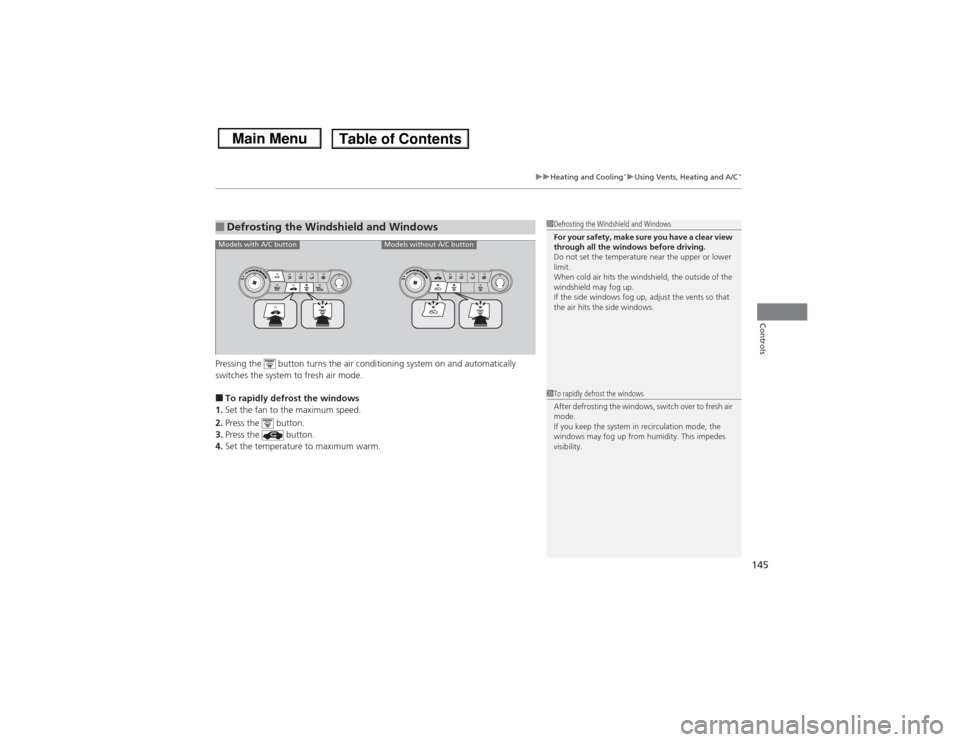
Pressing the button turns the air conditioning system on and automatically
switches the system to fresh air mode.■To rapidly defrost the windows
1. Set the fan to the maximum speed.
2. Press the button.
3. Press the button.
4. Set the temperature to maximum warm.■Defrosting the Windshield and Windows
1Defrosting the Windshield and Windows
For your safety, make sure you have a clear view
through all the windows before driving.
Do not set the temperature near the upper or lower
limit.
When cold air hits the windshield, the outside of the
windshield may fog up.
If the side windows fog up, adjust the vents so that
the air hits the side windows.1To rapidly defrost the windows
After defrosting the windows, switch over to fresh air
mode.
If you keep the system in recirculation mode, the
windows may fog up from humidity. This impedes
visibility.
Models with A/C button
Models without A/C button
Page 223 of 367
222
uuTowing a Trailer uTowing Your Vehicle
Driving
• Closely watch your high temperature indicator. If the indicator remains on, turn
off the heating and cooling system
*/climate control system
* and reduce speed.
Pull to the side of the road safely to cool down the engine if necessary.
• Shift to the
(d position if the transmission shifts frequently.
Towing Your VehicleYour vehicle is not designed to be towed behind a motor home. If your vehicle needs
to be towed in an emergency, refer to the emergency towing information.2 Emergency Towing P. 344■Driving in Hilly TerrainAutomatic transmission models* Not available on all models
Page 224 of 367
223
Continued
Driving
When DrivingStarting the Engine
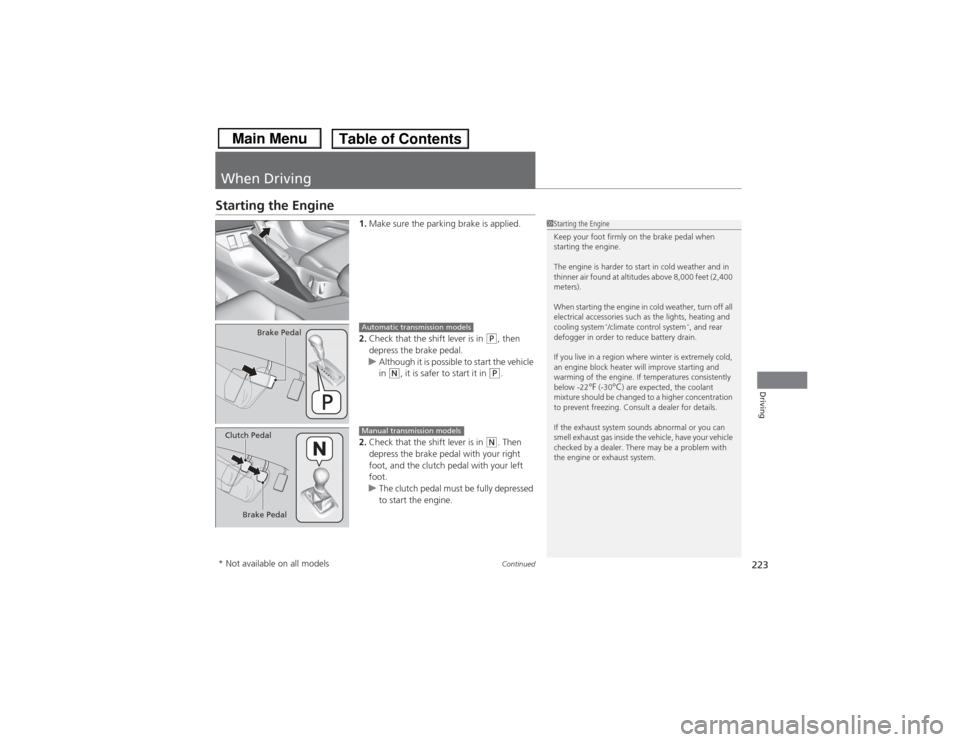
1.Make sure the parking brake is applied.
2. Check that the shift lever is in
(P, then
depress the brake pedal.
u Although it is possible to start the vehicle
in
(N, it is safer to start it in
(P.
2. Check that the shift lever is in
(N. Then
depress the brake pedal with your right
foot, and the clutch pedal with your left
foot.
u The clutch pedal must be fully depressed
to start the engine.
1Starting the Engine
Keep your foot firmly on the brake pedal when
starting the engine.
The engine is harder to start in cold weather and in
thinner air found at altitudes above 8,000 feet (2,400
meters).
When starting the engine in cold weather, turn off all
electrical accessories such as the lights, heating and
cooling system
*/climate control system
*, and rear
defogger in order to reduce battery drain.
If you live in a region where winter is extremely cold,
an engine block heater will improve starting and
warming of the engine. If temperatures consistently
below -22
°F (-30
°C) are expected, the coolant
mixture should be changed to a higher concentration
to prevent freezing. Consult a dealer for details.
If the exhaust system sounds abnormal or you can
smell exhaust gas inside the vehicle, have your vehicle
checked by a dealer. There may be a problem with
the engine or exhaust system.
Brake Pedal
Automatic transmission models
Brake Pedal
Clutch Pedal
Manual transmission models
* Not available on all models
Page 233 of 367
232
uuWhen Driving uECON Button
*
Driving
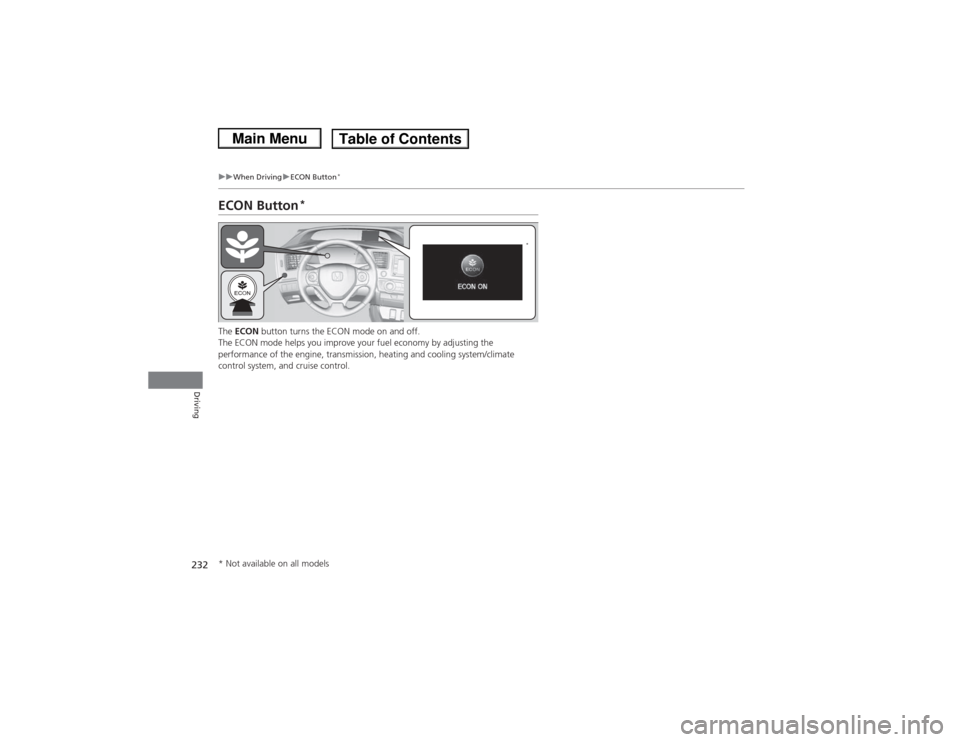
ECON Button
*
The ECON button turns the ECON mode on and off.
The ECON mode helps you improve your fuel economy by adjusting the
performance of the engine, transmissi on, heating and cooling system/climate
control system, and cruise control.
*
* Not available on all models
Page 254 of 367
253
Maintenance
This chapter discusses basic maintenance.
Before Performing MaintenanceInspection and Maintenance ............ 254Safety When Performing Maintenance..... 255Parts and Fluids Used in Maintenance Service ........................................... 256
Maintenance Minder
TM..................... 257
Maintenance Under the Hood
Maintenance Items Under the Hood ..... 265Opening the Hood ........................... 267
Recommended Engine Oil ................ 268
Oil Check ......................................... 269
Adding Engine Oil ............................ 271Changing the Engine Oil and Oil Filter ..... 272
Engine Coolant ................................ 275
Transmission Fluid ............................ 277
Brake/Clutch Fluid ............................ 280
Refilling Window Washer Fluid......... 281
Replacing Light Bulbs ....................... 282Checking and Maintaining Wiper
Blades .......................................... 295Checking and Maintaining Tires
Checking Tires ................................. 297Tire and Loading Information Label ...... 298Tire Labeling .................................... 298DOT Tire Quality Grading (U.S. Vehicles)....... 300Wear Indicators................................ 302 Tire Service Life ................................ 302
Tire and Wheel Replacement ........... 303
Tire Rotation .................................... 304
Winter Tires ..................................... 305
Battery ............................................... 306
Remote Transmitter Care
*
Replacing the Button Battery ........... 307
Heating and Cooling System
*/Climate
Control System
* Maintenance ....... 308
Cleaning
Interior Care .................................... 309
Exterior Care.................................... 311
* Not available on all models
Page 276 of 367
275
uuMaintenance Under the Hood uEngine Coolant
Continued
Maintenance
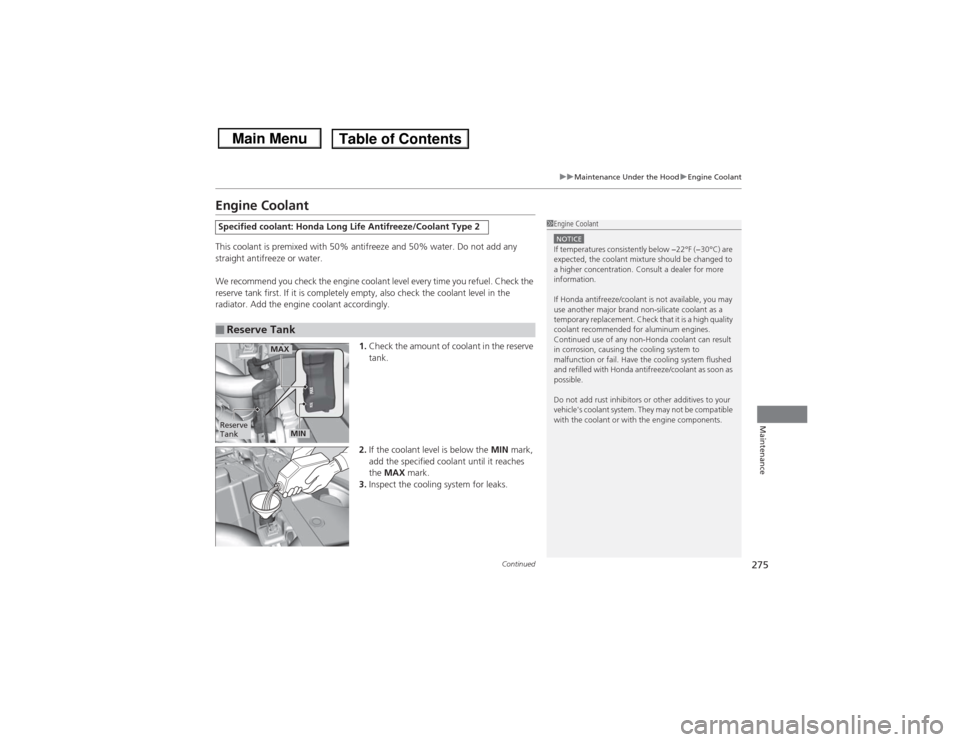
Engine CoolantThis coolant is premixed with 50% antifreeze and 50% water. Do not add any
straight antifreeze or water.
We recommend you check the engine coolant level every time you refuel. Check the
reserve tank first. If it is completely empty, also check the coolant level in the
radiator. Add the engine coolant accordingly.
1.Check the amount of coolant in the reserve
tank.
2. If the coolant level is below the MIN mark,
add the specified coolant until it reaches
the MAX mark.
3. Inspect the cooling system for leaks.Specified coolant: Honda Long Life Antifreeze/Coolant Type 2■Reserve Tank
1Engine CoolantNOTICEIf temperatures consistently below −22°F (−30°C) are
expected, the coolant mixture should be changed to
a higher concentration. Consult a dealer for more
information.
If Honda antifreeze/coolant is not available, you may
use another major brand non-silicate coolant as a
temporary replacement. Check that it is a high quality
coolant recommended for aluminum engines.
Continued use of any non-Honda coolant can result
in corrosion, causing the cooling system to
malfunction or fail. Have the cooling system flushed
and refilled with Honda antifreeze/coolant as soon as
possible.
Do not add rust inhibitors or other additives to your
vehicle's coolant system. They may not be compatible
with the coolant or with the engine components.
Reserve
Tank
MAX
MIN
Page 309 of 367
308Maintenance
Heating and Cooling System
*/Climate Control System
* Maintenance
Dust and Pollen Filter
*
The heating and cooling system
*/climate control system
* is equipped with a dust
and pollen filter that colle cts pollen, dust, and other debris in the air. The
Maintenance Minder
TM messages will let you know when to replace the filter.
We recommend that you replace the dust and pollen filter sooner when using your
vehicle in areas with high concentrations of dust.
1 Dust and Pollen Filter
*
If the airflow from the heating and cooling system
*/
climate control system
* deteriorates noticeably, and
the windows fog up easily, the filter may need to be
replaced. Please contact a dealer for replacement.
* Not available on all models
Page 337 of 367
uuOverheating uHow to Handle Overheating
336Handling the Unexpected
■Next thing to do
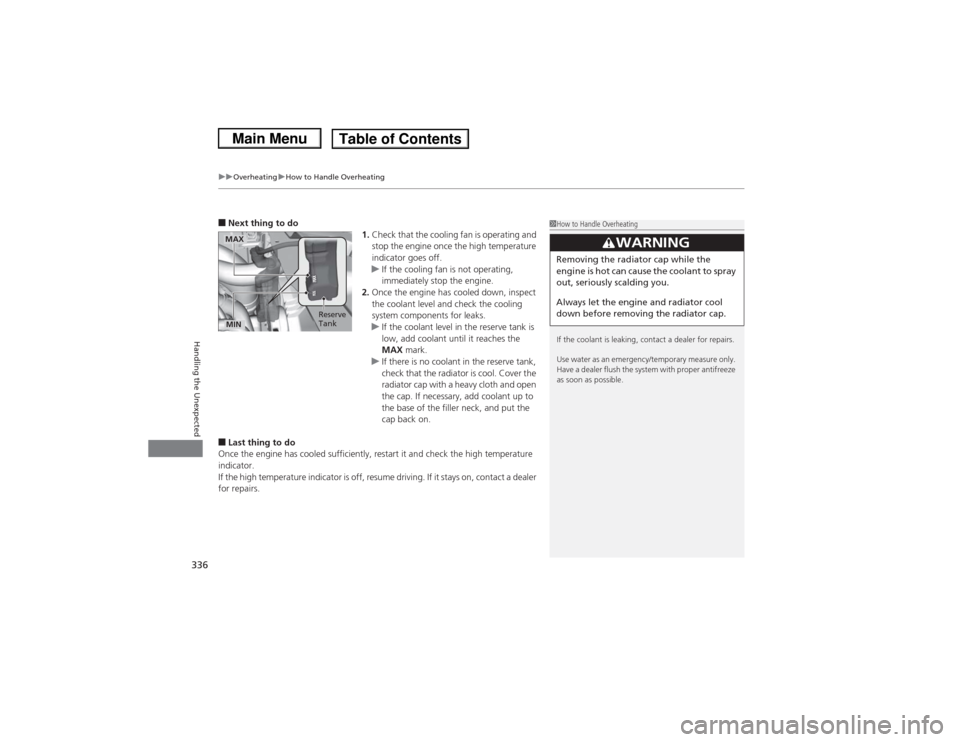
1.Check that the cooling fan is operating and
stop the engine once the high temperature
indicator goes off.
u If the cooling fan is not operating,
immediately stop the engine.
2. Once the engine has cooled down, inspect
the coolant level and check the cooling
system components for leaks.
u If the coolant level in the reserve tank is
low, add coolant until it reaches the
MAX mark.
u If there is no coolant in the reserve tank,
check that the radiator is cool. Cover the
radiator cap with a heavy cloth and open
the cap. If necessary, add coolant up to
the base of the filler neck, and put the
cap back on.■Last thing to do
Once the engine has cooled sufficiently, restart it and check the high temperature
indicator.
If the high temperature indicator is off, resume driving. If it stays on, contact a dealer
for repairs.
1 How to Handle Overheating
If the coolant is leaking, contact a dealer for repairs.
Use water as an emergency/temporary measure only.
Have a dealer flush the system with proper antifreeze
as soon as possible.
3
WARNING
Removing the radiator cap while the
engine is hot can cause the coolant to spray
out, seriously scalding you.
Always let the engine and radiator cool
down before removing the radiator cap.
MAX
Reserve
TankMIN
Page 338 of 367
337Handling the Unexpected
Indicator, Coming On/BlinkingIf the Low Oil Pressure Indicator Comes On
■Reasons for the indicator to come on
Comes on when the engine oil pressure is low.■What to do as soon as the indicator comes on
1. Immediately park the vehicle in a safe place.
2. If necessary, turn the hazard warning lights on.■What to do after parking the vehicle
1. Stop the engine and let it sit for about one minute.
2. Open the hood and check the oil level.
u Add oil as necessary.
3. Start the engine and check the low oil pressure indicator.
u The light goes out: Start driving again.
u The light does not go out within 10 seconds: Stop the engine and
contact a dealer for repairs immediately.
If the Charging System Indicator Comes On
■Reasons for the indicator to come on
Comes on when the battery is not being charged.■What to do when the indicator comes on
Turn off the heating and cooling system
*/climate control system
*, rear
defogger, and other electrical systems, and immediately contact a dealer
for repairs.
1 If the Low Oil Pressure Indicator Comes OnNOTICERunning the engine with low oil pressure can cause
serious mechanical damage almost immediately.1If the Charging System Indicator Comes On
If you need to stop temporarily, do not turn off the
engine. Restarting the engine may rapidly discharge
the battery.
* Not available on all models