warning HONDA CIVIC 2014 9.G User Guide
[x] Cancel search | Manufacturer: HONDA, Model Year: 2014, Model line: CIVIC, Model: HONDA CIVIC 2014 9.GPages: 469, PDF Size: 17.32 MB
Page 54 of 469
53
uuChild Safety uProtecting Child Passengers
Safe Driving
• Any child who is too small to wear a seat belt correctly must be restrained in an
approved child seat that is properly secured to the vehicle using either the lap belt
portion of the lap/shoulder belt or the lower anchors of the LATCH system.
• Never hold a child on your lap because it is impossible to protect them in the
event of a collision.
• Never put a seat belt over yourself and a child. During a crash, the belt would
likely press deep into the child and cause serious or fatal injuries.
• Never let two children use the same seat belt. Both children could be very
seriously injured in a crash.
• Do not allow children to operate the doors, windows or seat adjustments.
• Do not leave children in the vehicle unattended, especially in hot weather when
the inside of the vehicle can get hot enough to kill them. They could also activate
vehicle controls causing it to move unexpectedly.
1Protecting Child Passengers
To deactivate a lockable retractor, release the buckle
and allow the seat belt to wind up all the way.
To remind you of the passenger's front airbag
hazards and child safety, your vehicle has warning
labels on the dashboard (U.S. models) and on the
front visors. Please read and follow the instructions
on these labels.
2 Safety Labels P. 65
3
WARNING
Allowing a child to play with a seat belt or
wrap one around their neck can result in
serious injury or death.
Instruct children not to play with any seat
belt and make sure any unused seat belt a
child can reach is buckled, fully retracted,
and locked.
Page 55 of 469
54
uuChild Safety uSafety of Infants and Small Children
Safe Driving
Safety of Infants and Small ChildrenAn infant must be properly restrained in a rear-facing, reclining child seat until the
infant reaches the seat maker's weight or height limit for the seat, and the infant is
at least one year old.
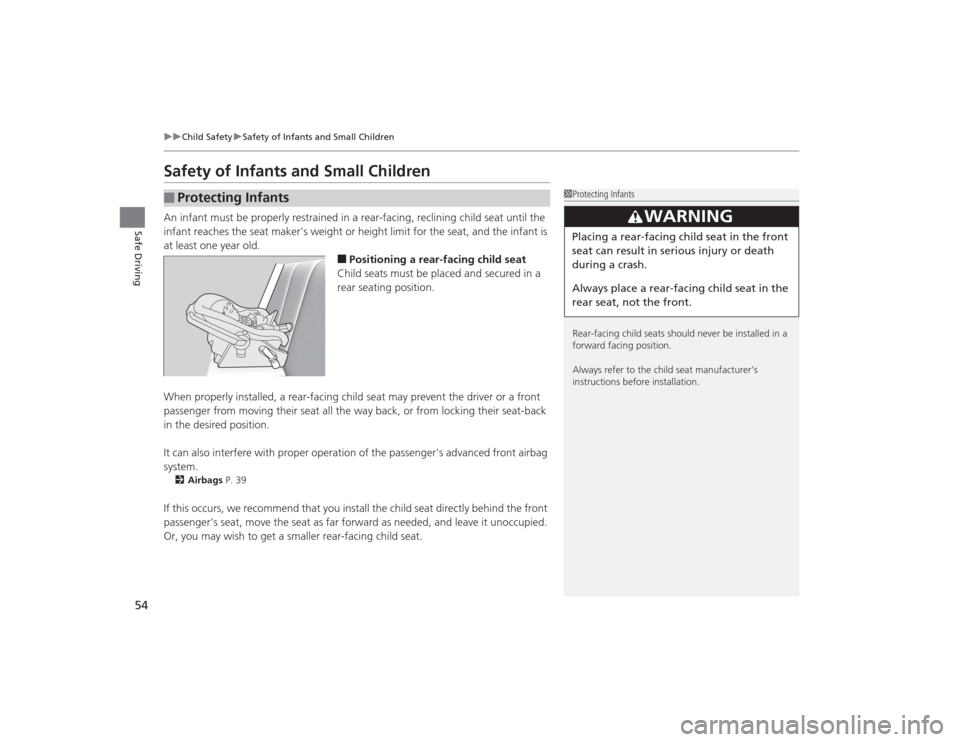
■Positioning a rear-facing child seat
Child seats must be placed and secured in a
rear seating position.
When properly installed, a rear-facing child seat may prevent the driver or a front
passenger from moving their seat all the way back, or from locking their seat-back
in the desired position.
It can also interfere with proper operatio n of the passenger's advanced front airbag
system.
2 Airbags P. 39If this occurs, we recommend that you install the child seat directly behind the front
passenger's seat, move the seat as far forward as needed, and leave it unoccupied.
Or, you may wish to get a smaller rear-facing child seat.■
Protecting Infants
1Protecting Infants
Rear-facing child seats should never be installed in a
forward facing position.
Always refer to the child seat manufacturer’s
instructions before installation.
3
WARNING
Placing a rear-facing child seat in the front
seat can result in serious injury or death
during a crash.
Always place a rear-facing child seat in the
rear seat, not the front.
Page 56 of 469
Continued
55
uuChild Safety uSafety of Infants and Small Children
Safe Driving
If a child is at least one year old and within the weight range indicated by the child
seat manufacturer, the child should be properly restrained in a firmly secured
forward-facing child seat.
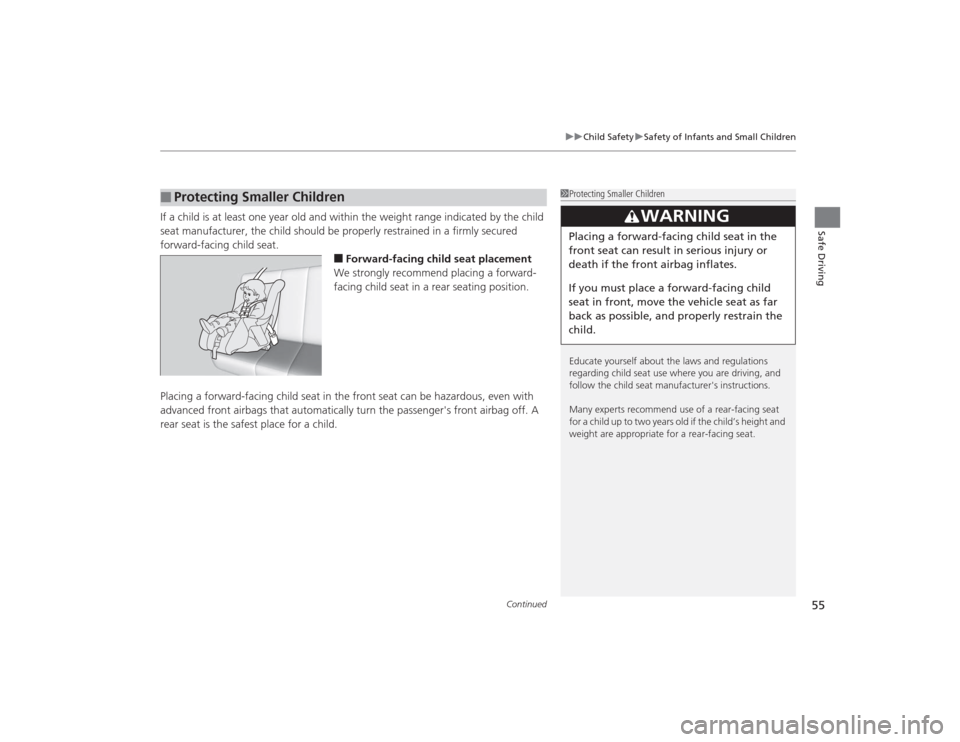
■Forward-facing child seat placement
We strongly recommend placing a forward-
facing child seat in a rear seating position.
Placing a forward-facing child seat in the front seat can be hazardous, even with
advanced front airbags that automatically turn the passenger's front airbag off. A
rear seat is the safest place for a child.
■
Protecting Smaller Children
1 Protecting Smaller Children
Educate yourself about the laws and regulations
regarding child seat use where you are driving, and
follow the child seat manufacturer's instructions.
Many experts recommend use of a rear-facing seat
for a child up to two years old if the child’s height and
weight are appropriate for a re ar-facing seat.
3
WARNING
Placing a forward-facing child seat in the
front seat can result in serious injury or
death if the front airbag inflates.
If you must place a forward-facing child
seat in front, move the vehicle seat as far
back as possible, and properly restrain the
child.
Page 63 of 469
62
uuChild Safety uSafety of Larger Children
Safe Driving
Safety of Larger ChildrenThe following pages give instructi ons on how to check proper seat belt fit, what kind
of booster seat to use if one is needed, and important precautions for a child who
must sit in front.
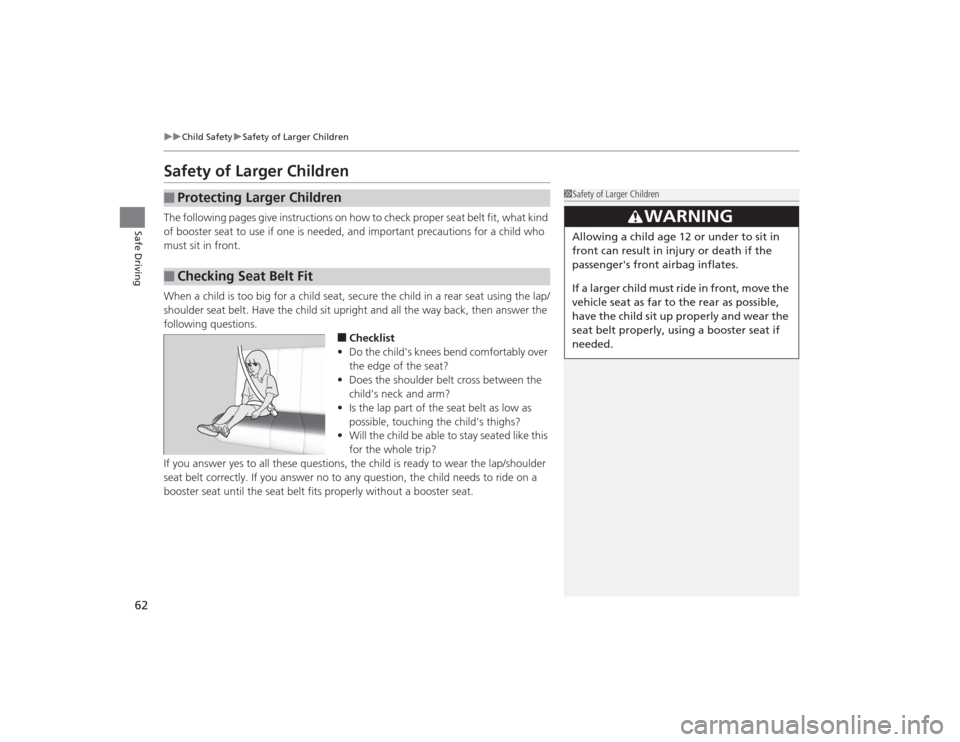
When a child is too big for a child seat, secure the child in a rear seat using the lap/
shoulder seat belt. Have the child sit upright and all the way back, then answer the
following questions.
■Checklist
• Do the child's knees bend comfortably over
the edge of the seat?
• Does the shoulder belt cross between the
child's neck and arm?
• Is the lap part of the seat belt as low as
possible, touching the child's thighs?
• Will the child be able to stay seated like this
for the whole trip?
If you answer yes to all these questions, the child is ready to wear the lap/shoulder
seat belt correctly. If you answer no to any question, the child needs to ride on a
booster seat until the seat belt fits properly without a booster seat.
■
Protecting Larger Children
■
Checking Seat Belt Fit
1 Safety of Larger Children
3
WARNING
Allowing a child age 12 or under to sit in
front can result in injury or death if the
passenger's front airbag inflates.
If a larger child must ride in front, move the
vehicle seat as far to the rear as possible,
have the child sit up properly and wear the
seat belt properly, using a booster seat if
needed.
Page 65 of 469
64Safe Driving
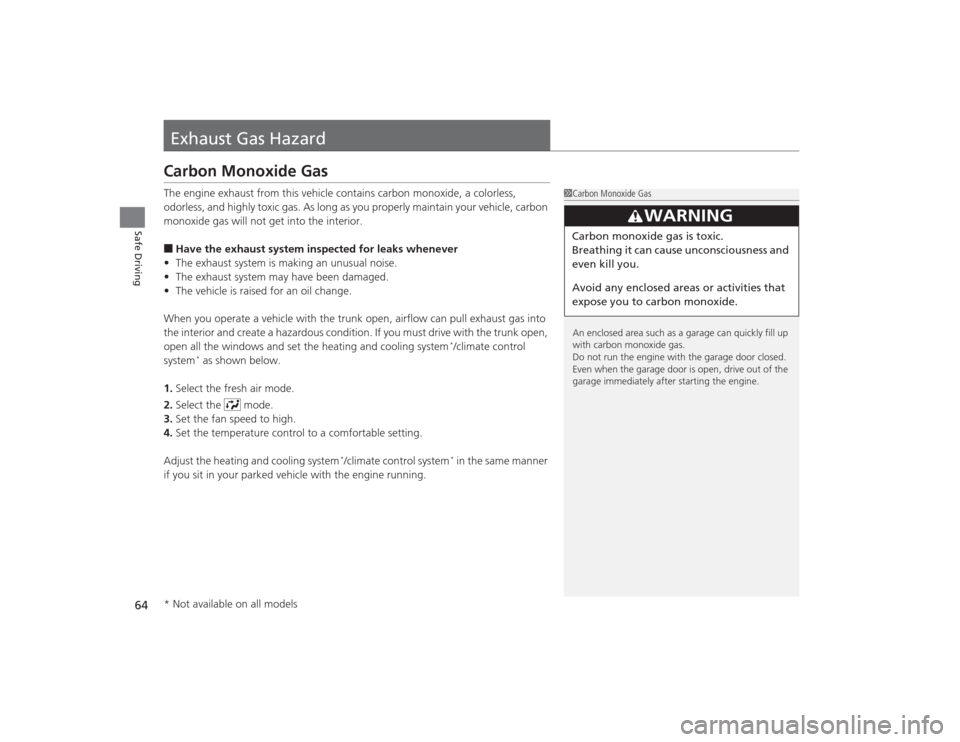
Exhaust Gas HazardCarbon Monoxide GasThe engine exhaust from this vehicle contains carbon monoxide, a colorless,
odorless, and highly toxic gas. As long as you properly maintain your vehicle, carbon
monoxide gas will not get into the interior.■Have the exhaust system inspected for leaks whenever
• The exhaust system is making an unusual noise.
• The exhaust system may have been damaged.
• The vehicle is raised for an oil change.
When you operate a vehicle with the trunk open, airflow can pull exhaust gas into
the interior and create a hazardous condition. If you must drive with the trunk open,
open all the windows and set the heating and cooling system
*/climate control
system
* as shown below.
1. Select the fresh air mode.
2. Select the mode.
3. Set the fan speed to high.
4. Set the temperature control to a comfortable setting.
Adjust the heating and cooling system
*/climate control system
* in the same manner
if you sit in your parked vehicle with the engine running.
1 Carbon Monoxide Gas
An enclosed area such as a garage can quickly fill up
with carbon monoxide gas.
Do not run the engine with the garage door closed.
Even when the garage door is open, drive out of the
garage immediately after starting the engine.
3
WARNING
Carbon monoxide gas is toxic.
Breathing it can cause unconsciousness and
even kill you.
Avoid any enclosed areas or activities that
expose you to carbon monoxide.
* Not available on all models
Page 68 of 469
67
Instrument Panel
This chapter describes the buttons, indicators, and gauges that are used while driving.
Indicators............................................ 68
intelligent Multi-Information Display (i- MID) Warning and Information
Messages
*....................................... 77
Gauges and Displays Gauges .............................................. 82
Information Display
*.......................... 84
intelligent Multi-Information Display (i- MID)
*.............................................. 86
* Not available on all models
Page 75 of 469
74
uuIndicators u
Instrument Panel
*1:Models with the smart entry system have an ENGINE START/STOP button instead of an ignition switch.Indicator
Name
On/Blinking
Explanation
Message
*
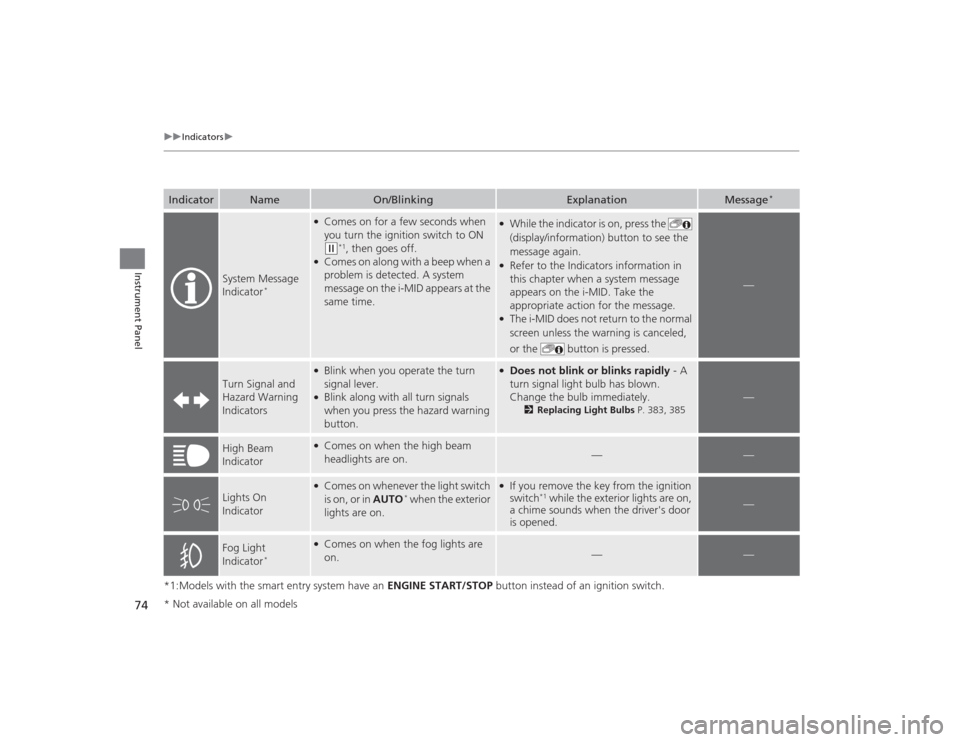
System Message
Indicator
*
●Comes on for a few seconds when
you turn the ignition switch to ON (w
*1, then goes off.
●Comes on along with a beep when a
problem is detected. A system
message on the i-MID appears at the
same time.
●While the indicator is on, press the
(display/information) button to see the
message again.●Refer to the Indicators information in
this chapter when a system message
appears on the i-MID. Take the
appropriate action for the message.●The i-MID does not return to the normal
screen unless the warning is canceled,
or the button is pressed.
—
Turn Signal and
Hazard Warning
Indicators
●Blink when you operate the turn
signal lever.●Blink along with all turn signals
when you press the hazard warning
button.
●Does not blink or blinks rapidly - A
turn signal light bulb has blown.
Change the bulb immediately.
2 Replacing Light Bulbs P. 383, 385
—
High Beam
Indicator
●Comes on when the high beam
headlights are on.
—
—
Lights On
Indicator
●Comes on whenever the light switch
is on, or in AUTO
* when the exterior
lights are on.
●If you remove the key from the ignition
switch
*1 while the exterior lights are on,
a chime sounds when the driver's door
is opened.
—
Fog Light
Indicator
*
●Comes on when the fog lights are
on.
—
—
* Not available on all models
Page 78 of 469
77
uuIndicators uintelligent Multi-Information Display (i -MID) Warning and Information Messages
*
Continued
Instrument Panel
intelligent Multi-Information Display (i-MID) Warning and Information Messages
*
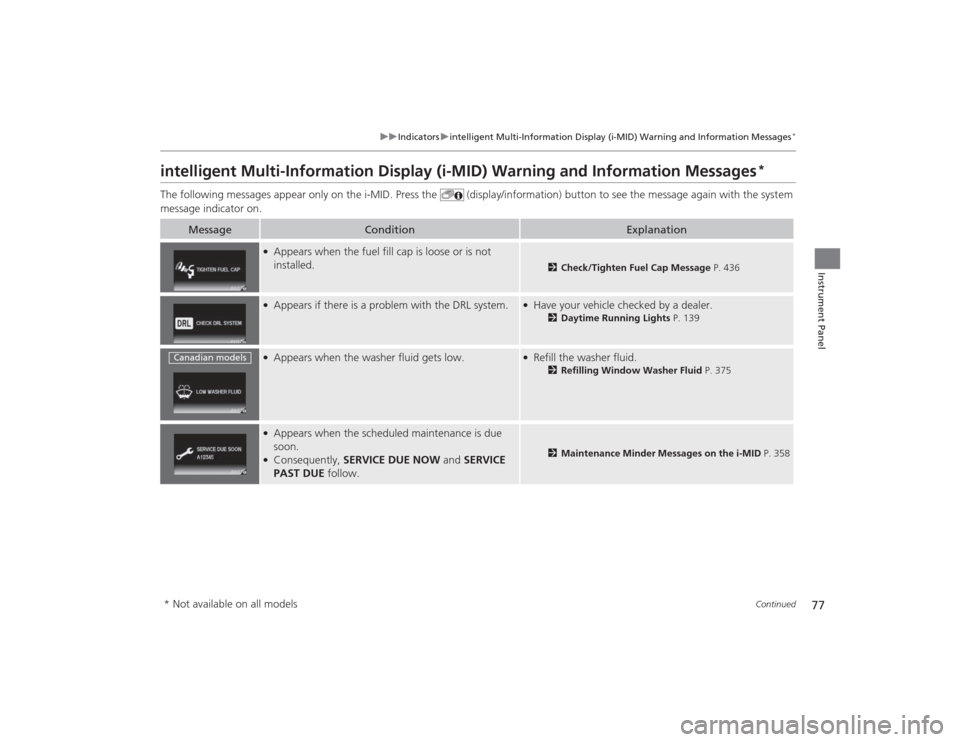
The following messages appear only on the i-MID. Press the (display/information) button to see the message again with the syst em
message indicator on.
Message
Condition
Explanation
●Appears when the fuel fill cap is loose or is not
installed.
2 Check/Tighten Fuel Cap Message P. 436
●Appears if there is a problem with the DRL system.
●Have your vehicle checked by a dealer.
2Daytime Running Lights P. 139
●Appears when the washer fluid gets low.
●Refill the washer fluid.
2Refilling Window Washer Fluid P. 375
●Appears when the scheduled maintenance is due
soon.●Consequently, SERVICE DUE NOW and SERVICE
PAST DUE follow.
2 Maintenance Minder Messages on the i-MID P. 358
Canadian models* Not available on all models
Page 79 of 469
78
uuIndicators uintelligent Multi-Information Display (i -MID) Warning and Information Messages
*
Instrument Panel
Message
Condition
Explanation
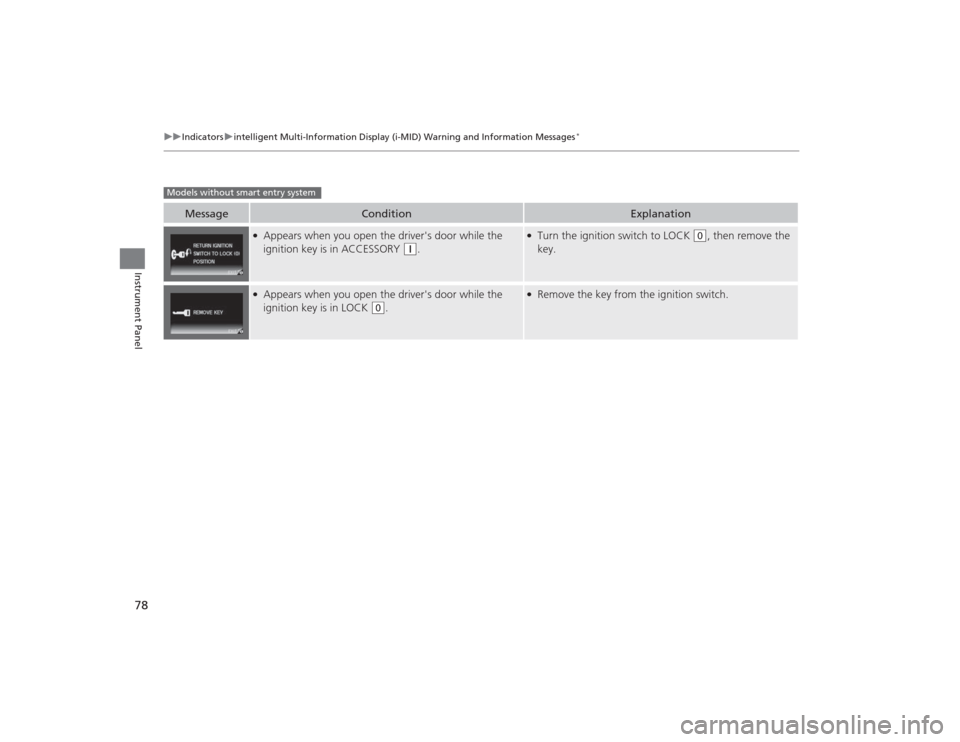
●Appears when you open the driver's door while the
ignition key is in ACCESSORY
(q
.
●Turn the ignition switch to LOCK
(0
, then remove the
key.
●Appears when you open the driver's door while the
ignition key is in LOCK
(0
.
●Remove the key from the ignition switch.
Models without smart entry system
Page 80 of 469
79
uuIndicators uintelligent Multi-Information Display (i -MID) Warning and Information Messages
*
Continued
Instrument Panel
Message
Condition
Explanation
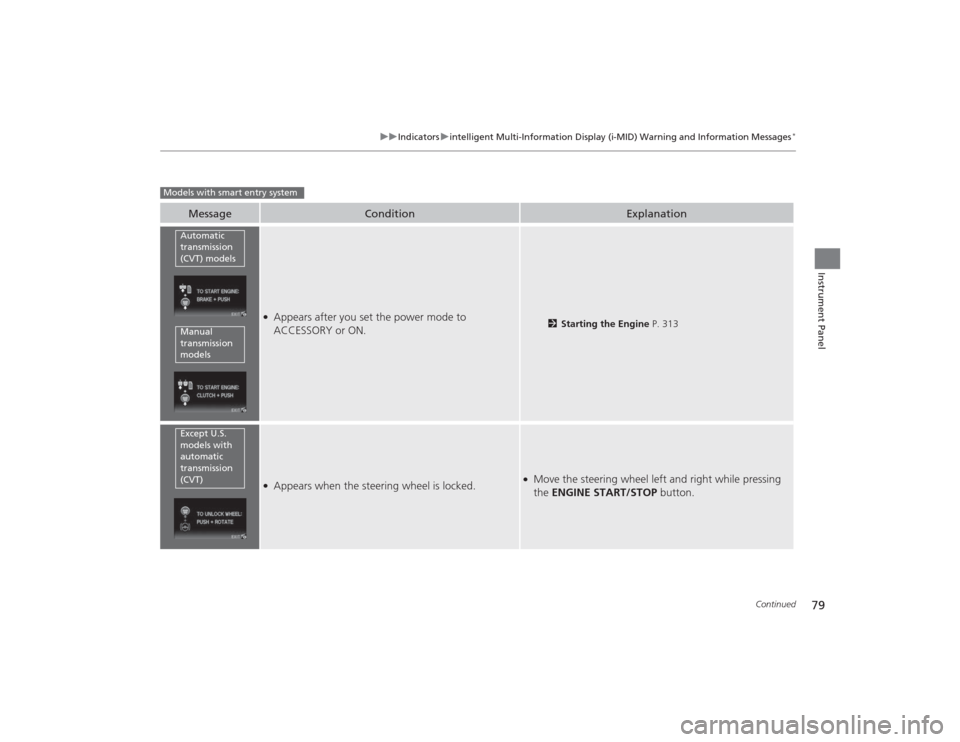
●Appears after you set the power mode to
ACCESSORY or ON.
2Starting the Engine P. 313
●Appears when the steering wheel is locked.
●Move the steering wheel left and right while pressing
the ENGINE START/STOP button.
Models with smart entry system
Automatic
transmission
(CVT) modelsManual
transmission
modelsExcept U.S.
models with
automatic
transmission
(CVT)