engine HONDA CIVIC 2014 9.G Owner's Manual
[x] Cancel search | Manufacturer: HONDA, Model Year: 2014, Model line: CIVIC, Model: HONDA CIVIC 2014 9.GPages: 469, PDF Size: 17.32 MB
Page 72 of 469
71
uuIndicators u
Continued
Instrument Panel
*1:Models with the smart entry system have an ENGINE START/STOP button instead of an ignition switch.Indicator
Name
On/Blinking
Explanation
Message
*
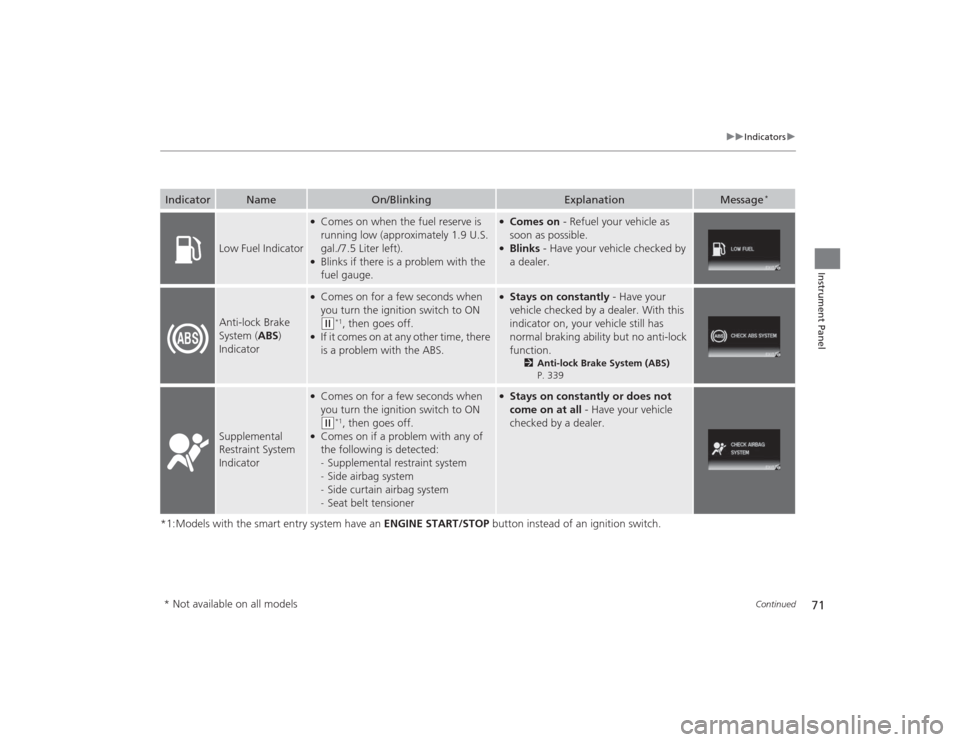
Low Fuel Indicator
●Comes on when the fuel reserve is
running low (approximately 1.9 U.S.
gal./7.5 Liter left).●Blinks if there is a problem with the
fuel gauge.
●Comes on - Refuel your vehicle as
soon as possible.●Blinks - Have your vehicle checked by
a dealer.
Anti-lock Brake
System ( ABS)
Indicator
●Comes on for a few seconds when
you turn the ignition switch to ON (w
*1, then goes off.
●If it comes on at any other time, there
is a problem with the ABS.
●Stays on constantly - Have your
vehicle checked by a dealer. With this
indicator on, your vehicle still has
normal braking ability but no anti-lock
function.
2 Anti-lock Brake System (ABS)
P. 339
Supplemental
Restraint System
Indicator
●Comes on for a few seconds when
you turn the ignition switch to ON (w
*1, then goes off.
●Comes on if a problem with any of
the following is detected:
- Supplemental restraint system
- Side airbag system
- Side curtain airbag system
- Seat belt tensioner
●Stays on constantly or does not
come on at all - Have your vehicle
checked by a dealer.
* Not available on all models
Page 73 of 469
72
uuIndicators u
Instrument Panel
*1:Models with the smart entry system have an ENGINE START/STOP button instead of an ignition switch.Indicator
Name
On/Blinking
Explanation
Message
*
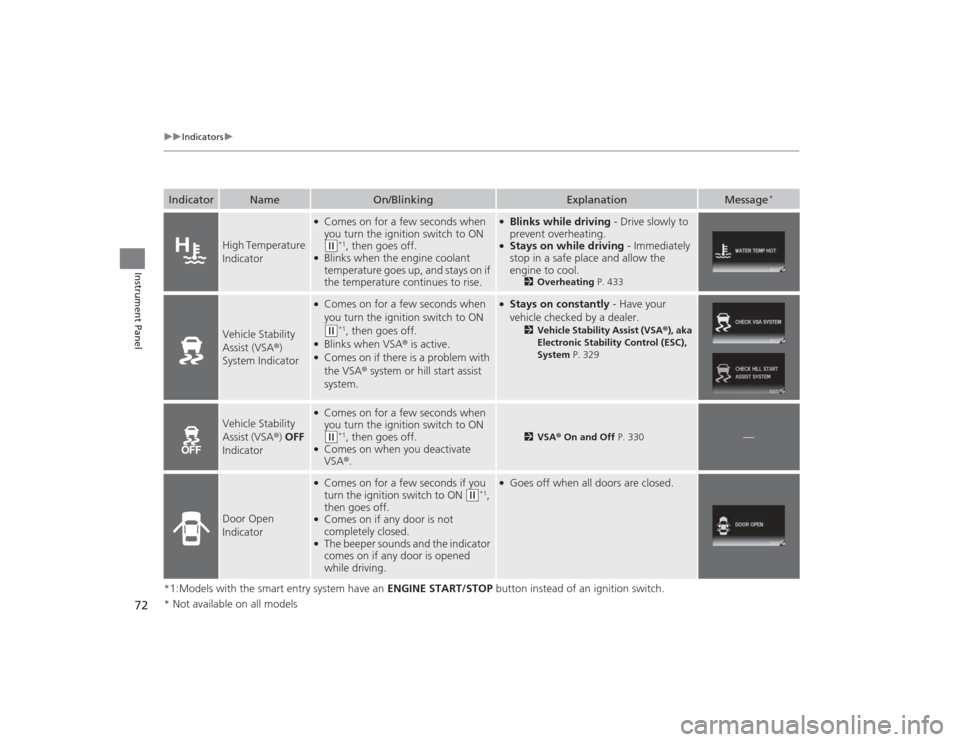
High Temperature
Indicator
●Comes on for a few seconds when
you turn the ignition switch to ON (w
*1, then goes off.
●Blinks when the engine coolant
temperature goes up, and stays on if
the temperature continues to rise.
●Blinks while driving - Drive slowly to
prevent overheating.●Stays on while driving - Immediately
stop in a safe place and allow the
engine to cool.
2 Overheating P. 433
Vehicle Stability
Assist (VSA®)
System Indicator
●Comes on for a few seconds when
you turn the ignition switch to ON (w
*1, then goes off.
●Blinks when VSA ® is active.●Comes on if there is a problem with
the VSA® system or hill start assist
system.
●Stays on constantly - Have your
vehicle checked by a dealer.
2 Vehicle Stability Assist (VSA® ), aka
Electronic Stability Control (ESC),
System P. 329
Vehicle Stability
Assist (VSA ®) OFF
Indicator
●Comes on for a few seconds when
you turn the ignition switch to ON (w
*1, then goes off.
●Comes on when you deactivate
VSA ®.
2 VSA ® On and Off P. 330
—
Door Open
Indicator
●Comes on for a few seconds if you
turn the ignition switch to ON
(w
*1,
then goes off.
●Comes on if any door is not
completely closed.●The beeper sounds and the indicator
comes on if any door is opened
while driving.
●Goes off when all doors are closed.
* Not available on all models
Page 74 of 469
73
uuIndicators u
Continued
Instrument Panel
*1:Models with the smart entry system have an ENGINE START/STOP button instead of an ignition switch.Indicator
Name
On/Blinking
Explanation
Message
*
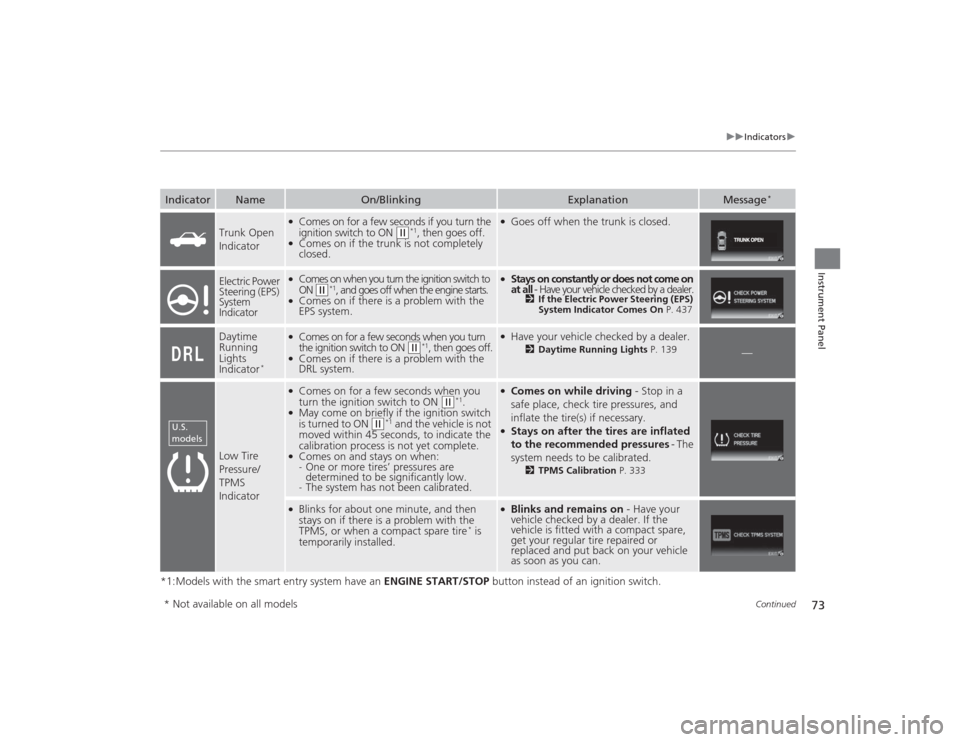
Trunk Open
Indicator
●Comes on for a few seconds if you turn the
ignition switch to ON
(w
*1, then goes off.
●Comes on if the trunk is not completely
closed.
●Goes off when the trunk is closed.
Electric Power
Steering (EPS)
System
Indicator
●Comes on when you turn the ignition switch to
ON
(w
*1, and goes off when the engine starts.
●Comes on if there is a problem with the
EPS system.
●Stays on constantly or does not come on
at all - Have your vehicle checked by a dealer.
2If the Electric Power Steering (EPS)
System Indicator Comes On P. 437
Daytime
Running
Lights
Indicator
*
●Comes on for a few seconds when you turn
the ignition switch to ON
(w
*1, then goes off.
●Comes on if there is a problem with the
DRL system.
●Have your vehicle checked by a dealer.
2Daytime Running Lights P. 139
—
Low Tire
Pressure/
TPMS
Indicator
●Comes on for a few seconds when you
turn the ignition switch to ON
(w
*1.
●May come on briefly if the ignition switch
is turned to ON
(w
*1 and the vehicle is not
moved within 45 seconds, to indicate the
calibration process is not yet complete.
●Comes on and stays on when:
- One or more tires’ pressures are
determined to be significantly low.
- The system has not been calibrated.
●Comes on while driving - Stop in a
safe place, check tire pressures, and
inflate the tire(s) if necessary.●Stays on after the tires are inflated
to the recommended pressures - The
system needs to be calibrated.
2 TPMS Calibration P. 333
●Blinks for about one minute, and then
stays on if there is a problem with the
TPMS, or when a compact spare tire
* is
temporarily installed.
●Blinks and remains on - Have your
vehicle checked by a dealer. If the
vehicle is fitted with a compact spare,
get your regular tire repaired or
replaced and put back on your vehicle
as soon as you can.
U.S.
models* Not available on all models
Page 75 of 469
74
uuIndicators u
Instrument Panel
*1:Models with the smart entry system have an ENGINE START/STOP button instead of an ignition switch.Indicator
Name
On/Blinking
Explanation
Message
*
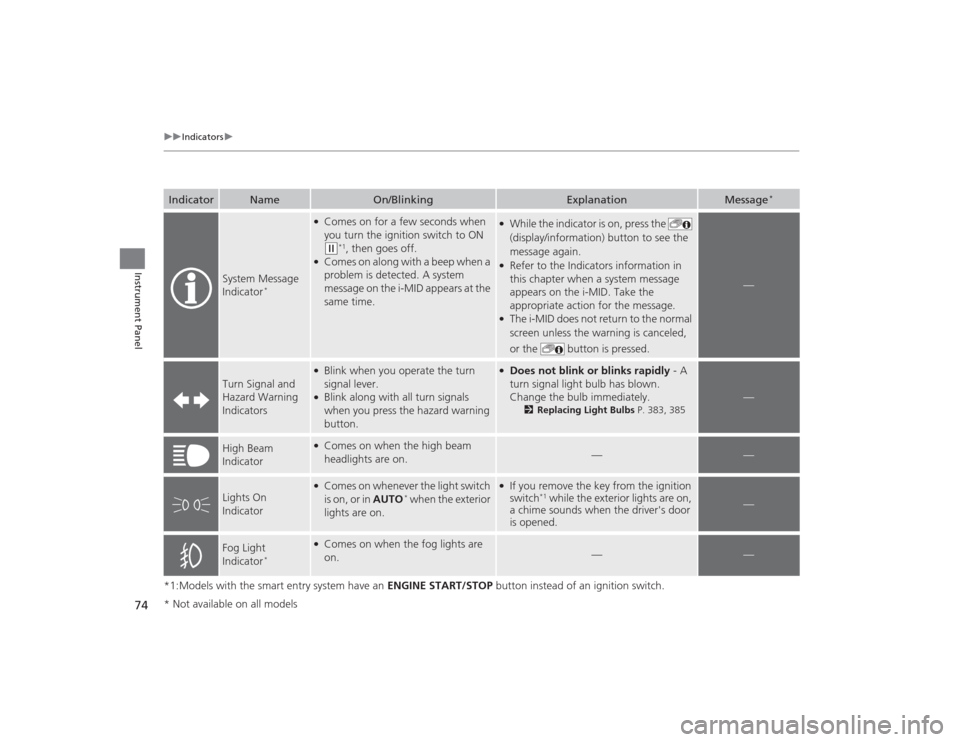
System Message
Indicator
*
●Comes on for a few seconds when
you turn the ignition switch to ON (w
*1, then goes off.
●Comes on along with a beep when a
problem is detected. A system
message on the i-MID appears at the
same time.
●While the indicator is on, press the
(display/information) button to see the
message again.●Refer to the Indicators information in
this chapter when a system message
appears on the i-MID. Take the
appropriate action for the message.●The i-MID does not return to the normal
screen unless the warning is canceled,
or the button is pressed.
—
Turn Signal and
Hazard Warning
Indicators
●Blink when you operate the turn
signal lever.●Blink along with all turn signals
when you press the hazard warning
button.
●Does not blink or blinks rapidly - A
turn signal light bulb has blown.
Change the bulb immediately.
2 Replacing Light Bulbs P. 383, 385
—
High Beam
Indicator
●Comes on when the high beam
headlights are on.
—
—
Lights On
Indicator
●Comes on whenever the light switch
is on, or in AUTO
* when the exterior
lights are on.
●If you remove the key from the ignition
switch
*1 while the exterior lights are on,
a chime sounds when the driver's door
is opened.
—
Fog Light
Indicator
*
●Comes on when the fog lights are
on.
—
—
* Not available on all models
Page 76 of 469
75
uuIndicators u
Continued
Instrument Panel
*1:Models with the smart entry system have an ENGINE START/STOP button instead of an ignition switch.Indicator
Name
On/Blinking
Explanation
Message
*
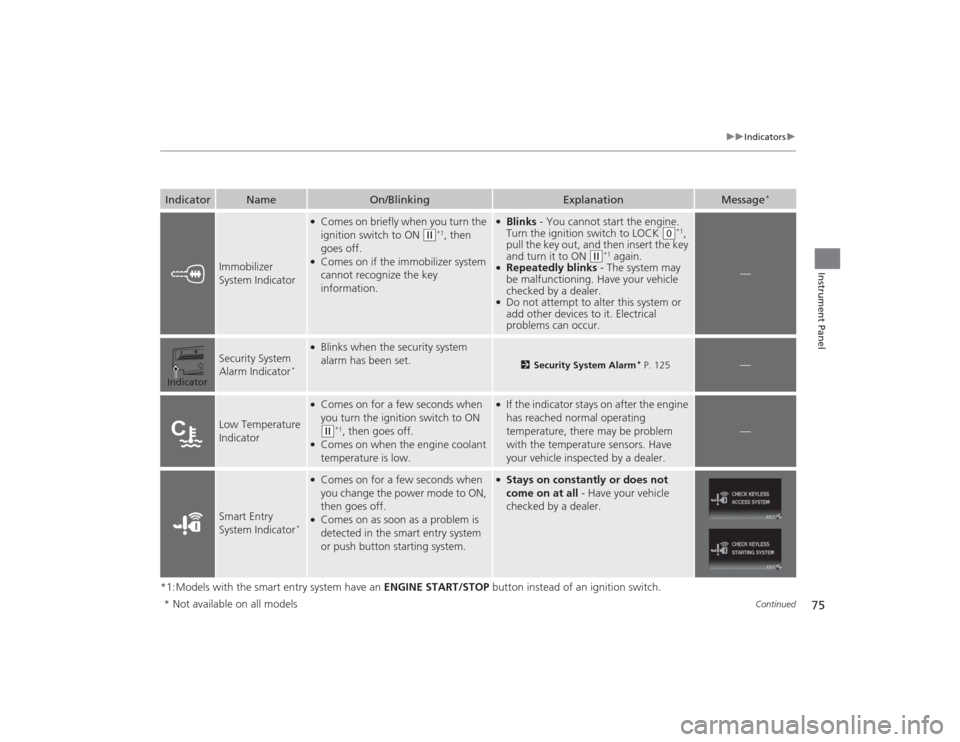
Immobilizer
System Indicator
●Comes on briefly when you turn the
ignition switch to ON
(w
*1, then
goes off.
●Comes on if the immobilizer system
cannot recognize the key
information.
●Blinks - You cannot start the engine.
Turn the ignition switch to LOCK
(0
*1,
pull the key out, and then insert the key
and turn it to ON
(w
*1 again.
●Repeatedly blinks - The system may
be malfunctioning. Have your vehicle
checked by a dealer.●Do not attempt to alter this system or
add other devices to it. Electrical
problems can occur.
—
Security System
Alarm Indicator
*
●Blinks when the security system
alarm has been set.
2 Security System Alarm
* P. 125
—
Low Temperature
Indicator
●Comes on for a few seconds when
you turn the ignition switch to ON (w
*1, then goes off.
●Comes on when the engine coolant
temperature is low.
●If the indicator stays on after the engine
has reached normal operating
temperature, there may be problem
with the temperature sensors. Have
your vehicle inspected by a dealer.
—
Smart Entry
System Indicator
*
●Comes on for a few seconds when
you change the power mode to ON,
then goes off.●Comes on as soon as a problem is
detected in the smart entry system
or push button starting system.
●Stays on constantly or does not
come on at all - Have your vehicle
checked by a dealer.
Indicator* Not available on all models
Page 77 of 469
76
uuIndicators u
Instrument Panel
*1:Models with the smart entry system have an ENGINE START/STOP button instead of an ignition switch.Indicator
Name
On/Blinking
Explanation
Message
*
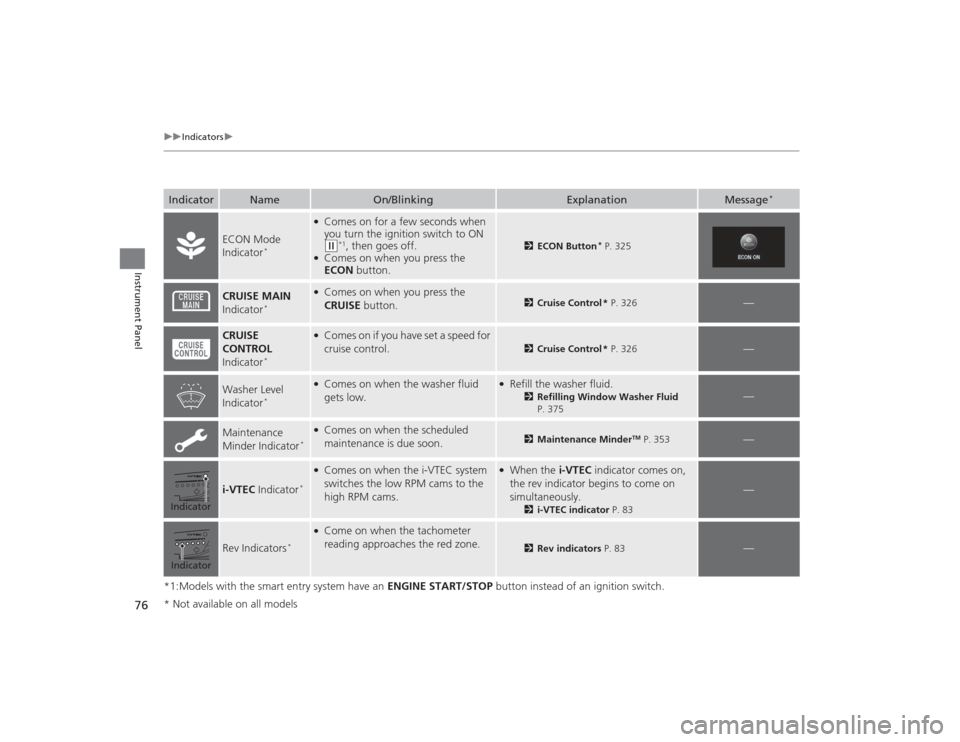
ECON Mode
Indicator
*
●Comes on for a few seconds when
you turn the ignition switch to ON (w
*1, then goes off.
●Comes on when you press the
ECON button.
2ECON Button
* P. 325
CRUISE MAIN
Indicator
*
●Comes on when you press the
CRUISE button.
2Cruise Control * P. 326
—
CRUISE
CONTROL
Indicator
*
●Comes on if you have set a speed for
cruise control.
2 Cruise Control * P. 326
—
Washer Level
Indicator
*
●Comes on when the washer fluid
gets low.
●Refill the washer fluid.
2Refilling Window Washer Fluid
P. 375
—
Maintenance
Minder Indicator
*
●Comes on when the scheduled
maintenance is due soon.
2 Maintenance Minder
TM P. 353
—
i-VTEC Indicator
*
●Comes on when the i-VTEC system
switches the low RPM cams to the
high RPM cams.
●When the i-VTEC indicator comes on,
the rev indicator begins to come on
simultaneously.
2 i-VTEC indicator P. 83
—
Rev Indicators
*
●Come on when the tachometer
reading approaches the red zone.
2Rev indicators P. 83
—
IndicatorIndicator* Not available on all models
Page 80 of 469
79
uuIndicators uintelligent Multi-Information Display (i -MID) Warning and Information Messages
*
Continued
Instrument Panel
Message
Condition
Explanation
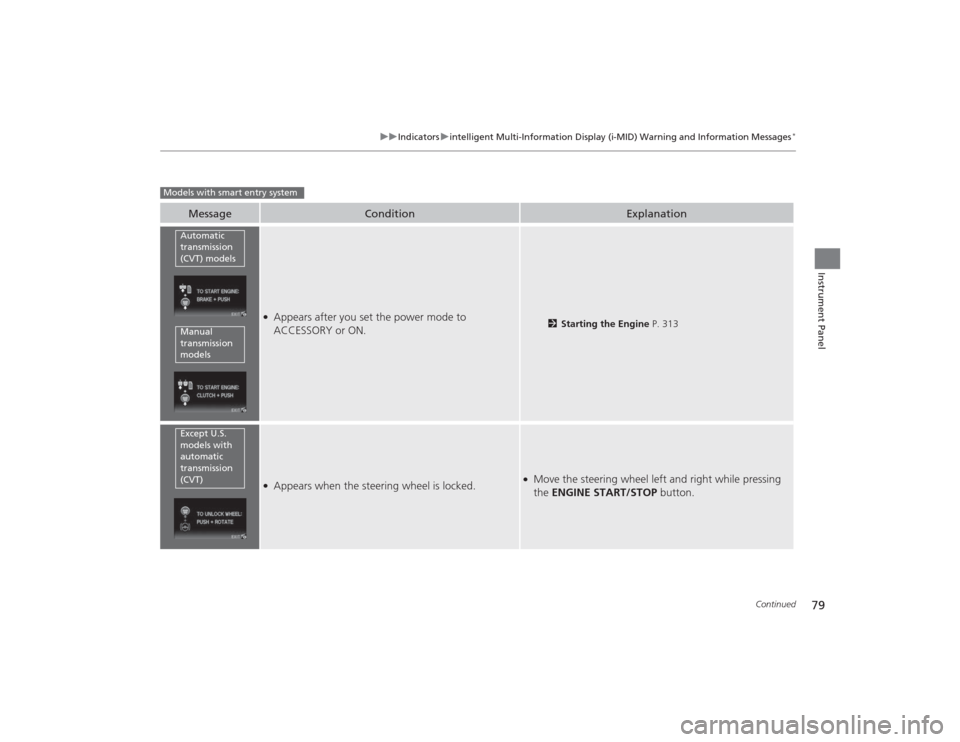
●Appears after you set the power mode to
ACCESSORY or ON.
2Starting the Engine P. 313
●Appears when the steering wheel is locked.
●Move the steering wheel left and right while pressing
the ENGINE START/STOP button.
Models with smart entry system
Automatic
transmission
(CVT) modelsManual
transmission
modelsExcept U.S.
models with
automatic
transmission
(CVT)
Page 81 of 469
80
uuIndicators uintelligent Multi-Information Display (i -MID) Warning and Information Messages
*
Instrument Panel
Message
Condition
Explanation
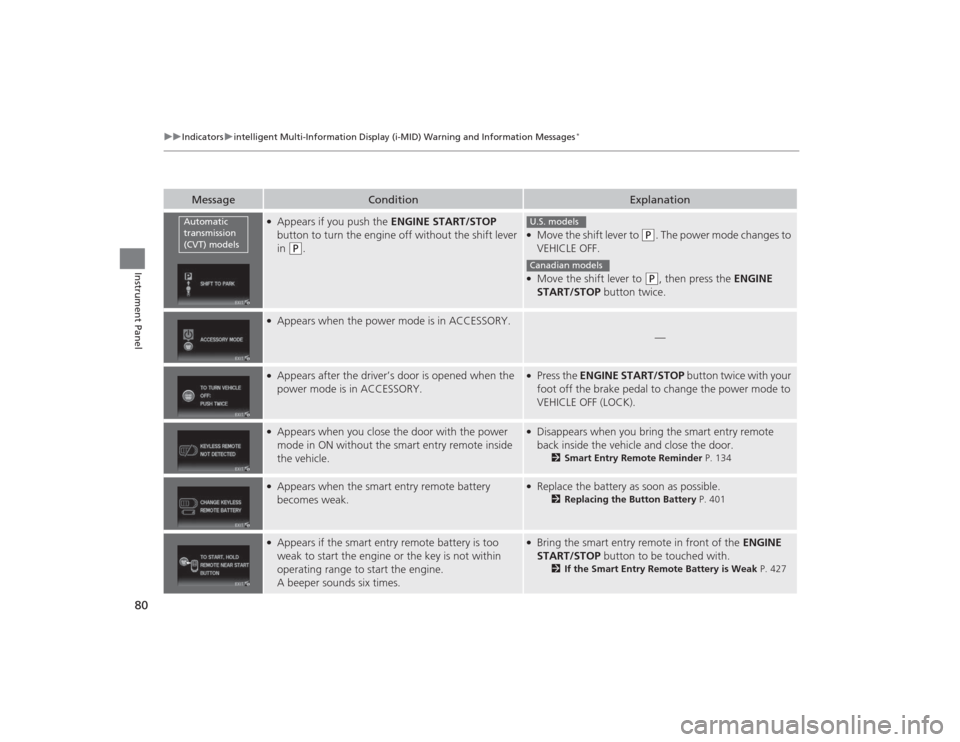
●Appears if you push the ENGINE START/STOP
button to turn the engine off without the shift lever
in
(P
.
●Move the shift lever to
(P
. The power mode changes to
VEHICLE OFF.
●Move the shift lever to
( P
, then press the ENGINE
START/STOP button twice.
●Appears when the power mode is in ACCESSORY.
—
●Appears after the driver’s door is opened when the
power mode is in ACCESSORY.
●Press the ENGINE START/STOP button twice with your
foot off the brake pedal to change the power mode to
VEHICLE OFF (LOCK).
●Appears when you close the door with the power
mode in ON without the smart entry remote inside
the vehicle.
●Disappears when you bring the smart entry remote
back inside the vehicle and close the door.
2 Smart Entry Remote Reminder P. 134
●Appears when the smart entry remote battery
becomes weak.
●Replace the battery as soon as possible.
2Replacing the Button Battery P. 401
●Appears if the smart entry remote battery is too
weak to start the engine or the key is not within
operating range to start the engine.
A beeper sounds six times.
●Bring the smart entry remote in front of the ENGINE
START/STOP button to be touched with.
2If the Smart Entry Remote Battery is Weak P. 427
Automatic
transmission
(CVT) models
U.S. modelsCanadian models
Page 82 of 469
81
uuIndicators uintelligent Multi-Information Display (i -MID) Warning and Information Messages
*
Instrument Panel
Message
Condition
Explanation
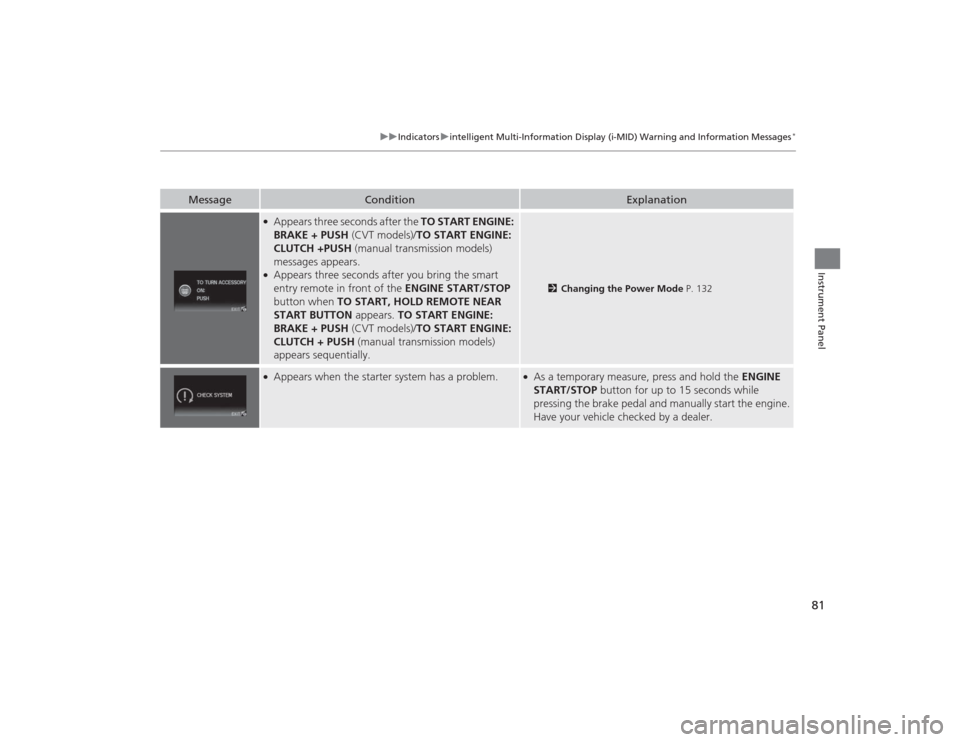
●Appears three seconds after the TO START ENGINE:
BRAKE + PUSH (CVT models)/TO START ENGINE:
CLUTCH +PUSH (manual transmission models)
messages appears.●Appears three seconds after you bring the smart
entry remote in front of the ENGINE START/STOP
button when TO START, HOLD REMOTE NEAR
START BUTTON appears. TO START ENGINE:
BRAKE + PUSH (CVT models)/TO START ENGINE:
CLUTCH + PUSH (manual transmission models)
appears sequentially.
2 Changing the Power Mode P. 132
●Appears when the starter system has a problem.
●As a temporary measure, press and hold the ENGINE
START/STOP button for up to 15 seconds while
pressing the brake pedal and manually start the engine.
Have your vehicle checked by a dealer.
Page 83 of 469
82Instrument Panel
Gauges and DisplaysGaugesGauges include the speedometer, tachometer, fuel gauge, and related indicators.
They are displayed when the ignition switch is in ON
(w
*1.
Displays your driving speed in mph or km/h.
Shows the number of engine revolutions per minute.
Displays the amount of fuel left in the fuel tank.
Shows the instant fuel economy as a bar graph in mpg or l/100km.
*1: Models with the smart entry system have an ENGINE START/STOP button instead of an
ignition switch.■
Speedometer
■
Tachometer
■
Fuel Gauge
■
Instant Fuel Economy Gauge
*
1 Gauges
Press and hold the km/mile change knob until you
hear a beep. The speedometer reading and the
displayed measurements switch between mph and
km/h.1Fuel GaugeNOTICEYou should refuel when the reading approaches .
Running out of fuel can cause the engine to misfire,
damaging the catalytic converter.
The actual amount of remaining fuel may differ from
the fuel gauge reading.
E
1Instant Fuel Economy Gauge
*
Press and hold the km/mile change knob to switch
the measurement.
* Not available on all models