ad blue HONDA CIVIC 2014 9.G Workshop Manual
[x] Cancel search | Manufacturer: HONDA, Model Year: 2014, Model line: CIVIC, Model: HONDA CIVIC 2014 9.GPages: 469, PDF Size: 17.32 MB
Page 272 of 469
Continued
271
uuBluetooth ® HandsFreeLink ®
*uHFL Menus
Features
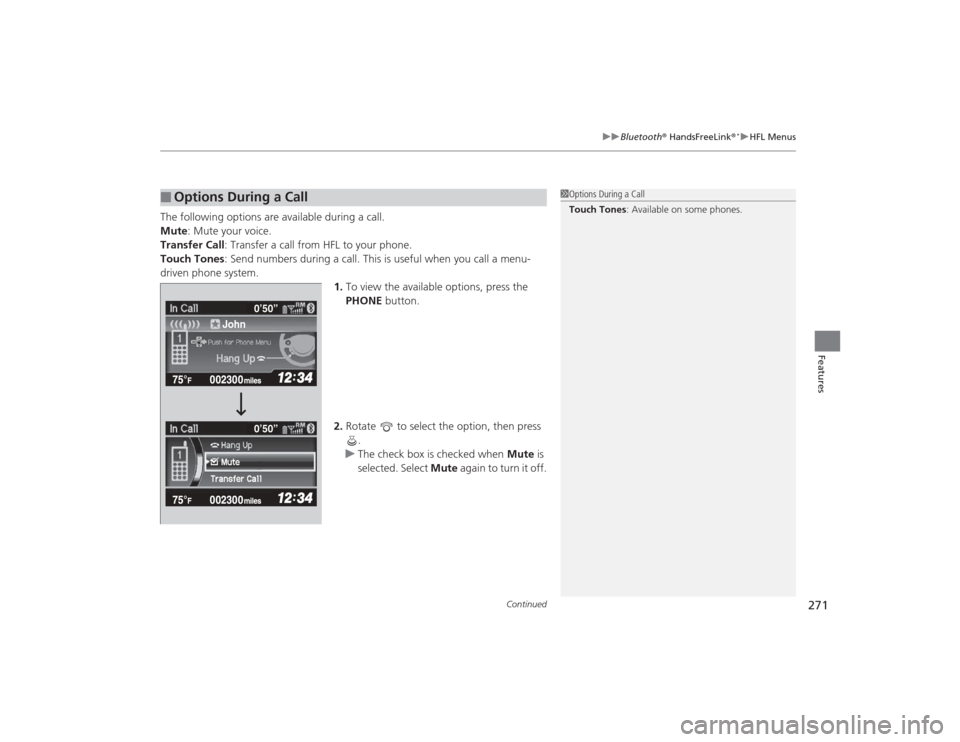
The following options are available during a call.
Mute : Mute your voice.
Transfer Call : Transfer a call from HFL to your phone.
Touch Tones : Send numbers during a call. This is useful when you call a menu-
driven phone system.
1.To view the available options, press the
PHONE button.
2. Rotate to select the option, then press
.
u The check box is checked when Mute is
selected. Select Mute again to turn it off.■
Options During a Call
1Options During a Call
Touch Tones : Available on some phones.
John0’50”
0’50”
Page 273 of 469
uuBluetooth ® HandsFreeLink ®
*uHFL Menus
272Features
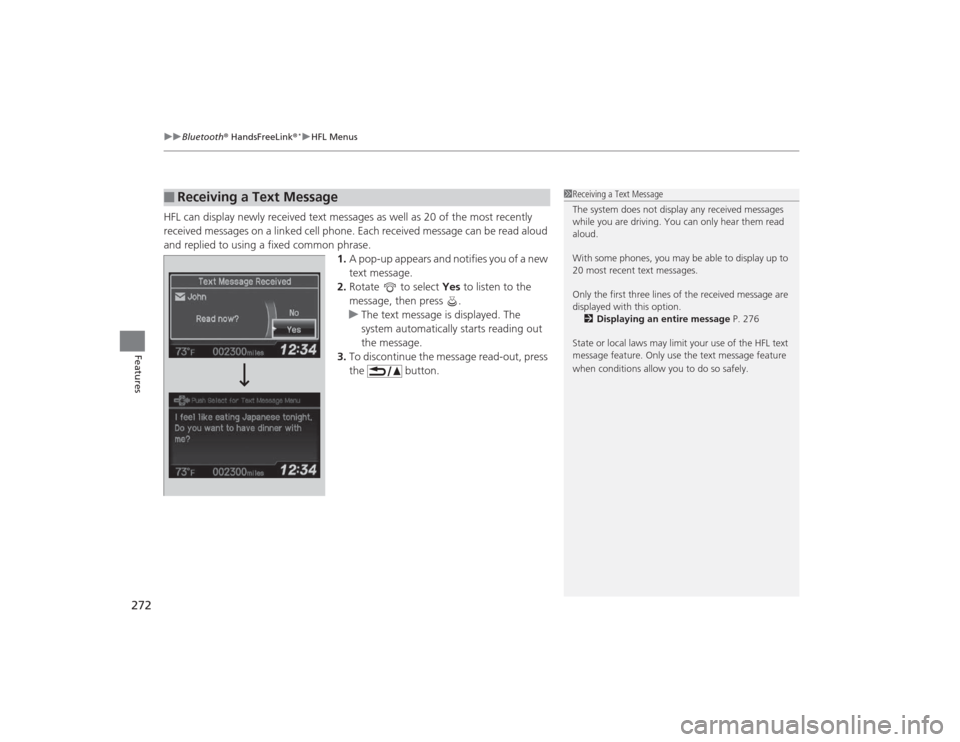
HFL can display newly received text messag es as well as 20 of the most recently
received messages on a linked cell phone. Each received message can be read aloud
and replied to using a fixed common phrase. 1.A pop-up appears and notifies you of a new
text message.
2. Rotate to select Yes to listen to the
message, then press .
u The text message is displayed. The
system automatically starts reading out
the message.
3. To discontinue the message read-out, press
the button.■
Receiving a Text Message
1Receiving a Text Message
The system does not display any received messages
while you are driving. You can only hear them read
aloud.
With some phones, you may be able to display up to
20 most recent text messages.
Only the first three lines of the received message are
displayed with this option.
2 Displaying an entire message P. 276
State or local laws may limit your use of the HFL text
message feature. Only use the text message feature
when conditions allow you to do so safely.
Page 274 of 469
Continued
273
uuBluetooth ® HandsFreeLink ®
*uHFL Menus
Features
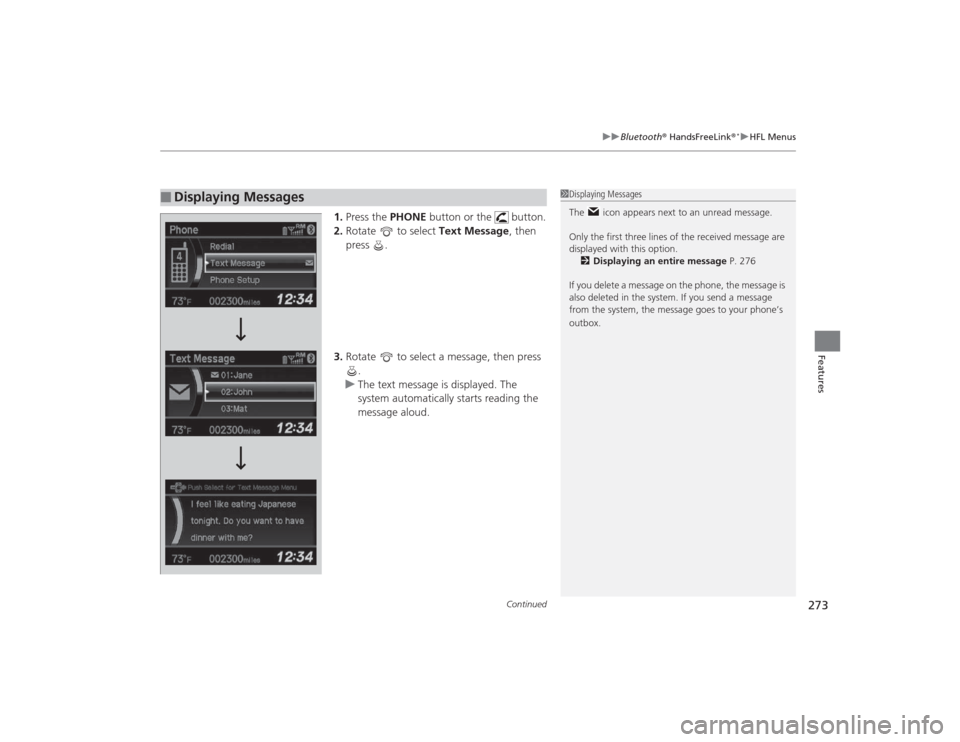
1. Press the PHONE button or the button.
2. Rotate to select Text Message, then
press .
3. Rotate to select a message, then press
.
u The text message is displayed. The
system automatically starts reading the
message aloud.
■
Displaying Messages
1Displaying Messages
The icon appears next to an unread message.
Only the first three lines of the received message are
displayed with this option.
2 Displaying an entire message P. 276
If you delete a message on the phone, the message is
also deleted in the system. If you send a message
from the system, the message goes to your phone’s
outbox.
Page 275 of 469
uuBluetooth ® HandsFreeLink ®
*uHFL Menus
274Features
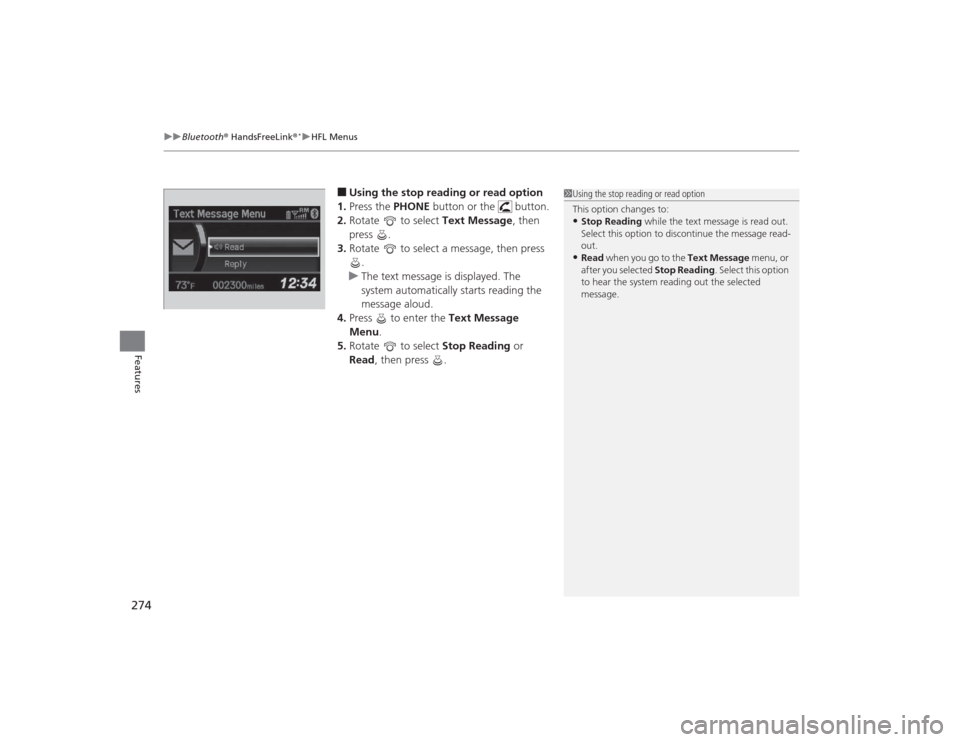
■Using the stop reading or read option
1. Press the PHONE button or the button.
2. Rotate to select Text Message, then
press .
3. Rotate to select a message, then press
.
u The text message is displayed. The
system automatically starts reading the
message aloud.
4. Press to enter the Text Message
Menu.
5. Rotate to select Stop Reading or
Read , then press .
1Using the stop reading or read option
This option changes to:•Stop Reading while the text message is read out.
Select this option to discontinue the message read-
out.•Read when you go to the Text Message menu, or
after you selected Stop Reading. Select this option
to hear the system reading out the selected
message.
Page 276 of 469
Continued
275
uuBluetooth ® HandsFreeLink ®
*uHFL Menus
Features
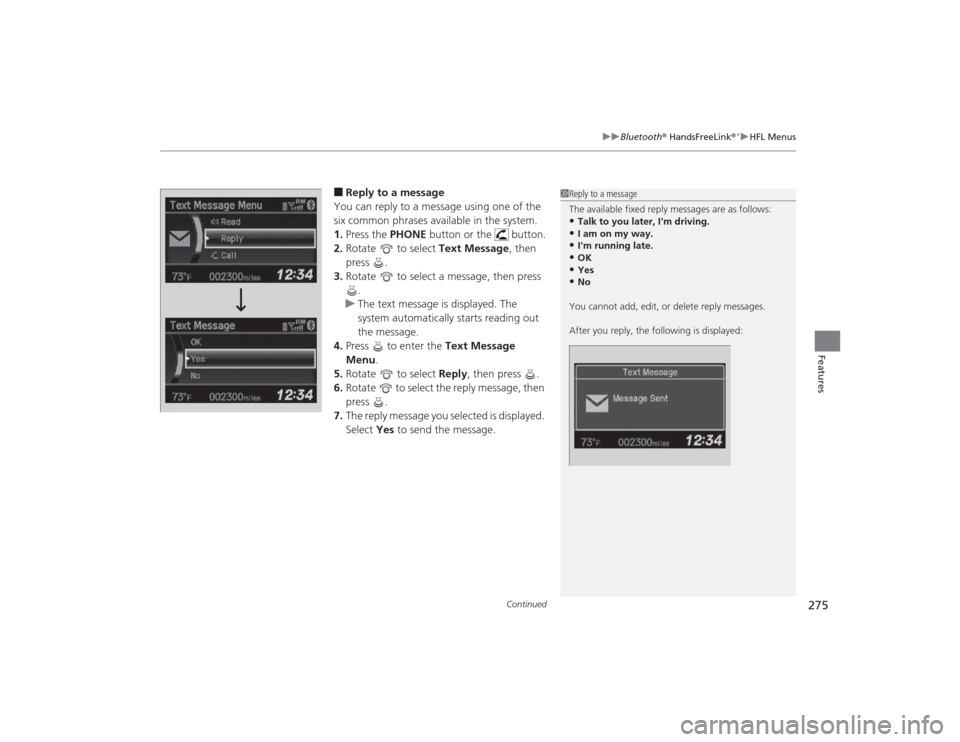
■Reply to a message
You can reply to a message using one of the
six common phrases available in the system.
1. Press the PHONE button or the button.
2. Rotate to select Text Message, then
press .
3. Rotate to select a message, then press
.
u The text message is displayed. The
system automatically starts reading out
the message.
4. Press to enter the Text Message
Menu .
5. Rotate to select Reply, then press .
6. Rotate to select the reply message, then
press .
7. The reply message you selected is displayed.
Select Yes to send the message.
1Reply to a message
The available fixed reply messages are as follows:•Talk to you later, I'm driving.•I am on my way.•I'm running late.•OK•Yes•No
You cannot add, edit, or delete reply messages.
After you reply, the following is displayed:
Page 277 of 469
276
uuBluetooth ® HandsFreeLink ®
*uHFL Menus
Features
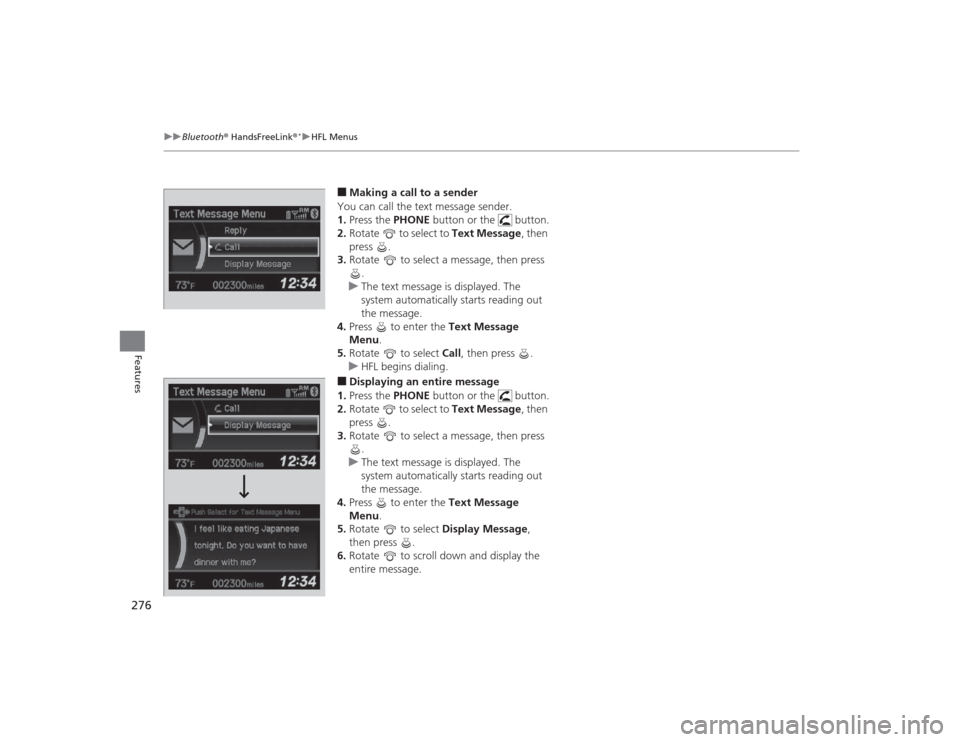
■Making a call to a sender
You can call the text message sender.
1. Press the PHONE button or the button.
2. Rotate to select to Text Message, then
press .
3. Rotate to select a message, then press
.
u The text message is displayed. The
system automatically starts reading out
the message.
4. Press to enter the Text Message
Menu.
5. Rotate to select Call, then press .
u HFL begins dialing. ■Displaying an entire message
1. Press the PHONE button or the button.
2. Rotate to select to Text Message, then
press .
3. Rotate to select a message, then press
.
u The text message is displayed. The
system automatically starts reading out
the message.
4. Press to enter the Text Message
Menu.
5. Rotate to select Display Message,
then press .
6. Rotate to scroll down and display the
entire message.
Page 278 of 469
277
Continued
Features
Bluetooth® HandsFreeLink ®
*
For models with the navigation system, see the Navigation System Manual for how
to operate the Bluetooth ® HandsFreeLink®.
Bluetooth ® HandsFreeLink ® (HFL) allows you to place and receive phone calls using
your vehicle’s audio system, without handling your cell phone.Using HFL■
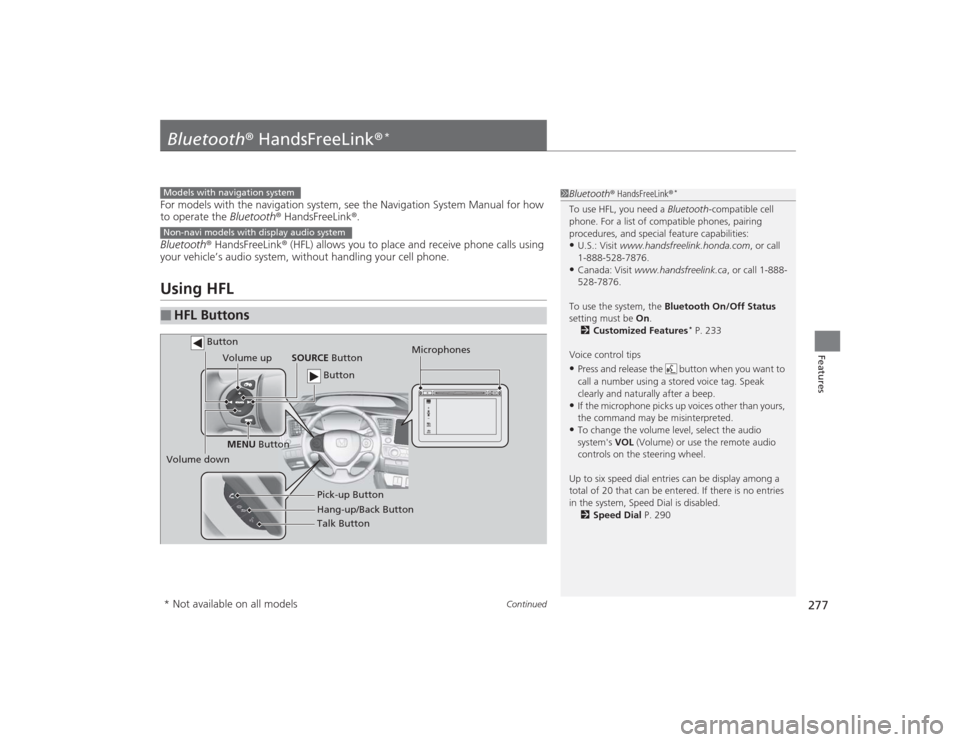
HFL Buttons
1 Bluetooth ® HandsFreeLink ®
*
To use HFL, you need a Bluetooth-compatible cell
phone. For a list of compatible phones, pairing
procedures, and special feature capabilities:•U.S.: Visit www.handsfreelink.honda.com , or call
1-888-528-7876.•Canada: Visit www.handsfreelink.ca , or call 1-888-
528-7876.
To use the system, the Bluetooth On/Off Status
setting must be On.
2 Customized Features
* P. 233
Voice control tips
•Press and release the button when you want to
call a number using a stored voice tag. Speak
clearly and naturally after a beep.•If the microphone picks up voices other than yours,
the command may be misinterpreted.•To change the volume level, select the audio
system's VOL (Volume) or use the remote audio
controls on the steering wheel.
Up to six speed dial entries can be display among a
total of 20 that can be entered. If there is no entries
in the system, Speed Dial is disabled. 2 Speed Dial P. 290
Models with navigation systemNon-navi models with display audio system
Talk Button
Volume up
Microphones
Hang-up/Back Button Pick-up Button
Volume down SOURCE
Button
MENU Button
Button Button
* Not available on all models
Page 279 of 469
uuBluetooth ® HandsFreeLink ®
*uUsing HFL
278Features
(Pick-up) button: Press to go directly to the Phone screen, or to answer an
incoming call.
(Hang-up/back) button: Press to end a call, go back to the previous
command, or cancel a command.
(Talk) button: Press to call a number with a stored voice tag.
MENU button: Press and hold to display Speed Dial, Call History , or Redial on
the Phone screen.
button: Press to select an item displayed on the Phone screen.
SOURCE button: Press to call a number listed in the selected item on the Phone
screen.
To go to the Phone menu screen:
1. Select Phone to switch the display to the Phone screen.
2. Select MENU .
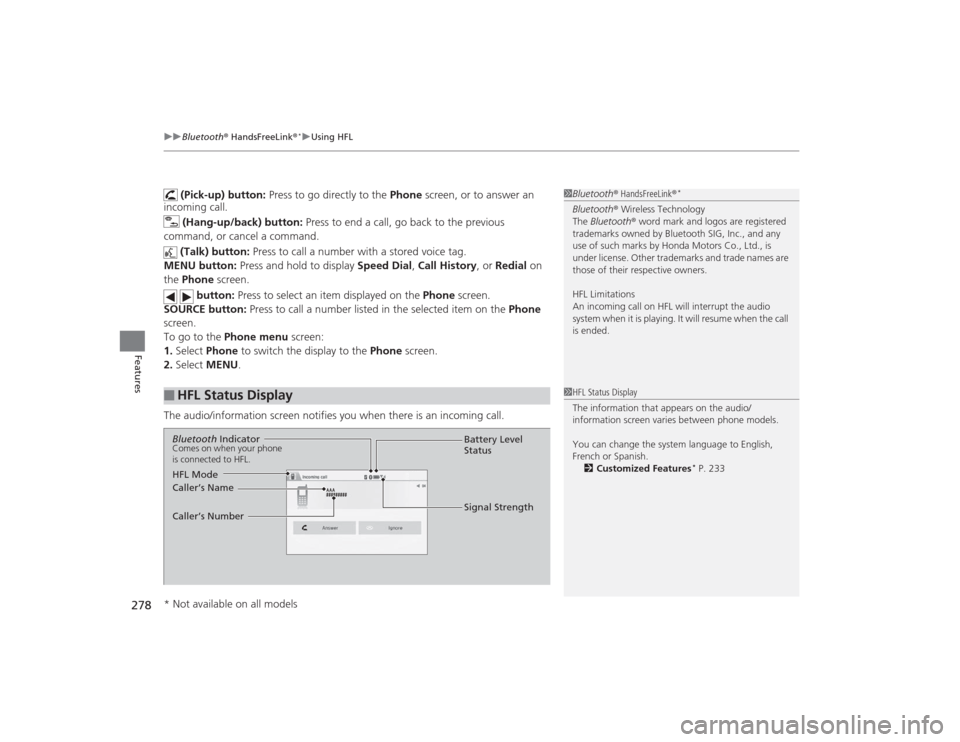
The audio/information screen notifies you when there is an incoming call.
■
HFL Status Display
1 Bluetooth ® HandsFreeLink ®
*
Bluetooth® Wireless Technology
The Bluetooth ® word mark and logos are registered
trademarks owned by Bluetooth SIG, Inc., and any
use of such marks by Honda Motors Co., Ltd., is
under license. Other trademarks and trade names are
those of their respective owners.
HFL Limitations
An incoming call on HFL will interrupt the audio
system when it is playing. It will resume when the call
is ended.1 HFL Status Display
The information that appears on the audio/
information screen varies between phone models.
You can change the system language to English,
French or Spanish.
2 Customized Features
* P. 233
Bluetooth IndicatorComes on when your phone
is connected to HFL.
Signal Strength
HFL Mode Battery Level
Status
Caller’s Name
Caller’s Number
* Not available on all models
Page 280 of 469
279
uuBluetooth ® HandsFreeLink ®
*uHFL Menus
Continued
Features
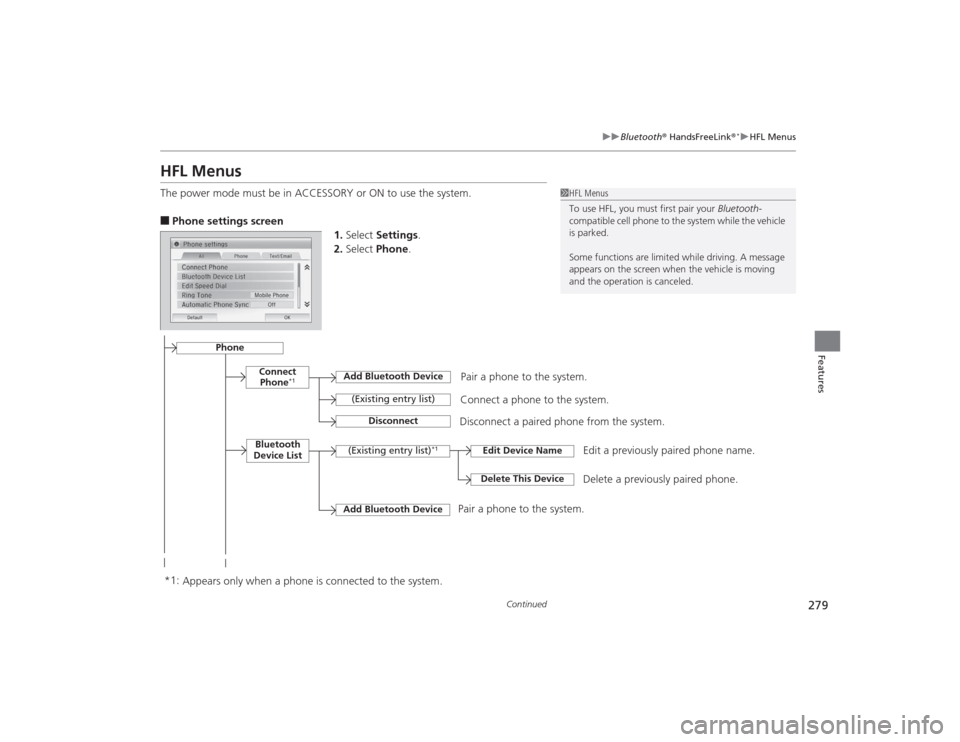
HFL MenusThe power mode must be in ACCESSORY or ON to use the system.■Phone settings screen
1.Select Settings .
2. Select Phone .
1HFL Menus
To use HFL, you must first pair your Bluetooth-
compatible cell phone to the system while the vehicle
is parked.
Some functions are limit ed while driving. A message
appears on the screen when the vehicle is moving
and the operation is canceled.
Pair a phone to the system.
Edit a previously paired phone name.
Connect Phone
*1
Bluetooth
Device List
Add Bluetooth Device(Existing entry list)
Disconnect
Connect a phone to the system.
Disconnect a paired phone from the system.
(Existing entry list)
*1
Edit Device NameDelete This Device
Delete a previously paired phone.
Add Bluetooth Device
*1: Appears only when a phone is connected to the system. Pair a phone to the system.
Phone
Page 281 of 469
280
uuBluetooth ® HandsFreeLink ®
*uHFL Menus
Features
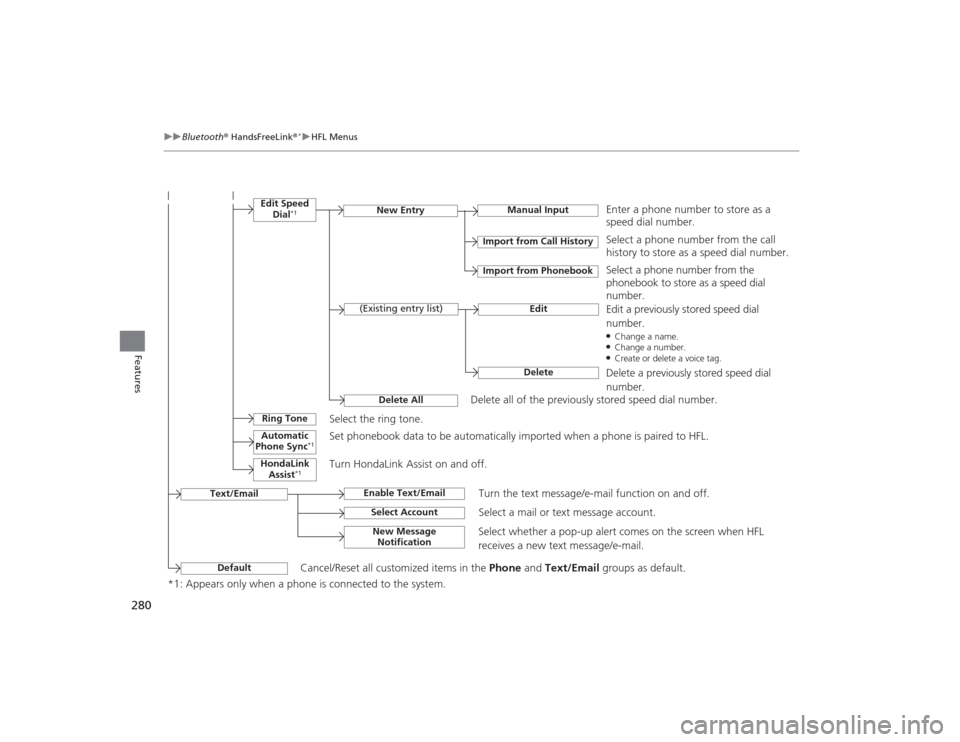
*1: Appears only when a phone is connected to the system.
Manual Input
New Entry
Import from Call HistoryImport from Phonebook
EditDelete
(Existing entry list)
Edit Speed
Dial
*1
Delete All
Enter a phone number to store as a
speed dial number.Select a phone number from the call
history to store as a speed dial number.
Delete all of the previously stored speed dial number. Select a phone number from the
phonebook to store as a speed dial
number.
Edit a previously stored speed dial
number.●Change a name.●Change a number.●Create or delete a voice tag.Delete a previously stored speed dial
number.
Ring Tone
Select the ring tone.
Automatic
Phone Sync
*1
Set phonebook data to be automatically imported when a phone is paired to HFL.
HondaLink Assist
*1
Turn HondaLink Assist on and off.
Text/Email
Enable Text/Email
Turn the text message/e-mail function on and off.
Select Account
Select a mail or text message account.
New Message Notification
Select whether a pop-up alert comes on the screen when HFL
receives a new text message/e-mail.
Default
Cancel/Reset all customized items in the Phone and Text/Email groups as default.