audio HONDA CIVIC 2017 10.G User Guide
[x] Cancel search | Manufacturer: HONDA, Model Year: 2017, Model line: CIVIC, Model: HONDA CIVIC 2017 10.GPages: 601, PDF Size: 32.51 MB
Page 23 of 601
22
Quick Reference Guide
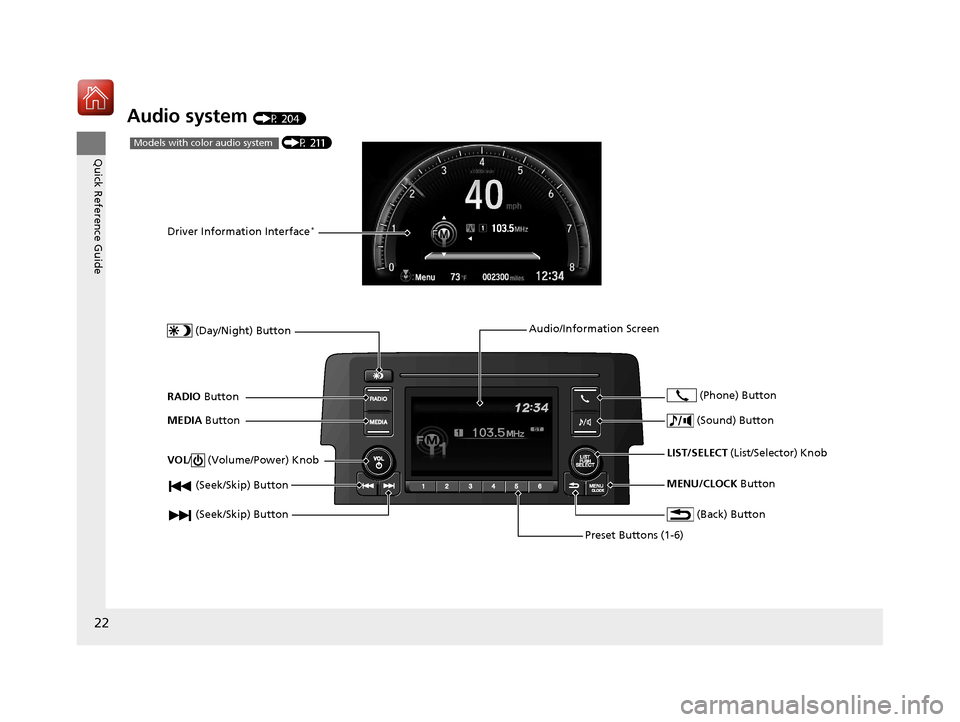
Audio system (P 204)
(P 211)Models with color audio system
(Seek/Skip) Button
RADIO Button
Driver Information Interface*
(Day/Night) Button
MEDIA Button
Preset Buttons (1-6)
(Seek/Skip) Button
VOL
/ (Volume/Power) Knob
Audio/Information Screen
(Back) Button
(Sound) Button
MENU/CLOCK Button
LIST/SELECT
(List/Selector) Knob
(Phone) Button
17 CIVIC 4D HCM (KA KC KL)-31TBA6100.book 22 ページ 2016年8月31日 水曜日 午後6時5分
Page 24 of 601
23
Quick Reference Guide
(P 229)
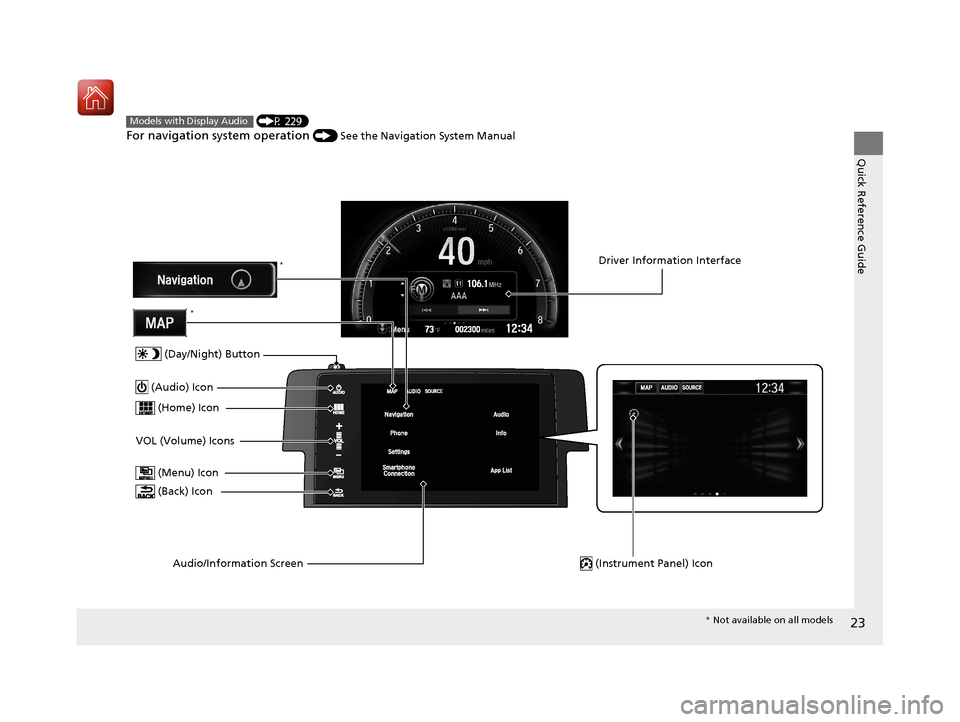
For navigation system operation () See the Navigation System Manual
Models with Display Audio
(Menu) Icon
VOL (Volume) Icons (Home) Icon
(Back) Icon
Audio/Information Screen
(Audio) Icon
Driver Information Interface
(Instrument Panel) Icon
(Day/Night) Button
*
*
* Not available on all models
17 CIVIC 4D HCM (KA KC KL)-31TBA6100.book 23 ページ 2016年8月31日 水曜日 午後6時5分
Page 114 of 601
113
uuGauges and Displays uDriver Information Interface*
Continued
Instrument Panel
Driver Information Interface*
The driver information interface show s the odometer, trip meter, outside
temperature indicator, and other gauges.
It also displays important messages such as warnings and other helpful information.
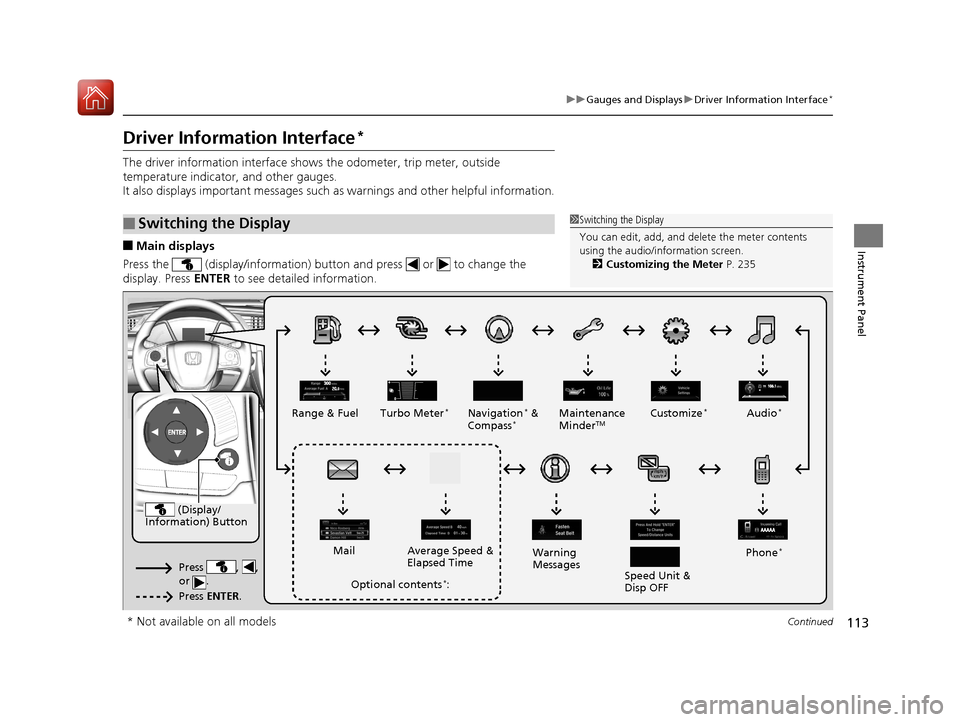
■Main displays
Press the (display/information) button and press or to change the
display. Press ENTER to see detailed information.
■Switching the Display1Switching the Display
You can edit, add, and de lete the meter contents
using the audio/information screen. 2 Customizing the Meter P. 235
(Display/
Information) Button
Press , ,
or .
Press ENTER .
Range & Fuel Turbo Meter*Navigation* &
Compass*Maintenance
MinderTMCustomize*Audio*
Phone*
Speed Unit &
Disp OFF
Warning
Messages
Average Speed &
Elapsed Time
Mail
Optional contents*:
* Not available on all models
17 CIVIC 4D HCM (KA KC KL)-31TBA6100.book 113 ページ 2016年8月31日 水曜日 午後6時5分
Page 117 of 601
uuGauges and Displays uDriver Information Interface*
116
Instrument Panel
Shows the outside temperature in Fahr enheit (U.S.) or Celsius (Canada).
■Adjusting the outside temperature display
Adjust the temperature reading up to ±5°F or ±3°C if the temperature reading
seems incorrect.
Use the driver information interface’s customized features or audio/information
screen to correct the temperature.
2 Customized Features P. 118, 308
Shows the instant fuel economy as a bar graph in mpg or l/100 km.
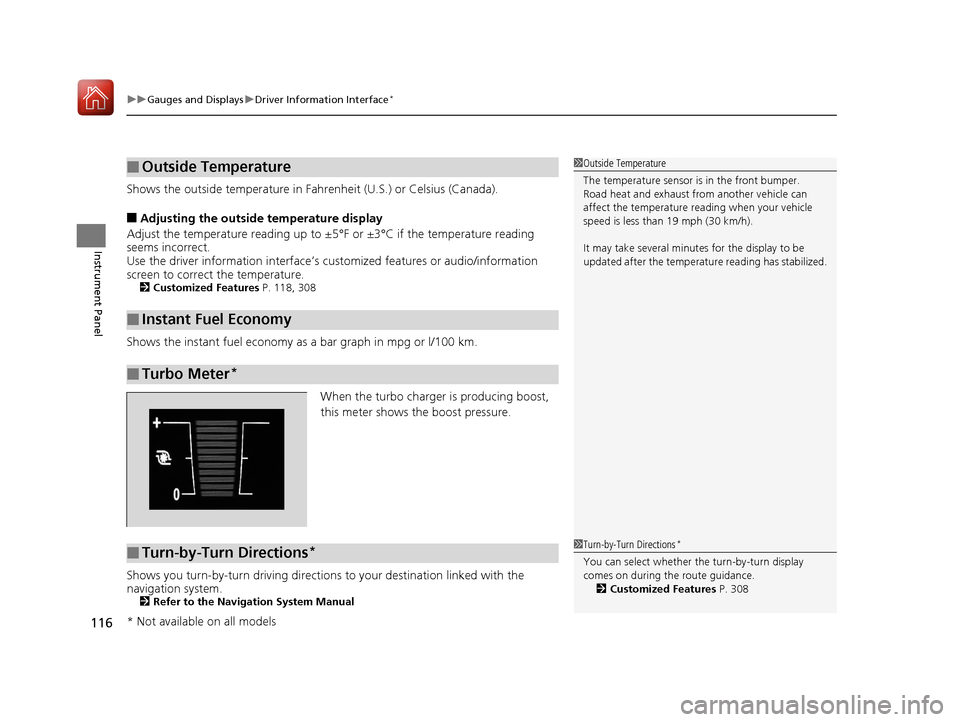
When the turbo charger is producing boost,
this meter shows th e boost pressure.
Shows you turn-by-turn driving directions to your destination linked with the
navigation system.
2 Refer to the Navigation System Manual
■Outside Temperature
■Instant Fuel Economy
■Turbo Meter*
1Outside Temperature
The temperature sensor is in the front bumper.
Road heat and exhaust from another vehicle can
affect the temperature reading when your vehicle
speed is less than 19 mph (30 km/h).
It may take several minutes for the display to be
updated after the temperature reading has stabilized.
■Turn-by-Turn Directions*1Turn-by-Turn Directions*
You can select whether th e turn-by-turn display
comes on during the route guidance. 2 Customized Features P. 308
* Not available on all models
17 CIVIC 4D HCM (KA KC KL)-31TBA6100.book 116 ページ 2016年8月31日 水曜日 午後6時5分
Page 118 of 601
117
uuGauges and Displays uDriver Information Interface*
Continued
Instrument Panel
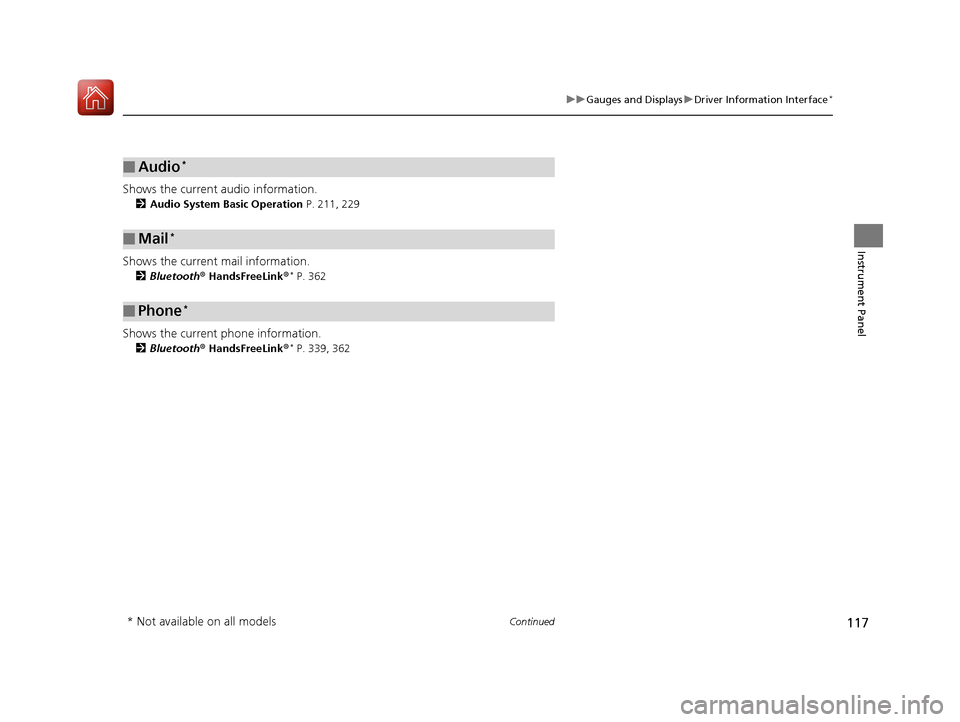
Shows the current audio information.
2 Audio System Basic Operation P. 211, 229
Shows the current mail information.
2Bluetooth ® HandsFreeLink ®* P. 362
Shows the current phone information.
2Bluetooth ® HandsFreeLink ®* P. 339, 362
■Audio*
■Mail*
■Phone*
* Not available on all models
17 CIVIC 4D HCM (KA KC KL)-31TBA6100.book 117 ページ 2016年8月31日 水曜日 午後6時5分
Page 119 of 601
uuGauges and Displays uDriver Information Interface*
118
Instrument Panel
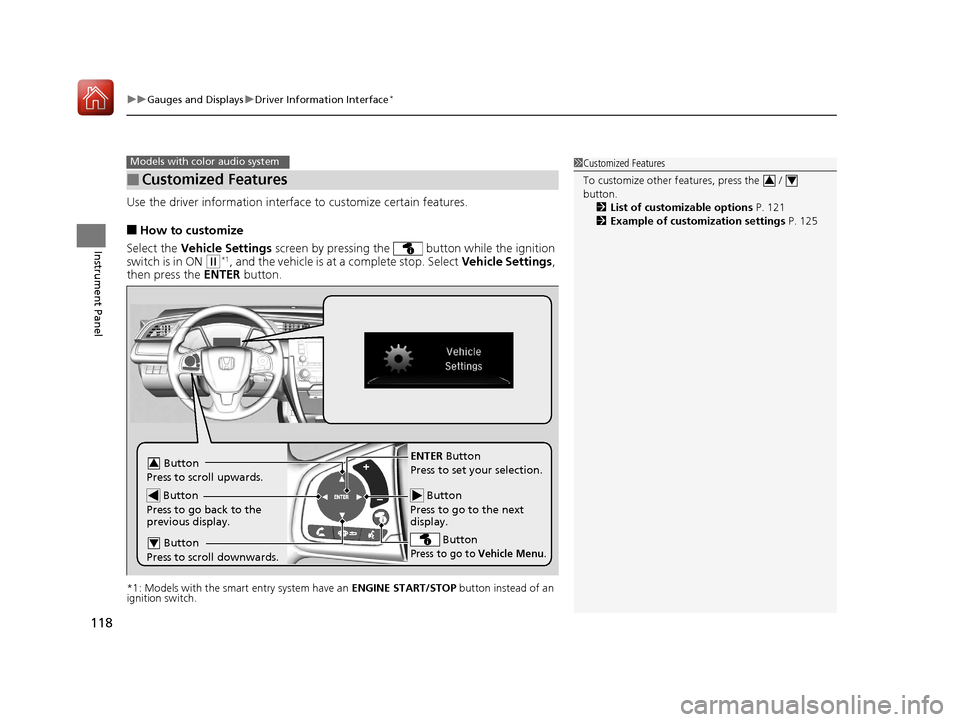
Use the driver information interfac e to customize certain features.
■How to customize
Select the Vehicle Settings screen by pressing the button while the ignition
switch is in ON
(w*1, and the vehicle is at a complete stop. Select Vehicle Settings,
then press the ENTER button.
*1: Models with the smart entry system have an ENGINE START/STOP button instead of an
ignition switch.
■Customized Features
Models with color audio system1 Customized Features
To customize other features, press the /
button.
2 List of customizable options P. 121
2 Example of customization settings P. 125
34
Button
Press to go to the next
display.
ENTER Button
Press to set your selection.
Button
Press to go to Vehicle Menu.
Button
Press to scroll upwards.3
Button
Press to go back to the
previous display.
Button
Press to scroll downwards.4
17 CIVIC 4D HCM (KA KC KL)-31TBA6100.book 118 ページ 2016年8月31日 水曜日 午後6時5分
Page 129 of 601
128
Controls
Clock
Adjusting the Clock
You can adjust the time in the clock display with the ignition switch in ON (w*1.
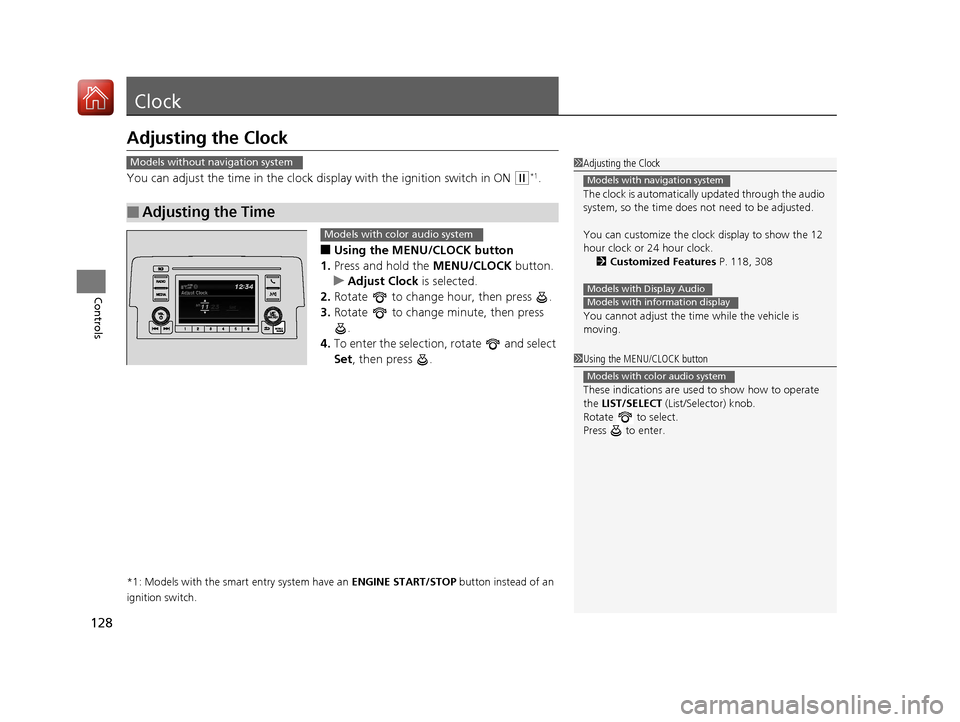
■Using the MENU/CLOCK button
1. Press and hold the MENU/CLOCK button.
u Adjust Clock is selected.
2. Rotate to change hour, then press .
3. Rotate to change minute, then press
.
4. To enter the selection, rotate and select
Set , then press .
*1: Models with the smart entry system have an ENGINE START/STOP button instead of an
ignition switch.
■Adjusting the Time
1 Adjusting the Clock
The clock is automatically updated through the audio
system, so the time does not need to be adjusted.
You can customize the clock display to show the 12
hour clock or 24 hour clock.
2 Customized Features P. 118, 308
You cannot adjust the time while the vehicle is
moving.
Models with navigation system
Models with Display AudioModels with information display
Models without navigation system
1 Using the MENU/CLOCK button
These indications are used to show how to operate
the LIST/SELECT (List/Selector) knob.
Rotate to select.
Press to enter.
Models with color audio system
Models with color audio system
17 CIVIC 4D HCM (KA KC KL)-31TBA6100.book 128 ページ 2016年8月31日 水曜日 午後6時5分
Page 130 of 601
129
uuClock uAdjusting the Clock
Controls
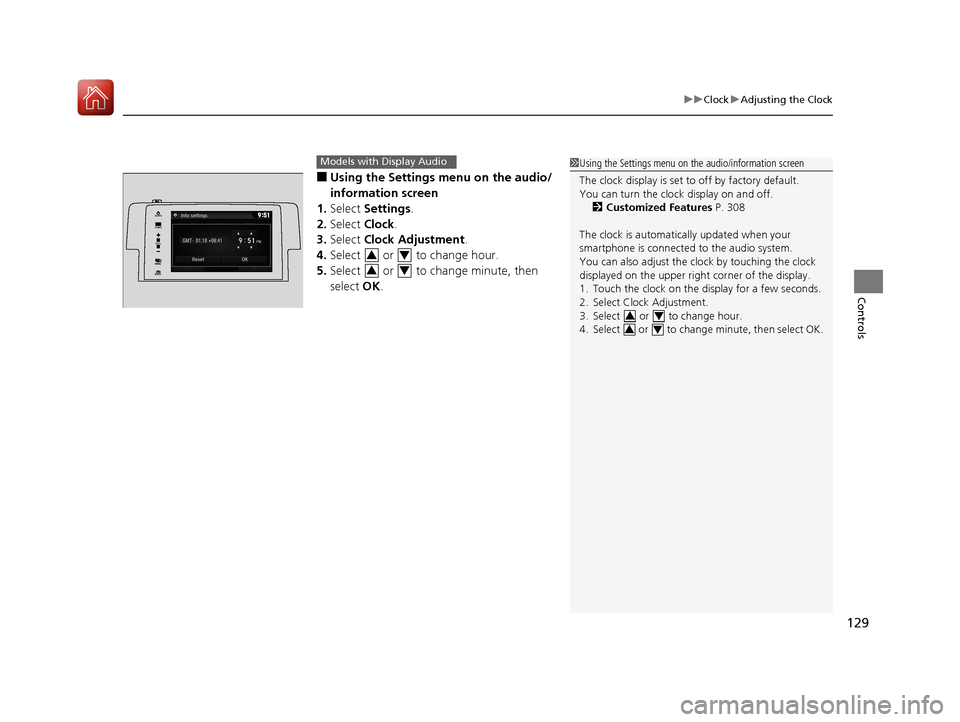
■Using the Settings menu on the audio/
information screen
1. Select Settings .
2. Select Clock.
3. Select Clock Adjustment .
4. Select or to change hour.
5. Select or to change minute, then
select OK.
Models with Display Audio1Using the Settings menu on the audio/information screen
The clock display is set to off by factory default.
You can turn the clock display on and off.
2 Customized Features P. 308
The clock is automatica lly updated when your
smartphone is connected to the audio system.
You can also adjust the clock by touching the clock
displayed on the upper right corner of the display.
1. Touch the clock on the display for a few seconds.
2. Select Clock Adjustment.
3. Select or to change hour.
4. Select or to change minute, then select OK.
34
34
VOL
HOME
MENUBACK
AUDIO
34
34
17 CIVIC 4D HCM (KA KC KL)-31TBA6100.book 129 ページ 2016年8月31日 水曜日 午後6時5分
Page 135 of 601
uuLocking and Unlocking the Doors uLocking/Unlocking the Doors from the Outside
134
Controls
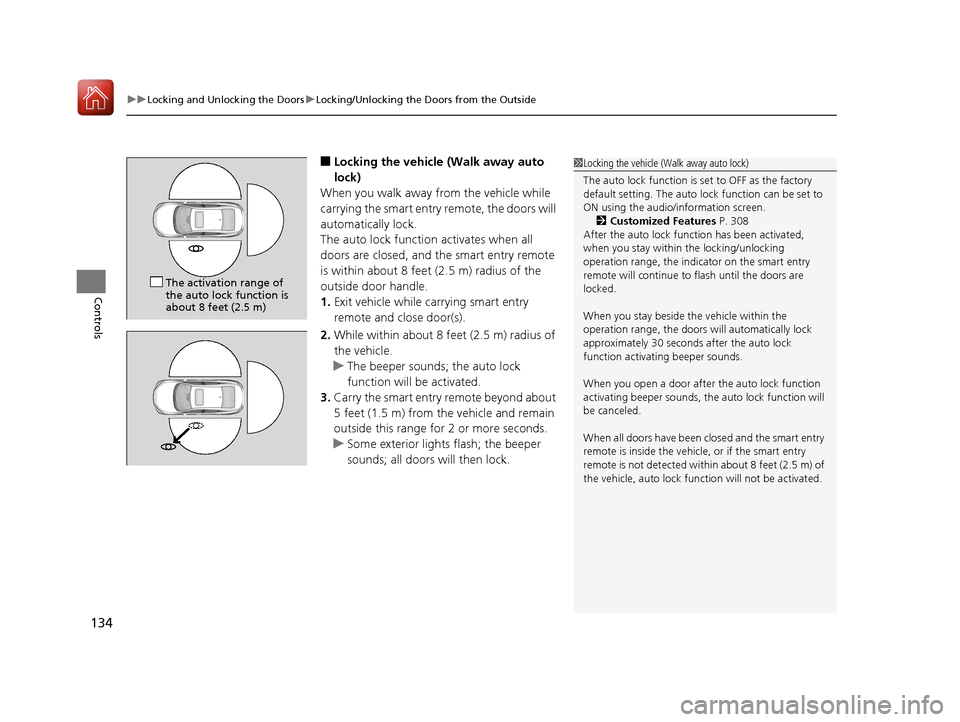
■Locking the vehicle (Walk away auto
lock)
When you walk away from the vehicle while
carrying the smart entry remote, the doors will
automatically lock.
The auto lock function activates when all
doors are closed, and the smart entry remote
is within about 8 feet (2.5 m) radius of the
outside door handle.
1. Exit vehicle while carrying smart entry
remote and close door(s).
2. While within about 8 feet (2.5 m) radius of
the vehicle.
u The beeper sounds; the auto lock
function will be activated.
3. Carry the smart entry remote beyond about
5 feet (1.5 m) from the vehicle and remain
outside this range fo r 2 or more seconds.
u Some exterior lights flash; the beeper
sounds; all doors will then lock.1Locking the vehicle (Walk away auto lock)
The auto lock function is set to OFF as the factory
default setting. The auto lo ck function can be set to
ON using the audio/information screen. 2 Customized Features P. 308
After the auto lock function has been activated,
when you stay within the locking/unlocking
operation range, the indicator on the smart entry
remote will continue to flash until the doors are
locked.
When you stay beside the vehicle within the
operation range, the doors wi ll automatically lock
approximately 30 seconds after the auto lock
function activating beeper sounds.
When you open a door after the auto lock function
activating beeper sounds, the auto lock function will
be canceled.
When all doors have been closed and the smart entry
remote is inside the vehicle, or if the smart entry
remote is not detect ed within about 8 feet (2.5 m) of
the vehicle, auto lock func tion will not be activated.
The activation range of
the auto lock function is
about 8 feet (2.5 m)
17 CIVIC 4D HCM (KA KC KL)-31TBA6100.book 134 ページ 2016年8月31日 水曜日 午後6時5分
Page 142 of 601
Continued141
uuLocking and Unlocking the Doors uLocking/Unlocking the Doors from the Inside
Controls
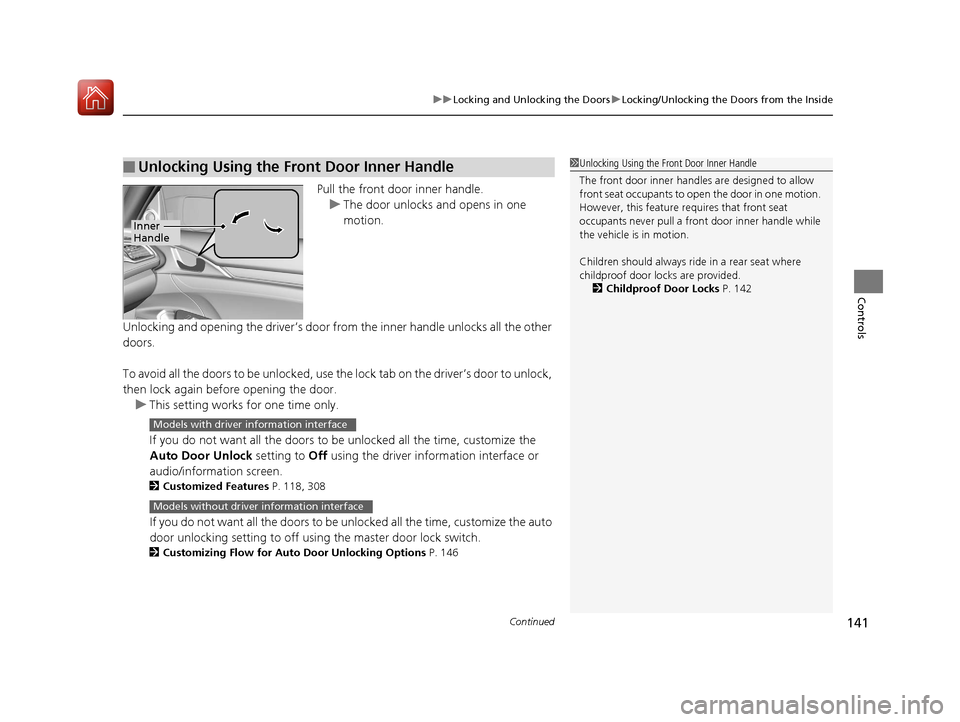
Pull the front door inner handle.
u The door unlocks and opens in one
motion.
Unlocking and opening the driver’s door from the inner handle unlocks all the other
doors.
To avoid all the doors to be unlocked, use the lock tab on the driver’s door to unlock,
then lock again before opening the door. u This setting works for one time only.
If you do not want all the doors to be unlocked all the time, customize the
Auto Door Unlock setting to Off using the driver information interface or
audio/information screen.
2 Customized Features P. 118, 308
If you do not want all the doors to be unlocked all the time, customize the auto
door unlocking setting to off using the master door lock switch.
2 Customizing Flow for Auto Door Unlocking Options P. 146
■Unlocking Using the Front Door Inner Handle1Unlocking Using the Front Door Inner Handle
The front door inne r handles are designed to allow
front seat occupants to open the door in one motion.
However, this feature requires that front seat
occupants never pull a front door inner handle while
the vehicle is in motion.
Children should always ride in a rear seat where
childproof door locks are provided.
2 Childproof Door Locks P. 142
Inner
Handle
Models with driver information interface
Models without driver information interface
17 CIVIC 4D HCM (KA KC KL)-31TBA6100.book 141 ページ 2016年8月31日 水曜日 午後6時5分